
Key Takeaways
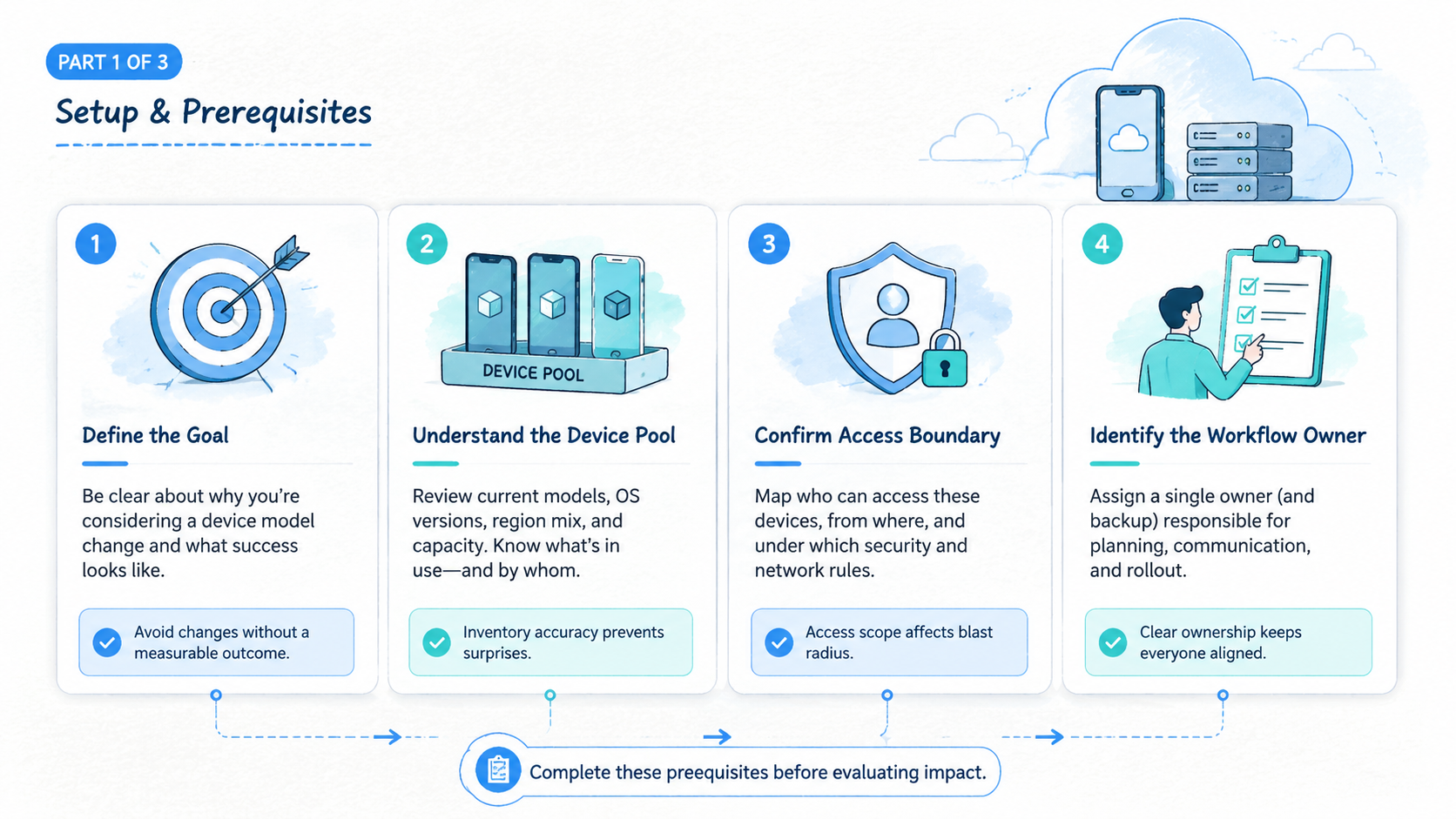
- A cloud phone device model change means changing the visible device profile used by a cloud phone environment.
- Avoid changing device model when account history, app trust, workflow ownership, or recovery records are unclear.
- Device model changes should be treated as operational changes, not cosmetic settings.
- Teams need a reason, a test device, a rollback note, and a recovery owner before making changes.
- Stable device identity usually matters more than frequent tuning for multi-account operations.
A cloud phone device model change is an update to the device identity profile that a cloud phone environment presents during mobile work. It may involve the visible device model, operating context, or related device fields that apps and workflows can use as part of their environment.
Avoid a cloud phone device model change when the account is already active, the device history is important, or the team cannot explain why the change is needed. Changing device identity without a written reason can create confusion for operators, reviewers, and recovery owners.
The safest operating view is simple: treat device model as part of the workflow record. A cloud phone is not only a remote Android screen; it is an assigned environment with app state, account ownership, access history, routing notes, and team handoff.
This does not mean device settings should never change. It means the change should be intentional. Google's guidance on creating helpful content is a useful broader standard: durable systems are built around user value, clarity, and trust, not tricks. Apply the same discipline to device operations.
The Core Idea Behind Cloud Phone Device Model Change
The core idea is that device identity is part of operating continuity. A cloud phone device model change may look like a small setting, but it can affect how a team understands the environment attached to an account group.
That matters because teams rarely manage one device in isolation. A manager may assign a device to an account group, while an operator completes daily app work and a reviewer inspects exceptions.
A recovery owner may then decide whether to pause, rollback, or retire the environment. That decision is much easier when the model-change record is visible beside the device.
When the device model changes, those people need to know what changed and why. Otherwise the record becomes unreliable. The next operator may see a different model and wonder whether the device was replaced, reset, reassigned, or modified.
MoiMobi's cloud phone page is the relevant starting point for understanding the device layer. The deeper question is not whether a model can be changed; it is whether the team should change it in the current workflow.
Use this decision rule before touching a device:
- Active account attached: avoid casual model changes.
- Account history matters: write a change note first.
- App state is unstable: fix recovery before changing identity.
- No named benefit: do not change it.
That rule keeps the discussion practical. A secure cloud phone workflow needs clarity more than constant adjustment. Device changes should reduce operational risk or support a known test, not satisfy curiosity.
No shortcut replaces the record.
Keep a simple model-change log beside the device record:
| Log field | Example entry | Why it helps |
|---|---|---|
| Current role | Active account review | Shows production sensitivity |
| Proposed change | Model A to Model B | Makes the change explicit |
| Business reason | App QA compatibility test | Blocks casual edits |
| Test device | Staging phone 04 | Protects active workflows |
| Recovery owner | Ops lead | Creates a decision path |
This log should be short enough to use. A long approval document will be ignored during daily work, but no record leaves the next operator guessing.
Why Teams Search for This Topic
Teams search for this topic when they are trying to understand whether device model changes help or hurt mobile workflows. The question often appears after a login issue, a platform prompt, a failed app run, or a handoff problem.
One operator may ask whether a different model would make the environment look cleaner. Another may want to standardize device profiles across a pool, while a manager may want to separate test devices from production devices.
Those are different problems, so they need different answers.
The practical risk is false simplicity. A device model looks like a field, but the workflow around it is much larger than one setting.
| Situation | Better first check | Change model now? |
|---|---|---|
| Account has unusual prompt | Review account state and last task | Usually no |
| New test pool is being built | Document target profile and owner | Maybe |
| Operator cannot identify device | Fix naming and records | No |
| App update changed behavior | Test on separate device first | Not on active account |
| Device was reassigned | Confirm account boundary and status | Only with note |
This table is not a policy promise. Use it as an operating checklist. Different apps and platforms may behave differently, and official platform guidance should be checked when policy-sensitive work is involved.
The useful question is not "can we spoof a model?" It is "what record, account, and review process will change if we do?" Device spoofing language can push teams toward shortcuts. Operations language keeps the team focused on accountable work.
Who Benefits Most and In What Situations
The teams that benefit most from a careful device model change policy are teams with shared device pools. A solo tester may remember every experiment, but a multi-operator team cannot rely on memory.
Agencies, growth teams, ecommerce teams, and social operations teams often need device isolation on cloud phones. They may run account groups, testing pools, review queues, and recovery workflows at the same time.
In that setting, device model changes should be controlled through a visible approval path, not handled as private operator preference.
MoiMobi's device isolation page is relevant when the team is trying to keep environments separate. Device model choice is only one part of that separation. App state, storage, routing, access, ownership, and records matter too.
Change may fit
- New test pool with no active accounts
- Documented compatibility test
- Known device standardization plan
- Clear owner and rollback note
- Separate staging device group
Avoid change
- Active account with important history
- Recent login, prompt, or review issue
- Unclear device ownership
- No expected benefit documented
- No reviewer or recovery owner
This fit boundary keeps teams from making production changes for test reasons. Experimentation belongs in a test pool. Recovery work should fix the recovery issue first. Standardization needs a written standard before active devices are touched.
The strongest teams separate curiosity from operations. They test in one place and run production work in another, even when both pools use the same cloud phone platform.
How to Evaluate a Cloud Phone Device Model Change
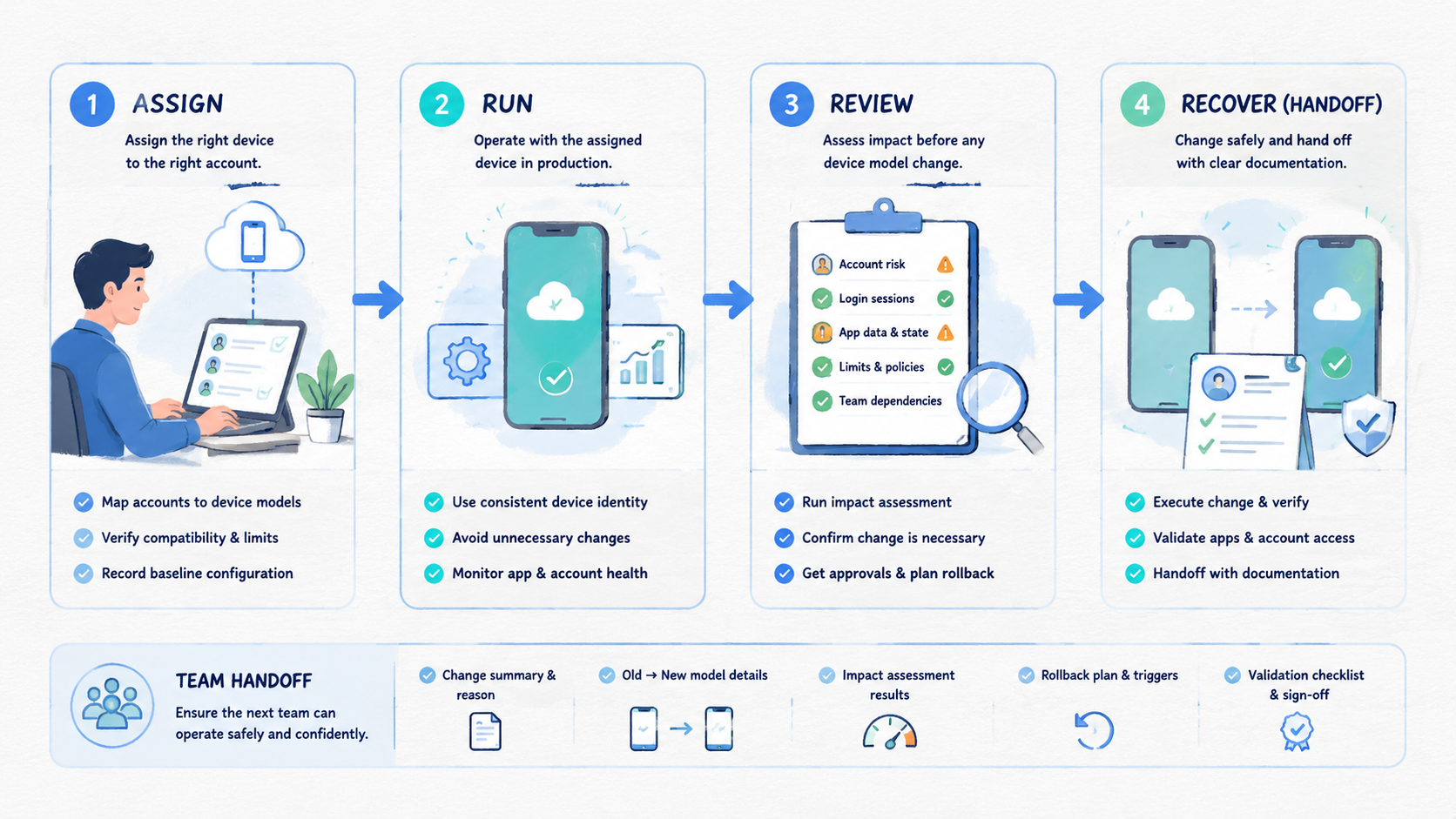
Start with a written reason. The reason should name the device group, account group, expected benefit, owner, and rollback plan. If those fields are blank, the change is not ready.
- Identify the device role
Decide whether the cloud phone is used for production work, staging tests, app QA, account recovery, or training. Production devices need stricter change control than test devices.
- Review account attachment
Check which accounts have used the device. If the device is attached to an account group with history, avoid changing the model unless the recovery owner approves it.
- Separate test from active work
Use a test cloud phone when the goal is compatibility checking. Active account devices should not carry experiments. That keeps the result easier to interpret.
- Record the change
Write the previous model, new model, date, owner, device group, account group, and reason. A short record is enough if it is complete.
- Add a recovery path
Define what happens if the app behaves differently after the change. The answer may be pause, review, rollback, or retire the device from active work.
Use this field list:
| Field | What to write | Why it matters |
|---|---|---|
| Device group | Which pool is affected | Prevents accidental spread |
| Account group | Which accounts are attached | Shows workflow impact |
| Reason | Why the change is needed | Blocks casual changes |
| Owner | Who approves it | Creates accountability |
| Recovery action | What happens if it fails | Avoids improvisation |
Google's SEO Starter Guide focuses on clarity and structure for web content. The same habit helps internal operations: clear records make future review easier.
One final checkpoint is timing. Avoid changes during active campaigns, support escalations, or recovery windows. Timing matters because a clean change made at the wrong moment can still create coordination debt.
Set a maintenance window if the change affects several devices. Tell operators which pool is paused, which devices are untouched, and when the review owner will confirm status. That small communication step prevents accidental mixed states.
Cloud Phone Device Model Change Review Scorecard
Use a scorecard before changing any device model on an active or recently active cloud phone. The goal is not bureaucracy. The goal is to force a clear yes, no, or test-first decision.
| Review item | Pass condition | Stop condition |
|---|---|---|
| Account history | No active account or owner approved | Recent prompt, login issue, or unclear status |
| Device ownership | Named owner and device group | Shared device with no accountable owner |
| Reason | Specific workflow or test goal | Curiosity or vague safety claim |
| Test path | Staging device available | Only production devices available |
| Recovery | Rollback, pause, or retire path written | No next action if behavior changes |
A device should pass every item before a production change. When one item fails, move the work to a test pool or pause the change until the missing record is fixed.
This scorecard also helps managers separate two conversations. Compatibility testing belongs in staging, account recovery belongs with the account owner, and pool standardization belongs in an operations plan.
Keep those conversations separate. A change request that mentions compatibility, recovery, and standardization at the same time is usually too broad for one device action. Split it before approval.
Mistakes That Reduce Results
The first mistake is changing the model to solve an unknown problem. Diagnose account prompts, login issues, and app errors before changing identity. A model change may hide the real cause instead of fixing it, especially when no one has reviewed the last successful task.
The second mistake is changing several variables at once. A team may change model, route, app version, and account owner on the same day. When the workflow changes later, nobody knows which change mattered.
One variable at a time. That simple rule makes troubleshooting possible.
The third mistake is weak naming. When operators cannot tell which cloud phone belongs to which account group, a model change will not fix the system. Improve device naming, ownership records, and status labels first.
Another common issue is treating device spoofing as a strategy. That framing encourages teams to focus on appearance instead of execution quality. A better frame is controlled environment management: know the device, know the account, know the owner, and know the recovery path.
Review is mandatory on active devices. A model change should require approval from the person responsible for that account group. Without approval, operators create private habits that managers cannot audit.
Pilot, Measurement, and Recovery Checks
Run a small pilot before changing a larger device pool. Use one test group, one owner, and a limited number of devices. Keep active account groups out of the first test unless the recovery owner approves the scope and writes the pause plan.
Measure simple signals:
- App opens as expected
- Login state remains understandable
- Operator can identify the device
- Review owner can explain the change
- Recovery action is available if behavior changes
The pilot should answer whether the change improves a real workflow. It should not only confirm that the setting can be changed.
Use four status labels after the pilot: unchanged, changed and ready, changed and needs review, retired from active use. Avoid vague labels such as "probably fine." Vague status creates handoff risk.
Recovery should be written before the test. The owner needs a short decision path: review the changed device, decide whether rollback is possible, move it to staging if needed, and keep the account group paused until status is clear.
Teams using broader account operations can connect this process to multi-account management. Teams that also need routing discipline can review proxy network, but do not change routing and model together during the same test.
One test, one variable.
That rule keeps post-change review useful. When two settings change at once, the team loses the ability to explain which change caused the result.
Frequently Asked Questions
What is a cloud phone device model change?
It is a change to the visible device model or related device identity profile used by a cloud phone environment. Treat it as an operational change because it affects the device record.
When should teams avoid changing device model?
Avoid it on active account devices, during unresolved app issues, after recent account prompts, or when ownership records are unclear.
Is device model change the same as device isolation?
No. Device isolation is broader. It includes separation of app state, storage, access, routing, and ownership. Model choice is only one field inside that broader environment record.
Can a device model change fix account problems?
No. Account issues may come from content, behavior, app state, routing, policy, or workflow mistakes. Diagnose before changing identity.
Should every device use the same model?
Not always. Standardization can help management, but only when the reason is documented. Avoid changing active devices just to make records look tidy; fix naming and ownership first.
What should be recorded before a change?
Record device group, account group, previous model, new model, reason, owner, date, and recovery action.
Should teams test first?
Yes. Use a test cloud phone or staging group before applying changes to active account workflows.
Where does MoiMobi fit?
MoiMobi provides cloud phone infrastructure for team mobile workflows. Teams can use it to manage device pools, isolation, handoff, and operational review.
Conclusion
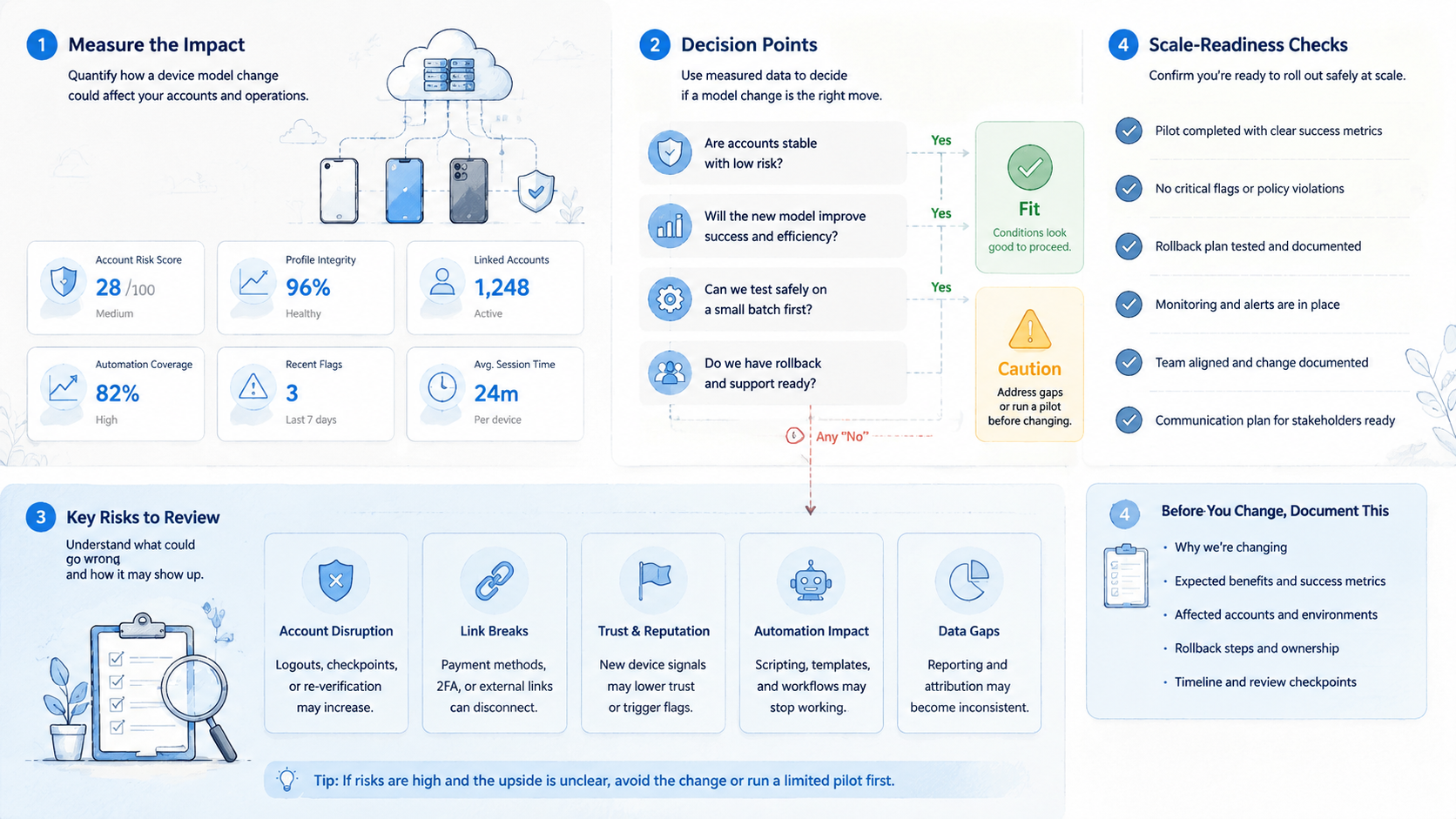
A cloud phone device model change should be rare, documented, and connected to a clear operating reason. The safest default is to avoid changing active account devices unless the team understands the account history, device role, expected benefit, and recovery path.
Before acting, check five things: device role, account attachment, reason, owner, and recovery action. If one is missing, pause the change.
Use test pools for experiments. Keep production devices boring. A stable device record is often more valuable than constant adjustment, because it lets operators, managers, and reviewers understand what happened before they decide what to do next.



