
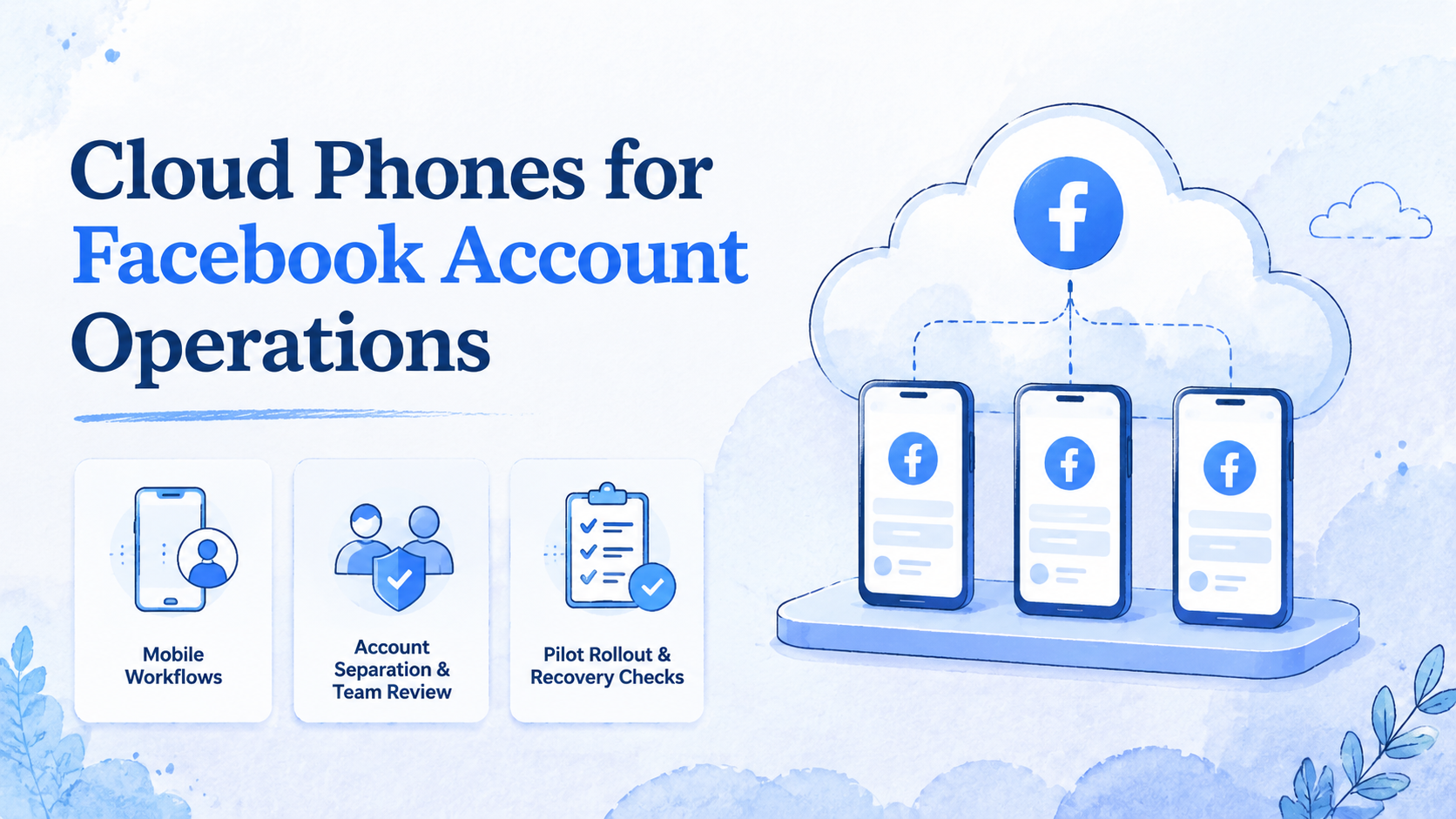
The cloud phone model for Facebook account operations is a persistent mobile workspace model for running Facebook-related tasks from separated cloud Android environments. It is most useful when several operators need to manage page checks, comments, messages, content assets, or account handoff without mixing every task on one shared device.
The core decision is operational. A team should not ask only whether a remote phone can open Facebook apps. It should ask whether the environment keeps account context clear, gives operators a clean work lane, and leaves enough records for review.
Key Takeaways
- Cloud phones for Facebook account operations give teams persistent mobile workspaces for account-based tasks
- The main value is cleaner execution, not generic remote access
- Teams should map each account role before adding more cloud phones
- Review rules matter for posting, replies, page changes, and asset handling
- A small pilot should measure task traceability, login health, handoff quality, and recovery time
What Are Cloud Phones for Facebook Account Operations?
This setup gives teams a place to handle mobile tasks without passing one physical phone between operators. The environment is assigned, named, and easier to review.
Facebook account work can include page checks, comment review, message follow-up, asset upload checks, campaign support, and mobile app workflows. The exact task list varies by team. The operating problem is usually the same: account work becomes harder to control when many people share devices, files, and login context.
A cloud phone is useful when the team needs a named environment for a named account:
- One account keeps its own apps, files, notes, and task lane
- Another account stays separate, even if the same manager supervises both
- Review work can follow the account lane instead of the operator's memory
This setup does not remove the need for platform rules or human judgment. Teams still need to follow the policies of the platforms they use. Google's Google Play Policy Center is a useful example of how mobile ecosystems publish policy rules that operators should respect.
MoiMobi frames cloud phones as execution infrastructure. A team can combine cloud phone environments with device isolation, proxy network, and mobile automation. That matters when Facebook work is one part of a larger social media operation.
Why Cloud Phones for Facebook Account Operations Matter
The common misunderstanding is simple: teams think the problem is phone access. The real issue is account context. If one device holds files, sessions, screenshots, and notes for too many accounts, the team loses control.
A Facebook operations team may manage several pages, regional accounts, ad support tasks, content queues, or customer message lanes. Each account may need different assets, review rules, language notes, and owner approvals. Shared devices make those boundaries harder to see.
The assigned workspace model turns messy access into cleaner execution:
- Name the environment
- Assign the owner
- Hand it off with context
- Review the task record after work is done
Here is the practical shift:
| Problem in shared device work | Cleaner cloud phone model |
|---|---|
| Operators switch between unrelated accounts | Each environment maps to a role or account group |
| Files from different brands mix together | Assets stay near the account that uses them |
| Managers cannot trace work easily | Tasks can be tied to named environments |
| App-based work waits for one phone | Operators can access assigned mobile workspaces |
| Review happens after mistakes | Review gates can sit inside the workflow |
This also supports broader multi-account management. The goal is not to make reckless volume easier. The goal is to make repeated account work easier to separate, check, and recover.
Key Benefits and Use Cases
The benefits are practical, not decorative. Cloud phones make account work easier to keep in lanes.
| Benefit | What changes in daily work |
|---|---|
| Persistent context | App setup, files, notes, and account lane stay in place across shifts |
| Team handoff | A manager can move a workspace to another operator without rebuilding setup |
| Workflow design | Repeated checks can follow a written path instead of an improvised routine |
| Review visibility | Managers can inspect the lane, not just ask whether the task was finished |
Common use cases include:
- Facebook page content checks
- Mobile app review of posts and comments
- Customer message follow-up
- Asset upload verification
- Regional page monitoring
- Social commerce support tasks
- Campaign support across account groups
- Escalation review for sensitive replies
Teams that also use other social channels may compare this setup with a cloud phone for TikTok automation or cloud phones for WhatsApp marketing. The channel changes, but the operating model is similar: each account lane needs context, separation, and review.
Google's guidance on creating helpful content is relevant for social teams as well. Better execution should support useful content, clear user value, and a review path that keeps account work tied to the right customer context.
How to Get Started with Cloud Phones for Facebook Account Operations
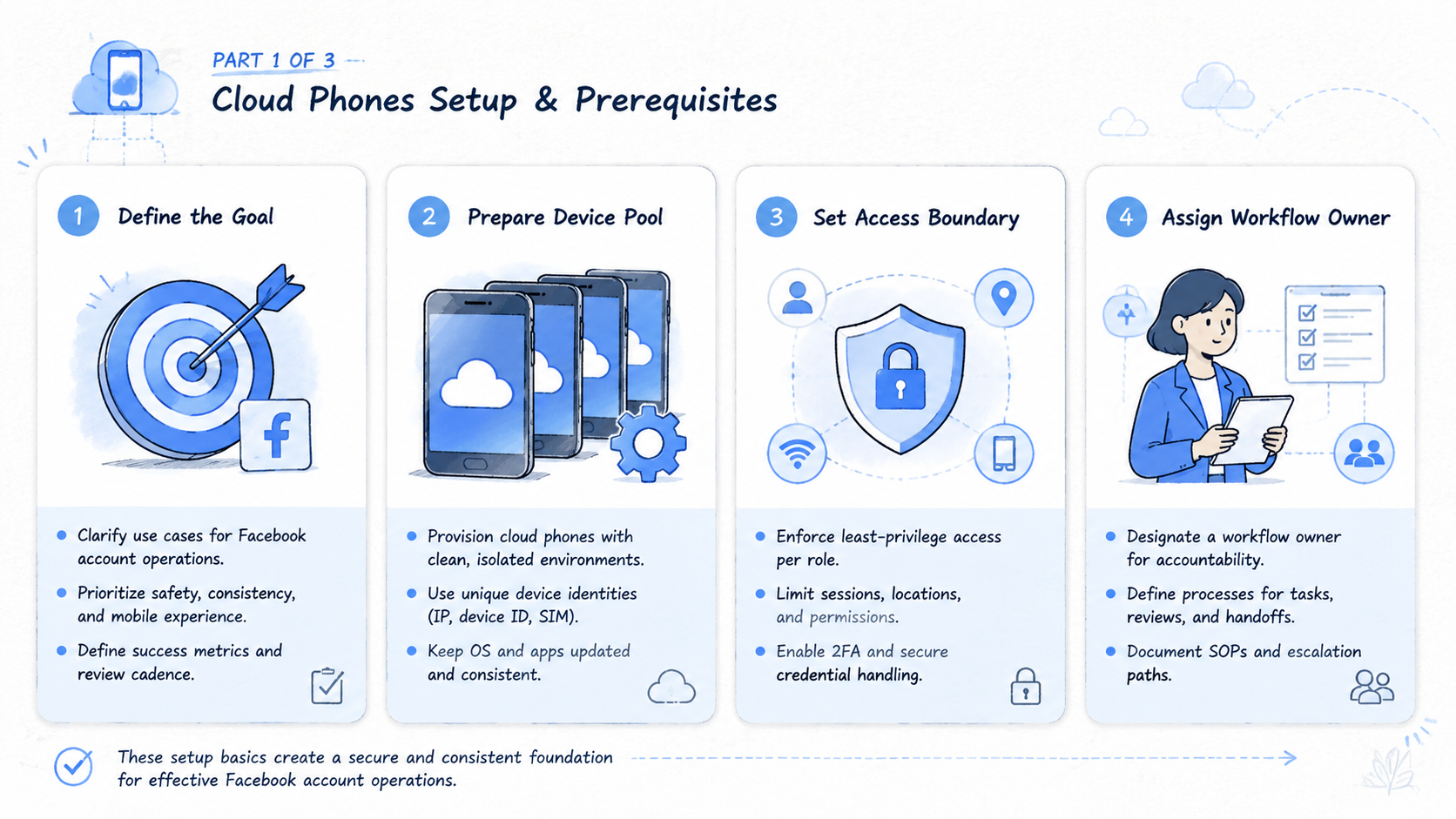
Start with account mapping. List every Facebook page, account group, region, and operator role. Then decide which workspaces need to stay separate. Do not begin by buying the largest device pool.
Use this setup path:
| Setup checkpoint | Pass signal |
|---|---|
| Define account lanes | Each environment maps to one account, region, or small account group |
| Limit app scope | The phone contains only the apps needed for that lane |
| Set file rules | Assets use account, campaign, date, and approval labels |
| Create review gates | Posts, replies, page edits, and sensitive claims have a clear check |
| Assign operators | Every workspace has an owner and a backup owner |
| Track outcomes | Failed steps, handoffs, and manual takeover events are recorded |
| Review weekly | Expansion waits until the first lanes are traceable |
Teams also need a routing policy. MoiMobi's routing and Android antidetect capabilities may be relevant when teams need cleaner mobile separation. The right setup depends on the account model and the team's compliance requirements.
Add a written stop rule before daily work begins. A stop rule tells operators when they should pause instead of improvising. Examples include a missing asset, an unexpected login prompt, a customer complaint, a page setting change, or a reply that could affect a sale.
The setup is stronger when the team keeps a short workspace note for each account lane. The note should list the purpose of the lane, the owner, the backup owner, the allowed tasks, the review trigger, and the escalation channel. This keeps the environment from becoming a vague shared phone.
Teams should also decide how Facebook work connects to other mobile channels. A cloud phone for TikTok automation may focus on publishing checks. Cloud phones for WhatsApp marketing may focus on reply workflows. Facebook account operations usually need a different balance of page review, comment handling, asset checks, and approval routing.
A practical first setup can use 3 cloud phones before the team expands:
| Phone | Work lane |
|---|---|
| Phone 1 | Daily page and comment checks |
| Phone 2 | Customer message review |
| Phone 3 | Asset upload checks and manager approval |
That small split gives the team enough contrast to see where the workflow breaks.
Use a simple workspace record:
| Field | Example value |
|---|---|
| Workspace ID | FB-US-01 |
| Account lane | US retail page |
| Owner | Social operator A |
| Backup owner | Support lead B |
| Allowed tasks | Comment review, inbox triage, asset check |
| Review trigger | Complaint, refund request, product claim, page setting change |
| Daily check time | 09:30 and 16:30 local time |
| Recovery owner | Operations manager |
The record does not need to be complex. It needs to be visible. A manager should be able to open the workspace note and understand the lane in 30 seconds.
Common Mistakes to Avoid
The first mistake is treating a cloud phone like a magic account safety tool. It is not. It is a mobile execution environment.
Teams still need platform-aware behavior, careful access control, and human review for sensitive work. They also need clear account boundaries before automation enters the lane.
| Failure mode | Why it hurts |
|---|---|
| Grouping unrelated accounts in one workspace | Files, screenshots, and tasks cross account boundaries |
| Automating unclear work | Operators cannot validate a path they cannot describe |
| Skipping review after early wins | The team loses the record of which environment handled which task |
Avoid these patterns:
| Mistake | Better rule |
|---|---|
| One cloud phone for every random task | One workspace for one account lane |
| Posting before review | Approval gate for sensitive actions |
| Asset names based on memory | Account and campaign naming rule |
| Measuring only output count | Track errors, rework, and response time |
| Expanding before the pilot is clean | Fix handoff gaps before adding accounts |
Another mistake is using the same process for every channel. Facebook account work is not the same as TikTok posting or WhatsApp reply workflows. A team can share the infrastructure, but each channel needs its own checklist.
A quieter mistake is skipping manager review after the first few successful tasks. Early success can hide weak records. A team may complete work for several days, then struggle to explain which environment handled which account, which file was used, or why a reply was sent.
Build review into the normal rhythm. Managers do not need to inspect every low-risk action, but they should inspect the system. Look for missing notes, unclear ownership, repeated manual takeover, and any account lane that depends on one person remembering the process.
Who It Fits and When It Is a Strong Match
The strongest fit is a team that manages more than one Facebook account lane. Agencies, cross-border brands, regional teams, marketplace sellers, and social commerce teams often reach this point quickly.
The fit improves when mobile app checks are part of the daily routine. A desktop-only team may not need cloud phones. A team that reviews mobile comments, customer messages, page changes, and social content from apps has a clearer reason to evaluate them.
Use this fit check:
Strong Match
- Multiple Facebook pages or account groups
- Several operators need mobile access
- Assets and notes must stay separated
- Tasks repeat each day or week
- Managers need review visibility
Weak Match
- One page and one operator
- Mostly desktop dashboard work
- No recurring mobile tasks
- No handoff or review problem
- Only short-term app testing
When teams compare cloud phone vs emulator options, workflow fit should lead the decision. A cloud emulator may be enough for lightweight testing. Persistent account operations usually need cleaner handoff, routing policy, and account-level records.
Teams with high review needs should also check whether their approval process fits the mobile workflow. A page edit may need one kind of review. A customer reply may need another. A campaign asset upload may need a third check before it goes live.
The best match is a team that can define those rules before it scales. Cloud phones make the lane easier to run, but they do not decide which actions are approved or ready. That decision still belongs to the operating team.
Pilot Rollout, Measurement, and Recovery Checks
A pilot should test daily work, not a perfect demo. Pick three account lanes with different roles. One can handle content checks, one can handle message review, and one can handle regional page monitoring.
Keep the pilot narrow for two weeks. The goal is to learn whether operators can find the right environment, complete tasks, and recover from ordinary failures. Ordinary failures include login prompts, missing assets, unclear notes, and wrong-account confusion.
Add one control account if the team already runs a manual process:
| Test lane | What to compare |
|---|---|
| Old manual lane | Waiting time, rework, manager follow-up |
| Cloud phone lane | Waiting time, rework, manager follow-up |
The comparison does not need to be complex. It should show whether the new setup reduces friction in the same type of work.
Track these signals:
- Task completion time
- Number of handoffs
- Failed login events
- Wrong asset or wrong account events
- Review rework
- Customer reply delay
- Manual takeover events
- Tasks that need clearer instructions
Recovery checks should be written before the pilot starts. Decide who handles a stuck login, a missing file, an unclear reply, or a failed upload. The team should know when to pause and ask for review.
Review the pilot as an operating system, not as a device test. A phone that opens correctly is only the start. The real test is whether the team can return one week later and understand which account was touched, which task failed, and which rule needs to change.
For a 3-phone pilot, review the lanes separately. Phone 1 may stay clean because comments are easy to check. Phone 2 may need stronger reply rules. Phone 3 may reveal that file names are not clear enough for approval.
Use a 5-field review note after each task:
| Review field | What to record |
|---|---|
| Account lane | The exact page or account group |
| Task type | Comment, inbox, asset, page setting, or escalation |
| Result | Done, blocked, skipped, or sent for review |
| Reason | Short note on what happened |
| Next owner | Person responsible for the next action |
This record turns a cloud phone from a remote device into a work lane. It also gives managers a way to spot repeated problems before adding more accounts.
Use a simple weekly scorecard:
| Check | Pass signal |
|---|---|
| Account lane clarity | Operators can name the purpose of each workspace |
| Asset handling | Files are easy to trace by account and campaign |
| Review flow | Sensitive actions are checked before completion |
| Handoff quality | Backup operators can continue work without a long explanation |
| Recovery | Failed tasks have a named owner and next action |
Google's SEO Starter Guide focuses on search structure, but the same principle applies to operations. Clear structure helps people understand what exists, where it belongs, and how to act on it.
Frequently Asked Questions
What are cloud phones for Facebook account operations
They are persistent cloud mobile environments used to run Facebook-related account tasks. Teams use them to separate account context, app setup, files, and review steps.
Do cloud phones replace Facebook management tools
No. These environments support mobile execution. Teams may still use native platform tools, desktop dashboards, content calendars, and approval systems.
Are cloud phones useful for one Facebook page
Sometimes, but the fit is weaker. The value grows when multiple accounts, operators, or repeated mobile tasks create handoff problems.
How should a team assign cloud phones
Assign workspaces by account lane, not random device count. Each workspace needs four fields before daily use begins: role, owner, app set, and review rule for sensitive work.
Can the same setup support other channels
Yes, but each channel needs its own checklist before the team scales. TikTok, WhatsApp, and Facebook workflows may share infrastructure while using different task rules and review triggers.
What should a pilot measure
Measure completion time, failed tasks, handoff quality, review rework, and manual takeover events. Add one note for the next owner so the record is useful after the shift ends.
Where does MoiMobi fit
MoiMobi fits when teams need persistent cloud phones, mobile automation, device isolation, routing control, and account-level execution across social workflows.
Conclusion
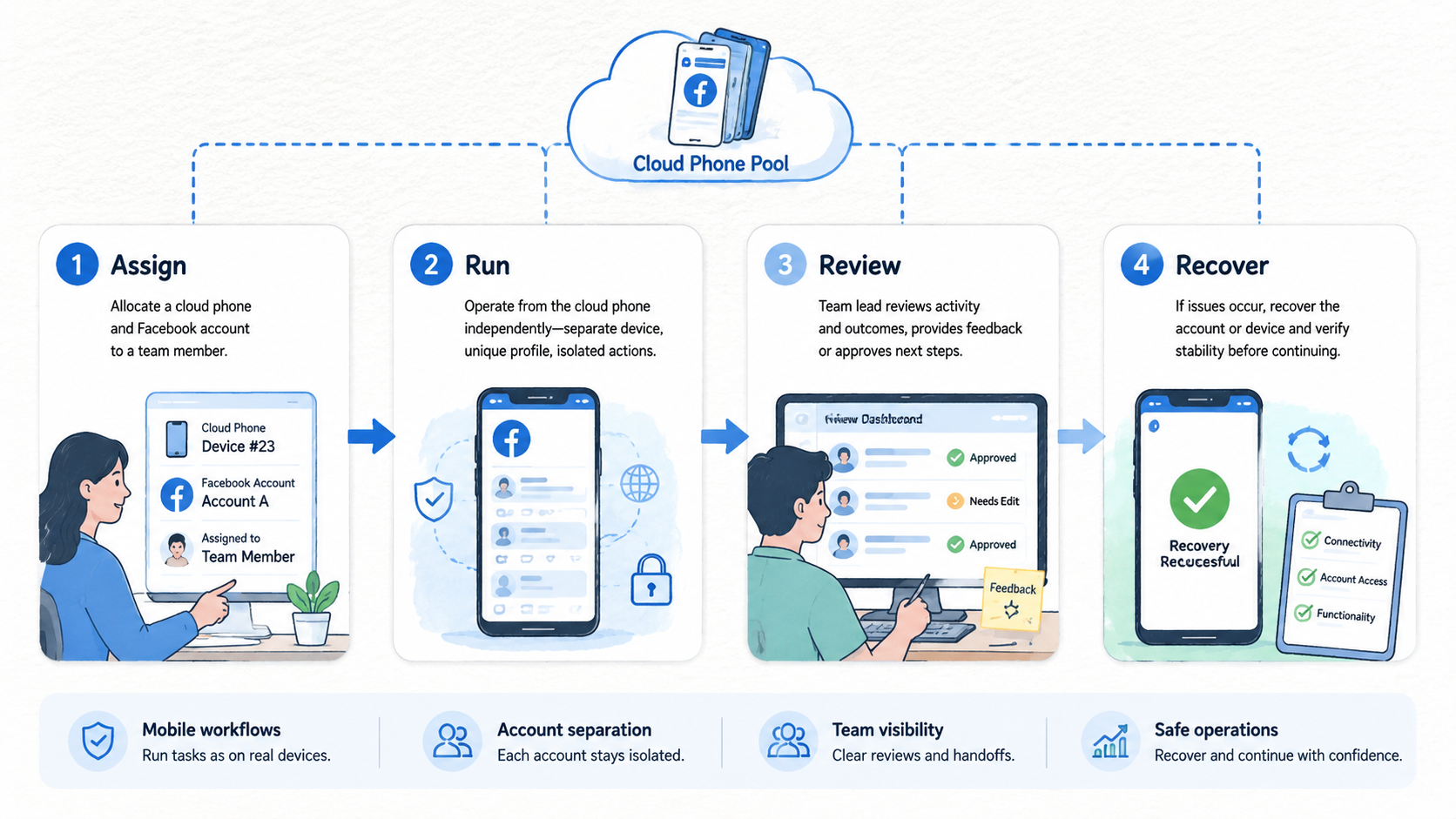
Cloud phones for Facebook account operations are worth evaluating when mobile work has become hard to assign, separate, review, or recover. The device is only one part of the system. The stronger model includes account lanes, file rules, review gates, routing policy, and recovery checks that a manager can inspect later.
Start small. Choose which Facebook workflows truly need mobile workspaces, then assign a limited pilot. Track whether the setup reduces confusion before adding more accounts.
The next priority is operating discipline. If each workspace has a clear role, owner, and review path, cloud phones can support cleaner Facebook account work. If the team still mixes accounts and assets, adding more devices will only create a larger version of the same problem.



