
Key Takeaways
- A cloud phone platform is useful when teams need stable Android environments for repeated mobile workflows
- 24/7 execution depends on runtime stability, ownership, and recovery rules, not just device count
- Cloud phone lanes should be evaluated by correction cost and uptime quality, not only by concurrency
- The best pilot starts with one narrow mobile workflow
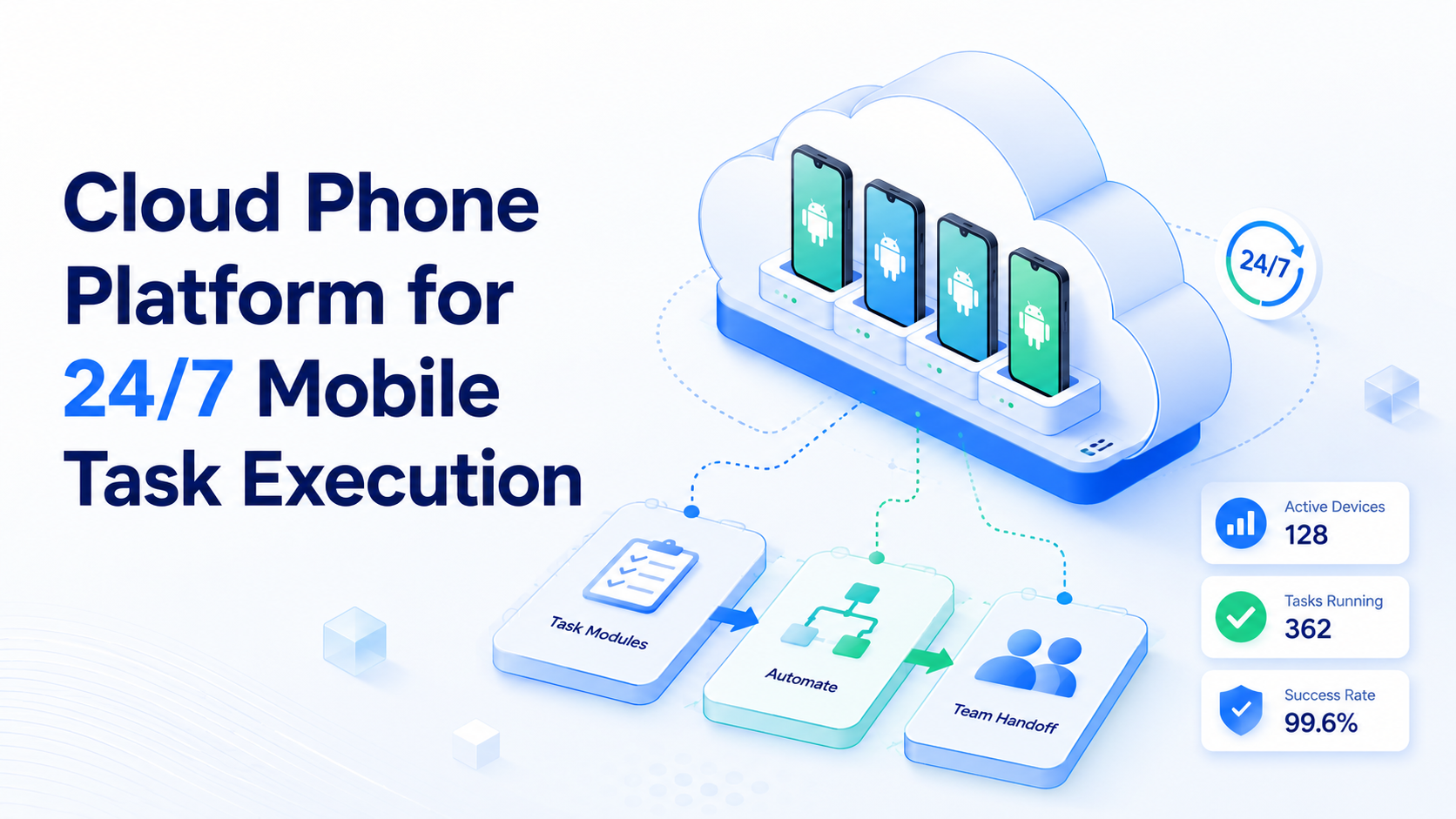
Cloud Phone Platform for 24/7 Mobile Task Execution is a managed Android execution system for repeated mobile tasks. The useful version is not just a remote phone you can open in a browser. It is a platform that supports reliable workflow execution, review, and recovery over time.
Many teams turn to cloud phones when mobile work becomes too repetitive for manual handling. App-based workflows can involve login checks, inbox review, content verification, mobile publishing, or Android-only operations that do not fit browser-only tools well.
That is why a cloud phone should be judged as execution infrastructure. The real question is whether the team can keep mobile workflows running with stable ownership and clean recovery when something breaks.
The Core Idea Behind Cloud Phone Platform for 24/7 Mobile Task Execution
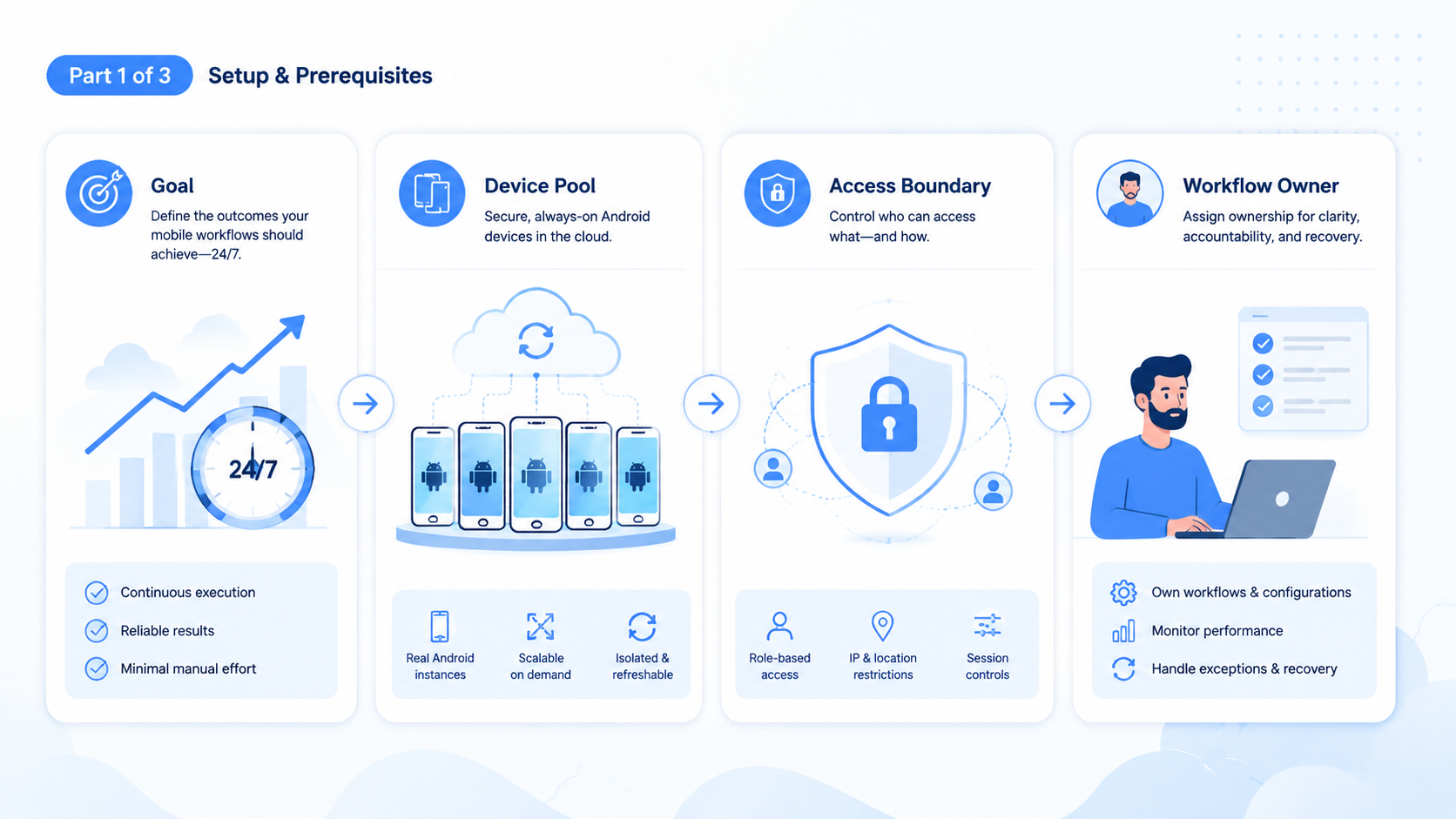
The core idea is persistent mobile runtime. A strong cloud phone platform should give teams:
- stable Android environments
- clear device ownership
- repeatable workflow state
- simple recovery paths
Android Enterprise frames managed Android devices as business workspaces with control and policy. That is a useful model here. A cloud phone lane should behave like an owned workspace, not like an unmanaged temporary device.
Teams that need remote automation also benefit from comparing real-device and remote-device execution models. AWS Device Farm and BrowserStack App Automate both show how managed device execution is usually treated as observable, repeatable work rather than loose background activity.
That is why mobile automation, device isolation, and phone farm decisions matter together.
Why Teams Search for This Topic
Teams usually search this topic when physical device handling stops scaling. They may have too many repeated app actions, too many accounts, or too much time spent switching between phones.
Common triggers include:
- mobile workflows that run every day
- teams that need Android access across shifts or time zones
- repeated app verification or reply steps
- weak visibility into who touched which device state
This is also where the high-traction hub on cloud phone farm infrastructure becomes relevant. Many buyers are not only asking for phones. They are asking for a system that can support ongoing execution.
Who Benefits Most and In What Situations
This topic is a strong fit when app-native work is repeated, reviewable, and tied to stable device environments.
Typical strong-fit teams include:
- social media operations teams
- customer reply teams working in mobile messaging apps
- e-commerce teams using Android-based workflows
- agencies managing repeated mobile account actions
It is a weaker fit when the work stays mostly inside web dashboards. In those cases, browser automation may be the simpler starting point.
Use this fit boundary:
Repeated Android workflows, stable ownership, and clear review rules.
Some mobile work exists, but the workflow is still not clearly structured.
The work is mostly browser-native and does not justify a mobile runtime.
How to Evaluate or Start Using Cloud Phone Platform for 24/7 Mobile Task Execution
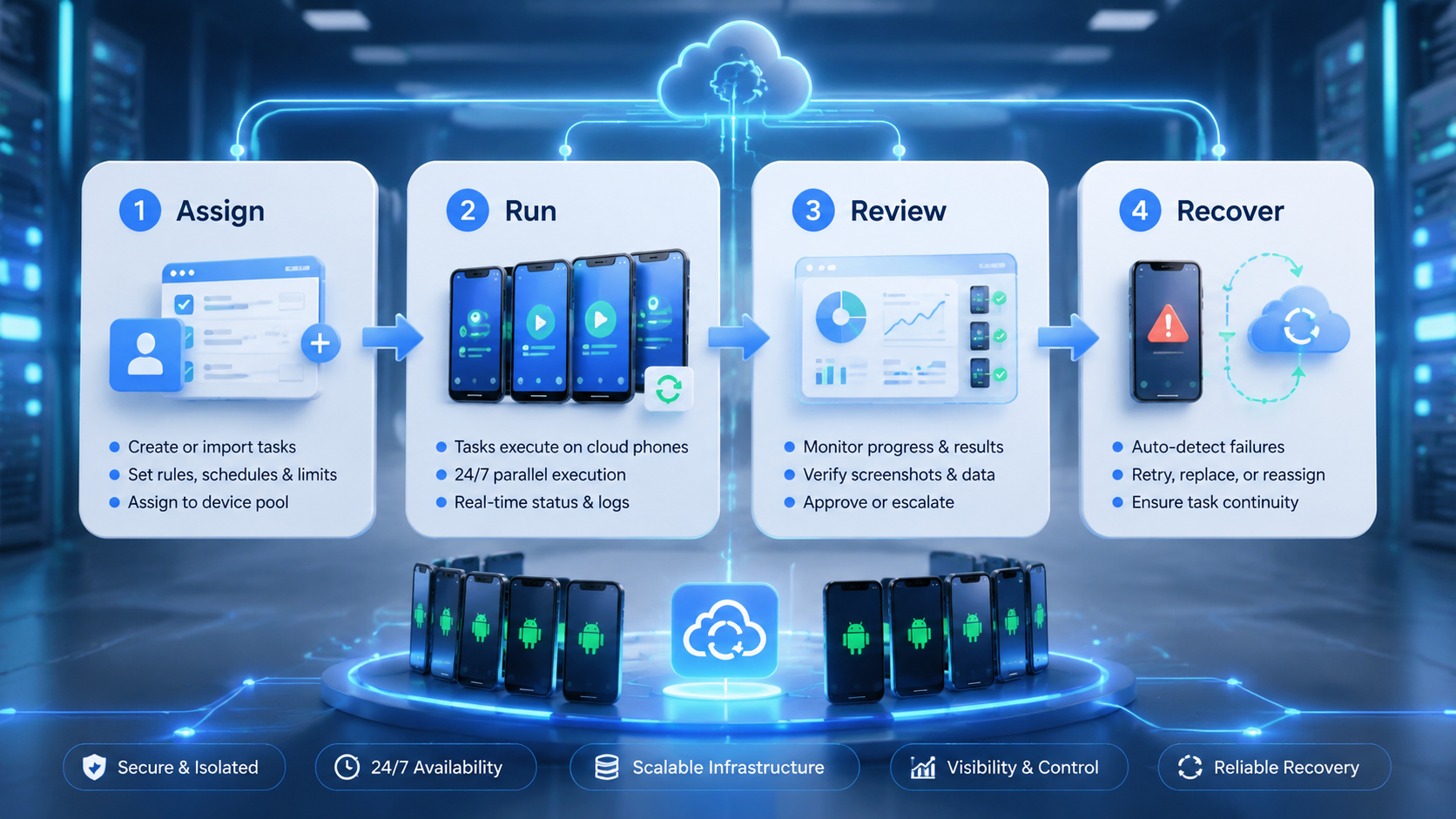
Do not start with a large pool of devices. Start with one workflow that actually needs Android persistence.
- Choose one mobile lane. Pick one repeated app-based workflow such as monitoring, verification, or reply handling.
- Assign device ownership. Each lane needs a clear owner for review and escalation.
- Separate account scope. Keep unrelated account states apart from the start.
- Track recovery steps. Decide what happens when the app state breaks or the workflow pauses.
- Measure correction cost. Count manual repairs, not only successful runs.
- Scale only after stability is visible. Add more devices after the first lane is easy to inspect.
Teams deciding between remote Android options should also look at cloud phone vs emulator, because runtime behavior and operational overhead differ in practice.
Common Mistakes That Reduce Results
The first mistake is treating device count as the main KPI. More devices do not solve weak workflow design.
The second mistake is sharing one mobile environment across unrelated tasks or accounts. That makes failures harder to trace and review.
The third mistake is assuming 24/7 means no human ownership. Long-running workflows still need named people who review state, rerun failed steps, or stop a lane when context changes.
Avoid these patterns:
- many devices with no clear workflow owner
- shared app states across unrelated accounts
- scaling before recovery is well defined
- using mobile runtime for tasks that belong in the browser
Pilot Rollout, Measurement, and Recovery Review
The first pilot should be narrow, persistent, and easy to inspect.
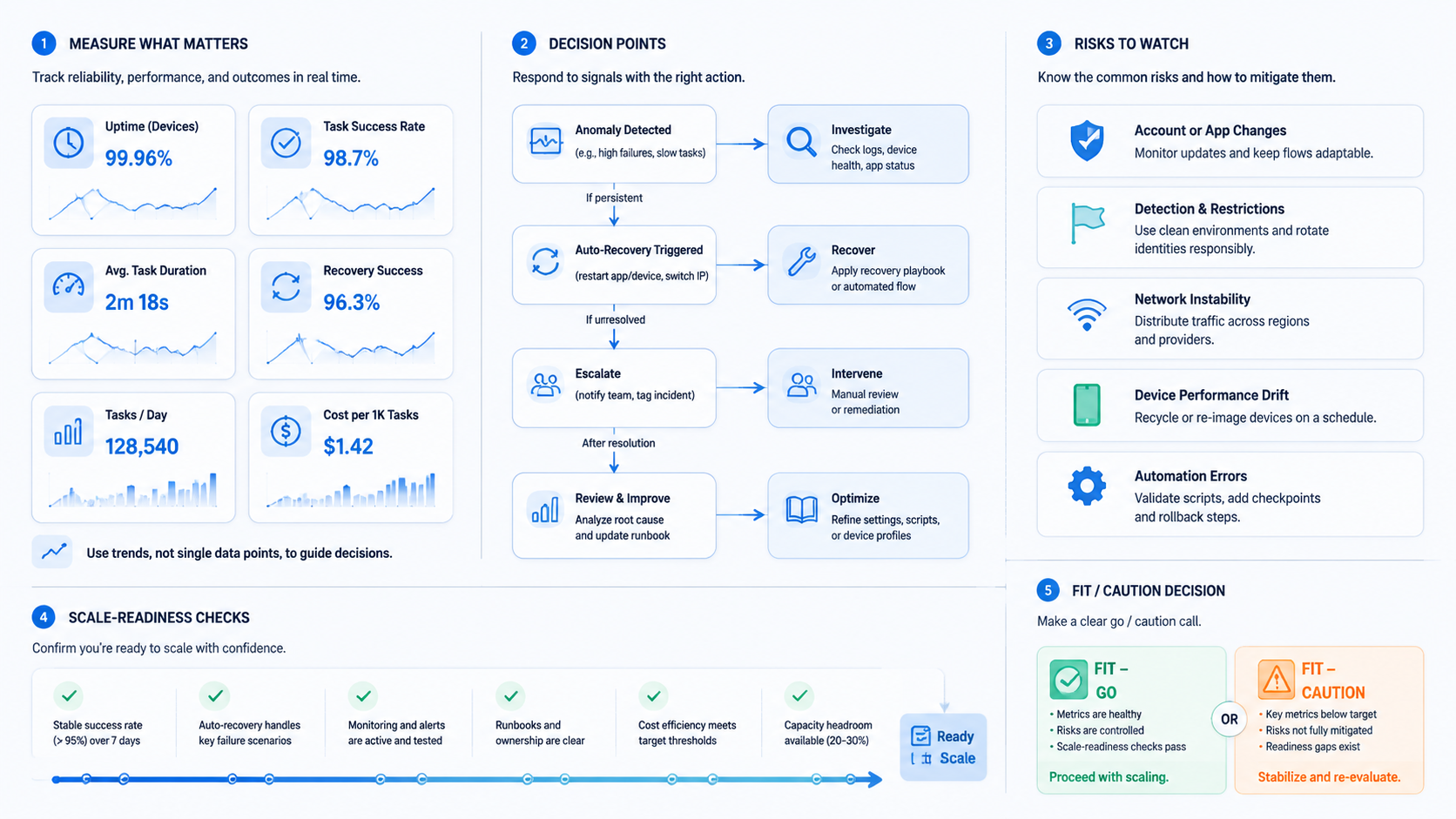
Track a short signal set:
| Signal | Why it matters |
|---|---|
| Workflow completion rate | Shows whether the mobile lane is stable enough to trust |
| Correction rate | Shows how often humans repair device or app state |
| Device handoff quality | Shows whether ownership is clear across shifts or teammates |
| Recovery time | Shows whether failed runs can resume quickly |
If the workflow also touches browser systems, connect the mobile lane to the right browser lane instead of forcing every step into Android. Teams often get stronger results when each runtime handles the steps it naturally fits best.
Cloud Phone Platform for 24/7 Mobile Task Execution in a Broader Stack
A cloud phone platform often sits inside a wider operations stack. Teams may use:
- browser workflows for dashboards
- cloud phones for app-native steps
- isolated environments for account-sensitive work
- reporting layers for review and optimization
This is why MoiMobi resources and social media marketing can be natural next steps for readers evaluating mobile execution workflows.
Frequently Asked Questions
What is a cloud phone platform in simple terms?
It is a managed Android execution environment for repeated mobile workflows.
Why do teams use cloud phones for 24/7 execution?
Because they need stable mobile environments that can support repeated app-based work over time.
Is this mainly for large operations teams?
No. Smaller teams often benefit quickly when mobile work becomes repetitive and hard to coordinate manually.
What should a first pilot automate?
Start with one repeated Android workflow that has clear ownership and easy review.
What matters more than device count?
Correction cost and recovery quality usually matter more because they show whether the lane is dependable.
When should a team compare cloud phones with emulators?
They should compare them when runtime behavior, cost, or app compatibility is still uncertain.
How do teams know they are ready to scale?
They are usually ready when one lane has stable completion, low repair cost, and a clear handoff model.
Conclusion
Cloud Phone Platform for 24/7 Mobile Task Execution is most useful when it turns Android-based work into a stable execution lane. The value comes from persistent runtime, account separation, and recovery control rather than from raw device volume.
The next practical move is to choose one repeated app workflow, assign clear ownership, and inspect ten to twenty runs before you widen the device pool.



