
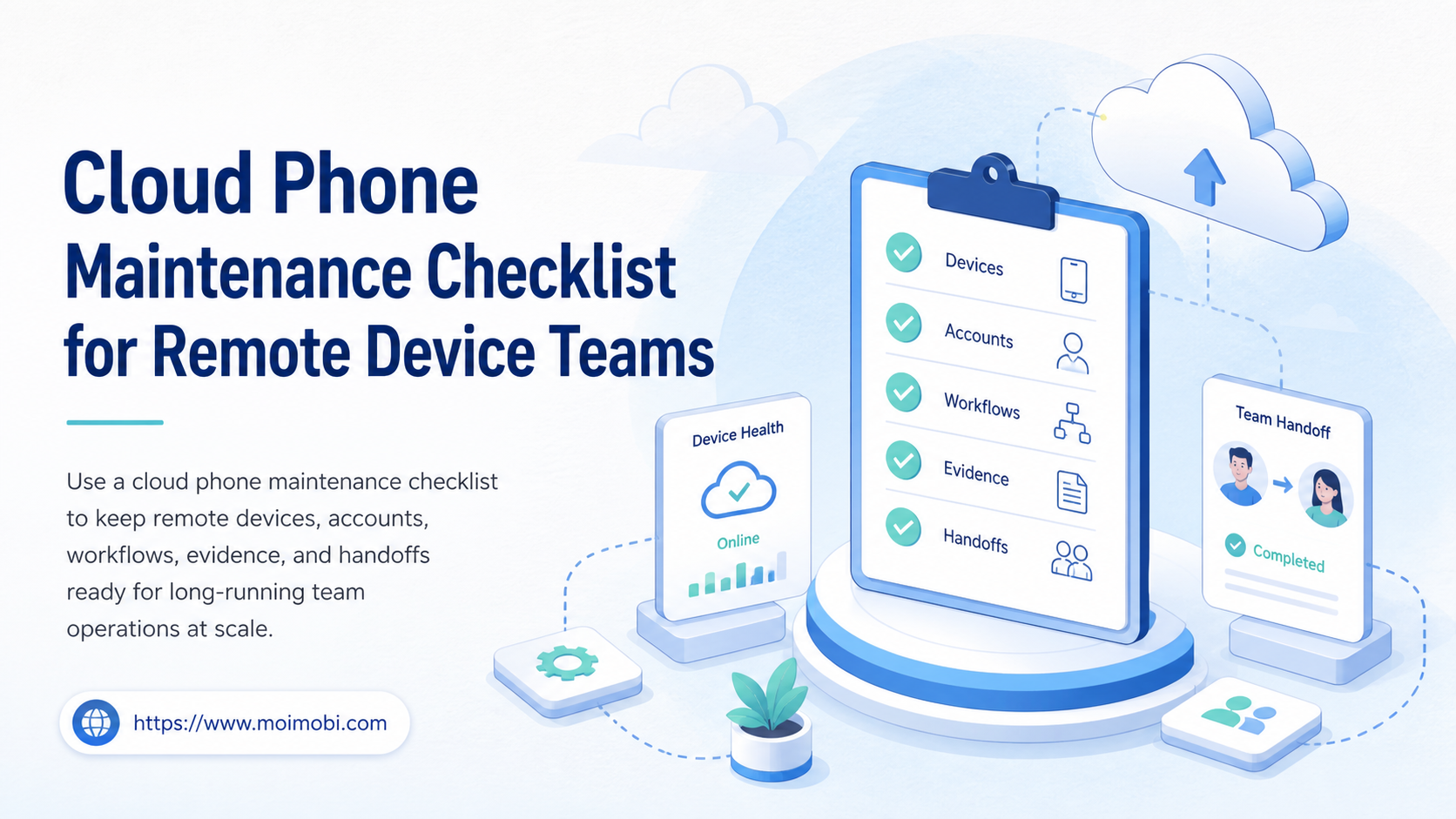
A cloud phone maintenance checklist is a repeatable set of checks for device state, account ownership, connectivity, app readiness, task queues, evidence, and handoffs. It keeps a remote device usable before a task starts and makes failures easier to explain when a team works across time zones.
Maintenance is more than restarting a device. A device can be online while the wrong account is open, an app is waiting for an update, a proxy route is stale, or a task is blocked by an approval screen. The checklist connects those details to an owner and a next action.
A cloud phone becomes easier to operate when each environment has a known purpose, a named account lane, a health state, and a recovery path. The right process is selective: verify what can affect the next workflow, record the result, and stop when a condition needs human review.
Key Takeaways
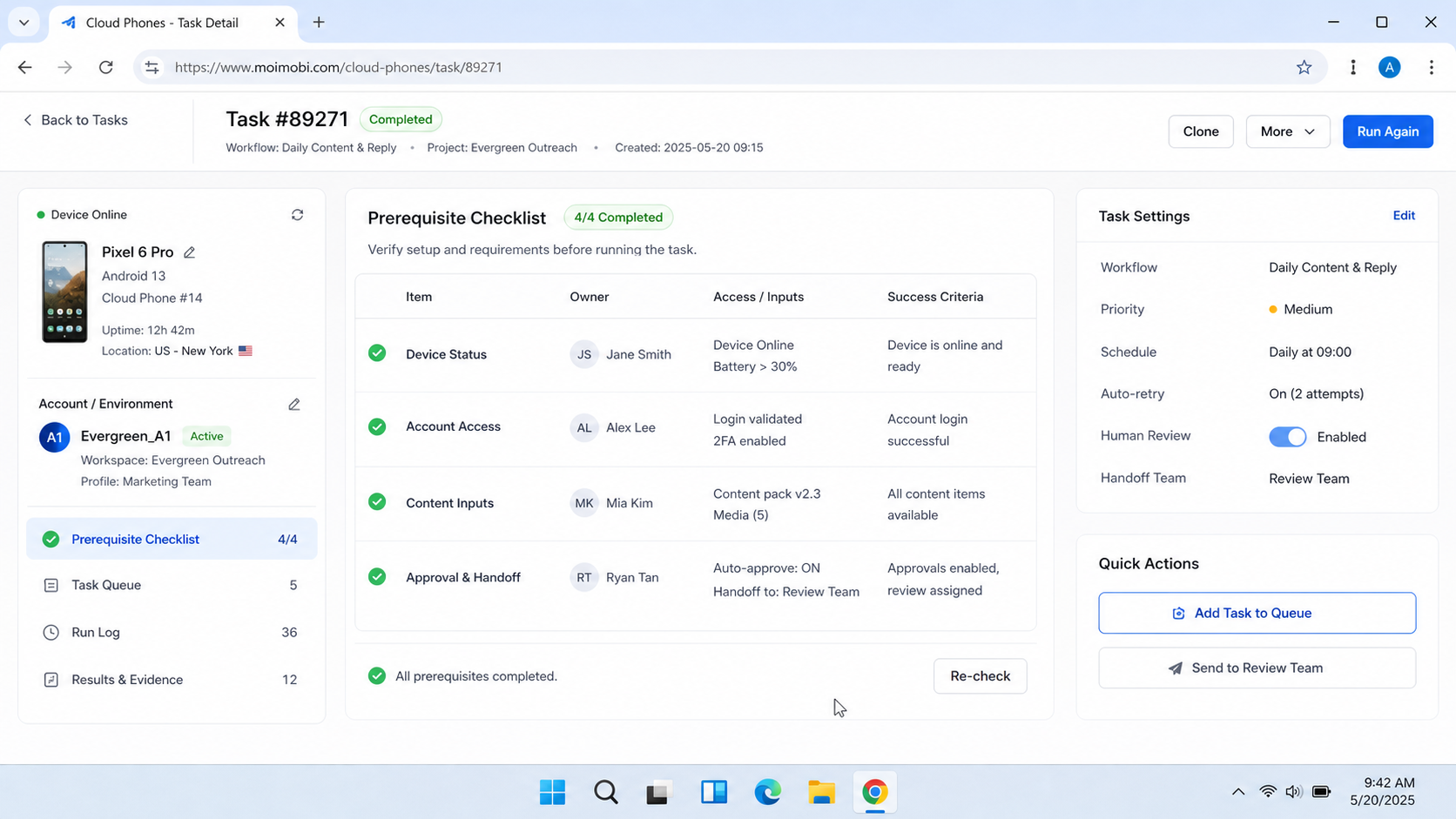
- Check identity, access, routing, app state, storage, task state, and evidence separately.
- Use a short preflight before work and a deeper review on a fixed cadence.
- Treat a device as ready only when the environment and the next task agree.
- Record exceptions with an owner and recovery action instead of hiding them with a restart.
- A small pilot with clear pass and stop rules is more useful than a large unchecked fleet.
What Does a Cloud Phone Maintenance Checklist Cover?
A cloud phone maintenance checklist covers the conditions that can change whether a remote mobile workflow is ready to run. It should answer seven questions: Which environment is this? Which account or client lane owns it? Can the operator reach it? Are the required apps and permissions available? Is the task queue clear? Is the result recorded? What happens when a check fails?
Its role is not to prove more than it can. An online indicator does not prove that the correct app screen is open. A successful login does not prove that a customer task was completed. A screenshot does not prove backend delivery. Each check needs a related record or a clearly stated limit.
| Maintenance area | Check before work | Record when it fails |
|---|---|---|
| Identity | Device ID, account lane, client, and owner match | Mismatch and assigned reviewer |
| Access | Operator can open the environment and required app | Access error and last successful check |
| Routing | Expected network or proxy path is selected | Route state and recovery action |
| App readiness | Required app opens at the expected workflow point | Version, loading, permission, or login issue |
| Capacity | Queue, device state, and scheduled task do not conflict | Blocked task and next available slot |
| Evidence | Important state changes can be reviewed | Missing capture or log reference |
| Recovery | Reset, pause, handoff, and escalation paths are known | Incident owner and stop time |
For a team running several environments, these fields should live beside the task rather than in a private spreadsheet. A maintenance result is useful only when another operator can understand it without asking who last touched the device.
Why a Cloud Phone Maintenance Checklist Matters for Long-Running Workflows
Long-running mobile operations fail in small ways. An app may remain open but lose its session. A task may be scheduled for an environment that is already under review. A device may be reassigned without the old account lane being cleared. These conditions create work that looks random until the team records them consistently.
Faster triage is the first benefit. A failed task can be compared with the latest identity, access, app, and routing checks. The operator does not need to repeat every action just to discover that the environment was never ready.
Cleaner handoff is another benefit. A remote team needs to know whether a device is ready, paused, reserved, or blocked. The status should include the next action, not only a color or an online badge. That distinction matters when a night shift inherits a queue from a daytime operator.
Controlled scale follows. More environments multiply the number of states that need ownership. A checklist reduces the chance that each operator invents a different definition of “ready.” It does not remove judgment, but it makes judgment visible.
AWS Device Farm’s remote access documentation is a useful example of separating visual interaction from session artifacts. It lists screenshots, video, and logs as distinct outputs of a remote session, while the service itself is positioned for device testing. The operational lesson is transferable: a maintenance record is stronger when visual evidence sits beside session and activity context. See AWS Device Farm remote access documentation.
Maintenance also supports decisions about architecture. A single test device, a cloud phone environment, and a larger device fleet may need different checks. Teams evaluating cloud device provider comparison should compare not only access and device count, but also how health, ownership, task history, and recovery are represented.
Cloud Phone Maintenance Checklist for Remote Device Teams
Use this cloud phone maintenance checklist as a starting point. Adjust the cadence to the workflow, data sensitivity, and number of environments. The cadence below is an operating recommendation, not a claim about a provider’s required process.
Preflight checklist before each task
- Confirm the environment ID and account lane.
- Confirm the task owner, platform, and expected workflow stage.
- Open the device and verify the expected app or browser surface.
- Check that the account is the intended account for this task.
- Confirm the selected network or routing configuration.
- Check for visible login, permission, update, or verification prompts.
- Review paused, failed, or duplicate tasks before starting a new one.
- Capture a preflight record when the workflow needs review evidence.
- Mark the result as ready, paused, blocked, or needs review.
Those final two states are important. “Not checked” and “failed” should never become the same green status. If the operator cannot verify the environment, the correct result is an explicit pause.
Daily operational review
The daily review looks for changes that can affect the next work window. Compare the active account lane with the assignment record. Review pending tasks, failed tasks, and tasks waiting for a human decision. Check whether an app is stuck on an unexpected screen or whether a device has been left in a temporary state.
Keep the review short enough that it will happen. A compact table can show the environment, owner, last check, task state, exception, and next action. A longer narrative belongs in the incident or handoff record, not in every routine row.
Weekly configuration review
The weekly review is for drift. Confirm the environment naming scheme, account ownership, routing notes, app requirements, access roles, and recovery instructions. Remove obsolete assignments. Separate temporary test environments from production workspaces so an operator cannot select the wrong lane by habit.
Review the task history for repeated failures. Three different-looking failures may have one cause, such as an expired session or an app flow that changed. Record a hypothesis and test it on a small environment before changing the whole fleet.
Monthly capacity and recovery review
The monthly review asks whether the current operating model still fits the workload. Inspect queue wait time, failed-task categories, reassignment frequency, review backlog, and time to recover an environment. These are internal operating metrics, not universal benchmarks.
Use the results to decide whether to add capacity, simplify a workflow, change the maintenance cadence, or retire an environment. The objective is not to keep every device active. The objective is to keep the required work observable and recoverable.
How to Run the Maintenance Workflow
Operationally, this cloud phone maintenance checklist works best as a state transition rather than a list that operators tick and forget. Follow the sequence below for each environment or task group.
1. Establish ownership
Start with the environment ID, account lane, client, platform, and responsible operator. If any of these fields is unknown, stop before opening a sensitive workflow. An unknown owner turns a technical problem into an operational gap.
2. Verify access and routing
Open the environment through the approved control path. Confirm the routing configuration expected for the account or task. Do not infer route health from a previous successful run. Record the check time and result.
Teams that connect device actions to task systems can use a cloud phone API runbook as a technical reference. The API layer does not replace the ownership and review fields. It only makes execution easier to call consistently.
3. Verify the app and account state
Check the visible app, login state, permissions, and expected starting screen. If a prompt asks for a decision, route it to the owner instead of clicking through automatically. The starting screen is part of the task contract.
4. Resolve or classify exceptions
Use a small set of states: ready, paused, blocked, failed, and needs review. Add a short reason and an owner. Avoid a generic “maintenance issue” label because it cannot guide recovery.
5. Run a limited task or health action
For a new environment or a changed configuration, run a limited verification action first. Check the output, the task state, and the evidence record. A limited action provides more information than assuming a successful device launch means the complete workflow is healthy.
6. Close the record and hand off
Close by recording the final state, task result, exception code if any, and next owner. If the environment remains open for another shift, state what must happen next. A clean handoff is part of maintenance, not an optional note.
Device Identity, Policy, and Assignment Checks
Maintenance gets harder when the environment is treated as an anonymous screen. Identity and policy state need their own fields. Android Management API documentation exposes REST resources for enterprises, devices, policies, applications, enrollment tokens, and device operations. That model is a useful reference for separating device identity from policy and task state. See the Android Management API reference.
For teams that manage mixed fleets, assignment history also matters. Apple Business documentation describes assign, reassign, and unassign operations for devices. Even when a workflow uses Android cloud environments, the same control principle applies: preserve who owned an environment, when it changed, and which workflow was allowed to use it. See Apple Business device assignment guidance.
Useful fields include:
- immutable environment ID;
- current account or client lane;
- assignment start and end time;
- policy or configuration version;
- last successful preflight;
- current task and queue state;
- last exception and recovery owner.
This is different from collecting every device detail. Keep only fields that help the team decide whether the next task can run.
Common Maintenance Mistakes
Mistake 1: Restarting before recording the failure
A restart may clear a temporary screen, but it also removes useful evidence. Capture the visible state and error context first when the workflow has a review requirement.
Mistake 2: Treating online as ready
An online device can still have the wrong account, a blocked prompt, a stale app state, or a conflicting task. Readiness needs a task-specific check.
Mistake 3: Mixing test and production lanes
Shared labels and similar device names make selection errors more likely. Use explicit names, visible ownership, and separate permissions for test environments.
Mistake 4: Hiding exceptions in free-text chat
Chat is useful for coordination, but it is a weak system of record. Put the status, owner, evidence reference, and next action in the workflow record.
Mistake 5: Changing the whole fleet after one failure
One failed run is a signal to investigate, not proof that every environment needs the same change. Test a suspected fix in a limited lane, then compare results.
Mistake 6: Keeping evidence without a retention rule
Screenshots can contain account names, customer messages, or private workflow details. Define access and deletion rules before collection becomes routine.
How to Measure Whether the Checklist Works
Start with a small pilot. Select a limited set of environments and one workflow with a clear owner. Record the baseline state, apply the checklist for a fixed review period, and compare the categories of failure before and after. Do not claim that the checklist caused every improvement; use it to make the causes easier to inspect.
Track these measures:
| Measure | What it tells the team | Follow-up question |
|---|---|---|
| Preflight completion | Whether checks happen before work | Which check is skipped most often? |
| Ready-to-task rate | Whether environments are usable at assignment time | Are blocked states classified clearly? |
| Repeat failure rate | Whether the same issue returns | Is there a missing recovery action? |
| Review backlog | Whether evidence waits for human review | Is the capture point useful enough? |
| Handoff completeness | Whether the next operator can continue | Which field is missing at shift change? |
| Recovery duration | How long blocked environments remain unresolved | Is ownership or diagnosis the bottleneck? |
If the metrics only show task success, the team may miss silent drift. Add one field for the reason a task was paused and one for what made it ready again.
When a Cloud Phone Maintenance Checklist Is Not Enough
A checklist is not a substitute for a device management policy, access control, incident process, or platform-specific compliance review. It also does not make an unsupported workflow appropriate. The checklist only makes the chosen workflow more observable and repeatable.
Consider a broader design when the team needs strict approval records, sensitive-data handling, formal retention obligations, or a large number of environments with different owners. In those cases, connect maintenance events to the existing task, identity, and review systems instead of creating another isolated dashboard.
For a growing device pool, a fleet capacity and recovery planning reference can help frame capacity, environment grouping, and operational boundaries. Use it as an infrastructure discussion, not as a reason to expand before the current workflow is measurable.
Frequently Asked Questions
What is the most important check?
Ownership and task context come first. Confirm the environment, account lane, task, and responsible operator before checking visual or technical details.
How often should a remote team run maintenance?
Use a preflight before important work, a daily operational review, and deeper weekly or monthly reviews. The correct cadence depends on change rate and workflow sensitivity.
Is restarting a cloud phone part of maintenance?
It can be a recovery action, but it should not be the first diagnosis. Record the state and reason before restarting when evidence matters.
Should every screenshot be kept?
No. Capture points should support a decision. Define access, retention, redaction, and deletion rules for the screens that are collected.
How should teams handle a failed check?
Use an explicit blocked or needs-review state, add the reason, assign an owner, and record the next action. Do not silently convert failure into ready.
Does a cloud phone replace a physical device fleet?
That depends on the workflow. A cloud environment may fit remote, repeatable app work, while some hardware-specific or sensor-dependent tasks still need physical devices.
How can a team avoid maintenance becoming paperwork?
Keep the preflight short, automate status collection where reliable, and reserve human review for decisions and exceptions. Remove fields that never change an action.
What should be tested during a pilot?
Test assignment, access, app readiness, routing, task execution, evidence capture, failure classification, and handoff. A pilot should include at least one recovery case.
When should an environment be paused?
Pause it when ownership is unclear, the account is wrong, a required prompt cannot be reviewed, evidence is missing for a sensitive step, or the recovery path is unknown.
Conclusion
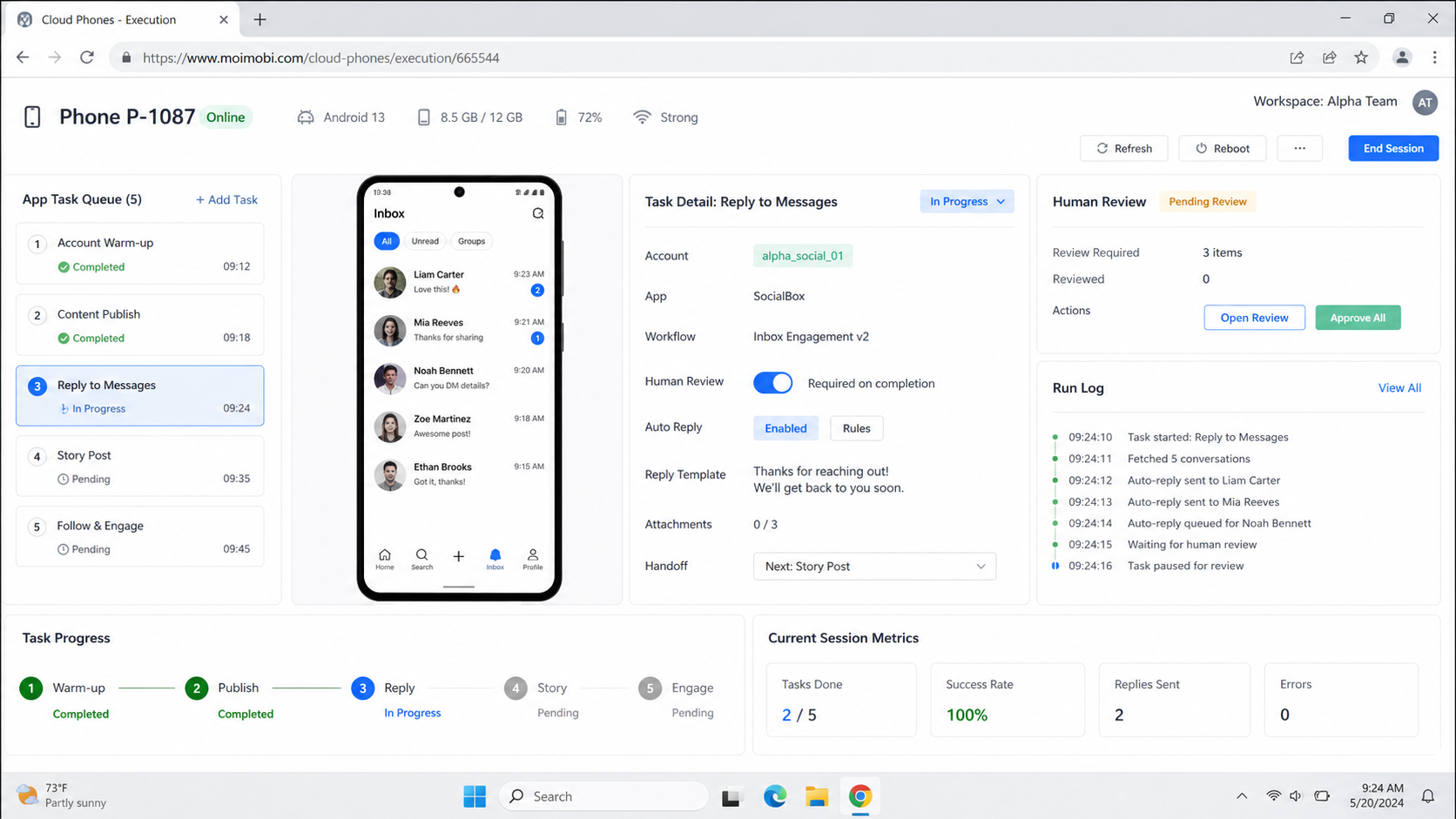
A cloud phone maintenance checklist keeps remote device work grounded in ownership, task state, app readiness, routing, evidence, and recovery. It is most valuable when it helps a team make a clear decision: run, pause, review, or hand off.
Start with one workflow and a small group of environments. Define the preflight fields, record exceptions, review repeat failures, and adjust the cadence from observed work. Once the process is clear, the team can decide whether it needs more automation, more capacity, or a different execution environment.



