
Key Takeaways
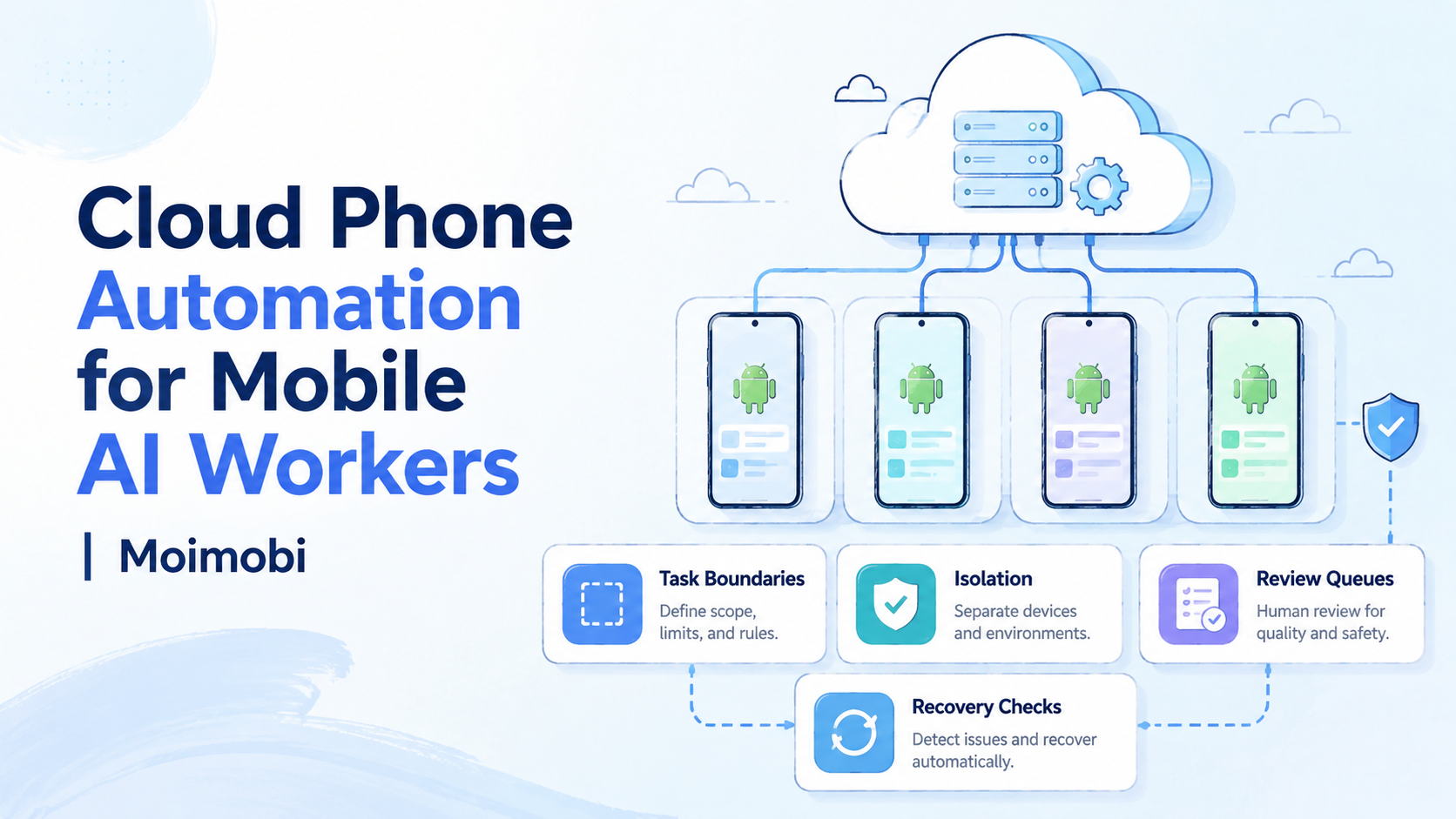
- Cloud phone automation gives mobile AI workers a controlled Android execution layer.
- The device layer matters because mobile tasks depend on app state, account context, permissions, and review visibility.
- AI workers should run bounded tasks with clear stop rules, not open-ended account actions.
- Teams need device isolation, task logs, exception review, and recovery owners before adding more workers.
- A small pilot should measure task clarity, exception rate, handoff time, and recovery speed.
Cloud phone automation is a way to run repeatable mobile AI worker tasks on managed remote Android devices. It gives teams an execution layer for app-based workflows where a browser-only agent is not enough.
A mobile AI worker may need to open an app, check a screen, prepare a review item, capture a result, or move through a short operating path. The cloud phone gives that worker a persistent device environment. Human operators still own the rules around accounts, content, permissions, and recovery.
This matters because mobile work has more context than a simple web task. App state, device assignment, routing notes, login prompts, notifications, and handoff records can all change the result. Good automation makes those details visible. Bad automation hides them until something breaks.
Cloud phone automation should be treated as infrastructure, not a magic operator. Google Search Central's guidance on creating helpful content is useful as a general operating principle: useful outcomes and trust matter more than volume. Keep that standard visible.
The Core Idea Behind Cloud Phone Automation for Mobile AI Workers
The core idea is not "let the AI do everything." The workable model is narrower: give a mobile AI worker a known device, a known task, a known output, and a known stop rule.
That boundary changes the decision. A cloud phone for AI agents is useful when the agent needs mobile app access and the team needs records around that access. The device becomes part of the control plane, not just a place where the task runs.
MoiMobi's cloud phone page is the closest starting point for the device layer. The mobile automation page is more relevant when the team is ready to define repeatable runs and exception handling.
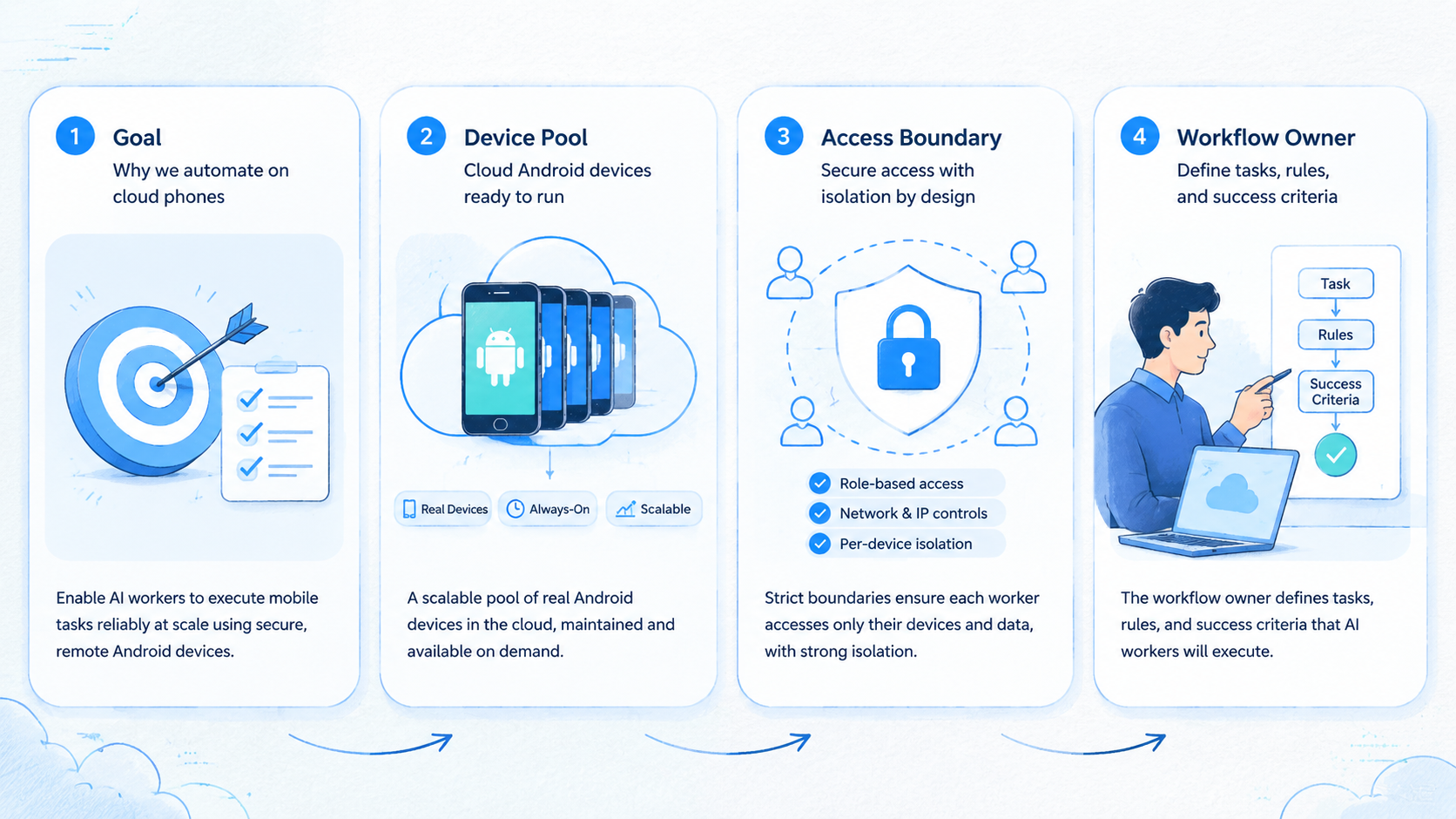
Use this four-part frame:
- Device: the remote Android environment assigned to the workflow
- Worker: the AI or automation process allowed to perform the task
- Boundary: the actions the worker may and may not take
- Review: the person or queue that handles exceptions
Short frame. Hard discipline.
Operators should be able to point to each part before running a production workflow. If a worker has a task but no device owner, the run is incomplete. If it has a device but no stop rule, the risk is operational confusion.
Why Teams Search for This Topic
Teams search for this topic when browser automation stops matching the work. Some workflows live inside mobile apps. Others need mobile rendering, app notifications, Android permissions, or a stateful device context. A browser agent cannot cover every mobile path.
Mobile context changes the design because the worker needs a device state, an account boundary, and a visible review path before the instruction can be trusted.
The second reason is team scale, because a workflow that feels manageable for one operator can become difficult to audit when three people touch the same device pool. A single operator can hold details in memory for a while. A team cannot.
When several people manage mobile workflows, they need a system that shows which worker touched which device, what the output was, and what happened after an exception.
Consider a common operating scenario where a growth team wants an AI worker to prepare daily mobile account checks before the morning review queue opens. The worker opens assigned apps, captures status, and sends exceptions to a reviewer.
That is a bounded job with a narrow output, a known reviewer, and a clear stop point when the app shows something unexpected. It does not decide account strategy, publish sensitive content, or ignore unusual prompts. Keep the worker inside that fence by writing the boundary before the first run.
The useful question is not whether AI can click through an app. The useful question is whether the team can inspect the work after it runs.
Reviewability is the point. A workflow that cannot be inspected cannot be managed safely by a distributed team.
| Team question | Good answer | Warning sign |
|---|---|---|
| Which device did the worker use | Assigned cloud phone record | Random device choice |
| What was the task | One written task definition | Broad "manage account" instruction |
| What output was expected | Screenshot, state, note, or queue item | No inspectable result |
| When should it stop | Written stop triggers | Repeated retries |
| Who reviews exceptions | Named person or queue | No owner |
Google's SEO Starter Guide emphasizes clarity for users. The same standard helps internal automation: clear labels, clear ownership, and clear next actions reduce hidden work.
Who Benefits Most from Cloud Phone Automation
The best fit is a team that already knows its mobile workflow and wants repeatability. A mobile AI worker should not be the first attempt to understand the process. It should run a process the team can already describe.
Good fits include mobile QA teams, social operations teams, ecommerce app teams, lead workflow teams, and agencies that need app-based checks across account groups. The common thread is not industry. It is repeated mobile execution with a review requirement.
Good fit
- Mobile app state affects the workflow
- AI workers need persistent device access
- Tasks have visible outputs
- Exceptions need human review
- Account groups require clean separation
Not ready
- The task changes every day
- No one owns the device record
- The worker is expected to make judgment calls
- Exceptions are ignored or retried forever
- The team has no recovery path
Device separation deserves special attention. A mobile AI worker should not move through unrelated account groups without a reason. MoiMobi's device isolation page is relevant when teams are designing account boundaries.
Fit also depends on accountability. The worker may perform a task, but a person still owns the outcome. Keep that distinction clear.
Use a responsibility split before adding more workers:
| Responsibility | Worker role | Human role |
|---|---|---|
| Open app path | Follow a defined route | Approve the route |
| Capture output | Save screenshot, state, or note | Review exceptions |
| Detect stop trigger | Pause on known conditions | Decide next action |
| Update status | Mark ready, paused, or needs review | Confirm recovery |
This split keeps automation inspectable. It also gives managers a cleaner way to train new operators, because the worker's role is documented beside the human review role.
How to Evaluate or Start Using Cloud Phone Automation for Mobile AI Workers | Moimobi
Start with a workflow that is narrow enough to test. A good first task has one app path, one device group, one output, and one reviewer. Do not begin with a worker that can roam across many apps and accounts.
One lane first.
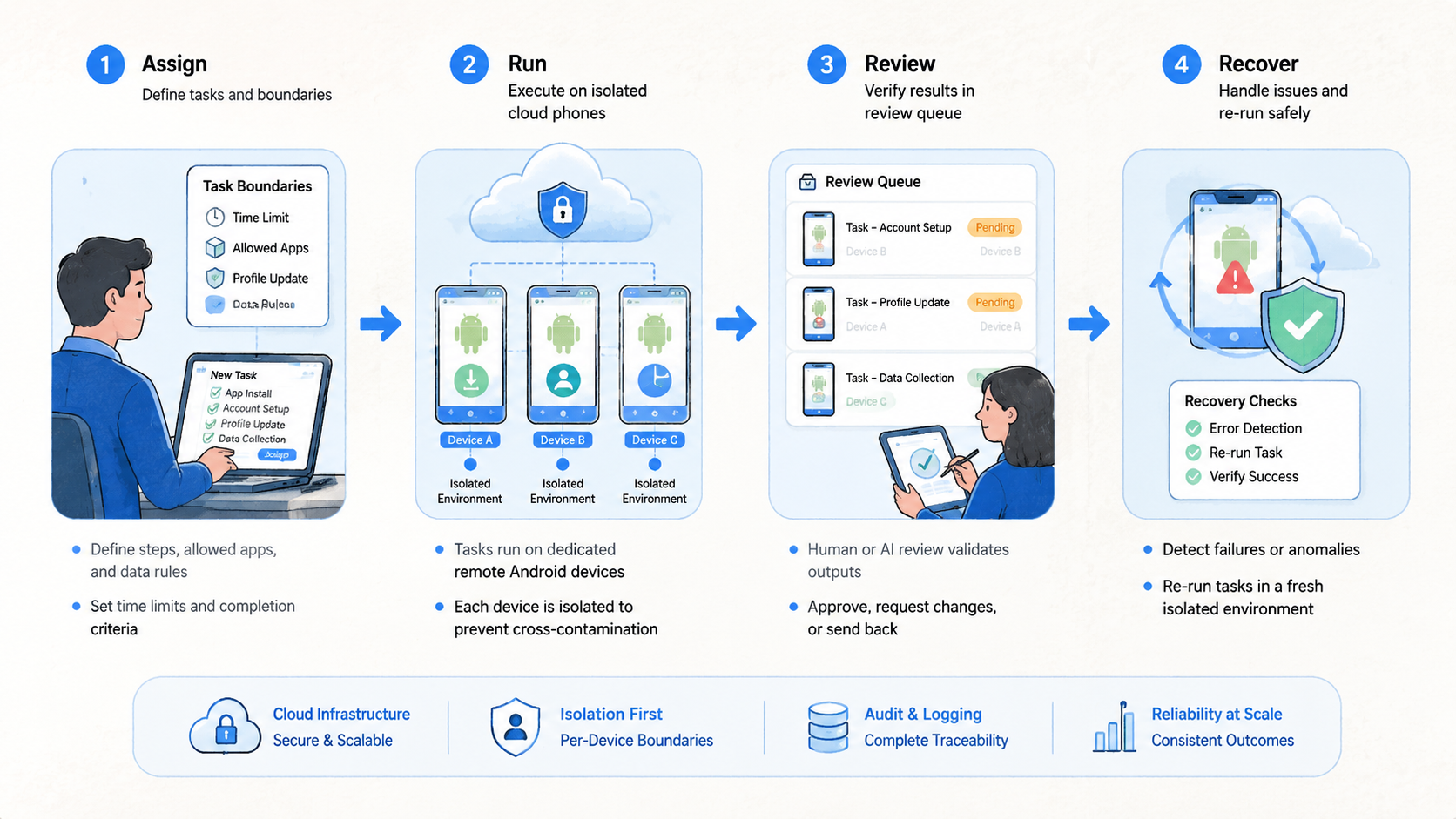
- Choose the mobile task
Pick a task that repeats and has a clear finish. Examples include app status checks, review screenshot capture, notification checks, content QA preparation, or account state reporting.
- Assign the cloud phone group
Map each worker to a device group. Include the account group, device owner, route note, and last successful task. The record should survive a shift change without forcing the next operator to ask for private context.
- Define allowed actions
Write what the worker may do. Also write what it must not do. This is where teams prevent open-ended behavior.
For example, a worker may open a specific app, move to a known screen, capture a status result, and send the item to a queue. It should not change account settings, answer sensitive prompts, or continue after an unexpected warning.
Write the boundary in the same place where operators see the device assignment, so the worker's allowed actions stay connected to the real phone group.
- Create stop triggers
Stop on unexpected login screens, account warnings, missing permissions, changed app flows, routing mismatch, or unclear task output. Pause beats guessing.
- Send exceptions to review
Route exceptions to a person or queue. The reviewer decides whether to retry, pause, reassign, or retire the device.
- Measure the pilot
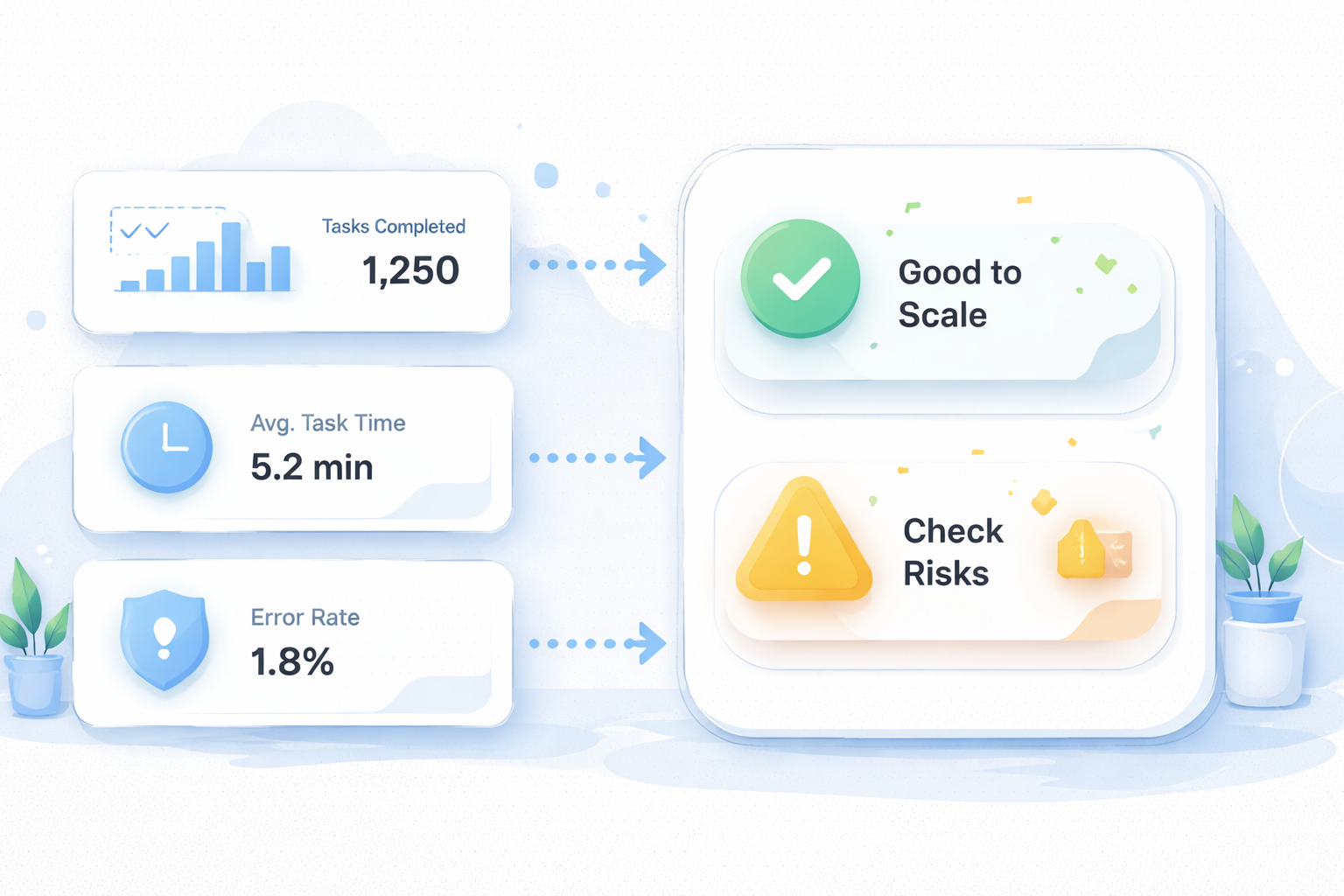
Track setup time, run completion, exception count, review time, and recovery speed. The numbers show whether the worker reduces work or only moves confusion into another layer.
Measure exceptions, not motion.
Small pilots reveal more than broad demos. One account group and five devices are enough to expose unclear ownership, missing stop rules, and weak exception review.
The pilot should also record one ordinary handoff. Let one operator stop work, write the status, and let another operator continue from the record. If that handoff fails, the automation layer is not yet ready.
Use this setup record before the first run:
- Worker role
- Assigned cloud phone group
- Account group
- Allowed app path
- Expected output
- Stop triggers
- Review owner
- Recovery owner
The record should be short enough to update daily. A bloated record will be ignored, but a missing record will push decisions back into private chat.
Keep the record close to the work. The best place is the same operating view where the device, worker, account group, and exception status are already visible.
Mistakes That Reduce Results
The main mistake is giving the worker too much authority. A mobile AI worker should not be asked to make account strategy decisions, interpret policy-sensitive prompts, or continue when app state is unclear. That work belongs to a human reviewer.
The second mistake is ignoring device context, especially when a worker moves through similar app screens across several account groups. Stop there before adding another worker.
Cloud Android for AI agents works best when the device record is part of the workflow. Reviewers should know the device owner, account group, last task, route note, and current status.
Another failure mode is treating retries as progress, even when the retry hides a changed app flow or a missing permission. Repeated retries can turn a small app issue into a larger operating problem. A better pattern is simple: stop, record, review, decide.
Use this stop-rule card:
| Trigger | Worker action | Human decision |
|---|---|---|
| Unexpected login | Pause | Confirm credentials and account state |
| App flow changed | Record screenshot | Update task path or hold run |
| Account warning | Stop immediately | Review platform-specific next step |
| Missing permission | Pause | Decide whether permission is appropriate |
| Route mismatch | Stop | Check device and routing record |
The final mistake is skipping ownership. Every active worker needs a human owner. Every device group needs a human owner.
Every exception queue needs a human owner. No owner, no scale.
Use named owners, because an exception queue with no owner becomes a waiting room where important account decisions lose context.
Another quiet mistake is mixing experiments with live work. Test workers should use labeled test devices. Production workers should have tighter action boundaries, clearer pause rules, and fewer permissions.
Do not merge those pools too early, because a mixed pool makes it harder to know whether the failure came from the task, the permission set, or the device history. Separation makes failure analysis faster.
The same rule applies to permissions. A test worker can carry broader inspection permissions while the team learns. A production worker should have only the access needed for the approved task.
Cloud Phone Automation Pilot Rollout, Measurement, and Recovery Checks
A pilot should answer one question: can the team run a mobile AI worker without losing visibility? The answer depends on records, not only completion rate.
Begin with one worker role so the team can see whether the workflow fails because of the device, the instruction, or the review process. Give it one device group and one task. Run the pilot for seven days. Review the results daily, even when the run appears smooth.
The review can be brief. Count what ran, what paused, what needed a person, and what changed in the device record.
Track five signals:
- Device setup time
- Completed runs
- Exception rate
- Human review time
- Recovery speed
Fast output is not enough. A run that completes quickly but leaves unclear notes is still weak. A slower run with clean exception records may be easier to improve.
Use four status labels for devices: ready, paused, needs review, retired. Keep them boring. A new operator should know exactly what each label means.
The labels should map to actions:
| Status | Meaning | Next action |
|---|---|---|
| Ready | Device can run the assigned task | Continue scheduled work |
| Paused | Known stop trigger appeared | Send to reviewer |
| Needs review | Human decision is pending | Hold worker runs |
| Retired | Device leaves the active pool | Document replacement |
Recovery checks should happen before scale. Pick one paused device and walk through the full recovery path. The reviewer should know who checks it, what record changes, and when the worker may resume.
MoiMobi's multi-account management use case is relevant when the pilot expands across account groups. Expansion should add one variable at a time: either more devices, more workers, or another account group.
A practical second week might add three devices while keeping the same worker role and reviewer. That isolates the impact of device count. If errors rise, the team can inspect capacity instead of guessing whether the task, account group, or reviewer changed.
Do not add a second worker role during the same test, even if the first week looks clean. Two changes at once make the pilot harder to read because the team cannot tell which change created the new behavior.
Frequently Asked Questions
What is cloud phone automation for mobile AI workers?
It is repeatable mobile task execution on managed remote Android devices. The AI worker runs a bounded task, and the team reviews outputs and exceptions.
Why not just use browser automation?
Browser automation fits browser workflows. Mobile AI workers need cloud phones when the task depends on app state, Android permissions, mobile UI, or persistent device context.
What is a cloud phone for AI agents?
It is a remote Android environment that an AI agent or automation workflow can use for mobile tasks. The team still controls boundaries and recovery.
In practice, the cloud phone gives the agent a device context, while operators define the workflow and review exceptions.
Can AI workers make account decisions?
They should not make policy-sensitive or judgment-heavy decisions without review. Use them for bounded execution and send exceptions to a person.
What should stop a mobile AI worker?
Unexpected login screens, account warnings, changed app flows, missing permissions, route mismatch, or unclear task output should pause the run.
How many devices should a pilot use?
Start small. Five devices, one account group, one worker role, and one reviewer are enough to test handoff and recovery.
Does this replace human operators?
No. It can reduce repeated manual steps, but humans still own judgment, account decisions, review, and recovery.
Where does MoiMobi fit?
MoiMobi provides mobile execution infrastructure for teams. It helps connect cloud phones, isolation, automation, and handoff into a manageable workflow.
Conclusion
Cloud phone automation for mobile AI workers works when the execution boundary stays clear. The practical order is simple: define the task, assign the cloud phone group, write stop triggers, send exceptions to review, and measure the pilot before expanding.
Keep the order visible in the runbook, the device record, and the review queue so every operator sees the same sequence under pressure.
The strongest setup is controlled, visible, and easy to recover. The AI worker runs bounded mobile work on a persistent cloud phone layer while human owners keep control of account decisions and recovery.
That division is what keeps automation useful during real operations. The worker handles repeatable execution, while people handle interpretation, escalation, and account-level judgment.
Start with one mobile workflow that already creates repeated manual effort. Map the device, write the task, name the reviewer, and run a seven-day pilot. If the records stay clear, expand one variable at a time.



