
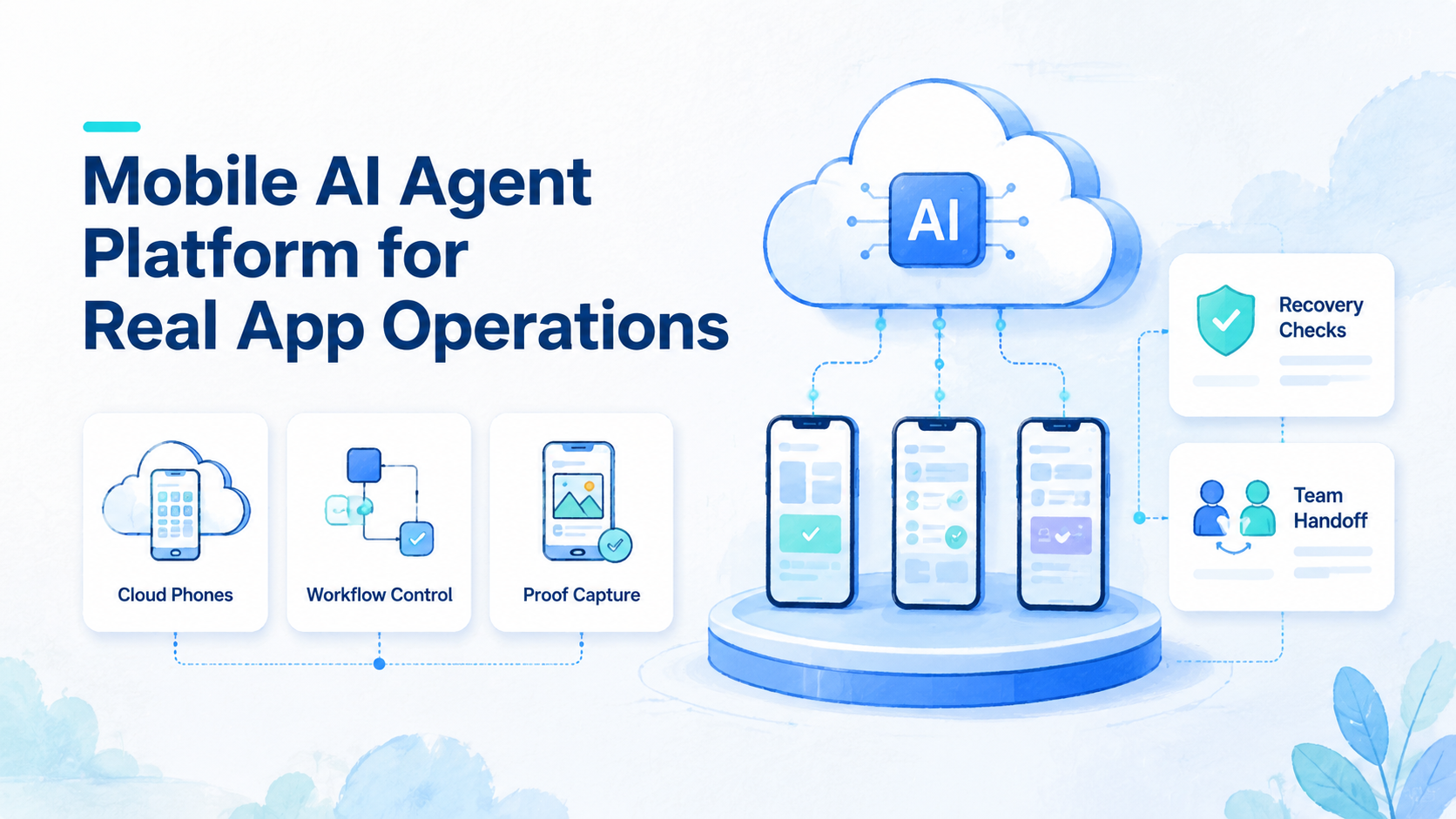
Key Takeaways
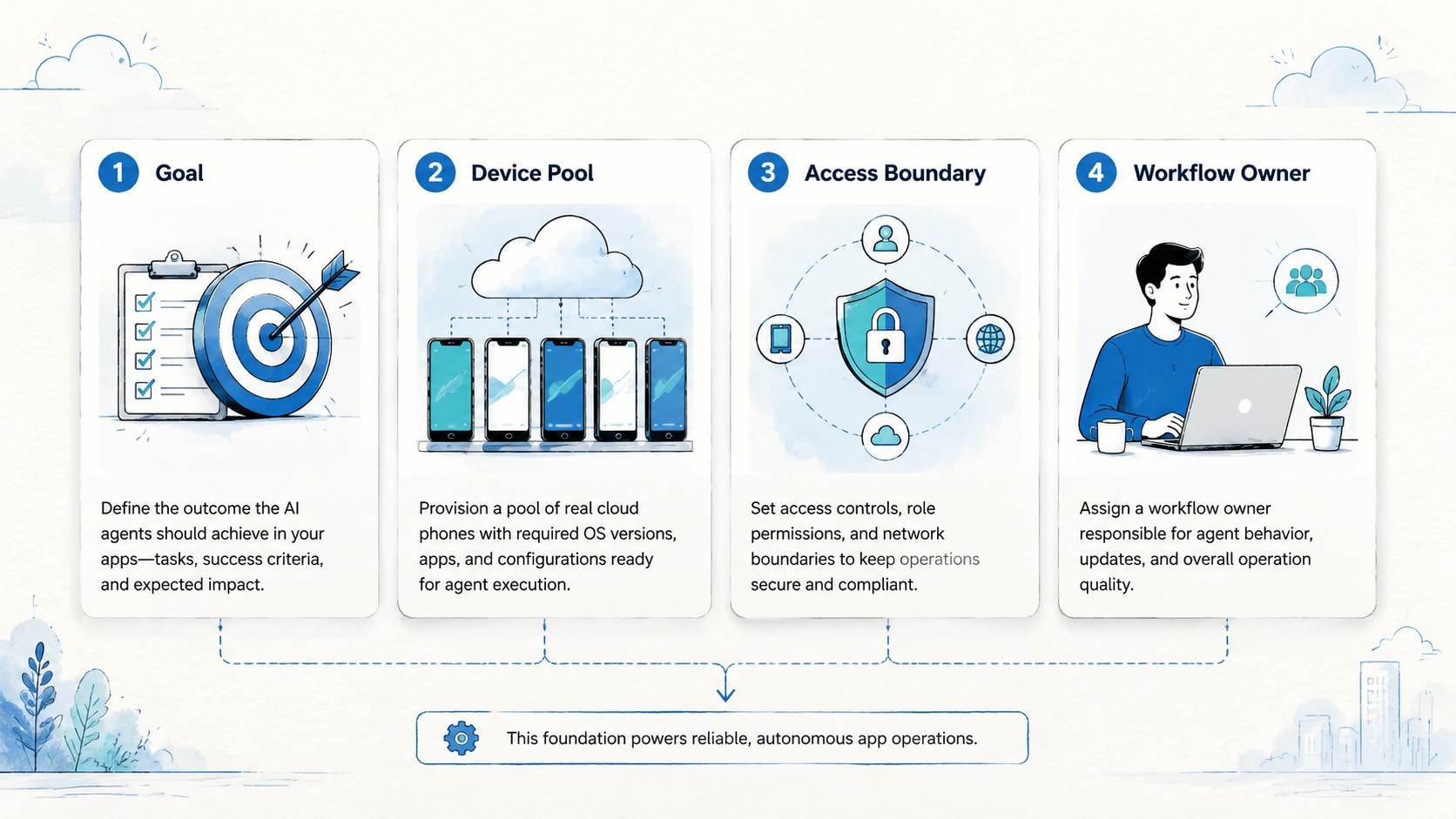
- A mobile AI agent platform gives AI agents a controlled mobile environment for real app tasks.
- Real app operations need device state, session control, review proof, and recovery rules, not only a prompt.
- Cloud phones are useful when the workflow depends on Android apps, app state, or repeated mobile checks.
- Teams should separate web tasks, mobile tasks, manual review, and recovery before scaling agents.
- A safe pilot starts with one workflow, one owner, one output format, and one stop rule.
A mobile AI agent platform is an execution layer that lets AI agents operate inside real mobile app workflows with controlled devices, repeatable state, and reviewable outputs. Think of it as a workbench, not just a prompt connected to a phone. The platform must give teams a place to run the task, see what happened, and recover when the run stops.
Real app operations are different from browser demos. A browser task may inspect a page and return a result. A mobile app task may need login state, app prompts, device settings, notifications, file uploads, or account separation before it can finish the same kind of check. Those mobile details decide whether an agent run belongs in daily operations.
The practical question is simple: can the team trust the agent run after the first failure?
If the answer is no, the system needs better device control, proof capture, and human ownership before it needs more automation.
For this reason, a useful mobile AI agent stack is part AI workflow and part operations system. The AI handles part of the task. The platform handles the phone, session, account boundary, logs, screenshots, and handoff path. Google Search Central's guidance on helpful content is a good standard for how to evaluate claims here: useful systems should make the outcome clear to people, not just produce more output.
What Is a Mobile AI Agent Platform for Real App Operations?
A mobile AI agent platform gives an AI agent access to mobile execution infrastructure. In practice, that may mean a cloud phone, a cloud Android device, a workflow runner, session storage, and a review layer for the team.
The key word is "operations." A lab test can focus on one tap path. Real work asks five harder questions: account owner, device used, proof saved, app change, and exception reviewer.
Use a three-part model:
- Environment: the mobile device, app state, network route, and account context.
- Agent task: the steps the AI attempts, such as checking a status or taking an action.
- Operations loop: the proof, alert, review, and recovery path after the task runs.
A cloud phone can be the environment layer when a team needs Android app access without tying every task to a local handset. It does not remove the need for process design. It gives the agent a mobile place to act.
Official Android testing guidance also shows why mobile state matters. Android Developers describes UI testing as a way to simulate user interactions and cover specific usage scenarios across apps and devices. The UI Automator documentation is built for test automation, not business operations, but it proves the same basic point: mobile app workflows need a real UI context.
For business teams, the platform choice should start with the workflow, not the model. A simple status check needs less structure than a multi-account app operation. A customer-facing action needs stronger review than a read-only internal check.
Why a Mobile AI Agent Platform Matters for Real App Teams
Mobile work breaks in ways that web work does not. A pop-up can appear after login, or an app update can move a button. A session may expire at the wrong time, while a notification changes the visible path. Yesterday's device state may still affect today's run.
Those are not small details. They are the operating surface.
A mobile AI agent platform matters because it turns that surface into something the team can manage. The team can assign devices, separate accounts, rerun failed tasks, and review what the agent saw. Without that layer, the AI may still act, but the team has little control over the state around the action.
Consider a team that monitors app inboxes, order states, or account health across several accounts. A prompt alone cannot decide which account belongs to which client, which device should run the task, or when a failed login should pause the workflow. The system needs rules outside the AI step.
The right platform reduces four kinds of confusion:
| Confusion | Operational question | Platform signal |
|---|---|---|
| Device state | Which phone ran this task? | Named cloud phone or device group |
| Account state | Which account was affected? | Account map and session owner |
| Task proof | What did the agent see? | Screenshot, log, or saved result |
| Recovery | What should happen next? | Retry, pause, review, or escalate |
This is why a cloud phone for AI agents should be judged by workflow fit. The value is not only remote access. The value is whether the phone can sit inside a repeatable operating model.
Mobile AI Agent Benefits and Real Use Cases
The common myth is that a mobile AI agent platform is mainly about replacing people. That framing is too broad and usually too risky. A better view is that agents handle defined mobile steps while people keep ownership of the workflow.
Good use cases have narrow inputs and visible outputs. They do not ask the agent to "run mobile operations." They ask it to check one app state, collect one visible result, or perform one bounded action with a clear stop rule.
Potential use cases include:
- App status checks across controlled accounts
- Repeated mobile UI checks after a release
- Inbox or notification monitoring
- Read-only order, wallet, or account-state checks
- Mobile workflow preparation before human review
- Evidence capture for daily operations reports
Appium's official documentation describes Appium as an open-source ecosystem for UI automation across mobile and other platforms. That source is mainly for test automation, but the Appium overview helps explain why mobile automation needs drivers, sessions, and platform-specific control.
Operations teams need a different layer on top. They need device pools, account assignment, proof capture, and recovery paths. MoiMobi's mobile automation page fits this evaluation when teams want mobile tasks to run as reusable workflows rather than one-off scripts.
Benefits appear when the workflow is narrow:
- Less manual checking for repetitive app states
- Cleaner task handoff between shifts
- Better proof for review and audit
- More parallel capacity for account groups
- Faster detection when a mobile path changes
The limits matter too. A mobile AI agent should not make high-impact decisions without review. It should not operate across unclear account pools. It should not continue when the app state differs from the expected path.
How to Get Started with a Mobile AI Agent Platform
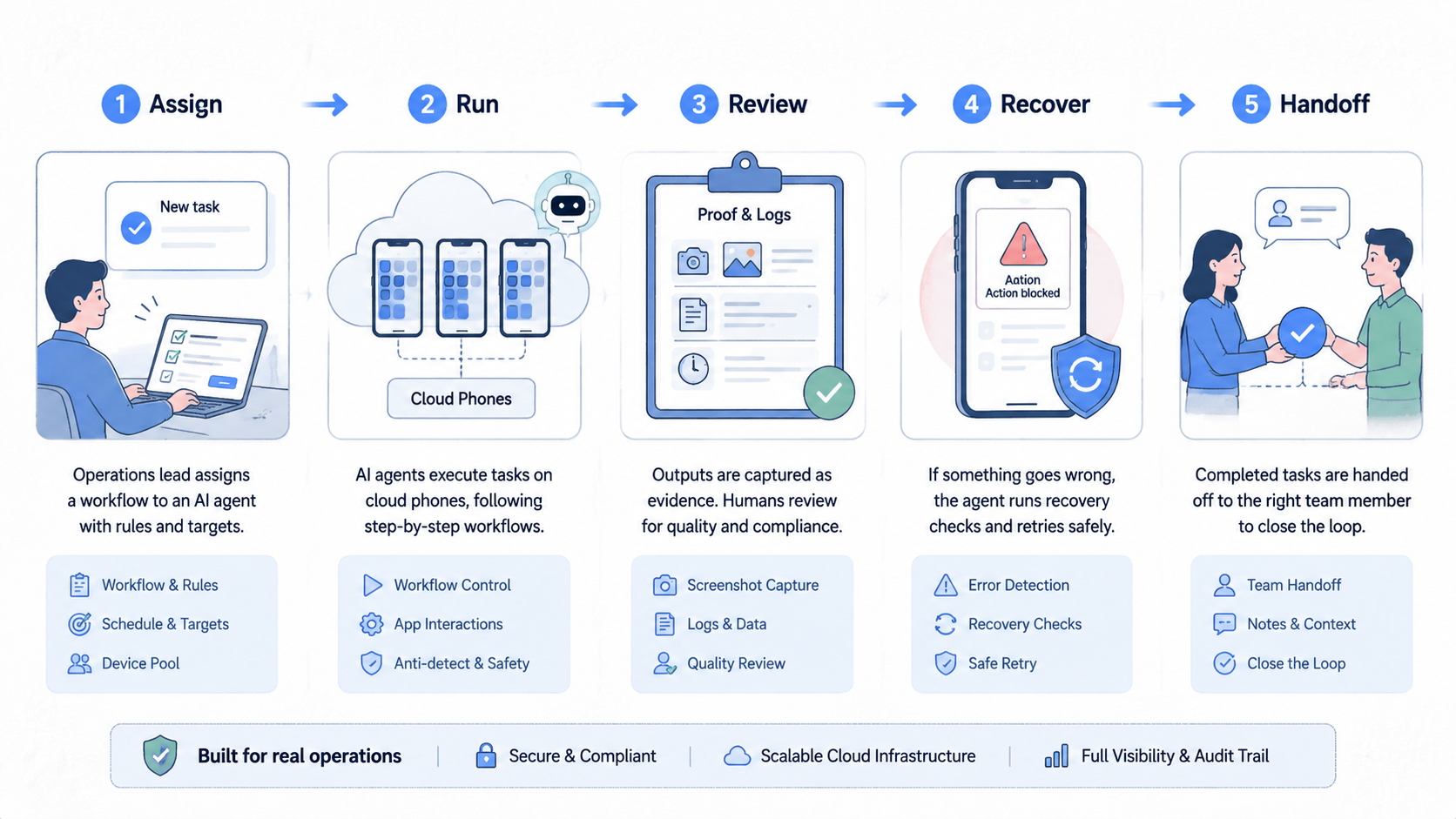
Start with the smallest real workflow that still matters. Do not begin with the most fragile process. The first run should prove that the mobile AI agent can act inside a controlled environment and leave enough proof for a reviewer.
Use this step path:
- Name the target. Pick one app, one account group, and one task. Avoid broad goals such as "monitor all activity."
- Choose the environment. Decide whether the task needs a cloud phone, a cloud Android for AI agents, or a human-owned device.
- Define the expected output. Write the exact result the agent should save: status, screenshot, row, note, or exception.
- Set stop rules. Pause on login prompts, missing elements, app update screens, unclear account state, or unexpected payment steps.
- Assign review ownership. One person or queue must own the result. The AI should not be the owner.
- Run a short pilot. Keep the same task, account group, and device setup for several days before adding more paths.
The environment choice is the step that changes the most later. A read-only web dashboard may not need a mobile layer. A native app task may need an AI agent cloud phone so the run can keep app state, login context, and mobile UI access in one place.
Device isolation should be considered early when the workflow touches separate account groups. MoiMobi's device isolation page is relevant when teams need cleaner boundaries between accounts, devices, and workstreams.
Keep the first workflow boring. A daily status check with clear proof is better than a broad autonomous run with unclear recovery. The goal is not to show a dramatic demo. The goal is to learn what fails.
Common Mistakes to Avoid
The first mistake is treating mobile AI as a model problem only. A stronger model may follow instructions better, but it cannot fix unclear account ownership, missing device state, or weak review rules.
The second mistake is using one shared device context for too many account groups. Shared state makes failures harder to read. A reviewer may not know whether the problem came from the app, the account, the device, or the last run.
The third mistake is skipping proof. A task result that only says "done" is weak for operations. Teams need logs, screenshots, visible status fields, or structured notes that show what happened.
Avoid these stop signs:
- No named workflow owner
- No saved proof for each run
- No device or account map
- No rule for app prompts
- No pause condition for unexpected states
- No way to separate test runs from live work
Another mistake is forcing web and mobile tasks into one lane. A browser agent may fit web dashboards. A cloud Android for AI agents may fit native app steps that require app state, touch paths, and Android UI access. Manual review may still be needed for edge cases.
Do not hide this split.
Label each task as web, mobile, mixed, or review-only. That one label makes planning easier and reduces tool sprawl.
Who It Fits and When It Is a Strong Match
This kind of platform fits teams that already know the mobile workflow they want to run. It has less value for teams that only have a vague goal such as "automate the app."
Strong-fit teams usually share three traits. They have repeated mobile tasks. They can define pass and fail states. They need more capacity without losing review control.
Strong fit
- Daily app status checks
- Multi-account mobile workflows
- Read-only monitoring with proof
- Mobile QA paths after releases
- Operations teams with clear handoff
Weak fit
- Unclear account ownership
- High-impact actions without review
- Unmapped app flows
- One-off tasks with no repeat value
- Workflows with no stop rule
An agency is a good example of the fit boundary. It may need mobile checks across client accounts, but each client should have a clear account map and device group. MoiMobi's multi-account management use case is relevant when the workflow depends on clean separation and handoff.
An internal product team may use a mobile AI agent differently. It may run a fixed post-release app check, save proof, and send exceptions to QA only when a path changes or a result is unclear. Same platform, different rules.
Pilot Rollout, Measurement, and Recovery Checks
A pilot should prove control, not just action. The team should measure whether the mobile AI agent makes the workflow easier to run, review, and recover.
Pick one task for the first week. Keep the same phone pool, account group, prompt, output format, and reviewer. Changing several parts at once makes the result hard to explain.
Track five signals:
| Signal | What to record | Good result |
|---|---|---|
| Run status | Pass, fail, paused, or review needed | Clear state after each run |
| Proof saved | Screenshot, log, row, or note | Reviewer can inspect it |
| Review time | Minutes to understand the result | Lower over the week |
| Recovery action | Retry, pause, fix, or escalate | No guesswork |
| Handoff noise | Extra chat needed to explain state | Fewer back-and-forth messages |
Run one recovery drill before expansion. Force a low-risk task into a paused state. Confirm who receives the alert, what proof they see, and how the status changes after review.
The recovery drill matters because real operations fail at the handoff point. The agent may stop correctly, but the process still fails if no person knows what to do next.
Use a daily run card:
- Workflow name
- Device or cloud phone group
- Account group
- Expected output
- Saved proof
- Reviewer
- Recovery action
Seven rows are enough to show whether the platform is ready for a second workflow. If the team cannot explain two failed runs from the pilot, do not expand yet.
Frequently Asked Questions
What is a mobile AI agent?
A mobile AI agent is an AI-driven workflow that can act in a mobile app environment. For operations, it should run inside a controlled setup with proof, review, and a written stop rule.
What is a mobile AI agent platform?
The platform gives the agent a mobile place to work. In a team setup, it may include cloud phones, session control, workflow tools, logs, and review paths.
Why use a cloud phone for AI agents?
A cloud phone can give the agent access to Android app state without relying on a local handset. This matters when the task depends on native app behavior.
Is a mobile AI agent the same as mobile automation?
No. Mobile automation can run scripted steps. A mobile AI agent may use AI to interpret or decide within a defined task. Both still need controls.
When should a team avoid this setup?
Avoid it when the workflow has no owner, no proof, no stop rule, or unclear account boundaries. Fix the process before adding agents.
What should be measured first?
Measure run status, proof quality, review time, recovery speed, and handoff noise. Those five signals show whether operations are getting easier or simply moving work into another tool.
Can one platform handle web and mobile tasks?
Sometimes. Teams should label the lanes clearly because web dashboards, native apps, and manual review usually need different controls.
How long should the first pilot run?
One week is a practical start for a narrow task with one account group. Keep inputs stable so the team can see what changed.
Where does MoiMobi fit?
MoiMobi fits when teams need cloud phones, mobile automation, device isolation, or multi-account workflows for real app operations.
Conclusion
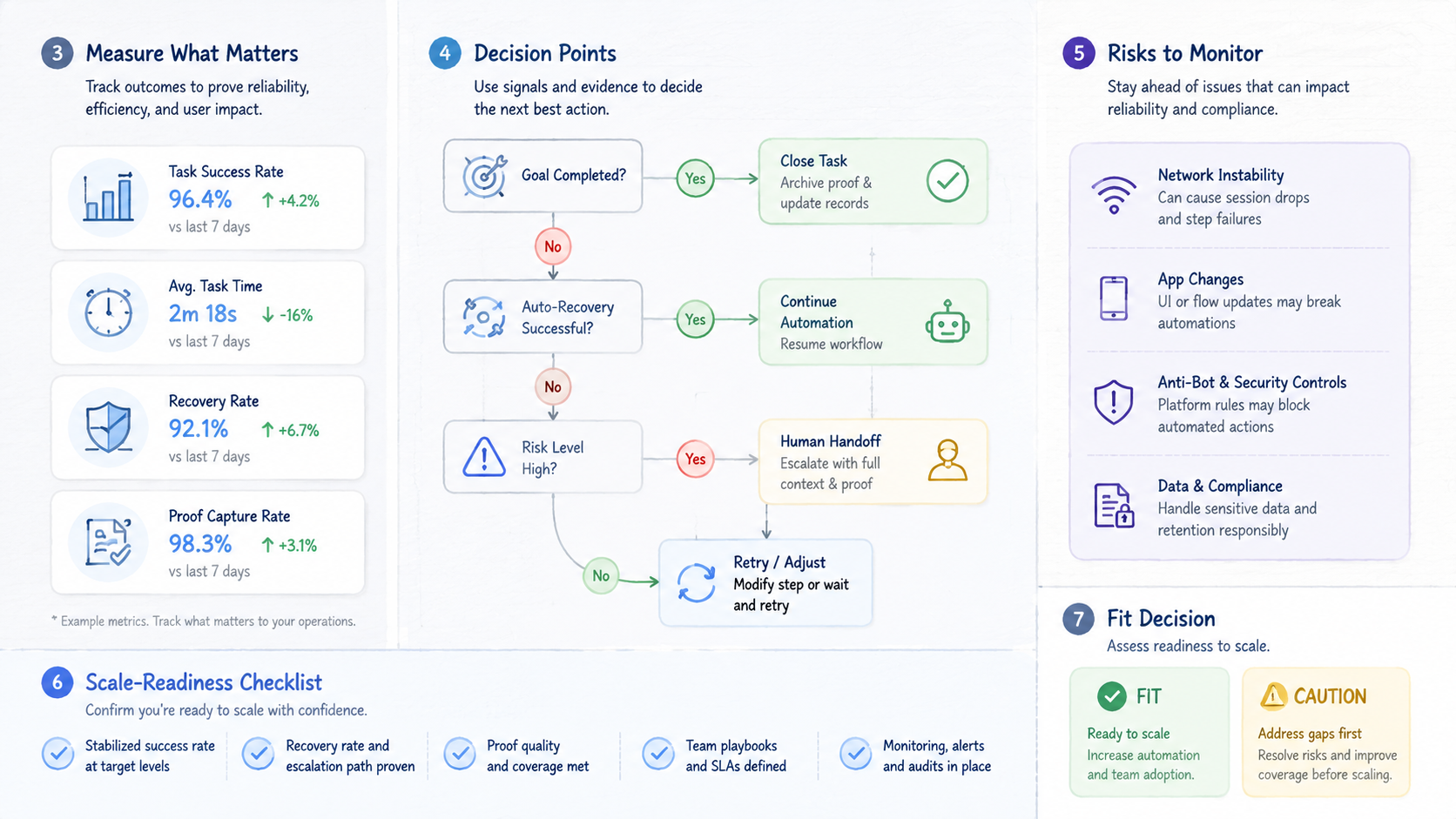
A mobile AI agent platform for real app operations should be judged by control, proof, and recovery. The agent is only one part of the system. The mobile environment, device boundary, output record, and human review loop decide whether the workflow can scale.
Start with one app task. Name the account group, device setup, expected output, reviewer, and stop rule. Run it for several days and review every failure before adding more tasks.
The best next step is a simple workflow map. Write one row for the mobile task, the cloud phone or device group, the proof to save, and the person who owns recovery. If that row is unclear, the platform decision is not ready yet. If it is clear, the team can run a narrow pilot and judge the result with evidence instead of hype.



