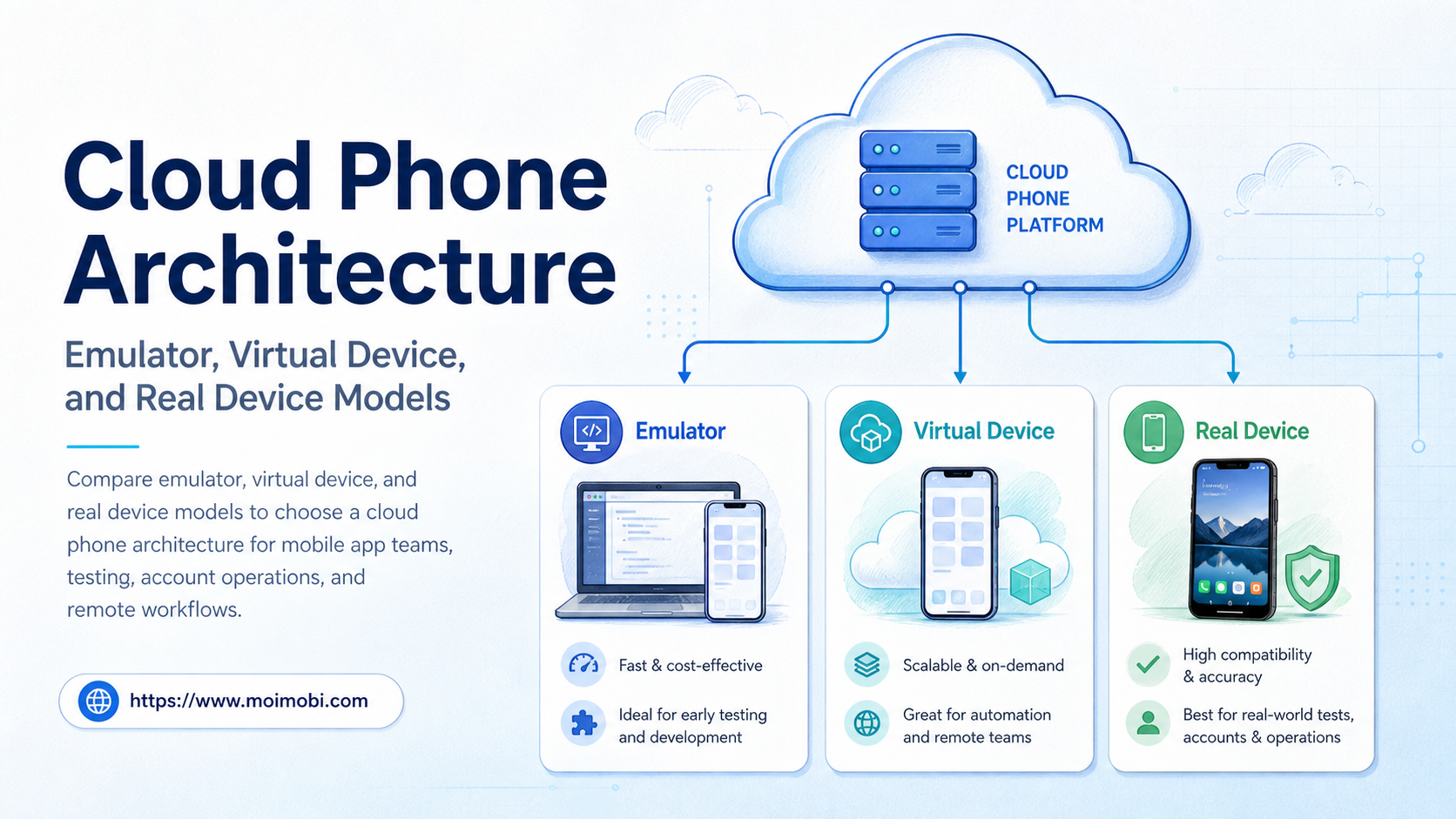
A cloud phone architecture is the combination of compute, Android runtime, storage, networking, control, and observability behind a remote mobile environment. A hosted mobile setup is one delivery model, but the words can describe very different systems: an Android emulator on a virtual machine, a managed virtual device, or a remotely controlled physical phone.
That distinction matters when a team moves from one test device to repeatable app operations. An emulator may be ideal for fast validation. A virtual device may fit persistent remote workflows. A real device may be necessary when physical hardware behavior matters. The right choice depends on the task, the app, the required controls, and how the team will measure failures.
Key Takeaways
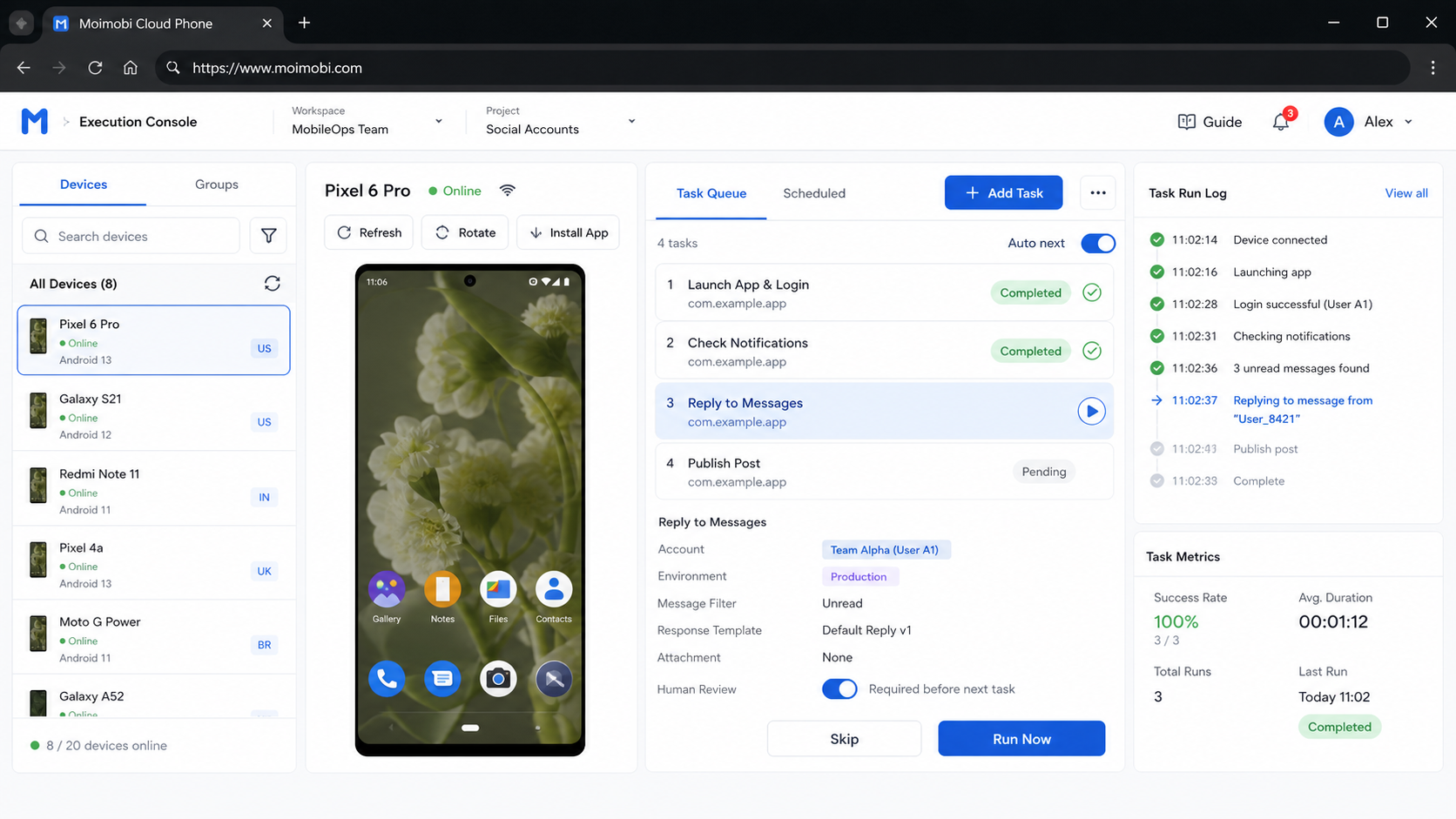
- Cloud phone architecture describes the full execution stack, not only the screen shown in a dashboard.
- Emulators and virtual devices are useful for repeatable software-controlled work, but their limits vary by image and provider.
- Real devices provide physical hardware coverage, while adding inventory, scheduling, maintenance, and access decisions.
- A practical team design often uses more than one model instead of forcing every task onto one environment.
- Start with a small workflow pilot, record task results, and expand only after the failure boundaries are clear.
What Does Cloud Phone Architecture Mean?
The phrase describes how a remote mobile environment is assembled and operated. It includes more than Android itself. A useful architecture review asks six questions:
| Layer | What to inspect | Why it affects the decision |
|---|---|---|
| Compute | Virtual machine, container, or physical device host | Determines capacity, concurrency, and recovery options |
| Android runtime | Emulator image, virtual Android device, or physical handset | Determines app and hardware coverage |
| State | App data, login session, storage, and reset behavior | Determines whether work is repeatable and recoverable |
| Network | Routing, proxy assignment, DNS, and regional configuration | Affects reachability and operational separation |
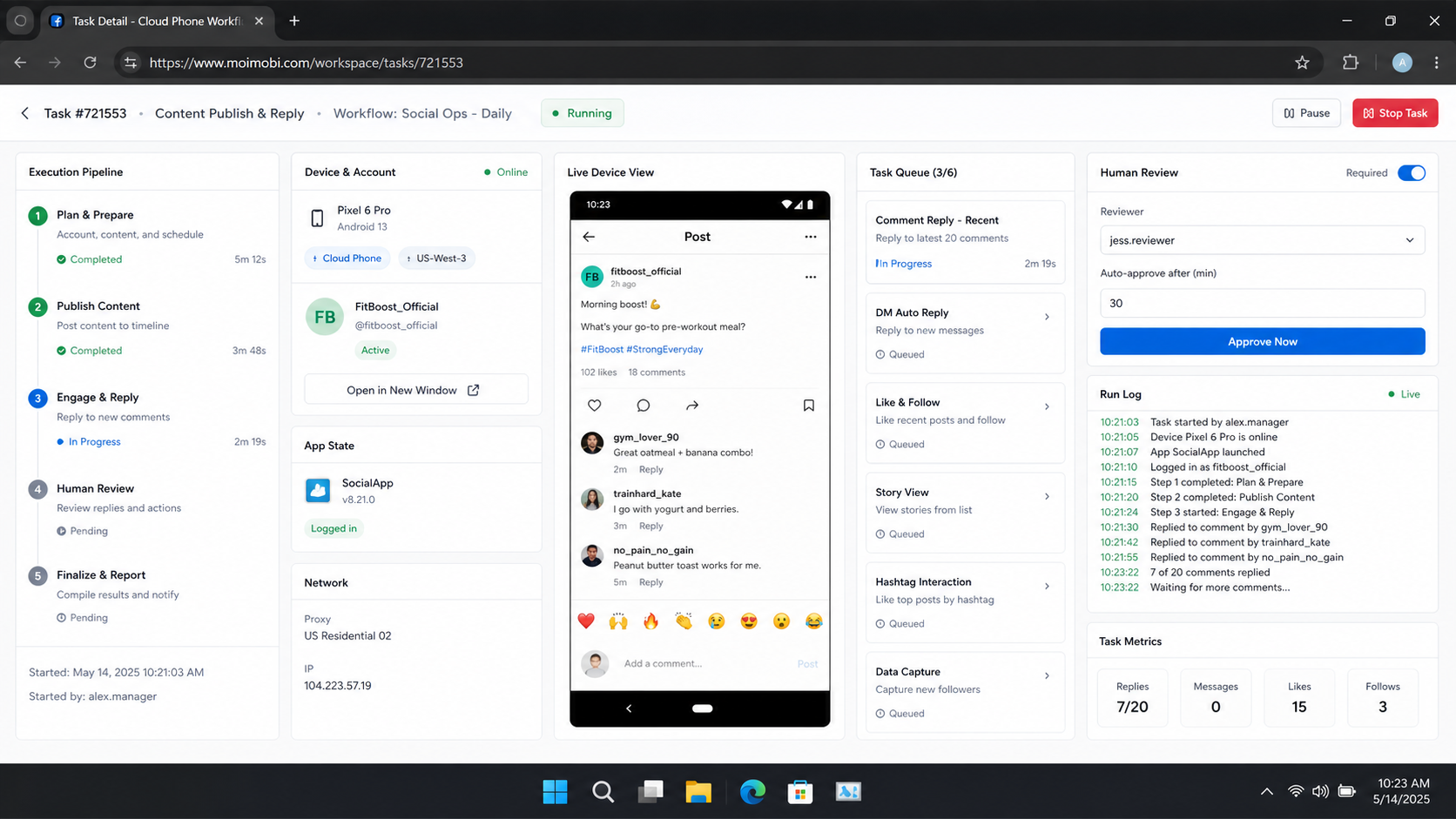
| Control | Remote screen, API, ADB, Appium, or task workflow | Determines how people and systems execute work |
| Observability | Logs, screenshots, video, task status, and error records | Determines whether the team can diagnose a failure |
This framework prevents a common mistake: comparing a device label instead of comparing the operating model. Two providers can both advertise a “cloud phone” while offering different persistence, device types, automation controls, reset behavior, and reporting.
For a single developer, the runtime may be the main concern. For a team, the surrounding layers become equally important. The team needs to know who owns an account, which environment runs it, which task is active, what happened after failure, and how to repeat the workflow without mixing state.
Three Models Inside Cloud Phone Architecture
1. Emulator-based environments
An emulator reproduces a device through software. Android Studio’s official documentation describes the Android Emulator as a tool for developing and testing apps on different devices and Android API levels. It supports configurable virtual device profiles, which makes it useful for repeatable development and validation.
The main advantage is control. A team can create a known image, reset it, run the same test again, and connect it to a development workflow. Emulators also work well when the task is primarily software behavior, such as checking navigation, form submission, permissions, or a regression after a code change.
The boundary is equally important. An emulator is not a physical handset. Physical sensors, radio behavior, hardware-specific graphics, vendor firmware, and some device-dependent app behavior may be absent or represented differently. The Android Emulator documentation should be the starting point for understanding its supported configuration and intended development use.
2. Virtual device and hosted Android environments
A virtual device is an Android environment hosted on remote infrastructure. In practice, the phrase may refer to an emulator running on a cloud host or to a managed Android instance with a provider-specific control layer. This is why the provider’s architecture and limits matter more than the label.
Virtual environments are attractive when a team needs remote access, repeatable images, parallel work, or a persistent workspace without maintaining local hardware. They can support content preparation, app workflows, customer operations, and other tasks that depend on a mobile interface.
Firebase Test Lab’s virtual Android device guidance shows the trade-off clearly. Its virtual Android devices can provide quick, repeatable testing, while its guidance also lists limitations involving ABI support, graphics, Google Play Store availability, augmented reality, and older API levels. Those limits do not make virtual devices unusable. They define when a physical-device check is still necessary.
The operational question is not “Is this virtual?” It is “Which capabilities are simulated, which are persistent, and which are observable?” A virtual device with clean reset controls and useful logs can be more practical for a repeatable workflow than an unmanaged physical handset.
3. Real-device environments
Real-device environments use physical Android or iOS hardware hosted in a data center or device facility. They expose hardware behavior that a virtual device may not reproduce. This can matter for camera input, sensors, graphics, device-specific bugs, app installation behavior, or workflows that depend on the physical device profile.
The cost is operational complexity. Physical devices need inventory, availability management, charging or power control, repairs, OS updates, remote access policy, and scheduling. A team also needs a way to decide which device owns which workflow and how to recover when the device is offline.
The AWS Device Farm real-device documentation gives a clear example of the real-device model. It describes remote access to physical phones and tablets, automated tests across multiple devices, logs, video, screenshots, and test reports. That combination is valuable for hardware coverage and diagnosis, but it also shows that a real device is part of a managed fleet, not just a stronger emulator.
How Cloud Phone Architecture Changes the Model Choice
The most useful choice is usually task-first. Start by identifying what the workflow must prove or execute.
| Workflow requirement | Usually the first model to evaluate | Reason |
|---|---|---|
| Fast UI regression checks | Emulator or virtual device | Easy reset and repeatable software state |
| Broad Android API coverage | Virtual device plus selected physical checks | More configurations without owning every handset |
| Camera, sensor, graphics, or vendor behavior | Real device | Physical hardware can expose issues simulation misses |
| Persistent mobile account workspace | Hosted virtual device or managed physical device | Requires clear state, ownership, and recovery rules |
| Multi-account task execution | Isolated managed environments | Environment assignment and records matter more than raw device count |
| App install and upgrade verification | Real device or a mixed matrix | Both package behavior and hardware differences may matter |
Teams often over-focus on capacity. Ten environments do not automatically create ten useful lanes. If all ten share unclear state, unclear ownership, or weak logs, the system is difficult to operate. A smaller pool with explicit assignment and recovery can produce better evidence.
For a product team evaluating a hosted cloud phone layer, the review should cover four practical questions:
- Can each environment be assigned to a named workflow or account?
- Can the team reset or restore state without losing required evidence?
- Can operators see task status, errors, screenshots, or logs?
- Can the platform separate mobile execution from browser-based work when both are needed?
A Practical Cloud Phone Architecture for Team Workflows
The following sequence works for a small pilot. It is intentionally narrower than a full fleet rollout.
- Classify the task. Separate app testing, content publishing, customer replies, data collection, and account administration. Do not assume one environment should handle every category.
- Mark hardware dependencies. Record whether the task needs a camera, location behavior, sensors, graphics performance, a specific Android API, or an app store flow.
- Choose the initial model. Use an emulator or virtual device for software-first validation. Add a real-device check where the task depends on physical behavior.
- Define state ownership. Record the account, environment, operator, network path, app version, and reset policy. This is the minimum needed to explain a later failure.
- Run a bounded workflow. Start with a small number of tasks and a clear stop rule. Capture success, failure, timeout, manual takeover, and unknown outcomes separately.
- Review the evidence. Check whether the logs and screenshots explain what happened. If they do not, adding more devices will not solve the diagnosis problem.
- Scale by workflow family. Expand only after one workflow has stable ownership, repeatable setup, and a useful recovery path.
For Android control, some teams need a dedicated API or ADB layer rather than screen-only interaction. The cloud phone API and ADB guide is the relevant next step when a workflow requires remote device commands, batch actions, or integration with an existing operations system.
Fit Boundaries and Common Mistakes
Cloud phone architecture is a poor fit when the task needs a physical feature that the selected environment cannot expose, when the app depends on unsupported native behavior, or when the team has no owner for account and device state. In those cases, the first fix is a better model or clearer ownership, not more automation.
Five mistakes appear repeatedly:
- Treating every cloud phone as the same. Ask whether it is an emulator, a virtual device, or a real device. Then inspect reset, persistence, networking, and observability.
- Using only a virtual check for hardware-dependent behavior. A virtual run can pass while a camera, sensor, graphics, or vendor-specific issue remains.
- Scaling before recording failures. A larger fleet multiplies unclear workflows. Define error categories before adding capacity.
- Mixing test and production state. Use separate environments for experiments, account operations, and release validation when their recovery requirements differ.
- Measuring only completed tasks. Track timeouts, manual takeovers, retries, failed installs, missing logs, and unknown results. A green count without failure context is weak operational evidence.
For teams that combine browser profiles with mobile apps, an app workflow automation layer should be evaluated as a separate execution layer. Browser profiles can support web workflows, but they do not replace a mobile environment for app-native tasks. The two layers may work together, but their state, permissions, and failure signals should remain distinguishable.
Pilot and Verification Checklist
Before calling the architecture ready for broader use, verify the following:
- The task has one named owner and one documented purpose.
- The selected environment type matches the task’s hardware requirements.
- Account, app, network, and reset state are recorded.
- A failed task leaves enough evidence for another operator to investigate.
- A manual takeover path exists for ambiguous or sensitive steps.
- A repeated run produces comparable results without hidden state from the previous run.
- The team can pause one workflow without stopping unrelated workflows.
- The decision to scale is based on task evidence, not only device count.
Use a short pilot window and a fixed sample of workflows. Compare successful completion, recovery time, unknown outcomes, and evidence quality. If the same task fails for different reasons, split the failure categories before changing the infrastructure.
Frequently Asked Questions
Is a cloud phone always an emulator?
No. “Cloud phone” can describe a hosted emulator, a virtual Android device, or remote access to a physical phone. Confirm the underlying device model with the provider.
What is the main difference between an emulator and a virtual device?
An emulator is the software mechanism that simulates a device. A virtual device is the usable Android environment built from that mechanism or another hosted implementation. Product terminology varies, so inspect the actual runtime.
When should a team test on a real device?
Use a real-device check when the workflow depends on physical hardware, vendor behavior, graphics, sensors, camera input, or an app feature not fully represented by the virtual environment.
Can virtual devices support multi-account operations?
They can support separated workflows when the platform provides clear environment boundaries, state control, and task records. The architecture does not remove the need for compliant account operations or human review.
Is a real-device fleet always more reliable?
Not automatically. Real devices add hardware coverage, but they also introduce availability, maintenance, scheduling, and connectivity concerns. Reliability depends on the complete operating process.
What should a cloud phone platform expose to a team?
At minimum, look for environment assignment, state control, task visibility, access roles, network configuration, logs, and a recovery path. The exact feature set depends on the workflow.
How many devices should a team start with?
Start with the smallest pool that can test the workflow and its recovery path. Expand after the team understands concurrency, failure categories, and evidence quality.
Can a browser profile replace a mobile execution environment?
Only for workflows that are genuinely web-based. App-native tasks still need a mobile environment. A combined browser and mobile design is often more useful than forcing one layer to cover both.
Conclusion
Cloud phone architecture is a decision about execution layers, not a choice between three marketing labels. Emulators provide repeatable software environments. Virtual devices provide hosted, configurable execution. Real devices provide physical hardware coverage. Each model solves a different part of the workflow.
The practical next step is to map one workflow across compute, runtime, state, network, control, and evidence. Review the cloud phone architecture against that map before adding capacity. Run a small pilot, record both successes and failures, and choose the smallest architecture that gives the team enough control to operate and review the work. That creates a stronger basis for adding accounts, devices, or automation later.