Content Type: guide
Page Role: longtail
Intent Type: informational
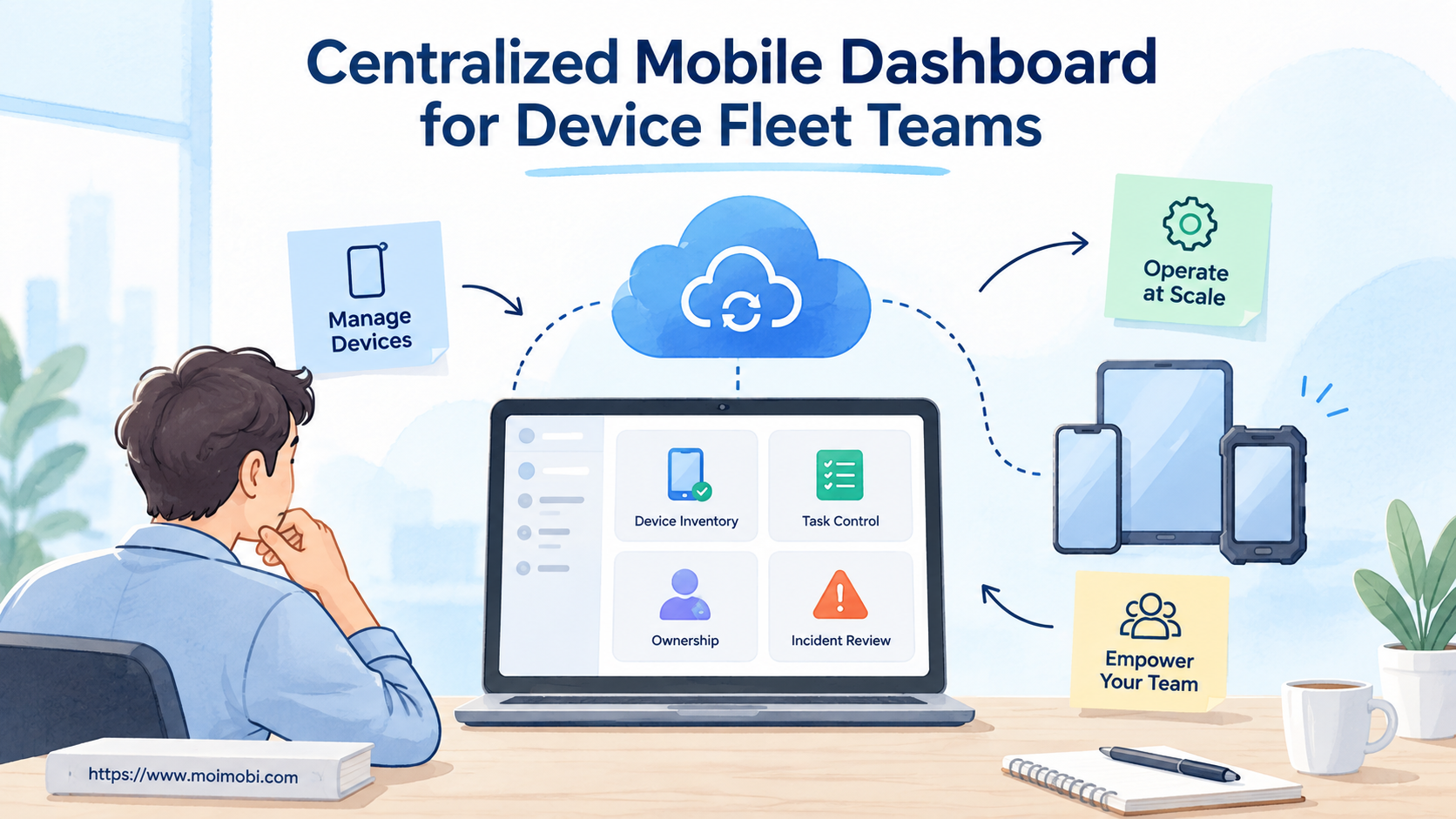
A centralized mobile dashboard is a shared control surface for device inventory, assignment, task state, alerts, and recovery. It should tell a device fleet team what exists, who owns it, what it is doing, and what needs attention.
The dashboard is not valuable because it puts many phone screens on one page. Its value comes from operating context. A useful view connects each device to an account, task, operator, policy, and recent event history. Without those links, the team has a wall of screens rather than a control system.
Start with decisions, not visual density. Operators need to know which devices are ready, which tasks are blocked, which actions require approval, and where a failed run can be recovered. Managers need capacity, completion, incident, and ownership views without opening every device.
Key Takeaways
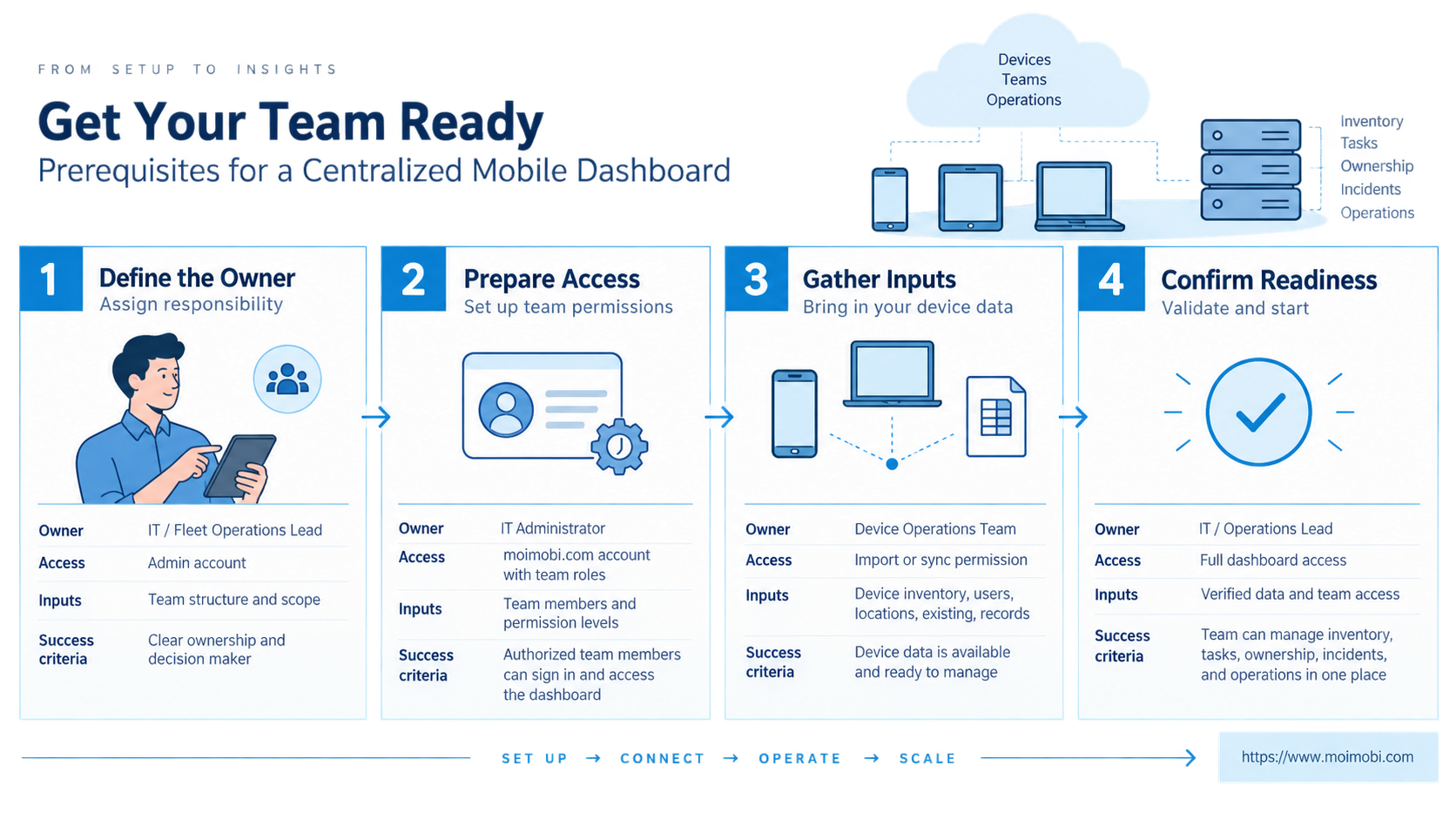
- Treat device identity, owner, environment, and task state as separate fields.
- Design queues around business tasks, not only device uptime.
- Keep approvals, pause controls, logs, and human takeover close to the active task.
- Separate fleet health from workflow success; an online device can still run the wrong task.
- Pilot with one team and one task family before adding more devices or accounts.
What Is a Centralized Mobile Dashboard?
At its core, a centralized mobile dashboard combines five operating layers: inventory, assignment, execution, evidence, and recovery. Each layer answers a different question.
| Layer | Question | Minimum fields |
|---|---|---|
| Inventory | What devices exist? | Device ID, platform, model, status, environment |
| Assignment | Who and what is attached? | Owner, team, account, role, expiry |
| Execution | What is happening now? | Task, step, state, start time, queue |
| Evidence | What actually happened? | Events, screenshots, outputs, reviewer |
| Recovery | What happens next? | Pause reason, retry policy, takeover owner |
Microsoft's Intune device-management documentation groups device inventory, status, actions, diagnostics, and reporting into the management workflow. The product details differ, but the operating lesson is broad: inventory alone is not enough. A team needs action and diagnostic context beside the asset record.
Device identity must remain stable across views. Android Enterprise describes managed deployment around provisioned devices, assigned policies, and device identity in its management overview. A fleet dashboard should therefore use an internal immutable ID and display labels separately. Renaming “Phone 12” must not break its task history.
The interface should support two modes. Fleet mode shows capacity and exceptions across the group. Device mode shows the timeline, current account, task inputs, approvals, and recovery controls for one environment.
Why a Centralized Mobile Dashboard Matters
Device fleets fail operationally when information lives in different places. One spreadsheet lists accounts, a chat message assigns devices, a scheduler starts tasks, and a remote-control window shows the current screen. No single record explains the full run.
Centralization reduces that fragmentation by making ownership visible. It does not remove technical failures. Instead, it shortens the path from an alert to the responsible device, task, and operator.
Consider a scheduled publishing task. The phone may be online while the app session has expired. A health-only dashboard reports green. An operations dashboard shows that the task is waiting for login review, prevents duplicate retries, and routes the same session to a person.
NIST's Cybersecurity Framework places identification and governance alongside protection, detection, response, and recovery. A fleet team can apply that sequence operationally: know the assets, define ownership, monitor events, respond to exceptions, and preserve recovery evidence.
Core Views for Device Fleet Teams
The home screen should prioritize exceptions and work, not decorative totals. Useful views include:
Fleet overview: Ready, busy, paused, offline, under review, and retiring devices. Show trends only when the underlying state definitions are consistent.
Task queue: Pending, assigned, running, awaiting approval, completed, and failed work. Every task needs an idempotency key or equivalent duplicate-action control.
Account assignment: One record should connect account, device environment, operator, task type, and assignment window. A multi-account operating workspace is most useful when it prevents conflicting ownership.
Incident center: Group errors by cause, not only by device. Authentication, network, app state, invalid input, permission, and verification failures need different owners.
Evidence timeline: Keep task inputs, approval decisions, actions, results, and recovery notes in order. This view should survive handoff between operators.
Capacity view: Show available environments by capability and region where relevant. Do not treat every phone as interchangeable when app version, permissions, or assigned account differ.
Centralized Mobile Dashboard Preflight Checklist
Before designing screens, define the system of record. A dashboard that edits copied data will drift from the scheduler and device service.
- Give every device and task an immutable internal ID.
- Name the owner for devices, accounts, queues, and incidents.
- Define allowed state transitions, including pause and retire.
- Decide which service owns credentials and session access.
- Set retention rules for logs, screenshots, and outputs.
- Separate viewer, operator, reviewer, and administrator permissions.
- Document the source and freshness of every health field.
- Define what “completed” means for each task type.
A device fleet infrastructure guide can help teams separate compute capacity from the control plane. This control surface should coordinate resources; it should not become a second implementation of the device runtime.
How to Build the Operating Workflow
- Register the environment. Record identity, platform, capabilities, owner, and lifecycle state before assigning work.
- Bind an account and role. Attach only the account and permissions required for the task window.
- Validate readiness. Check connectivity, app availability, session state, storage, policy, and time synchronization.
- Assign a task. Include inputs, expected outcome, deadline, retry boundary, and approval requirements.
- Stream meaningful events. Store state changes and checkpoints rather than noisy screen updates alone.
- Verify completion. Confirm the business result, not merely the final click or process exit.
- Close or recover. Release the device, retain evidence, and route incomplete work without duplicating actions.
When Android work requires a remotely managed environment, an assigned cloud phone can become the execution endpoint. Task-level validation and ownership still belong in the control plane. Device availability does not prove that the intended business action succeeded.
For workflows crossing several apps, use a mobile task orchestration layer to keep queue and execution state separate from presentation. Its interface consumes those states and exposes controlled actions; it should not hide ad hoc automation inside UI buttons.
Verification Checks After Rollout
A dashboard works only when operators can answer practical questions without side channels. Test it with a small task set and confirm:
- Can an operator find the owner of any active device?
- Can the team distinguish device health from task success?
- Does every high-impact action show who approved it?
- Can a person take over the current session without losing context?
- Can the system prevent a duplicate retry after partial completion?
- Can an incident reviewer reconstruct the task from stored evidence?
- Can a retiring device be removed without losing historical records?
Run recovery drills, not only happy-path demos. Disconnect a device, expire a session, provide invalid input, and interrupt a task after a reversible step. The resulting queue and timeline should remain understandable.
Data Model Behind a Centralized Mobile Dashboard
Reliable fleet control starts with records that have clear ownership. Keep device, account, task, run, event, approval, and incident as separate entities. Joining them in the centralized mobile dashboard is safer than storing one large row that gets overwritten during every update.
The device record describes the execution environment. It should contain the immutable ID, lifecycle state, platform, capability tags, current health observation, and assigned group. Avoid placing current task results in this record. One device will run many tasks, and each run needs its own history.
An assignment record connects a device, account, operator, and valid time window. This makes reassignment explicit. It also helps the centralized mobile dashboard explain whether a task used the intended environment at the time it ran.
Task and run records need different meanings. The task states the requested outcome and inputs. A run records one execution attempt, its checkpoints, approvals, result, and failure class. Retrying should create a new run rather than erase the failed attempt.
Events should be append-oriented. Store concise state changes such as assigned, started, paused, approval requested, resumed, verified, and closed. Large screenshots or logs can live in asset storage while the event retains a reference, checksum, collection time, and access policy.
Finally, incidents need a first-class record. Link affected runs and devices, name an owner, record containment, and capture the recovery decision. This lets the centralized mobile dashboard show unresolved operational risk instead of turning every failure into a temporary red badge.
Permission Boundaries and Approval Design
Visibility should not imply control. A manager may need fleet-wide status without permission to open sessions or change device configuration. An operator may run approved tasks but lack access to credentials. A reviewer may approve content without changing queue policy.
Use action-specific permissions for remote control, session access, restart, reset, reassignment, publication, and deletion. Bulk actions deserve tighter scope because one mistake can affect an entire group. The centralized mobile dashboard should preview the target set and expected state change before submitting a high-impact command.
Approval belongs to the task timeline. Record who requested the action, who approved it, what evidence they reviewed, and when the approval expires. A generic “approved account” flag becomes stale and cannot explain a later run.
Emergency access also needs a path. Define who can take over, what reason is required, how long elevated access lasts, and how the event is reviewed. Do not create a permanent shared administrator login as a shortcut.
Rollout Stages for a Centralized Mobile Dashboard
Start with observation. Import inventory, assignment, and task state without adding remote actions. This exposes naming conflicts, stale records, and unclear ownership before the centralized mobile dashboard can change production environments.
Next, add low-impact controls such as pause, resume, and operator assignment. Require confirmation and retain an event for every state transition. Compare the dashboard record with the actual scheduler and device service after each test.
The third stage introduces session takeover and approved device actions. Limit the pilot to named operators and test interruption, timeout, and concurrent access. A takeover that silently disconnects automation or loses its evidence trail is not ready for wider use.
Only after those checks should the team add bulk controls and broader account groups. Expansion is justified when ownership stays accurate, task results reconcile with business records, and incidents can be reconstructed without chat messages or private spreadsheets.
Common Mistakes to Avoid
Using uptime as the main success metric: Availability is infrastructure health. Completion, correctness, review outcome, and recovery describe workflow quality.
Showing every device equally: Operators need exception-first sorting. Healthy idle devices should not push blocked customer work below the fold.
Combining identity and display name: Labels change. Stable IDs preserve joins among tasks, accounts, evidence, and incidents.
Allowing unrestricted bulk actions: Restart, reset, login, publish, or delete actions need scope, preview, permission, and confirmation appropriate to their impact.
Hiding uncertainty: A stale health signal should show its collection time. “Unknown” is safer than presenting old data as current.
Sharing one administrator role: Separate observation, execution, approval, and configuration. This improves accountability and limits accidental changes.
Frequently Asked Questions
Is a centralized mobile dashboard the same as remote phone control?
No. Remote control exposes a screen and inputs. A dashboard coordinates inventory, assignments, queues, evidence, permissions, and recovery across many environments.
What should appear on the first screen?
Show blocked work, devices requiring action, approval queues, current capacity, and recent incidents. Keep detailed metrics in secondary views.
Does every device need a live preview?
Not necessarily. Previews consume space and resources. Use them for active inspection or takeover, while fleet mode relies on structured state and recent checkpoints.
How fresh should device status be?
Freshness depends on the action. Display the observation time and let critical workflows require a current readiness check before execution.
Can spreadsheets remain part of the process?
They may support exports or planning, but they should not be the live state authority once tasks run concurrently. Use one system of record for assignments and task state.
How should permissions be divided?
Use roles for viewing, operating, approving, incident review, and administration. Restrict credential access and destructive controls to the smallest practical group.
What is the best pilot scope?
Choose one task family, a small environment group, named operators, and explicit recovery cases. Avoid testing several business processes at once.
How do teams measure dashboard value?
Track time to identify an owner, time to resolve exceptions, duplicate actions, manual handoffs, and completed tasks with valid evidence. Define each metric before the pilot.
Conclusion
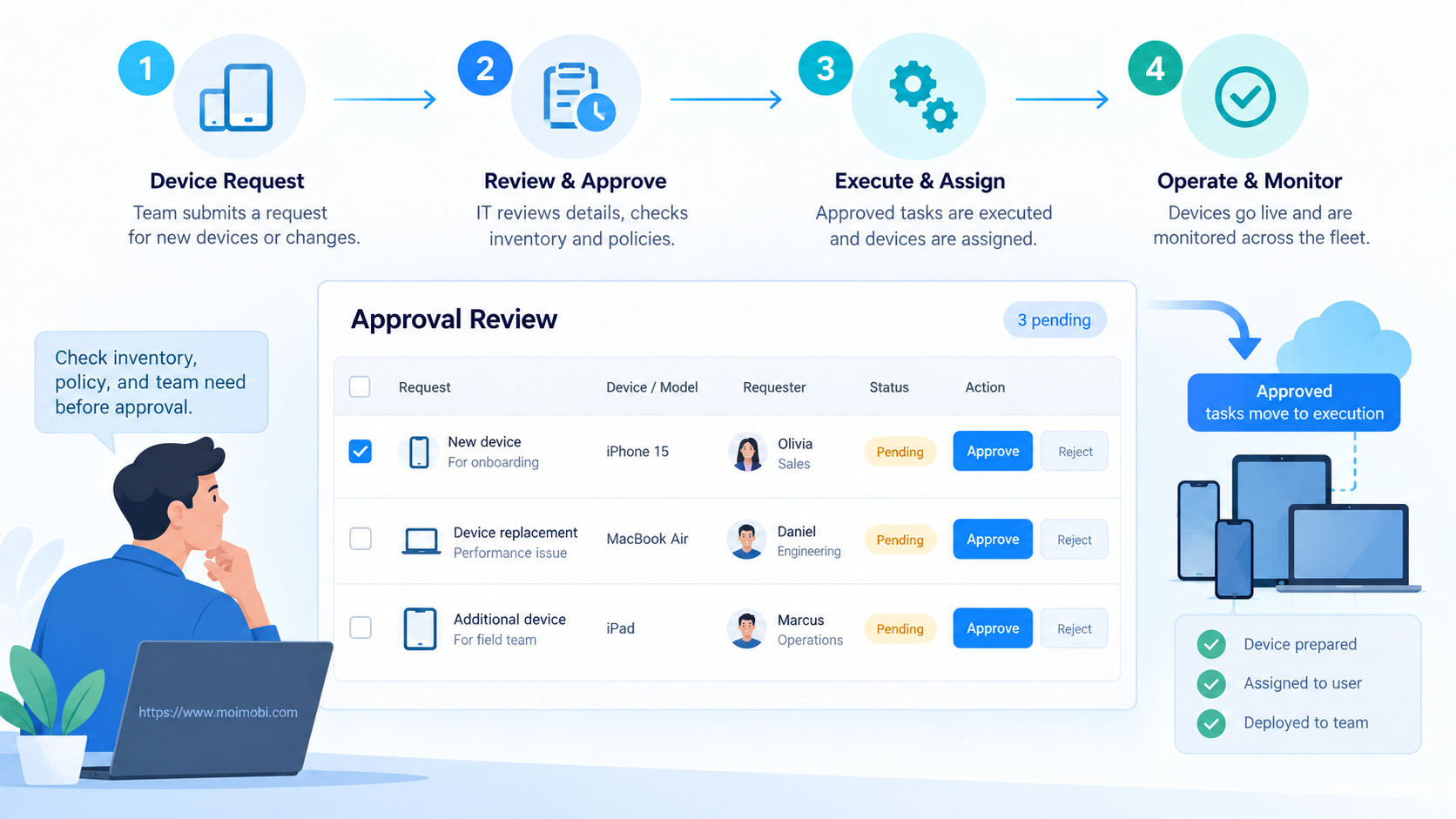
Good fleet control makes mobile work explainable and recoverable. Build the centralized mobile dashboard around stable identity, ownership, task state, evidence, and controlled action rather than a dense grid of phone screens.
Begin with one operating workflow. Verify that the team can assign work, detect an exception, take over the same session, prevent duplication, and close the incident with evidence. Only then expand the number of devices, accounts, task types, or teams.