
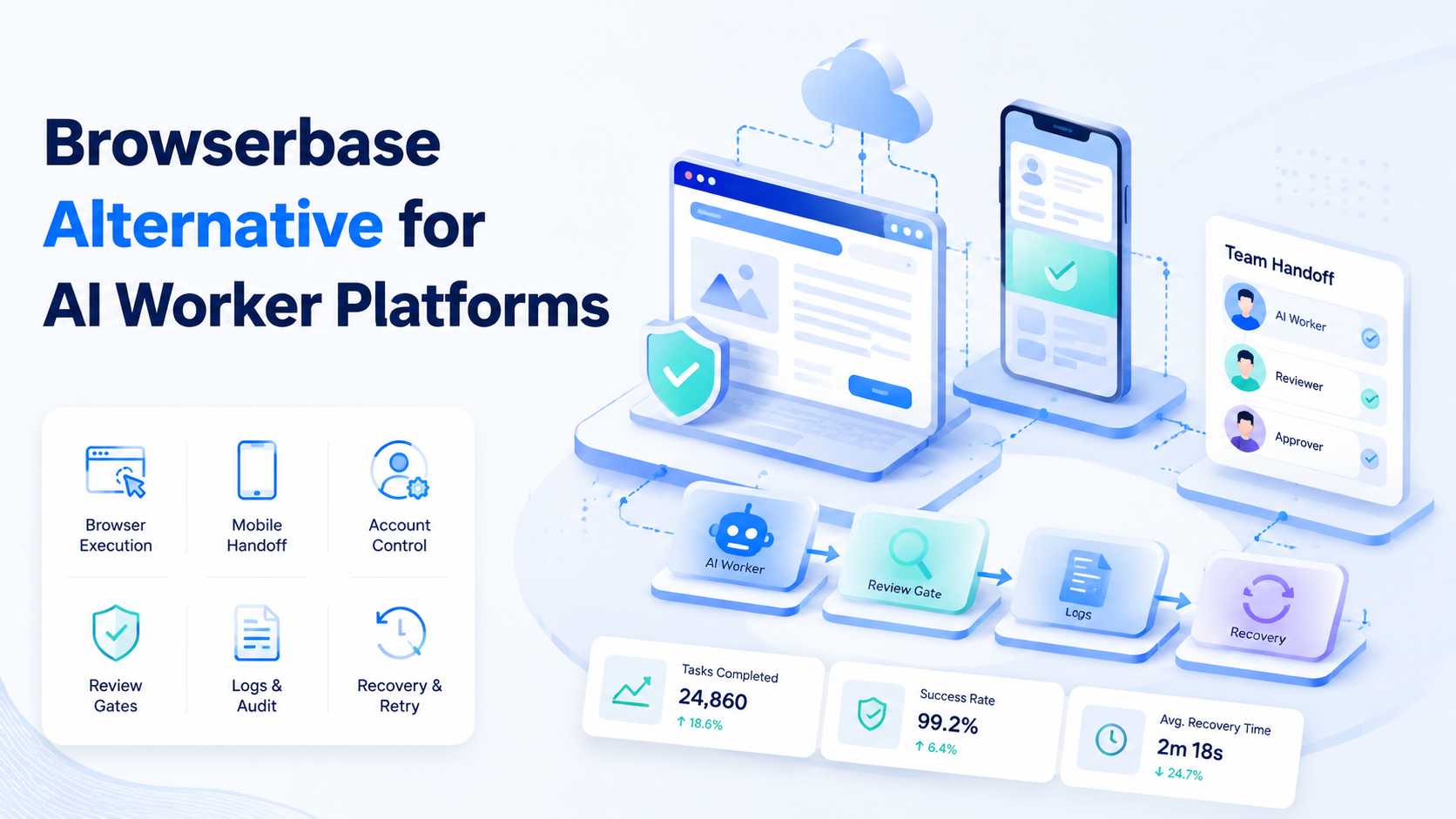
A Browserbase alternative for AI worker platforms is an execution option for teams that need browser tasks plus account context, mobile handoff, review gates, and recovery logs. Browser infrastructure matters. The larger question is whether the system can run real operations, not only open a page.
Teams search for alternatives when their AI workers need more than a hosted browser. A web task may begin inside an admin dashboard, continue through account-specific environments, and require proof from a mobile app. The browser layer is only one part of the job. The operating workflow is the full job.
The right comparison starts with work shape. A research agent, QA bot, ecommerce operator, and social account worker do not need the same control plane. Some teams need fast browser sessions. Others need browser sessions tied to cloud phones, account pools, routing, logs, and human approval.
This guide uses Browserbase as a category reference, not as a claim about any single vendor feature. Validate current vendor details from official documentation before buying. The practical goal is to compare execution fit, control depth, and mobile readiness.
Key Takeaways
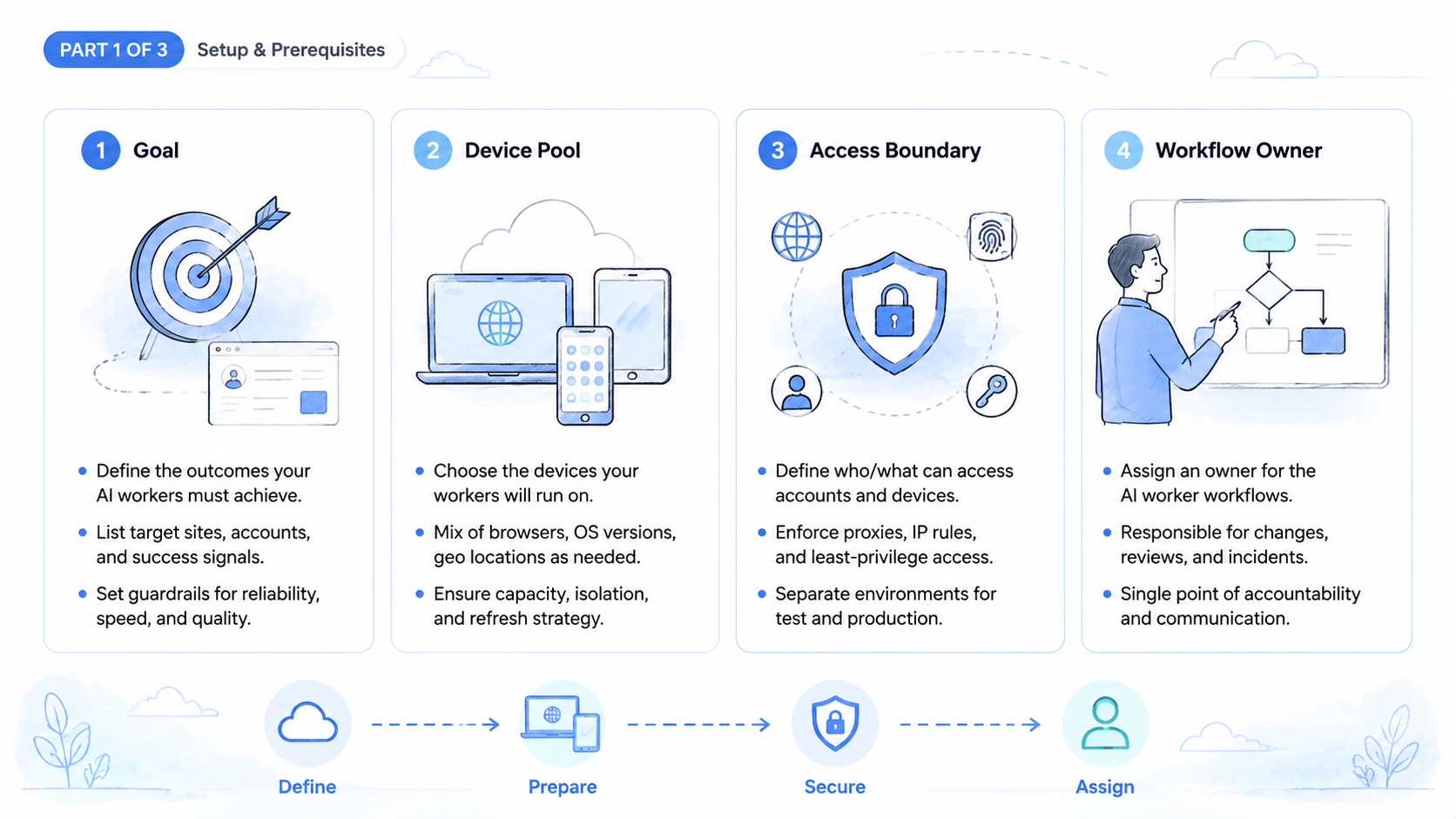
- A Browserbase alternative should be judged by workflow fit, not only browser session features
- AI worker platforms need account rules, evidence, recovery labels, and review gates
- Mobile handoff matters when browser work ends in an app or cloud phone check
- Teams should pilot one task before comparing broad platform claims
- Logs, permissions, and stop rules decide whether browser automation is operationally safe
What a Browserbase Alternative Needs to Cover
A browser execution layer gives AI workers a place to open pages, read screen state, click controls, fill forms, and collect evidence. That is the base requirement. It is not the whole platform.
AI worker platforms need additional context. They need to know which account owns the task, which browser profile is allowed, which data can be used, and which action must pause for review. Without those rules, browser automation becomes a fast but unclear operator.
The first evaluation split is simple.
Start small.
| Need | Browser infrastructure | AI worker platform requirement |
|---|---|---|
| Web session | Opens and controls a browser | Assigns session to a named task and account |
| Page action | Clicks, reads, and fills web elements | Defines allowed pages and stop rules |
| Evidence | Captures logs or screenshots | Maps proof to approval and recovery |
| Scale | Runs multiple sessions | Prevents account, device, or reviewer overlap |
| Handoff | Ends at browser result | Connects to mobile checks or human review |
Tools such as Playwright show why reliable browser primitives matter. Modern web apps require stable page control, selectors, events, and testable flows. AI workers add another layer: they choose actions from instructions and page content. That extra autonomy needs guardrails.
Choose the alternative that supports the job boundary. For tasks that start and end in web pages, a browser-first stack may fit. Once work crosses accounts, mobile apps, and reviewers, the alternative must include more operational infrastructure.
When Browser-First Infrastructure Is Enough
Browser-first infrastructure is enough when the work is web-only and the output can be reviewed from browser evidence. Examples include link checks, dashboard reads, controlled form entry, data extraction from approved pages, and repeatable web QA.
Use a narrow pass test.
- The worker uses approved URLs only
- The task has one account or no account context
- The result can be judged from page logs and screenshots
- No app-only state is required
- No sensitive action happens without review
This model can work well for engineering and QA teams. It also fits internal tools where credentials, pages, and expected outputs are tightly defined. A lighter stack may be easier to debug.
Limits appear when the workflow becomes operational. Account teams need assignment rules that prevent one worker from touching the wrong identity at the wrong time. Social or ecommerce teams need mobile state, because the outcome often appears inside an app rather than the web dashboard. Support teams need clear reviewer ownership. Stop there.
A browser-only run may finish technically while the business process remains open.
Do not confuse a successful click path with a finished operation. A form may be submitted successfully, yet the account owner still needs approval or app verification. That gap is where AI worker platforms need broader control.
Use this rule: if a person still has to ask "what account was this for?", the Browserbase alternative is not ready for scale.
When AI Worker Platforms Need More Than Browser Sessions
AI worker platforms need more than browser sessions when work spans accounts, devices, teams, and review queues. Browser action is still important, but it becomes one event in a longer run record.
MoiMobi's multi-account management context is relevant here. When several accounts run in parallel, each task should carry account group, environment, reviewer, and recovery state. A worker should not infer those details from a vague prompt.
Mobile handoff is another divider. A seller dashboard, social admin tool, or support system may live in the browser. The final state may live in an app. A cloud phone gives the team a remote Android environment for app verification, session checks, and mobile evidence.
Before a pilot, the platform should answer five questions.
No guessing.
| Question | Why it matters |
|---|---|
| Which account owns the run | Prevents cross-account mistakes |
| Which browser session was used | Makes the web action traceable |
| Which mobile device checked the result | Connects browser work to app state |
| Which reviewer approved the outcome | Keeps sensitive actions visible |
| Which label explains failure | Turns errors into repair work |
Without those answers, a browser alternative may still be useful as infrastructure, but it is not enough for account-based operations. The missing piece is execution governance.
Browserbase Alternative Comparison Criteria
Compare alternatives with the workflow in front of you. Feature lists can hide practical gaps. A platform may support browser sessions while leaving review, recovery, or mobile handoff to custom glue code.
Use this scorecard.
| Criterion | Strong signal | Weak signal |
|---|---|---|
| Task scope | URL, account, tool, and stop rule are defined | Worker receives broad browsing access |
| Account isolation | Account and environment are assigned per run | Operators choose context manually |
| Evidence | Logs and screenshots map to task steps | Evidence sits outside the run record |
| Human review | Sensitive actions pause before execution | Review happens after changes are live |
| Mobile handoff | Browser and app states share one record | Mobile proof is stored in chat |
| Recovery | Failure labels tell the next action | Every error becomes a custom investigation |
OWASP's LLM Top 10 is a useful reference because AI workers can be influenced by prompts, pages, tools, and external content. When an agent controls a browser, tool boundaries and review gates are not optional.
Security review should include credentials, account scope, data access, logging, and reviewer permissions. The platform can only enforce decisions that the team defines clearly.
Keep access plain.
Mobile Handoff and Cloud Phone Requirements
Mobile handoff matters when the workflow depends on app state. Browser evidence cannot prove an app-only screen, push prompt, mobile message, or customer-facing flow. The worker needs a route from browser action to mobile verification.
Keep the proof close to the task.
Mobile automation is useful when app checks repeat often. The browser worker can trigger or prepare the web step, while the mobile layer verifies the app state on a controlled device. A reviewer approves the result when the action affects an account, message, or customer view.
Use a simple handoff model. Keep it boring on purpose.
-
Browser worker opens the dashboard for the assigned account and records the starting state.
-
The run collects the required fields.
-
The system assigns a cloud phone.
-
Mobile verification checks app state.
-
A reviewer approves or rejects the result.
-
The queue stores the stop reason or close note so the next operator knows what changed.
This model works because it keeps browser and mobile work in one chain. It also prevents the common failure where a screenshot proves a mobile state but nobody can tell which browser run created it. The value is traceability, not visual proof alone.
The NIST AI Risk Management Framework frames AI risk as something teams govern, map, measure, and manage. In this context, the map should include browser tools, mobile environments, accounts, reviewers, and recovery rules.
Pilot Plan for Choosing a Browserbase Alternative
Start with one real task. Do not compare platforms only through demos. A demo shows what the tool can do under clean conditions. Pilots expose fit.
Pick one task with clear input, clear output, named account, stop rule, and reviewer owner before any vendor score is trusted. For example, use account_group: social-east, task_type: profile_check, browser_role: dashboard_reader, and reviewer: ops_lead. If mobile state matters, add device_id: cloud_phone_03.
Short tests reveal weak spots faster than large launches.
Set pass and fail labels before the run.
| Label | Meaning | Next action |
|---|---|---|
completed_with_evidence |
Browser and optional mobile proof are attached | Close or send to reviewer |
session_expired |
Login state failed | Refresh session before retry |
mobile_state_mismatch |
App state differs from web state | Escalate to account owner |
reviewer_timeout |
Approval did not arrive on time | Reassign or pause queue |
outside_scope |
Worker reached an unapproved page | Stop and revise task rules |
Use thresholds. Pause expansion if unclear failures exceed 10%, if review waits exceed 30 minutes, or if the same label repeats three times in one day. These are pilot gates, not universal benchmarks.
The strongest fit is the one that makes failures easier to repair. Speed matters only after the run record is clear. Not before.
Browserbase Alternative Decision Matrix for Operations Teams
The final decision should map to the team's operating model. A Browserbase alternative for a small QA workflow can be simple. A Browserbase alternative for account-heavy AI worker platforms needs more context and stronger review paths.
Fit comes first.
| Team situation | Better fit | Reason |
|---|---|---|
| Web-only QA task with fixed URLs | Browser-first execution | The work can finish from browser evidence |
| Research worker with limited tools | Browser session plus logs | The output is low-risk and reviewable |
| Marketplace account operations | Execution platform with account mapping | Account and mobile state must stay attached |
| Social account team with app checks | Browser plus cloud phone workflow | Browser proof alone does not show app state |
| Support team with customer impact | Review-gated worker platform | Human approval protects sensitive replies |
| Agency managing client accounts | Multi-account control plane | Each client needs clear account ownership |
Use one concrete example. A social operations team may define task_type: account_status_check, browser_role: dashboard_reader, mobile_role: app_verifier, device_id: cloud_phone_12, and reviewer: social_ops_lead. During this pilot, the browser run collects dashboard status, the cloud phone confirms the app-side state, and the reviewer approves only after both records match.
That example shows the difference between browser capacity and operational readiness. A browser session can collect web status for a known account, but it cannot hold the whole operating record by itself. The platform must attach account, device, reviewer, and failure labels. Without that context, the team only has a faster way to create loose screenshots.
Set practical thresholds before the pilot. Pause expansion when unclear failures exceed 10%, when reviewer wait time passes 30 minutes, or when the same stop label appears three times in one shift. These thresholds are not public benchmarks. They are operating gates that force a repair before scale.
A strong Browserbase alternative should make the next action obvious. When a run fails, the operator should see whether to refresh a session, reassign a device, escalate to a reviewer, or rewrite the task rule. This is the difference between automation and recoverable execution.
Procurement should also test recovery. Ask each Browserbase alternative vendor to replay one failed run from start to finish: original instruction, browser event, mobile evidence, reviewer decision, failure label, and next owner. A platform that cannot explain a failed run will create expensive cleanup work after launch.
The final shortlist should name one Browserbase alternative for web-only work and one Browserbase alternative for account-heavy operations. That split prevents a team from forcing every workflow into the same execution model.
Use plain checks during the final review.
- Who ran the task
- Which account was used
- What failed
- Whether a risky action can be stopped before it goes live
- Who owns the next step
These simple checks often show more than a long feature grid.
Common Mistakes to Avoid
The first mistake is buying browser capacity before defining task ownership. More sessions do not solve vague prompts, shared credentials, or unclear account boundaries, so the team should define ownership before it adds worker volume.
Another mistake is treating mobile work as separate. A mobile screenshot without a run ID creates future confusion, especially when several accounts are active in the same shift. Connect mobile proof to the browser task that caused it.
Teams also skip review placement. Review after a sensitive action may be too late. Approval should happen before account changes, customer messages, payments, refunds, public content, or policy-sensitive actions.
Avoid one more trap: comparing only developer convenience. Developer experience matters, but operations teams also need reviewer tools, account maps, exception labels, and recovery views.
Frequently Asked Questions
What is a Browserbase alternative?
In simple terms, a Browserbase alternative is another way to provide browser execution for agents or automation. For AI worker platforms, the alternative should also be judged by account control, evidence, review, and mobile handoff.
When is browser infrastructure enough?
It is enough when the task starts and ends in web pages, uses known accounts or no account context, and can be reviewed from browser logs or screenshots.
When does MoiMobi become relevant?
MoiMobi becomes relevant when browser work connects to mobile environments, cloud phones, account separation, and multi-person review. That is common in ecommerce, social, support, and app QA workflows.
Should teams replace their browser stack?
Teams do not need to replace a browser-first stack automatically; keep it when it solves the task cleanly, and add broader execution infrastructure only when account, mobile, and review complexity become the bottleneck.
What should a pilot measure?
Measure completion rate, unclear failure rate, review wait time, recovery time, and mobile proof quality because those metrics show whether the alternative fits real operations rather than a scripted demo.
What is the biggest risk in AI browser work?
The biggest risk is broad tool access without clear stop rules, because a worker may act in the wrong account, follow unexpected page instructions, or create results that reviewers cannot verify.
Do cloud phones replace browser sessions?
Cloud phones do not replace browser sessions; they extend the workflow into mobile apps and app state, while browser sessions still handle web dashboards, forms, and admin tools.
How should teams decide?
Choose based on the workflow boundary: web-only tasks can stay browser-first, while account and mobile workflows need execution controls that connect browser sessions, cloud phones, reviewers, and recovery labels.
Conclusion
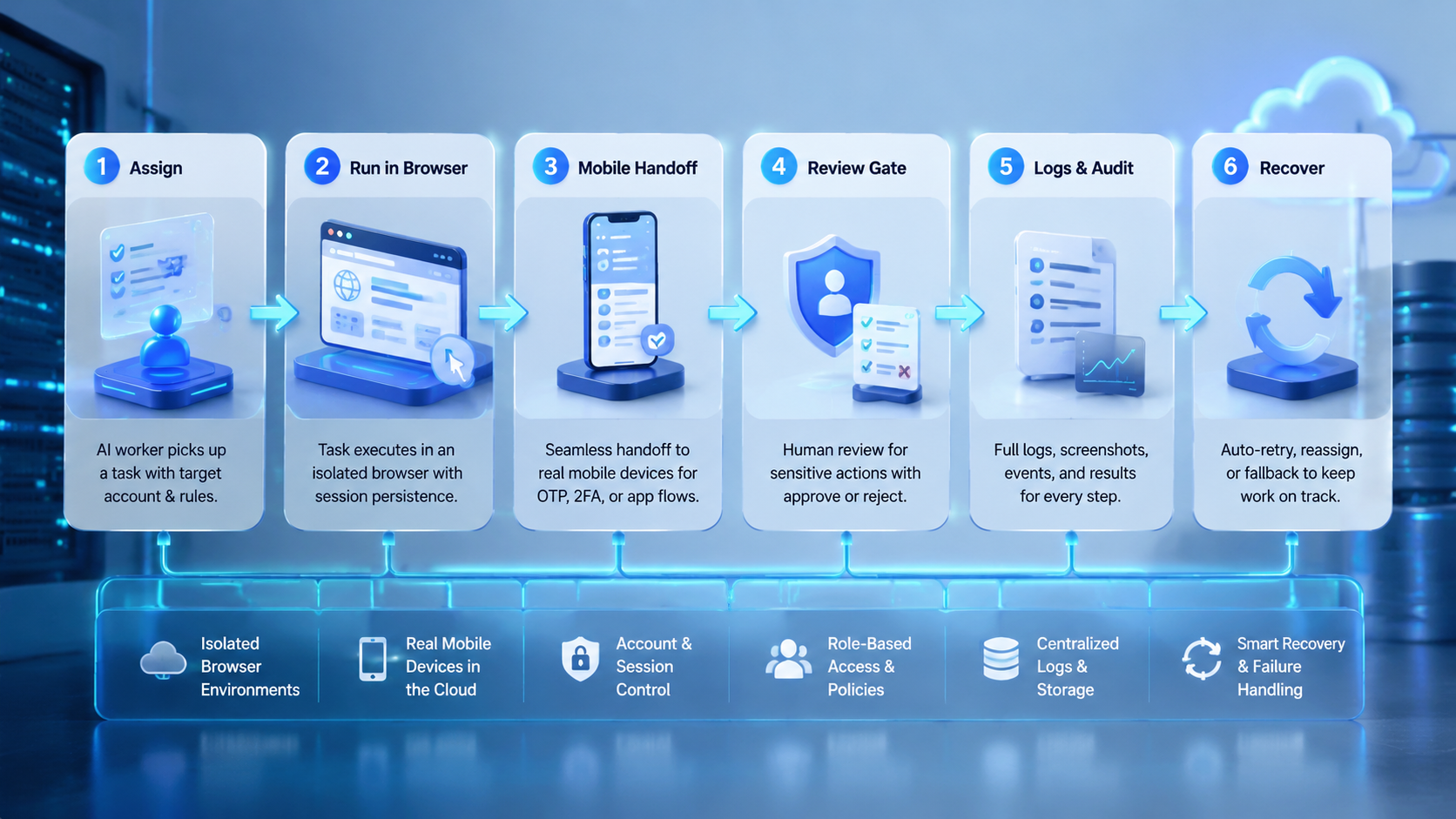
The right Browserbase alternative depends on the work system around the browser. Browser sessions are necessary for many AI workers, but they are not enough when the task crosses accounts, mobile apps, and human review.
Start with one workflow. Define the account, browser role, mobile handoff, reviewer, and failure labels. Then compare alternatives by how clearly they run, stop, and recover that workflow.
When the pilot record explains every action without chat history, the platform is ready for a broader test. If private context is still needed to understand failures, fix the execution model before adding more browser capacity.



