
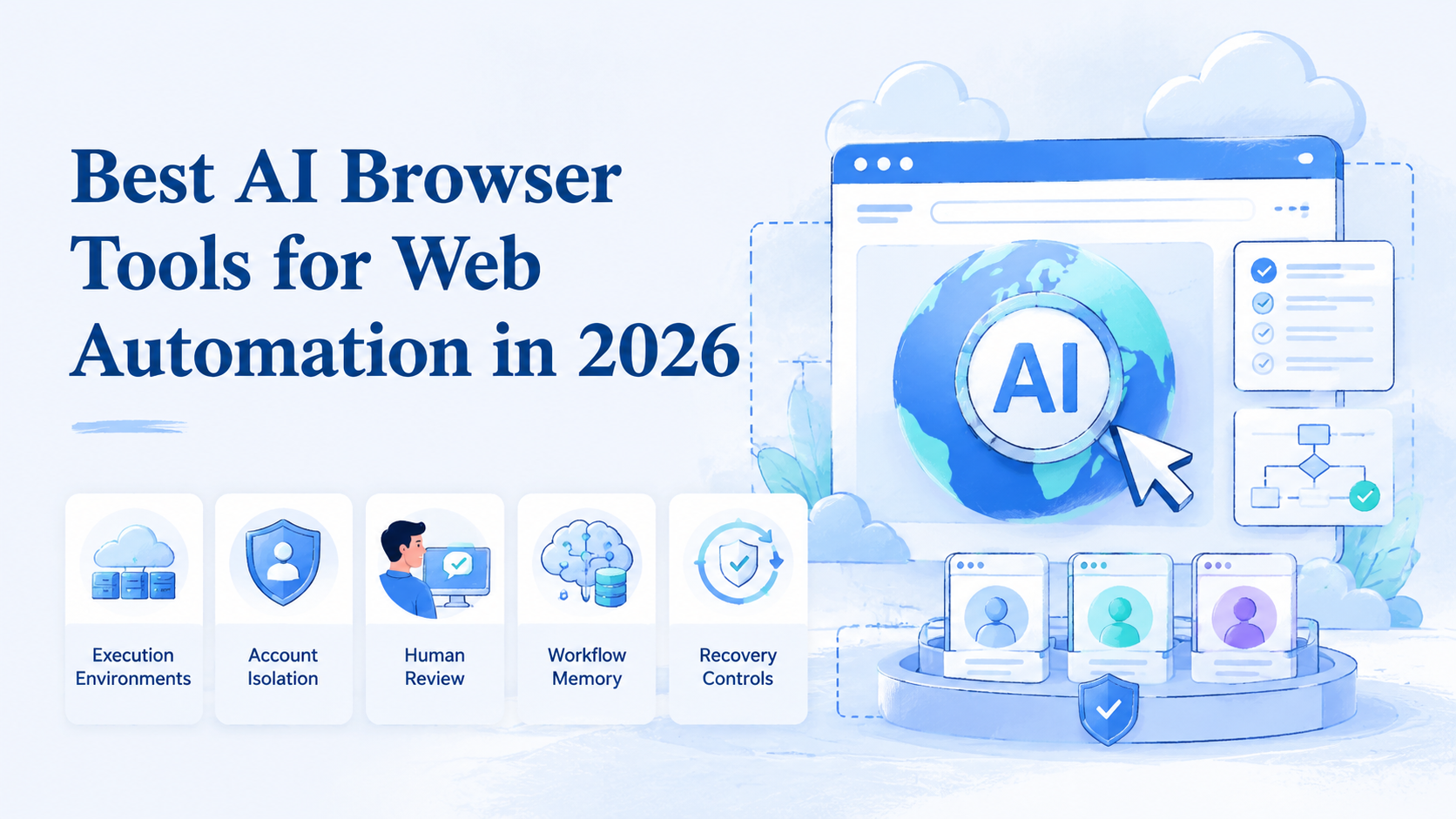
An AI browser is a browser environment that lets an agent understand web pages, take actions, and complete repeatable online tasks under human-defined rules. In 2026, the strongest tools in this category are not only chat windows with browsing access. They are execution environments for real workflows.
For business teams, the buying decision should start with work design. A useful browser agent must handle logged-in sessions, account boundaries, task records, review, recovery, team handoff, and enough logging for a manager to inspect the result later. Public-page browsing can help research, but it is weak for operations.
MoiMobi fits this category when teams need AI-assisted work across browser and mobile environments. Its broader execution model connects cloud phones, device isolation, mobile automation, multi-account management, and repeatable team work.
Key Takeaways
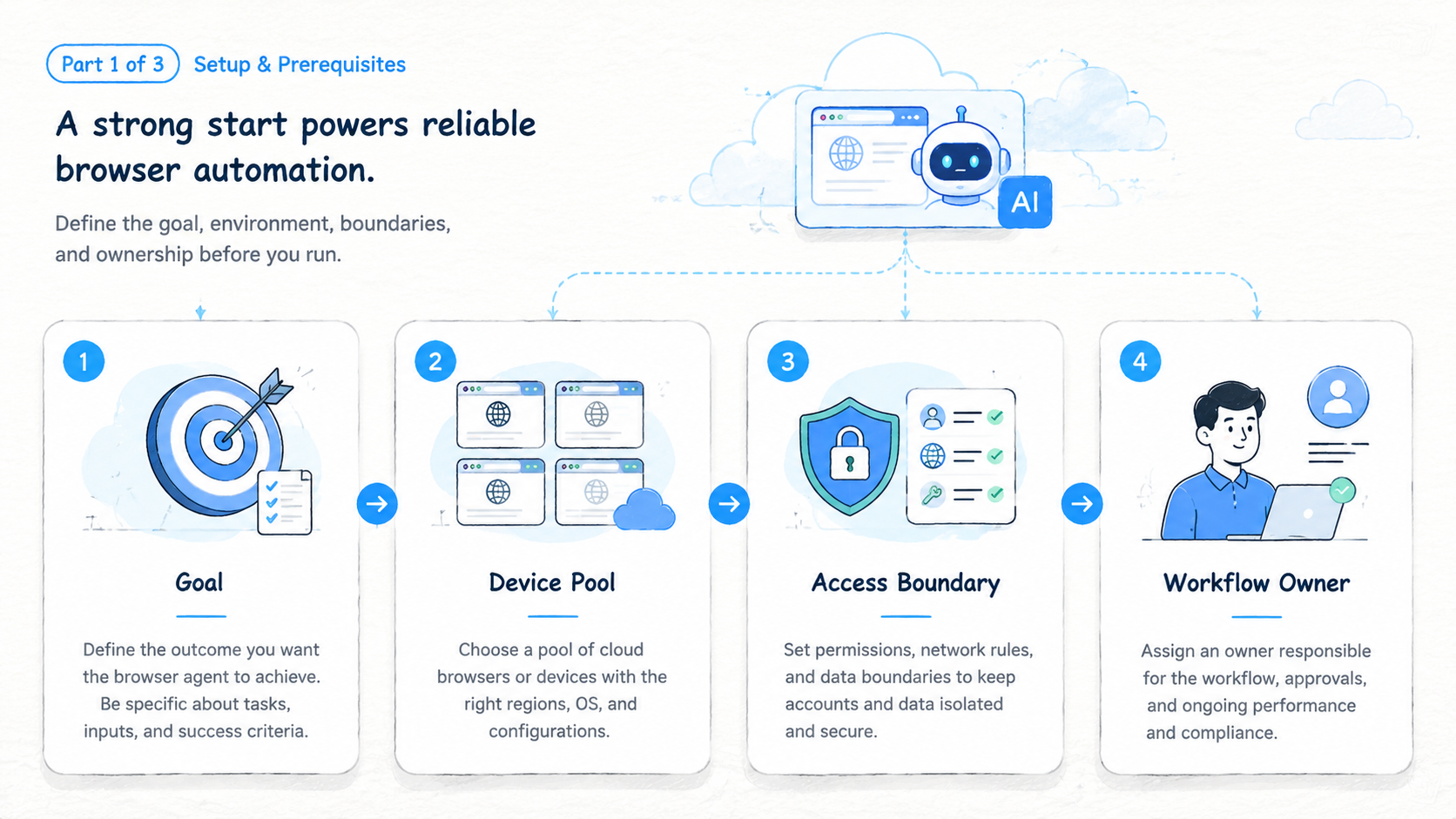
- Strong browser-agent tools should execute workflows, not only summarize pages
- Teams should compare session persistence, profile isolation, task memory, review, and recovery
- An AI agent browser is strongest when it works inside a controlled environment
- Browser automation still needs human approval for sensitive actions
- A 2-week pilot with 3 workflows is safer than a broad rollout
What Makes a Browser Agent Useful for Web Automation
The first test is whether the tool can turn a task into a repeatable workflow. A simple browser agent may search, click, and extract data. A business-grade execution browser should also keep context about accounts, task state, and approval points.
Teams usually need 4 layers:
| Layer | What it controls | Why it matters |
|---|---|---|
| Browser session | Login state, cookies, tabs, files | Keeps work from restarting each time |
| Agent instructions | Task goal, allowed actions, stop rules | Prevents vague execution |
| Review layer | Human approval and manual takeover | Handles judgment and sensitive work |
| Account environment | Profile, workspace, routing notes | Reduces mixed-context operations |
This is where tools differ. Some are built for developer testing, while others focus on research or business execution. The right choice depends on whether the team needs one-off browsing or repeated work inside web apps.
Google's SEO Starter Guide makes a broader point about structure: clear organization helps people understand what exists and what to do next. Browser-agent workflows need the same clarity.
AI Browser Tools Comparison Criteria
Do not compare these tools only by model quality. The model is one part of the system. The operating environment decides whether the workflow survives real use.
Use this comparison table:
| Criterion | Strong signal | Weak signal |
|---|---|---|
| Persistent sessions | The agent can continue logged-in work safely | Every task starts from scratch |
| Profile isolation | Each account or client has a separate workspace | Accounts share one browser context |
| Task memory | Repeated workflows get easier to run | Every run needs full instructions |
| Human takeover | A person can pause, inspect, and resume | Sensitive actions continue blindly |
| Failure recovery | Errors leave clear next steps | Operators rebuild context from chat |
| Team controls | Owners, reviewers, and logs are visible | Work depends on private operator memory |
For web automation, persistence matters. A workflow that updates a dashboard, checks a CRM, or reviews a marketplace account usually needs state. Public browsing tools may not be enough.
The comparison should also include mobile reach. Many social, support, and commerce workflows move between web apps and mobile apps. Browser-only tools can be useful, but teams may still need mobile execution through cloud phones or Android devices.
Best AI Browser Tool Categories
There is no single best tool for every team. The right choice depends on the workflow type.
| Category | Best for | Watch out for |
|---|---|---|
| Research browser agents | Market research, page reading, summaries | Weak account workflow controls |
| Developer browser automation | Testing, scraping, QA, scripted actions | May need engineering support |
| Agentic browser tools | Multi-step web tasks | Needs review and stop rules |
| Business execution platforms | Repeated team workflows | Requires setup discipline |
| Browser plus mobile platforms | Social, support, ecommerce, app workflows | Needs role and account mapping |
Research tools are useful when the output is information. Execution tools are needed when the output is an action inside a real account.
MoiMobi belongs closer to the execution side. It is relevant when the team needs AI to work across controlled environments, not only read websites.
Workflow Fit for AI Browser Teams
A browser-agent workflow should map to a real operating lane. A lane can be one client, one account, one business function, or one repeated task.
Strong first workflows include:
- Lead research across web pages and CRM records
- Competitor monitoring across dashboards and public pages
- Content publishing checks before a campaign goes live
- Customer message triage in browser-based inboxes
- Marketplace account monitoring and review
- Data entry across forms and spreadsheets
Each workflow should have an owner, a review point, and a stop rule. The agent can handle repeated steps, but a person should own exceptions.
For example, a lead research workflow may let the agent collect company facts, update a spreadsheet, and flag missing fields. The stop rule might require human review before outreach. That boundary keeps automation useful without removing judgment.
AI Browser Security and Account Isolation
Account isolation is one of the most important buying criteria. AI browser automation can become messy when several accounts share the same environment.
Use separate profiles when work differs by:
- Client
- Brand
- Region
- Account group
- Operator role
- Review level
Isolation does not promise account outcomes. It gives the team cleaner operating boundaries, but teams still need platform policy awareness, access control, reviewer ownership, and pause rules.
For workflows that span web and mobile, isolation should extend beyond the browser. A team may need a browser profile for web dashboards, a cloud phone for app-only actions, and a shared record that explains how the two environments connect. Environment design matters as much as the model.
Developer and MCP Considerations
Developer teams may compare no-code agent tools with Playwright, Puppeteer, Selenium, or MCP-based browser servers. These options solve different problems.
The Playwright documentation is useful for understanding modern browser automation patterns, especially testing, selectors, browser contexts, and repeatable scripted runs. The Model Context Protocol documentation explains the broader pattern of connecting AI systems to external tools through structured interfaces.
For operations teams, the question is not whether code-based automation is powerful. The real question is whether engineers should own every workflow. A coded Playwright job can be excellent for stable tests, while agentic browsing may fit changing pages, judgment-heavy tasks, or operator takeover.
Use this technical fit table:
| Option | Strong fit | Weak fit |
|---|---|---|
| Playwright scripts | Stable QA and repeatable tests | Non-technical operator changes |
| Puppeteer jobs | Chrome-focused automation | Team workflow governance |
| MCP browser server | LLM tool access and structured control | Full business process ownership |
| Visual browser agent | Flexible page work | Tasks that need strict deterministic tests |
| Execution platform | Repeated account workflows | One-off public-page browsing |
The safest operating model is often hybrid. Developers can own stable infrastructure. Operators can own workflow rules, review points, and exception handling.
Team Controls and Governance
Team controls decide whether web automation becomes useful or chaotic. A good system should make ownership visible.
Each workflow should define 6 fields:
| Field | Example |
|---|---|
| Workspace ID | CRM-Lead-Research-01 |
| Account lane | Sales research account |
| Owner | Operator A |
| Reviewer | Sales manager |
| Allowed actions | Read, collect, update draft record |
| Stop rule | Missing source, customer data, pricing question |
Governance does not need to be heavy. The goal is to prevent unclear work. When a browser agent pauses, the next person should know what happened and what to do.
Review logs matter for the same reason. A manager should be able to inspect task result, account lane, last action, and manual takeover count. Without that record, the team may only know that "the agent ran."
Simple Buying Scorecard
A scorecard keeps the buying process clear. Use simple 1 to 5 scores and write one note for each score. The note is more useful than the number because it shows the reason behind the choice.
| Score area | What to check | Good sign |
|---|---|---|
| Setup effort | How fast a team can create the first workflow | One owner can build a pilot lane in a day |
| Session handling | Whether login state stays clear | The task can resume without a fresh login |
| Account separation | Whether accounts or clients share context | Each lane has its own profile or workspace |
| Review path | Whether a person can approve work | Sensitive actions pause for review |
| Recovery path | What happens after a failed run | The next owner and next action are visible |
| Mobile reach | Whether app-only steps are covered | Cloud phone or Android device lanes are available |
Keep the first review simple. A team does not need a long procurement sheet for every test. It needs a clear record of what worked, what failed, and what must change before more accounts are added.
Example Workflows to Test First
The first pilot should use real work with low blast radius. Avoid the most sensitive workflow until the team has tested review and recovery.
Good first tests include:
- Collect 20 public competitor updates and save sources
- Review 10 CRM records for missing fields
- Check 5 dashboard alerts and mark the next action
- Prepare draft replies without sending them
- Compare product listing fields across 3 marketplace pages
- Capture screenshots for a manager review queue
Each test should have a clear end state. The task is not done when the agent stops. It is done when the result is reviewed, the record is updated, and the next person knows what changed.
These early workflows also lower risk. They help the team learn how the browser agent behaves before it touches customer messages, publishing actions, or account settings.
Fit and Not-Fit Boundaries
Browser-agent tools are a strong fit when a task is repeated, web-based, and context-heavy. They are less useful when the task is rare, fully deterministic, or better handled through an official API.
Strong fit
- Repeated web dashboard work
- Research that needs source review
- Forms with changing layouts
- Account workflows that need handoff
- Tasks that need human approval
Weak fit
- One-time browsing tasks
- Stable backend integrations with APIs
- High-risk account changes without review
- Workflows with unclear ownership
- Tasks that require exact deterministic testing
This boundary prevents overuse. Not every web task needs an agent. Some tasks should be API calls, scripts, or manual review.
Browser and Mobile Execution Together
Many teams discover that web automation is only half the workflow. A social media operator may use a web dashboard for planning and a mobile app for final review. Support teams may pair a browser inbox with a mobile messaging app, while ecommerce teams may check both a web admin panel and a seller app.
This is where MoiMobi's positioning matters. Web execution can help with web apps, but operations may still need cloud phones or Android devices for mobile-only steps. The value is not simply having more environments. The value is mapping each environment to a role, account, and task record.
Use a combined execution map:
| Work step | Best environment | Review point |
|---|---|---|
| Research source pages | Browser profile | Source quality check |
| Update internal record | Browser session | Field review |
| Check mobile notification | Cloud phone | Account lane check |
| Reply to customer message | Mobile app or browser inbox | Human approval |
| Log task result | Browser dashboard | Manager review |
This map keeps the workflow clear. The browser handles web work. The mobile environment handles app-only steps. The task record connects both.
Pilot Plan for Choosing a Browser-Agent Tool
A pilot should test real work, not a polished demo. Start with 3 workflows and run them for 2 weeks.
| Pilot lane | Example task | Success signal |
|---|---|---|
| Research lane | Collect competitor updates | Output is accurate and reviewable |
| Account lane | Check dashboard status | Login state and context stay clean |
| Handoff lane | Another operator resumes task | Record explains the next action |
Measure 6 signals:
- Task completion time
- Manual takeover count
- Wrong-account events
- Review time
- Failed login or missing-context events
- Recovery time after a failed run
The pilot should end with a decision. Expand, revise, or stop. Do not scale a browser agent just because it completed one impressive task.
Common Mistakes When Choosing AI Browser Tools
Buying mistakes usually come from testing an impressive demo instead of a real workflow.
| Mistake | Why it hurts | Better rule |
|---|---|---|
| No workflow map | The agent receives vague instructions | Define owner, task, stop rule, and review point |
| Ignoring logged-in work | Sessions, files, and dashboards behave differently from public pages | Test inside the real account lane |
| No human review | Customer or publishing actions can move too fast | Pause sensitive work for approval |
| Browser-only thinking | Social, support, and commerce work may need mobile steps | Map browser and phone environments together |
| Speed-only scoring | Fast runs can still create cleanup | Track failed runs, wrong-context events, and review time |
The tool should reduce operating load. A fast run that creates unclear state is not a good outcome.
Frequently Asked Questions
What is an AI browser
An AI browser is a browser environment where an AI agent can inspect pages, take actions, and complete web tasks under defined instructions.
What is the difference between AI browser and browser automation
Browser automation usually follows scripted steps. An AI browser can interpret page context and adapt within the rules set by the team.
Are AI browser tools safe for business workflows
They can be useful when teams use access control, review, account separation, and stop rules. They should not run sensitive actions without oversight.
When does a team need an AI agent browser
A team needs one when repeated web work involves forms, dashboards, research, monitoring, or account tasks that still require context.
Should AI browsers replace RPA
Not always. AI browsers are better for flexible web tasks. RPA may still fit stable internal systems with fixed steps.
Why does MoiMobi include mobile environments
Many workflows do not stop at the browser. Social, commerce, and support tasks may require mobile apps, cloud phones, or Android devices.
What should a team test first
Test one workflow with a clear owner, review point, and stop rule. Then measure whether a second operator can continue from the record.
Conclusion
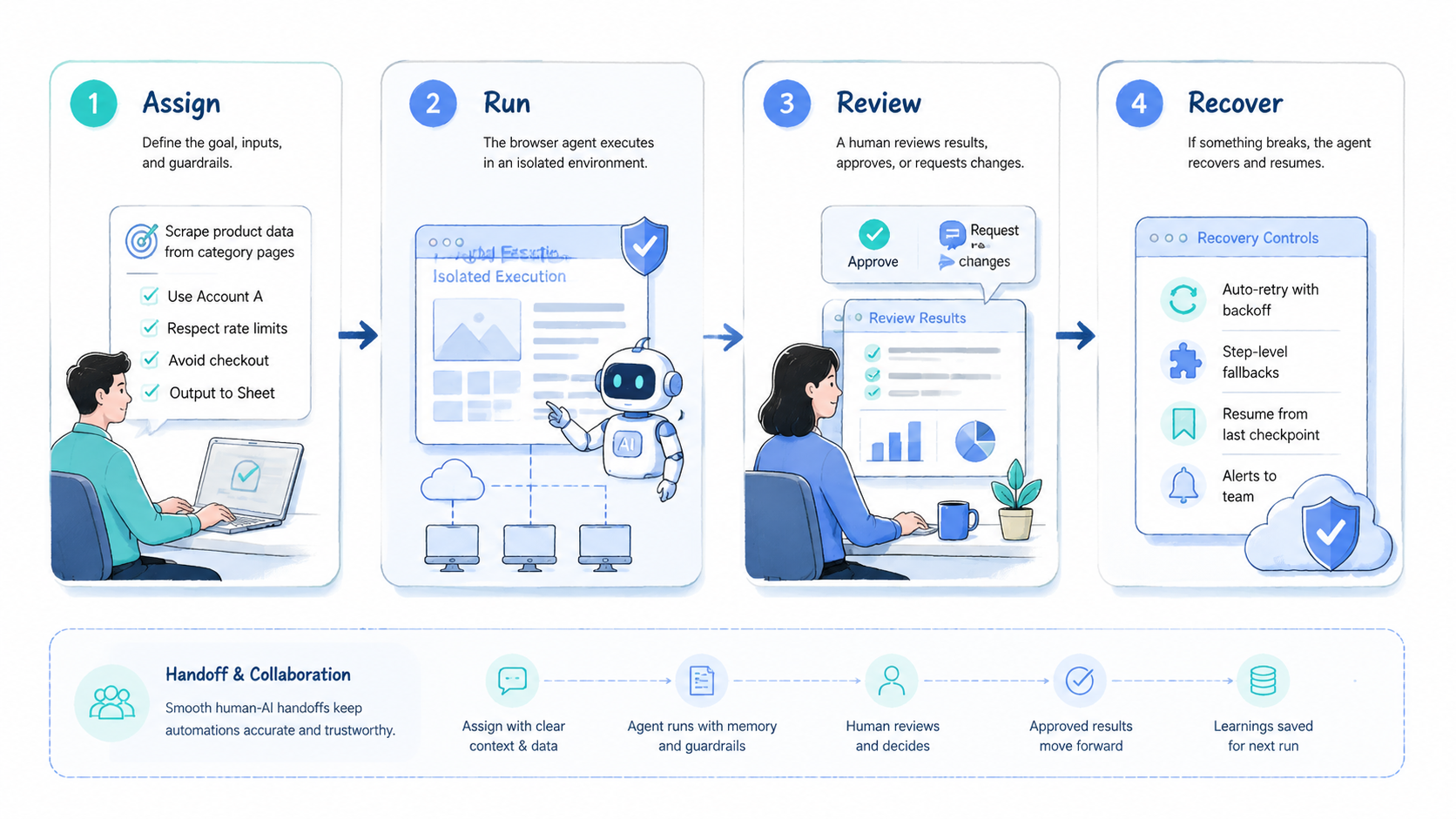
The strongest tools for web automation in 2026 are execution systems, not only browsing assistants. They help teams run repeated work inside controlled sessions, profiles, and review loops.
Choose based on workflow fit. Compare session persistence, account isolation, task memory, human takeover, and recovery. Then run a small pilot before expanding.
MoiMobi is a strong fit when browser-agent work connects to broader execution needs across browser profiles, cloud phones, Android devices, and multi-account operations.



