
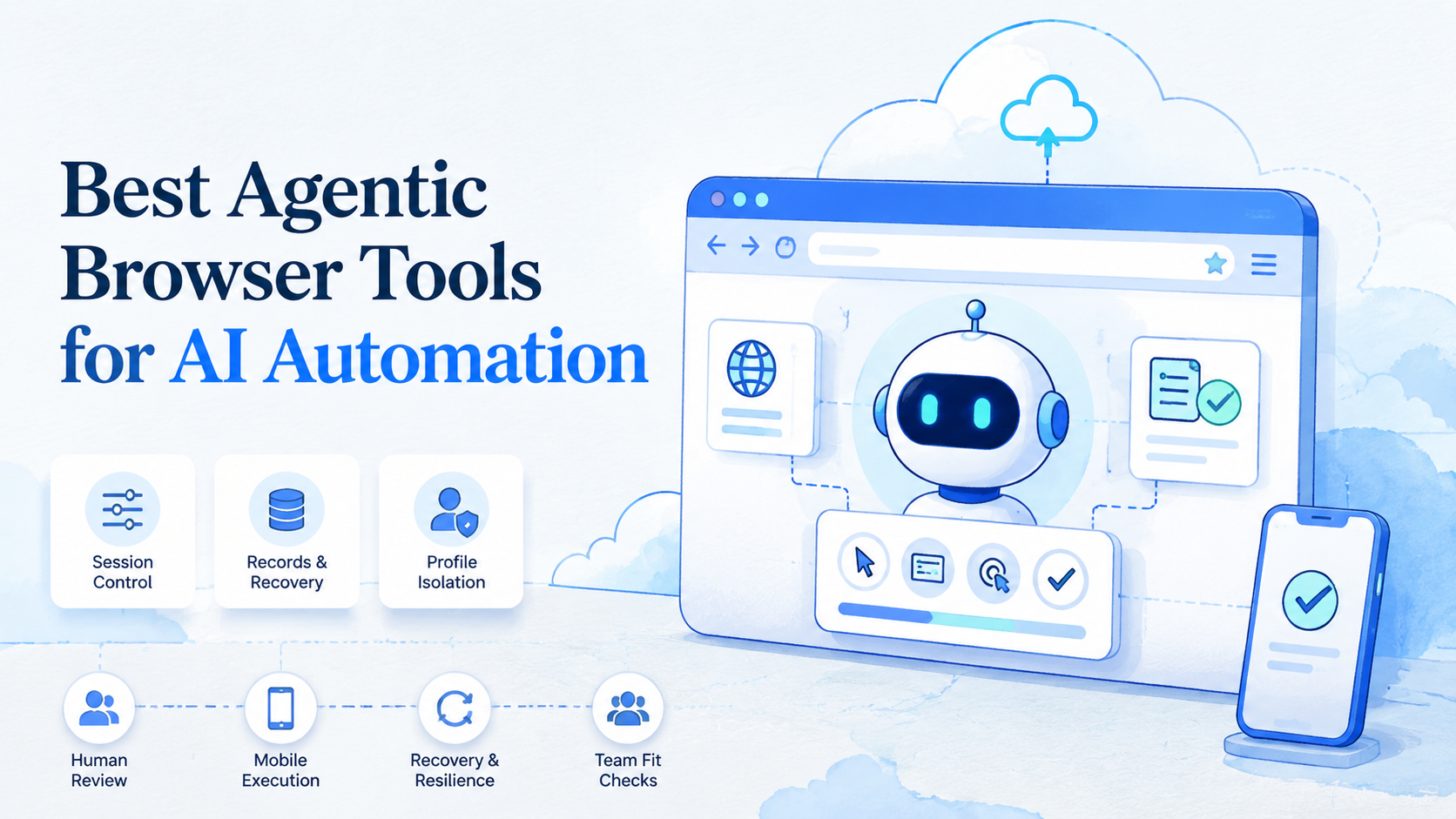
An agentic browser is a browser environment where an AI agent can read web pages, decide the next step, and operate websites under task rules. The best tool for AI automation is the one that turns that ability into controlled work for a team.
Growing teams do not buy browser agents just to watch AI click buttons. They need repeatable execution across logged-in apps, account workspaces, customer workflows, and review queues. A tool that works once in a demo may fail when 10 account lanes, 3 operators, and mobile app steps enter the workflow.
MoiMobi treats the browser as one execution layer. Some workflows stay in browser profiles. Others need cloud phones, mobile automation, proxy routing, or multi-account management when the task moves from web dashboards into mobile-first apps.
Key Takeaways
- Choose agentic browser tools by operating fit, not demo quality
- Persistent sessions and isolated profiles matter before scale
- Human review should be built into sensitive workflow steps
- Browser-only tools fit web tasks; browser-plus-mobile platforms fit cross-platform operations
- A pilot should measure recovery, wrong-context events, and handoff quality
How to Evaluate an Agentic Browser
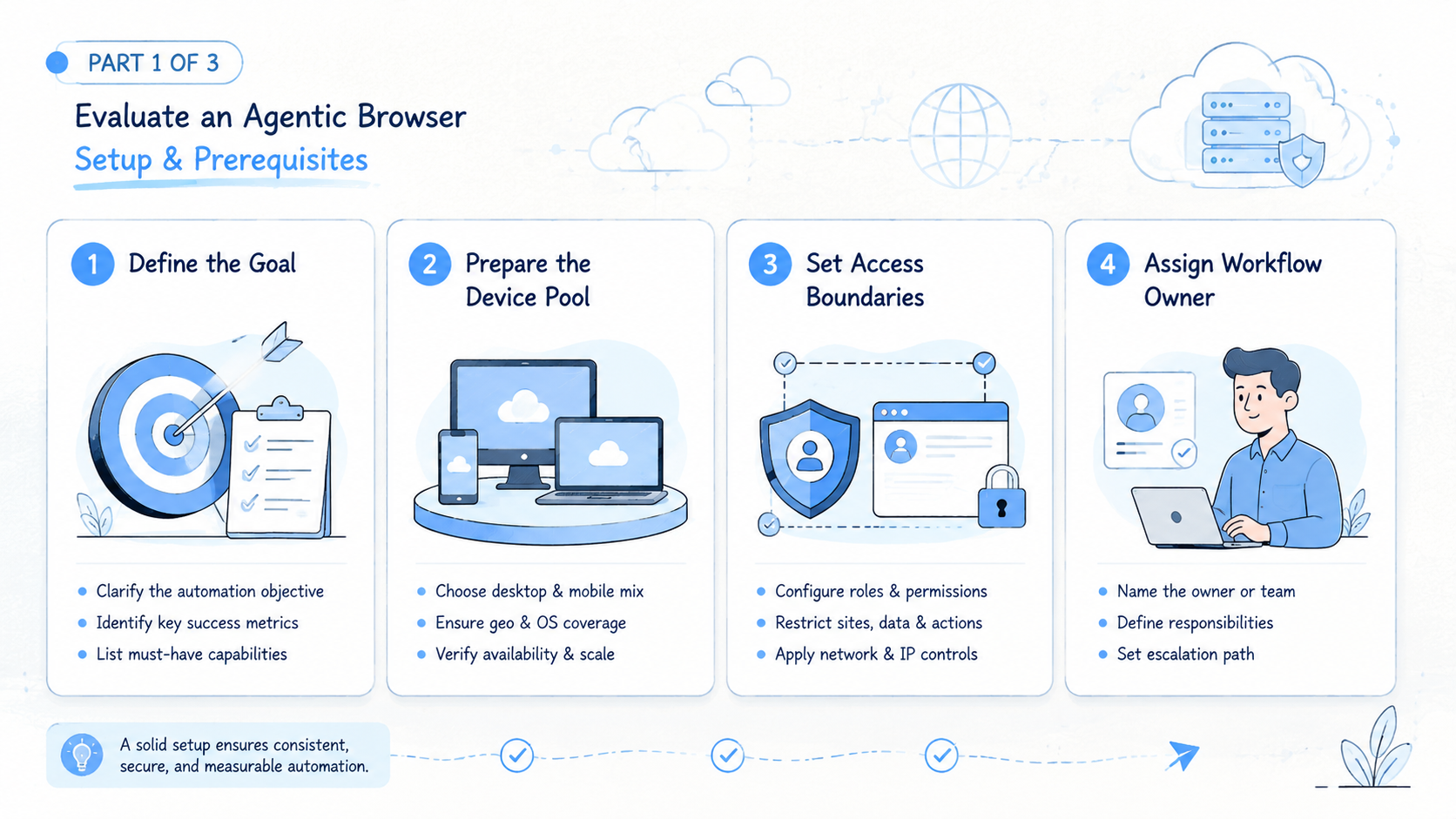
Evaluation starts with the job, not the tool. Write the workflow before comparing vendors.
Use this decision path.
-
Name the task
A good task has one outcome. "Research 30 lead records" is clearer than "help with sales." -
Identify the account lane
Decide which profile, client, brand, or account group owns the work. Shared browser context creates operational confusion. -
List allowed actions
Reading, drafting, updating reviewed fields, and collecting sources are safer first actions. Review sending and publishing. -
Test a logged-in session
Run the same job across multiple days. A tool that loses login state will create manual cleanup. -
Break the workflow
Remove a source, change a page path, or trigger a permission issue. The agent should stop with a reason, not improvise through a questionable state. -
Check handoff
A second operator should see the page, task record, stop reason, and next action without asking the first operator for private notes. -
Map mobile dependencies
If the workflow includes TikTok, WhatsApp, Telegram, marketplace apps, or mobile-only checks, a browser tool alone may not cover the real job.
The Playwright documentation shows how browser automation can control pages for testing and web workflows. Agent-led browsing adds flexible interpretation. It still needs clear contexts, reliable state, and controlled execution.
Agentic Browser Capabilities That Change Outcomes
The common mistake is to overvalue reasoning and undervalue execution state. A smart agent inside a messy workspace can still use the wrong account, lose context, or produce output that nobody can audit.
The capabilities that change outcomes are concrete:
| Capability | What it does | Why teams care |
|---|---|---|
| Persistent session | Keeps login and page state available | Reduces repeated setup |
| Profile isolation | Separates accounts and clients | Prevents mixed workspaces |
| Task memory | Reuses workflow structure | Lowers repeated instruction effort |
| Human takeover | Lets an operator resume work | Supports review and recovery |
| Action limits | Blocks sensitive actions | Reduces uncontrolled changes |
| Run records | Captures source, action, and output | Makes work auditable |
| Mobile handoff | Connects app-only steps | Covers workflows outside the browser |
The Model Context Protocol documentation explains a general model-to-tool connection pattern. That pattern is valuable for developers. Operations teams need an extra layer: ownership, permissions, account lanes, and recovery states.
Fit and Not-Fit Guide
Not every automation job needs an agentic browser. Some work is better handled by APIs, scripts, or manual review.
Good fit
- Logged-in web dashboards with repeated human-style tasks
- Lead research, competitor monitoring, and content QA
- Multi-account workflows that require separated browser profiles
- Support inbox workflows where the agent drafts and a person approves
- Social operations that combine browser dashboards and mobile apps
Poor fit
- Simple back-end jobs with a clean API path
- One-time browsing tasks that will not repeat
- Payment, deletion, or account-setting actions without review
- Workflows where the team cannot define a stop rule
- Policy-sensitive campaigns that still need human legal approval
The simplest rule is practical. Use an agentic browser when the page context matters and the workflow repeats.
Use scripts when the path is stable. Use APIs when the authorized data path is clear. Use mobile execution when the work happens inside apps.
Adoption Cost, Setup Friction, and Team Fit
Agentic tools reduce some scripting work, but they do not remove operating work. A team still needs task definitions, profile setup, reviewer roles, source rules, and recovery handling.
Picture an agency managing several brands. One browser agent collects content ideas from web pages.
Another checks comments in a dashboard for one brand only, using a separate profile. A third workflow may need a mobile app check before a response is approved; without separate lanes, those jobs blur together.
Setup friction usually appears in 6 places:
- Login and session persistence
- Profile naming and ownership
- Source quality
- Review availability
- Mobile handoff
- Failure recovery
Budget for those areas before scaling. A demo proves that a tool can operate a page. A pilot proves whether the team can run the same work repeatedly without losing context.
The Google guidance on helpful content is written for site owners, but the operating principle transfers well. People need clear information to decide and act. Automation records should provide the same clarity.
Agentic Browser Operating Model for Teams
Tool choice becomes clearer when the operating model is visible. A browser agent team needs roles, lanes, states, and review points.
Use 5 fields for each workflow:
| Field | What to define | Example |
|---|---|---|
| Workflow owner | Person responsible for design | Operations lead |
| Run owner | Person who starts or schedules work | Operator A |
| Account lane | Profile, client, brand, or account group | Brand-US-01 |
| Review rule | When a person must approve | Before sending or publishing |
| Stop state | When the run must pause | Missing source or wrong account |
This model is simple by design. It gives the team enough structure to scale without turning every browser task into a software project.
The account lane is the most overlooked field. A team can have a strong agent and still fail if the browser session belongs to the wrong client or brand. For multi-account work, one lane should map to one clear operating context.
Write review rules before the first run. The rule should appear inside the workflow record, not only in a separate SOP.
Questions to Ask Before Choosing an Agentic Browser Tool
Ask practical questions before a vendor demo ends. A strong answer should show the execution object, not only describe the AI model.
First question: state. Where does the task live while it runs? A useful answer points to a visible workflow record, not a chat message.
Then ask about account lanes. The vendor should explain how profiles, workspaces, devices, or controlled environments stay separate, and it should name the owner.
Login prompts need a clear rule. A good system pauses instead of guessing inside the wrong context.
For takeover, the reviewer should see page state, last action, stop reason, and next action.
Mobile work needs its own answer. If the task enters a mobile app, the handoff should move to a cloud phone, Android device, or documented mobile lane.
Finally, ask how failed runs improve the workflow. Failure labels should feed the next version instead of vanishing into private notes.
Weak answers usually sound broad: "the agent will figure it out." That may be fine for a personal assistant. It is not enough for team operations.
Good answers are boring in the right way. They name the state, owner, boundary, and recovery path.
Agentic Browser Selection Scorecard
Use a scorecard after the pilot. Score each area from 1 to 5, then write one note about what happened during real work.
| Area | Strong signal | Weak signal |
|---|---|---|
| Session control | Repeated runs keep context | Operators repair login every run |
| Account isolation | Each account lane has a separate profile | Work happens in one shared browser |
| Review path | Sensitive steps pause cleanly | Review happens outside the system |
| Recovery | Failed runs show state and owner | Failures restart without explanation |
| Records | Sources and actions are visible | Only final output is saved |
| Mobile coverage | App steps have a device lane | Mobile work is handled manually |
| Team handoff | Another operator can resume | Context lives in private messages |
Do not average the score too early. A low recovery score should block scale even when agent quality looks good. A low isolation score should block multi-account workflows. A low review score should block customer-facing actions.
The scorecard prevents feature shopping. The question is not "which tool has the most AI." The question is "which tool can run this workflow with a clean account lane, visible records, and a known recovery path."
Which Tool Type Fits Different Operating Scenarios
There is no single tool type for every team. The category depends on where the work happens.
| Scenario | Better fit | Decision reason |
|---|---|---|
| Fixed QA and website checks | Scripted browser automation | The path is stable |
| Flexible web research | Agentic browser | Page context changes |
| Multi-account social workflows | Isolated browser and mobile execution | Account lanes matter |
| Mobile-first messaging | Cloud phone or Android automation | The app is the workspace |
| Customer reply drafting | Agent with human review | Tone and policy need approval |
| Agency operations | Execution platform | Handoff and account separation matter |
Browser-only agent tools are enough when the workflow stays on the web. They become limited when a team needs mobile apps, device state, account pools, or clean routing.
MoiMobi is designed for the broader execution layer. A browser lane can connect with device isolation and mobile environments when the workflow crosses platforms. That is useful for social media marketing, ecommerce, customer engagement, and multi-account operations.
Recovery Rules for Agent-Led Browsing
Recovery rules prevent failed browser work from becoming hidden cleanup. Every task should have a state label and next owner.
Use these states:
| State | Meaning | Next action |
|---|---|---|
| Ready | The workflow can run | Start or schedule |
| Needs review | Output exists but needs approval | Reviewer approves, edits, or rejects |
| Blocked | The agent cannot continue | Owner fixes source, login, or rule |
| Wrong context | Account or page does not match | Stop and reset the lane |
| Retired | Workflow no longer fits | Remove from active queue |
Do not let failed runs retry forever. A silent loop can create repeated activity without useful output. It also hides whether the problem is a page change, missing source, account issue, or bad instruction.
Recovery design also improves trust. Operators use automation more confidently when they know where a failed task went and who owns the next step.
Pilot Plan for Agentic Browser Tools
Use one workflow and 20 task runs. That is enough to expose repeated failure modes without creating a large cleanup queue.
- Choose a low-risk task: research, monitoring, draft preparation, or reviewed data updates.
- Create one account lane: assign a browser profile, owner, reviewer, and state label.
- Run the same task repeatedly: do not change prompts, sources, and accounts at the same time.
- Label every failure: login, source missing, wrong context, changed page, unclear instruction, or mobile gap.
- Decide the next state: expand, revise, pause, or retire the workflow.
Track these pilot metrics:
- Completed runs
- Failed runs
- Wrong-context events
- Manual takeover count
- Review time
- Recovery time
- Mobile handoff count
The best signal is trusted completion. Speed is secondary. A fast workflow that creates uncertain account activity is not ready for scale.
Final Selection Checklist
Use this checklist before buying or expanding an agentic browser tool.
| Check | Pass condition |
|---|---|
| Workflow fit | The task repeats and has a clear output |
| Profile isolation | Each account group has its own environment |
| Action limits | Sensitive steps can be blocked or reviewed |
| Review path | A person can approve or take over |
| Run records | Source, action, output, and owner are visible |
| Recovery | Failed runs do not loop silently |
| Mobile execution | App-only steps have a real device path |
If 2 or more critical checks fail, pause the rollout. Fix the workflow design before adding more accounts or schedules.
Frequently Asked Questions
What is an agentic browser?
An agentic browser is a browser environment where an AI agent can read pages, decide steps, and operate websites under task rules.
Are agentic browser tools better than scripts?
They are better for flexible web tasks. Scripts still fit stable paths, repeatable tests, and fixed data flows.
Do teams need profile isolation?
Teams managing multiple clients, brands, or accounts should use separate profiles or workspaces. Shared context is hard to audit and harder to recover.
Can an agentic browser handle mobile apps?
Not by itself. Mobile-first workflows need cloud phones, Android devices, or a defined handoff to a mobile execution lane.
What should teams automate first?
Begin with research, monitoring, draft preparation, and reviewed updates. Avoid public publishing or account changes until review works.
How should success be measured?
Measure completed runs, failed runs, wrong-context events, manual takeover, review time, and recovery time. These reveal operating reliability.
When should a team choose MoiMobi?
Choose MoiMobi when browser automation must connect with mobile execution, device isolation, account workspaces, and multi-account team workflows.
Conclusion
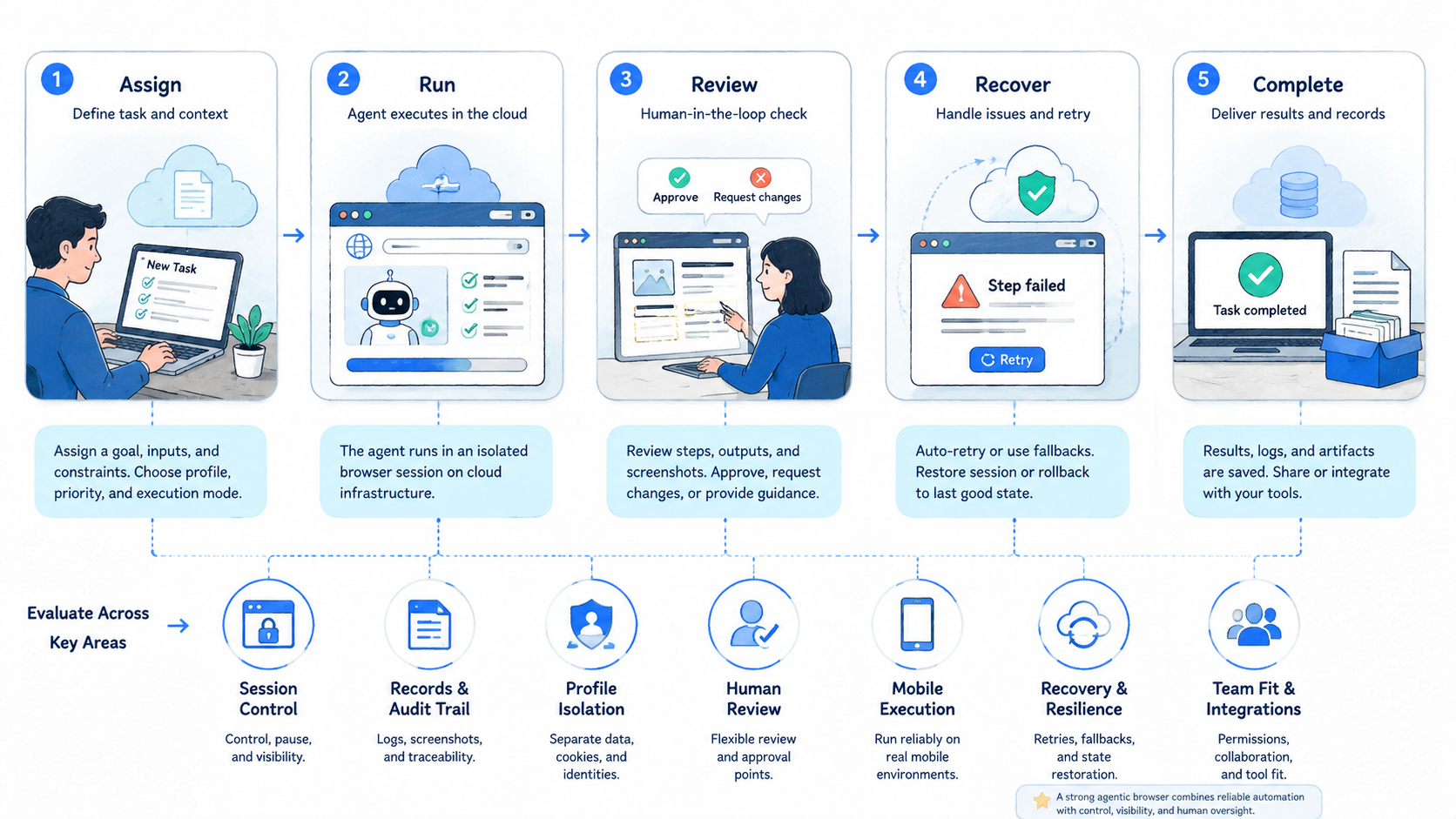
Choose agentic browser tools in this order: workflow fit, session control, profile isolation, review, recovery, and mobile reach. Ignore model claims at first. Begin with the work.
The right platform should make automation inspectable. A team should know which account lane ran, what the agent did, which source was used, where the workflow stopped, and who owns the next step.
For browser-only work, a browser agent may be enough. For social, ecommerce, support, and multi-account workflows, the execution environment becomes the real decision. Test one workflow, measure recovery, and expand only after the operating record is clean.



