
Key Takeaways
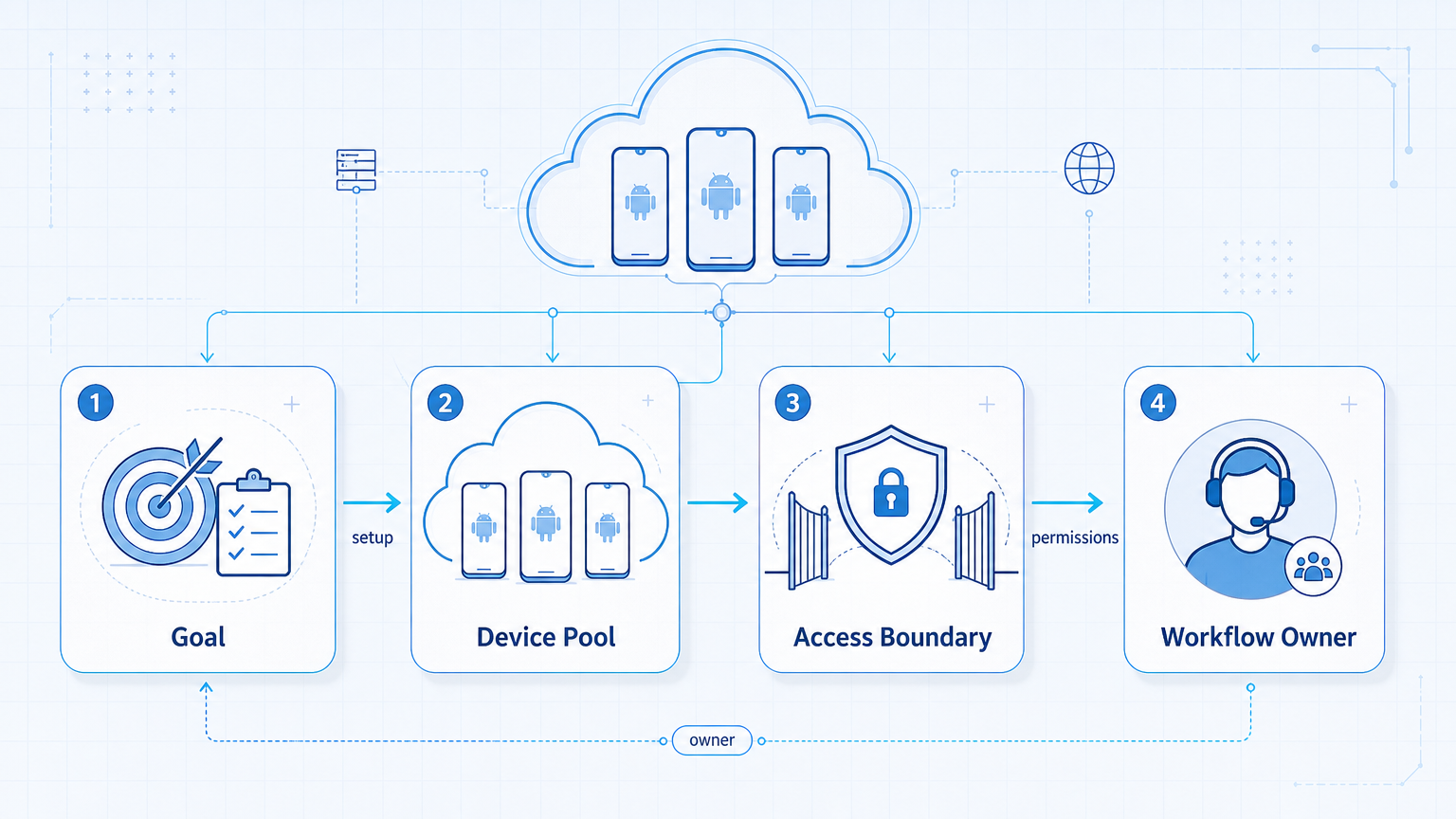
- An Android cloud phone is a persistent remote Android environment for repeated mobile execution.
- It fits TikTok and Instagram operations when teams need repeatability, role handoff, and parallel device capacity.
- Cloud phones are most useful when the workflow depends on app-native actions, not only browser dashboards.
- Good pilots measure run stability, account ownership, and recovery time before they scale.
An Android cloud phone is a remote Android environment that teams can keep available for repeated mobile workflows. For TikTok and Instagram operations, it gives teams a way to run app-side tasks without relying only on local phones or one-off emulator setups.
The real value is not that the device is remote. The value is that the workflow becomes easier to assign, repeat, and inspect. Android Enterprise documentation makes the broader point that work environments need managed boundaries. Cloud-device vendors such as AWS Device Farm and BrowserStack also show how remote Android execution is treated as infrastructure, not just ad hoc device access. See Android Enterprise, AWS Device Farm, and BrowserStack App Automate.
For teams working across TikTok and Instagram, this matters when mobile execution itself becomes the bottleneck. That often happens with app-native posting checks, account review tasks, repetitive moderation flows, and role handoff across many accounts.
The Core Idea Behind Android Cloud Phone for TikTok and Instagram Operations
The core idea is to give mobile work its own stable execution lane.
Teams often start with local devices because they are easy to understand. That works for small workflows. It gets harder when the team needs fixed ownership, parallel capacity, and repeatable recovery. A cloud phone changes the decision from “who has the device today?” to “which workflow lane owns this environment?”
This matters especially when the workflow is mobile first. Browser dashboards still help, but app-native work remains central for many social media teams. That is why an Android cloud phone alternative path is often evaluated alongside browser tools rather than beneath them.
Why Teams Search for This Topic
Teams usually search for Android cloud phone options when local device setups stop scaling. The first signs are simple: shared phones become messy, handoff slows down, and one operator ends up carrying too much of the process.
Another trigger is comparison fatigue. Teams compare cloud phone vs physical phone farm, cloud phone vs emulator, or one provider vs another. The comparison is useful, but it often starts too low in the stack. Before comparing providers, the team should confirm that the workflow actually needs persistent Android execution.
That is where cloud phone vs emulator becomes a useful reference page. The better question is not only “which tool is cheaper?” It is “which setup keeps the mobile lane stable under repeated use?”
Who Benefits Most and In What Situations
Android cloud phone setups are strongest for teams with app-native operational work.
Best fit
- Teams running repeated TikTok and Instagram mobile workflows
- Operators who need remote handoff across roles or shifts
- Organizations that need more parallel device capacity
- Mobile-first account operations with structured review steps
Weak fit
- Single-device temporary tasks
- Browser-only dashboard workflows
- Teams with no process for account ownership or run logging
- Low-volume needs where a local device is already enough
If most important work still happens in web dashboards, a browser lane may do more. If the account workflow depends on app-side steps, an Android cloud phone becomes much more relevant. That is why teams often evaluate mobile automation, phone farm, and cloud phone for TikTok together.
How to Evaluate or Start Using Android Cloud Phone for TikTok and Instagram Operations
Start by deciding whether the mobile lane is truly persistent. If the task is occasional, a lighter setup may still work. If the same app-side workflow repeats every day, a persistent cloud phone lane becomes easier to justify.
- Pick one mobile workflow, such as posting review or app-side moderation.
- Assign one environment to one account lane or role.
- Define the review stop before publish, send, or escalation.
- Log the result into a shared queue or operating sheet.
- Test recovery: pause, relaunch, and hand off the lane to another operator.
The most common setup mistake is skipping the recovery test. Teams prove the happy path, then scale before they know how the lane behaves under interruption.
When an Android Cloud Phone Is Better Than a Local Device Stack
The choice usually becomes clearer when the local-device model starts creating workflow drag. A local phone can still work for one operator or one temporary task. It becomes less attractive when the team needs shared access, parallel lanes, or repeatable remote handoff.
That difference is operational, not cosmetic. If a workflow lane must keep running across roles or time windows, the team usually needs more than a phone on one desk. An Android cloud phone gives that lane its own execution home.
Strong signals that a cloud lane is justified
- The same mobile task repeats every day across several accounts.
- Another operator must be able to take over without a physical handoff.
- The team needs more parallel Android capacity than one local stack can carry.
- Recovery has to happen without rebuilding the device lane from scratch.
Mistakes That Reduce Results
The first mistake is treating Android cloud phones like simple rented devices. That mindset ignores the workflow. The real unit is not the device alone. It is the device plus owner, task lane, and review path.
The second mistake is comparing cloud phones only against physical phone farms on raw device count. In operations, routing, handoff, and recovery can matter more than count. The third mistake is trying to force browser-side tasks and mobile-side tasks into one lane when they need different boundaries.
A better model is layered execution. Browser-side work can stay in one lane. Mobile-side work can stay in another. Device isolation and proxy network matter because they support those boundaries rather than replacing them.
Pilot Rollout, Measurement, and Recovery Checks
Pilot rollout should be boring by design. Do not start with the noisiest lane.
| Metric | Why it matters | Recovery signal |
|---|---|---|
| Run stability | Shows whether the app-side path is repeatable | Pause if the same step fails repeatedly |
| Account ownership clarity | Shows whether the lane is tied to the right operator | Stop scaling if owners keep switching informally |
| Handoff time | Shows whether another operator can continue the lane | Document steps before expanding volume |
| Recovery time | Shows whether interruptions are manageable | Rebuild the workflow if restart takes too long |
The pilot should also confirm whether the team still needs a browser lane alongside the mobile lane. In many real operations, the answer is yes. Mobile execution handles app work. Browser execution handles dashboards, analytics, or inbox surfaces. That split is often more useful than pushing everything into one environment.
A Good Android Cloud Phone Pilot Usually Stays Narrow
The best pilot is not the widest lane. It is the easiest lane to inspect. For many teams, that means one account group, one repeated mobile workflow, and one owner who can report what changed after a week.
That week should answer practical questions. Did handoff get easier? Did restart time drop? Did the team spend less time rebuilding state or passing devices around? Those answers tell you more than a generic feature comparison.
The pilot should also avoid mixing every possible mobile action at once. If posting checks, moderation, outreach, and analytics all enter the first test, the result becomes hard to interpret. A narrow lane produces better evidence.
How Teams Usually Split Browser Work and Mobile Work
Teams often get better results when they stop forcing every task into one environment. Browser work is usually better for dashboards, reporting views, and account-side review pages. Mobile work is better for repeated app-native actions that are hard to reproduce in a browser lane.
| Workflow area | Browser lane | Android cloud phone lane |
|---|---|---|
| Analytics and review | Strong fit for dashboards and shared reporting | Weak fit unless the metric only appears in the app |
| App-native posting checks | Useful for planning and queue review | Strong fit for final app-side verification |
| Inbox and moderation triage | Useful when the inbox has a web surface | Strong fit when operators must act inside the app |
| Recovery and handoff | Good for shared logging and review notes | Good for resuming the exact mobile lane |
This split matters because the goal is not to prove that mobile can do everything. The goal is to keep each task in the lane where it is easiest to review, resume, and hand off.
What a Seven-Day Evaluation Should Confirm
A short evaluation window is enough to expose weak setup choices. By day seven, the team should know whether the Android lane stayed stable, whether ownership stayed clear, and whether another operator could continue the same lane without rebuilding context.
Seven-day acceptance checks
- Lane stability: the repeated task finishes without frequent restarts.
- Owner clarity: each account group still has one obvious operator or lane owner.
- Handoff proof: another operator can resume the workflow with the same run notes.
- Recovery proof: pause, reconnect, and restart do not turn into a manual rebuild.
- Boundary proof: browser review and mobile execution stay separated where they should.
If two or more of these checks fail, the right move is usually to narrow the lane again. Expanding a shaky Android workflow just makes later diagnosis harder.
Frequently Asked Questions
What is an Android cloud phone in this context?
It is a persistent remote Android environment used for repeatable mobile workflows.
Is it mainly for testing?
No. It can also support ongoing operations when the task is app-native and repeated.
Is a cloud phone always better than a physical phone farm?
Not always. The better choice depends on workflow stability, handoff needs, and scaling shape.
When does a cloud phone help most?
Usually when TikTok or Instagram work depends on repeated app-side actions across many lanes.
Should teams replace browser automation with cloud phones?
Not necessarily. Browser and mobile lanes often solve different parts of the same workflow.
What should the first pilot look like?
One narrow mobile workflow, one owner, one review point, and one recovery test.
What should teams evaluate next?
Compare the mobile lane against cloud phone farm infrastructure and the broader product path, not just a raw device list.
Conclusion
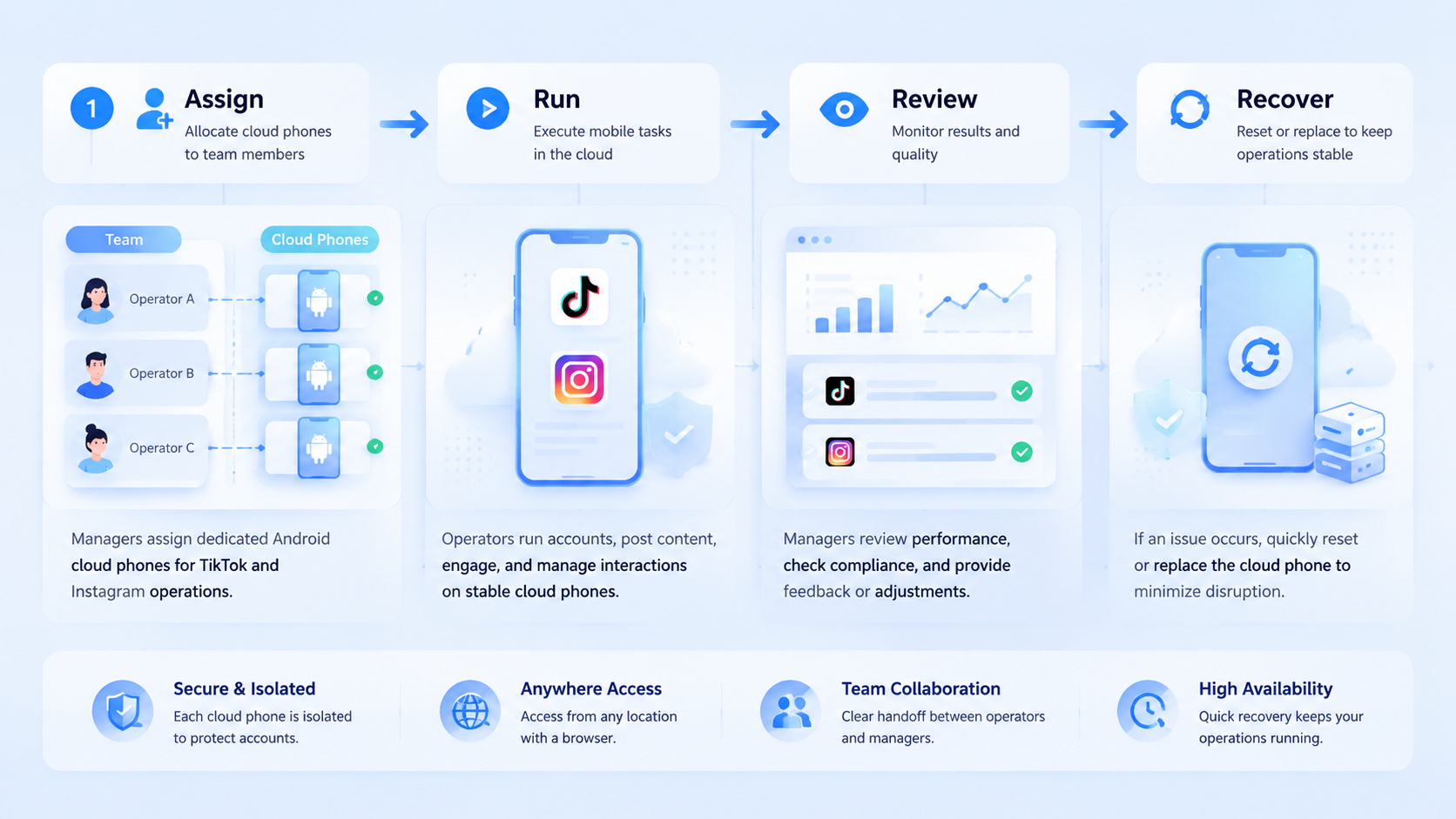
An Android cloud phone is most useful when TikTok and Instagram operations already depend on repeated mobile execution. The first job is to prove lane ownership, recovery, and handoff. The second job is to decide how that mobile lane connects to browser-side work. Scale only after both are clear.



