
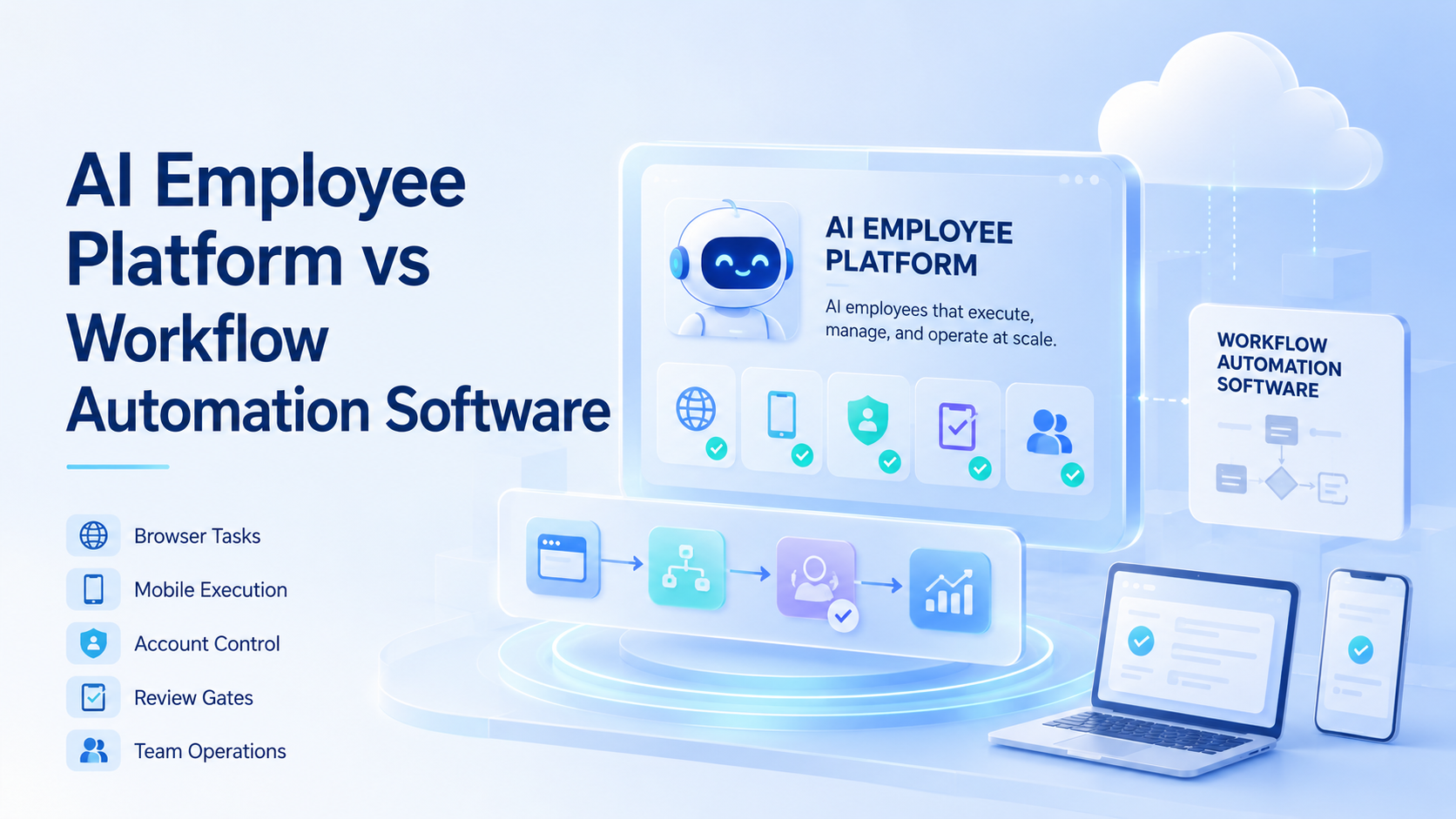
For operations teams, an AI employee platform is built for digital workers that execute tasks across browsers, accounts, mobile environments, and business tools. Workflow automation software is usually built to connect systems, trigger actions, and move data through predefined steps. Both can improve operations, but they solve different control problems.
The difference matters when teams move from simple triggers to real online work. A workflow tool may send data from one system to another. A digital worker may need to open a dashboard, use the correct account, check a mobile app, prepare evidence, and pause for review.
The right choice depends on the task. Stable, structured, API-friendly work usually points toward workflow automation. Work that crosses messy interfaces, accounts, browser sessions, or mobile steps usually points toward an AI employee platform.
Key Takeaways
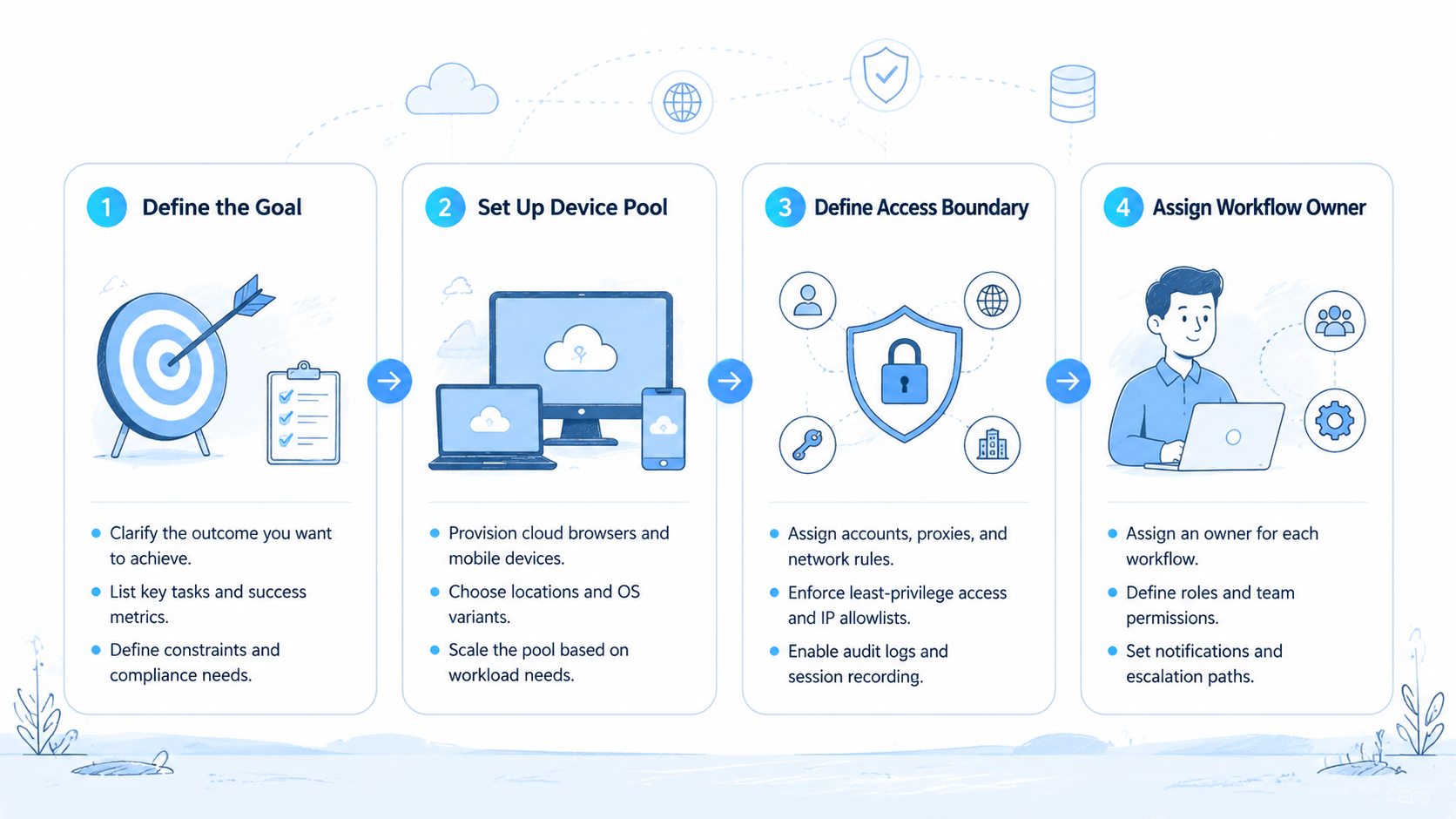
- Workflow automation fits stable data flows with predictable fields.
- AI employee platforms fit browser, mobile, account, and review-heavy work where a digital operator needs execution context, evidence, and a stop rule.
- Compare control.
- A hybrid rollout often works better than forcing one category to do every job across every system, account, and review path.
AI employee platform vs workflow automation software: quick comparison
The simplest difference is where work happens. Workflow automation often lives between software systems. Digital-worker execution operates closer to the human workflow, where accounts, pages, apps, files, and judgment points appear.
| Criteria | AI employee platform | Workflow automation software |
|---|---|---|
| Main job | Let digital workers execute tasks | Move data or actions through fixed workflows |
| Best environment | Browsers, mobile apps, accounts, dashboards | APIs, databases, SaaS triggers, forms |
| Account control | Usually central to the model | Often handled outside the workflow |
| Human review | Needed for sensitive actions | Often optional or rule-based |
| Failure pattern | Page state, account state, unclear judgment | Integration errors, missing data, rule mismatch |
| Best first task | Reviewable online operations | Structured back-office process |
This comparison is not a ranking. A team can need both. Workflow automation can move clean data between systems, while an AI employee platform handles work that still requires browser or mobile execution.
AI employee platform vs workflow automation software: decision matrix
A useful comparison should end in a decision, not a vague category definition. The fastest way to decide is to map the task against execution surface, account risk, review need, and failure type.
| Decision dimension | Choose AI employee platform when | Choose workflow automation software when |
|---|---|---|
| Execution surface | Work happens in browser pages, mobile apps, or account environments | Work happens through structured systems and clean integrations |
| Account context | Each task needs a named profile, device, owner, or route | One service account or system permission is enough |
| Review need | The result needs human judgment before a sensitive action | Rules can approve the action automatically |
| Failure mode | Failures involve page state, login state, unclear output, or account mismatch | Failures involve missing fields, bad rules, or failed API calls |
| Evidence | Screenshots, logs, and step context help the reviewer | Data records and event logs are enough |
| Scale pattern | More accounts or channels increase operational risk | More records mainly increase system volume |
Use the left column when the work looks like a human operator's day. Use the right column when the work looks like a structured data pipeline. A mixed workflow can split the job: AI worker for messy collection, workflow automation for routing and notifications.
Here is a practical example. A team wants to review social campaign status every morning. The browser and mobile checks may belong in an AI employee platform because they require account context, screenshots, and exception handling. The final status note can then move through workflow automation to a ticket, CRM, or team channel.
What workflow automation software is good at
Workflow automation software is good when the process is already clear. A trigger starts the workflow. Conditions route the task. Actions update systems, send notifications, create records, or move data to the next step.
Common examples include lead routing, form follow-up, CRM updates, invoice reminders, support ticket assignment, reporting alerts, and approval notifications. These tasks work well because the input and output are structured.
Workflow tools also fit teams that want consistency. Once a process is defined, the software can repeat it without waiting for someone to switch tabs. That is valuable for administrative work and predictable operations.
The limit appears when the task depends on a changing interface or human-like context. A workflow tool may not know what to do if a dashboard layout changes, a login prompt appears, or a mobile app contains the needed state. It may also struggle when a task requires judgment before the next action.
For structured software integration, workflow automation remains a strong option. It is not outdated. It is simply not the same as giving a digital worker a controlled execution environment.
What an AI employee platform is good at
This platform category is strongest when the task resembles the work a human operator does online. The worker may need to read a page, switch accounts, check a mobile app, collect screenshots, prepare a note, and stop when something looks wrong.
This requires a different stack:
| Layer | Why it matters |
|---|---|
| Browser profile | Keeps account context clear |
| Cloud phone or device | Covers app-only and mobile-first steps |
| Task queue | Controls what starts and when |
| Approval gate | Prevents sensitive actions from going live unchecked |
| Logs | Shows what happened during the run |
| Handoff | Lets a person continue from the failed step |
Tools such as Playwright show how software can control browsers. This category adds operating context: which account is allowed, what the worker can change, what must pause, and how a manager reviews output.
Mobile execution is often a deciding factor. If a workflow includes social apps, app QA, marketplace apps, or phone-based account checks, a browser-only approach may not cover the full process. MoiMobi's cloud phone and mobile automation resources fit this kind of operating model.
The platform should not remove human control. It should make human control easier. A good worker prepares the result, records the path, and escalates unclear cases before the team makes a final decision.
This makes the category strongest for account-aware operations. MoiMobi's multi-account management use case is relevant when teams need many account environments to stay organized while work moves across channels.
Which option fits which team?
Start with the work pattern, not the product label. Ask where the task happens and what can go wrong.
Choose workflow automation software when:
- The process is stable and structured
- Inputs and outputs are already in systems
- APIs or clean integrations are available
- Exceptions are easy to define
- The action does not depend on page interpretation
Choose an AI employee platform when:
- The task happens inside browsers or mobile apps
- Multiple accounts or profiles are involved
- Human review is needed before sensitive actions
- The page or app state may change
- The team needs screenshots, logs, or handoff context
Use both when the process has two layers. A digital worker can gather or prepare data from messy interfaces. A workflow automation tool can then route the clean output into CRM, ticketing, reporting, or notification systems.
That hybrid model is often practical. It avoids forcing workflow tools to behave like browser operators and avoids using AI workers for simple data movement.
The opposite choice is also valid. Workflow automation should usually stay in charge when the workflow is mostly form routing, internal approvals, clean record updates, or scheduled reminders. Adding a digital worker to a clean data-flow problem can create unnecessary management overhead.
Account and identity control for AI employee platform decisions
Account control is where the categories separate quickly. Workflow automation software often assumes that system credentials and access rules are already solved. A platform for AI employees needs to manage account context as part of the workflow, especially when each brand, client, region, app, or marketplace has its own operating environment.
The team needs to know which profile was used and who owns the result. Without that clarity, automation can create reporting confusion.
MoiMobi's device isolation is relevant when teams need each account environment to remain separate. The same idea applies to browser profiles, cloud phones, proxy routes, and credentials.
Use this account-control checklist:
| Question | Why it matters |
|---|---|
| Who owns the account | Prevents orphaned automation |
| Which worker can use it | Limits accidental access |
| Which device or profile is assigned | Keeps execution traceable |
| What actions are blocked | Reduces sensitive mistakes |
| Who reviews exceptions | Creates a clean escalation path |
If a workflow uses one internal system and one service account, workflow automation may be enough. If it uses many accounts with different identity states, an AI employee platform is usually easier to govern.
This is where teams should be strict. A workflow that looks simple from the outside may still carry account risk. If one mistake can publish from the wrong profile, update the wrong client workspace, or trigger the wrong device session, the decision should favor stronger execution controls.
Review, failure handling, and auditability
Workflow automation failures are often technical: missing field, failed API call, bad condition, or unavailable integration. AI employee platform failures can be more operational: wrong account, changed page, unclear data, login challenge, or judgment needed.
That means the review model must be different. The worker should produce enough context for a human to understand what happened. A screenshot, step log, output field, and failure reason may be more useful than a simple success or error message.
For general governance thinking, the NIST Cybersecurity Framework gives teams a useful way to think about identify, protect, detect, respond, and recover. It is not specific to AI employees, but the structure maps well to operational risk.
A practical audit trail should answer:
- What task started
- Which account or device was used
- What information was read
- What action was attempted
- What output was saved
- Why the worker stopped
- Who reviewed the result
Workflow automation can also log steps, but the context is different. Logs for API workflows are usually data-flow logs. Logs for AI employee work need to explain online execution.
Cost and operating effort
The cheaper option is not always the better option. Workflow automation may be simpler to manage when the task is structured. It can become expensive in time when teams force it to handle unstable web or mobile workflows that require screenshots, account switching, human review, and exception notes.
Setup is heavier. Teams must define accounts, profiles, permissions, review gates, device environments, and stop rules. That setup is worthwhile only when the execution problem is real.
Use a practical cost lens:
| Cost area | What to compare |
|---|---|
| Setup time | Rules and integrations vs account and environment setup |
| Review time | How long humans need to approve outputs |
| Error cleanup | Manual correction after failed runs |
| Account overhead | Profiles, devices, credentials, and ownership |
| Scale limits | How many workflows can run without confusion |
Workflow automation usually wins on simplicity when the task only moves structured data. Account-aware browser or mobile work changes the calculation because an AI employee platform may reduce the hidden cost of manual operations.
Pilot plan before choosing
Do not choose the category from a feature page alone. Run a small pilot with a real task and compare outcomes.
-
Pick one workflow.
Use a task that happens often and has a known manual path. -
Run it through workflow automation where possible.
Note which steps are easy and which steps fall outside structured integrations. -
Run the same task through a digital worker where useful.
Focus on browser steps, mobile checks, evidence capture, exception handling, and the handoff from automated work back to a person. -
Compare review effort.
The better system should make the result easier to trust, not only faster to produce. -
Decide the split.
Keep structured routing in workflow automation. Put messy browser or mobile execution in the AI employee platform.
The pilot should produce a decision, not just a demo. A good result tells the team which parts of the process belong in each system.
Use three pass/fail questions after the pilot:
- Did the platform reduce manual work without hiding failure context
- Did review become easier, faster, or more consistent
- Did account ownership stay clear during every run
A no answer means the workflow needs tighter rules before it needs more automation.
Frequently Asked Questions
Is an AI employee platform better than workflow automation software?
Not always. Browser, mobile, account-aware, or judgment-adjacent work is where the AI employee model tends to fit. Workflow automation is often better for structured processes with clean integrations.
How should a team decide between the two?
Map the task surface first. If work happens through APIs and structured fields, start with workflow automation. If it happens through pages, apps, accounts, screenshots, or human review, evaluate an AI employee platform.
Can a team use both together?
Yes. The digital worker can collect or prepare data from online systems, while workflow automation routes clean output into CRM, ticketing, reporting, or notifications.
When is workflow automation software enough?
Workflow automation is enough when the process is stable, the inputs are structured, and the system can act without page interpretation or account switching. Lead routing, reminders, status updates, and clean approvals are common examples.
What is the biggest difference?
The biggest difference is execution context. Workflow automation moves through predefined system steps. A managed execution model handles digital workers operating inside browsers, apps, accounts, and review flows.
Which option is safer for account-heavy work?
Safety depends on setup. Workflow automation can be safer for fixed structured tasks. Account-aware online work can be safer in the AI employee model when it has isolation, logs, and approvals.
What should teams evaluate first?
Evaluate the workflow path. API-based and structured-field steps point toward workflow automation, while browser or mobile operation points toward an AI employee platform.
Does an AI employee platform replace RPA?
It may replace some RPA-style browser work, but not all. Fixed back-office processes may still fit RPA or workflow tools better. Dynamic online work may fit AI workers better when page state, account context, review rules, and mobile steps change often.
When should a team avoid AI employee software?
Avoid it when the process is vague, the action is high risk, or nobody owns review. Build the workflow first.
Conclusion
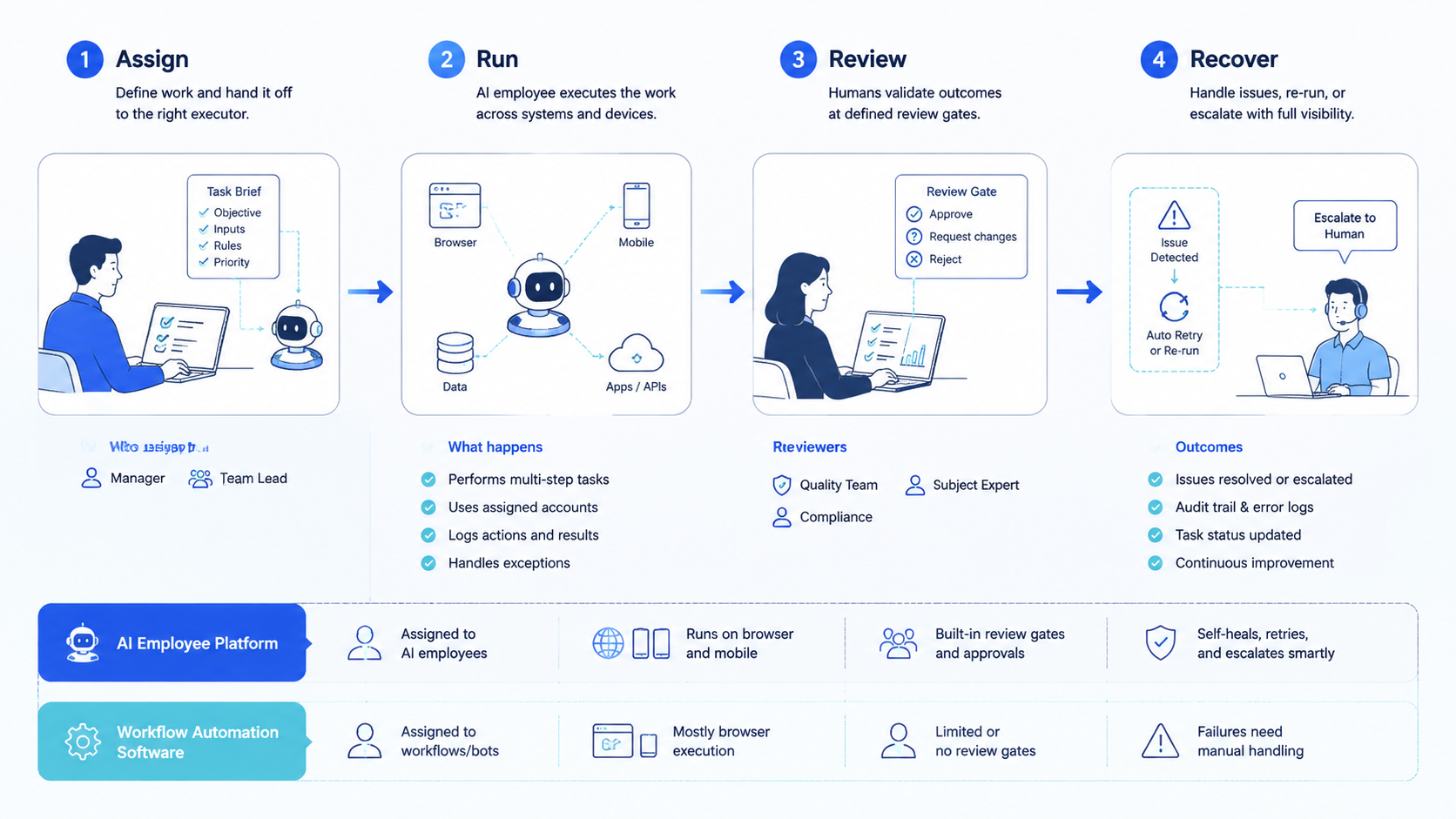
These two categories are not the same. Workflow automation is best for structured processes and clean integrations. Controlled browser, mobile, account, and review work is where the AI employee category fits best, because the platform has to manage execution context rather than only move data.
The practical choice comes from the workflow. Map the task, mark which steps are structured, and identify where account context, mobile access, evidence capture, or human review matters. Use workflow automation for clean routing. Use an AI employee platform for messy execution.
For teams that already run browser and mobile workflows, the next step is a pilot. Choose one process, define the account and stop rule, compare review effort, and keep the system that makes work easier to trust.



