
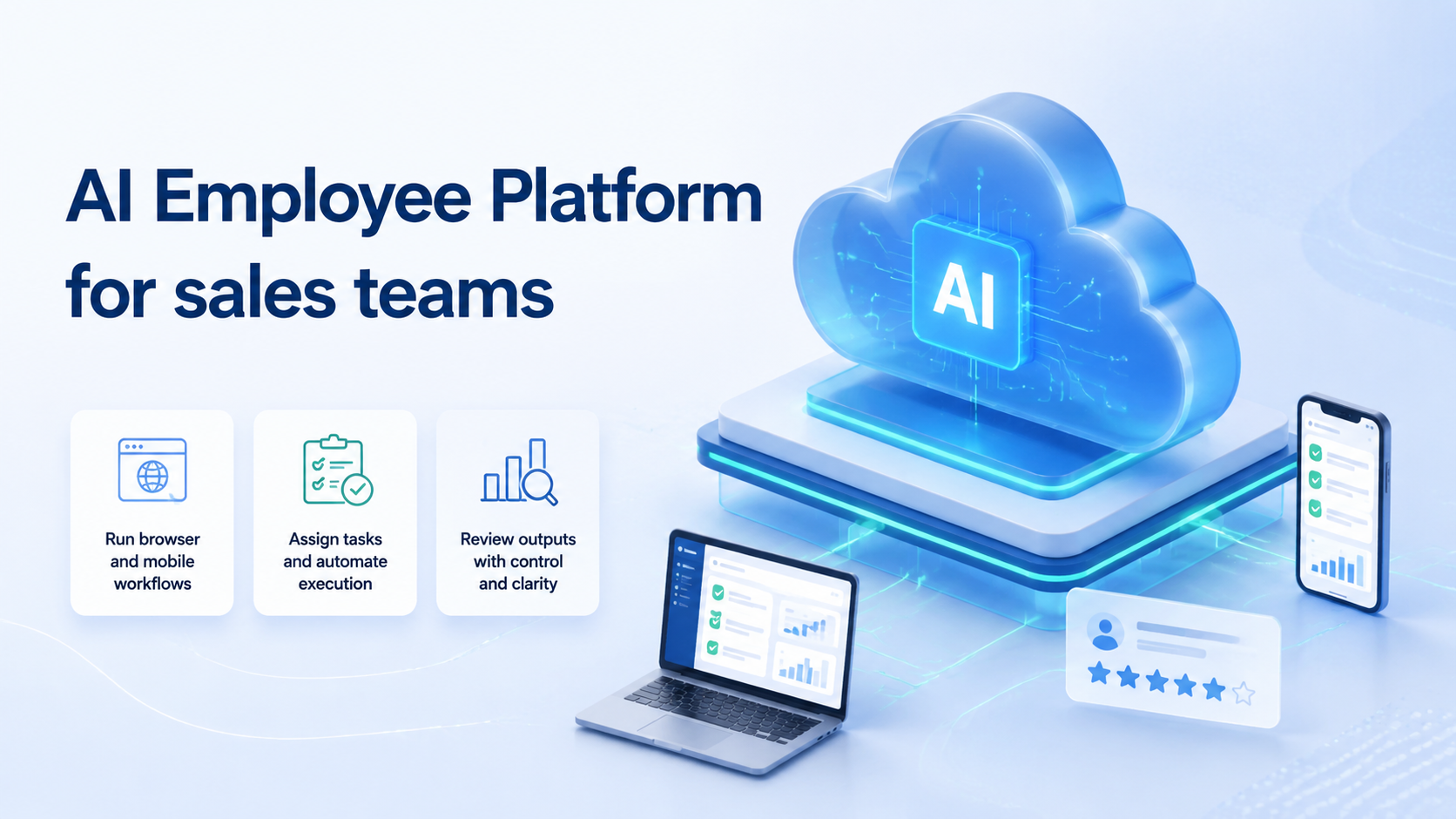
An AI employee platform is an execution system for repeatable sales work. It lets sales teams assign online tasks to AI workers, route them through controlled browser or mobile environments, and review the result before the work moves forward.
For sales operations, the value is not a vague promise that software will replace people. The practical value is clearer task ownership, cleaner account context, and faster follow-up on work that already follows a known pattern.
Sales teams usually feel the pain when account research, lead enrichment, CRM updates, inbox checks, and channel follow-up become too fragmented. One person works in a browser profile. Another checks a mobile app.
A manager reviews output in a spreadsheet. The work may be simple, but the handoff is messy.
The useful question is not whether AI can do "sales." The useful question is which sales workflows are bounded enough for AI workers, which require human judgment, and which execution environment keeps the account context intact. That is where an AI employee platform becomes a workflow layer rather than another automation widget.
Key Takeaways
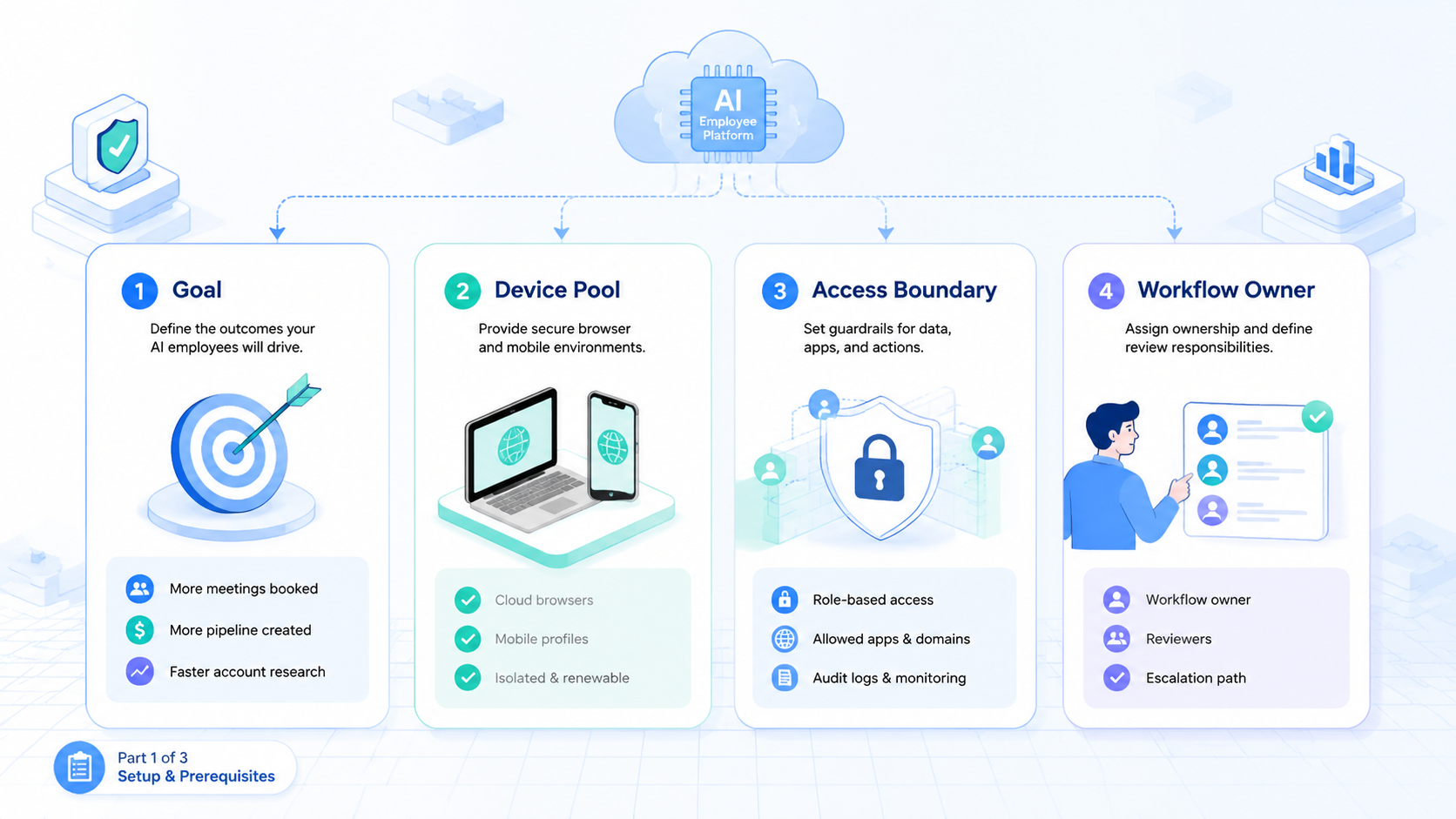
- An AI employee platform fits sales tasks with repeatable inputs, clear account context, and reviewable outputs
- Sales teams should separate browser-based work, mobile app work, and human approval steps
- Start with one workflow, one account group, and one reviewer
- Review evidence matters more than task volume when the work touches customer records
- Track exceptions, recovery steps, and handoff quality before scaling
The Core Idea Behind an AI Employee Platform for Sales Teams
The core idea is controlled delegation. A sales manager should be able to define a task, assign it to an AI worker, bind that worker to the right account environment, and inspect the result. Without that chain, automation becomes a loose script with unclear ownership.
This matters because sales work crosses many systems. A prospect may start in a list, move into a CRM, appear in a browser-based company profile, and require follow-up through an app or inbox. A simple browser macro cannot understand the whole operating lane. A human-only process can understand it, but it may not scale cleanly.
An execution platform sits between those extremes. It does not remove the sales team. It gives the team a place to define what the AI worker may do, where it may act, and when it must stop. That stop rule is essential when a record is incomplete, an account session changes, or a message needs human judgment.
A workable model has four layers:
- Task definition: what the worker should do and what output is expected
- Environment routing: which browser profile, account, or mobile lane should be used
- Evidence capture: what the reviewer needs to trust the result
- Recovery logic: what happens when the task cannot complete cleanly
For browser-heavy work, an AI browser execution layer can help route web tasks through controlled profiles. For mobile-first work, teams may need a separate mobile execution lane instead of forcing every step through a desktop browser. The right platform makes that boundary visible.
Why Sales Teams Search for This Topic
Sales teams usually search for this category after ordinary automation starts showing limits. A spreadsheet workflow may update fields, but it does not know which account context created the data. A CRM plugin may enrich records, but it may not handle browser research, mobile checks, or exception review. A chatbot may draft a message, but it does not own the execution path.
The misunderstanding is treating AI employees as one more content generator. Sales teams need more than generated text. They need reliable execution across accounts, tools, and review states. The platform question is about control, not personality.
Google Search Central's guidance on creating helpful content is written for publishing, but the operating lesson also applies to AI-supported sales work. Output should serve a real user need. In sales operations, that means the worker should produce a useful record, a clear next step, or a reviewable exception.
Sales workflows also need careful policy boundaries. When work touches apps, marketplaces, or account systems, teams should understand the rules of those platforms. Google Play's Policy Center is one example of why mobile and app-related execution cannot be treated as policy-free automation.
The search intent is practical. Teams want to know where AI workers fit, how to start without creating chaos, and what evidence proves the system is working. The answer depends on workflow shape, account routing, and review discipline.
Who Benefits Most and In What Situations
The strongest fit is a sales team with repeated work that already follows a known process. The workflow does not need to be simple, but it must be describable. If a sales operator can explain the start state, allowed actions, output fields, and stop conditions, an AI worker has a better chance of helping.
Good-fit examples include lead list cleaning, account research, contact field checks, routine CRM updates, competitor profile monitoring, sales inbox triage, and follow-up preparation. These tasks still need review, but they do not require a salesperson to invent a new strategy every time.
Weak-fit work is different. Complex negotiation, high-stakes account communication, pricing exceptions, and final approval decisions should stay with humans. An AI employee can prepare context, but final commercial decisions need a named human owner.
Strong fit
- Repeated sales operations tasks
- Known account groups
- Clear output fields
- Reviewer can inspect evidence
- Failure states are easy to name
Weak fit
- One-off strategic decisions
- Unclear account ownership
- Private customer judgment calls
- No review owner
- Actions that cannot be rolled back
Mobile sales workflows need another check. If the task depends on an Android app, push notification, app inbox, or mobile-only interface, the team may need a cloud phone product or a broader mobile automation setup. Desktop-only tools may miss the app state that matters.
How to Evaluate or Start Using an AI Employee Platform for Sales Teams
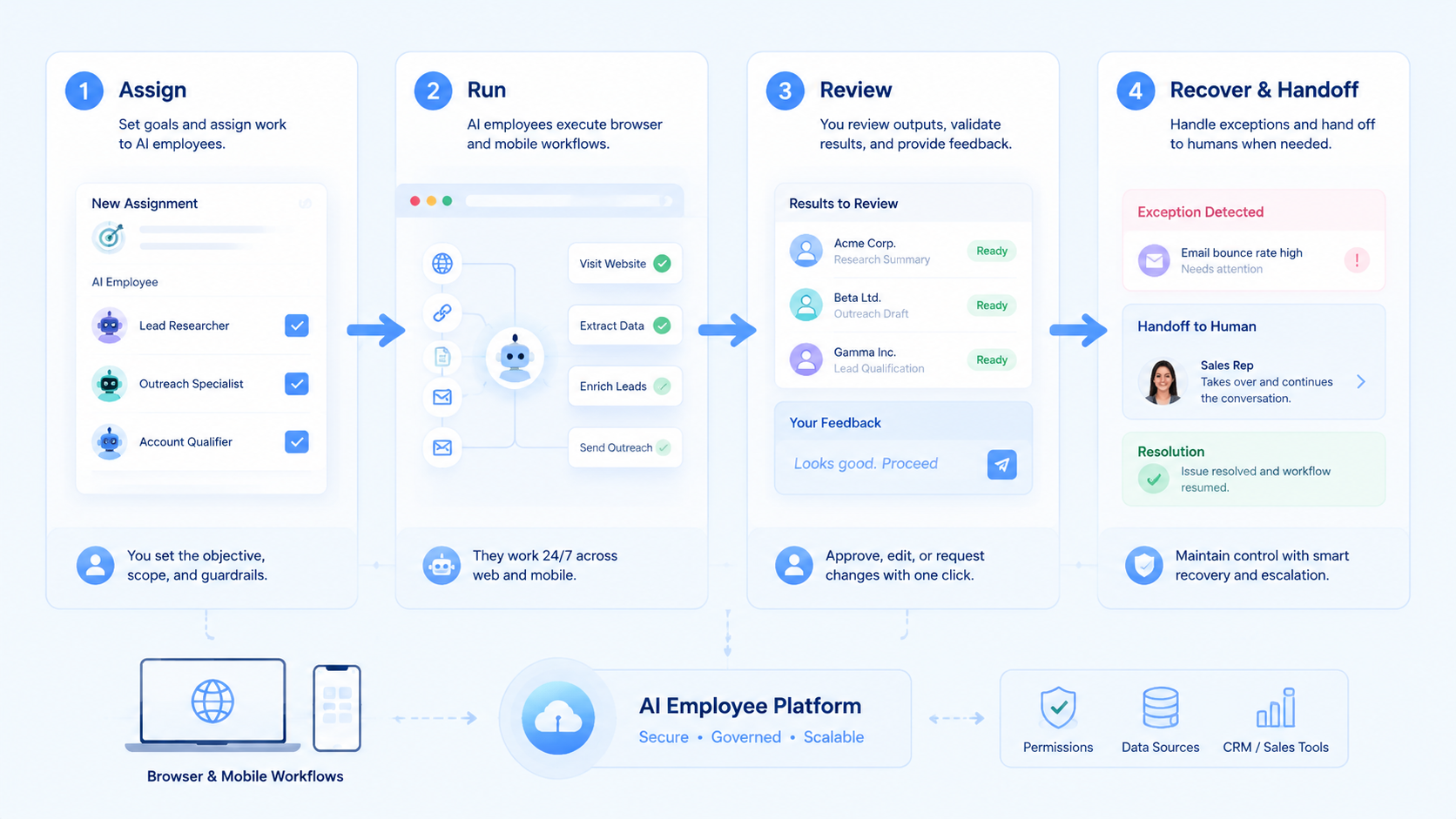
Start with workflow mapping, not vendor features. A good pilot begins with one task that happens often enough to matter and is narrow enough to review. Avoid starting with "automate sales outreach" as a broad objective. That goal is too large to debug.
Use this checkpoint sequence:
- Pick one workflow
- Define the account group
- Name the source system
- Name the execution environment
- Define allowed actions
- Define stop states
- Record required evidence
- Assign one reviewer
- Run a small pilot
- Expand only after review quality is consistent
Each checkpoint should have a pass or fail signal. "The worker updated the CRM" is not enough. The reviewer should know which record changed, which source supported the change, which account environment was used, and which exception rule applied.
Account separation belongs in the evaluation from day one. Sales teams often handle multiple regions, brands, clients, or product lines. Shared profiles create confusion when one worker uses the wrong account context.
For account-heavy teams, multi-account management and device isolation are not cosmetic features. They define the boundary between one operating lane and another.
The practical buying question is simple: can the platform show what happened, where it happened, and who approved the result? If the answer is unclear during a small pilot, scale will make the problem harder.
Mistakes That Reduce Results
The first mistake is measuring only activity. A sales team can generate many completed tasks and still lose trust if records are wrong, accounts are mixed, or exceptions are hidden. Completion is useful only when the evidence is reviewable.
The second mistake is connecting every tool at once. CRM, browser profiles, mobile apps, enrichment sources, and messaging systems each add state that can fail in a different way. Adding all of them during week one creates failures that are hard to diagnose.
Slow down. One workflow and one account group are easier to fix.
The third mistake is letting the AI worker act without a stop rule. A missing field, expired session, changed interface, or uncertain account match should not trigger blind retries. The run needs a visible exception.
Sales teams should avoid these early patterns:
- A shared login pool with no owner
- A worker that can message prospects without approval
- CRM updates without source evidence
- Mobile app steps forced into a browser-only workflow
- No field for exception reason
- No reviewer assigned to failed runs
Android's app quality guidance is useful background for teams that test or operate mobile workflows. App behavior, state, and repeatability matter. Sales automation that touches mobile apps should respect that reality instead of assuming every screen stays fixed.
AI Employee Platform Governance for Account Routing
Governance is the part sales teams usually notice only after something goes wrong. A worker updates the wrong account, uses the wrong profile, or cannot explain where a field came from. The fix is not a longer prompt. The fix is a clearer operating model.
Account routing should be explicit. Each worker needs to know which account group it may use, which profile or mobile lane belongs to that group, and which tasks are allowed inside that environment. Loose routing creates review debt because the reviewer must reconstruct context after the fact.
Sales teams can keep the first version simple:
- Account group: region, brand, client, or sales pod
- Environment lane: browser profile, mobile device, or shared review queue
- Allowed work: research, update, triage, draft, or handoff
- Restricted work: sending, pricing, account changes, or irreversible edits
- Evidence field: source, screenshot, record link, or exception note
- Reviewer owner: the person who accepts or rejects the result
The platform should store these fields near the task, not only in a separate document. When a run fails, the reviewer should see the assigned account group, the expected environment, the output, and the stop reason in one place.
Permission rules should stay narrow during early rollout. A worker may collect research, update a low-risk field, or prepare a follow-up draft. Pause before sending a message, changing a commercial term, or acting on an uncertain match.
Approval states should be visible too. Drafted, reviewed, rejected, revised, and sent are different states. Mixing them in one "complete" label hides the difference between preparation and action.
Routing rules also protect team coordination. A sales development team, an agency team, and a customer success team may use similar tools but different accounts. One shared automation lane makes those differences invisible. Separate lanes keep ownership readable.
Governance should not slow routine work forever. Once a workflow has clean evidence and predictable exceptions, teams can review fewer routine runs. The first goal, though, is not speed. It is a traceable system that sales managers can trust when more AI workers join the queue.
AI Employee Platform Pilot Rollout, Measurement, and Recovery Checks
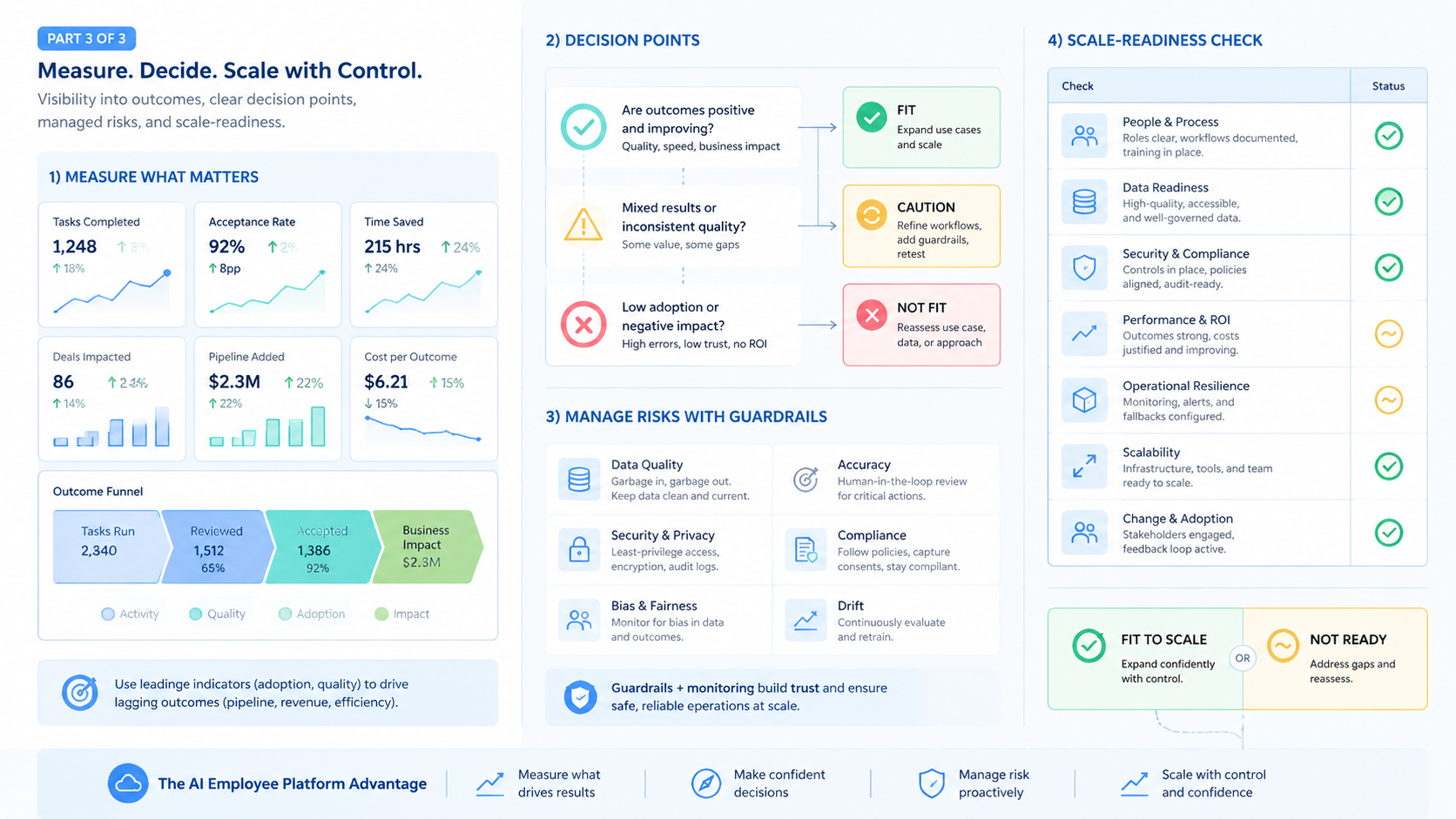
A pilot should prove trust before volume. Choose one sales workflow such as lead enrichment review, account status checking, or inbox triage. Give the AI worker a small queue and require every result to be reviewed.
The first measurement layer is accuracy. The reviewer needs to confirm the assigned account, execution environment, source evidence, and updated record.
Source capture and record accuracy matter more than the number of tasks completed.
The second layer is recovery. A good pilot should include expected failures. Test an expired session, a missing field, a duplicate lead, a changed page, and an unclear account match. The platform should stop, label the exception, and hand the work back to a reviewer.
One useful pilot pattern is a two-lane queue. Routine work goes into the AI worker lane. Unclear records go into a human review lane. The team then compares how many tasks finish cleanly, how many need review, and which stop reasons repeat.
Another useful pattern is a daily exception review. The manager does not need to inspect every successful run forever. During the pilot, though, repeated exceptions reveal where the workflow is too vague, where the data source is weak, or where account routing needs tighter rules.
Use a simple scorecard:
| Check | Pass signal | Stop signal |
|---|---|---|
| Account routing | Correct account environment used | Worker chooses a loose profile |
| Source evidence | Reviewer sees the source field | Output only says "done" |
| CRM update | Correct record and field changed | Duplicate or wrong record |
| Mobile step | App state is visible | Mobile state is guessed |
| Recovery | Exception is labeled | Worker retries blindly |
Review cadence should change slowly. During the first pilot, every run should be checked. After the workflow stabilizes, reviewers can focus on exceptions, sampled routine runs, and repeated failure patterns.
Scaling comes after the team can explain failures. If nobody can say why a failed run stopped, adding more workers will only increase noise. A cleaner system expands from evidence, not optimism.
Frequently Asked Questions
1. What is an AI employee platform for sales teams
It is a system for assigning repeatable sales operations tasks to AI workers, routing those tasks through controlled environments, and reviewing the result before the work moves forward.
2. Is it the same as a sales chatbot
No. A chatbot usually focuses on conversation or text generation. An execution platform focuses on tasks, accounts, environments, evidence, and handoff.
3. Which sales tasks should start first
Start with bounded work such as lead field checks, account research, inbox triage, CRM cleanup, or follow-up preparation. Keep high-stakes messaging out of the pilot until review rules are mature and managers can inspect the full evidence path.
4. Does every sales team need mobile execution
No. Browser-only sales workflows can stay in controlled browser profiles. Mobile execution matters when the task depends on an app, mobile inbox, notification, or phone-specific account state that a desktop browser cannot represent.
5. How should managers measure success
Measure accuracy, review speed, exception clarity, account routing, and recovery quality. Task count alone is not enough.
6. What is the biggest rollout risk
The biggest risk is scaling before ownership is clear. Every task needs an account owner, workflow owner, and reviewer.
7. Can AI workers send sales messages automatically
They can prepare drafts or queue actions when the workflow allows it, but final sending should depend on the team's approval rules and risk tolerance.
8. How does this connect to mobile automation
Mobile automation gives the worker a place to run app-based steps, while the AI employee platform decides when that mobile lane is needed and how the result returns to review. Without that routing layer, app execution becomes another disconnected queue.
Conclusion
An AI employee platform is most useful for sales teams when it acts as execution infrastructure. The system should define tasks, route accounts, capture evidence, and show exceptions. Uncertain work needs a review path, not a hidden success label.
The safest next step is a narrow pilot. Pick one repeated workflow, one account group, one environment lane, and one reviewer. Run the task, inspect every result, and record every failure. If the team can trust the evidence and explain the recovery path, it can expand to more sales workflows with better control.



