Key Takeaways
- An AI employee platform is useful for support when it turns message handling into assigned, reviewable workflows.
- Customer support teams should separate triage, reply drafting, escalation, and final sending instead of automating every action at once.
- Browser profiles, cloud phones, account workspaces, and task logs help support teams manage web and mobile inboxes without mixing account context.
- A good pilot measures reply quality, escalation accuracy, handoff speed, and unresolved exceptions.
An AI employee platform is a system that helps customer support teams assign repeatable support work to AI-assisted workers and run that work through controlled browser or mobile environments. It should not be treated as a replacement for support judgment. Its practical role is to prepare, classify, route, and track support tasks so people can respond faster with better context.
Customer support work is rarely one clean inbox. A team may handle social comments, direct messages, marketplace messages, chat widgets, email, order updates, and product questions. The problem is not only response speed. The harder problem is keeping account context, customer history, escalation rules, and review records organized.
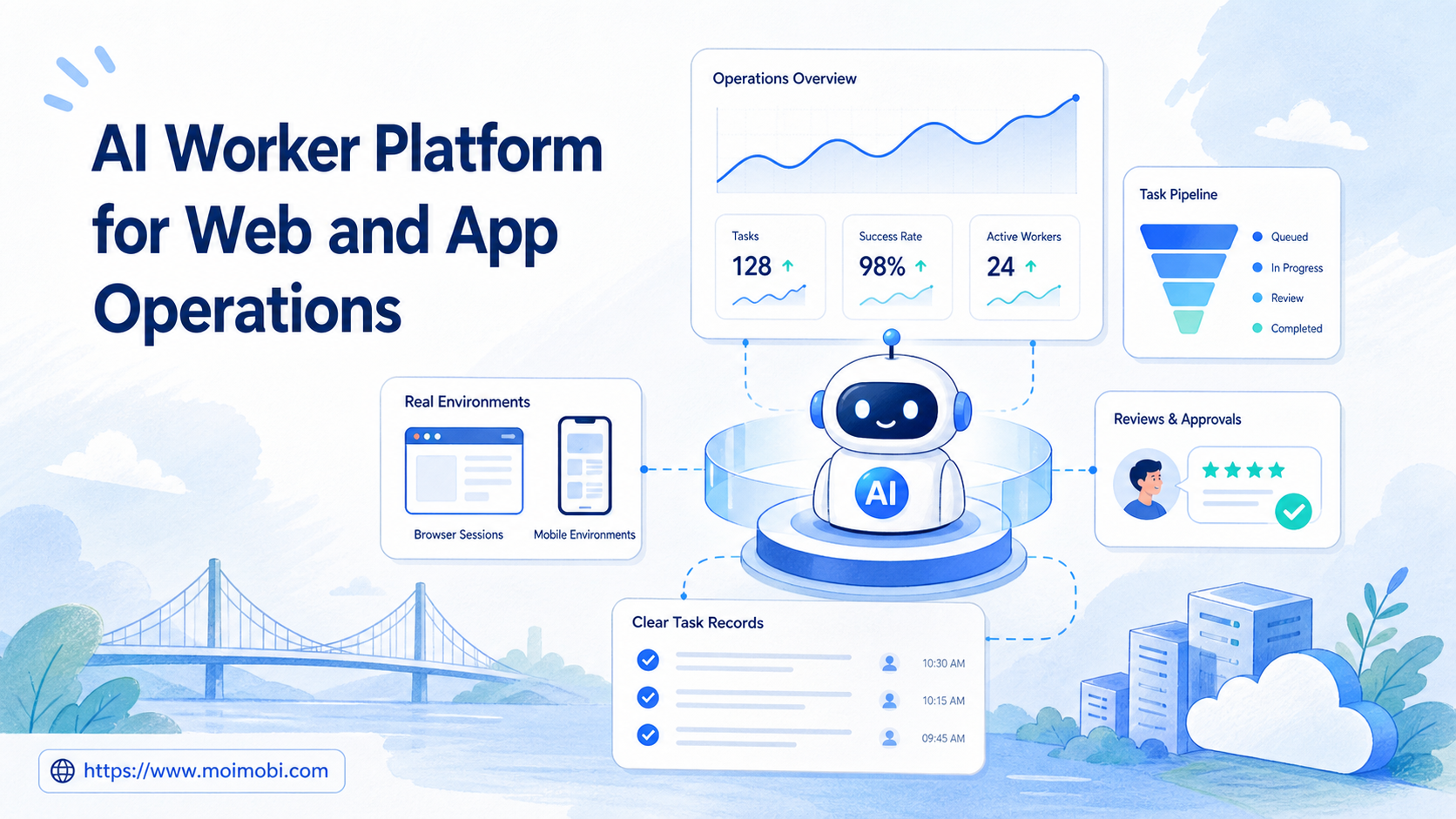
MoiMobi approaches this as an AI execution platform rather than a generic response generator. The support worker needs access to the right browser profile, mobile app, account workspace, review rule, and task log. Without that execution layer, AI can draft text, but the team still has to manage the operational mess manually.
What Is an AI Employee Platform for customer support teams?
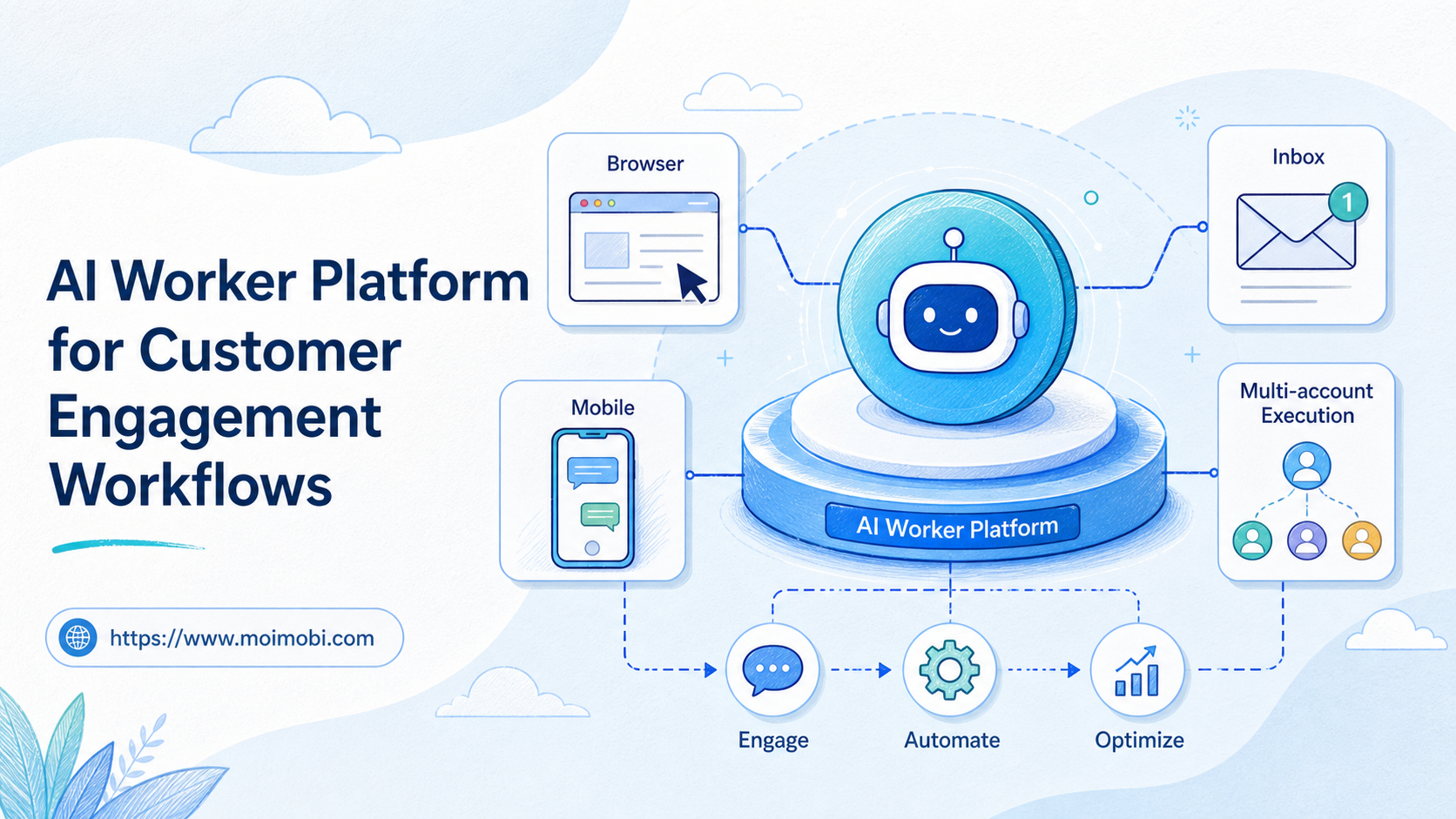
For customer support teams, an AI employee platform is a role-based execution system for support workflows. One AI worker may classify incoming messages. Another may draft replies. A third may monitor unresolved cases or prepare follow-up lists. Each worker has a defined scope, account access, and review boundary.
This is different from a chatbot. A chatbot usually answers inside one conversation channel. A support AI employee works across task queues, account environments, and review steps. It may prepare a reply in one place, pass the task to a human reviewer, then update a support record after approval.
The core distinction is execution control. Support work often happens inside web dashboards, social inboxes, messaging apps, and mobile-first platforms. A team may need persistent browser sessions for web-based support and mobile environments for app-based replies. When support work depends on mobile apps, understanding what a cloud phone is helps the team plan separate mobile execution lanes.
Governance also matters. The NIST AI Risk Management Framework emphasizes that AI risk should be governed, mapped, measured, and managed in context. For support teams, context means message type, customer status, platform rules, account permissions, and review level. A refund complaint, a shipping question, and a public social comment should not follow the same automation path.
Why customer support teams need execution, not just AI replies
Reply generation is only one part of support. A useful support workflow also needs intake, routing, prioritization, action history, escalation, and follow-up. If those layers are missing, AI output may create more review work instead of reducing it.
Support teams usually need three layers:
- Understanding layer: classify intent, urgency, sentiment, and topic.
- Execution layer: open the correct account, browser, mobile app, or dashboard.
- Control layer: decide when to send, pause, escalate, or request review.
The execution layer is where many support tools become fragile. Web-based support may depend on browser state, cookies, and dashboard permissions. Mobile support may depend on app sessions, device state, notifications, and account separation. W3C WebDriver shows why browser automation needs a standardized control model, while mobile workflows need their own device-side execution model.
For support teams that manage several brands or regions, multi-account management becomes part of the support stack. A support worker should not accidentally reply from the wrong account, use the wrong region template, or mix one customer channel with another.
Customer support scenario: roles, tasks, and metrics
A practical support setup begins with role separation. The team does not need one giant AI support employee. It needs several narrow workers that handle clear parts of the queue.
| Support AI worker | Primary task | Execution environment | Human checkpoint | Success metric |
|---|---|---|---|---|
| Triage worker | Classify messages by topic, urgency, and channel | Support dashboard or social inbox | Review edge cases and sensitive topics | Correct routing rate |
| Reply draft worker | Prepare response options from approved tone and policy | Browser workspace or content library | Approve first replies and exception replies | Edit rate and approval rate |
| Mobile inbox worker | Handle app-based inbox checks and follow-up queues | Cloud phone or Android device environment | Pause before public or high-risk replies | Completed checks and unresolved exceptions |
| Escalation worker | Flag refund, legal, abuse, or account-risk messages | Shared support queue | Route to human owner | Escalation precision |
This structure keeps automation accountable. The triage worker is not allowed to make refund decisions. The reply draft worker does not change account settings. The mobile inbox worker checks assigned app environments but stops when a message requires judgment.
The scenario also shows why device isolation matters for support teams. Support accounts, customer channels, and app sessions should stay separated. Clean separation reduces accidental cross-account work and makes review logs easier to trust.
Key benefits and use cases
The first benefit is faster inbox processing. AI workers can sort common messages, detect likely duplicates, and prepare context before a support agent reviews the case. This reduces time spent opening every message from scratch.
The second benefit is cleaner handoff. A support task should include the original message, account, channel, suggested response, reviewer, status, and next step. When that context follows the task, the human agent spends less time reconstructing what happened.
The third benefit is consistent review. Public replies, refunds, policy issues, and angry messages can require a stricter approval path. Routine status updates may use lighter review. A platform can encode those differences in the workflow instead of relying on memory.
Common support use cases include:
- Social inbox triage for Instagram, TikTok, Facebook, or YouTube comments.
- Customer DM preparation for support questions and lead follow-up.
- Marketplace message routing for order, refund, or listing questions.
- Community moderation support with escalation rules.
- App-based inbox monitoring through remote Android environments.
- Follow-up queue preparation for unresolved conversations.
For teams that rely on mobile-first channels, mobile automation helps connect support work to real app environments. The goal is not blind bulk replying. The goal is to prepare, route, and record support actions inside the right environment.
How to get started with an AI employee platform
Start with triage before sending. Directly automating final replies is usually too risky for a first support pilot. Triage lets the team test classification, routing, and record quality before customer-facing actions expand.
Use this rollout path:
- Choose one support channel. Start with one inbox, one brand, or one region.
- Define message categories. Use categories such as order status, product question, pricing, complaint, refund, spam, and escalation.
- Create approved response sources. Store templates, tone rules, product facts, and escalation rules.
- Assign execution environments. Map each account to a browser profile, cloud phone, or app environment.
- Set stop rules. Pause for refunds, account issues, angry customers, public disputes, and unclear identity.
- Track every outcome. Record drafted, approved, edited, sent, escalated, failed, and unresolved states.
Meta's Messenger Platform documentation and policy resources show that messaging workflows need platform-specific permissions, message handling rules, and review boundaries. Support automation should therefore be designed around permitted workflows and user expectations, not only internal efficiency.
Browser-side support also needs a clean control model. Playwright documentation describes browser contexts and pages as separate execution objects. That idea maps well to support operations: one context or profile should not become a shared dumping ground for every account and every support role.
Fit: when this is a strong match
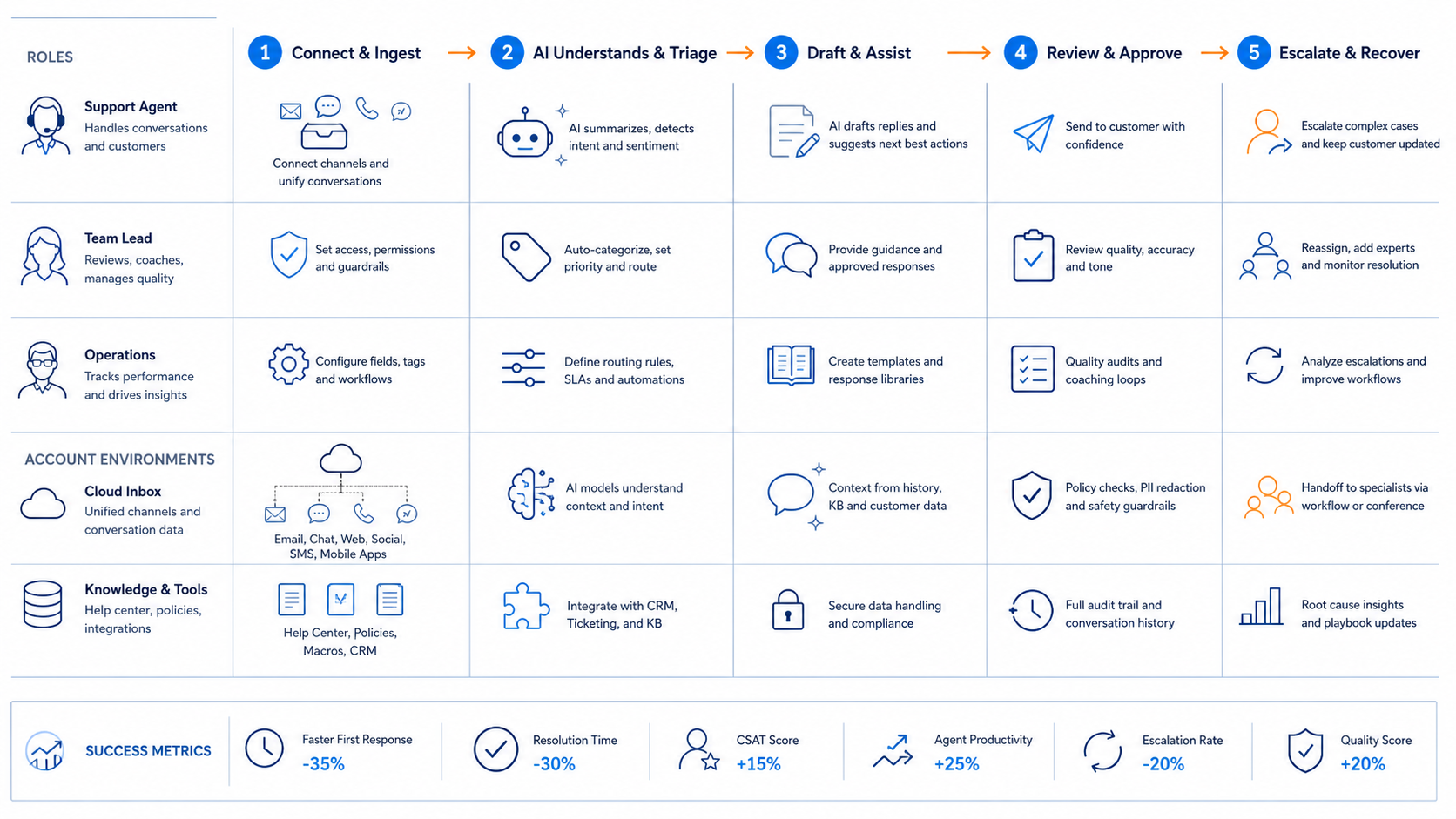
An AI employee platform is a strong fit when the support workflow has repeatable inputs and clear escalation rules. It works best when the team already knows which messages are routine, which require review, and which should never be automated.
Strong-fit signals include:
- The team handles repeated questions across several channels.
- Support accounts are split by brand, region, product, or platform.
- Agents spend time copying context between inboxes and trackers.
- Mobile app inboxes create manual checking work.
- Managers need records of what was drafted, approved, sent, and escalated.
Poor-fit signals are just as important. The platform is not a good first step if the team has no response policy, no account ownership map, and no definition of sensitive topics. In that case, write the support SOP first.
The same boundary applies to social workflows. Social media marketing can generate customer questions, but support needs a different review model than content publishing. A reply to a complaint is not the same operational risk as a scheduled post.
Common mistakes to avoid
The most common mistake is starting with full auto-reply. That skips the safer learning phase. Triage, draft preparation, and routing are better first steps because they create useful structure without removing human judgment.
Another mistake is treating all channels as equal. A public comment, a private message, a marketplace dispute, and a support ticket have different risk levels. Each channel needs its own approval rule and record format.
A third mistake is ignoring account environments. Support teams sometimes share browser sessions or mobile devices because it feels faster. That creates confusion when several agents work across many accounts. Cloud phone environments and browser profiles should be assigned deliberately, not shared casually.
Volume-only reporting creates a fourth problem. A team may celebrate more replies while missing rising edits, wrong escalations, or unresolved complaints. Support automation should be judged by quality and recovery, not only activity count.
The final mistake is vague ownership. Every support worker should have a human owner. Someone must decide when to update templates, change escalation rules, pause a workflow, or investigate repeated failures.
Pilot rollout, measurement, and recovery checks
A support pilot should run like an operations experiment. It needs a defined scope, a review rhythm, and a recovery path. Do not expand to more channels until the first queue shows reliable routing and review behavior.
Track these pilot metrics:
- Triage accuracy: how often messages land in the right category.
- Draft approval rate: how often suggested replies pass review.
- Edit load: how much rewriting human agents still do.
- Escalation precision: how often sensitive messages reach the right owner.
- Response cycle time: how long a message waits before a reviewed next step.
- Exception recovery: how quickly failed or unclear cases are resolved.
Recovery checks should be explicit. Pause the workflow when wrong-account replies appear, escalation misses rise, public complaints increase, or agents start overriding drafts too often. Then inspect the role definition, account mapping, response source, and approval rule before restarting.
Android Enterprise resources frame mobile devices as managed work environments with policies, apps, and controls. Support teams can borrow that mindset even without enterprise-scale device management. Mobile execution should be treated as a governed workspace, not as a random phone screen.
Frequently Asked Questions
What is an AI employee platform for support?
It is a system for assigning support tasks to AI-assisted workers, then routing those tasks through controlled environments, review rules, and records.
Can AI employees replace human support agents?
They should not be framed that way. A safer model is AI-assisted triage, draft preparation, follow-up tracking, and human-reviewed execution.
What should customer support teams automate first?
Start with message classification and routing. Those steps are easier to test than final customer-facing replies.
Do support teams need browser profiles?
Browser profiles help when support work happens inside web dashboards, social inboxes, or account-specific tools. They keep sessions and ownership clearer.
Do support teams need cloud phones?
Cloud phones are useful when support workflows depend on mobile apps or persistent Android account environments. Browser-only teams may not need them at first.
How should sensitive messages be handled?
Refunds, complaints, legal issues, abuse reports, and account access problems should stop for human review before any final customer-facing action.
What metrics matter most?
Triage accuracy, draft approval rate, escalation precision, unresolved exceptions, and response cycle time are more useful than raw reply volume.
How does MoiMobi fit support operations?
MoiMobi connects AI-assisted support work with browser and mobile execution environments, account workspaces, task logs, and multi-account operations.
Conclusion
Customer support teams should evaluate an AI employee platform by workflow control, not by auto-reply promises. The strongest first use case is usually triage plus reply preparation, with humans approving sensitive or public responses.
The next step is simple: choose one inbox, define message categories, map the account environment, set stop rules, and measure review quality for one pilot cycle. Once that support loop works, the team can expand into mobile inbox checks, follow-up queues, customer engagement, and multi-account support operations.