
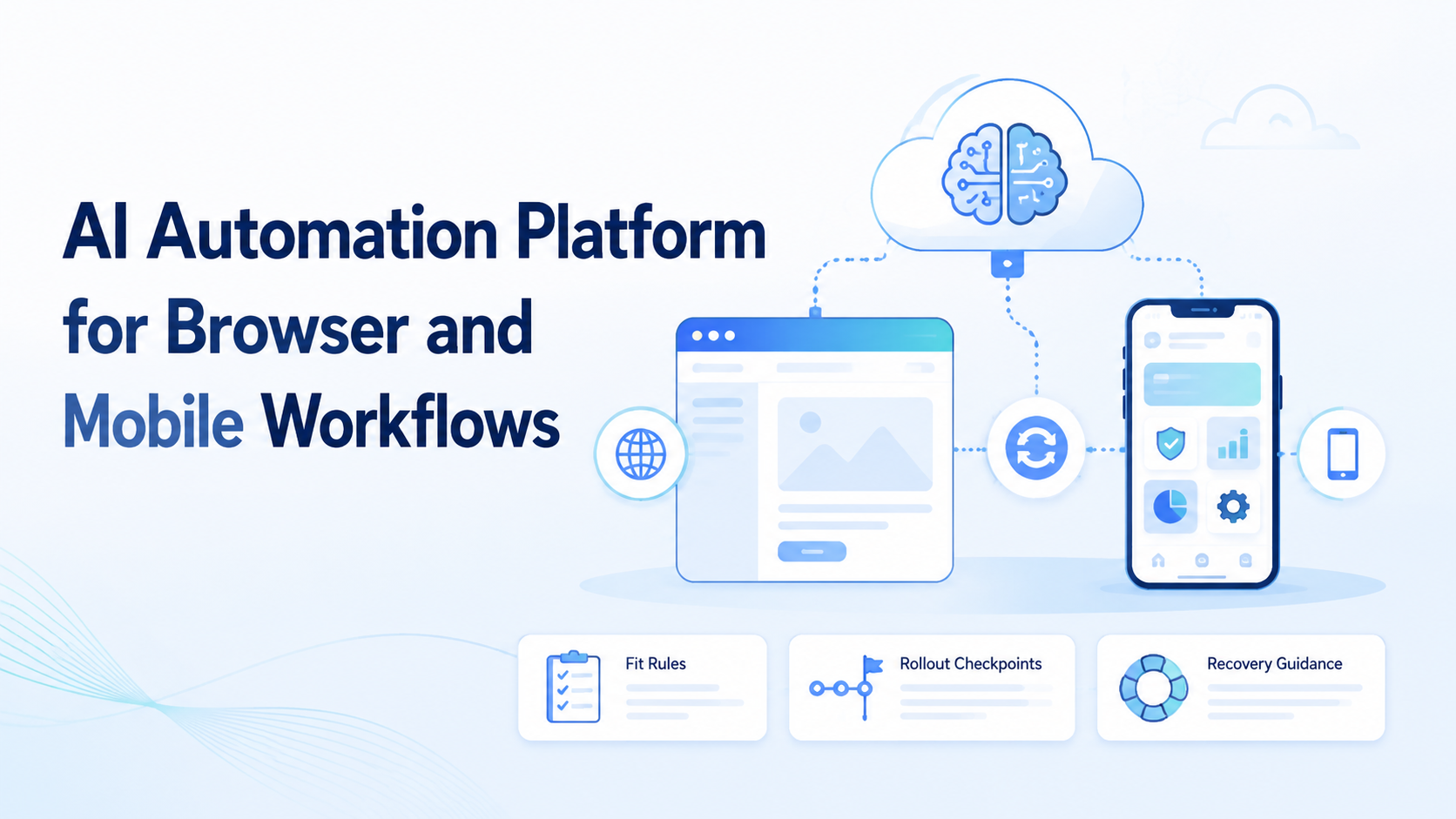
Key Takeaways
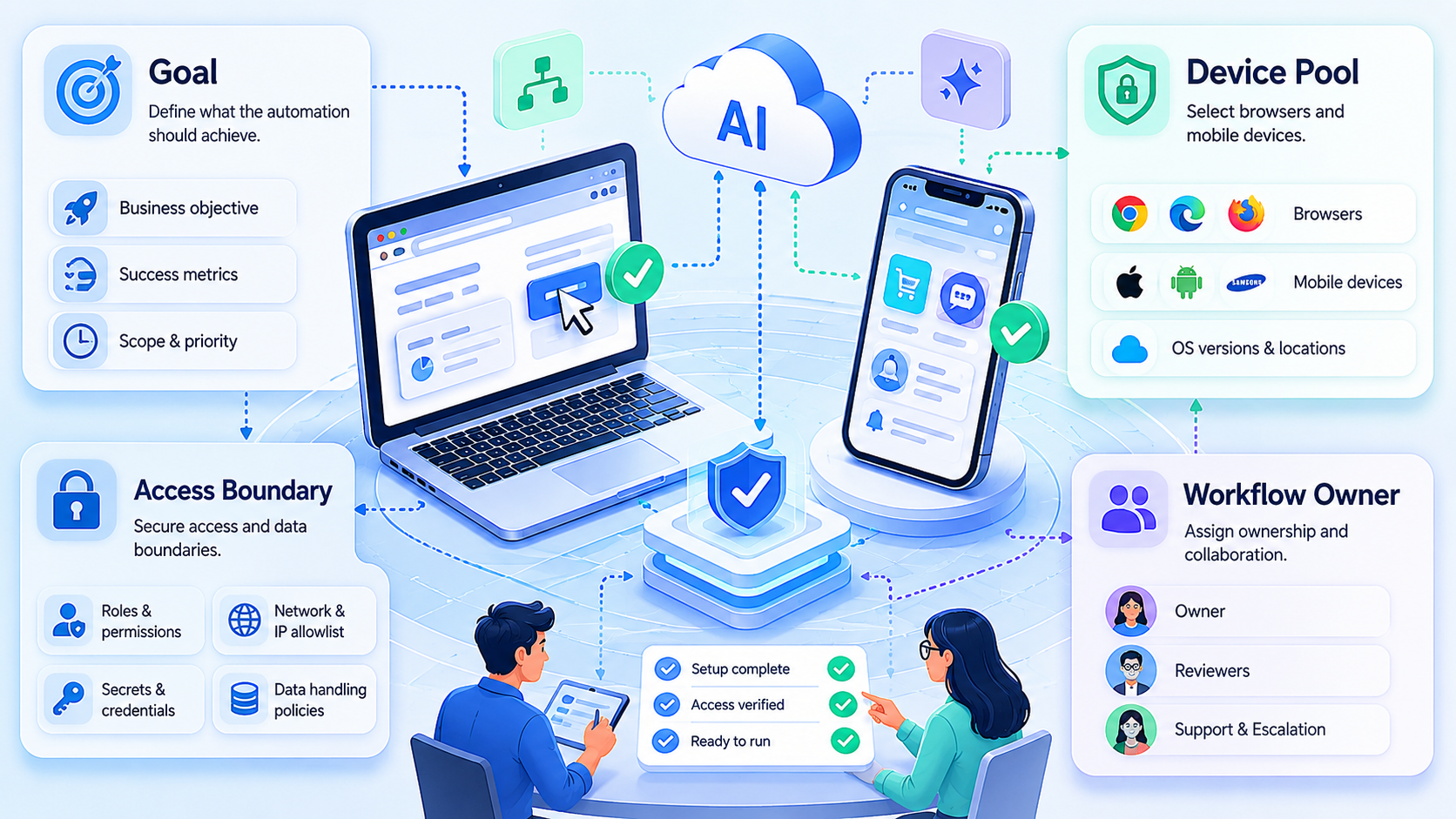
- An automation platform is useful when it controls runtime, state, and review across browser and mobile lanes.
- The practical form of an AI browser is part of a larger execution stack.
- Teams should choose browser or mobile execution by task boundary, not by convenience.
- Strong pilots focus on recovery and correction cost before capacity expansion.
AI Automation Platform for Browser and Mobile Workflows is an operating layer that lets teams run repeated tasks across browser sessions and mobile environments with defined controls. The value does not come from one prompt box. It comes from connecting planning, execution, isolation, and review into one system.
This becomes important when a team moves beyond one channel. A browser workflow may handle dashboards, form entry, or web messaging. A mobile workflow may handle app-native actions, device state, or mobile-only interfaces. Once the two start overlapping, manual handoff becomes the bottleneck.
Official standards show why this is an execution problem. WebDriver defines browser automation through explicit sessions and commands.1 Playwright separates browser state through isolated contexts.2 Android Enterprise treats device environments as managed workspaces with policy controls.3 Those sources point to the same operating rule: automation gets more reliable when the environment is controlled.
The Core Idea Behind AI Automation Platform for Browser and Mobile Workflows
The wrong framing is to ask whether an AI browser can automate the work. The better question is whether the platform can run the workflow with clean state and clean recovery.
An AI browser may provide the browser-facing interface, but the platform has a broader job. It has to select the runtime, reopen the right state, route the result, and pause when a step needs human review. Without those controls, browser and mobile work stay disconnected.
A useful platform usually includes these layers:
- workflow definition
- browser or mobile runtime selection
- session or device isolation
- manual takeover rules
- result and failure logging
That layered model matters more than adding another script or another device.
Why Teams Search for AI Automation Platform for Browser and Mobile Workflows
Teams usually search this topic after they hit a coordination ceiling.
One operator may work inside browser dashboards. Another may finish steps in a mobile app. A third may review results or handle exceptions. The immediate pain looks like slow execution. The deeper issue is that nobody owns the full run model.
That is why an AI browser discussion often leads quickly to cloud phone infrastructure or mobile automation. The question is not just how to automate. The question is how to automate across runtimes without making debugging harder.
When teams search this phrase, they are usually evaluating whether a platform can replace scattered point tools with one controlled execution path.
Who Benefits Most and In What Situations
This model is strongest when workflows are repeated, cross-channel, and sensitive to state.
Teams with repeated browser steps, mobile follow-up, and account-based review.
Teams with browser-heavy work today and growing mobile dependency.
Teams doing mostly one-off work with no stable process to repeat.
Typical examples include:
- social media operations that cross dashboards and mobile apps
- support or engagement lanes with browser plus app inbox work
- multi-account operations that need clean runtime separation
If the workflow has no stable path, the platform may be premature. If the workflow repeats and cleanup is increasing, the platform usually becomes easier to justify.
How to Evaluate or Start Using AI Automation Platform for Browser and Mobile Workflows
Begin with checkpoints, not a big rollout.
- Checkpoint 1: Map the runtime split. Mark which steps are browser-native and which are mobile-native.
- Checkpoint 2: Map the state boundary. Decide what session, account, or device state may persist.
- Checkpoint 3: Map the owner. Give one person or lane responsibility for failures.
- Checkpoint 4: Map the takeover rule. Decide exactly when the workflow pauses.
- Checkpoint 5: Map the next link. If the workflow is account-heavy, review multi-account management or device isolation before scaling.
AWS Device Farm and BrowserStack App Automate both emphasize repeatable controlled environments for mobile execution.4 5 The same rule applies outside testing. If the task cannot be reproduced in the same environment, the team will struggle to diagnose failures.
Mistakes That Reduce Results
The first mistake is measuring automation by finished actions alone. Finished actions do not tell you whether the workflow is maintainable.
Another mistake is forcing one lane to do both browser and mobile work without explicit transitions. That usually causes state confusion, especially when the same account or queue reappears in multiple places.
Teams also lose control when they ignore environment naming and routing. A browser session should reopen predictably. A mobile environment should reopen predictably. If those rules are vague, the platform turns into a manual rescue system.
Common failure modes include:
- scaling capacity before recovery rules exist
- treating state persistence as an afterthought
- assigning one worker to unrelated workflows
- skipping run logs because the first tests seem fine
Pilot Rollout, Measurement, and Recovery Checks
The first pilot should be small enough to inspect run by run and broad enough to expose the real handoff points.
Use a simple review model:
| Review area | What to inspect | Good sign |
|---|---|---|
| Runtime choice | Was each step in the right lane? | Few manual reroutes |
| Correction cost | How much cleanup followed a run? | Low manual rework |
| Takeover speed | How quickly could a person resume the run? | Short handoff time |
| Repeatability | Could the team rerun the workflow cleanly? | Same path, same result class |
Recovery checks are part of the pilot, not an afterthought. If a browser session expires, the platform should reopen the right context. If a mobile environment stalls, the team should know whether to retry, replace, or pause the lane. Teams that validate recovery early usually scale with less noise.
For cloud-device-heavy workflows, it can also help to compare the pilot against cloud phone farm infrastructure or cloud phone vs emulator so runtime choices stay grounded in actual task requirements.
Frequently Asked Questions
Is this the same as browser automation?
No. Browser automation is one component. The platform also manages mobile lanes, isolation, and review.
Does every workflow need mobile execution?
No. Mobile execution only matters when the workflow truly depends on app-native steps or device state.
What should a team automate first?
Start with one narrow repeated workflow with a clear pass or fail rule.
Why does recovery matter so much?
Because a workflow that cannot recover cleanly will create manual cleanup at scale.
Can one worker span browser and mobile tasks?
Yes, but the transition points must be explicit and easy to review.
What is a warning sign in a pilot?
Frequent human rescue is a stronger warning sign than low throughput in the first batch.
When should a team add more capacity?
Add more capacity only after correction cost and takeover speed are stable.
Conclusion
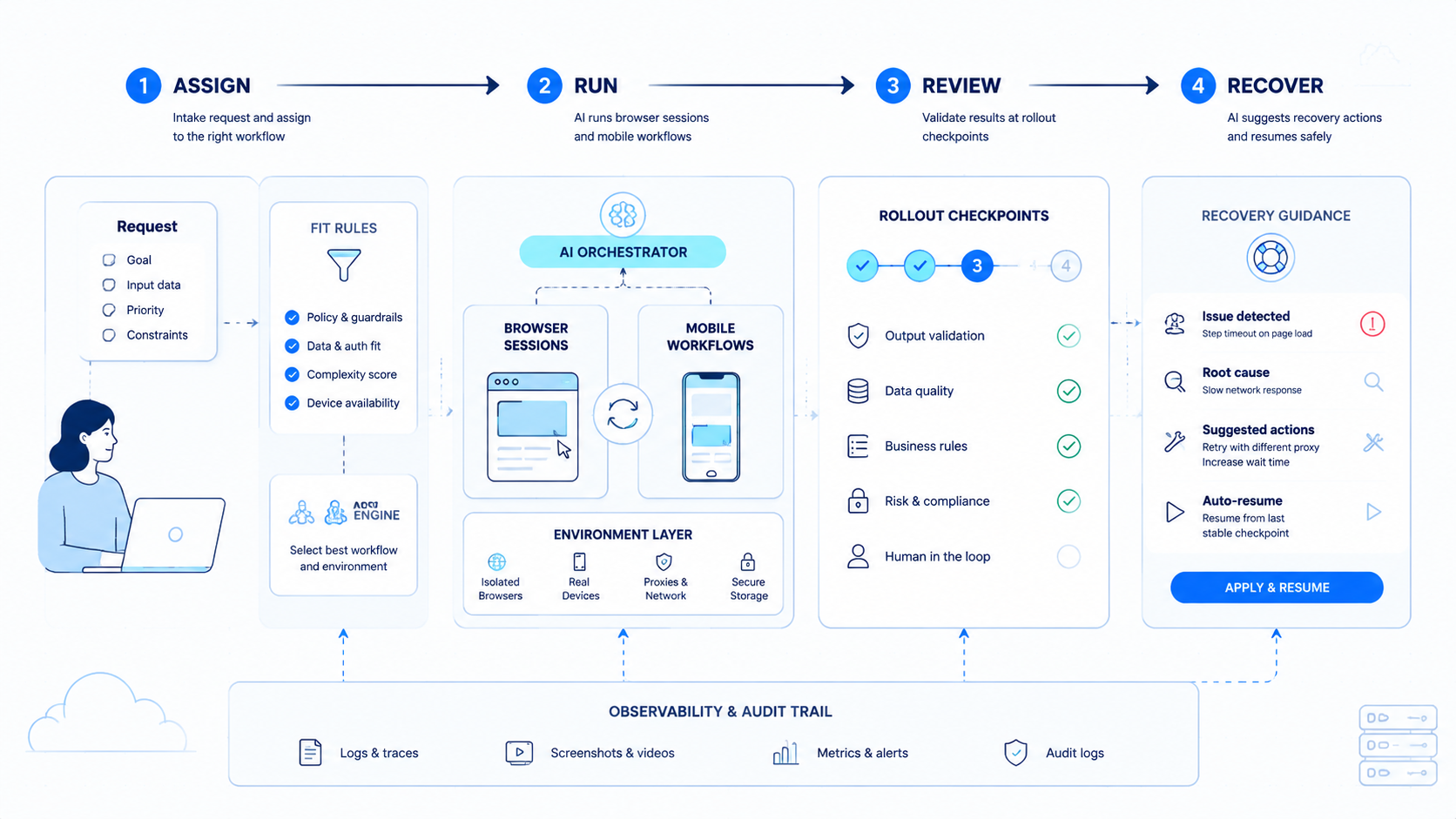
An AI automation platform for browser and mobile workflows is useful when it turns mixed-channel execution into a controlled operating model. The platform should make runtime choice, state handling, and recovery easier to reason about.
Before expanding, rank the next checks in this order: runtime fit, isolation quality, and recovery speed. If those three are strong, the workflow is in a better position to scale.



