Content Type: guide
Page Role: longtail
Intent Type: informational
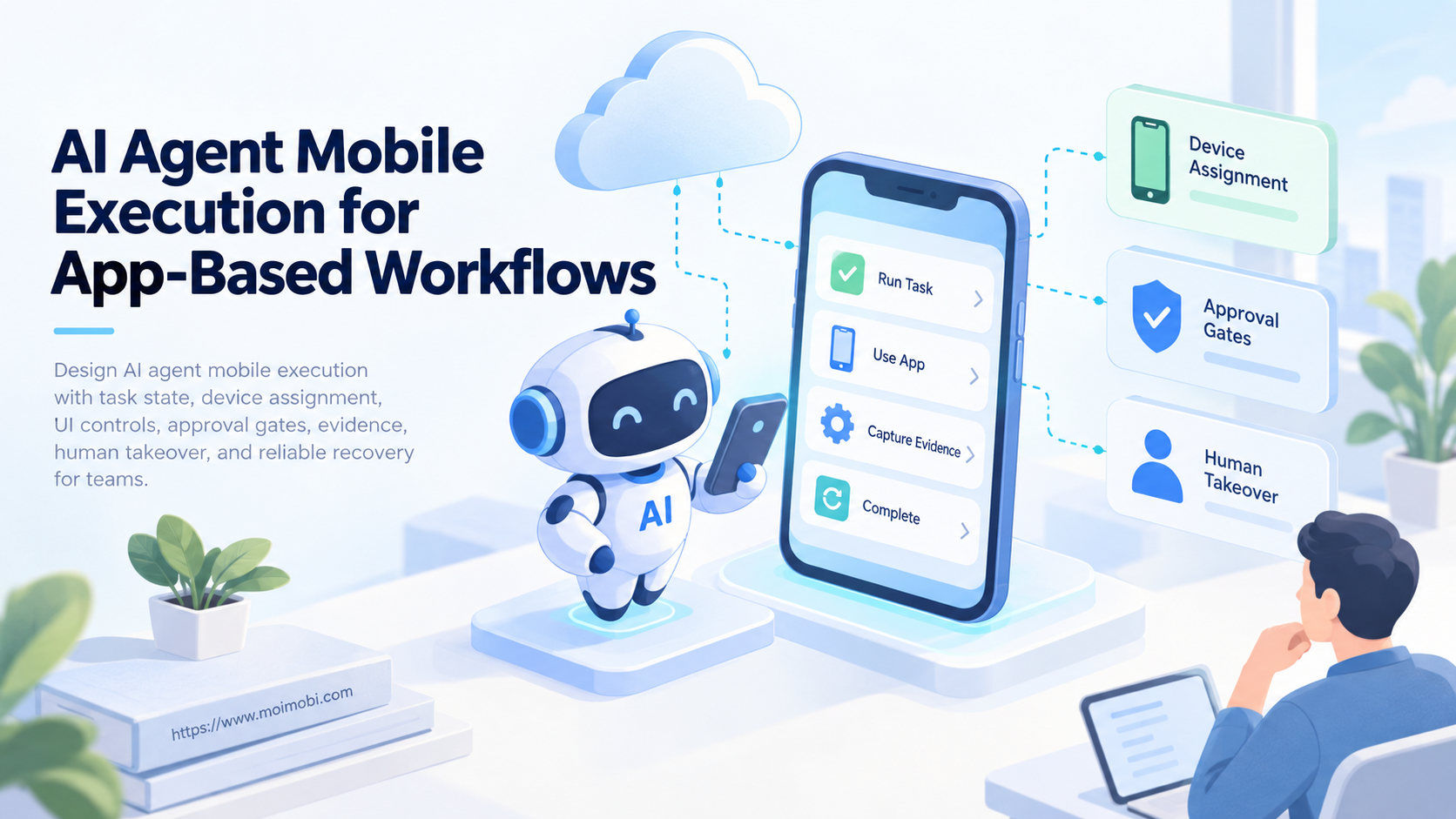
AI agent mobile execution is a controlled system that turns an approved task into observable actions inside a mobile app. It combines planning, device assignment, UI control, state checks, evidence, and human takeover. The agent is only one component in that system.
App workflows are harder than simple API calls. Screens change, sessions expire, prompts appear, networks stall, and the same tap can produce different outcomes. A reliable design therefore limits the agent's choices and verifies remote state before it declares success.
Teams should begin with narrow tasks that have clear inputs and outcomes. Examples include opening a case, checking a status, preparing a post, collecting a public field, or routing an exception. High-impact actions such as payment, deletion, credential changes, or public publishing need stronger approval and recovery controls.
Key Takeaways
- Treat the agent, mobile device, app session, and business task as separate resources.
- Use deterministic checks before and after any model-selected action.
- Bind each run to one account, one device environment, one policy, and one owner.
- Capture screenshots, UI state, action results, and remote identifiers as execution evidence.
- Pause for a person when the app state is uncertain, sensitive, or outside the allowed path.
What AI Agent Mobile Execution Actually Includes
AI agent mobile execution has four layers. The planning layer interprets the task and chooses from approved skills. The orchestration layer assigns a device, session, account, and deadline. The execution layer reads and operates the app UI. The control layer enforces permissions, approval, evidence, timeouts, and recovery.
Conflating these layers creates fragile automation. A model should not hold account credentials, choose any available device, and decide whether its own result is valid. Each responsibility needs a narrow interface. The agent requests an action; the executor performs it; the verifier checks the observed result; the workflow engine changes business state.
Appium's official architecture overview separates core APIs, platform drivers, client libraries, and optional plugins. That separation is useful beyond testing. It shows why an AI planner should call a stable execution contract rather than produce raw gestures for every app.
| Layer | Owns | Must not own alone |
|---|---|---|
| Planner | Goal interpretation and approved skill choice | Credentials or final success state |
| Orchestrator | Queue, device lease, policy, timeout | Free-form UI decisions |
| Mobile executor | App launch, UI action, screenshot, result | Business approval |
| Verifier | Expected state and remote checks | New task scope |
| Human operator | Exceptions and sensitive decisions | Hidden unlogged changes |
The output of a run is not “the agent finished.” It is a state transition backed by evidence. For example, a publishing task needs a remote post identifier or visible confirmation tied to the expected account. A screenshot of a tapped button is not enough.
Why App-Based Workflows Need a Different Execution Model
Mobile apps expose less stable control surfaces than structured APIs. A workflow may depend on screen hierarchy, text labels, permissions, keyboards, modal dialogs, deep links, and operating-system state. Updates can shift selectors or introduce onboarding screens without changing the business goal.
Android's official UI Automator guidance describes locating visible components by properties such as text or content description. It also explains interaction without depending on the target app's internal code. This observable-UI approach is useful, but production automation still needs app-specific state models and stop rules.
A robust task defines its start state, allowed transitions, success evidence, and failure classes. “Reply to a customer” is too broad. A better task specifies the account, conversation, approved draft, expected input screen, review requirement, submission action, and remote reply identifier.
Mobile execution also needs a durable environment. The assigned cloud phone may preserve the Android session, app installation, and account context between runs. Persistence does not remove risk. The workflow must still verify the selected account, app state, network route, and task ownership at execution time.
Preflight Checklist for AI Agent Mobile Execution
Do not dispatch an agent until the task passes a preflight contract:
- the task has a unique ID and idempotency key;
- the account, app, device pool, region, and owner are explicit;
- the requested skill is approved for that account and environment;
- required content or data has a frozen version;
- credentials are available through a controlled session, not the prompt;
- the device meets app, OS, network, and policy requirements;
- the expected starting screen can be confirmed;
- sensitive actions identify their approval rule;
- success and uncertain outcome states are defined;
- retry limits, timeout, and human takeover are assigned.
Device policy and task automation are related but different. Google's Android Management API overview documents a policy-driven model using enterprises, enrollment tokens, policies, and device resources. That model can govern a managed fleet. It does not decide the business steps inside a third-party app.
Use a pre-authorized account-device registry before device leasing. The scheduler should select from environments already permitted for the account. It should not open a global list and let the model choose by name.
How to Build an AI Agent Mobile Execution Workflow
- Normalize the request. Convert the business request into a typed task with account, app, input version, policy, deadline, and expected result.
- Evaluate policy. Check whether the skill is allowed, whether approval is present, and whether the task contains sensitive or unsupported actions.
- Lease an environment. Reserve one healthy device mapped to the account and region. Prevent another task from using the session simultaneously.
- Inspect the start state. Capture app package, foreground activity, screenshot, UI hierarchy, login state, and visible blockers.
- Select an approved skill. Give the planner bounded actions such as open screen, search record, enter approved text, request review, or stop.
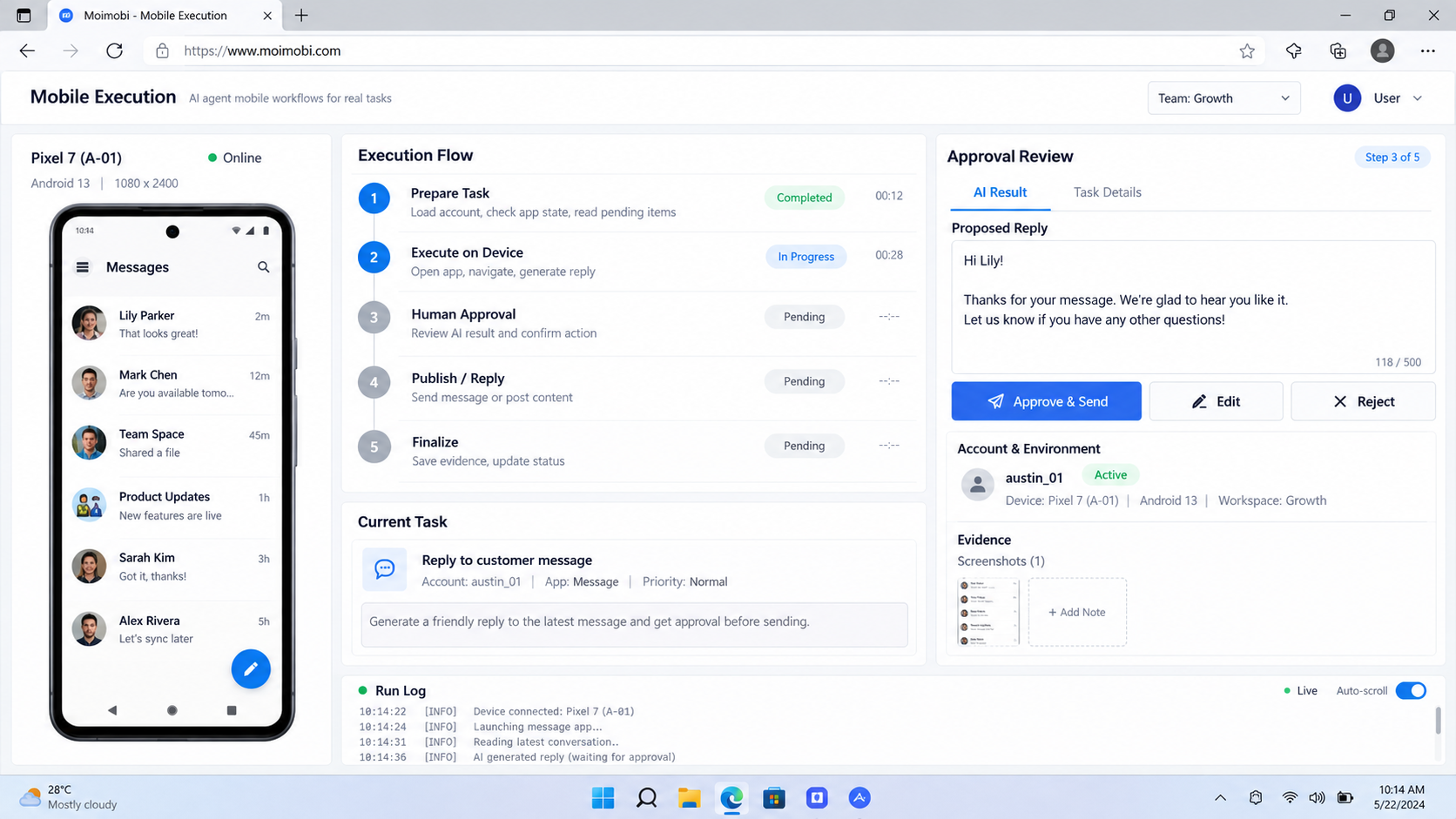
- Execute one checkpoint at a time. Record the selected action, observed target, result, elapsed time, and next expected state.
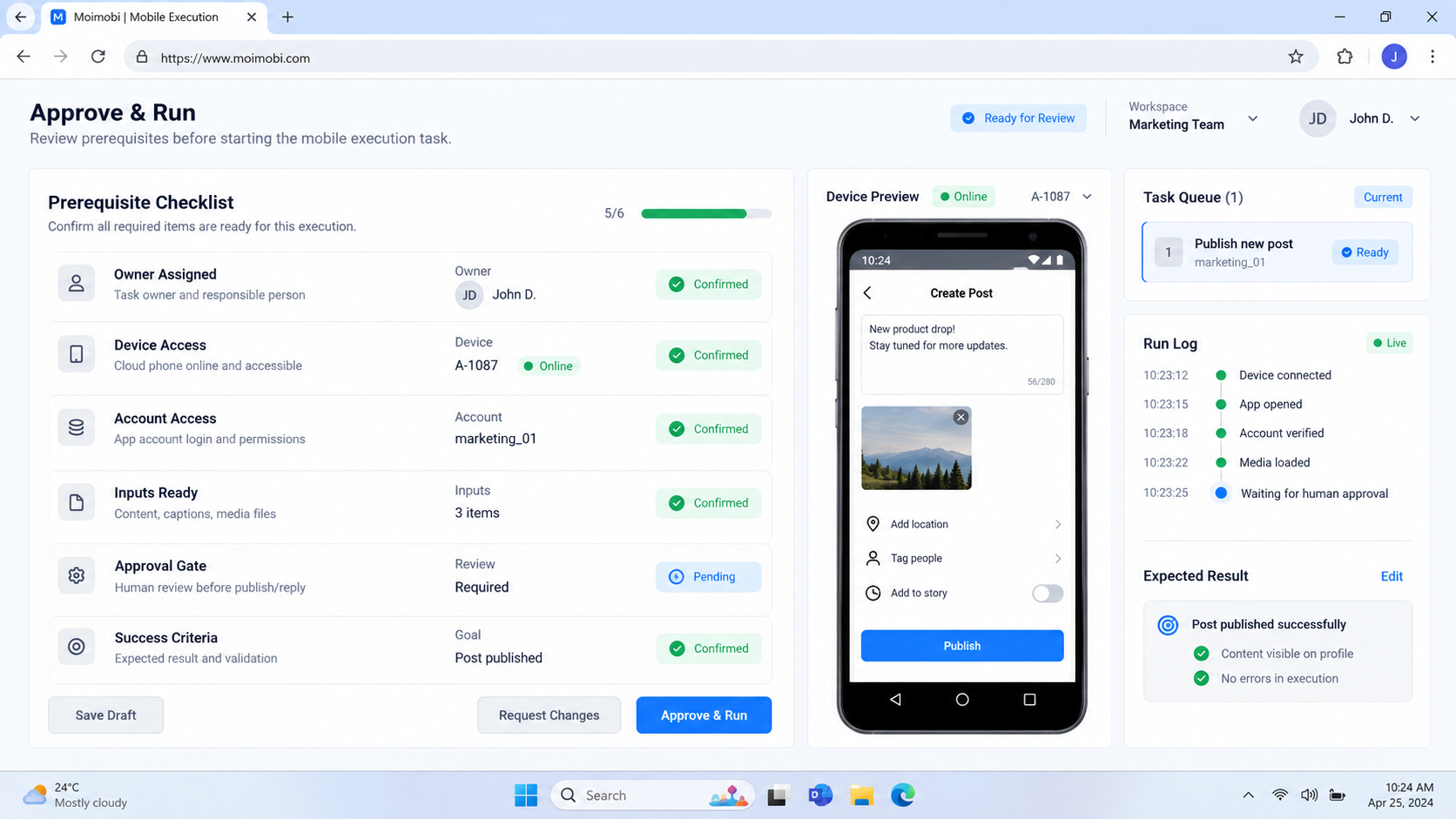
- Require approval where defined. Freeze the proposed payload and show the reviewer the account, destination, context, and action.
- Commit the action. Recheck the account, screen, payload version, and approval immediately before the irreversible step.
- Verify remote state. Look for an app confirmation and, when possible, a remote identifier or independent status read.
- Close, retry, or hand off. Release the device only after the outcome is known or an operator owns the unresolved case.
The AI agent mobile execution layer should expose semantic commands rather than coordinates. open_conversation(conversation_id) is safer to reason about than tap(734, 1182). The driver may still use coordinates as a fallback, but the task log should preserve the intended action and the observed target.
Use checkpoints around any action that can create external change. A content workflow might allow the agent to navigate, fill a draft, and validate fields. The final publish action can require a person or deterministic policy. A governed app execution system should enforce that boundary outside the model prompt.
State, Memory, and Skill Boundaries
Task memory should store facts needed for the current workflow, not a free-form history of every screen. Useful state includes the account, current step, extracted identifiers, selected content version, approval event, attempts, and latest observed screen. This keeps the run resumable and reviewable.
Long-term memory belongs in controlled systems. Approved response templates belong in a content library. Account-to-device mappings belong in operations data. Platform rules belong in policy configuration. The mobile agent can retrieve these records, but it should not silently rewrite them from one run.
A skill needs a contract:
| Skill field | Example purpose |
|---|---|
| Preconditions | Account logged in and expected screen visible |
| Inputs | Conversation ID and approved reply version |
| Allowed actions | Navigate, fill, preview, request approval |
| Forbidden actions | Change password, add payment method, delete account |
| Success evidence | Remote reply ID or confirmed conversation state |
| Stop rules | Unknown modal, account mismatch, repeated selector failure |
| Recovery owner | Support operations queue |
Skills should be small enough to test. A single “run social media” skill hides too many decisions. Separate discovery, drafting, approval, publishing, reply handling, and evidence collection so each can have its own limits.
Verification and Recovery in AI Agent Mobile Execution
AI agent mobile execution fails in three broad ways. A known failure means the action did not complete. A known success has reliable evidence. An uncertain outcome means the app or connection failed after the commit action, so the system cannot tell whether the remote change occurred.
Uncertain outcomes must not trigger blind retries. Reopen the target screen, query the remote record, or route the case to a person. Repeating a publish, message, order, or payment action can create duplicate external effects.
Use an idempotency key at the business-task level even when the app lacks native idempotency. Record whether a commit was attempted and store any remote identifier. The scheduler should reject a second active task with the same key unless recovery explicitly authorizes it.
Verification should match the action:
- a post needs the expected account, content fingerprint, and remote post ID;
- a reply needs the source conversation and remote reply state;
- a profile edit needs a read-back of the changed field;
- a collected value needs the source screen and extraction time;
- a scheduled action needs the platform's queued record, not only local intent.
The session-separation control layer should preserve account boundaries during recovery. A failed task must not be moved to an arbitrary logged-in device merely because it is available. Reassignment requires a compatible environment and a fresh account-state check.
Human Takeover Without Losing Context
Human takeover is a workflow state, not a remote desktop button. The operator needs the task goal, account, device, current screen, prior actions, extracted data, approvals, error class, and recommended next step. Without that context, takeover becomes a restart.
Set clear triggers. Route to a person when the app shows an unknown security prompt, the account differs from the task, required data is private, the requested action exceeds policy, the same selector fails repeatedly, or success cannot be verified. High-impact actions can require takeover before the commit step.
The operator's actions should enter the same event log. Record whether the person completed, cancelled, corrected, or requeued the task. If they change the task payload, create a new version and reapply required approvals.
After takeover, release the device only when the business outcome is recorded. Closing the remote session does not prove the workflow is complete.
Fit and Not-Fit Boundaries
- Tasks repeat with clear inputs.
- App states are observable.
- Accounts map to environments.
- Success can be verified.
- Judgment varies by case.
- Private data may appear.
- UI changes frequently.
- A person approves final action.
- The goal is vague engagement.
- Actions evade platform controls.
- No recovery owner exists.
- Success cannot be observed.
Good early candidates include internal app checks, content preparation, structured data collection, queue triage, status reads, and reviewer-assisted publishing. These tasks have bounded steps and visible outcomes.
Avoid starting with account creation, payment flows, security settings, unsolicited messaging, or high-volume public actions. These combine policy, identity, financial, or reputation risk with difficult recovery.
Pilot, Measurement, and Recovery Checks
Pilot AI agent mobile execution with one app, one skill, one account class, and one device pool. Use test or low-impact accounts where permitted. Keep an operator available and limit concurrency until the team understands screen variants and failure modes.
Track stage-level measures rather than one success rate:
- preflight pass and rejection reasons;
- environment lease time and health failures;
- start-state recognition accuracy;
- action retries by selector or screen;
- approval wait and reviewer edits;
- verified success, known failure, and uncertain outcome;
- human takeover triggers and resolution time;
- duplicate effects prevented;
- device cleanup and release status.
Exercise failure before expansion. Expire a session, disable the network, change the app language, insert an unknown modal, revoke an approval, and interrupt the connection after commit. The workflow should stop, preserve evidence, and choose the correct recovery path.
Expansion requires evidence that the workflow does not cross account boundaries, bypass approvals, lose unresolved tasks, or retry uncertain outcomes. Add concurrency only after device leasing, isolation, and remote verification are proven.
Frequently Asked Questions
Is AI agent mobile execution the same as Appium automation?
No. Appium can provide the UI automation interface. Agent execution also needs planning, task state, policy, device assignment, verification, approval, and recovery.
Does an AI agent need direct access to credentials?
Usually not. Use an assigned persistent session or a controlled credential service. Keep secrets out of prompts, screenshots, and task logs.
Can one mobile agent manage many accounts?
The scheduler may coordinate many account-bound workers. Each active task should still use the account and environment assigned to it, with clear isolation and ownership.
What should happen when the UI changes?
Stop after bounded selector or state failures. Capture the screen and hierarchy, classify the change, update the skill, and test before broad reuse.
When is human approval required?
Use it for sensitive, public, financial, destructive, low-confidence, or policy-dependent actions. The exact rule belongs in workflow policy, not model discretion.
How do teams prevent duplicate actions?
Use a business idempotency key, record commit attempts, verify remote state, and never retry an uncertain outcome without a read-back or operator decision.
What evidence should each run keep?
Keep task inputs, device and account IDs, observed states, action log, screenshots at key checkpoints, approvals, remote identifiers, errors, and final outcome.
Should every mobile workflow use a cloud device?
No. Choose physical, managed, or cloud environments based on app compatibility, region, access, observability, and operating needs. The control model remains necessary in each case.
Conclusion
AI agent mobile execution becomes useful when it is constrained by a real operating system. The planner chooses approved skills. The orchestrator assigns an account-bound environment. The executor performs observable actions. Verification and policy decide whether the task can advance.
Start with one narrow app workflow and define its start state, allowed actions, approval gate, success evidence, and recovery owner. Test uncertain outcomes before increasing volume. Scale only after the team can resume, verify, and audit every run without losing account or task boundaries.