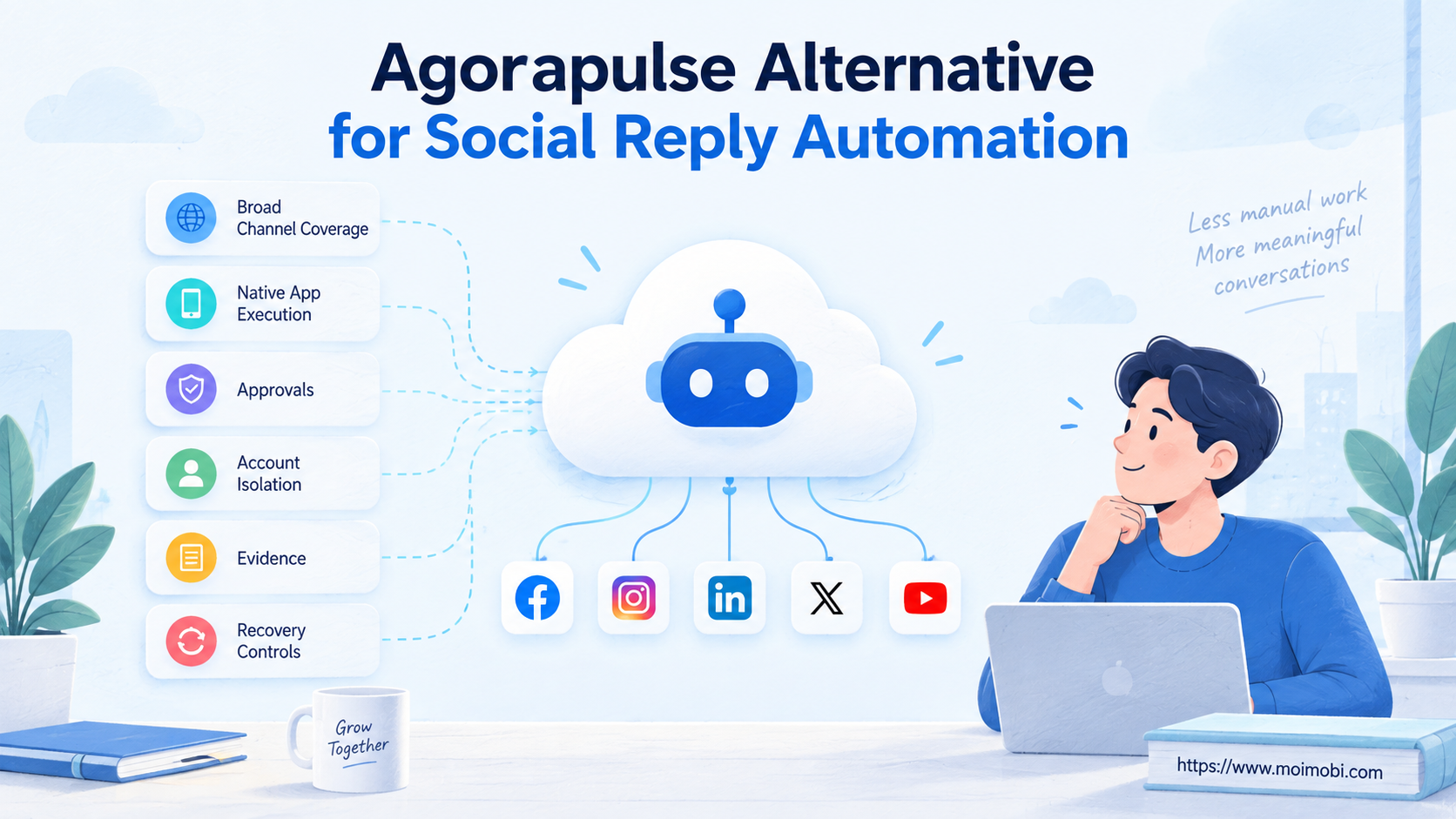
An Agorapulse alternative is a different operating model for collecting, assigning, approving, and sending social replies. Choose a unified inbox when supported APIs cover the channels and actions you need. Choose an execution-oriented system when replies require a logged-in browser, a native mobile app, isolated account environments, or operator takeover.
That distinction matters more than a long feature list. Agorapulse already provides a capable inbox for comments, mentions, reviews, direct messages, and ad comments across supported networks. A replacement only makes sense when your actual reply path falls outside that inbox model or when your team needs stronger environment-level controls.
Key Takeaways
- Keep Agorapulse when API-backed inbox coverage matches the work.
- Evaluate alternatives by reply path, not by the number of integrations advertised.
- Separate triage, approval, execution, and evidence into distinct stages.
- Test mobile-only and exception cases before committing to a migration.
- Require stop rules, human takeover, and replayable records for automated replies.
What to Compare Before Choosing an Agorapulse Alternative
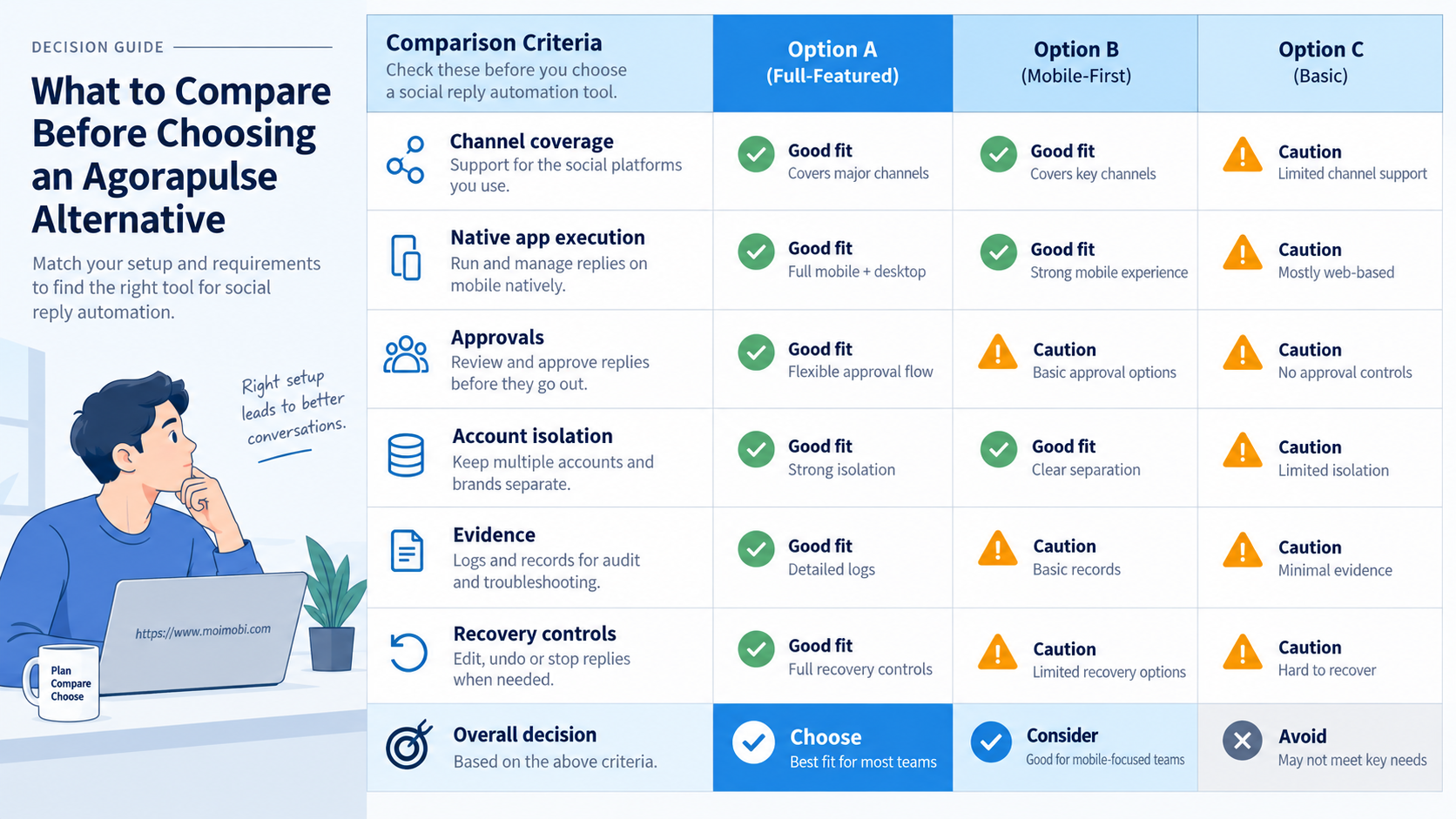
Start with the exact interaction your team must handle. A public Instagram comment, an Instagram direct message, a TikTok comment, and a mobile-only customer conversation are not interchangeable. Each can require different permissions, interfaces, timing, and review controls.
Agorapulse says its Inbox can process supported interactions across Facebook, Instagram, Threads, X, YouTube, TikTok, LinkedIn, and Google Business. Its official Inbox documentation also shows important boundaries. TikTok messages, for example, are not synchronized, and the available item types differ by network.
Use these five questions before comparing vendors:
- Where does the reply originate? Record the network, account, post, item type, and whether it is organic or paid.
- Which interface can complete it? Confirm whether an approved API, web interface, or native mobile app supports the required action.
- Who decides the response? Separate automated classification from final approval for complaints, prices, refunds, and sensitive claims.
- Which account environment is responsible? Fix the account, session, device, and operator before execution.
- What proves completion? Save the final reply, timestamp, task owner, returned status, and escalation outcome.
Do not select an Agorapulse alternative because it promises “more automation.” Select it only when it closes a verified workflow gap. A team that mainly needs one inbox and assignment controls may add complexity by moving to browser or mobile execution.
Agorapulse Alternative Comparison for Social Reply Workflows
The best option depends on where control must sit. Unified inbox tools center control around API-connected conversations. Workflow builders center it around triggers and integrations. Execution platforms center it around account environments and task completion.
| Option | Best fit | Main strength | Primary boundary |
|---|---|---|---|
| Agorapulse or another unified inbox | Supported comments, mentions, reviews, and DMs | Central triage, assignment, labels, and replies | Network APIs decide what can be read or sent |
| Workflow builder | Routing data between inbox, CRM, and approvals | Flexible triggers and business-system handoffs | Still needs a valid connector or execution endpoint |
| Browser execution | Web-only account tasks and exception handling | Works inside an assigned authenticated web session | UI changes, session health, and takeover require governance |
| Mobile execution | Native App workflows unavailable through desktop tools | Runs the task in an assigned Android environment | Needs device ownership, routing, permissions, and recovery rules |
| Hybrid operations | Large teams with both API and native tasks | Uses the simplest valid path for each interaction | Requires one task model across several execution paths |
The hybrid model is usually the practical comparison point. Keep supported conversations in the inbox. Route only confirmed exceptions to a controlled web or mobile queue. Moimobi's reply-exception operating layer is relevant when a team must connect account environments, approvals, and execution records around those exceptions.
Key Differences Between Agorapulse and an Execution Alternative
The first difference is the unit being managed. A social inbox manages conversation items. An execution platform manages tasks assigned to an account environment. Confusing those units creates duplicate replies and unclear ownership.
- Coverage: Inbox coverage follows supported networks, item types, permissions, and sync behavior. Execution coverage follows the actions that can be completed in a controlled browser or mobile environment.
- Assignment: An inbox assigns a conversation to a teammate. An execution queue also assigns an account, environment, operating path, deadline, and recovery owner.
- Approval: Saved replies can speed common responses. Sensitive replies still need review rules based on intent, customer history, claim type, and business impact.
- Evidence: A reviewed inbox item indicates queue progress. Execution evidence should also capture the final interface state, account, reply text, time, and returned result.
- Recovery: Connector failures may require token renewal or native handling. Browser and mobile failures may require session repair, re-authentication, UI review, or manual takeover.
Agorapulse's network table illustrates why coverage must be tested rather than assumed. It documents different synchronization schedules and item availability by platform. A broad “social reply automation” claim is therefore too vague for procurement.
The wrong approach is to route every interaction through a simulated user interface. That increases maintenance and removes the benefits of official integrations. Use API-backed inbox actions first when they are available and approved. Reserve environment execution for gaps that have been documented in the pilot.
Agorapulse Alternative Features, Workflow, and Trade-Offs
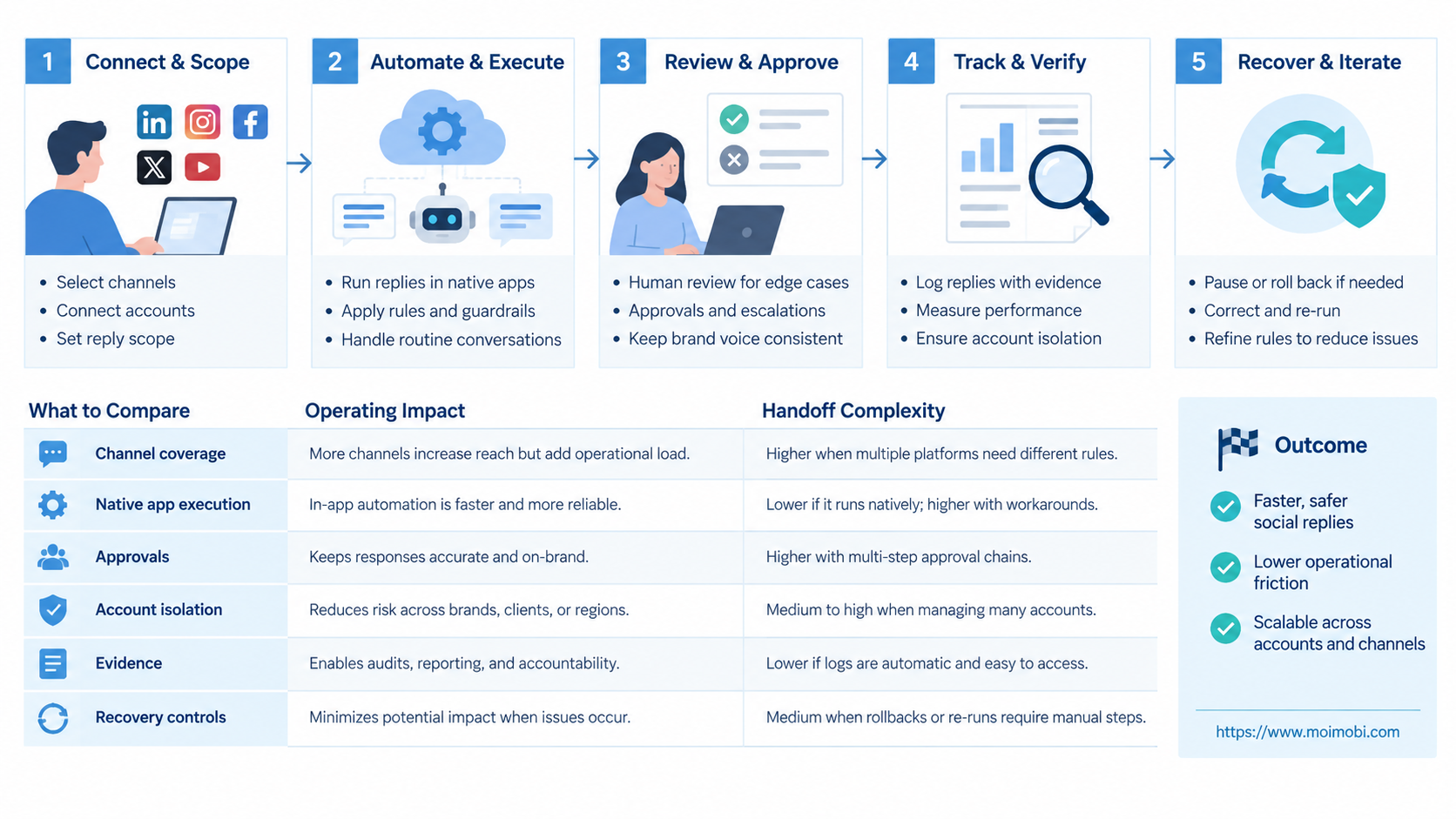
Social reply automation is not one autonomous bot answering everyone. A workable design is a chain of controlled decisions. It starts with ingestion and ends with evidence or escalation.
- Ingest. Collect the supported comment, mention, review, or message with its native identifier.
- Classify. Mark language, intent, urgency, account, campaign, and sensitivity.
- Choose a path. Use inbox reply, browser task, mobile task, or human-only handling.
- Draft. Generate or select a response from approved knowledge and current customer context.
- Review. Require approval for regulated claims, complaints, refunds, prices, or uncertain intent.
- Execute. Send from the assigned account through the approved path.
- Verify. Confirm the reply is visible and record the result.
- Recover. Pause, retry safely, or hand the task to an operator when verification fails.
This model prevents a common failure: treating a generated reply as a completed customer interaction. Drafting, sending, and confirming are separate states. A task is not complete merely because an AI produced text.
Native mobile work also has practical limits. Agorapulse documents replies, labels, assignments, and saved responses in its mobile app. Its mobile Inbox guide says several desktop capabilities, including advanced filters, exports, bulk actions, and moderation-rule editing, are not available there. This is a reminder to test the precise interface, not just the product name.
When a reply must happen in a native application, an assigned native-app execution control plane can coordinate the device task, approval, and evidence. It should complement official integrations, not impersonate an unrestricted messaging API.
Agorapulse Alternative Pricing and Operational Considerations
Subscription price is only one cost. Compare the labor and failure cost attached to each path. An inexpensive connector becomes costly when operators repeatedly repair missing context or reconcile duplicate replies.
Build a monthly cost model with four rows:
| Cost area | Measure | Warning signal |
|---|---|---|
| Software | Seats, profiles, add-ons, devices, and workflow runs | Cost grows faster than active accounts |
| Operations | Triage, review, escalation, and reporting time | High manual reconciliation time |
| Maintenance | Connector, selector, session, and device repair | Frequent breakage after interface changes |
| Failure | Missed replies, duplicates, wrong-account sends, and delayed handoff | No owner or incident record |
Avoid comparing a unified inbox seat directly with a device instance. They solve different parts of the workflow. First map the number of conversations that remain in the inbox, the number that need native execution, and the percentage requiring human judgment. Then price the combined operating model.
Account isolation adds value only when ownership is explicit. The team should know which account belongs to which environment, proxy route, operator role, and customer queue. Moimobi's account-to-environment ownership map addresses that operating layer for teams that cannot safely treat all accounts as one shared session.
Which Option Fits Different Teams
No single Agorapulse alternative fits every reply team. Match the system to the largest recurring workflow, then handle exceptions separately.
- Supported network APIs cover most conversations.
- Assignment, labels, saved replies, and moderation are the main needs.
- The team wants one queue with minimal execution infrastructure.
- Replies must connect to CRM, support, order, or approval data.
- A supported inbox already performs the final send.
- The main problem is routing rather than account execution.
- A verified task is unavailable through the existing connector.
- The workflow requires a native App or logged-in web session.
- Account-to-environment assignment and evidence are mandatory.
A customer support team with high message volume may prefer the unified inbox. An agency managing several brands may need inbox assignment plus strict account boundaries. A mobile-first commerce team may keep public comments in an inbox while routing a small set of native follow-ups to assigned devices.
Do not adopt an execution platform if the team has no owner for session health, exception queues, and recovery. Additional control surfaces create operational duties. They do not remove them.
Who It Fits and When It Is a Strong Match
An execution-oriented alternative is a strong match for teams with repeatable exceptions, not for teams seeking limitless auto-replies. The workflow should already have defined triggers, response rules, ownership, and escalation boundaries.
It fits when:
- one account must stay tied to one controlled browser or Android environment;
- replies require data from an internal order, lead, or support system;
- operators need to approve selected replies before sending;
- native-app actions are a documented part of the workflow;
- completion requires screenshots, status fields, logs, or later review;
- failures must enter a recovery queue instead of disappearing.
It is not a strong fit when the desired outcome is mass unsolicited messaging, unreviewed AI replies, or attempts to bypass platform controls. It is also unnecessary when a supported inbox already handles the interaction reliably.
The TikTok boundary offers a useful example. TikTok's official video comment query documentation describes a scoped research endpoint for public comments and replies. That does not imply a general-purpose business reply API. Teams must verify the approved interface for each intended action rather than inferring capabilities from a data endpoint.
Pilot Rollout, Measurement, and Recovery Checks
Run a two-week pilot on one account group and two reply types. Include one common path and one known exception. Do not migrate every channel at once.
Track these fields for every pilot task:
| Field | Why it matters | Pass condition |
|---|---|---|
| Source item ID | Prevents duplicate processing | One task per interaction |
| Account and environment | Prevents wrong-account execution | Assignment matches policy |
| Reply path | Explains how the action was completed | Approved path recorded |
| Review status | Protects sensitive decisions | Required approval captured |
| Final response | Supports audit and coaching | Exact sent text retained |
| Completion evidence | Distinguishes draft from execution | Result verified in interface |
| Failure reason | Makes recovery measurable | Actionable code or note present |
| Recovery owner | Prevents abandoned exceptions | Named owner and deadline |
Measure median first-response time, duplicate rate, wrong-account incidents, approval turnaround, verified completion rate, and manual recovery time. Volume alone is not a success metric. A faster queue that produces uncertain or duplicate replies is a failed pilot.
Set stop rules before launch. Pause the affected path when account assignment is missing, the interface changes, reply verification fails repeatedly, permissions expire, or the queue starts processing the same item twice. Keep unaffected API-backed paths running while the exception is investigated.
At the end, compare the pilot with the existing inbox baseline. Expand only if the alternative closes a real coverage gap without increasing unresolved work. A controlled cloud phone environment may support native Android exceptions, but it should remain one layer inside the reply workflow rather than becoming the workflow itself.
Frequently Asked Questions
What is the best Agorapulse alternative for social replies?
The best option matches the actual reply path. Choose another unified inbox for API-covered conversations, a workflow builder for routing, or browser and mobile execution for verified native-interface gaps.
Can Moimobi replace the Agorapulse social inbox?
Not as a direct one-for-one inbox replacement. Moimobi is better evaluated as execution infrastructure for assigned browser and mobile tasks, account environments, approvals, and evidence around workflows that need those controls.
Does social reply automation mean fully automatic responses?
No. Reliable automation can classify, draft, assign, and record work while retaining human approval for sensitive cases. Fully automatic sending is only appropriate for narrowly defined, low-risk replies with a tested stop rule.
Can an n8n workflow automate TikTok comments?
n8n can coordinate data and steps when an approved connector or endpoint supports the action. It does not create platform permissions. Confirm the exact read and reply interfaces before designing the workflow.
Should teams use browser automation for every comment?
No. Official inbox and API paths are usually easier to maintain. Browser execution is better reserved for documented web-only gaps, exception handling, or workflows that need an authenticated session and human takeover.
When is mobile execution necessary?
Use it when a required action is available only or most reliably in the native Android app. Verify that requirement during the pilot instead of assuming every social workflow needs a device.
How should AI-generated replies be reviewed?
Route replies by risk. Routine acknowledgements may use approved templates. Complaints, refunds, prices, legal claims, health claims, and uncertain intent should require a named reviewer.
What evidence should a reply workflow retain?
Retain the source item, account, environment, final text, reviewer, execution time, result, and recovery history. Avoid storing unrelated personal data merely because it appears on screen.
How can a team avoid duplicate replies during migration?
Use one source item ID, one system of record, and one completion status. Run the pilot on a bounded account group, and never let both systems send the same interaction without an explicit handoff rule.
Conclusion
An Agorapulse alternative should solve a verified operating gap. Agorapulse remains a sensible choice when its supported inbox covers the team's comments, messages, mentions, and assignments. Workflow integration becomes useful when those conversations need CRM or approval context. Browser or mobile execution belongs only where a native task, account boundary, or evidence requirement justifies the added operations.
Before choosing, map ten real interactions from intake to verified reply. Record the interface, account, reviewer, evidence, and failure path for each one. Pilot the smallest uncovered segment, compare it with the inbox baseline, and expand only after recovery controls work.