Content Type: guide
Page Role: longtail
Intent Type: informational
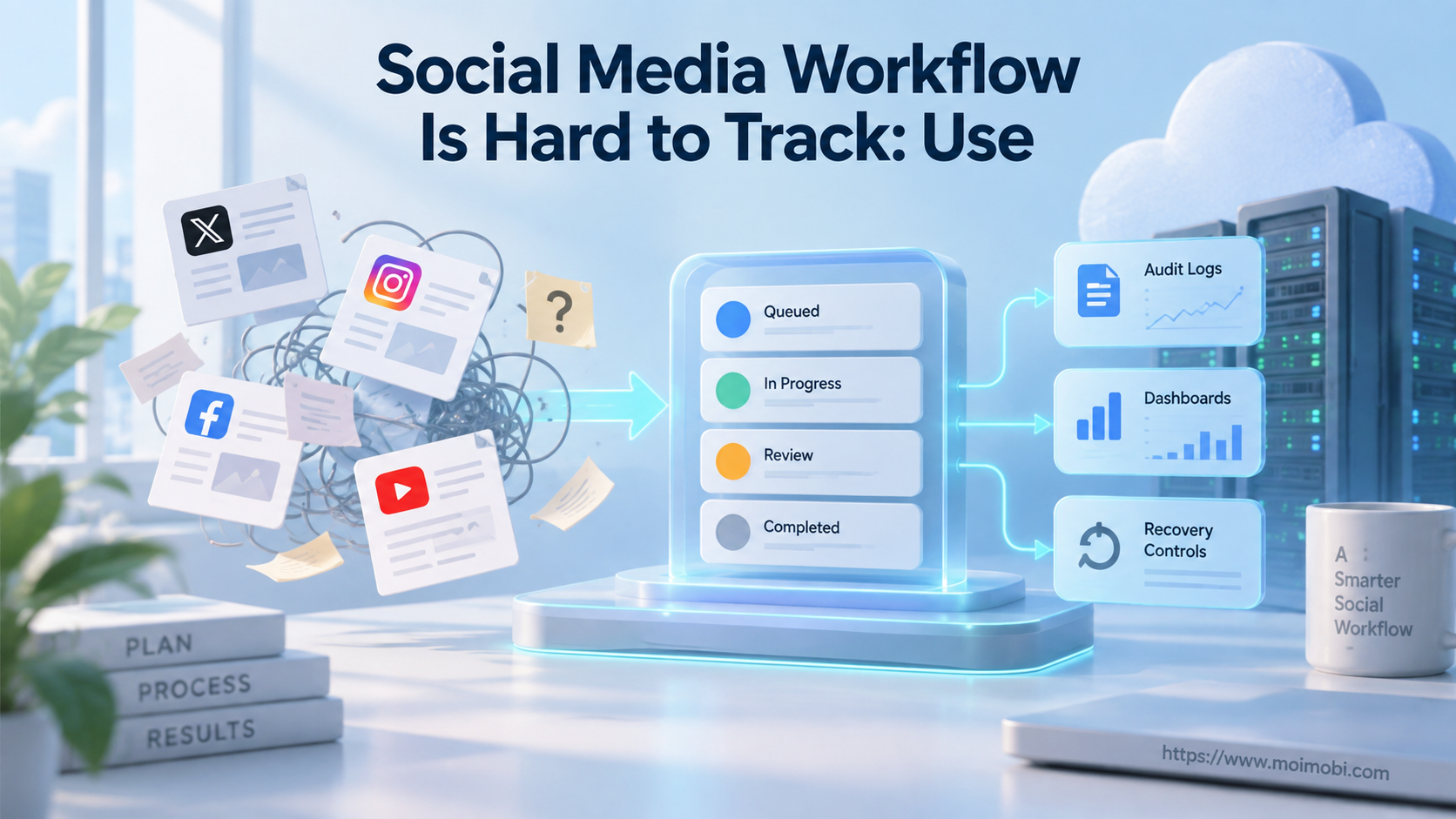
Social media workflow tracking is a system for showing what work exists, who owns it, what state it is in, what changed, and what happened on the external platform. Task queues control the work. Audit logs explain the history. A dashboard is useful only when it reads from both.
Spreadsheets and chat messages usually fail once several accounts, platforms, and operators share the same process. A row can say “published” while the platform rejected the post. Two people can reply to the same customer. A failed task can be retried after it already succeeded remotely.
The solution is not more status labels. Teams need a small task state machine, account-bound queues, idempotent execution, structured events, and explicit recovery. These controls turn activity into a workflow that can be resumed and reviewed.
Key Takeaways
- Store business state separately from the chronological event history.
- Give each task one owner, one account, one payload version, and one idempotency key.
- Use queue leases and heartbeats so concurrent workers do not process the same task blindly.
- Treat uncertain remote outcomes differently from known failures.
- Build dashboards from state and events, not from manually edited summary fields.
Why a Social Media Workflow Is Hard to Track
Tracking breaks when a team uses one field to represent several facts. “Done” may mean an editor approved the text, a worker clicked publish, the platform accepted the request, or someone visually confirmed the post. Those are different events and need different evidence.
The second problem is distributed ownership. A content lead approves creative, an account operator controls the login session, a regional manager confirms local details, and a support agent handles replies. Without a task record, each person sees only their own message thread.
The third problem is external state. Social platforms can delay, reject, duplicate, or partially complete an action. The internal system must reconcile its task with the remote post, comment, message, or scheduled item. Otherwise, the team cannot distinguish “not attempted” from “attempted but outcome unknown.”
| Tracking symptom | Hidden cause | Required control |
|---|---|---|
| Duplicate posts or replies | Concurrent work or blind retry | Lease plus idempotency key |
| Tasks disappear after failure | Queue message acknowledged too early | Retry and dead-letter policy |
| Dashboard says done, post is missing | Local action treated as remote success | Remote verification |
| No one knows who changed copy | Mutable record without events | Versioned payload and audit event |
| Wrong account publishes content | Queue not bound to account | Account-task ownership map |
| Operators repeat investigation | Errors lack context | Structured failure class and evidence |
When a Social Media Workflow Is Hard to Track, Separate Queue and Log
A task queue answers “what should be processed next?” An audit log answers “what happened over time?” Combining them into one table usually causes trouble. Queue rows change as work advances, while event rows should remain append-only.
Amazon's official SQS visibility timeout guidance explains a core queue pattern. A received message remains stored but is temporarily hidden from other consumers. If processing does not complete, it can become available again. The same guidance notes at-least-once delivery behavior, so the consumer must still handle repeated delivery safely.
Social operations need the same discipline even when the queue is implemented in a database. A worker claims a task for a limited time. It extends the lease while healthy. It completes the task only after the result is known. Repeated failures move to an exception queue instead of circulating forever.
The audit log records each meaningful transition. OWASP's Logging Cheat Sheet distinguishes application, process, audit, and transaction trails from security event logging because they serve different purposes. A social workflow event log should focus on attributable business actions while sensitive security data stays protected.
Define a Small State Machine
Use states that change what the system may do next. Avoid decorative labels that mean the same thing. A practical content path might be:
draft -> review_requested -> changes_requested -> approved -> scheduled -> executing -> verified
Add terminal or exception states such as cancelled, expired, ineligible, failed, and manual_review. Keep outcome_unknown distinct from failed. A task with an unknown outcome may have created a remote post and should not be retried until reconciliation runs.
Every transition needs a rule. For example:
- only the current payload version can move to
approved; - approval must name its scope and expiry;
scheduledrequires an assigned account and publish window;executingrequires an active lease;verifiedrequires remote evidence;- a payload edit after approval returns the task to review;
- an expired task cannot be executed without a new decision.
Keep human status and worker status related but separate. A reviewer can see “Waiting for approval” while the technical queue records review_requested. A worker can be running without changing the business task to success.
Preflight Checklist for Social Media Workflow Tracking
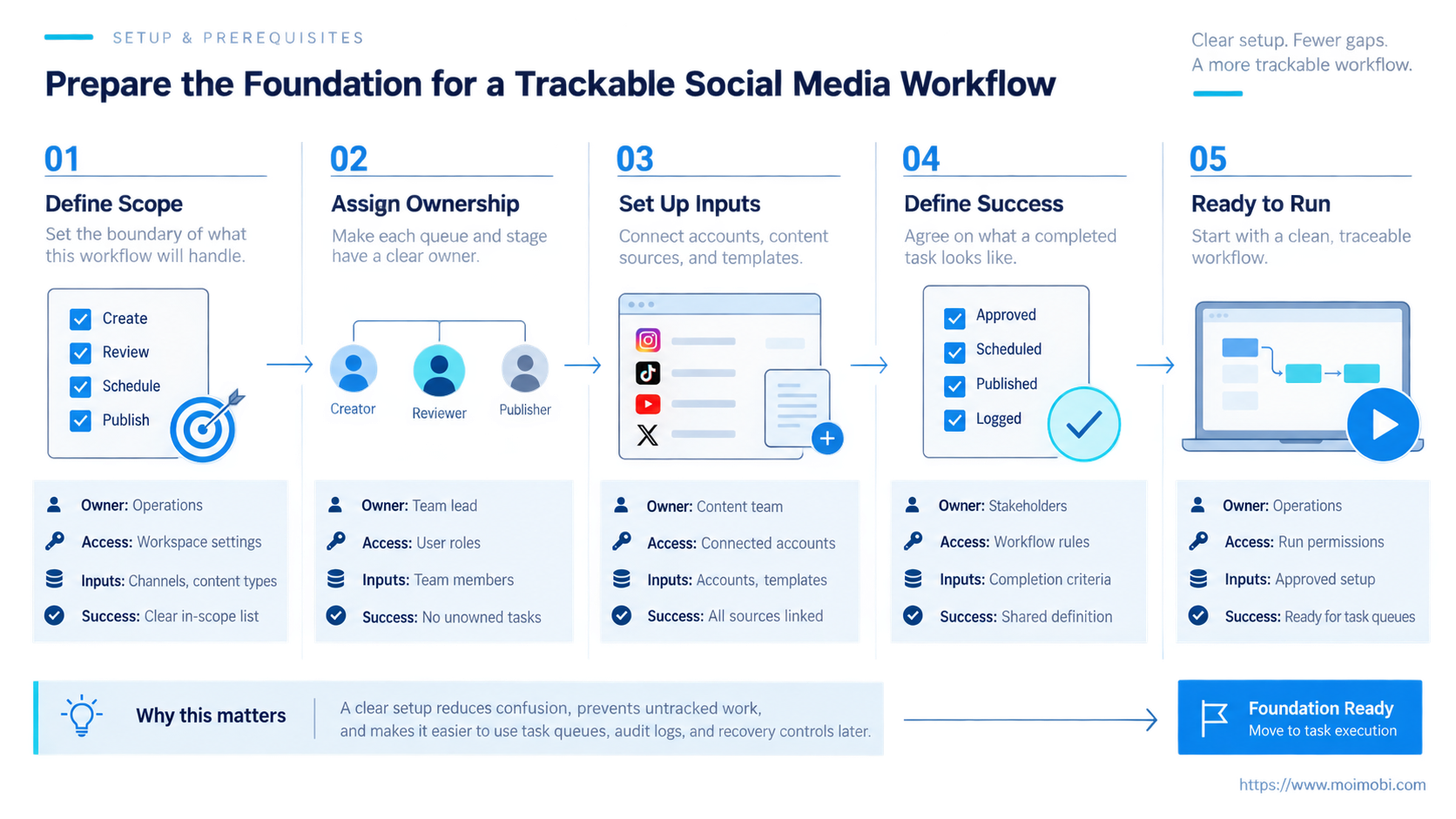
Before adding dashboards, define the data contract:
- task ID and idempotency key;
- account, platform, region, language, and owner;
- task type and approved skill;
- payload version and content fingerprint;
- current business state and reason;
- queue priority, available time, attempt count, and lease owner;
- approval requirement, approver, decision, and expiry;
- source object such as campaign, conversation, or customer case;
- remote object ID and URL when available;
- failure class, evidence locations, and recovery owner;
- created, updated, scheduled, claimed, completed, and verified times.
Use a task-account routing registry so a task reaches only workers allowed to operate that account. The account is not a tag. It is part of the execution boundary.
Separate content from task state. Store the proposed copy, approved copy, and published copy as versions or immutable snapshots. Editing one shared text field destroys the evidence needed to understand rework.
How to Build the Queue and Audit Flow
- Create the task. Validate the account, task type, payload version, priority, and idempotency key before enqueueing.
- Record the creation event. Store actor, source, time, initial state, and a correlation ID shared by later events.
- Apply eligibility and approval rules. Route ineligible work, missing data, or required reviews before execution.
- Make the task available. Set its next-attempt time and place it in the account-bound queue.
- Claim with a lease. One worker records its identity and lease expiry. Other workers skip the task while the lease is valid.
- Execute checkpoints. Emit events for environment assignment, session check, prepared payload, commit attempt, and observed response.
- Verify external state. Confirm the intended account and remote object before marking business success.
- Complete or classify failure. Known transient errors can retry. Permanent errors and policy conflicts need a different path.
- Move repeated failures aside. Send them to a dead-letter or manual-review queue with full context.
- Project dashboard views. Build counts, aging, ownership, and exception views from task state plus event history.
Do not acknowledge queue work before the business result is durable. A worker crash after external success but before local completion creates an uncertain outcome. Store the commit attempt and reconcile remote state before retrying.
The social campaign operations framework should use the same task identity from brief through publication. New systems can then report campaign progress without losing account-level execution detail.
Design Audit Events for Reconstruction
An audit event should answer who, what, when, where, why, and result. Use a stable event schema instead of free-form log lines:
| Field | Purpose |
|---|---|
| event_id | Unique event identity |
| task_id / correlation_id | Connects the full workflow |
| event_type | Machine-readable action or transition |
| actor_type / actor_id | Human, service, agent, or worker |
| account_id / environment_id | Execution scope |
| from_state / to_state | Business transition |
| payload_version | Identifies the content involved |
| outcome / reason_code | Result without parsing prose |
| occurred_at / recorded_at | Event time and ingestion time |
| evidence_refs | Screenshots, remote IDs, or reports |
Keep private data and secrets out of the main event payload. Store protected evidence separately and reference it by ID. Logs need access rules, retention, integrity, and disposal policies.
NIST SP 800-92 provides broad log management guidance covering infrastructure and ongoing processes for effective log management. For a social operations system, this means logging is not finished when events are written. Teams also need transmission, storage, access, review, retention, and disposal decisions.
Record policy decisions as events. If a task was blocked because approval expired, keep the policy version and reason code. If an operator overrides a stop, record who authorized it and the resulting scope.
Retry Without Creating Duplicate External Actions
Retries are safe only before an external commit or after a known failure. Network timeouts after a publish request create ambiguity. The worker may not have received the response even though the platform accepted the action.
Assign a business idempotency key before execution. It can combine task type, account, source object, and approved payload version. Reject or reconcile another active task with the same key.
Classify failures:
- Validation failure: fix data; do not retry automatically.
- Policy failure: request review or cancel.
- Environment failure: move to a compatible assigned environment.
- Authentication failure: pause the account and route to an owner.
- Transient platform failure: retry with bounded backoff.
- Permanent platform rejection: record and stop.
- Outcome unknown: read remote state or require manual verification.
Repeated failures should leave the active queue. A task evidence and recovery layer can present the last known screen, action, payload, platform response, and next permitted operation to the human owner.
Dashboards for a Social Media Workflow That Is Hard to Track
A good dashboard is a projection, not the source of truth. It should answer concrete questions:
- Which tasks are ready, waiting, running, or blocked?
- Which account or location owns each task?
- What is older than its service target?
- Which approvals expire soon?
- Which workers hold active leases?
- Which failures are repeating by class?
- Which tasks have unknown remote outcomes?
- Which accounts are paused?
- Can every success be linked to remote evidence?
Avoid one giant “activity” feed. Reviewers need pending decisions. Operators need queues and exceptions. Managers need aging, throughput, rework, and outcome quality. Incident owners need a full event timeline.
The interface should link summary metrics back to task records. A count of twelve failed tasks is not actionable if the user cannot group them by reason, account, skill, or platform response.
Common Mistakes
Using a spreadsheet as both queue and log: Rows are overwritten, claims are weak, and concurrent edits obscure history. Use a task store plus append-only events.
Marking success after a click: A click is an attempt. Verify remote state and save the external object identifier.
Retrying every error: Validation, policy, authentication, permanent rejection, and uncertain outcome require different actions.
Logging only failures: Successful transitions are needed to reconstruct what happened and compare normal runs with incidents.
Storing screenshots without context: Tie each image to task, event, account, device, and time. Otherwise, it is difficult to interpret.
Letting workers share sessions: Use a session-partitioned operating lane and account-bound leasing so concurrent tasks do not overwrite each other's context.
Fixing a Social Media Workflow That Is Hard to Track: Pilot Checks
This model fits teams with multiple accounts, recurring content or reply workflows, several operators, and external actions that need proof. A very small team with a few manual posts may start with a simpler board, but it should still preserve ownership and final evidence.
Pilot one workflow and one account group. Measure queue age, claim conflicts, review rework, retry causes, unknown outcomes, duplicate prevention, and time to recover. Do not use raw activity volume as the main success measure.
Test failure deliberately. Expire a lease, stop a worker after commit, submit a duplicate key, revoke an approval, and make remote verification unavailable. The system should preserve the task, classify the outcome, and prevent unsafe resubmission.
Before expansion, verify:
- one task cannot be actively claimed twice;
- every state change produces an event;
- payload edits invalidate the correct approval;
- unknown outcomes do not auto-retry;
- repeated failures enter an exception queue;
- remote success includes evidence;
- dashboard totals reconcile with task records;
- an operator can reconstruct a full timeline.
Frequently Asked Questions
Is an audit log the same as an application log?
No. Application logs may contain diagnostics. An audit trail records attributable business actions and state changes needed for review and reconstruction.
Does a queue prevent duplicate processing?
A lease reduces concurrent work, but many queue systems use at-least-once delivery. Consumers still need idempotency and remote-state checks.
What should move to a dead-letter queue?
Tasks that exceed bounded retry rules or need analysis should leave the active queue. Preserve their payload, event history, failure class, and owner.
How long should audit logs be retained?
Retention depends on business, legal, privacy, security, and operational needs. Define it by event class and protect access rather than choosing one universal period.
Can AI create audit events?
The workflow service should create events from observed actions and state transitions. Model-generated explanations can supplement, but should not replace structured facts.
How should manual work be tracked?
Use the same task and event model. Record operator assignment, action, reason, evidence, and result so manual recovery stays in the timeline.
What is the first dashboard to build?
Start with tasks by state, owner, account, age, and failure class. Add trend metrics after the underlying events are reliable.
Which metric matters most?
Use verified outcomes and recoverability. Fast throughput is not valuable when tasks duplicate, publish from the wrong account, or cannot be reconstructed.
Conclusion
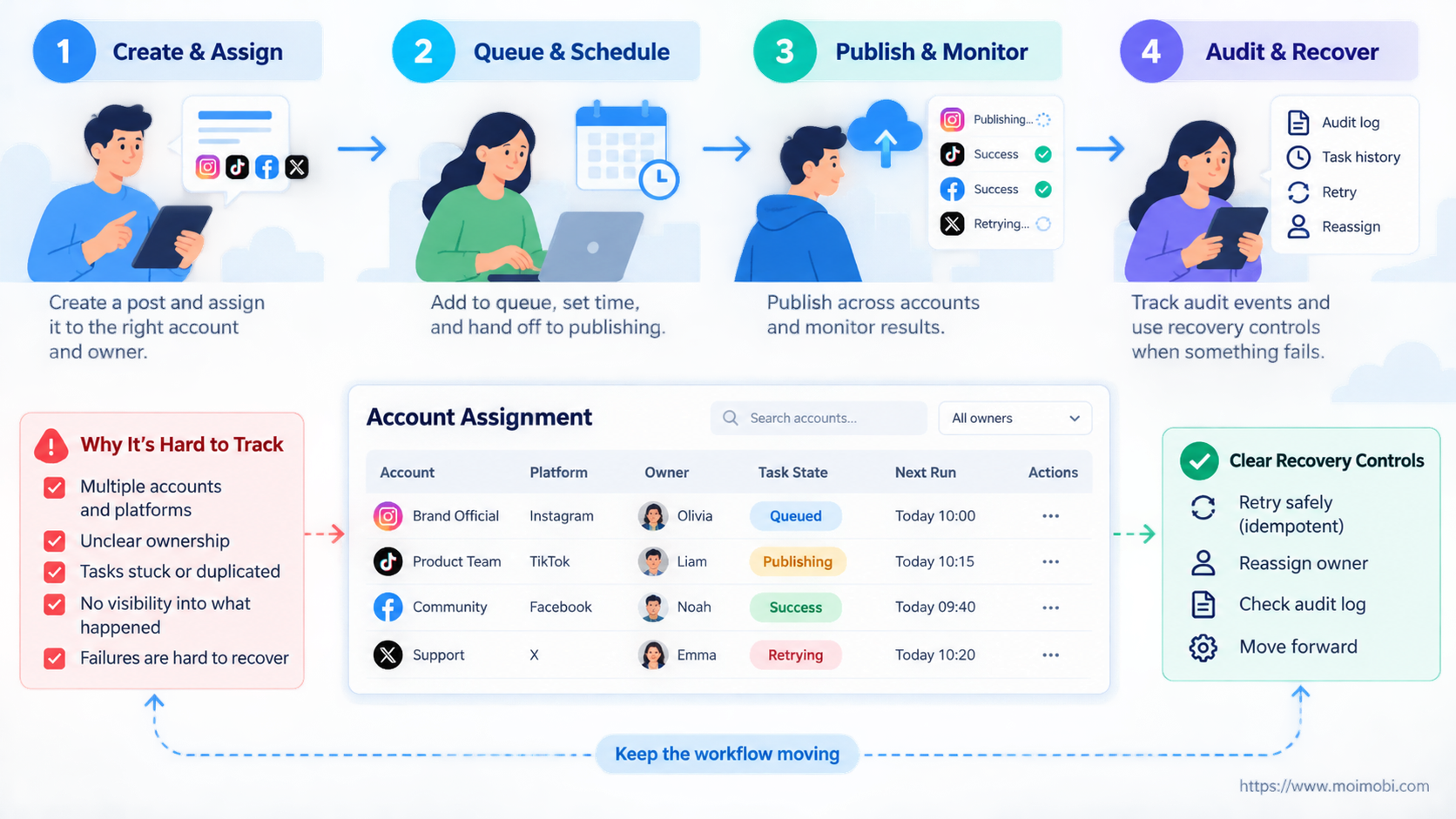
Social media workflow tracking improves when task queues and audit logs have separate jobs. The queue controls ownership, order, retry, and availability. The event trail records decisions, actions, evidence, and outcomes.
Start with one workflow. Define its states, lease behavior, idempotency key, event schema, remote verification, and exception path. Build the dashboard last. When the underlying task and event model is sound, the interface can show current work without hiding the history needed to operate it.