
Key Takeaways
- AI account workers are assigned execution lanes for repeated account tasks.
- Repetition only scales when runtime, review, and recovery rules are explicit.
- Browser and mobile execution should stay separate when the task boundary is different.
- The best first rollout starts with one narrow workflow and one clear outcome model.
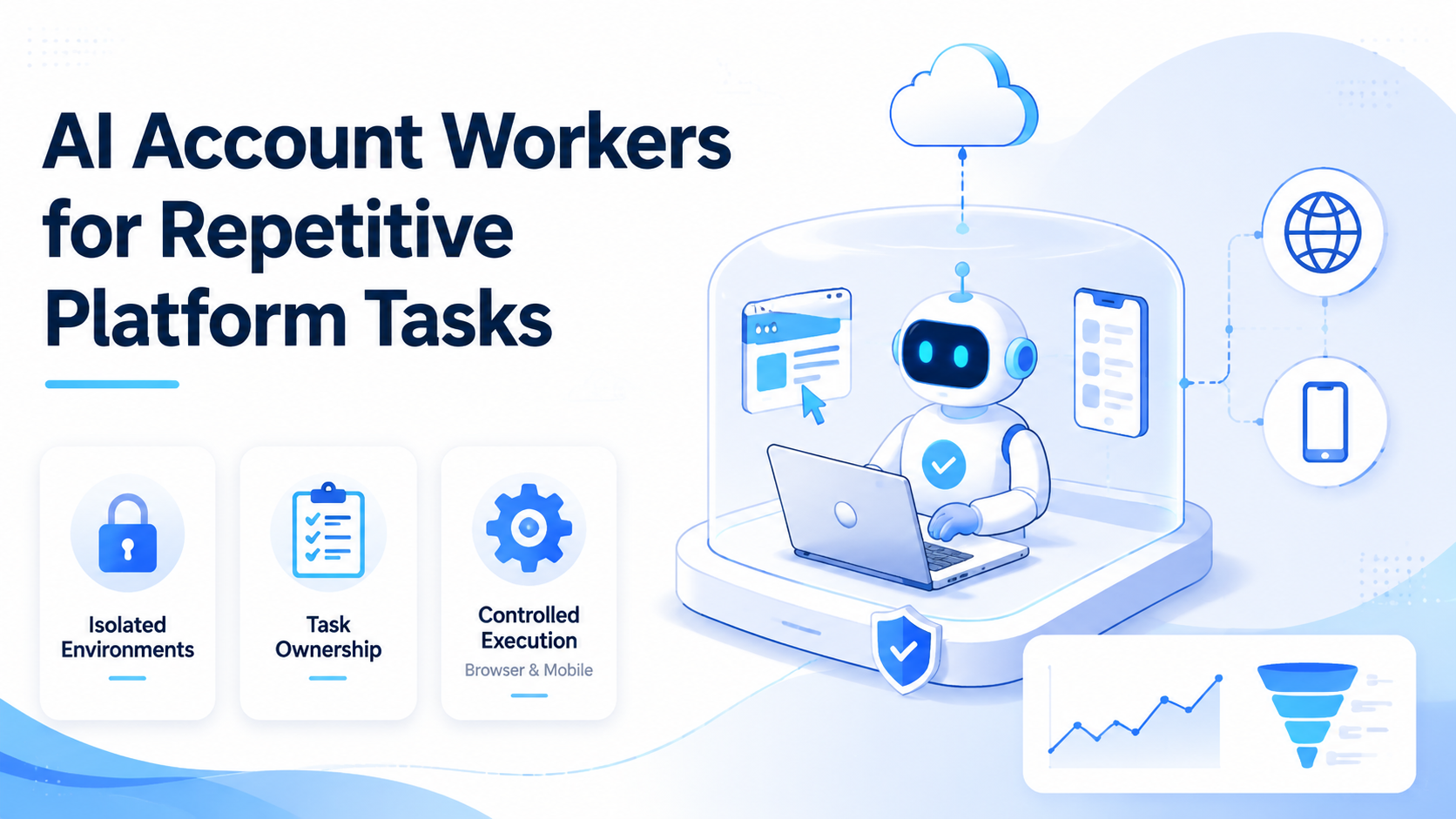
AI Account Workers for Repetitive Platform Tasks are assigned execution units that run repeatable actions inside controlled account environments. They are not generic assistants with broad access. They are workflow-bound workers that help teams keep repeated platform work consistent across browser and mobile surfaces.
Teams usually look for this model after simple automation stops being enough. The work still gets done, but retries rise, ownership gets fuzzy, and someone always has to clean up after state drift.
The core sources for browser and device control show why this happens. W3C WebDriver defines automation around explicit sessions.1 Playwright isolates state through browser contexts.2 Android Enterprise treats work environments as managed spaces.3 Repetitive tasks become easier to control when execution boundaries are real.
What AI Account Workers for Repetitive Platform Tasks Actually Are
The wrong view is to treat account workers as a loose layer of prompts on top of a platform. That creates a planning tool, not an execution model. A worker is useful only when it has a known scope, a known runtime, and a known stop rule.
For example, one worker may handle scheduled posting checks and dashboard review. Another may handle mobile app replies. A third may monitor comments and send exceptions to a human queue. Those are different jobs, so they should not all share one vague execution lane.
This is why a discussion about an AI browser quickly turns into questions about multi-account management, device isolation, and cloud phone capacity. The worker concept depends on controlled runtime design.
Why Repetitive Platform Tasks Need Account Workers
Repetitive work sounds simple, but the difficulty grows fast when accounts multiply. The tenth run is rarely the problem. The problem appears on the hundredth run, when the team needs clean routing and clear recovery.
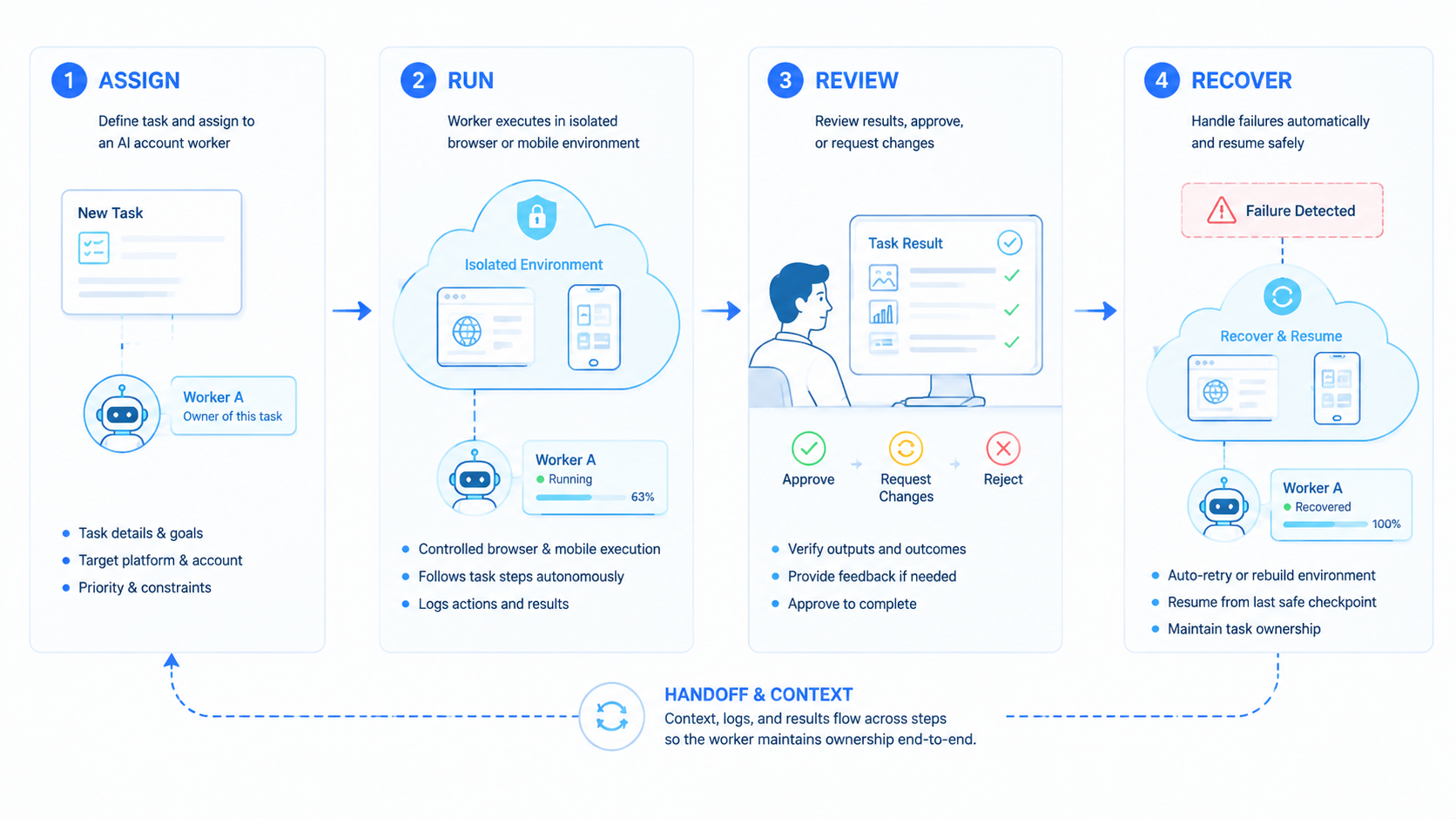
Account workers help by reducing ambiguity. Each worker owns a narrow workflow. Each workflow runs in a defined browser or mobile lane. When something fails, the team knows where to resume and who should review the result.
Playwright's state isolation model is useful here because it shows why separate browser contexts matter for repeated runs.2 Managed Android environments show the same principle on the mobile side.3 Repetition becomes cheaper when the environment can be reopened cleanly.
Key Benefits of AI Account Workers for Repetitive Platform Tasks
The value is operational consistency, not automation theater.
Common tasks that fit this model include:
- routine publishing checks
- repetitive inbox and comment replies
- dashboard monitoring and follow-up
- repeated marketplace or support actions by account
| Task type | Why a worker helps | What to measure |
|---|---|---|
| Publishing checks | Preserves the account context for repeat runs | Correction rate |
| Inbox replies | Keeps message handling tied to the right queue | Escalation speed |
| Monitoring | Reopens the same state for follow-up | Resume quality |
| Repeated admin work | Separates ownership by account and step | Manual takeover time |
Teams that already run social media marketing or other account-heavy workflows usually see the fit early. They already have repetition. They need a cleaner operating lane around it.
How to Get Started with AI Account Workers for Repetitive Platform Tasks
Use checkpoints, not broad rollout.
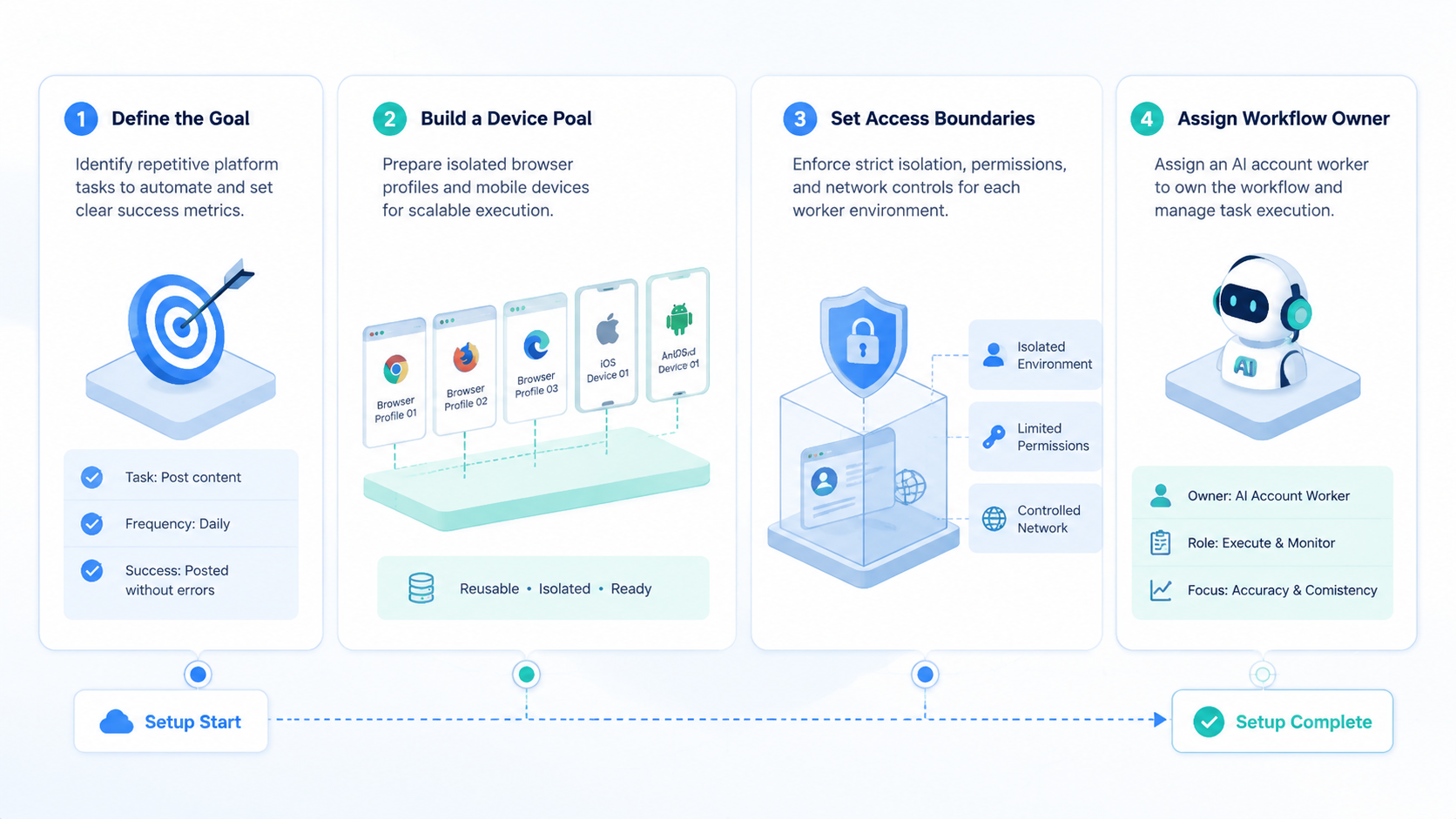
- Define one narrow workflow. Pick a repeated task with clear pass, retry, and fail states.
- Assign one account scope. Keep the worker tied to one account set or one queue class.
- Pick the runtime. Use browser execution for web-based work and mobile execution for app-native work.
- Define the review point. Decide when a human must approve or inspect the action.
- Define the recovery path. Document what happens after expiration, interruption, or missing data.
If the task depends heavily on mobile apps, review cloud phone farm infrastructure and the cloud phone vs emulator comparison. Those pages help teams decide whether the runtime is strong enough for repeatable work.
AWS Device Farm and BrowserStack App Automate both reinforce the value of reproducible execution environments.4 5 The lesson applies here too. If a repeated task cannot be rerun in a known environment, the cost of recovery rises fast.
Common Mistakes to Avoid
The first mistake is giving one worker too much scope. A worker that owns several unrelated tasks usually creates hidden manual work.
Another mistake is mixing browser and mobile actions without a clear transition rule. The workflow may still finish, but diagnosis becomes slow after failures.
The third mistake is measuring success only by completed actions. Completion rate alone does not show whether the worker reduced cleanup.
Use this quick stop list:
- do not assign one worker to unrelated account sets
- do not share one environment across unrelated retries
- do not skip logging for repeated runs
- do not scale until recovery has been tested
Those rules sound basic, but they are where many repetitive workflows break.
Who It Fits and When It Is a Strong Match
This model fits teams with clear repeated account tasks. It is a weak fit for teams doing low-volume manual work that changes every day.
Teams running the same account tasks many times each week.
Teams formalizing workflows that already repeat but still rely on shared handoff.
Teams with irregular tasks and no stable account structure.
A strong match usually appears when the team can name the repeated task precisely. If nobody can define the task clearly, the worker model is probably too early.
Pilot Rollout, Measurement, and Recovery Checks
The first pilot should answer one question: does the worker reduce correction cost without creating new routing confusion?
Track four review points:
| Review point | What to inspect | Good sign |
|---|---|---|
| Scope control | Did the worker stay inside its assigned task? | Few manual redirects |
| State clarity | Could the same environment reopen cleanly? | Stable reruns |
| Review speed | Could a person inspect the result fast? | Short takeover time |
| Cleanup load | How much rework followed each run? | Low correction cost |
Run the pilot long enough to include routine interruptions, not just clean runs. A worker only proves value when the recovery pattern is clear.
Frequently Asked Questions
Are AI account workers the same as bots?
Not exactly. A worker model focuses on bounded execution, review, and recovery.
Should every repeated task get its own worker?
No. Group tasks only when they share the same account boundary and workflow logic.
Do these workers need browser access?
Sometimes. Browser access matters for dashboard or web-based steps.
When is mobile execution a better fit?
Mobile execution is better when the task depends on app-native actions or device state.
What is the first metric to watch?
Correction cost is usually more useful than raw throughput.
What is a common failure signal?
Frequent manual rescue after retries is a strong warning sign.
When should teams add more workers?
Add more only after the first worker proves stable routing and recovery.
Conclusion
AI Account Workers for Repetitive Platform Tasks help teams turn repeated account work into a controlled operating model. The real gain comes from cleaner scope, clearer routing, and lower recovery cost.
Before expanding, check whether the workflow has a narrow task boundary, a repeatable environment, and a clear review path. If any one of those is weak, fix it before adding volume.



