
Key Takeaways
- An account worker platform assigns one controlled runtime to one account or account group.
- Social media automation breaks down when routing, ownership, and review rules are vague.
- Browser and mobile execution should be chosen by task boundary, not by team habit.
- The strongest pilots measure correction cost and recovery speed before scaling volume.
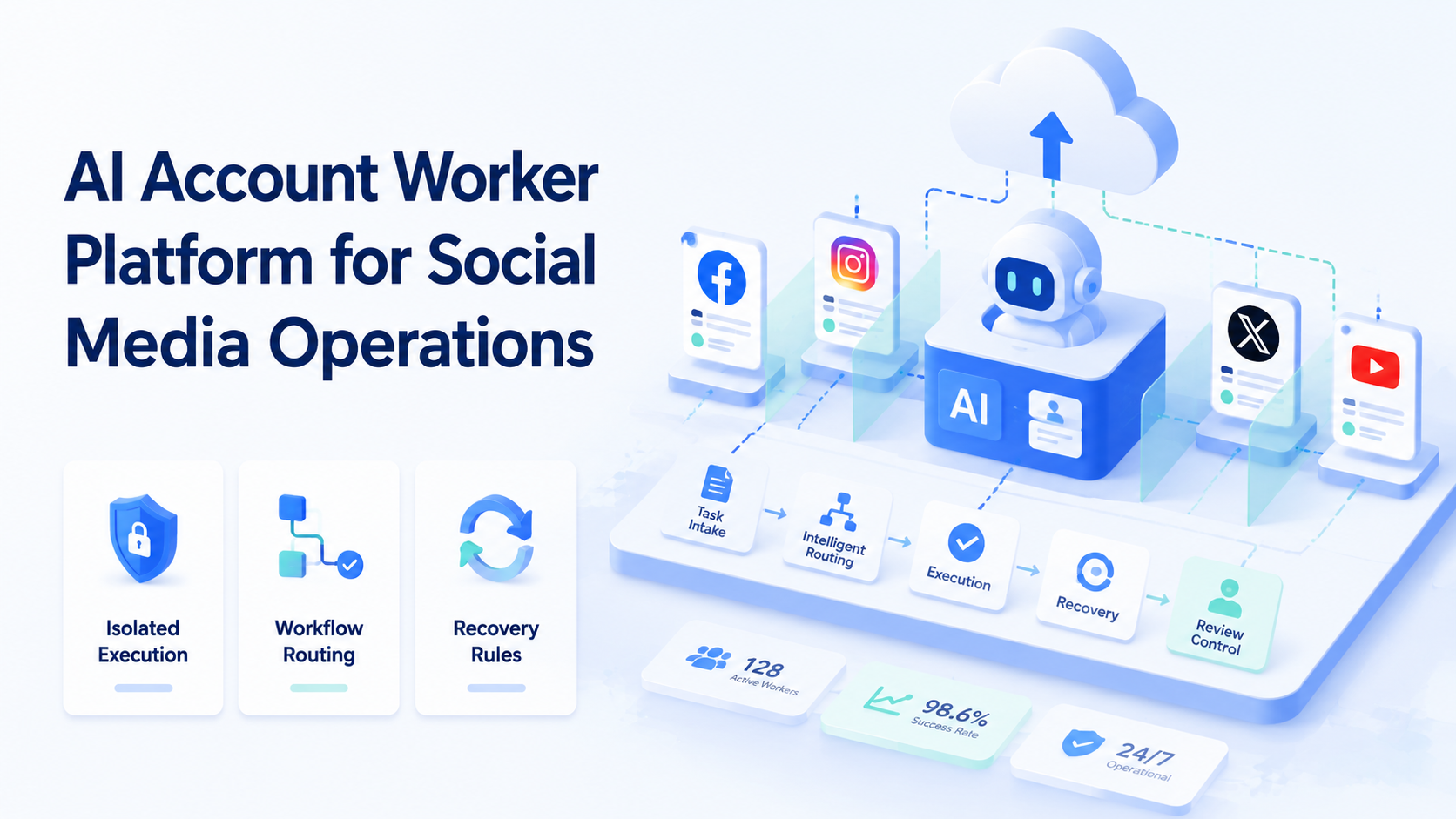
AI Account Worker Platform for Social Media Operations is a system that gives each social media workflow a defined worker, runtime, and review path. This is more than another scheduling tool. The model is designed for teams that must publish, reply, monitor, and follow up across multiple accounts without mixing state.
This matters because social teams rarely operate in one surface. Some work happens in browser dashboards. Some work happens in mobile apps. Other steps need a human reviewer before the action can continue. A platform becomes useful when it keeps those steps connected and traceable.
Primary browser standards help explain the need for structure. W3C WebDriver defines browser automation around explicit sessions and commands.1 Playwright isolates state with browser contexts.2 Android Enterprise treats work environments as managed device spaces.3 Those sources all point to the same rule: execution gets easier to manage when state is separated.
What AI Account Worker Platform for Social Media Operations Means in Practice
The common mistake is to treat an account worker like a chatbot with posting rights. That is too shallow. A real account worker is closer to an assigned execution lane with a defined account scope, a runtime, and an escalation rule.
For example, one worker may own browser-based publishing and dashboard review for a brand account. Another may handle mobile inbox checks, replies, or app-native steps. If both workers share one loose environment, cleanup becomes harder. If each worker has its own clean lane, operations stay easier to audit.
That is why teams looking at an AI browser often end up evaluating device isolation, mobile automation, and multi-account management together. The worker model only holds when the runtime is controlled.
Why Social Media Teams Need Account Worker Structure
Social media work creates repeated decisions around timing, context, and ownership. A post must go out in the right account. A reply must use the right tone and queue. A monitoring step must reopen the same state when someone checks the result later.
Without account workers, those actions drift into shared logins and informal handoffs. The team still gets work done, but the process becomes fragile. One missed context switch can turn a simple task into a cleanup problem.
An account worker platform reduces that risk by tying each workflow to a known environment. For browser-facing tasks, browser contexts show why isolated state matters. For app-native tasks, managed Android workspaces support clearer device control boundaries.3 The same operating logic applies to social media teams.
Key Benefits of AI Account Worker Platform for Social Media Operations
The main benefit is not speed by itself. The main benefit is controlled repetition.
Typical use cases include:
- multi-account content publishing
- comment and inbox triage by account
- platform monitoring and escalation
- campaign follow-up across browser and mobile lanes
| Use case | Why an account worker helps | What to verify |
|---|---|---|
| Publishing | Keeps asset routing tied to the right account | Review and approval handoff |
| Replies | Preserves inbox context and responsibility | Escalation timing |
| Monitoring | Lets checks reopen the same account state | Failure logging |
| Campaign follow-up | Separates task ownership across accounts | Retry and pause rules |
Teams that already use social media marketing workflows usually see the value fastest. They already have repeated motions. The platform gives those motions a cleaner execution model.
How to Get Started with AI Account Worker Platform for Social Media Operations
Start with one workflow and one account group. Do not start with every team task at once.
- Map the account boundary. Decide which account or account cluster the worker owns.
- Choose the runtime. Use browser execution for dashboard work. Use mobile execution for app-native steps.
- Define the stop rule. Mark the exact point where the workflow pauses for review.
- Define the recovery rule. Decide how the worker resumes after login expiry, app failure, or missing data.
- Log outcome classes. Separate success, retry, manual takeover, and blocked states.
AWS Device Farm and BrowserStack App Automate both emphasize repeatable controlled environments for mobile execution.4 5 That does not mean a social team needs test tooling. It means the same operational lesson applies: if the environment cannot be reproduced, recovery cost rises.
For account-heavy mobile work, it also helps to compare your design against cloud phone farm infrastructure and the cloud phone vs emulator comparison. Those pages help teams choose runtime shape more carefully.
Common Mistakes That Break the Model
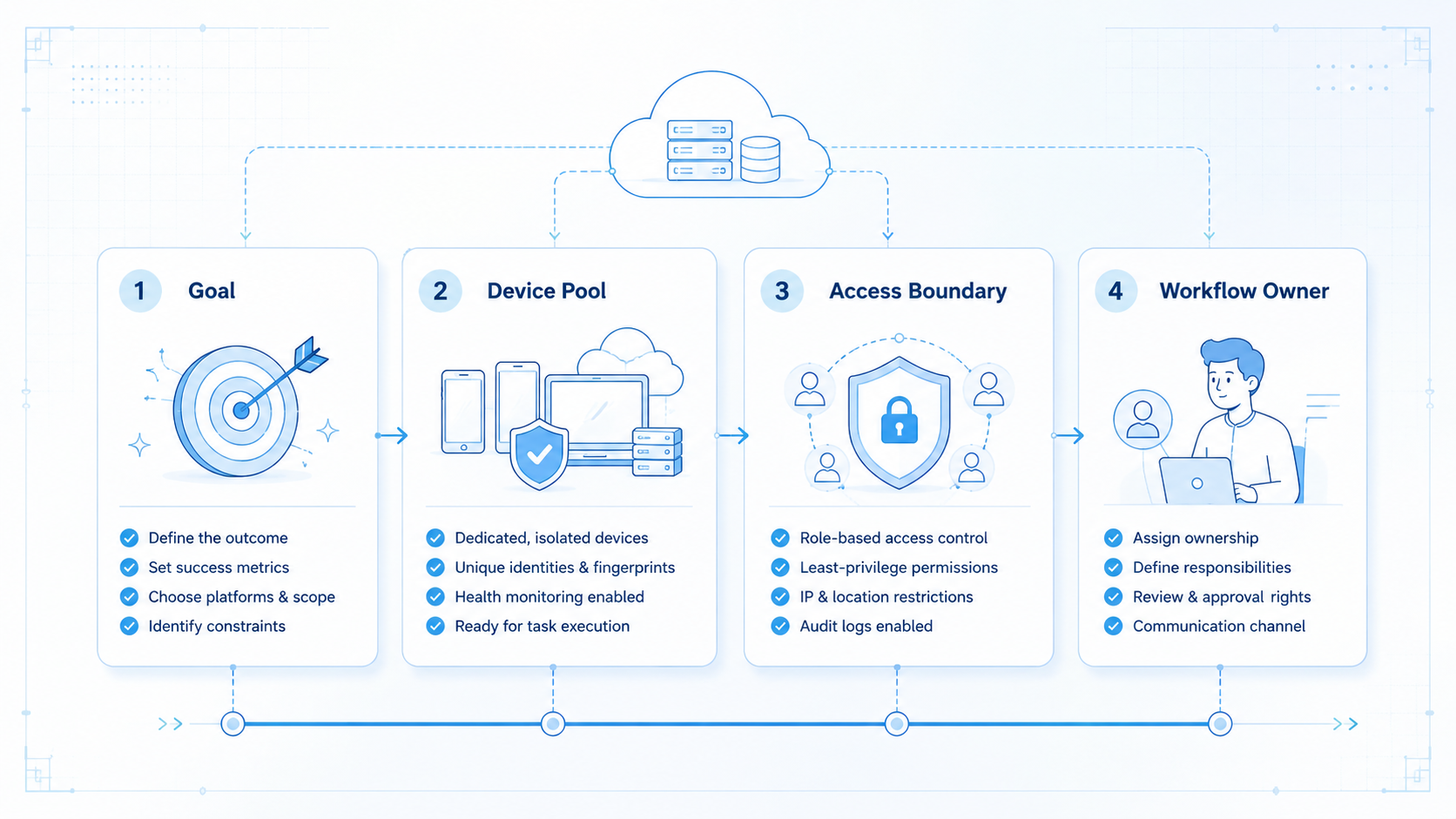
The biggest mistake is assigning a worker to a vague job like "engagement." That is not specific enough. Workers need a real boundary such as one account set, one queue type, or one stage in the workflow.
Another mistake is sharing one runtime across unrelated accounts. State isolation is not a cosmetic feature. That separation keeps the worker model legible after several days of execution.
A third mistake is scaling before recovery is tested. Teams often validate the happy path and then add volume too early.
Watch for these warning signs:
- one worker reopens several unrelated account states
- retries have no owner
- mobile and browser steps switch lanes without logging
- human reviewers need to reconstruct what happened from memory
Those are not minor workflow issues. They are signs that the platform is acting like a loose task board instead of an execution layer.
Who This Fits and When It Is a Strong Match
This model works best when the team already has repeated account-based work. It becomes less useful for teams doing one-off publishing or highly manual creative work with no stable flow.
Teams running multiple social accounts with repeated publishing, replies, or monitoring tasks.
Teams moving from shared logins to cleaner routing and review.
Teams with low repetition, no account structure, or no review discipline.
A good fit often appears when one person can no longer remember which account ran which step. At that point, the issue is not effort alone. The issue is loss of operational clarity.
Pilot Rollout, Measurement, and Recovery Checks
The first pilot should prove control, not volume. Pick one account segment and one repeated workflow, then inspect every run for two weeks or one meaningful campaign cycle.
Use a small scorecard:
| Review area | What to inspect | Good sign |
|---|---|---|
| Routing | Did the worker stay in its assigned account lane? | Few manual corrections |
| Review | Did approvals happen at the planned stop point? | Low surprise escalation |
| Recovery | Could the team reopen the same state after a failure? | Short resume time |
| Logging | Could a manager understand the run quickly? | Clear outcome classes |
If recovery is weak, do not scale. If routing is weak, tighten account boundaries. If review is weak, add a cleaner pause rule. A pilot is only successful when the cleanup pattern is predictable.
Frequently Asked Questions
Is this the same as a social media scheduler?
No. A scheduler handles timed publishing. An account worker platform covers execution, routing, and recovery across broader workflows.
Why does every worker usually need its own environment?
Usually yes when account boundaries matter. Shared environments make diagnosis harder.
Should the worker run in a browser or on a phone?
Choose by task type. Browser tasks suit dashboards. Mobile tasks suit app-native actions.
Can one worker handle several accounts?
It can, but only when those accounts share a clear process and review model.
What should a first pilot cover?
Pick one repeated workflow with visible pass, retry, and takeover outcomes.
What is the first red flag?
Frequent manual rescue is the clearest early warning sign.
When should the team scale volume?
Only after routing and recovery stay stable for a full pilot cycle.
Conclusion
An AI Account Worker Platform for Social Media Operations gives teams a cleaner way to run repeated account tasks without relying on shared state and informal handoff. The practical gain is operational control, not just output speed.
Before expanding, check three things in order: account boundary, runtime fit, and recovery quality. If those hold up, the worker model is ready for broader rollout.



