
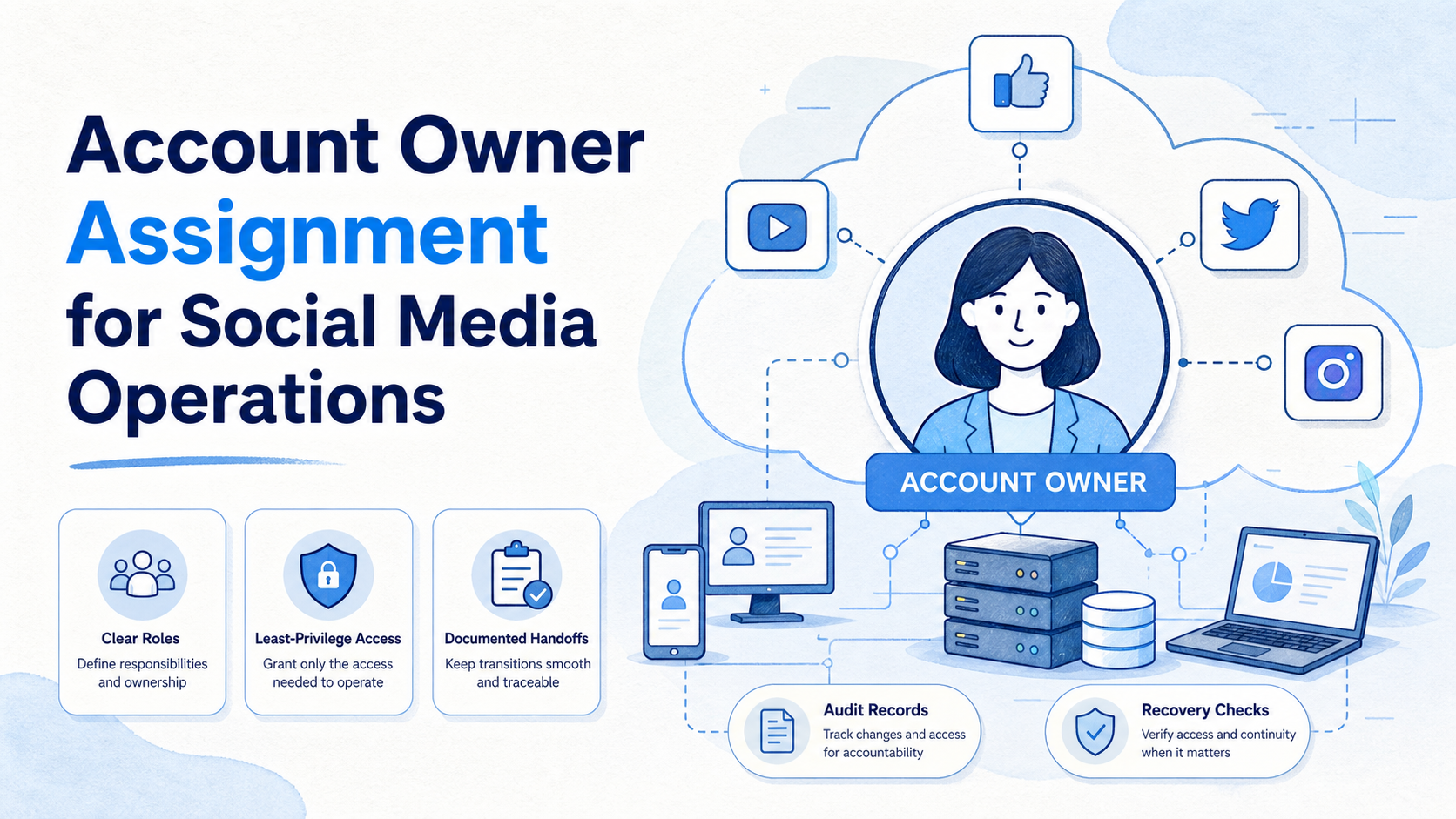
Account owner assignment is the practice of attaching every social media account to a named business owner, day-to-day operator, backup owner, and approval path. It removes ambiguity when content, customer replies, access changes, or platform notices require action. A login is not ownership. An operating record is.
Social media teams often grow faster than their account controls. An agency adds a client channel. A new market receives a local account. A staff member leaves. Without a clear owner model, teams share credentials, repeat work, miss inbox messages, and struggle to explain why an action occurred.
Operationally, each account must be recoverable. A manager should be able to answer five questions quickly: who owns the business decision, who can operate the account today, who approves sensitive changes, who takes over if the operator is unavailable, and where the work record lives.
Key Takeaways
- Assign business, operating, approval, and backup ownership separately when the roles differ.
- Give access by task and role, not by convenience or shared credentials.
- Keep an account register that records purpose, region, owner, environment, and review date.
- Add a handoff checklist for staff changes, client transitions, and incident recovery.
- Measure ownership gaps, late approvals, unresolved access requests, and repeat exceptions.
The Core Idea Behind Account Owner Assignment
Account owner assignment is not a spreadsheet field added at the end of onboarding. It is a decision system for social media operations. Every role needs a clear responsibility and a boundary it cannot cross alone.
The business owner decides what the account represents and who may approve commercial or brand changes. The operating owner completes routine work such as publishing approved material, responding through approved support paths, or maintaining profile information. The approval owner reviews sensitive content, access changes, customer remedies, and policy-related decisions. A designated backup owner receives an explicit escalation path.
This separation protects the team from a common failure: one person becomes the informal owner of everything. When that person is absent, a client cannot find their account, a campaign cannot be approved, or an access problem cannot be resolved. Clear roles preserve continuity without giving every operator unrestricted power.
NIST's least-privilege guidance supports access that is limited to assigned duties. In a social media workflow, that means a content reviewer may not need account administration, and a temporary operator may not need billing or ownership permissions.
| Role | Primary decision | Evidence to retain |
|---|---|---|
| Business owner | Purpose, brand, and commercial direction | Account register and approval authority |
| Operating owner | Daily authorized tasks | Task history and handoff notes |
| Approval owner | Sensitive changes and exceptions | Approval record and source material |
| Backup owner | Continuity during absence or incident | Escalation acknowledgement and review date |
Why Teams Need Clear Account Ownership
Ownership gaps appear in small details. A customer message remains unanswered because no one knows who handles a regional inbox. A profile change waits because the content team cannot locate the client approver. An operator leaves, and nobody can distinguish a personal login from a managed asset.
Delays are only one cost. Shared responsibility makes the work harder to audit. A team may know that a post was published but not who approved it, what source was used, or why a reply was sent. With a reliable account register, those questions become routine rather than urgent.
For cross-platform teams, record the same core fields everywhere: account name, platform, business purpose, market, business owner, operating owner, backup, approval boundary, environment, and next review date. Use multi-account management to connect those fields with day-to-day workspaces.
When mobile work is part of the process, a cloud phone can provide the assigned execution environment. It does not replace ownership rules. It makes the task, environment, and responsible operator easier to keep together.
Who Benefits and When a Team Is Not Ready
Account owner assignment fits agencies, commerce teams, brand teams, and support teams that manage several legitimate accounts. It becomes more valuable as the number of regions, client approvals, operators, or customer channels grows.
The team is not ready when accounts are shared without a business purpose, approval authority is unknown, or operators use credentials outside an accountable process. Fix the register and roles before adding more automation. More tasks will not solve missing accountability.
- Named accounts with real business purposes
- Multiple operators or client stakeholders
- Separate content, support, and approval work
- Need for continuity during absences
- Shared credentials with no register
- Unclear client or business authority
- No documented review path
- No owner for incidents or access recovery
How to Set Up Account Owner Assignment
Start with the accounts already in use. Avoid creating a large role model before seeing the actual work. The first pass should identify missing owners and high-impact access risks.
- Build the register. List each account, platform, market, business purpose, and current access holder.
- Name the four roles. Assign business, operating, approval, and backup owners. One person can hold more than one role only when the boundary remains clear.
- Set an access map. Match each role with allowed actions, required approvals, and the system or environment used for work.
- Create a handoff record. Record pending tasks, customer issues, scheduled content, access changes, and open exceptions before a role changes.
- Schedule review. Reconfirm ownership after staff changes, client changes, policy changes, or a fixed review interval.
Use device isolation for legitimate teams that need clear execution boundaries. Its purpose is not to avoid platform review. It is to reduce accidental session mixing and make assigned work easier to trace.
Mistakes That Reduce Results
The first mistake is assigning an owner without giving that person an explicit decision boundary. A name alone does not tell the team whether the person can approve a refund response, change an account profile, or grant access to a contractor.
Another mistake is keeping ownership only in a private chat or memory. That record disappears during staff changes. Store it in the operating system that the team actually uses for tasks and reviews.
A backup owner is not a copied administrator. That person should know when they may act, what they may change, and who must be notified afterward. This keeps urgent recovery from turning into uncontrolled access expansion.
Build a Handoff Packet Before Roles Change
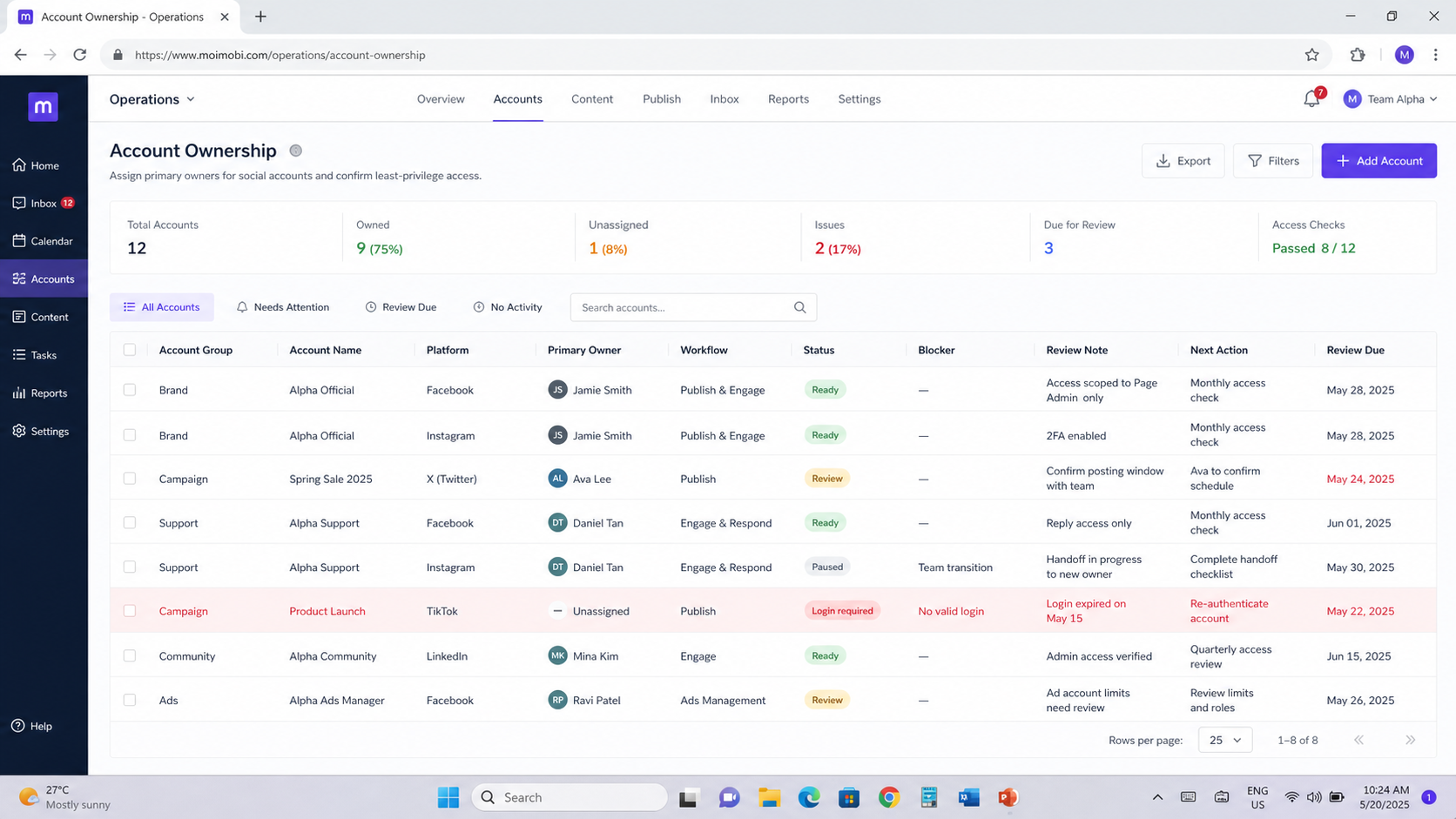
Role changes are where ownership models either work or fail. A departing operator may know unwritten details about content calendars, customer conversations, regional rules, or a pending platform review. This handoff packet turns those details into a controlled transfer.
Start with the account register. Confirm the business owner, current operator, approval owner, and backup. Then list active work: scheduled posts, drafts waiting for approval, customer cases, content rights questions, subscriptions, and access requests. Each item needs a next owner and a due date.
Access should be reviewed separately from work. Remove access that is no longer needed, verify that the replacement role has the correct permissions, and check the recovery route for the account. Keep passwords out of a handoff note. Use the authorized credential or identity process already used by the organization.
| Handoff field | What to capture | Completion signal |
|---|---|---|
| Role change | Previous owner, incoming owner, effective date | Both roles acknowledge the transfer |
| Open work | Task, status, risk, and next action | Every task has a new accountable owner |
| Access review | Required role, removed role, reviewer | Access follows the current role map |
| Customer context | Open cases and escalation contacts | Inbox continuity is confirmed |
| Exceptions | Warnings, disputes, or policy questions | Named reviewer and review date exist |
The packet should be short enough to use under pressure. Avoid broad narratives. Record the decisions, sources, and next actions that the incoming owner needs to continue work without guessing.
Review Permissions as Part of Ownership
Ownership and access are related but not identical. A business owner may need approval rights but never perform routine publishing. An operator may need a limited execution role but no authority to change business details. That access map makes the distinction visible.
Review permissions after a role change, client offboarding, unusual login event, platform warning, or shift in market scope. A fixed quarterly review also catches dormant access that no one remembered to remove. Avoid creating approval delays. Ensure that access reflects current duties.
Use three practical checks. First, ask whether the role is still needed. Second, confirm the person can perform the assigned task without borrowing another person's session. Third, confirm that a manager can identify who approved the access. If any answer is unclear, pause the change and correct the record.
For a team using browser and mobile environments, keep the execution workspace tied to the role record. A named environment makes it easier to see whether the right operator performed the assigned task. It does not remove the need to follow platform rules or obtain appropriate business approval.
A Simple Ownership Scorecard
Teams can review account ownership with a five-point scorecard. Give one point for a current business owner, operating owner, approval owner, backup owner, and documented access review date. Accounts with fewer than four points should not be expanded into new workflows until the missing control is fixed.
This scorecard is not a security certification. It is a management prompt. It helps a team find accounts that look active but cannot be supported properly when a customer problem, staffing change, or approval dispute occurs.
Review the low-scoring accounts first. Assign one corrective owner, record the missing field, and set a review date. Once the account reaches the agreed standard, re-check the next most exposed account rather than assuming the problem was isolated.
Use the scorecard during onboarding, not only after a problem. A new account should enter routine work only after its purpose, named owners, access boundary, and support path are visible to the operating team.
Pilot Rollout, Measurement, and Recovery Checks
Pilot the model on one account group. Review every account at the start, assign missing roles, and test one controlled handoff. Then measure how long it takes to answer an ownership question, approve a change, locate the current operator, and recover after an unavailable owner.
Use these checks before expanding:
- Every account has a business owner, operating owner, approval owner, and backup.
- Access matches current roles and has a next review date.
- The team can locate the active execution environment and task history.
- A role change produces a complete handoff record.
- An exception has a named decision-maker and next action.
Pause expansion when any account lacks a business purpose, accountable owner, or review path. First correct the record, then restore normal work.
Frequently Asked Questions
Can one person own every role?
Yes, for a small team, provided the business authority, daily operating work, and approval boundary are still documented. Add a backup before the account becomes business-critical.
What is the difference between an owner and an operator?
Business ownership covers the account's purpose and key decisions. Daily operators complete authorized tasks. One person may hold both roles, but the responsibilities remain different.
How often should ownership be reviewed?
Review it after any staff, client, access, or market change. A recurring quarterly review is a practical baseline for stable teams.
Should an agency or client be the business owner?
Record the party that controls brand and commercial decisions as the business owner. An agency can act as the operating owner under a defined approval model.
What should happen when an operator leaves?
Pause nonessential work, verify access, assign a replacement operator, transfer open tasks, and record the handoff. Use an authorized access-transfer process rather than an informal password exchange.
Does account ownership affect customer support?
Yes. The inbox needs an operating owner and a clear escalation owner so customer messages do not wait for an unknown decision-maker.
What should be logged?
Log role changes, access changes, approvals, key account actions, exceptions, and handoff dates. Keep records limited to the operational need.
How should an account owner document an urgent decision?
Record the account, decision, evidence, owner, time, and required follow-up. A short, timely record is more useful than a perfect explanation written after the operating context has been lost.
Conclusion
Account owner assignment turns social media accounts into managed business assets. Start with a register, clear roles, task-level access, and a backup path. Then test one handoff before expanding the model to every account.
The best sign of success is simple: when a problem appears, the team can identify the owner, the permitted next action, and the record needed to recover without guessing.



