
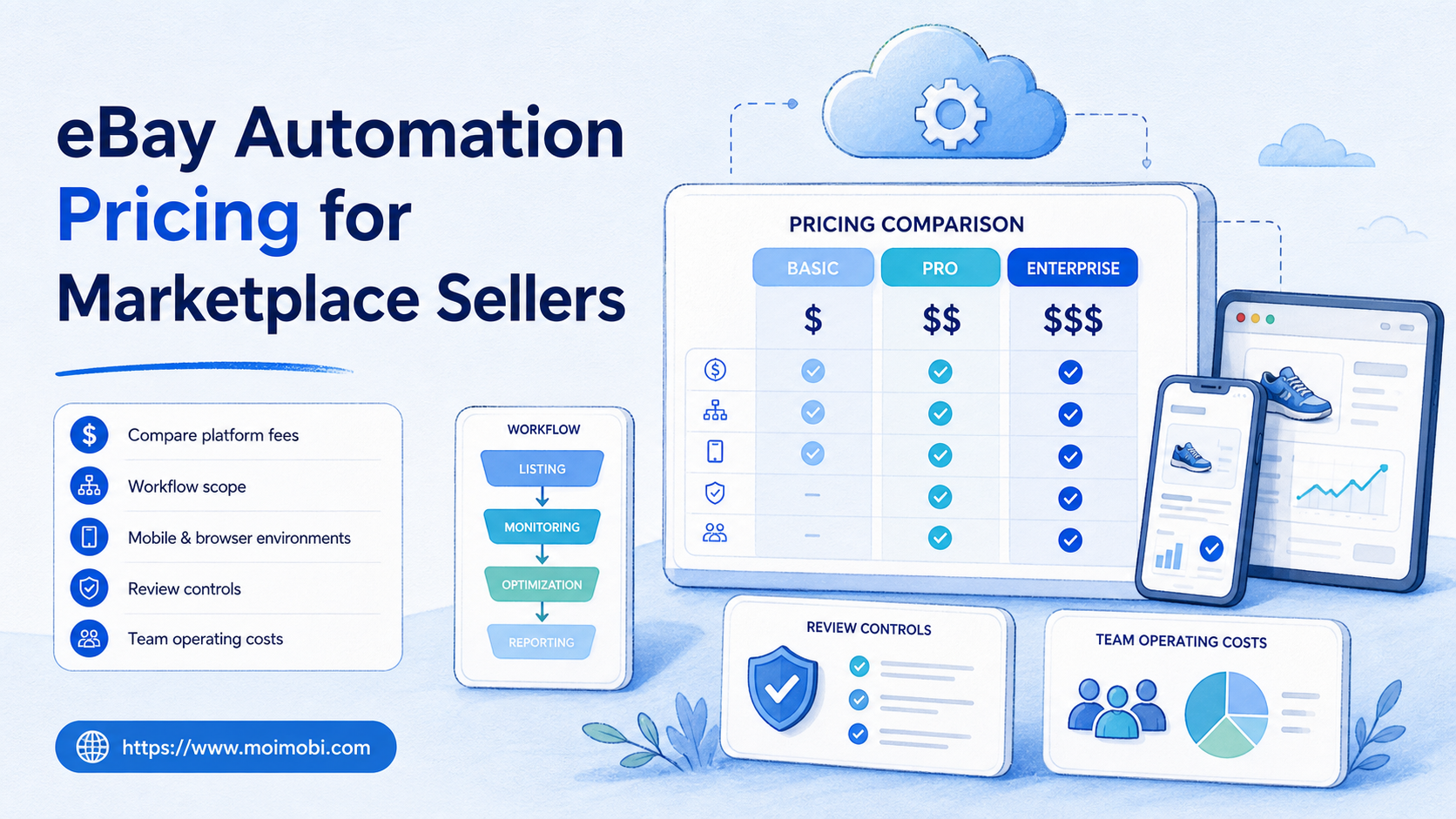
eBay automation pricing is the total cost of using approved tools, execution environments, setup time, review controls, and ongoing operations to support repeatable seller work. It is not one fixed monthly number. A useful budget separates eBay’s own selling fees from the cost of workflow software, browser or mobile environments, integrations, and the human review needed to keep listings, inventory, and customer service accurate.
For marketplace sellers, the lowest tool subscription is rarely the full answer. A cheap workflow that creates duplicate listing changes, unclear ownership, or slow exception recovery can cost more than a more controlled process. The right comparison starts with the job to be done: listing preparation, inventory review, order follow-up, policy maintenance, reporting, or approved customer-service routing.
This guide gives marketplace teams a practical way to compare eBay automation pricing without inventing universal vendor rates. It focuses on cost categories, selection criteria, fit boundaries, and a pilot method that lets a seller validate an automation investment before expanding it.
Key Takeaways
- Separate eBay selling fees from the cost of operational automation.
- Price a workflow by scope, review needs, integrations, environments, and recovery time.
- Start with a stable task that has clear inputs and an observable result.
- Treat policy checks and human approval as part of the cost model, not optional overhead.
- Use marketplace automation only for permitted work that complies with eBay rules and applicable laws.
What eBay Automation Pricing Actually Includes
eBay automation pricing is a cost framework, not a standard eBay fee category. Sellers may pay for workflow software, connectors, managed browser or mobile environments, data storage, support, and internal time. The mix changes with the number of listings, marketplaces, operators, account roles, approval steps, and exception volume.
Keep eBay’s marketplace charges separate from automation spending. eBay’s selling-fees guidance explains that selling fees can include insertion fees and final value fees, with amounts shaped by listing details, categories, optional upgrades, and seller performance. Those fees are part of the marketplace’s commercial model. They are not a substitute for estimating the cost of a separate automation workflow.
The useful question is not “What does automation cost?” Ask instead: “What does this one approved workflow cost to run, review, recover, and improve?” That produces a budget that an operations lead can compare with current manual work.
| Cost layer | What it covers | Decision check |
|---|---|---|
| Marketplace fees | eBay listing and transaction charges | Keep separate from automation tooling |
| Workflow software | Task design, queueing, approvals, and reporting | Does it support the exact task and review point? |
| Execution environment | Approved browser or mobile workspace | Can the team assign ownership and inspect a run? |
| Integration and setup | Inventory, CRM, shipping, or reporting connection work | Is the setup reusable across the intended workflows? |
| Human review | Exceptions, policy checks, and high-impact changes | Which actions must remain human-approved? |
| Recovery and support | Incident handling, access issues, and workflow changes | Can the team explain and fix a failed run? |
A Practical eBay Automation Pricing Framework
Build the estimate from five variables. First, define the workflow boundary. “Automate eBay” is too broad to price. “Prepare approved listing fields for review” or “collect daily inventory exceptions into a queue” is specific enough to measure.
Second, count the operational surfaces. A workflow that touches an inventory system, an eBay account, a shipping service, and a shared spreadsheet has more integration and recovery work than a single dashboard export. Complexity may be justified, but it should be visible in the budget.
Third, identify the human decision points. A team might automate data preparation, validation, and evidence capture while keeping final listing publication, price changes, buyer messaging, or policy-sensitive changes behind approval. The review step has a cost, but it also prevents an unclear workflow from becoming an uncontrolled one.
Fourth, account for the environment. Teams that run browser and mobile tasks should budget for assigned workspaces and access management. A cloud phone may support a permitted mobile seller workflow, while a browser workspace may support dashboard work. Neither should be treated as an anonymous shared resource. The team needs an owner, a task record, and a recovery path.
Fifth, include change frequency. A low monthly subscription can become expensive if a workflow breaks whenever a page or upstream process changes. Ask how configuration updates are reviewed, how an operator pauses work, and how the team compares a failed run with the last successful one.
Why Marketplace Teams Search for eBay Automation Pricing
Marketplace teams usually search for pricing when manual volume has become difficult to coordinate. Common signals include repeated listing changes, slow inventory checks, unclear order handoffs, several regional storefronts, or reports that require hours of copying between systems. The need is operational consistency, not just faster clicks.
The wrong assumption is that more automation automatically means lower costs. A broad workflow can create new expenses through rework, support tickets, duplicate updates, or missed review steps. A smaller, controlled workflow may deliver a better result because it reduces one clear bottleneck and leaves ambiguous decisions with the appropriate person.
eBay itself provides tools for sellers to manage operations. Its Seller Hub includes data and recommendations, including a selling-cost view. Sellers should use these native records as part of their baseline before buying a separate automation layer. That baseline lets the team distinguish marketplace performance issues from inefficiencies in its own process.
Official APIs may also be a better fit than browser automation for supported inventory workflows. The eBay Inventory API overview describes inventory records and offers as separate platform objects. When an approved API covers the task, it can provide a more maintainable integration than recreating the same action through a browser. Browser or mobile execution may still be relevant for workflow steps that are not available through the chosen API, but it should not replace an official integration without a clear reason.
Which Marketplace Sellers Benefit Most?
- Teams with stable listing or inventory SOPs
- Sellers who already track exceptions and task ownership
- Operations with recurring dashboard checks or report preparation
- Teams that can define a clear approval boundary
- Workflows without approved data sources
- Processes that require subjective decisions at every step
- Unclear account ownership or shared credentials
- Any workflow that conflicts with marketplace rules or buyer consent
An established seller with consistent product data and a repeatable approval process is usually a stronger first candidate than a new team still changing its listing rules every day. A mature operation can compare automation against an existing manual baseline and decide whether a recurring task is worth formalizing.
Agencies and multi-brand operators need extra care. The pricing model should include client separation, role access, evidence retention, and support responsibility. Multi-account management is valuable only when it makes those account boundaries easier to understand. It must not be used to blur ownership or operate accounts outside a platform’s rules.
Small sellers may still benefit from a narrow workflow. A daily stock exception report or a review queue for incomplete listing data can remove repetitive work without requiring a large system. The key is to choose a task where the team can verify a correct result in minutes.
How to Evaluate eBay Automation Pricing Before Buying
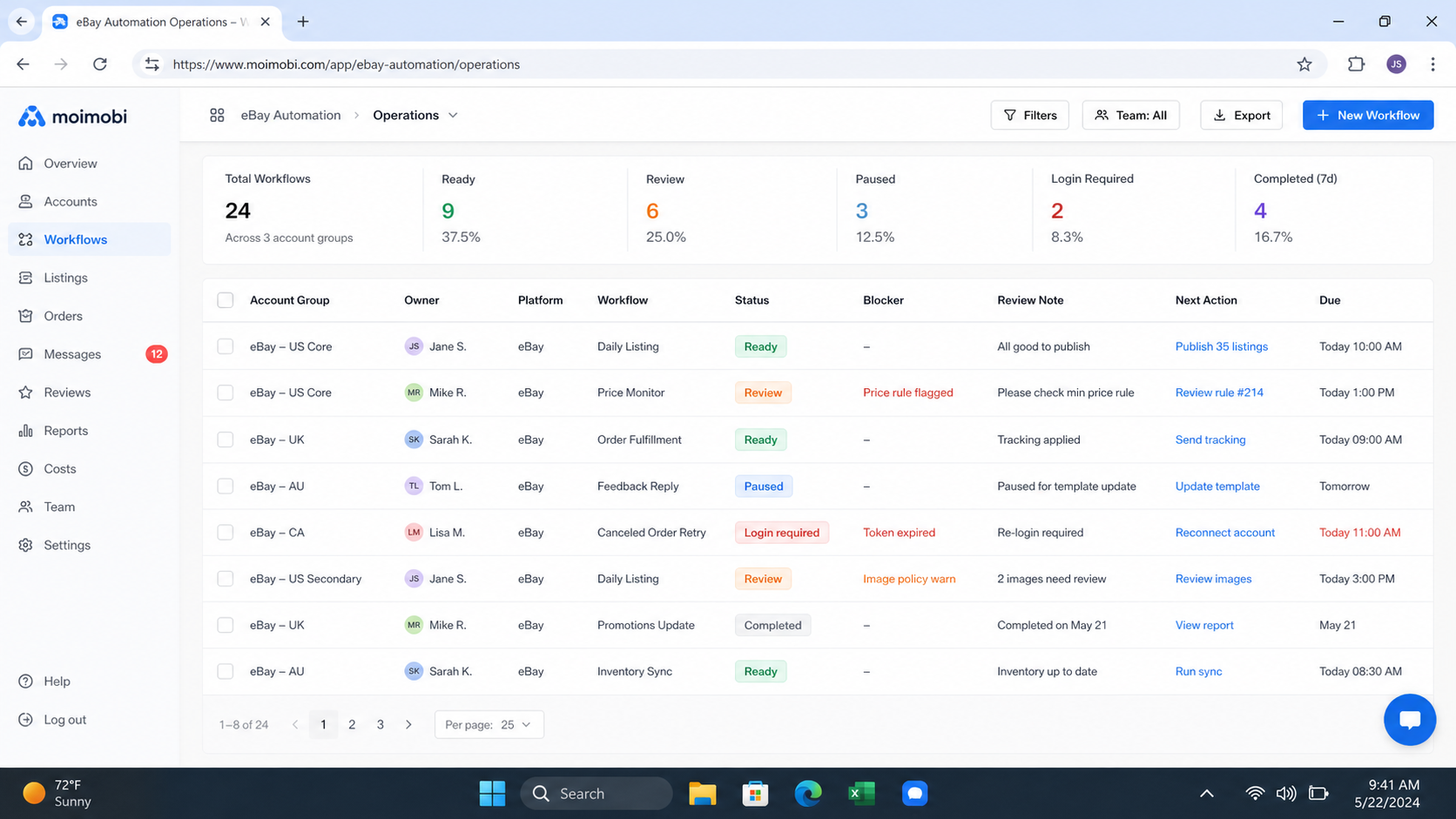
Compare vendors and internal build options by workflow fit, not by feature count. A plan that includes many generic automations may be less valuable than a smaller option that supports your exact data source, approval gate, and result record.
Use these checkpoints during evaluation:
- Scope check: Name the first workflow, input source, expected output, and owner. Reject vague plans built around “automating the store.”
- Platform check: Confirm whether eBay provides an official tool or API for the intended action before using a browser-driven alternative.
- Permission check: Identify who can start, edit, approve, pause, and inspect the workflow. Shared access without clear roles increases support cost.
- Environment check: Decide whether the task needs a browser, a mobile workspace, or an API connection. A cloud phone platform is relevant only when a legitimate mobile workflow actually requires it.
- Evidence check: Require a task ID, timestamp, input reference, outcome, and exception note. Without these records, the team cannot calculate recovery cost.
- Exit check: Ask how data exports, workflows, access, and settings can be reviewed or removed if the tool is no longer suitable.
The marketplace’s own rules are a non-negotiable part of selection. eBay’s selling policies overview states that sellers are responsible for complying with selling policies and their obligations. A proposed workflow should be rejected if its purpose is to manipulate performance, misrepresent information, send unauthorized communications, or avoid platform enforcement.
Cost Trade-Offs and Common Mistakes
Comparing only the subscription price. A monthly plan does not capture setup, permissions, review, connector maintenance, and incident recovery. Calculate the full cost for one workflow before projecting a portfolio of workflows.
Using browser steps where an approved API exists. Browser execution can be useful, but it is more exposed to page changes and session issues. Prefer official APIs for supported inventory or offer management, then use browser operations only for justified gaps.
Automating customer-facing changes without a review gate. Listing content, prices, shipping terms, and buyer communication can affect trust and policy obligations. Keep high-impact actions reviewable.
Treating all marketplace roles as one workspace. Seller operations need accountable access. Use an assigned mobile automation or browser workflow with role-based ownership rather than passing a generic session between people.
Launching too broadly. A seller may see a repetitive task and try to automate every related operation. Begin with one task, one approved data source, and one owner. Expansion becomes cheaper when the first workflow has produced reliable evidence.
Pilot Rollout, Measurement, and Recovery Checks
Run a pilot for a limited workflow and a defined review period. Start by recording the manual baseline: average time per task, number of clarification handoffs, correction rate, and time needed to investigate an exception. Those are more useful than a generic promise of “hours saved.”
During the pilot, track four measures. Measure completion quality against an acceptance check. Measure exception clarity by asking whether another operator can explain why a task paused. Measure recovery time from the first symptom to a documented decision. Measure change discipline by checking whether edits had an owner and a rollback note.
Test recovery before expanding. Simulate a missing required input, an inventory mismatch, a rejected review, an unavailable workspace, and a changed page state. The correct response may be to pause and escalate. A workflow that keeps running through ambiguity can create more cleanup work than the manual process it replaced.
For mobile-dependent steps, connect only approved tasks to the assigned workspace. Keep the task record, reviewer, and outcome available to the next operator. This is the operational value of a managed execution layer: repeatable work becomes easier to inspect, not harder to explain.
Frequently Asked Questions
Does eBay charge a separate automation fee?
eBay selling fees and third-party automation costs are separate. Check eBay’s current fee pages for marketplace charges, then price workflow tools and operating effort independently.
What should a first eBay automation workflow do?
Choose a repetitive internal task with approved inputs and a clear result, such as preparing an exception report or validating a defined set of listing fields for review.
Is an API always cheaper than browser automation?
Not always. APIs can reduce page-level maintenance for supported actions, but integration effort and workflow requirements vary. Compare the total operating cost for your specific task.
Can automation publish listings without human review?
That depends on the workflow, permissions, policy, and internal controls. High-impact listing changes usually deserve a documented approval gate.
How should agencies price marketplace automation?
Include client separation, user roles, approved workspaces, support ownership, reporting, and recovery work. Do not price only the first setup.
What cost metric matters most during a pilot?
Track the cost per verified outcome, including review and recovery time. Raw task volume can hide poor-quality results.
Can a cloud phone replace eBay’s official tools?
No. Use official seller tools or APIs where they fit. A cloud phone is an execution environment for legitimate mobile tasks, not a replacement for platform capabilities or compliance requirements.
When should a team stop a workflow?
Pause when inputs are unclear, ownership changes unexpectedly, a review fails, a platform message conflicts with the SOP, or a task would breach policy or consent boundaries.
Conclusion
eBay automation pricing is best evaluated as the cost of a controlled workflow, not as a single software line item. Separate marketplace fees from tool, environment, setup, review, and recovery costs. Then compare each option against a narrow manual baseline.
Choose the first workflow for clarity, not ambition. A stable task with an approved input, visible output, named owner, and pause rule gives a marketplace team reliable evidence for its next investment decision. That is a stronger foundation than a broad automation promise with no operational boundary.



