
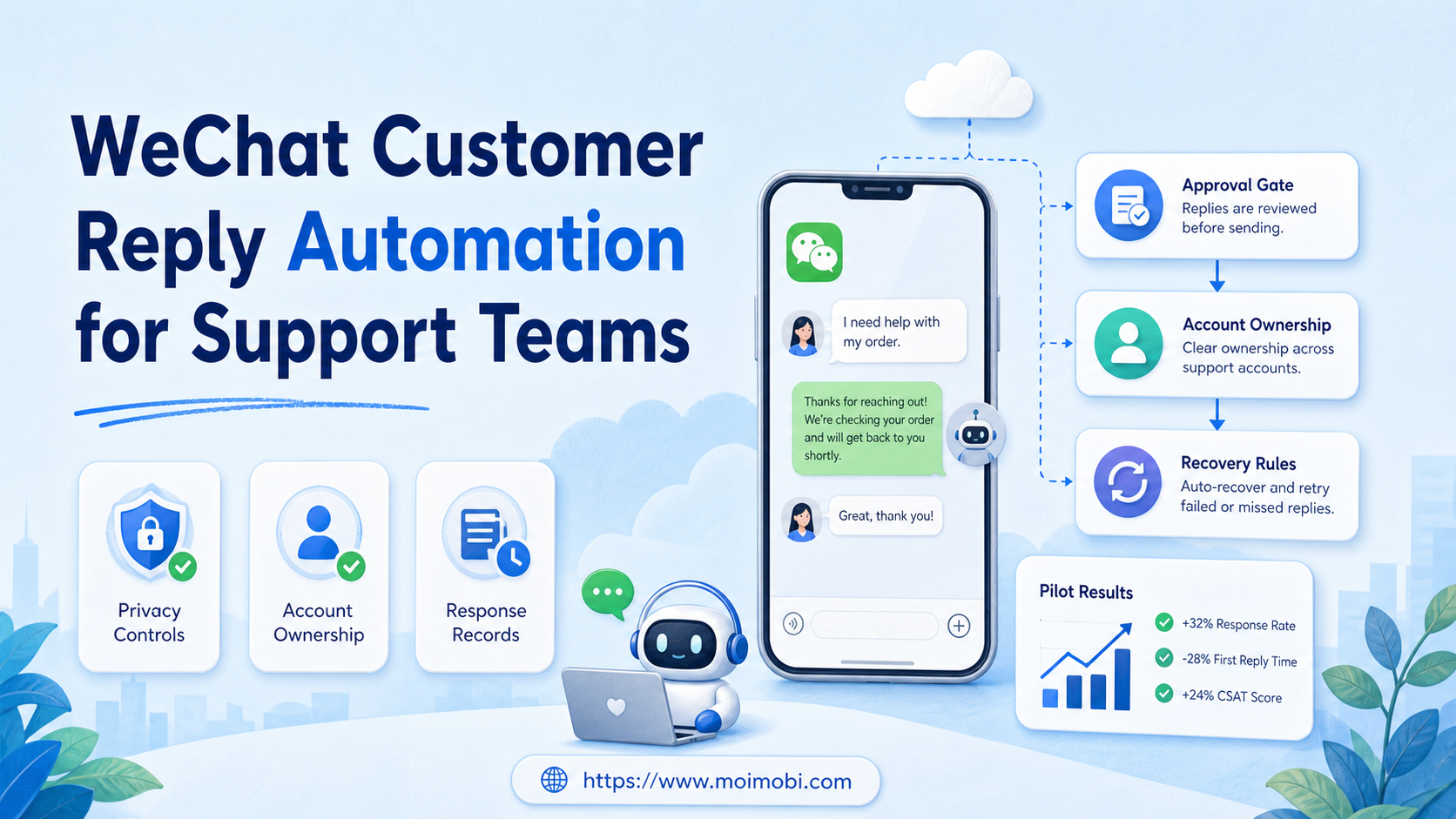
WeChat customer reply automation is a controlled support workflow that classifies incoming messages, prepares an approved response or next action, and records the outcome for a responsible team member. It should reduce repeated triage work. It should not become unattended bulk messaging or a substitute for judgment on sensitive customer issues.
Support teams usually struggle with three things: messages arrive across several accounts, context is split between people, and handoffs leave no clear record. A well-designed workflow solves those problems by assigning an owner, preserving conversation context, and setting clear escalation rules.
The safest starting point is not an auto-send rule. Start with message tags, response templates, approval boundaries, and a record of what was sent. Then automate only the repetitive preparation steps that the team can review.
Key Takeaways
- Use automation for classification, routing, draft preparation, and follow-up reminders before automating a send action.
- Give each support account a clear owner, permission boundary, and operating environment.
- Keep human review for complaints, pricing, refunds, policy issues, and uncertain intent.
- Measure first-response time, resolution quality, escalation rate, and duplicate replies during a small pilot.
- Keep customer data and message records limited to the purpose of support work.
The Core Idea Behind WeChat Customer Reply Automation for Support Teams
The common mistake is treating reply automation as a faster way to send the same message to more people. Customer support has a different goal. It needs a timely, relevant response that preserves context and gives a customer a clear next step.
The useful model has four layers. First, a message is classified by topic, urgency, language, account, and customer stage. Second, the system routes it to an owner or queue. Third, a template or AI draft is prepared from approved material. Fourth, the action and result are recorded for follow-up.
That sequence gives automation a narrow, reviewable role. A simple delivery question may receive an approved short answer. A complaint, refund request, account dispute, or ambiguous request should pause for an accountable person. The team should be able to see why the message was routed and who made the final response decision.
Tencent's WeChat Privacy Protection Summary describes how the service processes personal information. Teams should apply the same discipline internally: collect only support data that is needed, limit access by role, and set a retention rule for exported records. Privacy controls are part of the workflow, not a final compliance checkbox.
Why Teams Search for WeChat Customer Reply Automation
Manual reply work becomes unreliable when a shared inbox grows faster than the team's handoff process. One agent may answer an old message while another prepares a different response. A manager may not know which account owns a conversation. Customers then receive delays, conflicting answers, or no next step.
Multi-account teams also need operating context. A reply may belong to a regional account, a product line, a partner account, or a support tier. The workflow should attach that context before the response is drafted. For mobile-first support work, an isolated cloud phone can provide a named execution environment, while the task record keeps the responsible owner and history visible.
The target is not maximum message volume. The target is fewer missed handoffs and clearer customer outcomes. That calls for inbox triage, account ownership, approved knowledge, and a review path for exceptions.
| Message type | Automation role | Human boundary |
|---|---|---|
| Order-status question | Tag, retrieve approved status, draft a reply | Review if data is missing or disputed |
| Basic product question | Route by product and suggest approved answer | Review before claims outside the knowledge base |
| Complaint or refund | Tag urgency and assign the correct queue | Human decides response and remedy |
| Account-access issue | Collect required facts and create a case | Human verifies identity and access action |
| Potential spam | Flag and suppress automatic follow-up | Reviewer decides whether to close or escalate |
Build a Response Queue That Preserves Context
Each queue item needs more than a message preview. Capture the arrival account, the customer identifier used by the team, language, category, urgency, related order or case reference, current owner, and next review time. These fields keep a handoff from turning into a fresh investigation.
Use a small taxonomy at first. A long category list makes routing fragile. Start with operational buckets such as delivery question, product question, account issue, complaint, payment question, and unknown intent. Review the unknown queue weekly. If the same question appears repeatedly, add an approved category and response block.
The response record should separate the proposed answer from the final action. A draft may use the right source data but still need a local language edit or a customer-specific clarification. Preserve the source used, reviewer, final status, and next action. That record helps the next agent understand the case without reopening every system.
Set an explicit service-level target for each category, but do not confuse it with a promise to the customer. For example, the team may aim to triage account-access issues within one business hour and review refund cases by the next assigned shift. The target tells the queue owner when work is late. It does not justify sending an unreviewed response.
Who Benefits Most and In What Situations
WeChat customer reply automation fits teams with repeated support patterns and enough message volume to make triage expensive. It can suit cross-border commerce teams, service desks, community teams, and agencies that manage customer communication for several approved client accounts.
The best fit is a team that already has a support knowledge base and named owners. Without approved answers, routing rules, and a way to update the material, automation only makes inconsistency arrive faster.
It is not a good fit for cold outreach, repetitive unsolicited contact, or attempts to avoid platform rules. It is also a weak fit when every customer request requires a specialist judgment. In that case, use automation to summarize, route, and track rather than compose the final answer.
- Several recurring request categories
- Named support accounts and roles
- Approved response material
- Clear escalation for sensitive cases
- Shared passwords or unclear account ownership
- No response standards
- No process for complaints or refunds
- No way to review message history
For separate workspaces, multi-account management helps connect the account, task, and responsible team member. For mobile execution, mobile automation should be treated as an execution capability, not a reason to remove review controls.
Set Approval Boundaries Before the First Reply
Approval rules prevent the system from treating every reply as routine. Build the rule from the potential impact of a wrong answer. A delivery-status update based on a verified record may be low impact. A refund decision, a statement about product safety, a change to account access, or a request involving personal information has a different risk profile.
Define the boundary in plain language. The workflow can prepare an answer when the knowledge source is current and the intent is clear. It must pause when the source is missing, the message contains a complaint, the customer disputes a previous answer, or the reply would create a commercial commitment.
The reviewer role also needs a deadline and fallback. If the assigned reviewer is unavailable, route the task to a named backup rather than leaving it in a generic queue. Record that reassignment. It reveals where staffing and knowledge gaps create delays.
| Approval trigger | Required action | Evidence to keep |
|---|---|---|
| Policy or pricing request | Route to approved commercial owner | Source policy and final response |
| Refund or complaint | Pause automatic response and review case history | Case owner, remedy, and follow-up date |
| Personal-data request | Verify process and authorized role | Request type and access decision |
| Unclear intent | Ask a short clarification or escalate | Reason the automated path stopped |
How to Start WeChat Customer Reply Automation
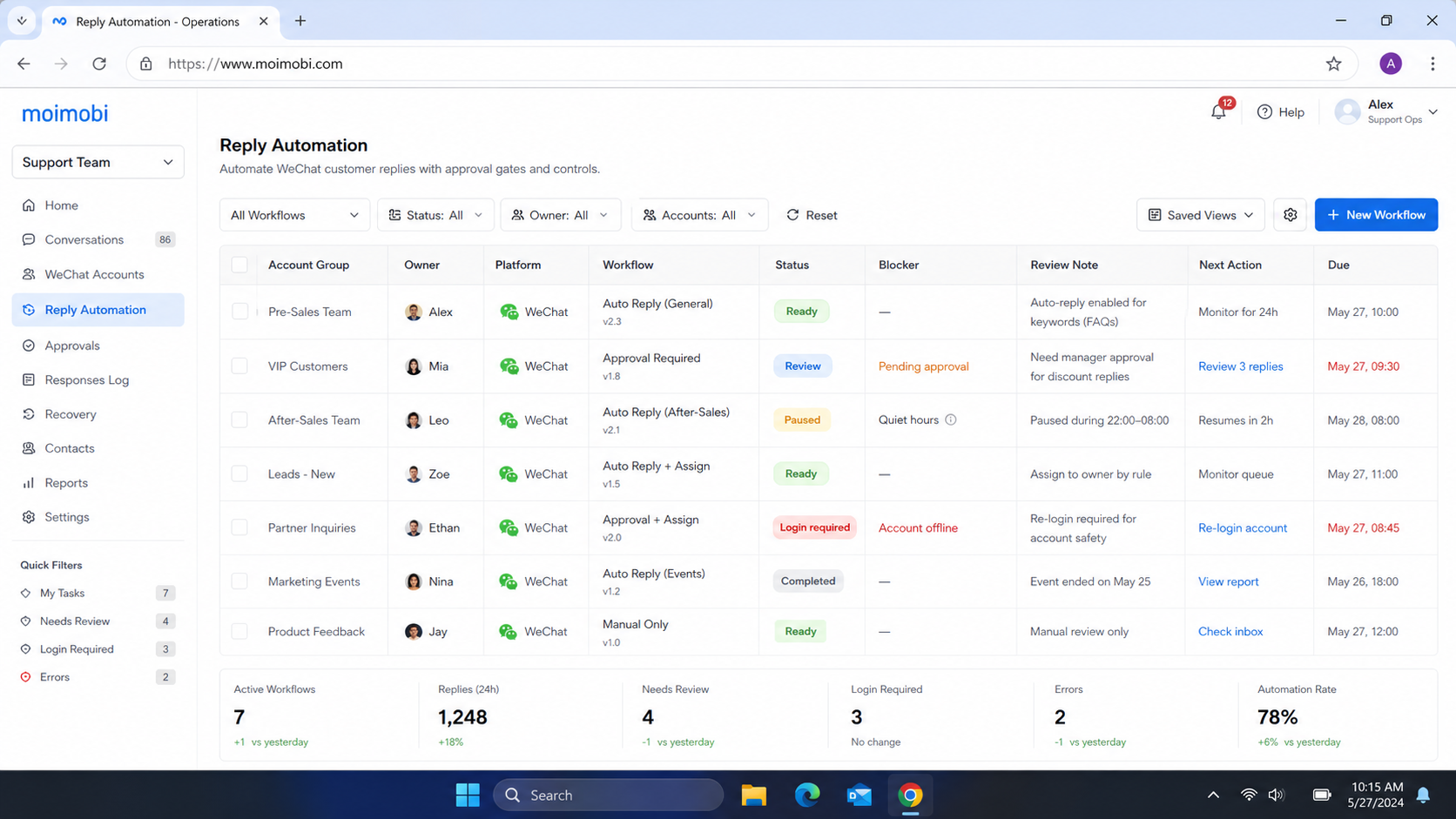
Do not start by enabling a broad automatic reply. Start with one message category where the correct next step is already clear. Delivery-status questions or basic store-hour questions are often easier to test than complaints or payment issues.
- Map incoming categories. List the ten most common message reasons and mark which ones need a person.
- Set account ownership. Assign each account, queue, and escalation contact to a named role.
- Create approved response blocks. Keep each answer short and attach any required data source or policy note.
- Add a review rule. Require approval for price changes, refunds, legal issues, private data, and unclear intent.
- Log the outcome. Record category, account, owner, suggested reply, final reply status, and next action.
- Add a stop rule. Pause the flow when duplicate replies, complaint spikes, missing context, or access errors appear.
Role-based access supports this design. NIST's least-privilege guidance frames access around assigned duties. In practice, a content operator does not need the same support permissions as a refund owner, and a temporary reviewer should not inherit broad account access.
Mistakes That Reduce Results
The biggest failure is automating before the support process is clear. A draft generator cannot repair an outdated policy, conflicting price list, or missing account owner. It will only repeat the uncertainty at speed.
Another mistake is treating every message as equally safe to answer. A customer asking for order status differs from a customer reporting a failed payment or requesting account changes. The workflow must distinguish information retrieval from decisions that affect a customer, a payment, or personal data.
Avoid one shared queue with no account context. It hides language, region, product, and relationship differences. Use a task record that shows where the message arrived, what category was assigned, and why it was escalated.
Finally, do not measure only response volume. A large number of replies can hide duplicate messages, low-quality answers, or unresolved cases. CISA's Logging Made Easy explains why usable logs support investigation. Support operations need the same ability to reconstruct a decision and improve it.
Pilot Rollout, Measurement, and Recovery Checks
Pilot one account or one limited queue for two weeks. Keep the existing support process available during the test. This creates a recovery path when the new routing rule assigns a message incorrectly.
Track four operational signals: first-response time, handoff time, escalation rate, and reopen rate. Add one quality sample each week. A supervisor can review a small set of completed conversations for missing context, wrong routing, or a response that should have required approval.
Use this verification checklist before expanding:
- Every pilot message has an account, category, owner, and outcome.
- Sensitive categories pause for human review.
- The team can locate the source conversation and response record.
- Duplicate actions are visible and reversible.
- Repeated errors have a named owner and a correction date.
The pilot passes when the team can explain the result of each exception, not just when automated activity rises. Expand one category or account at a time.
Frequently Asked Questions
Can WeChat customer reply automation send every response automatically?
It should not. Use automatic sending only for narrow, approved, low-risk responses. Keep review for sensitive, ambiguous, or customer-impacting issues.
What should be automated first?
Start with classification, routing, knowledge lookup, draft preparation, and reminders. These reduce repeated work without removing accountability.
How many accounts can one team manage?
There is no useful fixed number. Capacity depends on category volume, language coverage, account ownership, review needs, and the quality of the handoff record.
Does a cloud phone replace a support workflow?
No. A cloud phone provides an execution environment. The workflow still needs roles, approved actions, records, and escalation rules.
How should teams handle customer data?
Limit the data to the support purpose, restrict access by role, and document retention and deletion decisions. Review platform and local privacy obligations before connecting systems.
What should cause an automation to stop?
Stop when the workflow creates duplicate replies, assigns messages to the wrong account, uses outdated content, or cannot preserve a clear record.
Can AI write customer responses?
AI can prepare drafts from approved material. A designated owner should review replies that involve sensitive facts, policy interpretation, payments, or complaints.
Conclusion
A controlled WeChat support workflow works best as a support system, not a volume machine. Begin with classification, ownership, approved answers, and visible records. Keep a human boundary where the response could affect a customer relationship, a payment, privacy, or a policy decision.
Before expanding, confirm that one pilot account has clean assignments, reviewable response history, and a recovery rule for mistakes. That is the practical test of whether the workflow is ready for more volume.



