
Key Takeaways
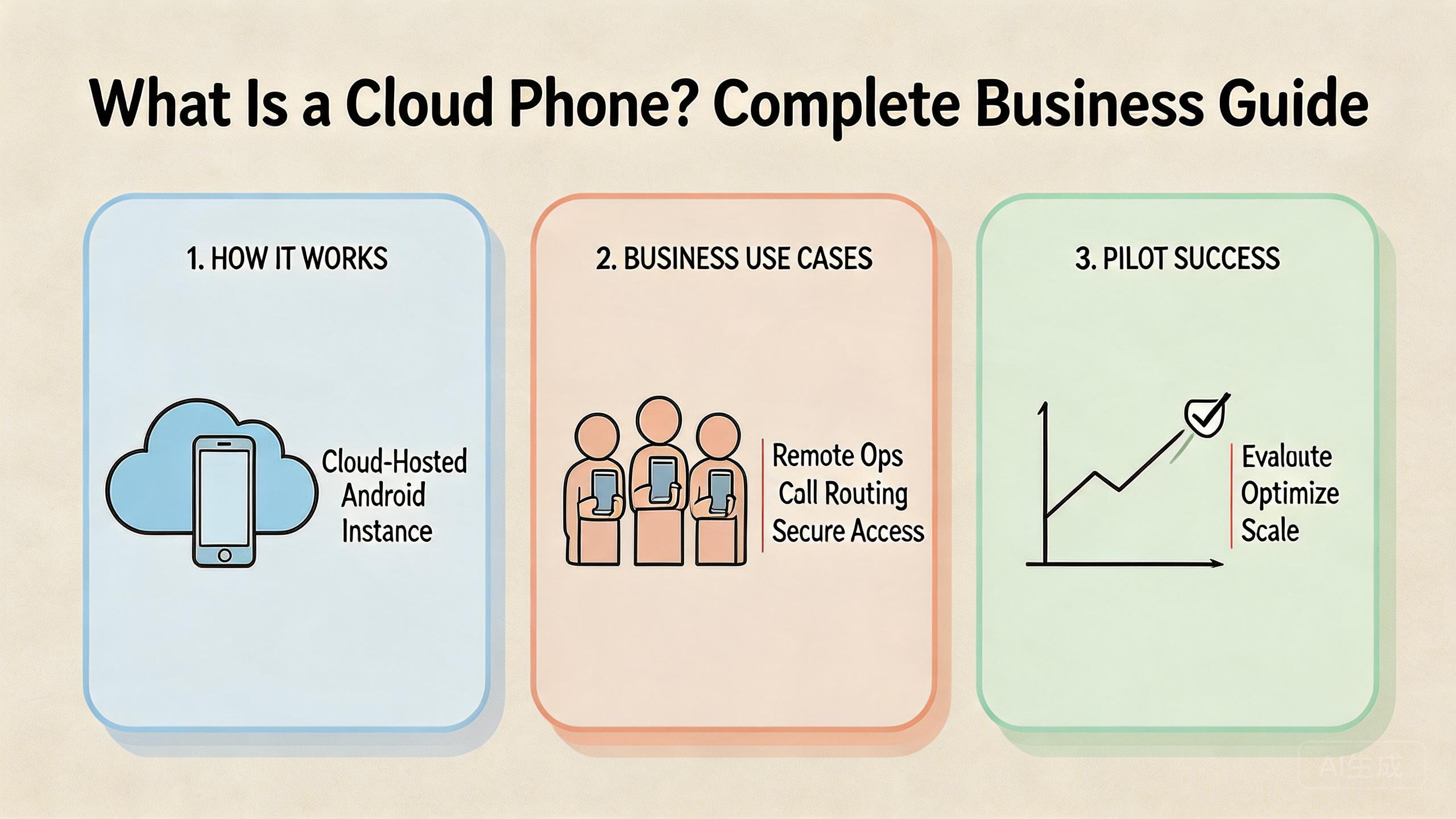
- A cloud phone is a remote Android environment that teams can access, operate, and reuse through the cloud.
- The business value is not the remote screen alone. The value comes from control, isolation, routing, and repeatable handoff.
- Cloud phones fit best when teams need shared mobile execution, multi-account operations, mobile automation, or remote review.
- A careful pilot should measure setup time, handoff time, recovery time, and workflow stability before broad rollout.
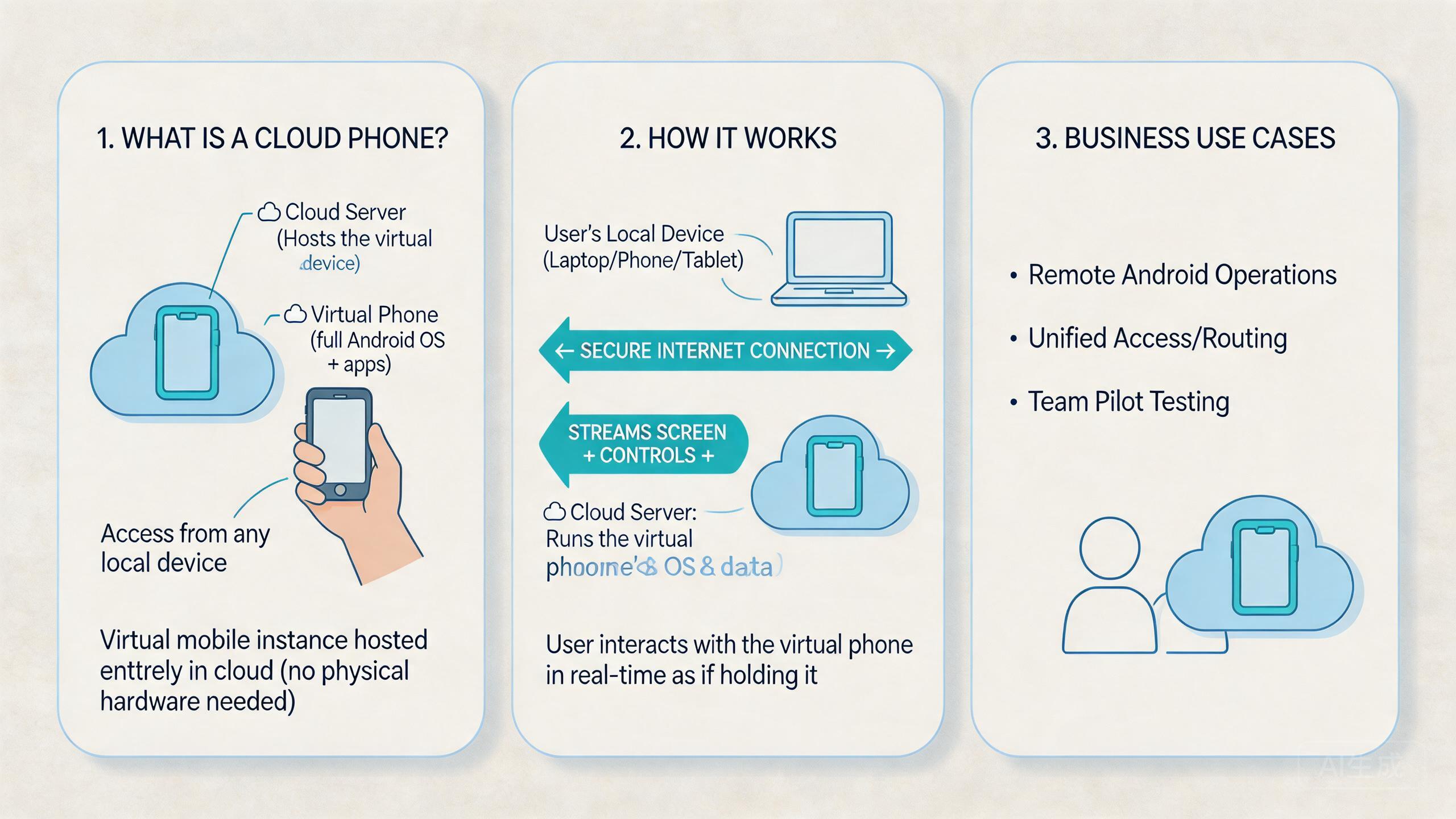
A cloud phone is a remote Android device setup that runs in the cloud and can be reached through a browser, app, API, or control panel. It gives teams a way to use mobile apps without keeping every device on a local desk.
The simple definition is useful, but it is not enough for business use. The model becomes valuable when it supports repeatable work. Teams need clean device state, controlled access, stable routing, and a recovery path when something breaks.
This matters because many teams reach this topic after local devices become hard to manage. One phone is easy to understand. Ten phones across several people are harder. A shared remote fleet creates a new question: how do you keep the workflow organized without creating more risk?
For MoiMobi users, the answer usually starts with the cloud phone layer and then expands into device isolation, proxy network, and mobile automation. Those layers work together when the goal is stable mobile execution for a team.
What is a cloud phone and how does it work?
A hosted cloud phone setup behaves like a mobile device from the operator's point of view. The user opens a remote session, controls the screen, installs or runs apps, and performs work without holding a physical handset.
The backend can vary by provider. Some platforms expose a visual console. Others also support API access, automation hooks, team permission controls, or grouped device pools. The important business question is not only how the screen is streamed. The better question is whether the environment can stay usable across repeated workflows.
At a high level, the setup has four layers.
| Layer | What it controls | Business question |
|---|---|---|
| Device setup | Android state, apps, storage, and session history | Can the same workflow run again without rebuilding setup? |
| Access layer | Users, roles, session permissions, and review access | Can operators and reviewers work without sharing unsafe credentials? |
| Network layer | Routing rules, IP consistency, and region behavior | Can the team explain which route a device is using? |
| Operations layer | Grouping, monitoring, reset rules, and recovery process | Can the team detect drift before it affects many devices? |
This structure is close to normal device management thinking. Google describes Android Enterprise around managed configuration, policy, and administrative control rather than informal handling of devices (Android Enterprise overview).
The delivery model is different, but the management lesson is similar. Remote access becomes useful when control is clear.
That is also why a cloud phone should not be treated as a magic safety layer. It can help teams separate work, standardize environments, and reduce local device friction. It cannot replace policy judgment, account discipline, or careful workflow design.
Why cloud phones matter for business teams
Cloud phones matter when mobile work becomes shared, repeated, or hard to supervise locally. The pain often begins with small operational details. A device is in the wrong location. A login state is unclear. A teammate changes settings without telling anyone. A run fails, but nobody knows whether the problem came from the app, the device, the network, or the operator.
Those details sound small until they repeat daily. A business team needs more than access to a screen. It needs a way to assign devices, review activity, recover failed sessions, and keep workflows consistent across people.
Common business uses include distributed app testing, content operations, social media workflows, support checks, account operations, and mobile automation review. Some teams use a phone farm model when many devices need to run in parallel. Others only need a smaller shared pool with stricter access and reset rules.
The operational benefit is usually about coordination. The platform lets a team define where the work runs. A good setup also helps define who can touch it, how the environment should be routed, and when a device is ready for reuse.
Google's Firebase Test Lab documentation shows another form of remote Android execution for app testing. Repeatable test environments matter for quality workflows (Firebase Test Lab).
Business cloud phone use is broader than automated app testing, but the same principle applies. Remote mobile environments are useful when they make repeated work easier to compare and control.
Cloud phone benefits and limits
The biggest benefit is not convenience alone. The practical benefit is that mobile work can move into a more controlled operating model. A manager can review state. Operators can share capacity. Technical teams can connect automation or API flows when the platform supports it.
Benefits are strongest when the workflow has repetition. A team that repeats the same setup, login, review, or automation path can often save time by standardizing the environment. Remote access also helps when people work from different locations and need access to the same kind of mobile capacity.
Limits matter just as much. This model is not the best answer for every mobile problem. Hardware-specific debugging, sensor checks, cable-level issues, and physical device inspection may still need local devices. If a task depends on touching the actual hardware, remote Android access may only support part of the workflow.
Repeated Android workflows, shared operators, multi-account operations, remote review, mobile automation, and device pools that need clear handoff.
Hybrid teams where routine execution can move to cloud phones, while hardware-specific checks remain on local devices.
One-off tasks, undefined workflows, no ownership rules, or work that depends on physical device handling at every step.
This boundary is important for SEO readers because the phrase "cloud phone" can sound broader than it is. The tool is useful when it solves an operating problem. It is weaker when the team has not defined the workflow it wants to control.
Policy responsibility also stays with the team. Google Play's policy center is a reminder that platform rules still apply regardless of the device model (Google Play Policy Center). Better infrastructure can support cleaner execution. It does not remove the need to understand the rules of each platform and app ecosystem.
How to evaluate a cloud phone platform
Evaluation should focus on the work model, not only the feature list. A platform can look strong in a demo and still fail in daily use if the team cannot manage state, roles, and recovery.
Begin with the workflow. Name the exact task the cloud phone must support. Then decide how many people touch that task, how often it repeats, and what has to stay stable between sessions. That framing is more useful than starting with device count.
- Define the repeated workflow. Write down the app path, account state, setup requirements, and expected output.
- Choose the device grouping rule. Group by workflow, region, team, account type, or review need.
- Set access boundaries. Decide who can operate, who can review, and who can reset or change routing.
- Stabilize the network policy. Keep routing explainable during the pilot instead of changing it per operator.
- Measure recovery. Track how long it takes to identify, isolate, and restore a failed device state.
After that, compare platform capabilities. Look for persistent device state, isolation options, access controls, proxy or routing support, API access, and automation compatibility.
Clear lifecycle states matter as well. For a MoiMobi-style workflow, many teams also care about multi-account management because operational separation is part of the value.
Avoid judging a platform only by the number of devices it can provide. Capacity matters, but uncontrolled capacity creates noise. A smaller pool with clean ownership can be more useful than a large pool that nobody can audit.
Data analysis: what to measure during a cloud phone pilot
The safest way to evaluate cloud phones is to run a small pilot before committing to a broad rollout. The pilot should answer one question: does this setup make repeated mobile work easier to run, review, and recover?
The first pilot should usually involve one team, one workflow, and one primary device group. A narrow test gives cleaner evidence. If the team starts with several workflows at once, every failure becomes harder to interpret.
| Metric | What to record | Healthy signal |
|---|---|---|
| Setup time | Minutes needed to prepare a usable device setup | Setup becomes repeatable and does not depend on one person |
| Handoff time | Minutes required for another operator to continue work | A second user can understand state without private notes |
| Recovery time | Minutes required to isolate and restore a failed session | Failures have a known owner and a clear reset path |
| Reuse quality | How often a device marked reusable actually remains usable | Reusable status is based on checks, not guesswork |
| Review clarity | How fast a lead can understand pool status | The team can see blocked, ready, and under-review states |
These numbers do not need to become a large analytics project. They should help the team see whether cloud phones reduce friction or only move it somewhere else.
A good pilot should make handoff easier, recovery faster, and device state clearer.
The review should also include qualitative notes. Operators should report where the workflow still feels unclear. Reviewers should note whether they can understand the environment without asking for a separate explanation.
Admins should track which failures come from device state, routing, app behavior, or process design.
Use a simple operating scorecard before adding more devices. The exact thresholds can change by team, but each metric should have an owner and a review cadence.
| Review area | Practical check | Decision signal |
|---|---|---|
| Access control | Can each user reach only the devices they need? | Add capacity when role boundaries are clear |
| Device state | Can the team see ready, in-use, and reset-required states? | Add capacity when reuse is based on status |
| Routing | Can an operator explain the assigned route for a pool? | Scale when routing is stable enough to debug |
| Recovery | Can the team isolate a bad run without stopping every workflow? | Scale when recovery has a named owner |
| Reporting | Can leads review status without private notes? | Continue when status is visible to the team |
The scorecard should stay practical. A pilot can pass with a small pool if the team knows what changed, who owns each device, and how work returns to a clean state. A large pool without those answers is still immature.
Cloud phone rollout checklist for operators
Operators need a short checklist before the first real rollout. This list keeps the workflow concrete and helps reviewers separate setup problems from tool problems.
- Confirm the use case. Name the exact mobile task, the app path, and the expected output.
- Assign the first pool. Keep the pilot pool narrow so state and routing stay easy to inspect.
- Define user roles. Separate daily operators, reviewers, and admins before shared work begins.
- Record route expectations. Keep a short note that explains the route model for each pool.
- Set reset rules. Decide when a device is reusable, under review, or blocked.
- Run one recovery drill. Simulate a failed session and confirm who isolates the issue.
- Review pilot notes. Add more capacity after the team can explain setup, handoff, and recovery.
This checklist is deliberately plain. It gives the team a way to avoid false confidence. If operators cannot complete these steps, more devices will usually create more coordination work.
Common cloud phone mistakes to avoid
The first mistake is starting with scale. Teams often ask how many cloud phones they need before they define the workflow. That order creates avoidable confusion. Device count should follow the operating pattern.
The second mistake is mixing unrelated tasks inside the same pool. This can feel efficient early, but it weakens review clarity. When a failure appears, the team cannot tell whether the cause is account state, app state, route behavior, or the previous workflow.
The third mistake is treating routing as an operator preference. For repeatable work, routing should be a controlled part of the environment. The route does not have to be complex, but it should be known and reviewable.
The fourth mistake is weak reset discipline. A device that is "probably fine" is not ready for business reuse. Teams need concrete states such as ready, under review, quarantine, and reset required.
The fifth mistake is overclaiming safety. Remote device setup can improve work separation, but it cannot make every workflow acceptable or every account decision safe. Teams should use cautious language and follow platform rules.
Cloud phone decision framework for business teams
A business team should evaluate a cloud phone through operating evidence, not only feature names. The platform may look useful in a demo, but the real test is whether it makes repeated mobile work easier to control after several people start using it.
Choose the workflow category first. Some teams need remote Android access for review work. Others need a repeatable setup for app tasks, support checks, or mobile automation. Each category creates different pressure on device state, routing, and handoff. The same cloud phone pool should not carry every workflow unless the team has a clear reason.
Next, separate access value from management value. Access value means a user can reach a remote Android setup. Management value means the team can assign that setup, track ownership, control roles, and recover after a failed run. Many early buying mistakes happen when teams buy for access but later need management.
Use this decision table before expanding:
| Decision area | Strong signal | Weak signal |
|---|---|---|
| Workflow fit | The same task repeats weekly or daily | The task is vague or one-off |
| Team ownership | Each pool has a named owner | Everyone shares the same devices informally |
| Device state | Ready, in-use, review, and reset states are visible | Operators rely on private notes |
| Routing discipline | Route expectations are documented by pool | Users change routes without review |
| Recovery | A failed session has a clear isolation path | Failures require guessing across devices |
This framework keeps the purchase decision grounded. A small cloud phone deployment can be valuable when it improves these signals. A larger deployment can still fail when those signals stay weak.
Plain buying checks before a cloud phone rollout
Simple checks often work better than a long feature list. A buyer should be able to explain the task, the users, the device pool, and the review path in plain words. If that is hard, the team may not be ready to add more devices yet.
Ask these questions before a pilot:
- What job will this phone pool run?
- Who will use it each day?
- Who can change the setup?
- What state means the device is ready?
- What state means the device must stop?
- Which route should this pool use?
- Who checks the result after a run?
These questions are basic on purpose. They force the team to name the work before it buys more capacity. They also make the first review easier. A lead can compare what the team planned with what actually happened during the first week.
The best answer is not always a larger pool. Sometimes the right move is a smaller test, clearer roles, or a better reset rule. A cloud phone helps most when the team already knows the job it wants to repeat.
How cloud phones connect to broader mobile operations
A cloud phone often becomes one part of a larger mobile work stack. The device is the place where work runs, but the surrounding process decides whether the work stays reliable. Teams should look at isolation, routing, automation hooks, reports, and team ownership together.
Device isolation is the first surrounding layer. It helps teams reduce accidental state mixing between workflows. This is especially important when different operators, clients, regions, or account types use separate setups. Without clear separation, review becomes slower because every issue may have several possible causes.
Network routing is the second layer. A cloud phone workflow may depend on a stable network path. The route should be explainable by pool or task. When routing changes casually, troubleshooting becomes harder because the team loses one of its main controls.
Automation is the third layer. A cloud phone can support repeated execution, but automation should not be added before the manual workflow is understandable. Bad process becomes harder to diagnose when it is automated too early. The safer path is to run the workflow manually, measure the friction, then automate the stable parts.
Reporting is the fourth layer. Leads need enough visibility to see whether devices are available, blocked, under review, or ready for reuse. A team that cannot review status without asking individual operators is still managing by memory.
MoiMobi is most useful when these layers support one operating goal: repeatable mobile execution with fewer unmanaged variables. That goal is more practical than broad claims about speed or scale. It gives teams a way to judge whether cloud phones are improving daily work.
Frequently Asked Questions
What is the main purpose of a cloud phone?
The main purpose is remote Android execution. For business teams, the deeper purpose is repeatable mobile work with clearer access, state, routing, and recovery control.
Is a cloud phone the same as an emulator?
No. An emulator usually simulates Android locally or in a test setup. A hosted remote Android setup is different. The exact technical model depends on the provider.
Who should use cloud phones?
Cloud phones fit teams that run repeated Android workflows, shared review tasks, multi-account operations, or mobile automation. They are less useful for one-off work with no repeatable process.
Do cloud phones remove account risk?
No. They can support cleaner separation and more consistent operations, but account decisions and platform rules still matter. Teams should avoid absolute safety claims.
What should a pilot measure first?
Use setup time, handoff time, recovery time, reuse quality, and review clarity first. These signals show whether the workflow is becoming easier to run.
How many cloud phones does a team need?
The answer depends on workflow volume, operator count, and reset frequency. Begin with one controlled workflow and expand after the pilot data is stable.
Can cloud phones support automation?
Many business teams use cloud phones as part of mobile automation workflows. The right setup depends on API support, device state control, routing, and review needs.
What should teams check before choosing a platform?
Check persistent state, device isolation, role control, routing support, automation compatibility, recovery workflow, and whether the platform fits the team's real operating pattern.
Conclusion
Remote Android access is useful when it becomes part of a controlled work system. The screen is only the visible layer. The real value comes from stable device state, clear ownership, role-based access, routing discipline, and recovery rules.
Business teams should begin with workflow design. Name the job, group devices by purpose, define who can touch each setup, and measure whether the pilot reduces handoff and recovery friction. That approach keeps the decision practical.
The next step is simple. Pick one repeated mobile workflow and test it with a small cloud phone pool. If setup, handoff, review, and recovery become easier to manage, the model is earning trust. If those signals stay unclear, fix the operating model before adding more devices.



