
Content Type: guide
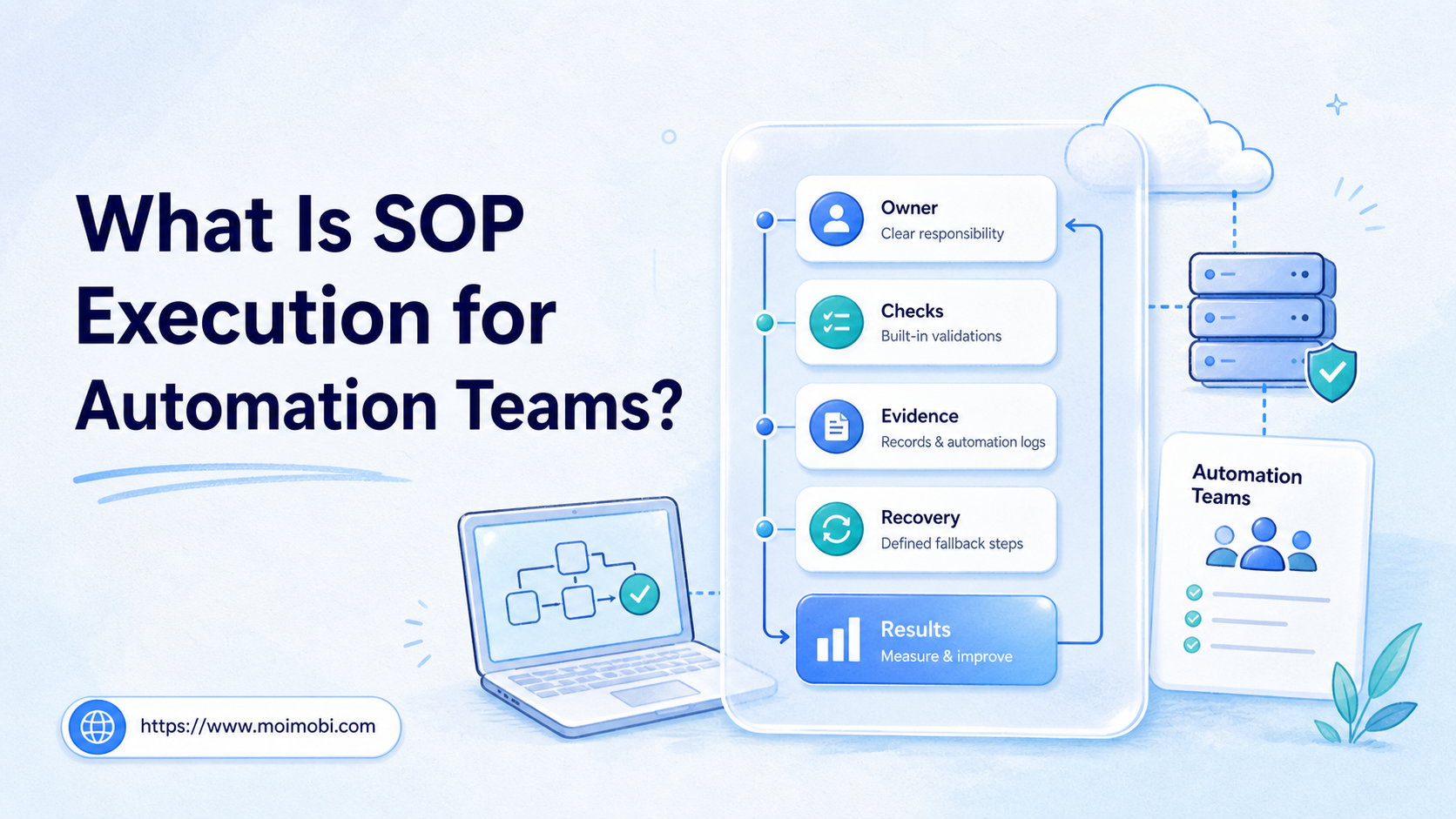
SOP execution for automation teams is the practice of turning a standard operating procedure into a repeatable workflow that can be assigned, executed, checked, and improved. It is not just a document. It is the operating layer between written instructions and real task completion.
Automation teams search for this because scripts and AI agents fail when the process around them is unclear. A tool can click, generate, post, reply, or collect data. The team still needs ownership, input rules, approval points, failure handling, and proof that the work actually finished.
For Moimobi users, SOP execution matters when browser profiles, cloud phone environments, accounts, and AI workers must operate as one controlled system. A clear SOP keeps automation tied to business rules instead of turning every task into a one-off experiment.
Key Takeaways
- SOP execution for automation teams connects documented procedures with real task runs, checks, and evidence.
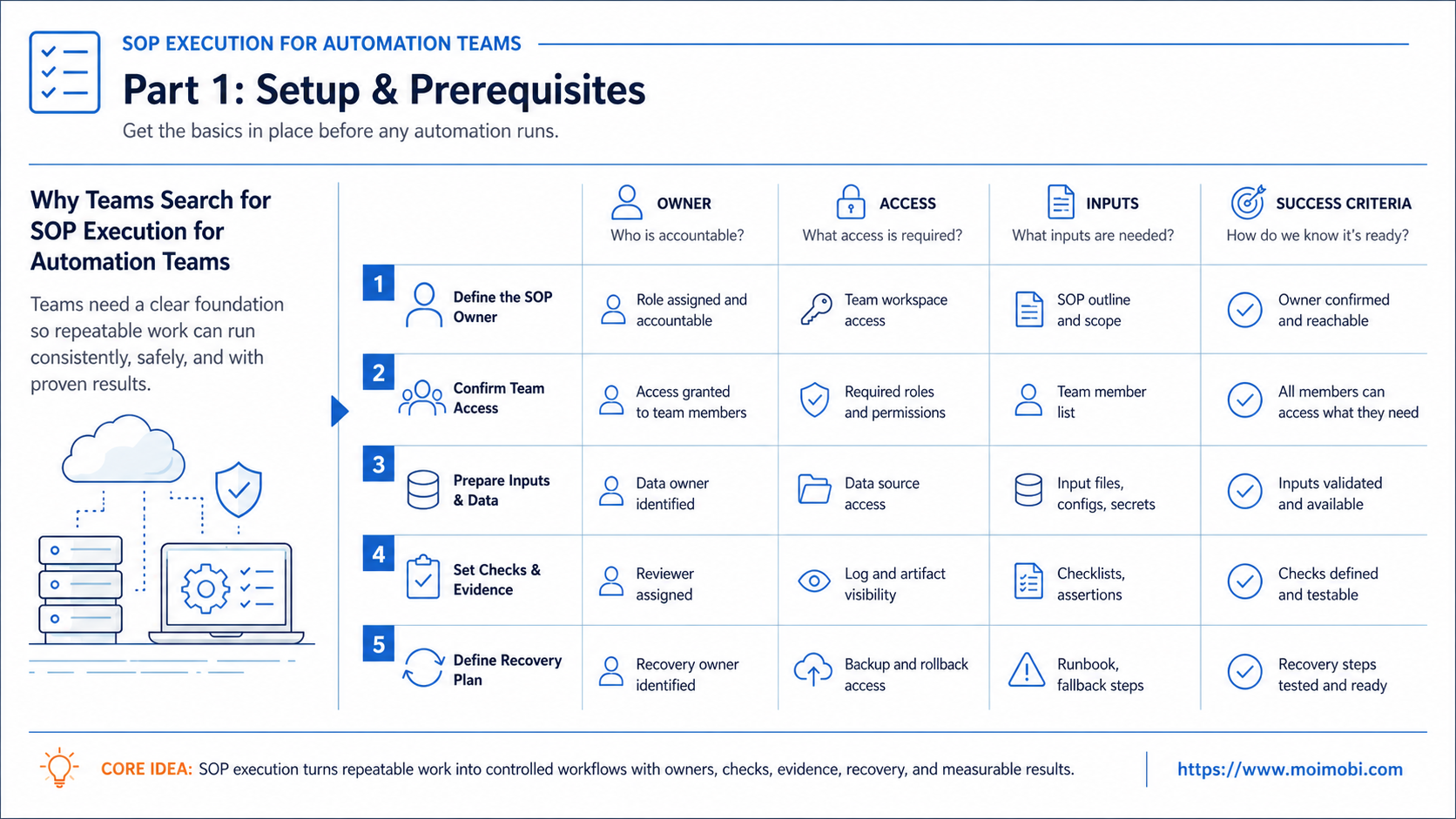
- A useful SOP includes owners, inputs, environments, stop rules, approval points, outputs, and recovery paths.
- Automation does not remove process control. It makes unclear process control easier to expose.
- Teams should pilot one repeatable workflow before turning every manual task into automation.
- The strongest SOPs are measured by execution quality, not by how detailed the document looks.
The Core Idea Behind SOP Execution for Automation Teams
The core idea is simple: the SOP should describe how work moves from intent to verified result. A weak SOP says, "publish content every day." A stronger SOP defines which account publishes, where the content comes from, who reviews it, what the automation can do, what requires human approval, and how the result is recorded.
Workflow platforms point in the same direction. Microsoft explains that a Power Automate cloud flow starts with a trigger and then runs actions after that event occurs. The same document also notes that a saved flow needs at least one trigger and one action. See Microsoft Learn on Power Automate triggers and actions for that basic execution model.
Automation teams can apply that thinking without trying to become a certification program. The useful lesson is operational. A documented process only helps if it can guide execution, preserve records, and improve after failures.
Here is the simplest model:
- Define the goal.
- Define the environment.
- Define the action sequence.
- Define approval and stop points.
- Execute the workflow.
- Verify the output.
- Record what happened.
- Improve the SOP after review.
This is why task-run control for mobile workflows and browser automation need SOP design. Without it, the team only has tasks. With it, the team has a repeatable operating system.
Why Teams Search for SOP Execution for Automation Teams
Teams search for SOP execution when manual work starts breaking under scale. One operator can remember account rules, campaign notes, edge cases, and recovery steps. A larger team cannot depend on memory.
The trigger usually appears in one of four forms:
- Work is done differently by each person.
- Automation runs but nobody knows whether the result is valid.
- Failed tasks require too much manual investigation.
- Managers cannot tell which account, workflow, or worker caused the issue.
Process automation tools also show why shared operating language matters. ServiceNow describes process automation applications as a way to digitize, visualize, and manage cross-enterprise workflows, with roles for developers, playbook owners, administrators, and agents. The ServiceNow process automation overview is useful context for role separation.
SOP execution does not require every team to model enterprise workflows. It does require the same discipline: clear steps, clear ownership, clear handoff, and clear exceptions. In automation, those details become more important because actions may run faster than humans can review them.
| SOP field | What it should answer | Why it matters in automation |
|---|---|---|
| Goal | What result should this workflow create? | Prevents vague tasks from becoming vague automation |
| Owner | Who approves, monitors, and fixes the workflow? | Stops accountability from disappearing after scheduling |
| Environment | Which profile, device, account, or route is used? | Protects account context and execution consistency |
| Inputs | What content, data, file, or instruction is required? | Reduces failed runs caused by missing preparation |
| Stop rule | When should automation pause or escalate? | Prevents repeated errors from multiplying |
| Evidence | What proves the task finished correctly? | Makes review and recovery possible |
Who Benefits Most and In What Situations
The myth is that SOP execution only matters for large operations teams. The workable view is different. Any team that repeats account-based work can benefit once handoff, review, and evidence become harder than the task itself.
Marketing teams benefit when publishing, comment review, and reporting happen across multiple platforms. Support teams benefit when inbox replies need routing, templates, and escalation. Growth teams benefit when lead collection and follow-up must be traceable. Agencies benefit when multiple client accounts run under different rules.
SOP execution fits especially well when a workflow has these traits:
- The task happens repeatedly.
- The result can be checked.
- The inputs can be prepared.
- The environment matters.
- A human should approve sensitive steps.
- A failure needs a known recovery path.
It fits less well when the work is one-time, creative without structure, or too dependent on private human judgment. An AI worker can draft a reply. It should not silently decide every sensitive customer response without rules, review, or escalation.
For account-heavy teams, the environment layer is part of the SOP. A browser profile, Android device, or mobile workspace is not just infrastructure. It is the place where the SOP runs. This is why account-level operating rules should be designed alongside the workflow.
How to Evaluate SOP Execution for Automation Teams
Start with one workflow, not a full automation program. Good candidates are repetitive, measurable, and already documented loosely by the team. Examples include posting daily content, checking messages, collecting lead data, updating a dashboard, or monitoring account status.
Use this preflight checklist:
- Pass: The workflow has a named owner. Fail: Everyone assumes someone else watches it.
- Pass: Inputs are defined before execution. Fail: Operators search for files during the run.
- Pass: The environment is assigned. Fail: Any account or device may be used.
- Pass: Review points are clear. Fail: Automation runs through sensitive steps with no approval.
- Pass: Evidence is saved. Fail: The only proof is "the task seemed done."
- Pass: Failures have categories. Fail: Every issue becomes a fresh investigation.
Atlassian describes automation actions as the "doers" of a flow, including actions such as editing a work item, sending a notification, or creating sub-tasks. Its Jira automation actions documentation is a useful example of how automation systems separate triggers, conditions, and actions.
That same separation helps SOP execution. A workflow should state what starts the task, what must be true before it runs, what action happens, and what confirms the result. Moimobi applies this thinking to browser and mobile operations through task runs, environments, approvals, and result tracking.
Mistakes That Reduce Results
The first mistake is treating SOPs as static documents. A procedure that nobody updates after failures becomes shelfware. In automation teams, the SOP should change when the workflow reveals a missing input, unclear owner, bad stop rule, or weak verification step.
The second mistake is automating the happy path only. Real workflows hit expired sessions, missing content, changed UI, permission issues, duplicate tasks, or incomplete outputs. A usable SOP should say what the system should do when the normal path breaks.
The third mistake is giving automation too much authority too early. Sensitive actions should keep human review until the team has enough evidence. Publishing, sending messages, changing account settings, and customer-facing replies should have approval rules where the cost of a bad action is high.
The fourth mistake is measuring activity instead of result quality. Counts like tasks started, posts queued, or replies drafted are not enough. Teams should also track verified completion, rejected outputs, repeated failures, manual rescue time, and whether the next operator understood the handoff.
For technical workflows that require remote control, the SOP should also define API boundaries. Teams using Android control or batch operations can map deterministic steps through a remote Android API guide, while still keeping approval and evidence rules in the business workflow.
Fit and Not-Fit Boundaries for SOP Execution for Automation Teams
SOP execution fits best when the workflow is repeated often enough to justify structure. A daily publishing check, a weekly account review, or a recurring lead follow-up process usually has enough repetition. A one-time research task may not.
It also fits when the output has a clear definition. "Collect ten qualified leads with source links" is measurable. "Find interesting companies" is too vague unless the team defines qualification rules.
Use this boundary test before adding automation:
- Good fit: repeated task, known inputs, owned account, measurable output, visible failure state.
- Possible fit: creative task with a structured review step and human approval.
- Poor fit: one-off judgment work, undefined success criteria, missing owner, or high-risk action with no approval path.
This boundary matters because SOP execution should reduce ambiguity. If the team cannot describe a workflow in plain language, automation will usually amplify the confusion.
One practical example is comment reply work. The SOP may let AI draft replies, classify intent, and prepare a response queue. The first public response can still require a reviewer. That keeps speed and judgment in the same operating model.
Pilot Rollout, Measurement, and Recovery Checks
A practical pilot should run for one week or one complete campaign cycle. Choose one task family, one account group, one owner, and one recovery path. Do not migrate every manual operation at once.
Use this rollout sequence:
- Pick one repeated workflow.
- Write the current manual SOP in plain language.
- Mark which steps are deterministic, AI-assisted, or human-only.
- Assign the execution environment.
- Define approval gates and stop rules.
- Run the workflow on a small account set.
- Review task records and failure notes daily.
- Update the SOP before expanding.
The pilot worked if the next run is easier than the first one. That means fewer missing inputs, fewer ownership questions, clearer evidence, and faster recovery after failure. The pilot did not work if the team only moved manual confusion into a faster tool.
Track the pilot in a small review table. Use one row per run. Include task name, environment, owner, trigger, approval status, output, failure category, and next action. The table does not need to be complex. It only needs to reveal patterns.
After three to five runs, review the same fields. If the failure category repeats, improve the SOP before adding more accounts. If the approval step keeps blocking, clarify who owns it. If outputs are hard to judge, rewrite the completion rule.
Recovery checks are part of the system. Ask these questions after every failed run:
- Did the task fail before execution, during action, or during verification?
- Was the account, browser profile, or mobile environment still valid?
- Did the workflow need human approval earlier?
- Was the failure caused by missing input or changed page state?
- Can the SOP prevent the same failure next time?
When the answer is unclear, pause expansion. Better SOP execution comes from making the failure visible, not from hiding it behind another automation layer.
Frequently Asked Questions
What is SOP execution for automation teams?
It is the process of turning written operating instructions into controlled workflows that can run, pause, verify, recover, and improve. It connects process design with task execution.
Is SOP execution the same as workflow automation?
No. Workflow automation runs steps. SOP execution defines the business rules around those steps, including owners, inputs, approvals, evidence, and recovery.
What makes an SOP ready for automation?
It is ready when the goal, input, environment, action sequence, approval rule, output, and failure handling are clear enough for another teammate to run.
Should AI agents follow SOPs?
Yes. AI agents need boundaries. The SOP tells the agent what to do, when to stop, what needs review, and what output counts as complete.
How many workflows should a team automate first?
Start with one. Choose a repeated workflow with clear inputs and measurable output. Expand after the pilot produces useful records and fewer repeated errors.
What is the role of a human reviewer?
The reviewer handles judgment, sensitive actions, exceptions, and quality control. Automation should prepare and execute repeatable work, not remove accountability.
How does Moimobi support SOP execution?
Moimobi provides execution environments, task workflows, account separation, and operational records for browser and mobile work. Teams can use it to run SOPs across controlled environments.
What should teams measure?
Measure completion quality, failed steps, manual rescue time, approval delays, and repeat failure patterns. These signals show whether the SOP is improving execution.
Conclusion
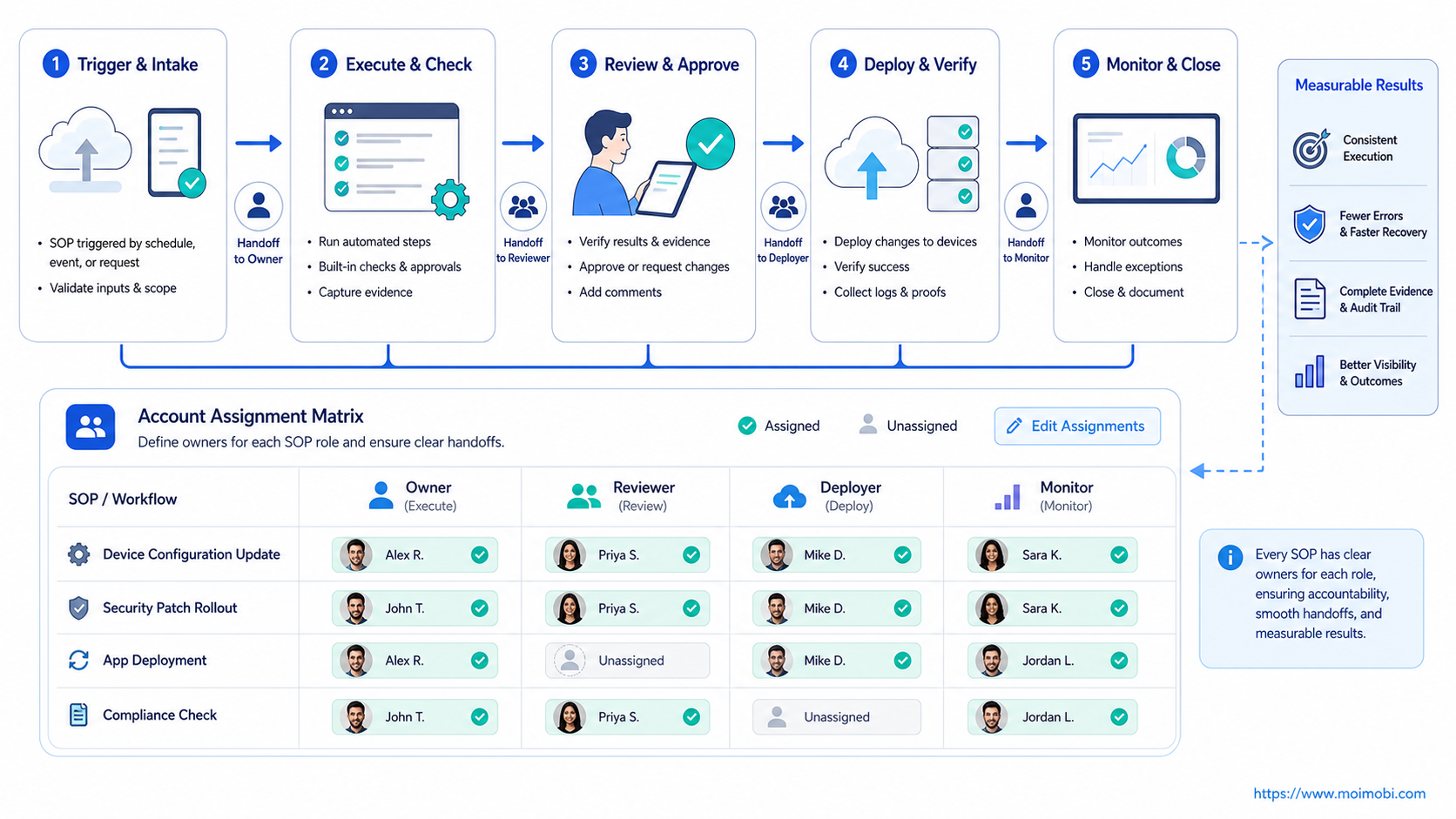
SOP execution for automation teams should start with this priority order: define the result, assign the owner, control the environment, set approval gates, verify the output, and record failures. Tools come after that sequence.
Choose one repeated workflow and write the operating contract before scaling. If the next teammate can understand the task state, evidence, and recovery path without asking the first operator, the SOP is ready for a larger automation pilot.



