
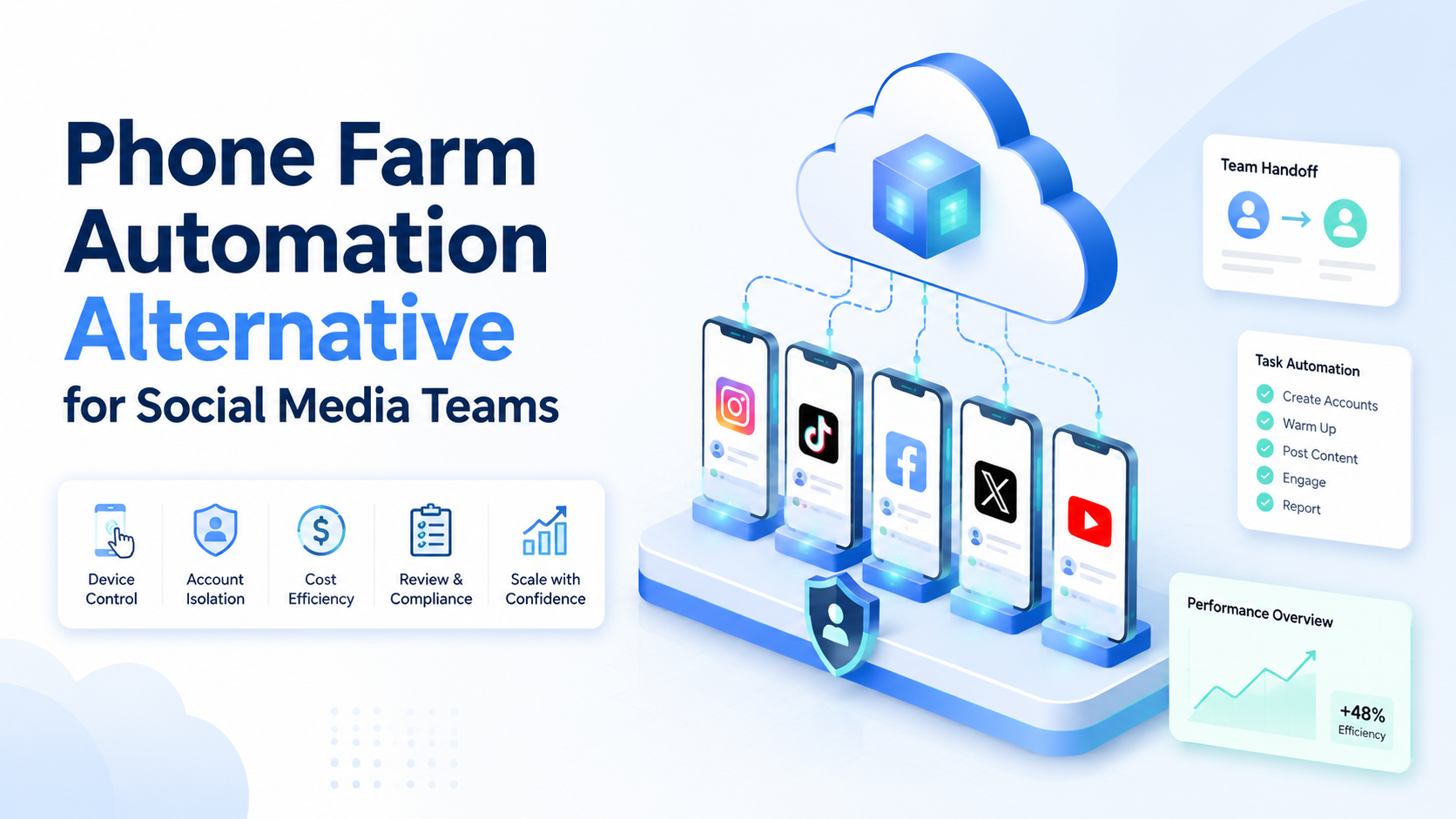
Phone farm automation means using many physical mobile devices to run repeated app-based tasks. For most social media teams, the better selection rule is this: use physical devices only when you need local hardware control, and consider cloud phone execution when you need team access, account separation, scheduling, and easier scale.
The comparison is not "physical phones are bad" versus "cloud phones are good." A physical phone farm can be useful for narrow testing or local device checks. The problem appears when a team tries to manage accounts, operators, scripts, routing, charging, storage, updates, and reporting at the same time.
Moimobi positions the alternative as execution infrastructure. A team can combine cloud phone environments, account isolation, mobile automation, browser workflows, and review logs. That makes the decision about operations, not only device ownership.
Key Takeaways
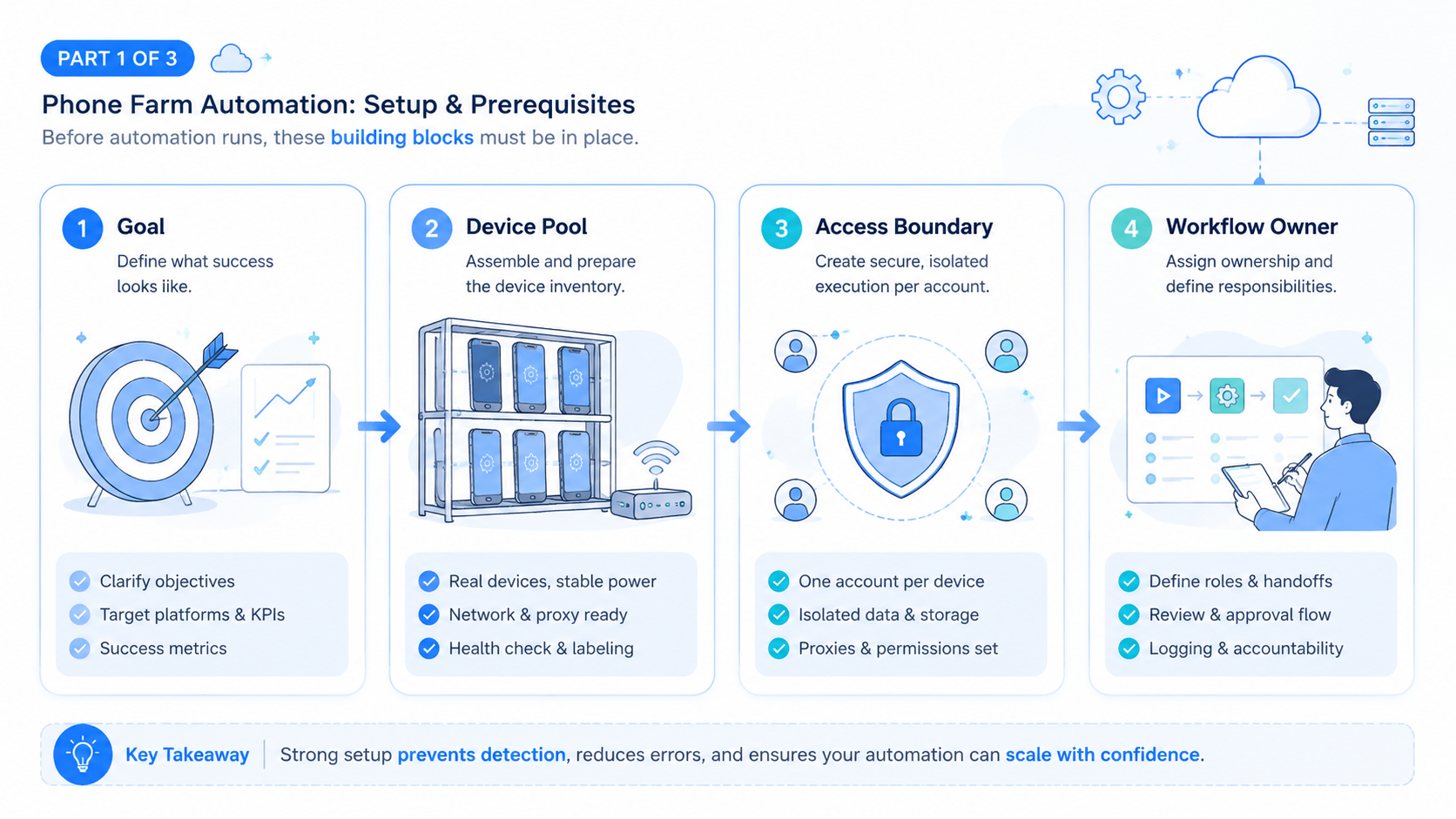
- Phone farm automation can work, but it becomes hard to manage as accounts and operators grow.
- Cloud phones are often easier for remote teams that need access, scheduling, and environment consistency.
- Physical farms still fit cases that require hands-on device control or local lab conditions.
- The best comparison checks execution, account isolation, maintenance, review, and recovery.
- A pilot should compare completion rate, failure causes, setup time, and operator workload.
What Is Phone Farm Automation?
Phone farm automation is the practice of coordinating many mobile devices to run repeated tasks. In social media operations, teams may use it for app checks, content workflows, account review, or campaign tasks.
The hardware is only one part. The team also needs power, network routing, app installation, device identity, operator access, updates, task scheduling, and failure handling. Those parts become expensive to manage when the farm grows.
Cloud device services show that remote access to real or virtualized mobile environments is a recognized operational model. AWS describes Device Farm as a way to test on hosted devices, and BrowserStack documents remote real device testing. Social operations are not the same as app testing, but the same lesson applies: remote device access can reduce local hardware burden.
For social teams, the important question is not "how many phones can we connect?" It is "how many account workflows can we run, inspect, and recover?"
Compare Phone Farm Automation vs Cloud Phone Execution
The strongest comparison starts with operating constraints. A physical farm gives direct hardware ownership. A cloud phone platform gives remote access, centralized assignment, and easier team coordination.
| Decision area | Physical phone farm | Cloud phone execution |
|---|---|---|
| Setup | Buy, label, power, connect, update devices | Provision remote environments from a dashboard |
| Team access | Harder for remote teams | Easier for distributed operators |
| Maintenance | Battery, cables, OS updates, damaged devices | Platform-managed capacity and environment controls |
| Account isolation | Depends on manual device discipline | Can be mapped into separated account workspaces |
| Scaling | Physical storage and support grow quickly | Capacity can be added without local racks |
| Best fit | Lab control or local hardware checks | Remote social workflows and multi-account operations |
This is why cloud phone vs physical phone farm is a workflow question. Device count matters less than whether the team can assign accounts, run tasks, review output, and recover from failures.
Which Option Is Best for Which Team?
Choose a physical phone farm when your team needs direct local control. Examples include hardware testing, local accessory checks, or device conditions that must remain in your office.
Choose cloud phone execution when your team needs shared access, account-based workflows, and central review. This is common for agencies, e-commerce sellers, support teams, and cross-border social operations.
Choose a browser profile tool when the workflow is web-only. A BitBrowser vs cloud phone decision usually comes down to surface area. Browser profiles help with web sessions. Cloud phones help when the work must happen inside mobile apps.
Choose a combined stack when the team uses both web dashboards and mobile apps. Moimobi's mobile automation and multi-account management pages fit that combined use case.
Why Social Media Teams Look for Alternatives
Social media teams often outgrow a local rack because the work becomes more operational than technical. The issue is no longer "can one phone perform this action?" The issue is whether ten operators can run account work without losing track of devices, sessions, and task state.
Maintenance is the first pressure point. Devices need power, storage, app updates, replacement, network checks, and physical handling. When a task fails, the operator must know whether the problem came from the app, device, network, login, script, or human step.
Team access is the second pressure point. Remote operators may not be able to use local phones. Managers may not see which device ran which account. Reviewers may only receive screenshots or notes after the fact.
Compliance and platform behavior still matter. Meta's inauthentic behavior policy is a useful reminder that automation should not be framed as deceptive identity or coordinated misuse. The safer reason to use infrastructure is cleaner work separation and review.
GeeLark vs Cloud Phone, MoreLogin vs Cloud Phone, and BitBrowser vs Cloud Phone
These comparisons should start with workflow surface, not brand preference. A cloud phone system is strongest when mobile app execution is the center of the workflow. A browser profile system is strongest when web sessions and browser profiles are the center.
GeeLark vs cloud phone usually belongs in a mobile execution comparison. Look at device availability, environment persistence, team controls, routing, and automation support.
MoreLogin vs cloud phone or BitBrowser vs cloud phone usually compares browser profile management against mobile execution. If your work happens in web dashboards, browser profiles may be enough. If your tasks depend on Android apps, cloud phones become more relevant.
The best stack may include both. A social team might use browser profiles for reporting dashboards and cloud phone farm infrastructure for mobile app execution. The goal is not to force one tool into every task.
Use a second comparison layer for team operations:
| Team question | Why it matters | Better fit when the answer is yes |
|---|---|---|
| Do operators work remotely? | Local devices are harder to share across time zones | Cloud phone execution |
| Do tasks require direct lab hardware? | Some tests need physical access | Physical phone farm |
| Do managers need run logs? | Reviews need task status, not private notes | Cloud phone execution |
| Are tasks mostly web-based? | Mobile capacity may not be needed | Browser profiles |
| Are accounts tied to mobile apps? | App context changes the execution surface | Cloud phone execution |
This second layer prevents a false either-or choice. A team may keep a small physical lab for device-specific testing while moving repeated social operations into remote environments. Another team may use browser profiles for dashboards and cloud phones for app workflows.
The right decision should reduce coordination work. If a tool adds more manual tracking, private spreadsheets, or screenshots, it is not solving the operating problem. The goal is a smaller number of controlled workflows, not a larger number of disconnected devices.
Fit and Not-Fit Guide
Phone farm automation alternatives fit teams that need repeatable mobile workflows without managing local hardware. They are especially relevant when multiple operators need access to the same execution system.
Remote teams, multi-account workflows, scheduled app tasks, review logs, and account workspace assignment.
Hardware testing, local device experiments, office-only control, or tasks requiring physical accessories.
Public replies, content publishing, account recovery, paid changes, and sensitive customer interactions.
The fit is weak when the team has no account process. Cloud infrastructure cannot fix unclear ownership, random task assignment, or missing review rules. Define the workflow first.
Pilot Rollout and Measurement
Run a pilot before replacing a phone farm. Use the same account group and the same workflow on both setups. The goal is to compare operating effort, not only whether the task can run once.
Measure:
- setup time per account;
- task completion rate;
- failure category;
- operator handoff time;
- reviewer visibility;
- maintenance time;
- recovery time after login or app issues.
Also measure where the work breaks. A physical farm may fail because of cables, batteries, or manual device handling. A cloud workflow may fail because of account setup, app state, routing, or unclear permissions. The right decision depends on which failure type your team can manage better.
Add one final acceptance test. Ask a new operator to pick up a failed run and recover it using only the dashboard, task notes, and account assignment. If recovery depends on asking the original operator what happened, the setup is not ready. The better system makes the next step visible without private memory.
That visibility matters when the team adds more accounts later.
It reduces repeat mistakes.
Frequently Asked Questions
Is phone farm automation still useful?
Yes, when direct device ownership or local hardware control matters. It is less convenient when remote teams need shared access and centralized review.
Is a cloud phone the same as an emulator?
No. A cloud phone is a remote mobile execution environment. For a deeper comparison, see cloud phone vs emulator.
When should a team choose cloud phone execution?
Choose it when the workflow needs mobile apps, remote access, account separation, scheduled tasks, and team review.
When is a physical phone farm better?
It may be better for local lab testing, hardware checks, or cases where devices must remain physically controlled.
How should teams compare costs?
Compare total operating cost, not only device price. Include maintenance, staff time, failed runs, remote access, storage, and review overhead.
Does cloud phone execution replace browser profiles?
Not always. Browser profiles still fit web-based workflows. Cloud phones fit mobile app workflows.
What should stay human-controlled?
Sensitive replies, account recovery, customer complaints, brand judgment, and final public actions should keep human review.
How many accounts should be in the pilot?
Use a small set of accounts with similar tasks. Expand only after measuring completion and failure patterns.
Conclusion
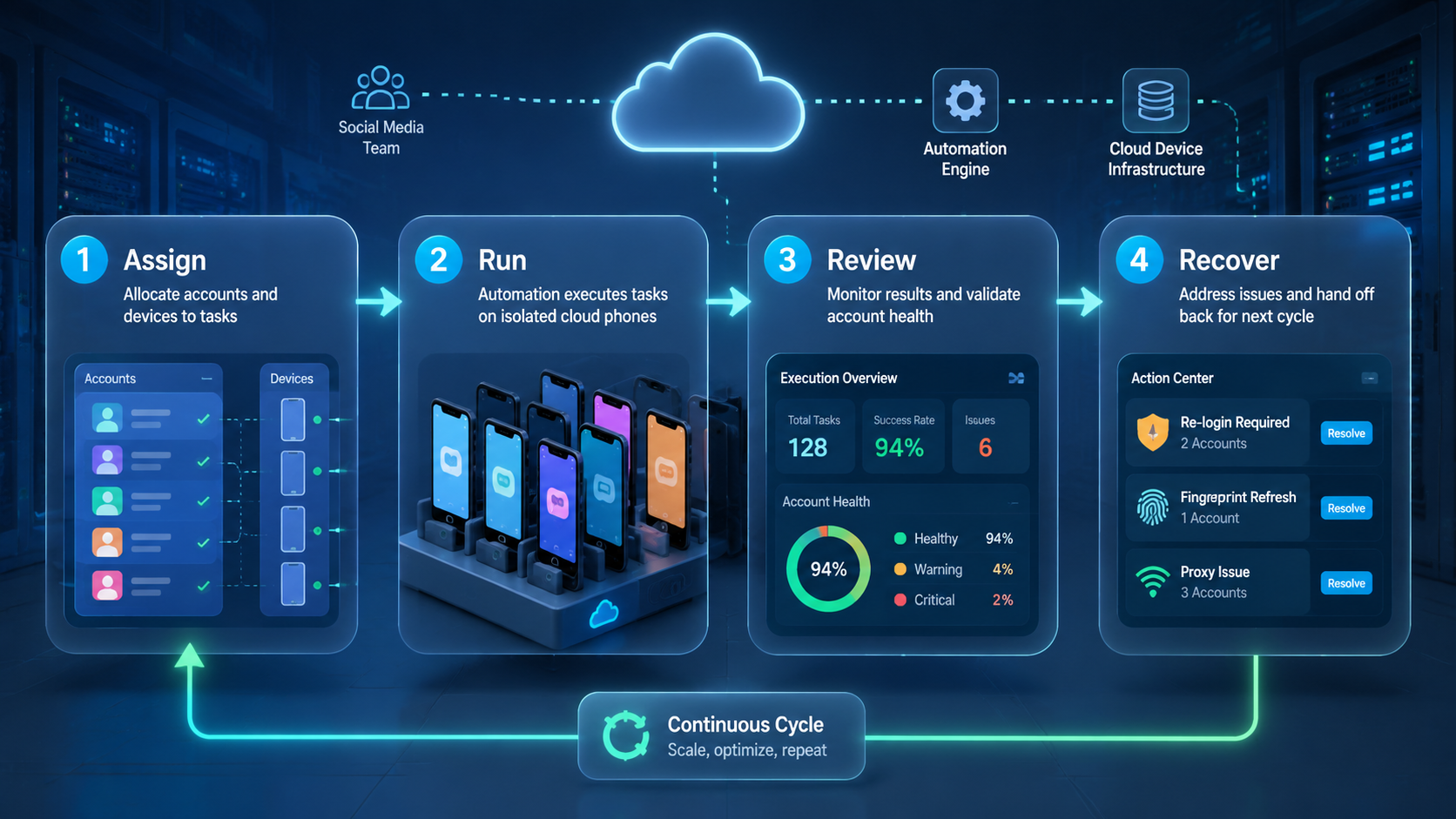
The best phone farm automation alternative depends on the job. Use physical phones when local hardware control matters. Use cloud phone execution when social media teams need remote access, account isolation, scheduling, and easier review.
Before switching, map the workflow, compare failure types, and run a controlled pilot. If your team needs mobile execution plus browser workflows, evaluate phone farm, cloud phone, and account management as one operating stack.



