
Content Type: guide
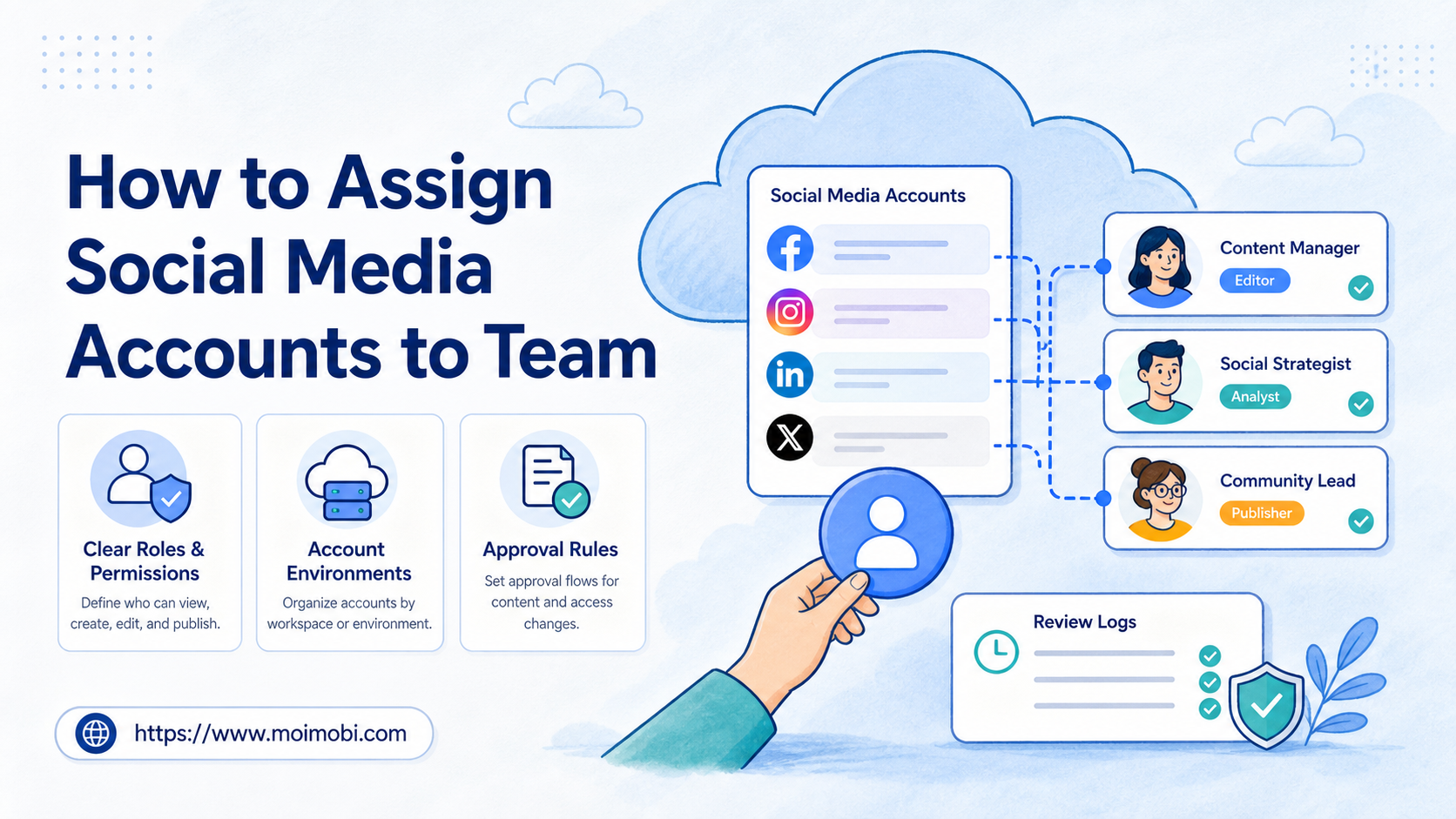
How to assign social media accounts to team members means mapping each account to a role, owner, permission level, workspace, and review process. The assignment is not just a login decision. It decides who can publish, reply, approve, pause, and explain what happened later.
For a small team, the danger is informal access. One person knows the password, another posts from a shared browser, and a third answers messages from a phone. That works until a customer complaint, duplicate post, or account handoff needs review.
The better model is account ownership by function. A support account needs a different owner and approval path than a brand account. A regional account needs different notes than a test account. A founder account may need stricter posting approval than a community account.
Key Takeaways
- Assign accounts by business role, not by convenience.
- Give each account one primary owner and one backup owner.
- Separate publishing, replies, monitoring, and approval permissions.
- Keep account sessions in known browser or mobile environments.
- Review assignments weekly before adding more accounts or automation.
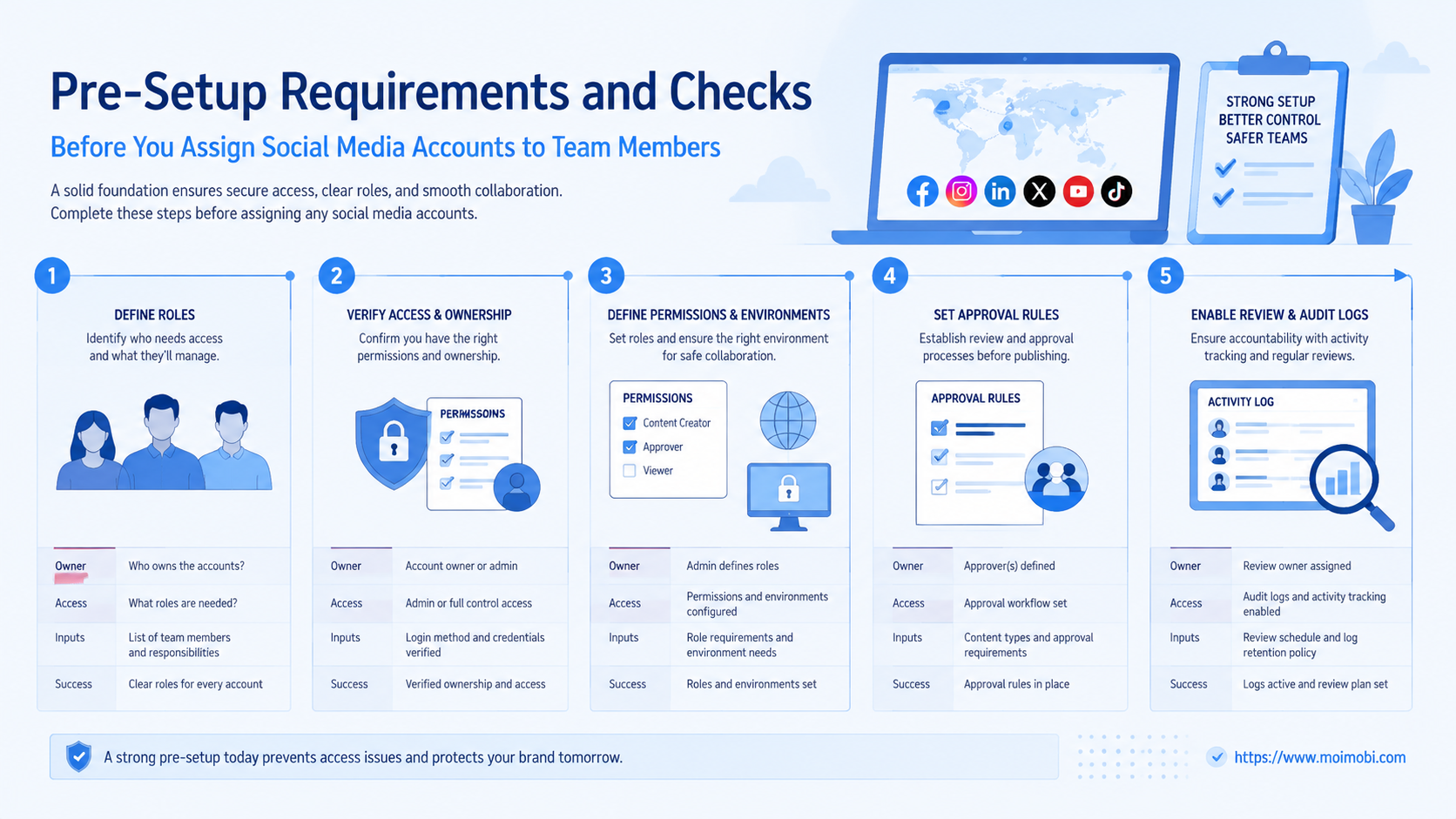
Pre-Setup Requirements and Checks for how to assign social media accounts to team members
Start with an inventory. List every social account, platform, purpose, region, current owner, login method, default environment, and current task queue. Do this before moving people around. The inventory shows which accounts are active, duplicated, abandoned, or unclear.
Next, decide which actions matter. Most teams need separate rules for publishing, replying, DMs, profile edits, ad access, reporting, and emergency pauses. Do not treat these actions as the same permission. A person who can answer routine comments may not need access to billing, passwords, or profile settings.
Finally, choose the operating environment. Browser-based work can use separated profiles. Mobile-first work may need an assigned device or Android workspace. If a task needs app access, the first cloud phone environment should belong to a named account and owner, not a floating team shortcut.
| Setup item | What to record | Practical reason |
|---|---|---|
| Account role | Brand, support, region, creator, test | Prevents mixed responsibility |
| Primary owner | One accountable person | Makes review clear |
| Backup owner | One fallback person | Prevents work from stopping |
| Allowed actions | Publish, reply, DM, monitor, approve | Limits permission sprawl |
| Default workspace | Browser profile or mobile environment | Reduces session confusion |
| Review rule | Who checks sensitive actions | Protects quality and context |
Teams that already handle many accounts should connect this inventory to a multi-account operations workflow. The map becomes more valuable when accounts, owners, and task queues live in one place.
The Core Workflow for How to Assign Social Media Accounts to Team Members
Use a fixed sequence. Random access changes create hidden problems. A clear assignment path makes the system easier to audit.
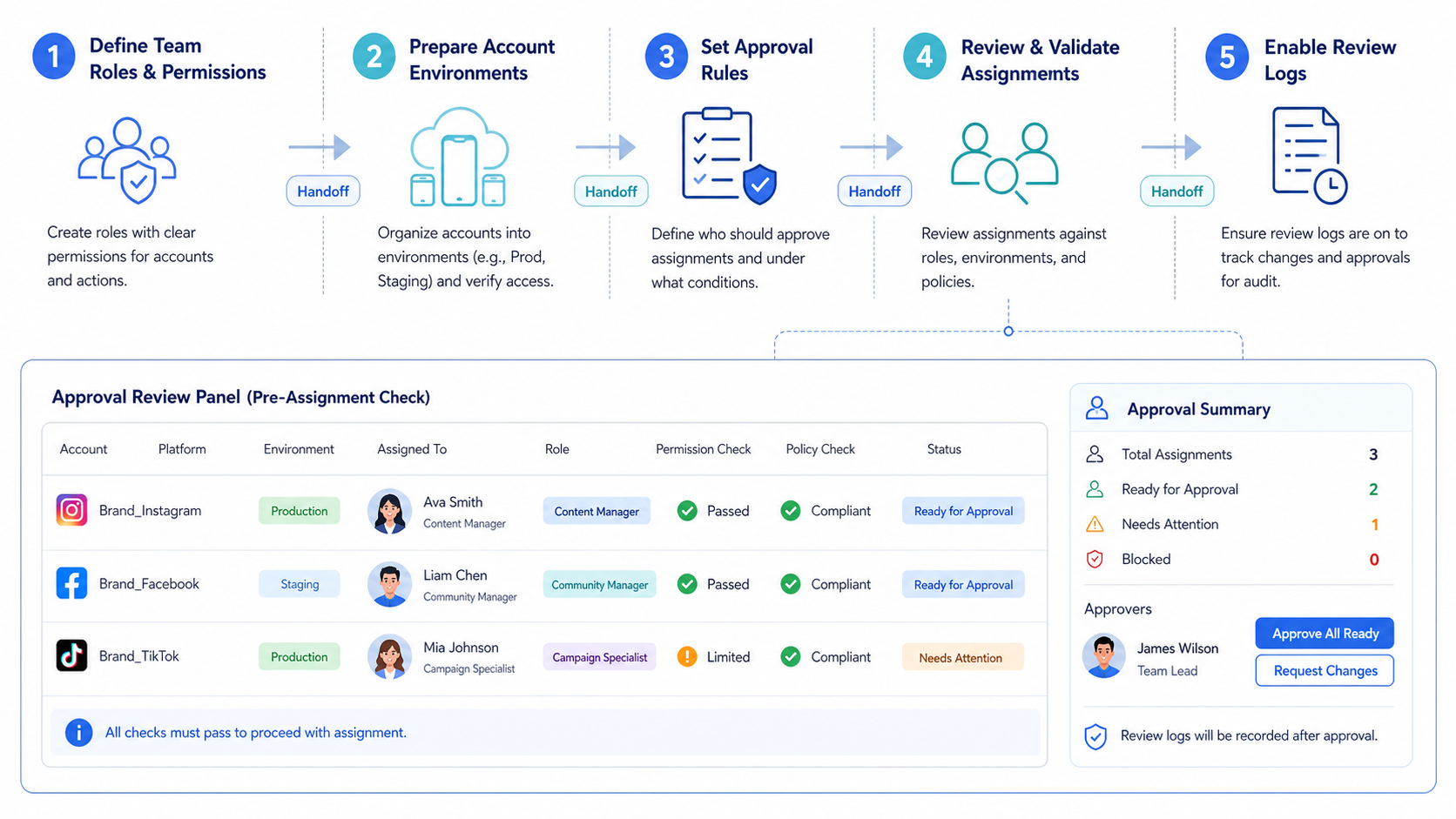
- Group accounts by job. Separate brand voice, customer support, regional publishing, creator outreach, monitoring, and test work.
- Name the account owner. Assign one person who is accountable for the account's daily state.
- Add a backup owner. The backup should know the workflow, not just hold access.
- Split permissions by action. Publishing, DMs, analytics, ads, and profile changes should not be bundled by default.
- Assign the default environment. Choose the browser profile, mobile workspace, or device that belongs to the account.
- Create the approval rule. Define what can be done directly and what needs review.
- Log the first handoff. Record owner, account, workspace, date, reason, and next task.
- Run a small task. Start with monitoring or a low-risk reply before high-impact publishing.
This sequence is slower than sharing a password. It is also easier to manage after the first week. When an account changes hands, the team can update the owner and review rule instead of guessing who is responsible.
Add one handoff note when the owner changes. The note should name the previous owner, new owner, active tasks, open customer threads, scheduled posts, and any recent exception. Keep it short enough to read in one minute. Long notes usually hide the facts that matter.
Some platforms support delegated or role-based access. X, for example, describes Delegate as a feature that lets users assign roles without sharing passwords. See X's official page on how to use the Delegate feature. Use native permission features where they fit, and keep separate records for tasks that happen outside native tools.
Permission Levels and Account Roles
Permission design should follow task risk. A person who monitors mentions does not need the same access as a person who approves campaigns. A support operator may need reply access but not profile editing. A manager may need approval rights without doing every task.
Use four simple role types:
| Team role | Common actions | Should not own by default |
|---|---|---|
| Account owner | Daily queue, owner notes, quality review | All billing or password changes |
| Publisher | Scheduled posts, campaign updates | Sensitive DMs or account settings |
| Support operator | Comments, messages, triage | Brand announcements |
| Reviewer | Approval, escalation, pause decisions | Routine account execution |
This model gives teams a language for access. Instead of saying "give Ana the Instagram account," the manager can say "Ana owns the support queue, Ben reviews escalations, and the brand team approves posts."
When mobile app actions are part of the work, assign the app environment the same way you assign the account. A per-account device workspace keeps the role, session, and task history easier to review.
How to Verify the Setup Is Working
Verification should happen before the team scales account count. Pick five accounts and run a simple week-one review. The goal is to check whether assignment creates clarity, not whether everyone is busy.
Use this pass/fail checklist:
- Account owner visible: every account has one primary owner and one backup.
- Permission split clear: publish, reply, DM, and approval rights are not bundled blindly.
- Workspace assigned: each account has a known browser profile or mobile environment.
- Task queue clean: no task appears under two accounts unless intended.
- Approval rule active: sensitive posts and DMs have a review path.
- Handoff recorded: ownership changes include date, reason, and next task.
- Pause path known: operators know who can stop a workflow.
If any item fails, fix the assignment before adding automation. Automation makes unclear ownership faster. It does not make it clearer.
For teams managing content, replies, and monitoring across channels, a social media execution workspace can connect assignments with campaign work. The account map should support the content plan, not sit in a separate spreadsheet forever.
Where Teams Usually Get Stuck
The first problem is shared ownership. Two people think they own the same account, so both reply to a message or both schedule a post. The account may look active, but the workflow becomes noisy. Assign one accountable owner and one named backup.
The second problem is overbroad access. A new teammate gets full control because it is easier than setting a smaller role. This creates avoidable risk when the person only needs reporting or reply access. Keep high-impact permissions limited.
The third problem is missing session discipline. Operators open accounts in whatever browser or phone is available. That makes later review harder. Assign each production account to a known environment and treat exceptions as events.
The fourth problem is no removal process. People leave projects, change roles, or stop working on a client. Access should change when the work changes. Review permissions on a schedule instead of waiting for an incident.
X's developer policy also warns that services performing write actions must follow automation rules and avoid spam or platform manipulation. Review the official X Developer Policy when assignment includes API-connected posting, DMs, or other write actions.
Next Steps After the First Pass
After the first account map is live, resist the urge to add every account. Improve the review loop first. A clean assignment model for ten accounts is more valuable than a confusing model for fifty.
Use these checkpoints:
- Week 1: confirm every account has owner, backup, workspace, and allowed actions.
- Week 2: review all sensitive actions and missed approvals.
- Week 3: check handoff quality when an owner is absent.
- Week 4: remove unused access and update role names.
- After review: add more accounts only if the queue remains readable.
The review should produce changes. Maybe a support operator needs narrower access. Maybe a regional account needs a backup. Maybe the approval rule is slowing safe posts but not catching risky ones. Treat those findings as workflow design inputs.
If the team performs mobile app tasks, an Android task queue can help standardize execution. The queue should still follow the account assignment map.
Who It Fits and When It Is a Strong Match
This approach fits teams with more accounts than people. It also fits agencies, cross-border sellers, ecommerce operators, and social media teams that need repeatable handoffs. The more accounts you manage, the more important ownership becomes.
It is a strong match when accounts have different jobs. For example, one account publishes product news, another answers customer questions, and another monitors competitor mentions. Different jobs need different owners and review rules.
It is a weaker match when the team has only one account and one operator. In that case, a simple password manager and content calendar may be enough. Formal assignment becomes more useful when multiple people, channels, or environments are involved.
Do not use this system to make duplicate behavior look organized. Assigning accounts cleanly does not justify repetitive posts, hidden automation, or unclear consent. X's official Developer Guidelines describe automation, transparency, and spam boundaries that teams should review when they build account workflows.
Pilot Rollout, Measurement, and Recovery Checks
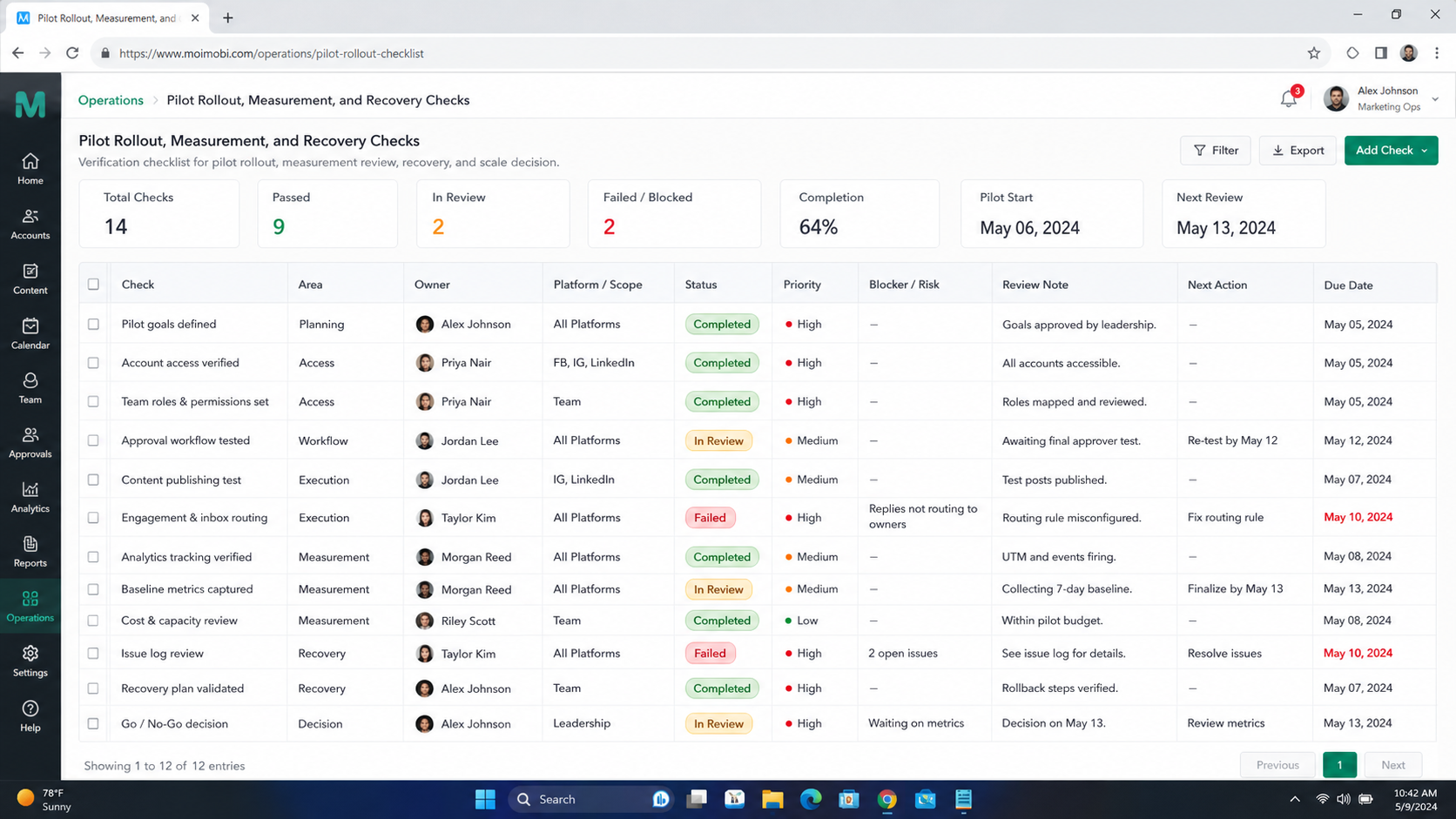
Run the first pilot with a small account group. Use three to five accounts across different roles. Include one publishing account, one support account, one monitoring account, and one low-risk test account.
Measure operational clarity. Count unresolved ownership questions, missed approvals, duplicate tasks, session mismatches, and unclear handoffs. These are practical signals. They show whether the workflow is ready for more accounts.
Create a recovery check for mistakes. When an account is opened in the wrong workspace, record what happened, who saw it, what task was affected, and whether the assignment map needs an update. Do not hide exceptions. They show where the process needs repair.
Use this pilot table:
| Pilot metric | Good sign | Repair action |
|---|---|---|
| Owner clarity | Every task has one owner | Reassign account owner |
| Permission fit | Operators have only needed access | Reduce or split permissions |
| Session discipline | Account opens in assigned workspace | Update workspace rules |
| Approval speed | Reviews happen before sensitive actions | Clarify reviewer queue |
| Handoff quality | Backup can continue work | Improve notes and role map |
The pilot is complete only when the team can explain every account's owner, workspace, allowed actions, and next task without searching through chats.
Store the pilot result as a decision record. Write which assignments stay, which permissions change, which accounts need backup owners, and which tasks are not ready for automation. This keeps the next rollout from repeating the same discovery work.
Frequently Asked Questions
How many accounts should one team member own?
There is no fixed number. Start with task load, message volume, approval needs, and the person's other work. Review weekly and rebalance.
Should social media passwords be shared?
Use native role or delegate features when available. If credentials must be stored, keep them in a controlled system with clear access rules.
What is the difference between owner and operator?
The owner is accountable for the account's state. The operator may perform assigned tasks, such as replies or monitoring.
Who should approve sensitive posts?
Use a reviewer who understands brand, policy, and customer context. Do not make the fastest operator the default reviewer.
How do we assign accounts across time zones?
Set a primary owner for the main operating window and a backup owner for handoff. Record the handoff time and active tasks.
Should each account have a separate workspace?
For production accounts, a dedicated browser or mobile workspace is usually clearer. It reduces mixed-session confusion during review.
What should happen when a teammate leaves?
Remove access, reassign ownership, check recent activity, and update the account inventory before the next scheduled task.
Can Moimobi assign the strategy for us?
No. Moimobi helps structure execution environments and workflows. The team still needs to define account roles, permissions, and approval rules.
Conclusion
The clean way to assign social accounts is to map role, owner, backup, workspace, allowed actions, and review rule before daily execution begins. This prevents access from becoming a hidden team habit.
Start with a small pilot. If the team can explain every account's owner and next task without confusion, then add more accounts and workflows.
Do that review before the next campaign goes live. Start small.



