
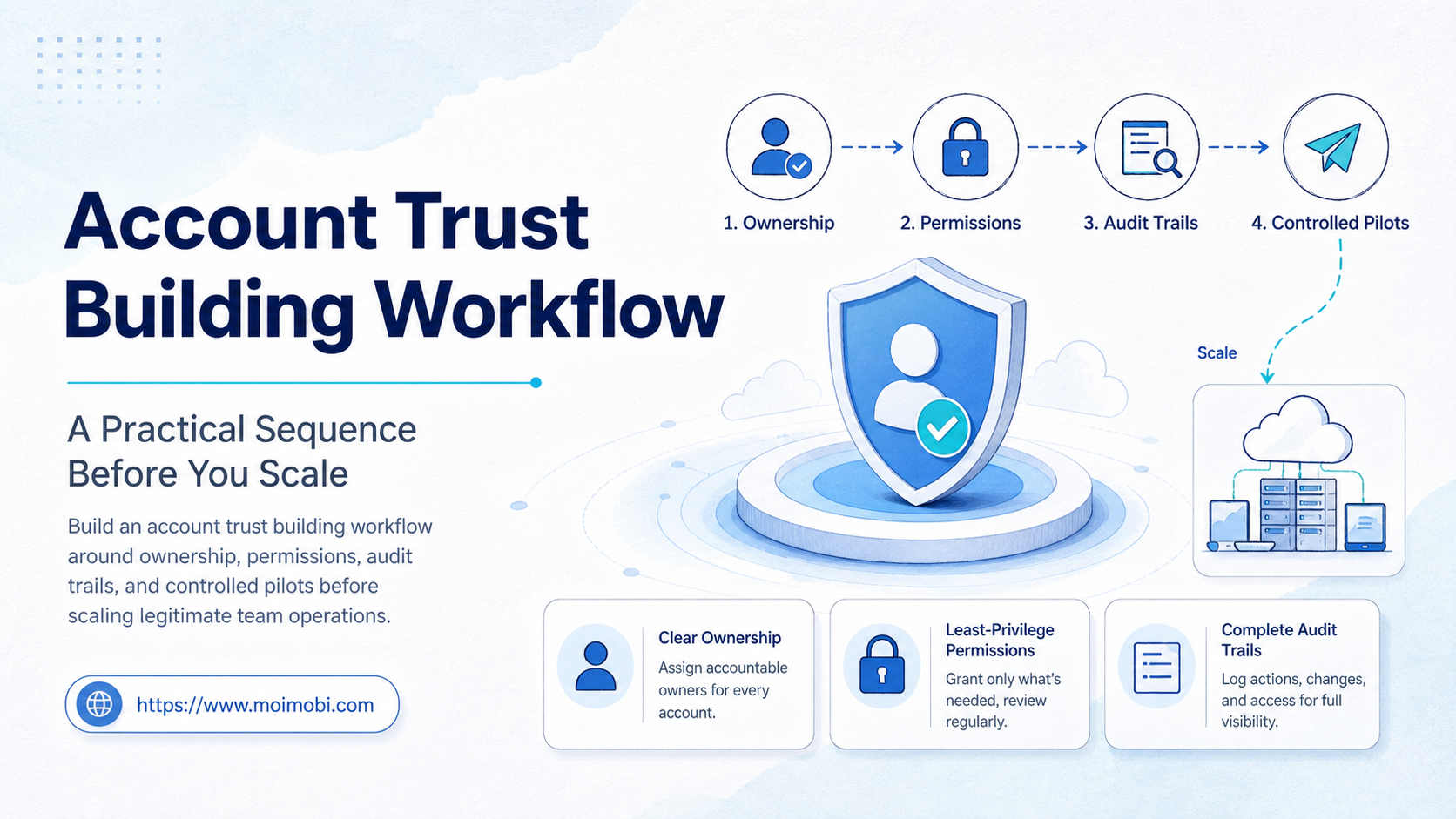
An account trust building workflow is a documented way to prove who owns an account, who may act in it, what environment is assigned to it, and how a team reviews changes before expanding activity. It is not a method for bypassing platform controls or manufacturing reputation. The purpose is simpler: make normal, policy-compliant work easier to trace, pause, and improve.
Teams usually discover this need after a handoff fails. A marketer cannot identify the correct account owner. A contractor uses an unapproved login. A publishing task is repeated without a record. None of those failures are solved by adding more accounts or automating faster. They are solved by making account ownership and execution evidence explicit.
Key Takeaways
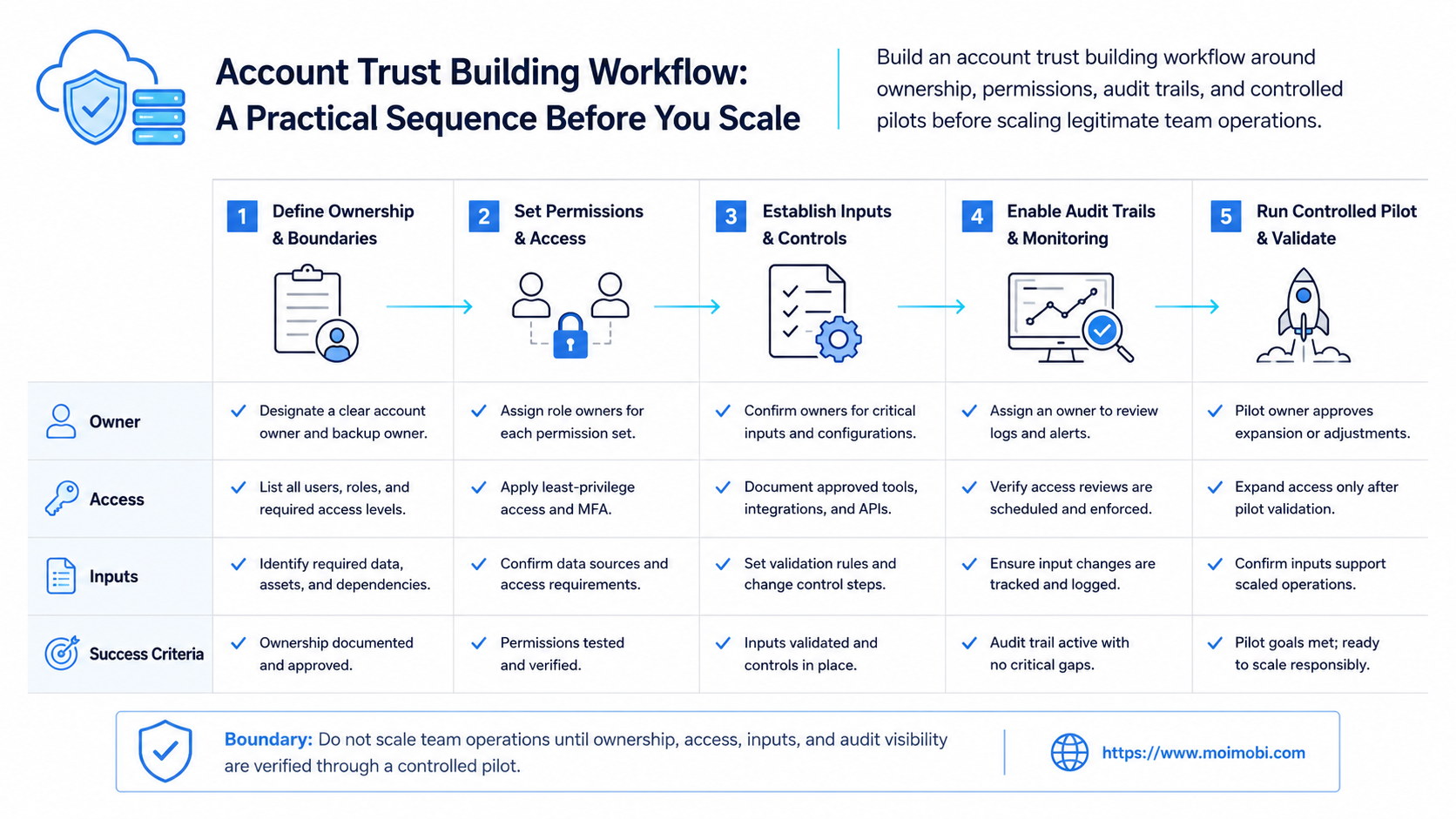
- Treat account trust as an operating record, not a growth tactic.
- Assign an owner, environment, permission scope, and review path to every account.
- Pilot one workflow before adding people, accounts, or automation volume.
- Use evidence and stop rules so unusual activity leads to review, not blind retries.
- Keep platform rules and customer consent ahead of convenience.
The Core Idea Behind an Account Trust Building Workflow
The common mistake is to treat trust as something a team can create through activity patterns. A durable operating model starts elsewhere: accurate identity, legitimate access, clear responsibilities, and work that follows the platform's rules. For example, Meta's terms restrict unauthorized automated access and misuse of accounts, so a team should not design a process around unsupported access methods or repetitive unsolicited actions. Meta's Terms of Use are a useful reminder that operational efficiency does not override the service rules.
A practical operating model therefore has two sides. The first is internal: ownership, permissions, assets, and evidence. The second is external: consent, accurate representation, and compliance with the relevant platform policy. A workflow is healthy only when both sides can be reviewed.
| Control | What to record | Why it matters |
|---|---|---|
| Ownership | Business owner, operator, and escalation contact | Prevents abandoned or disputed access |
| Environment | Assigned browser or mobile workspace, region, and access path | Keeps routine work reproducible |
| Permission | Approved tasks, approval level, and expiry date | Limits accidental overreach |
| Evidence | Task record, result, exception, and reviewer | Makes handoffs and recovery possible |
Account Trust Building Workflow Preflight: Facts Before Activity
Before any team expands a workflow, it needs a basic record that a different operator can understand without guessing. This preflight is intentionally ordinary. It does not ask for tricks, behavioral simulations, or a way to influence a platform's enforcement. It asks whether the business can document its own work.
Use a four-part preflight:
- Business purpose. Name the customer-facing or operational reason the account exists. A support inbox, regional store, creator partnership, and product catalog have different owners and review needs.
- Access authority. Record who granted access, who may use it, and when that access expires. Remove or review access when a contractor leaves or a role changes.
- Environment assignment. Identify the approved browser profile or mobile device context. For mobile work, a cloud phone is only the execution environment. It does not replace authorization, a valid account relationship, or platform compliance.
- Task boundary. List the repeatable actions that are allowed, the actions that require approval, and the actions that require a human owner to intervene.
This record should be small enough to keep current. A large compliance questionnaire that nobody updates is less useful than a one-page register with a named owner, current scope, and a working escalation path. When a team cannot answer one of these fields, it should not scale the task yet.
Why Teams Need an Account Trust Building Workflow Before Scaling
Scale magnifies ambiguity. One person can remember which account is used for customer support, which device is assigned to it, and which messages need approval. A five-person team cannot rely on memory without creating duplicated work and unclear accountability.
The useful question is not, “How many accounts can we operate?” It is, “Can we explain each account's owner, permitted workflow, and last verified action?” That question turns a vague trust concern into a practical operating standard.
For teams that run mobile-first tasks, separated device environments provide a clear place to attach that record. Isolation is not a promise of platform outcomes. It gives the team a more disciplined boundary for access, handoff, and troubleshooting.
Who Benefits Most, and Who Should Not Start Yet
This workflow fits teams with several legitimate business accounts, shared responsibilities, and repeated actions such as publishing, customer follow-up, or catalog updates. Agencies, cross-functional marketing teams, and e-commerce operators often benefit because they need clearer handoffs than a single owner can provide.
It is not a fit for attempts to evade enforcement, send unsolicited bulk messages, conceal ownership, or coordinate deceptive account behavior. Those goals create policy and customer-risk problems that a workflow cannot make acceptable. A team with unclear authorization should fix that first, then define its operating process.
Where multiple accounts are part of a real business process, multi-account operations should be organized around roles and responsibilities, not an undifferentiated pool of logins.
How to Start the Workflow
Start with one account group and one repeatable task. Do not introduce automation, new operators, and a new approval model at the same time.
- Create an account register. Record the business purpose, owner, operator, recovery contact, and authorized tools.
- Assign a controlled workspace. Document the approved browser profile or mobile environment and the normal access route.
- Write a narrow task definition. State what the operator may do, what requires approval, and what must never be automated.
- Capture a receipt. Save the task outcome, timestamp, reviewer where needed, and any exception.
- Set a stop rule. Pause when ownership changes, unusual errors repeat, customer complaints rise, or a platform requests verification.
The same pattern works for controlled mobile task runs: define the permitted task, keep the action boundary narrow, and retain enough evidence for a manager to understand the result.
Account Trust Building Workflow Pilot: Measure Control, Not Volume
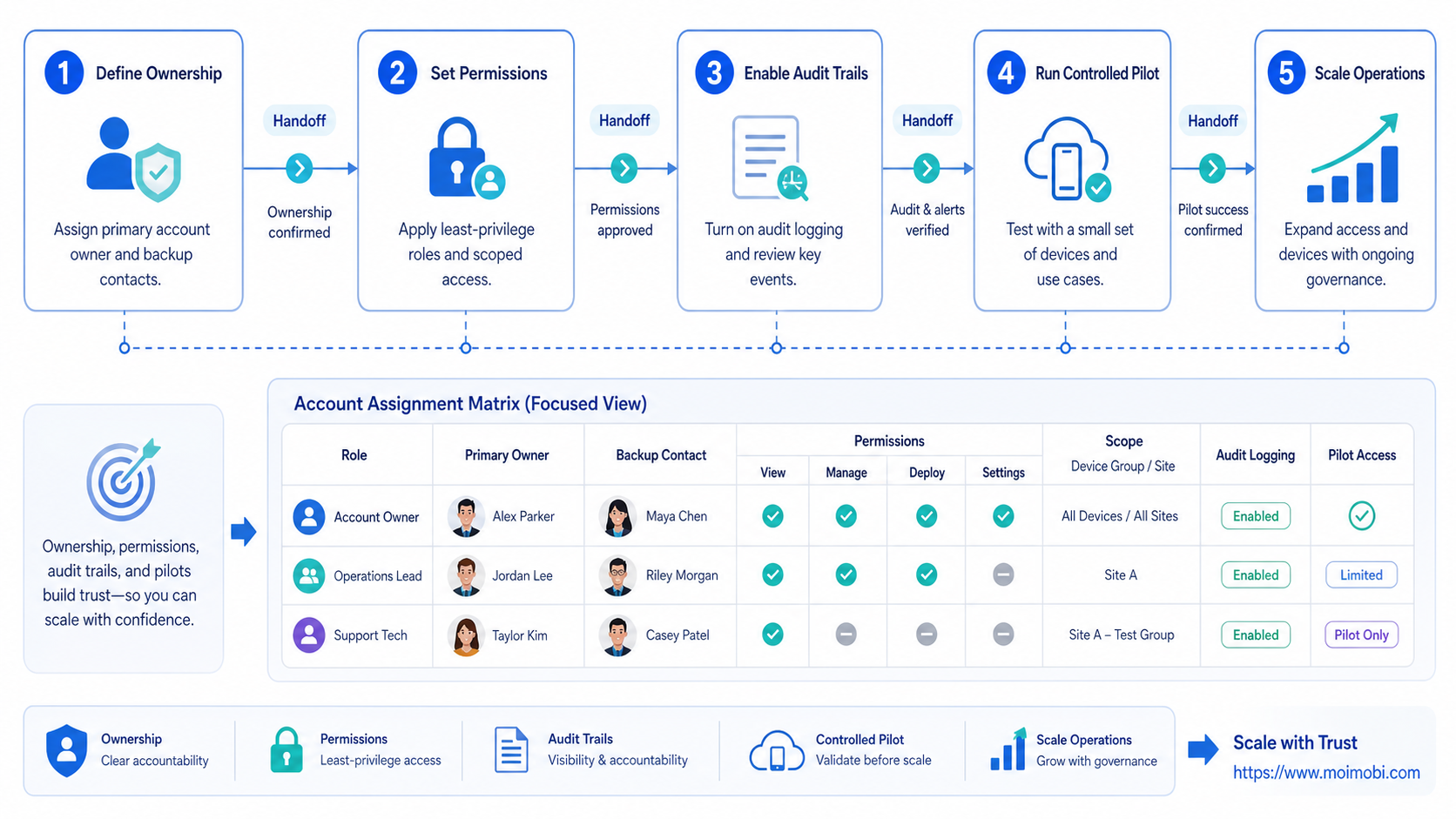
Run a small pilot for two to four weeks. Review whether every task can be connected to an owner, approved environment, and visible result. The goal is not a synthetic score. The goal is fewer ambiguous handoffs and faster recovery when something changes.
Use a short weekly review:
- Are access and ownership records current?
- Did any task need an unplanned permission change?
- Can a reviewer locate the result without asking the original operator?
- Were any tasks paused under the stop rule, and was the reason recorded?
- Did the workflow lead to duplicate messages, customer complaints, or policy concerns?
Good audit practice makes those questions easier to answer. The OWASP Logging Cheat Sheet recommends logging meaningful security events while avoiding unnecessary sensitive data. The same principle applies here: record enough operational context to investigate, but do not collect credentials or personal data just because a log field exists.
A practical handoff scenario
Consider a small customer-engagement team. One person prepares a reply queue, another approves sensitive responses, and a third reviews the completed task. The account register identifies the business owner. The task record names the operator and the approval requirement. The result record shows whether the message was sent, held, or escalated.
If the workflow changes, the team updates the scope before running it again. If an account requires verification or a user raises a complaint, the team pauses the task and sends the case to the named owner. This is less dramatic than an “always-on” automation model, but it is easier to explain to a manager, a customer, and a platform reviewer.
What to measure during the pilot
Measure process quality rather than activity volume. A simple scorecard can use four signals:
- Ownership coverage: the share of active accounts with a current accountable owner.
- Traceable completion: the share of completed tasks with an identifiable operator and result.
- Exception recovery time: how long it takes to pause, identify the owner, and decide the next action.
- Scope drift: how often a task needed work that was not in its approved definition.
These are internal operating measures, not claims about platform standing. They show whether the team can keep its own process clear as more people and environments become involved. A rising scope-drift rate is a reason to narrow the pilot, not to push more actions through the same workflow.
Build a Handoff That Survives Staff Changes
The strongest test of a workflow is a normal staff change. Someone should be able to take over without receiving credentials through an untracked channel or reconstructing the last task from chat messages. That requires three practical habits.
First, keep account ownership distinct from task execution. The business owner approves the purpose and access. The operator performs a defined task. A reviewer handles exceptions or actions that cross the agreed risk boundary. One person may hold more than one role in a small team, but the record should still separate them.
Second, make the workflow visible where work happens. A browser or mobile workspace can show the assigned task and its current state, while the register retains the durable facts. That is more reliable than relying on a named device alone. Teams using several environments can associate an account with a specific workspace while preserving a clear transfer procedure when equipment or responsibilities change.
Third, practice recovery before the team needs it. Choose one account, revoke an operator's access in the test record, and confirm that the new owner can identify the approved environment, the task scope, and the last verified outcome. A failed drill reveals a process gap without putting customer conversations or live campaigns at risk.
A Lightweight Record Structure for Teams
An account trust building workflow does not need a new enterprise system on day one. It needs a consistent minimum record. The following fields are enough to make most handoffs safer and more reviewable:
| Field | Example value | Review trigger |
|---|---|---|
| Account purpose | Regional customer-support channel | Campaign or market changes |
| Accountable owner | Support operations lead | Role or vendor changes |
| Approved task scope | Reply triage and escalation | New action requested |
| Workspace reference | Assigned browser profile or device context | Environment replacement |
| Evidence reference | Task ID, date, and outcome | Exception or complaint |
Avoid storing passwords, full payment data, or unnecessary personal data in this operational register. Instead, keep a controlled reference to the approved access system. This reduces the amount of sensitive information copied into day-to-day workflow tools while still giving the team enough context to investigate a problem.
Mistakes That Reduce Results
Treating a spreadsheet as the whole system. A list of account names is not enough when it has no owner, permission scope, or action history.
Automating before approval rules exist. Repeated actions should first have an owner, a stop condition, and a review path.
Ignoring customer consent. Consent and relevance are part of sustainable customer communication. For email and similar direct marketing, the FTC's CAN-SPAM compliance guide shows why identification, opt-out handling, and honest messaging are operational requirements, not optional polish.
Using “trust” as a substitute for evidence. A workflow works when the record supports a decision. Labels without receipts do not help the next operator recover a task.
Frequently Asked Questions
Is an account trust building workflow a platform-risk workaround?
No. It should improve internal governance and policy-compliant execution, not evade a platform's rules or enforcement.
What is the minimum record for each account?
Keep the business purpose, accountable owner, permitted operators, approved workspace, recovery contact, and latest verified task.
Should every task require a manager approval?
No. Reserve approval for actions with customer, financial, publishing, or policy impact. Routine low-risk steps can follow a documented scope.
Can a mobile environment be shared by a whole team?
Only when the access model is explicit. In most cases, clearer role boundaries make troubleshooting and accountability easier.
What should trigger a pause?
Pause when access ownership changes, verification is requested, errors repeat, a customer complaint occurs, or the task moves outside its approved scope.
How long should a pilot run?
Run it long enough to cover ordinary work, a handoff, and at least one exception. Two to four weeks is often enough for a narrow workflow.
Does this replace platform policy review?
No. The workflow should make policy review easier to apply. It does not replace the rules of the platform or applicable marketing and privacy obligations.
Final Takeaway
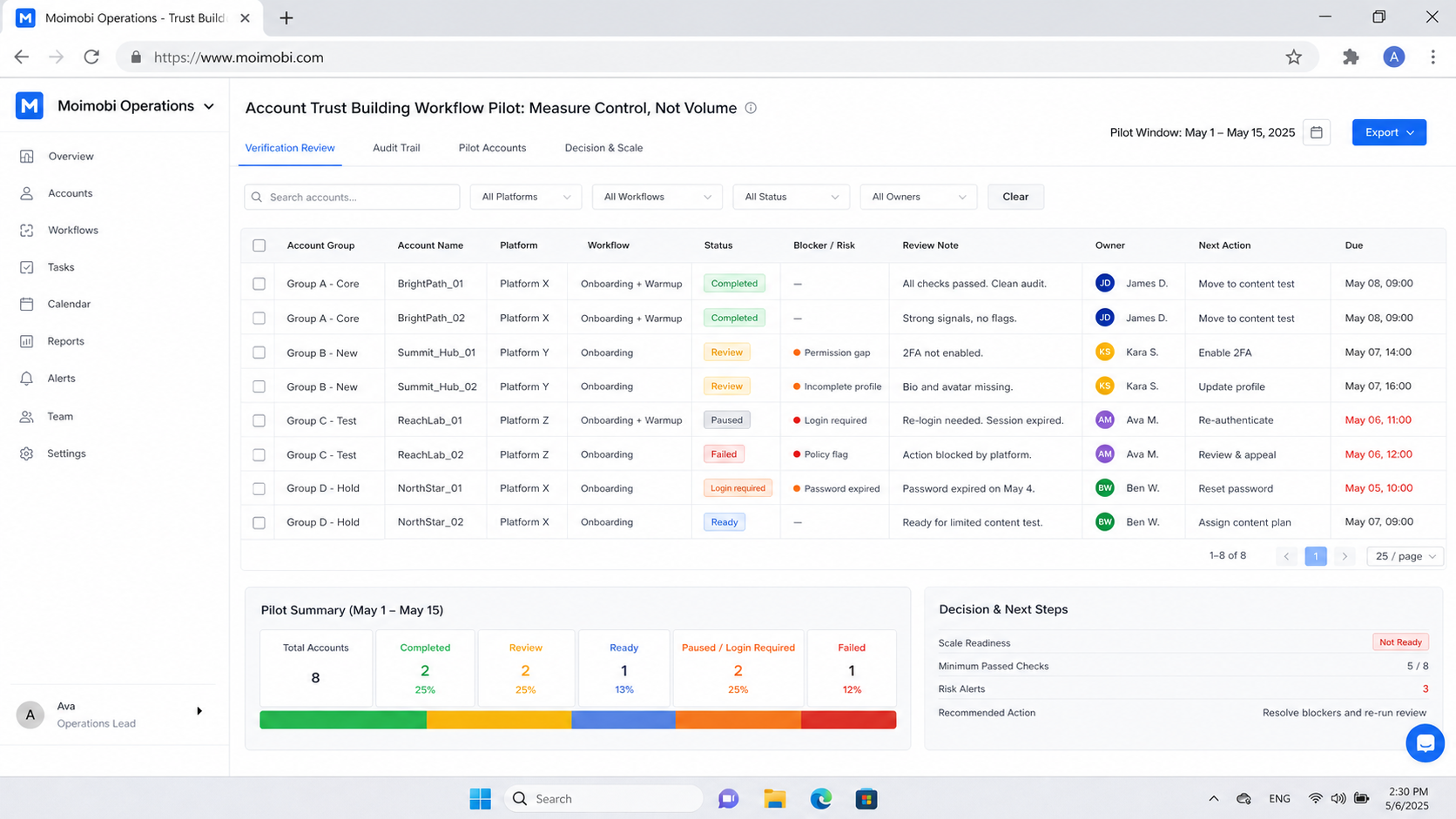
An account trust building workflow is a control system for legitimate account work. Begin with ownership, approved environments, narrow task definitions, evidence, and clear stop rules. Once a pilot proves that the team can explain what happened and who is responsible, it can expand carefully without turning routine operations into an opaque account pool.



