
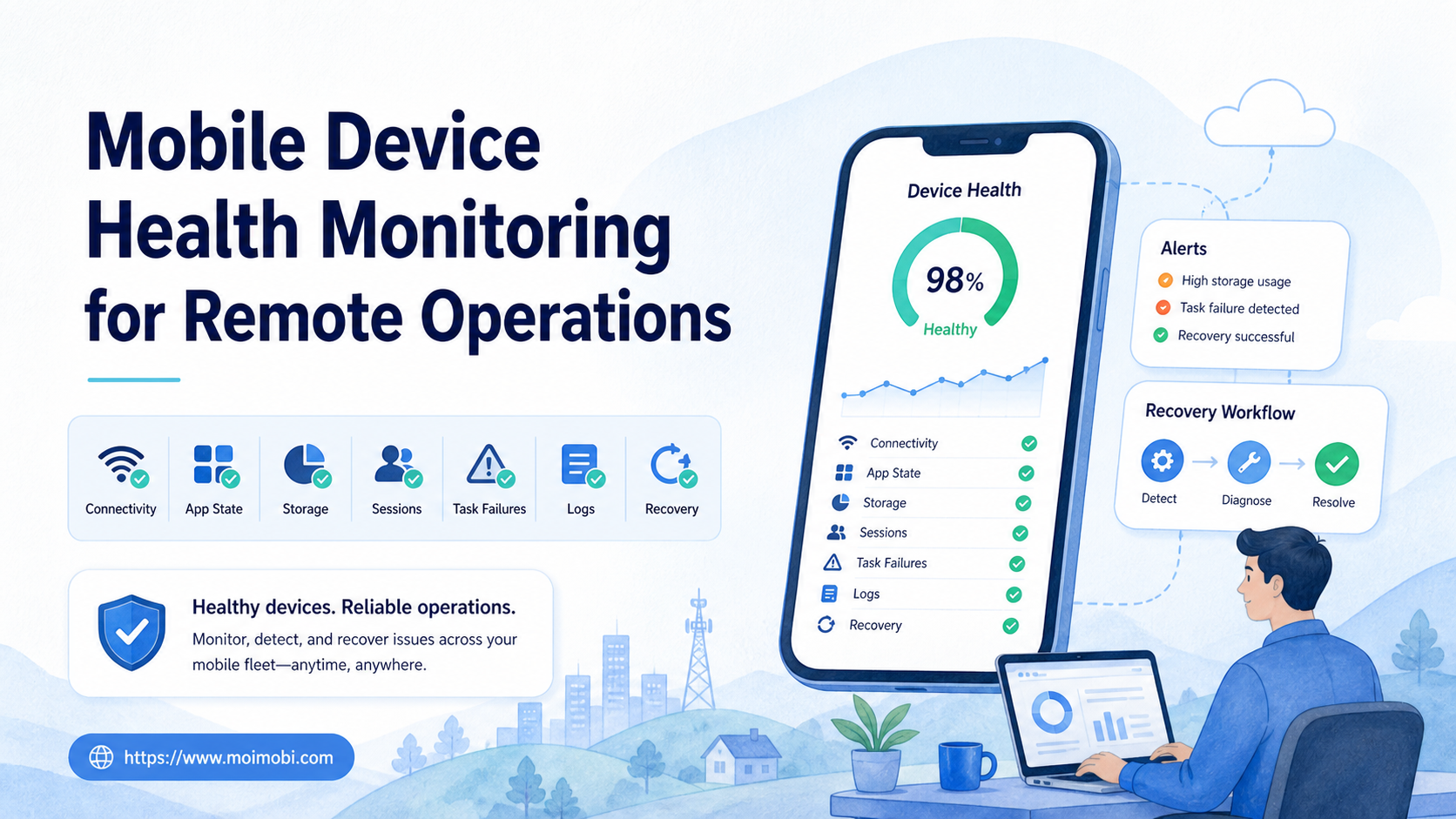
Mobile device health monitoring is the process of checking whether a remote mobile environment is reachable, correctly configured, available for its assigned task, and producing usable evidence. It combines device signals with app state, account assignment, task history, and operator follow-up.
This is different from watching an online badge. A device may respond to a heartbeat while its app is signed out, its storage is full, its session is stale, or its current screen is not suitable for the next task. Remote operations need a health model that distinguishes technical availability from operational readiness.
A cloud phone can be monitored as one execution environment in this model. The monitoring layer should support decisions such as continue, pause, recheck, reassign, or escalate. It should not claim that a health signal alone can predict every platform or account outcome.
Key Takeaways
- Mobile device health has several dimensions: connectivity, environment, app, account, task, evidence, and ownership.
- A green connection signal is not the same as a ready-to-run environment.
- Health checks should lead to explicit actions and stop rules, not only dashboards.
- A pilot should measure false-ready states, recovery time, evidence quality, and repeated failure categories.
What Is Mobile Device Health Monitoring for Remote Operations?
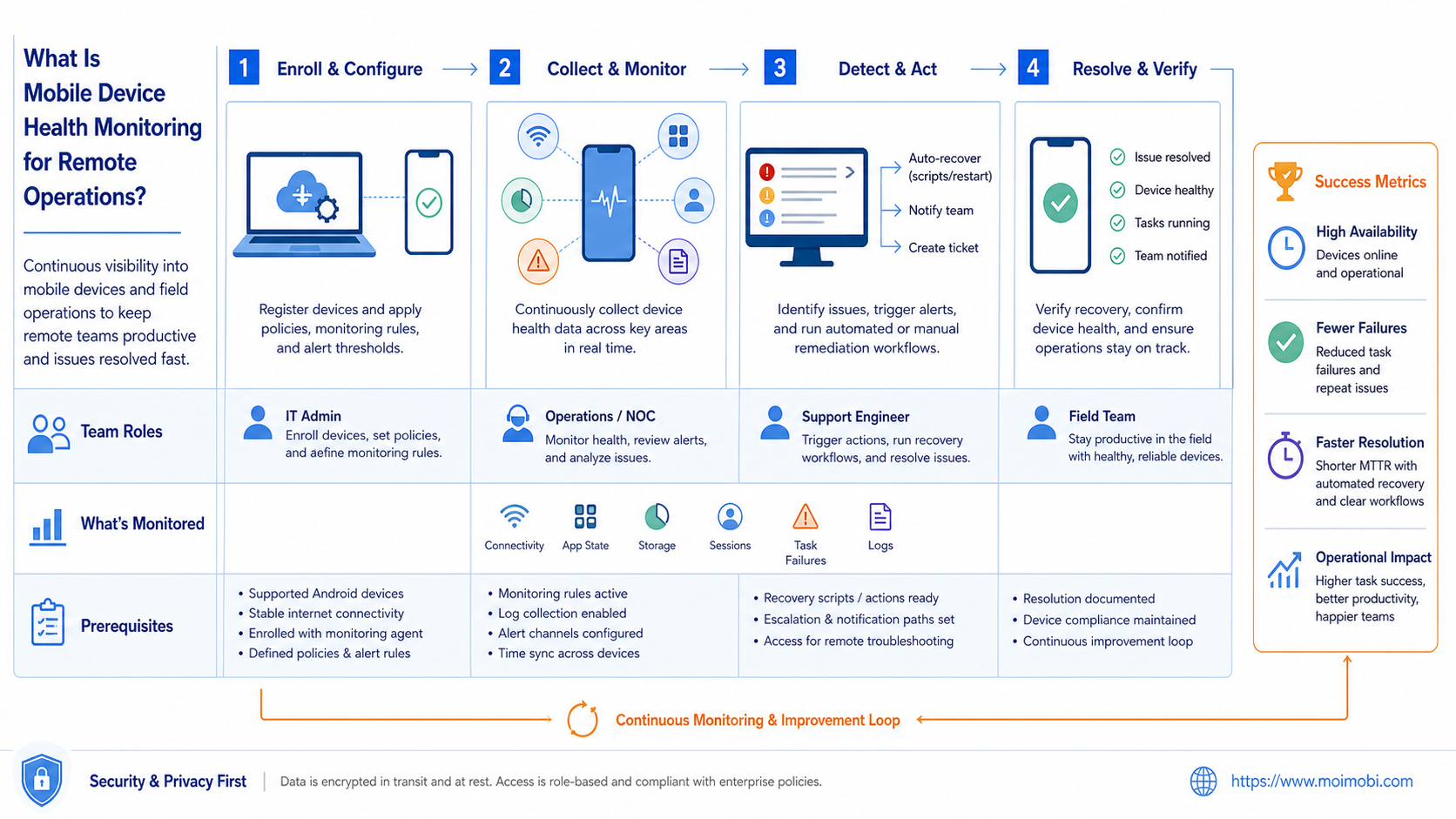
Mobile device health monitoring for remote operations is a technical control layer that collects state signals and converts them into operational decisions. It checks whether a device or cloud environment can safely receive its assigned work, whether the app and account state match expectations, and whether a human owner is available when the check fails.
The monitor should keep separate records for raw signals and interpreted status. For example, a connection check may pass while an application check fails. A task can therefore be “reachable but not ready,” which is more useful than a single red or green label.
Health monitoring also needs context. The same device state may be acceptable for a paused research task but not for a time-sensitive customer-support queue. Add the task lane, account mapping, permission level, and current owner before turning a signal into an alert.
Health Dimensions That Matter in Mobile Operations
Remote teams usually need a compact health model rather than dozens of disconnected metrics. The following categories cover the decisions that operators make most often.
| Dimension | Example checks | Possible action |
|---|---|---|
| Connectivity | Reachable, latency, reconnect count, proxy status | Continue, recheck, or pause |
| Environment | Device assigned, capacity state, operating-system state | Reserve, release, or replace |
| Application | App installed, version known, launch result, crash state | Repair app or escalate |
| Account | Expected account, session state, account lane | Stop and verify mapping |
| Permission | Operator role, app permission, approval state | Request approval or reassign |
| Task | Active run, queue state, timeout, retry category | Resume, retry, or stop |
| Evidence | Screenshot, log, timestamp, result record | Hold close-out or review |
| Ownership | Primary operator, backup, recovery owner | Assign follow-up |
The Android Management API illustrates why device administration is better represented as resources and operations than as a single status field. Its reference model includes devices, policies, enrollment tokens, and operations. A monitoring system can follow the same separation: keep the environment state, policy state, and task state distinct. See the Android Management API reference.
Operational Readiness Versus Technical Availability
Technical availability answers, “Can the service respond?” Operational readiness answers, “Can this assigned task start in this environment under the current rules?” The second question is the one a distributed team needs before clicking Run.
Consider a mobile environment that reports online. The app may have been updated. The required account may not be open. A previous task may have left an unsaved draft. The environment may also be reserved for another client lane. None of those conditions is visible from a heartbeat alone.
Use a layered status model:
- Reachable: the environment responds to the transport or control check.
- Inspectable: the team can read the relevant device and app state.
- Eligible: account, permissions, capacity, and task lane match.
- Ready: preflight checks pass for the next task.
- Running: an identified task and operator own the active session.
- Degraded: the environment works partially but needs review.
- Paused: work is intentionally stopped with an owner and reason.
- Recovery required: a failure needs action before another attempt.
This model avoids a common operational error: automatically treating a reconnect as proof that the original problem has disappeared.
What a health signal cannot infer by itself
A monitor can report that an endpoint answered, but it cannot infer business intent from that response. It cannot decide whether a customer reply is approved, whether a publishing task has the correct content, or whether a reassignment is allowed. Those decisions belong in the task contract and permission model.
The same limit applies to account state. A visible login does not prove that the account belongs to the current client lane or that the operator may perform the requested action. Health monitoring should surface the evidence needed for a human decision, then keep that decision with the task record.
This boundary keeps the system maintainable. Collectors can change when a provider changes its status response. The higher-level readiness rules can remain stable because they evaluate explicit fields such as account, approval, owner, and task type.
Mobile Device Health Monitoring Workflow
Use the following workflow for a remote environment or device fleet. It separates signal collection from decisions and preserves evidence for later review.
1. Register the environment
Record the device or cloud environment ID, platform, app set, client lane, permitted task types, and current owner. A device isolation workspace can help the team keep environment boundaries visible when several accounts are active.
2. Collect baseline signals
Collect connection state, last successful check, app launch result, device availability, task state, and recent failure category. Baselines should be tied to an environment and time, not copied into a generic dashboard without identity.
3. Evaluate account and task eligibility
Compare the expected account with the active account. Check the task lane, operator permission, approval state, and active-task lock. If any identity or ownership field is unclear, mark the environment as not ready.
4. Classify the result
Use a small set of operational outcomes: ready, recheck, paused, degraded, recovery required, or unavailable. Add a reason code. “Health failed” is too vague to guide the next operator.
5. Trigger the correct response
Transient connection problems may receive a controlled recheck. An unexpected account or permission mismatch should stop execution. A full environment may need capacity reassignment rather than a device repair. The response belongs to the failure category.
6. Record task evidence
Attach the check result to the environment, task ID, operator, timestamp, and evidence reference. A screenshot or log is useful only when another person can identify what it represents.
7. Review and close the incident
Assign a recovery owner, document the action, and verify the next health check. Do not close the incident when the device merely reconnects. Close it when the relevant app, account, task, and evidence state has been checked.
For a useful comparison, AWS Device Farm documents remote sessions with screenshots, video, and logs, while also treating concurrent devices as a capacity consideration. The service is built for testing, not account operations. Its documentation still shows why session evidence and capacity are separate concerns. See AWS Device Farm remote access.
The remote Android control API guide is a related technical reference for teams that need to connect device actions with monitoring and control. The monitoring layer should remain explicit about what it can observe and what requires a human check.
Architecture for a Health Monitoring Layer
A maintainable implementation can be split into five parts:
- Collectors read connection, environment, app, task, and evidence signals.
- Normalizer converts provider-specific responses into stable state names.
- Evaluator compares the current state with the task and account contract.
- Event store records checks, state changes, alerts, and recovery actions.
- Operator surface shows the current status, reason, owner, and next action.
Keep the collector and decision layers separate. A provider timeout should not be confused with an account mismatch. Store the raw error category and the normalized operational status so later reviews can improve the decision rules without losing the original evidence.
The architecture should also support idempotent checks. A repeated health check should update the state and event time without creating a duplicate task or silently changing ownership. When a task is already running, the monitor should report the conflict instead of starting another execution path.
Fit and Non-Fit Boundaries
Mobile device health monitoring fits remote teams that manage repeated app workflows, several environments, scheduled work, or handoffs across operators. It is valuable when the cost of a wrong assignment or an unexplained failure is higher than the cost of a structured check.
It is not a replacement for a task contract, account map, or platform policy review. One device used occasionally by one person may only need a manual preflight. A monitoring system cannot compensate for missing ownership or an undefined expected result.
| Operating situation | Recommended level |
|---|---|
| One device, occasional work | Manual preflight and incident notes |
| Several remote devices, repeated tasks | Layered health states and event records |
| Client accounts with different lanes | Health checks tied to account ownership |
| Scheduled work with strict handoffs | Readiness gate plus recovery owner |
| Unclear task outcome | Define the task before adding more monitors |
Avoid claims that monitoring removes account risk or ensures platform acceptance. It improves observability and operational control. The team still owns the workflow, permissions, and platform-specific decisions.
Common Failure Modes and Guardrails
One green status for every signal
Combine connectivity, app, account, permission, and task status only at the decision layer. Keep the components visible for diagnosis.
Alerts without owners
An alert that nobody owns becomes a repeated notification. Every actionable alert needs a responsible operator, a deadline, and a next check.
Retrying an identity failure
Do not retry an unexpected account or environment mismatch as if it were a connection timeout. Stop, verify the mapping, and preserve evidence.
Monitoring without history
A current status cannot explain what changed. Keep state transitions and recovery actions with timestamps.
Closing after reconnect
A reconnect proves reachability only. Recheck the app, account, task, and evidence state before closing the incident.
Collecting more metrics than the team can use
Start with checks that change a decision. Add signals only when the team can name the response they support.
Pilot Measurement and Recovery Review
Pilot the monitor on one task lane and a small environment group. Keep the alert rules stable for the first review cycle. Record both true failures and false-ready states, where the environment looked available but could not accept the assigned task.
Track:
- false-ready rate before task start;
- time from failed check to named owner;
- percentage of incidents with a reason code;
- repeated failure categories by environment;
- time to restore operational readiness;
- tasks blocked by account or permission mismatch;
- percentage of results with usable evidence;
- alerts closed without a full readiness recheck.
Use these measures to improve rules. If false-ready states dominate, strengthen preflight. If connection failures dominate, review routing and capacity. If ownership delays dominate, change escalation and backup assignment. A dashboard becomes useful when each signal leads to a clear operational action.
Frequently Asked Questions
What does mobile device health monitoring check?
It checks connectivity, environment state, app state, account mapping, permissions, task state, evidence, and ownership.
Is an online device ready for work?
Not necessarily. Online status proves reachability, not account, app, permission, capacity, or task eligibility.
Can cloud phones be monitored?
Yes. Treat each cloud phone as an environment with its own identity, state, task lane, evidence, and recovery owner.
How often should health checks run?
The interval depends on task timing and recovery cost. Checks should be frequent enough to detect a relevant change before execution, without creating noise the team cannot review.
What should happen after a failed check?
Classify the failure, assign an owner, apply the matching stop or recheck rule, and record the next verification step.
Does monitoring prevent account restrictions?
No. Monitoring improves visibility and workflow control. It does not replace platform rules, consent, or careful account operations.
Should screenshots be stored for each check?
Only when they support a decision or review requirement. Pair them with task, environment, time, and result context.
What is the first metric to track?
Start with false-ready states. They show where a simple online badge is misleading the queue.
How does monitoring support handoffs?
It gives the next operator the current state, failure reason, evidence, and recovery owner instead of only a stale status label.
Conclusion: Monitor Readiness, Not Just Reachability
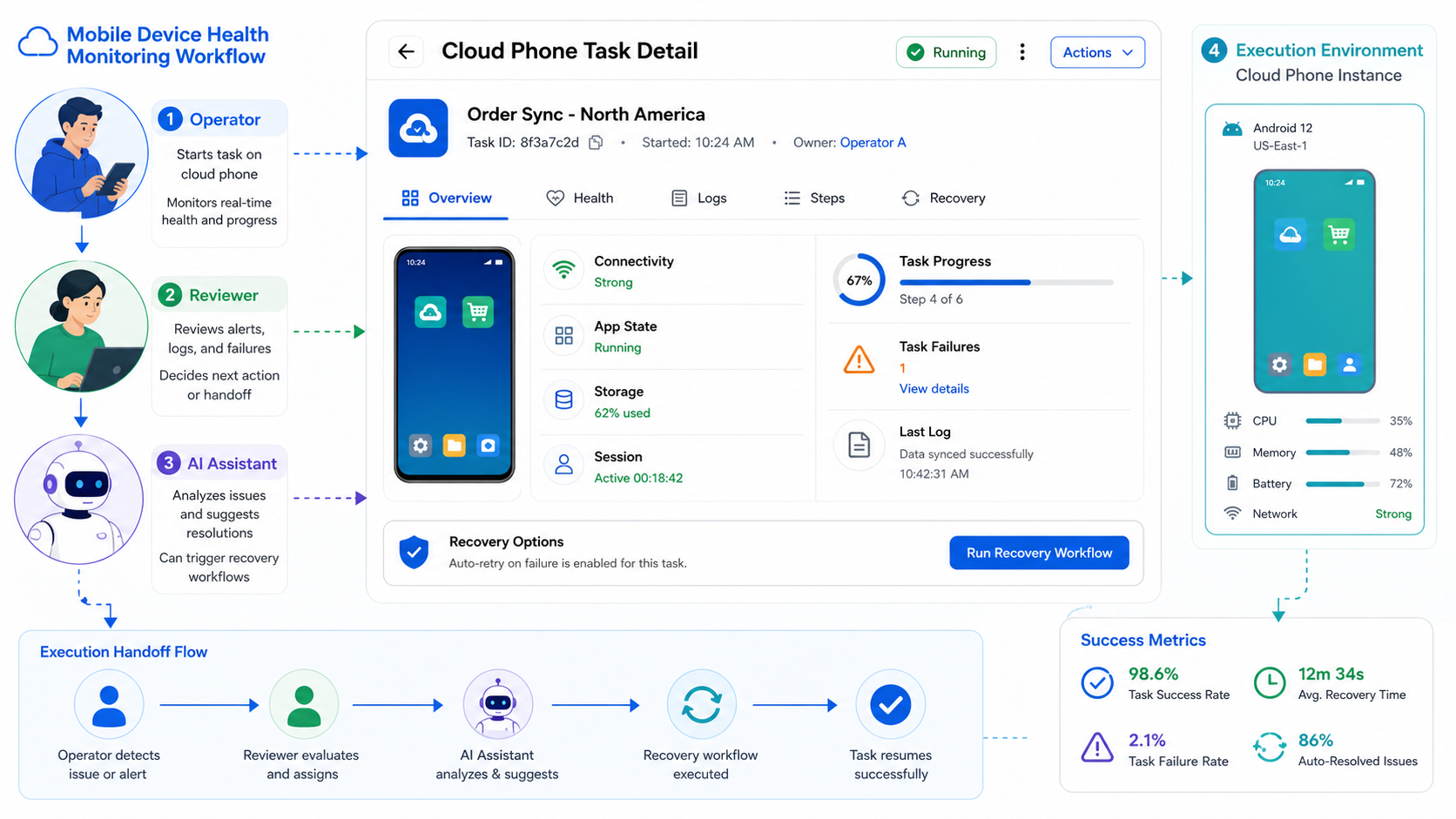
Mobile device health monitoring is valuable when it connects signals to decisions. The useful output is not a colorful dashboard. It is a clear answer to whether an assigned task can run, must pause, or needs a named recovery owner.
Start with the account, environment, app, task, and evidence checks that change the next action. Review false-ready states and recovery time during a small pilot. Expand the monitor only after the team can explain each alert and close it with evidence.



