
Key Takeaways
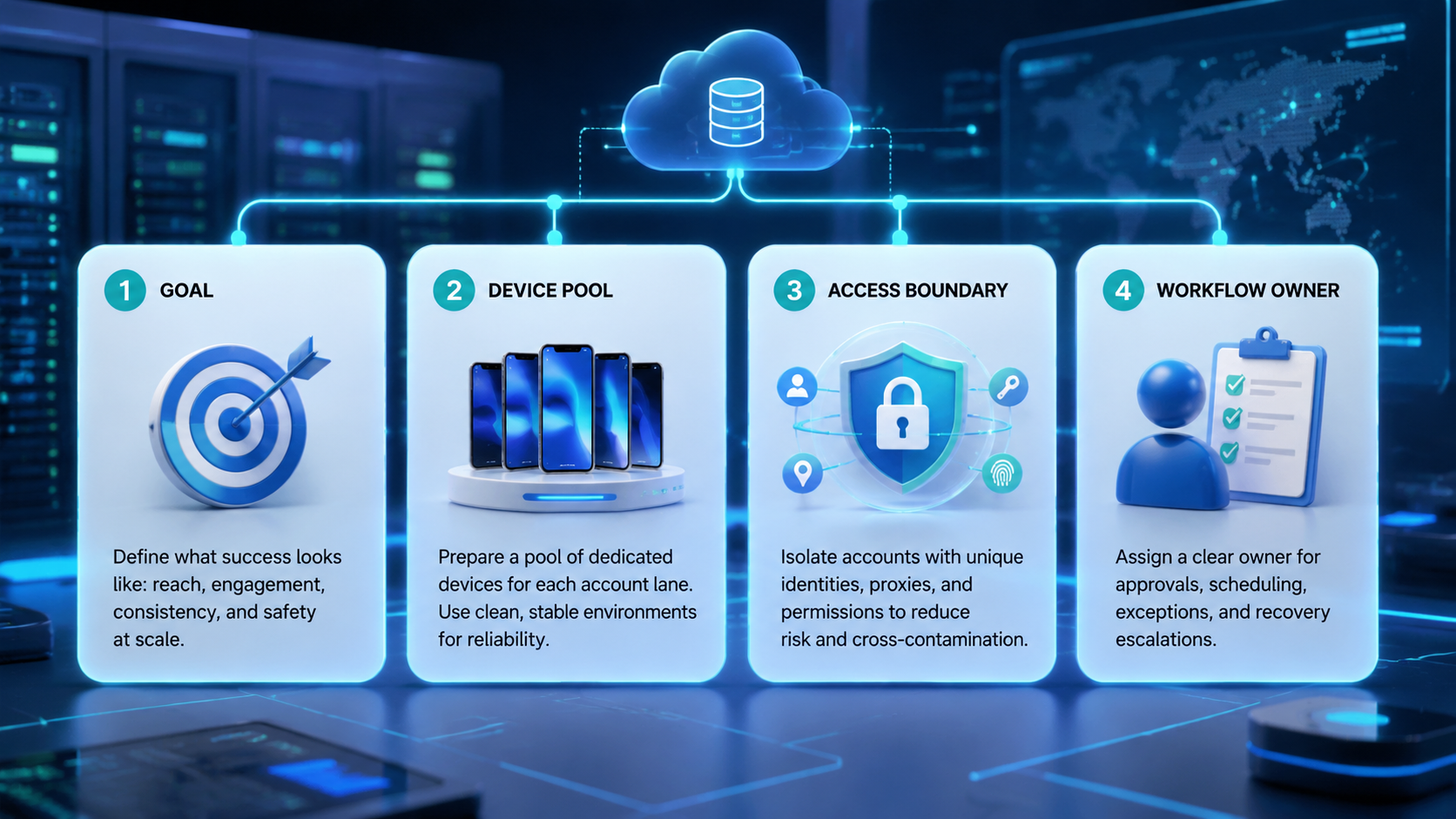
- Instagram Reels automation is a publishing workflow, not just an upload shortcut.
- Multi-account teams need isolated lanes, review checkpoints, and visible recovery paths.
- Reels workflows break most often at handoff, not at file upload.
- A pilot should prove lane clarity before it expands output volume.
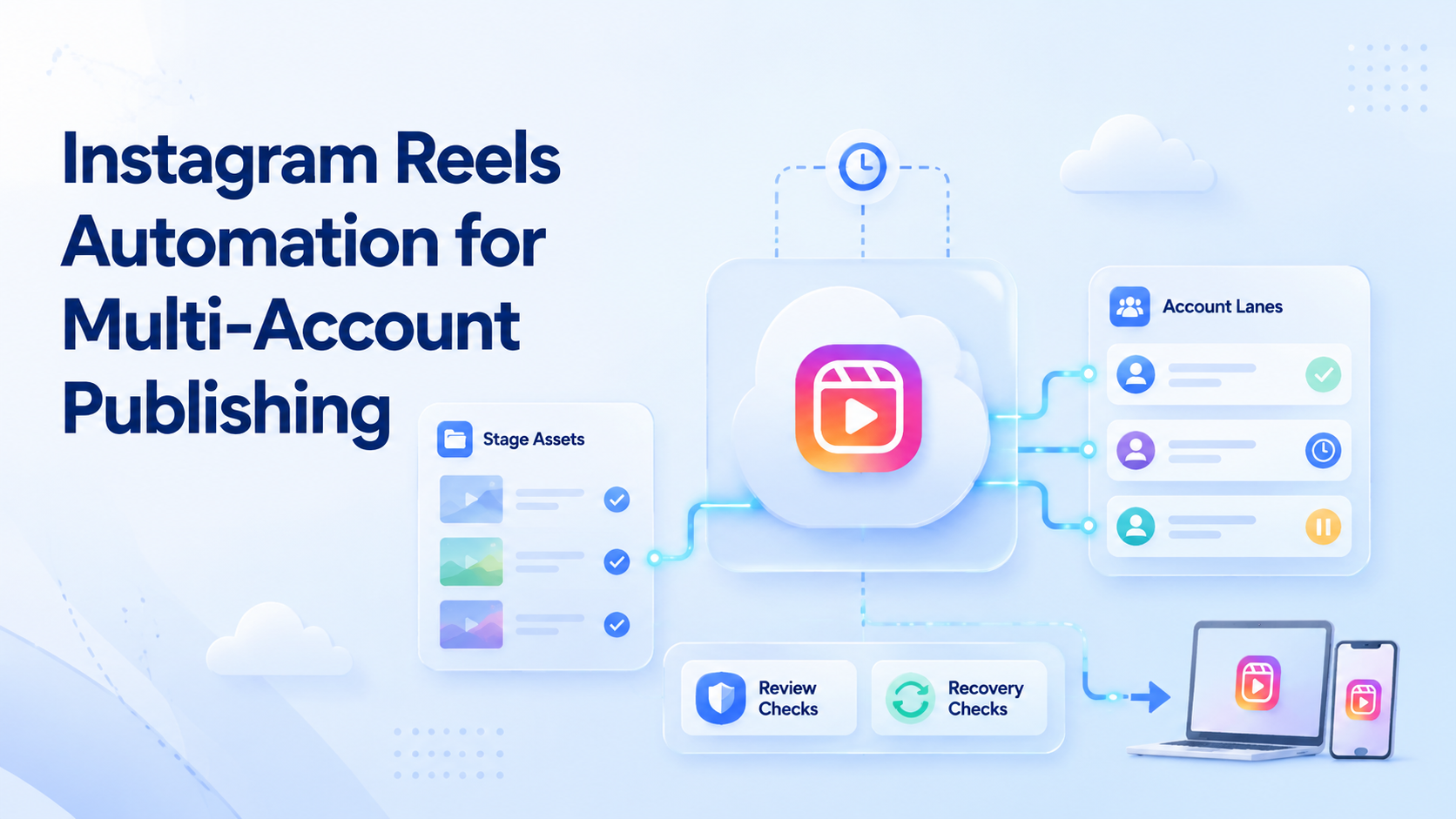
Instagram Reels automation is a workflow for preparing, assigning, publishing, and reviewing Reels across repeated account lanes. For multi-account publishing, the useful question is not only whether a tool can post a Reel. The real question is whether the team can keep account ownership, asset versions, and approval steps clear while several lanes run at once.
That matters because Reels operations combine content, timing, and account state. One operator may prepare the asset, another may approve the caption, and a third may run the final publish step. Without a lane model, the workflow turns into side-channel coordination.
Instagram for Business and Instagram Help document business-facing publishing surfaces, while Playwright, W3C WebDriver, and Android Enterprise provide the execution model for controlled sessions and managed environments.1 2 3 4 5
The Core Idea Behind Instagram Reels Automation for Multi-Account Publishing
The common myth is that Reels automation is mainly about scheduling. The working model is broader. It is about controlling the whole publishing path from asset readiness to final review.
That path usually needs:
| Layer | What it controls | Why it matters |
|---|---|---|
| Asset package | Final Reel file, caption, and related fields | Reduces version drift |
| Account lane | Which Instagram account owns the publish run | Prevents cross-account mistakes |
| Approval step | Who signs off before live publication | Keeps public actions reviewable |
| Execution layer | Browser or mobile environment used to publish | Makes the run inspectable |
| Recovery path | What happens after a pause or failed publish | Stops silent queue breakdown |
That is why social media marketing, multi-account management, and mobile automation are natural next pages for this topic.
Why Teams Search for This Topic
Most teams search for this topic after content volume increases. A single operator can still manage manual posting for a while. The problem shows up when many Reels need to move across many accounts with different owners and different approval paths.
The search problem sounds like publishing efficiency. The operating problem is coordination. Teams need a way to decide which lane owns each Reel, which version is final, and what happens when the publish run pauses.
That is why Instagram Reels automation for multi-account publishing should be evaluated as an execution workflow, not as a feature checkbox.
Multi-account publishing also raises a visibility problem. A team may have one shared content calendar, but the real publishing work still happens lane by lane. If one lane slips, the calendar alone will not explain whether the issue came from assets, approvals, account state, or execution timing.
Who Benefits Most and In What Situations
The strongest fit is a team that already handles repeated Reels output across several accounts.
Strong match
- Agencies managing several client Reels queues.
- Brands running several market or product-line accounts.
- Teams that separate editors, reviewers, and operators.
- Operations groups that need logs and recovery notes.
Weak match
- Single-account creators with low posting volume.
- Teams with no approval step at all.
- Workflows that still rely on one shared environment for all accounts.
- Cases where every publish action still needs heavy manual judgment.
The fit test is direct: does the team need repeatable multi-account publishing with visible handoff and recovery? If yes, the workflow is worth building.
How to Evaluate or Start Using Instagram Reels Automation for Multi-Account Publishing
Do not start with the whole calendar.
- Pick one account cluster and one content stream for the pilot.
- Define the final asset package and where caption approval happens.
- Assign one environment lane for the publish run.
- Log every pause, retry, and manual change in the same record.
- Only add more account lanes after the first workflow stays readable.
For browser-side preparation, controlled sessions help teams keep the right account context in view.3 For app-facing execution, cloud phone and device isolation become relevant as soon as the workflow needs stable mobile state.
Instagram Reels Automation for Multi-Account Publishing Workflow Design
A useful workflow design separates preparation, approval, execution, and recovery instead of pushing them into one queue.
| Stage | Typical job | Why it should stay separate |
|---|---|---|
| Preparation | Finalize Reel file, caption, and publishing fields | Prevents asset drift later |
| Approval | Confirm the final package and lane assignment | Keeps public actions reviewable |
| Execution | Run the publish step in the assigned account lane | Preserves account ownership |
| Recovery | Handle pauses, retries, or blocked steps | Makes failure visible instead of silent |
This model is simpler to scale because each stage has one clear job. It also makes handoff easier when editors, reviewers, and operators are different people.
Mistakes That Reduce Results
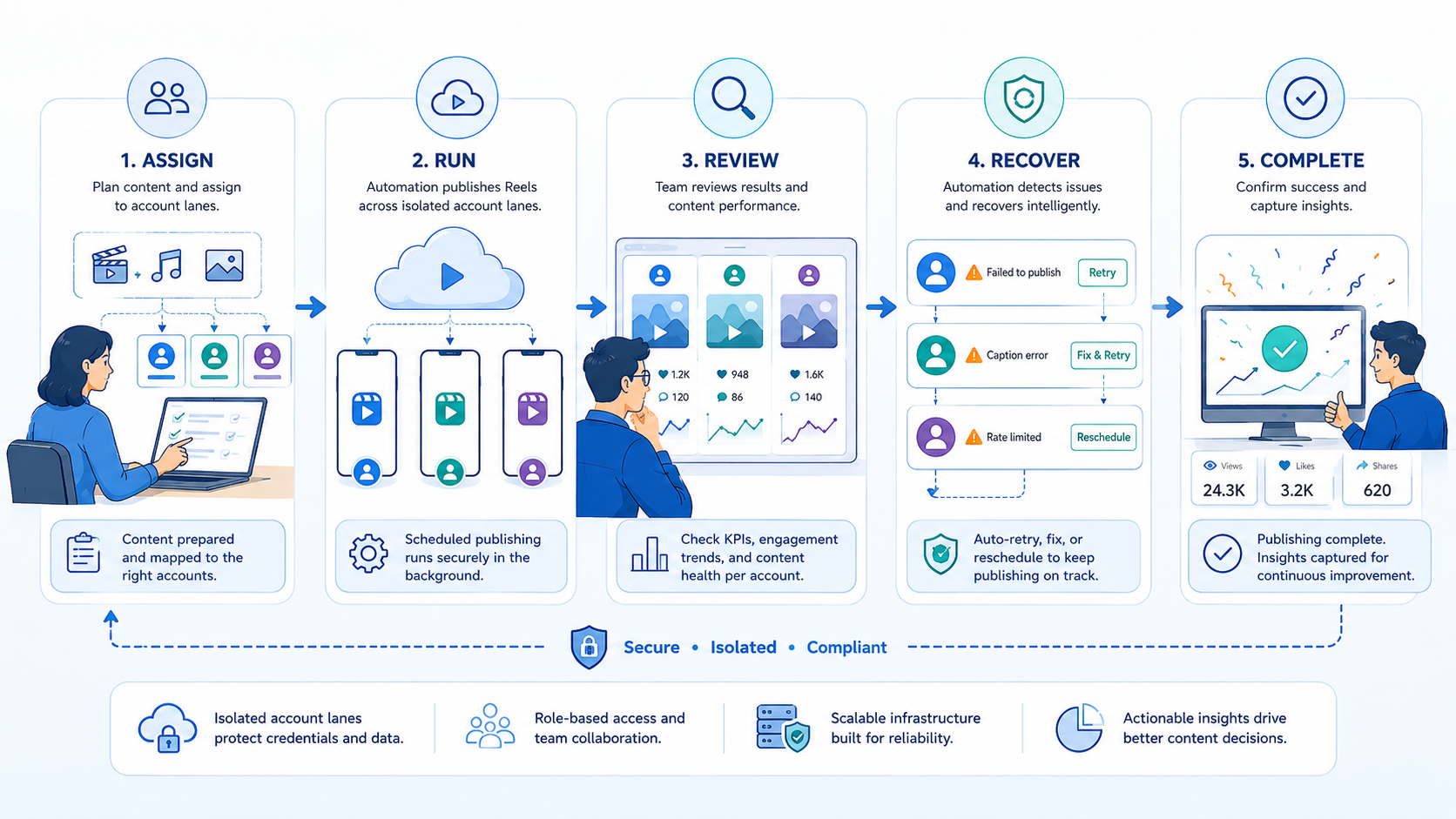
The first mistake is treating Reels automation as a file-upload problem only. Publishing breaks more often at handoff than at upload.
The second mistake is letting several versions of the same Reel move through the queue without one final asset record.
The third mistake is adding more account lanes before the recovery rule is proven. If a failed publish has no owner, more volume only hides the real problem.
What not to do
- Do not let several operators change the same publish run with no final log.
- Do not mix unrelated account groups inside one environment lane.
- Do not count successful posts only if failed posts still require chat-based rescue.
- Do not treat scheduling as the same thing as full publishing control.
Pilot Rollout, Measurement, and Recovery Checks
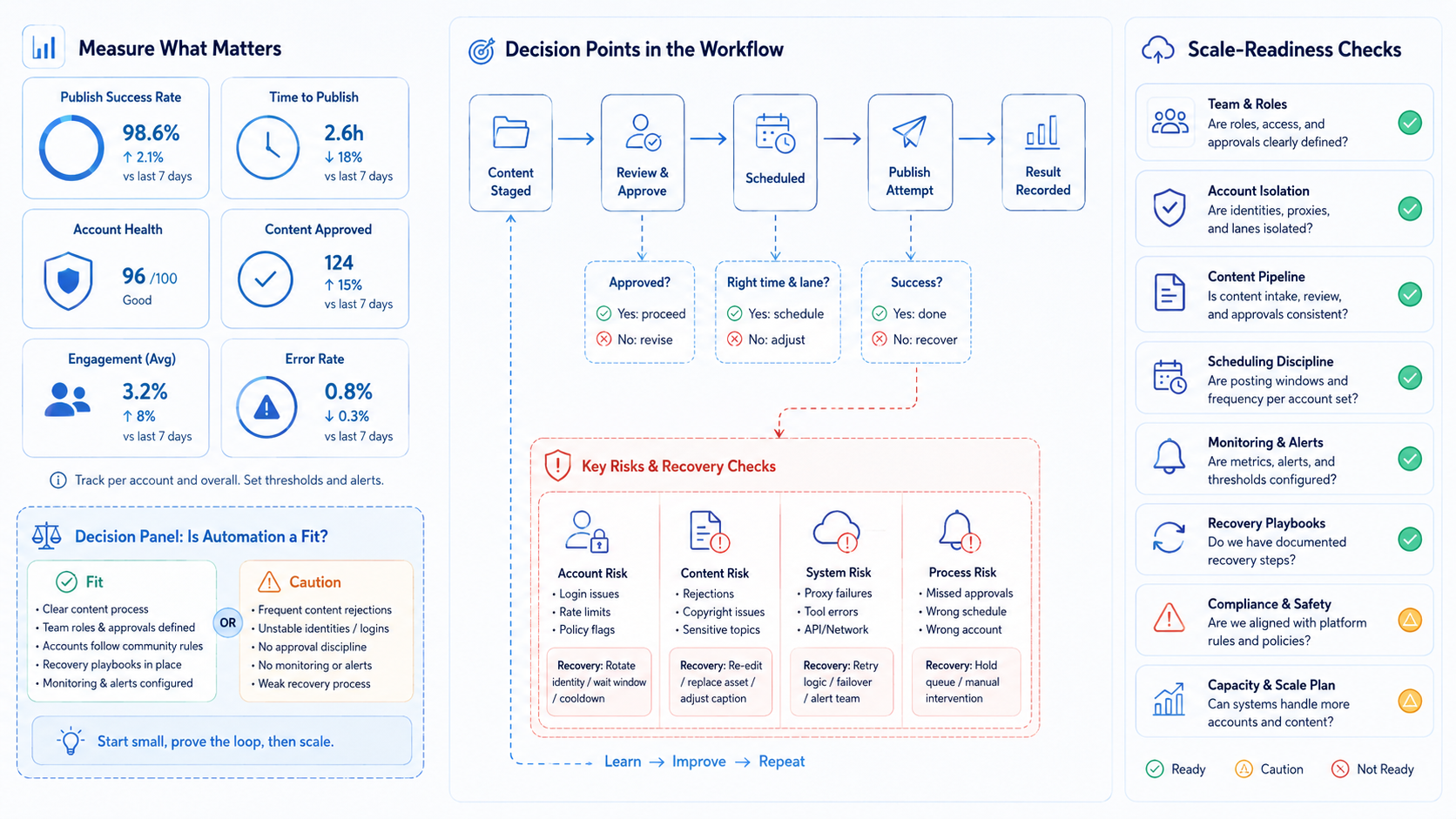
The pilot should prove that one Reels lane is easier to explain after automation is added.
| Check | Pass condition | Failure sign |
|---|---|---|
| Asset clarity | One final Reel package exists per publish run | Several versions compete in the queue |
| Lane ownership | One account lane owns the run | Operators guess which account is active |
| Approval quality | The reviewer decision is visible | Approval exists only in side chat |
| Recovery speed | Paused runs go to a named owner fast | Failed posts drift without action |
| Scale readiness | The same design works for the next account set | Every new lane becomes a special fix |
If the pilot fails, narrow the workflow before adding more output. The lane should become easier to review with each cycle, not harder.
One more signal matters here. If a reviewer can inspect the last failed or delayed publish run and name the exact missing step, the system is learning. If the queue only shows that a Reel did not publish, the workflow is still too opaque.
Instagram Reels Automation Pass or Fail Rules
- Pass: one publish run has one final asset package and one owner.
- Pass: the team can explain the last successful or failed publish step.
- Fail: several versions of the Reel still compete inside the same lane.
- Fail: the publish queue hides failures instead of routing them to recovery.
Fields worth tracking
| Field | Why it matters |
|---|---|
| Account lane | Confirms the correct target account |
| Final asset version | Removes version confusion |
| Approval owner | Shows who approved the run |
| Execution layer | Shows where publishing happened |
| Recovery owner | Makes failed runs actionable |
For teams that need more device-backed control, cloud phone farm infrastructure and cloud phone vs emulator are the best next internal hubs.
Another useful review step is to inspect the queue after each publishing window. That check helps the team confirm that delayed Reels, caption edits, and failed posts are all routed back into one visible recovery path instead of disappearing into side conversations.
Reviewers can then separate content issues from lane issues with less debate.
That distinction reduces wasted rescue work later.
Queue reviews stay shorter because the retry owner is already visible.
Teams also spot repeat failure patterns earlier.
Teams can also add a small end-of-day publishing note for each lane. The note should capture whether the Reel published on time, whether the final asset version matched the approved record, whether a caption or cover change was needed, and who owns any retry. That extra record makes the next morning queue easier to triage. It also gives agency teams a cleaner way to explain delivery status to clients without rebuilding the timeline from chat messages.
A second useful check is to compare the publishing queue against the approved content calendar at the end of each day. That quick comparison shows whether a missed Reel came from a scheduling gap, an asset delay, an approval delay, or an execution failure inside the target lane. When teams keep that distinction visible, they can improve the right part of the workflow instead of changing everything at once.
Frequently Asked Questions
Is Instagram Reels automation just scheduling?
No. A useful system also includes approval, execution, and recovery steps.
What should a team automate first?
Start with one account lane, one content stream, and one review path.
Does every Reels workflow need mobile execution?
Not always, but many final publish paths still depend on mobile state.
What is the first warning sign?
The first warning sign is version drift inside the queue.
When should the team stop expanding?
Pause when failed runs lose ownership or approval becomes unclear.
Is this only for agencies?
No. Brand teams with several account clusters benefit too.
What should the team review next?
Review whether asset clarity, lane ownership, and recovery still remain visible after the pilot.
Conclusion
Instagram Reels automation for multi-account publishing works when publishing is treated as a controlled workflow with asset clarity, lane ownership, and recovery rules. The strongest setup does not only publish faster. It makes each publish lane easier to inspect and easier to hand off.
Before scaling to more accounts, check three things: one final asset exists for each run, one lane owns the publish path, and one recovery owner handles exceptions. If those checks stay clear, the workflow is ready to grow.
Sources
- Instagram for Business
- Instagram Help Center
- Playwright browser contexts
- W3C WebDriver
- Android Enterprise overview
-
Instagram for Business documents business-facing publishing and workflow surfaces. ↩
-
Instagram Help Center documents real account and publishing flows. ↩
-
Playwright explains isolated browser contexts as separate sessions. ↩↩
-
W3C WebDriver treats browser automation as explicit session-based control. ↩
-
Android Enterprise documents managed Android control models useful for mobile execution planning. ↩



