Key Takeaways
- Instagram and TikTok automation pricing is usually driven by execution scope, not only seats.
- Multi-account teams should price account lanes, review effort, and mobile execution separately.
- Cheap tools often look affordable because they hide routing, recovery, and environment costs.
- A good pilot compares total workflow cost against stability and review quality.
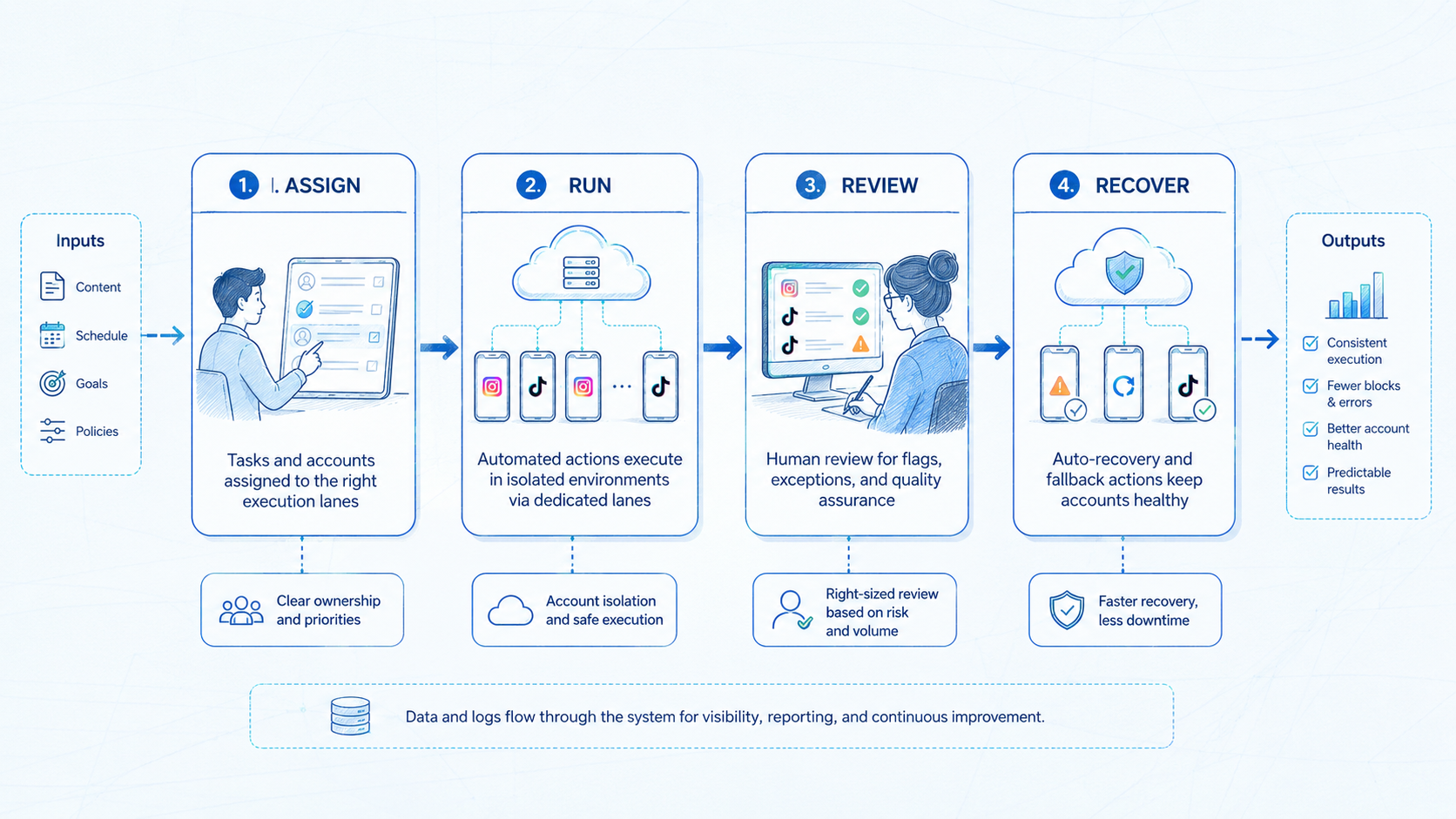
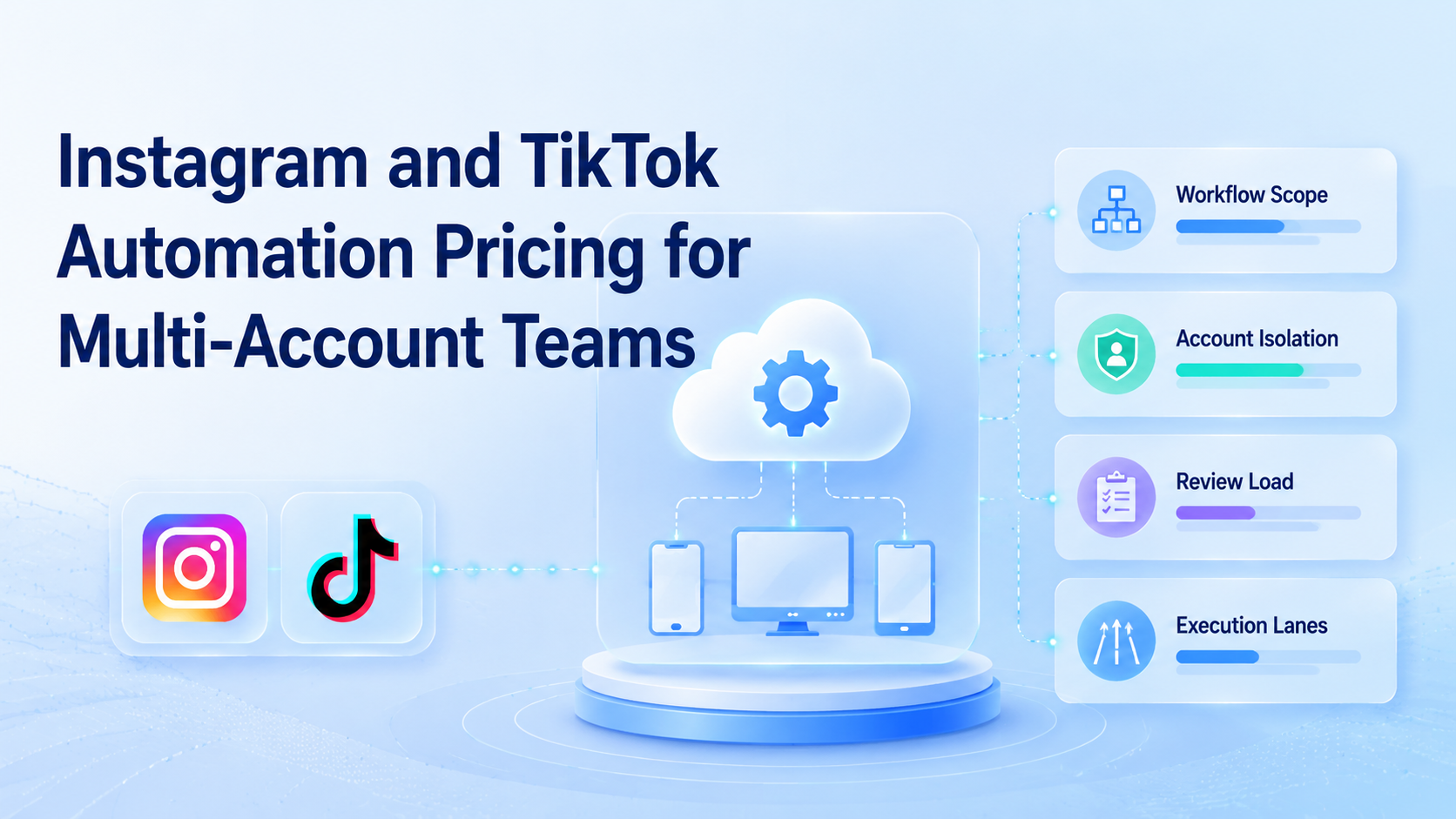
Instagram and TikTok automation pricing is the cost of running repeated social workflows across accounts, tools, review steps, and execution environments. Teams should not judge it only by monthly seat price. The real cost includes account separation, publishing lanes, reply handling, recovery time, and the surfaces where the work actually runs.
That difference matters once a team manages several brands, markets, or creators. A simple posting tool may look cheap, yet the total workflow still depends on browser sessions, mobile execution, manual review, and account routing. Pricing becomes an operations question before it becomes a software question.
This is why pricing research often leads teams back to Moimobi as an execution platform discussion, not only a scheduler comparison. The cost question is really about how many account lanes, review loops, and execution surfaces a team needs.
Platform documentation also shows that the work lives across real operational surfaces. TikTok business tools, Meta business tools, and account help centers all assume ongoing management, permissions, moderation, and publishing control.1 2 3
The Core Idea Behind Instagram and TikTok Automation Pricing for Multi-Account Teams
The first correction is simple. Pricing is not just "how much does one tool cost per month?" Pricing is "what does the workflow cost when it is run cleanly for every account that matters?"
For multi-account teams, four cost layers usually matter:
| Cost layer | What it covers | Why it changes total price |
|---|---|---|
| Execution lanes | Browser, mobile, or cloud device capacity | Each account group needs stable space |
| Workflow logic | Posting, triage, routing, and approval rules | More paths mean more setup and review |
| Human review | Approvals, exceptions, and quality checks | Low seat cost can hide high review cost |
| Recovery work | Retries, blocked runs, and account resets | Unplanned rescue work expands true spend |
This explains why cloud phone, mobile automation, and multi-account management belong in the same conversation as pricing.
Why Teams Search for This Topic
Teams usually start with "what does automation cost?" Then the question gets sharper.
They often want one of three answers:
- how much it costs to run more accounts without adding headcount
- whether a posting tool is enough for browser and mobile work
- which cost line grows fastest when comment review, approvals, or handoff become heavy
The common mistake is comparing only subscription rows. That works for simple publishing. It breaks once TikTok and Instagram work spans content staging, comment replies, browser checks, mobile app actions, and review ownership.
Another reason this topic gets searched is that teams already know platform work is split across surfaces. Meta documents role and permission models in business tools.2 TikTok does the same for business and support workflows.1 Once the workflow crosses those surfaces, pricing has to reflect execution, not only software access.
Who Benefits Most and In What Situations
This topic fits teams that already run several accounts and feel the gap between sticker price and real operating cost. It is less useful for a single creator posting a few times a week.
Strong match
- Agencies managing several client brands across Instagram and TikTok.
- Cross-border teams with region-specific accounts and shared review staff.
- Operations teams that mix posting, replies, moderation, and mobile app tasks.
- Brands comparing scheduler-only tools against broader execution systems.
Weak match
- Single-account creators with no team workflow.
- Teams that only need simple scheduled posting.
- Workflows with no review, no handoff, and no account separation.
- Buyers who only want a cheapest-plan list.
A team that runs creator accounts in several markets is a good example. The software line item may still look small. The real spend rises in account lanes, approval labor, and routing between browser and mobile steps.
Pilot cost and scale cost should also be separated. A pilot may run in one lane with one reviewer. A broader rollout usually needs extra lanes, tighter recovery coverage, and clearer ownership for blocked tasks.
How to Evaluate or Start Using Instagram and TikTok Automation Pricing for Multi-Account Teams
Use checkpoints, not vendor slogans.
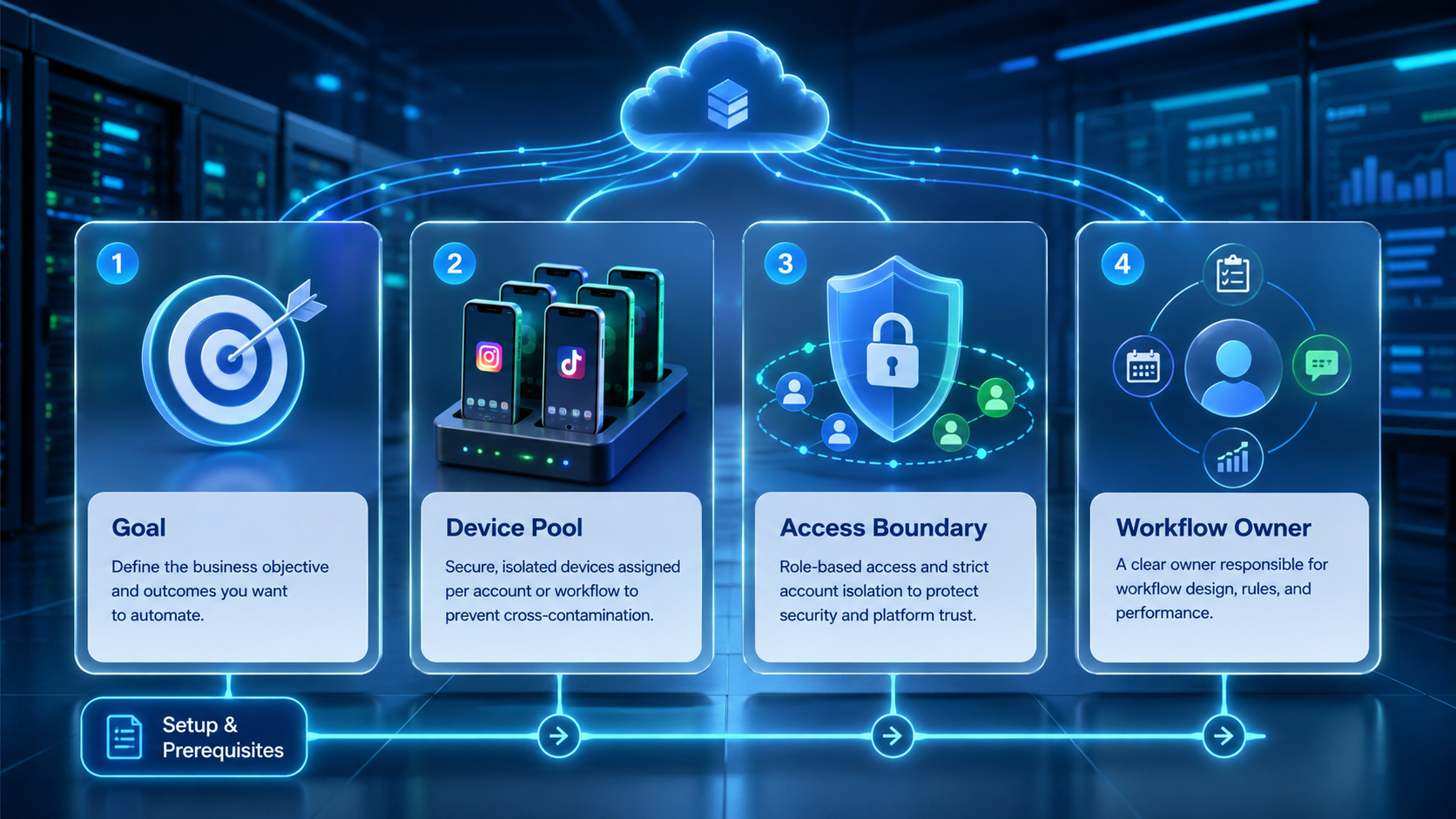
- Checkpoint 1: Count account groups, not only users. One manager may still need several isolated lanes.
- Checkpoint 2: List the workflow types: publishing, moderation, replies, analytics checks, and mobile app follow-up.
- Checkpoint 3: Mark which steps need browser execution and which need mobile execution.
- Checkpoint 4: Estimate review load. Every public-facing workflow adds approval time.
- Checkpoint 5: Track rescue work for blocked tasks before you compare vendors.
Then ask a pass or fail question:
| Question | Pass | Fail |
|---|---|---|
| Can one account group stay in one lane? | Environment is dedicated and reusable | Accounts share pooled state |
| Can reviewers inspect public actions? | Approval path is visible | Review happens in chat only |
| Can blocked work be traced? | Retry owner is named | Rescue work is ad hoc |
Teams that need stronger TikTok workflow context should also evaluate TikTok operations rather than comparing generic social tools alone.
It also helps to compare the tool bill with the hidden human bill. If two coordinators still spend hours every week fixing queue errors or handoff gaps, the cheaper plan may already be the more expensive workflow.
Mistakes That Reduce Results
The first pricing mistake is treating one cheap scheduler as the full system. It may cover queueing, but not account-safe execution or mobile follow-up.
The second pricing mistake is bundling all accounts into one lane. This makes the tool look efficient on paper while operational risk grows. Playwright browser contexts and W3C WebDriver both reinforce the value of explicit sessions, which is the same logic behind account-specific lanes.4 5
The third pricing mistake is ignoring environment cost. A team may need cloud phone for TikTok, device isolation, or phone farm capacity before the workflow is truly usable.
What not to do
- Do not compare tools only by seat count.
- Do not assume browser tasks and mobile tasks cost the same to run.
- Do not ignore approval labor for public comment or posting workflows.
- Do not skip blocked-run tracking during vendor trials.
Instagram and TikTok Automation Pricing by Workflow Shape
Pricing gets clearer when the team prices workflow shapes instead of product names.
| Workflow shape | Main cost driver | Why price changes |
|---|---|---|
| Scheduled publishing only | Content queue volume | Low review and low environment complexity |
| Publishing + moderation | Approval workload | Public actions require more review time |
| Publishing + replies + mobile follow-up | Cross-surface execution | Browser and mobile lanes both matter |
| Agency multi-client operation | Account separation and ownership | Each client needs cleaner boundaries |
This is where cloud phone vs emulator can help the buying decision. The comparison is not academic. It changes how you cost mobile execution, maintenance, and environment reuse.
For larger mobile-heavy programs, cloud phone farm infrastructure is also relevant. The topic matters when a team is no longer buying a simple posting tool and is instead building repeatable execution capacity.
Pilot Rollout, Measurement, and Recovery Checks
The pilot should answer one question: does the pricing model stay honest once real work starts?
Track these fields for two weeks:
- Lane count: how many isolated account environments were actually needed?
- Review minutes: how long did approvals and moderation checks take?
- Recovery count: how often did a task pause, retry, or move owners?
- Cross-surface handoff: how often did browser work depend on mobile completion?
- Queue completion: how many tasks finished without manual rescue?
AWS Device Farm, BrowserStack, and Android Enterprise all emphasize repeatability, visibility, and controlled environments in device operations.6 7 8 Those same ideas help pricing discussions stay grounded in real workflow cost.
If the pilot shows repeated rescue work or unclear lane ownership, fix the workflow before expanding budget. More spend will not repair a broken operating model.
One extra finance check is useful here. Ask which cost line grows first if the account count doubles next quarter. If nobody can answer clearly, the model is still too shallow for a confident vendor choice.
That answer should also be visible in the rollout plan. If the team expects account count to rise but keeps budgeting as if the workflow will stay flat, the pricing model is already out of date.
Frequently Asked Questions
Does pricing only depend on the number of users?
No. Account lanes, review work, and mobile execution often matter more.
Is a scheduler enough for multi-account teams?
Sometimes. It is rarely enough when replies, moderation, or mobile actions are part of the workflow.
What cost is most often missed?
Recovery work. Teams forget how much blocked tasks and manual retries cost.
Why separate browser and mobile costs?
They rely on different execution surfaces and usually different maintenance work.
Should agencies price per client or per workflow?
Usually both. Client boundaries and workflow complexity change total cost.
Is TikTok pricing different from Instagram pricing?
The tool line may look similar, but execution shape can differ.
What should a pilot prove first?
That the lane model, review path, and rescue flow are stable.
What usually drives cost higher first at scale?
Review time and environment capacity often rise before seat count becomes the main issue.
Conclusion
Instagram and TikTok automation pricing for multi-account teams is really a workflow pricing problem. Seat count matters, but it is rarely the full picture. Account lanes, review load, and cross-surface execution usually decide the true cost.
Before choosing a vendor, check four things:
- how many account lanes the team really needs
- how much review time public actions create
- whether browser and mobile work share one task record
- how often blocked tasks need manual rescue
If those answers are clear, the pricing conversation becomes much easier.
Sources