
Key Takeaways
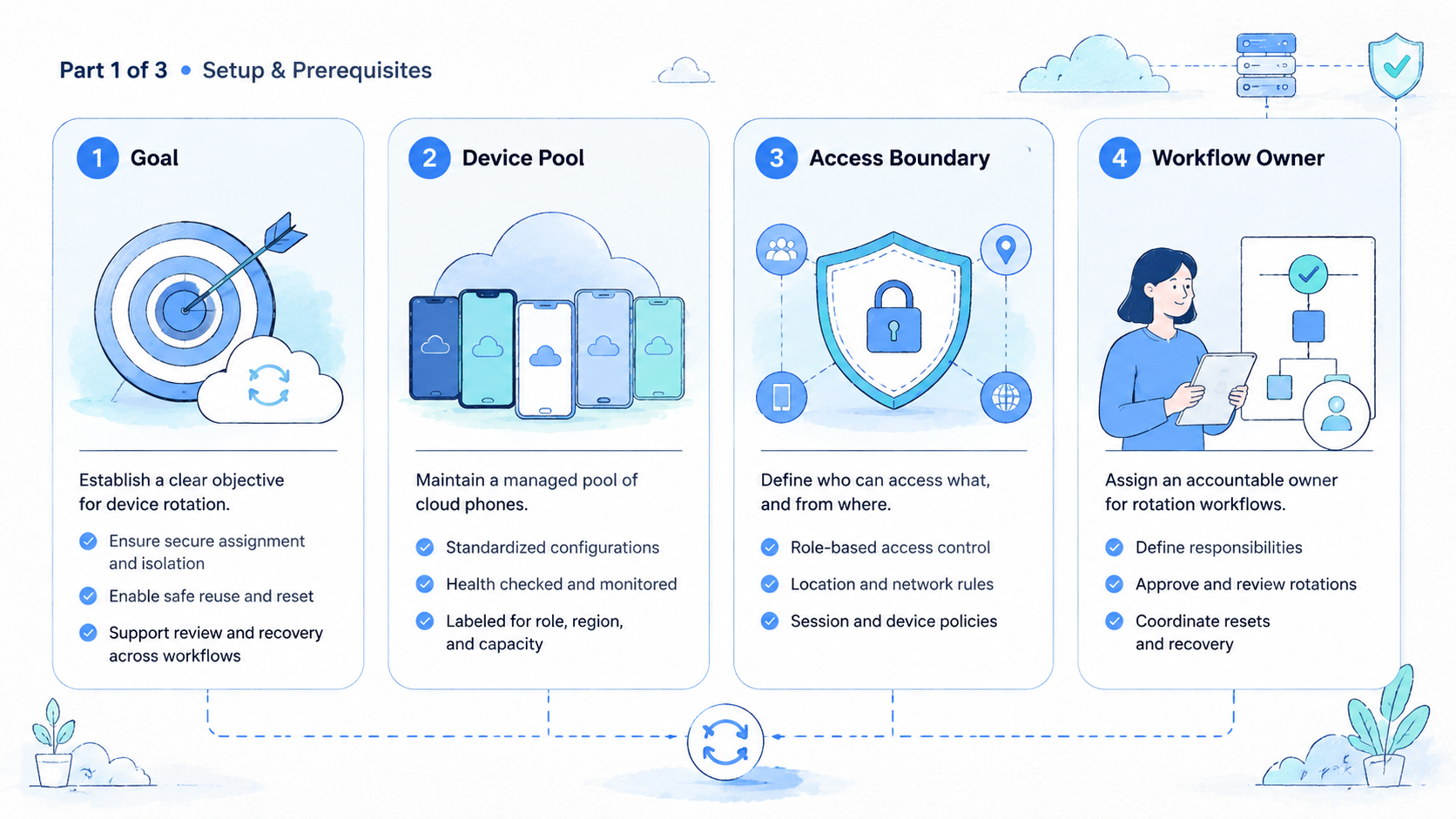
- Device Rotation should be evaluated through workflow control, not vague promises.
- Teams need visible phone state, owner fields, route notes, review rules, and reset ownership.
- MoiMobi combines cloud phones, phone farms, device isolation, proxy routing, and automation for team execution.
- A small pilot should measure setup, handoff, review, recovery, and clean-phone availability before the reviewer approves reuse when the queue starts to drift.
Introduction
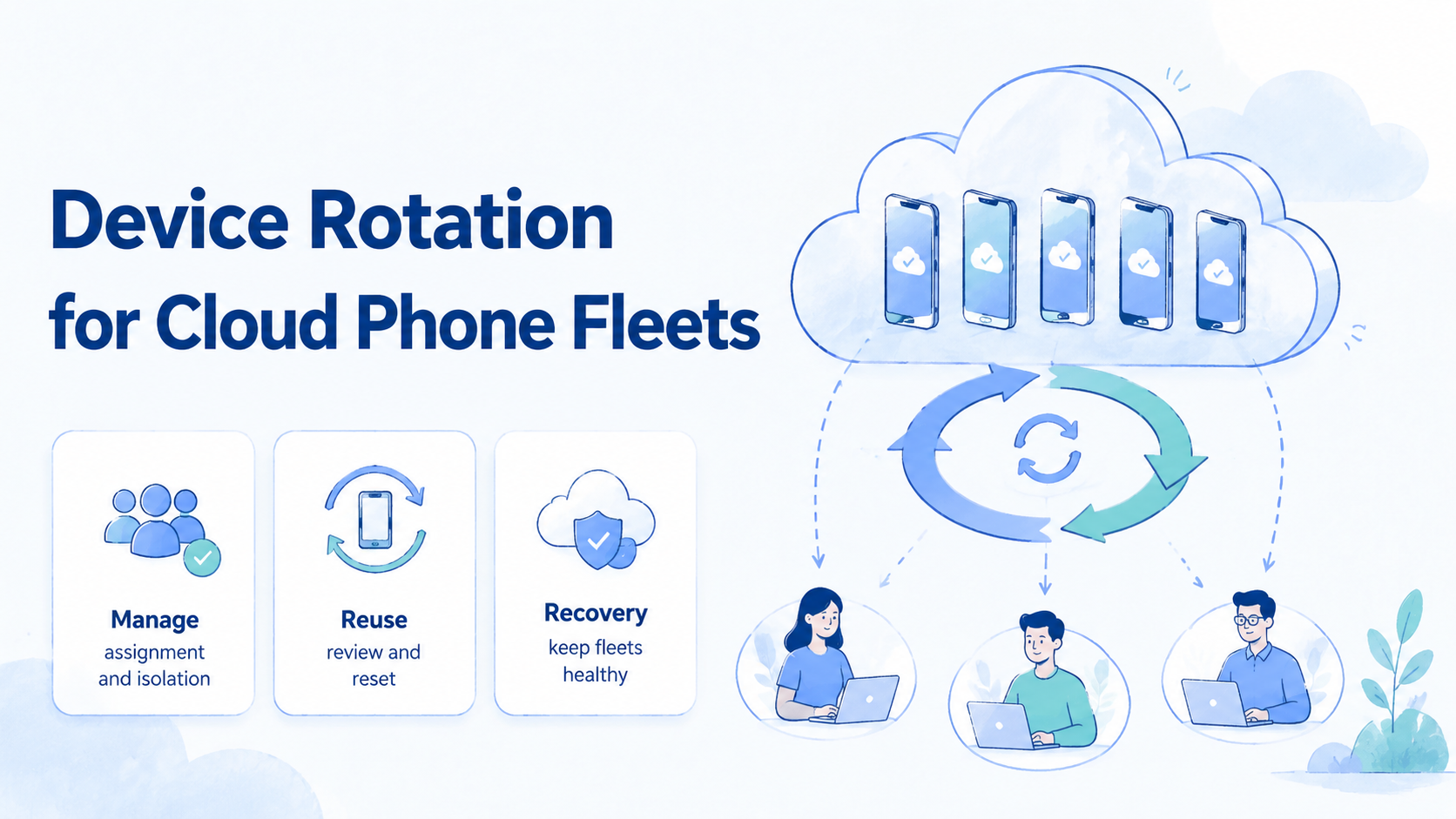
Device Rotation means using a clear operating model for hosted Android devices in team workflows. It controls when a phone is clean, active, under review, paused, or ready for reset.
The business value is not just remote access with ownership and route context visible. A cloud phone becomes useful when another person can understand the state without asking for private context after the admin writes the reset reason. This is why labels, owners, route notes, and review decisions matter.
MoiMobi supports this model through cloud phone, phone farm, device isolation, proxy network, and mobile automation layers. These layers help when mobile work moves between operators, reviewers, and admins.
Use cautious language. A cloud phone platform can support cleaner execution, but it cannot promise account outcomes or replace platform rules. For general quality and policy-aware thinking, compare the workflow against trusted guidance such as Google Search Central, Google SEO Starter Guide, and Google Play Policy Center.
Device Rotation Operating Model
Device Rotation needs a named operating model. Use labels, owners, state notes, route notes, review status, and reset rules. Short labels prevent daily confusion.
A team should treat every phone as a work record, not only as a remote screen. One operator starts the task. A reviewer checks the result. An admin returns the phone to clean state while the pilot still has only one pool.
| Field | Example | Review use |
|---|---|---|
| Pool | Ops-pool-02 | Shows where capacity lives |
| Phone | CP-014 | Identifies the environment |
| Owner | Support operator | Shows responsibility |
| State | Under review | Blocks early reuse |
| Route note | Route group A | Supports troubleshooting |
| Stop rule | Unknown login prompt | Prevents hidden failure |
This record is small enough for daily use. The visible record also gives managers a concrete way to see blocked work.
Why This Control Matters for Team Workflows
Device rotation matters because shared phone pools fail when state is unclear. matters when mobile work moves between people if the next operator needs context when the weekly review finds stale phones. A solo user can remember local context because hidden state creates rework. A team needs a shared record that survives handoff.
The operational problem usually appears during review with ownership and route context visible before the reviewer approves reuse. A reviewer sees a screenshot but does not know the phone state. That gap slows decisions and makes recovery harder.
A better process keeps phone state, route notes, owner, and next action together when the queue starts to drift. The next operator should not need private chat context. That is the practical value of MoiMobi as mobile execution infrastructure.
How to Evaluate device rotation
Start with one workflow. Pick a task that happens often and needs at least one handoff after the admin writes the reset reason if the next operator needs context. Good pilots include app review, marketplace checks, support review, social operations, or QA verification because hidden state creates rework.
- Define the task. Write the workflow name and expected result.
- Assign phones. Use 3 to 5 phones in one pool.
- Set labels. Use clean, active, under review, reset-needed, and paused.
- Record route context. Add a route note when routing matters.
- Run handoff. Ask a second operator to continue from the record.
- Run review. Ask a reviewer to inspect the same phone state.
- Run recovery. Force one failed task and test reset ownership.
The pilot should produce evidence. Count setup time, handoff delay, review delay, reset time, and stale phones. Those numbers matter more than a feature checklist while the pilot still has only one pool.
Device Rotation Fit Boundaries and Common Mistakes
The strong fit is repeated mobile work with shared ownership. The weak fit is one person using one phone for occasional checks when the weekly review finds stale phones. That boundary keeps the buying decision honest.
Strong fit
- Several operators share mobile tasks.
- Review happens after task completion.
- Phone state affects the next action.
- Reset ownership blocks capacity.
Weak fit
- One user owns the device.
- No handoff exists.
- State can be wiped after work.
- The team expects tools to replace rules.
Common mistakes are easy to spot. Teams buy too much capacity before labels work. They run automation before manual review is stable with ownership and route context visible when the queue starts to drift. They treat screenshots as the whole record before the reviewer approves reuse.
Pilot Scorecard
Use a scorecard before scaling. A scorecard turns opinions into workflow evidence. A shared record also shows which team role needs a better rule after the admin writes the reset reason.
| Signal | Pass condition | Repair action |
|---|---|---|
| Setup | Operator starts from record | Add clearer fields |
| Handoff | Second operator continues | Add owner and next action |
| Review | Reviewer sees phone state | Keep review in record |
| Recovery | Admin owns reset | Add reset queue |
| Capacity | Clean phones are visible | Fix stale labels |
| Routing | Exceptions are recorded | Move route notes into task |
Review the scorecard after 1 week. Keep the pilot small until the numbers are easy to explain.
Frequently Asked Questions
What is device rotation?
It is the practical process or buying question around using cloud phones for controlled mobile workflows while the pilot still has only one pool. The exact details depend on the team, task, and review model.
Is MoiMobi only a remote phone tool?
No. MoiMobi is better understood as mobile execution infrastructure for teams that need cloud phones, phone farms, isolation, routing, and automation.
How many phones should a pilot use?
Use 3 to 5 phones. That is enough to test assignment, handoff, review, and recovery without creating a large queue.
Should automation start immediately?
No. Build a stable manual workflow first. Automation should follow known states and stop rules.
What should managers check weekly?
Check clean phones, active phones, paused phones, reset-needed phones, and review delays because hidden state creates rework. These signals show whether capacity is real.
Can cloud phones remove platform risk?
No. Cloud phones support operations with the review owner clearly named before the queue becomes stale. Teams still need platform rules, access control, and human review.
What is the best next step?
Pick one workflow, assign a small phone pool, write the task record, and test whether another operator can continue without private explanation.
Which MoiMobi page should I review next?
Start with cloud phone for access, then review device isolation and phone farm if the workflow needs team scale.
Device Rotation Role Checklist for Daily Operations
Operators should update the phone record before they finish work. The record should include the task, phone label, current state, route note, and next action. This takes less time than rebuilding context later.
Reviewers should inspect the same phone state when possible if the next operator needs context when the weekly review finds stale phones. They should not rely only on screenshots. Screenshots help, but they do not show ownership, route context, or reset status.
Admins should own reset and quarantine decisions with ownership and route context visible before the reviewer approves reuse. A phone in unknown state should not return to the clean pool after the admin writes the reset reason while the pilot still has only one pool. The admin should write the reset reason and completion time.
Managers should review queue health weekly when the queue starts to drift. Count clean phones, active phones, phones under review, paused phones, and reset-needed phones because hidden state creates rework if the next operator needs context. A fleet is healthy when those numbers are easy to explain.
| Role | Daily question | Required action |
|---|---|---|
| Operator | What did I change? | Update task and state |
| Reviewer | Can I approve reuse? | Record decision and reason |
| Admin | Can this phone return? | Reset or quarantine |
| Manager | Is capacity real? | Review queue health |
Implementation Details for a Real Pilot
A real pilot should start with one workflow and one owner. The owner writes the workflow name, the phone pool, the expected state labels, and the stop rule. This prevents the pilot from becoming a loose test of random features.
Use a short pilot brief. It should name the phone count, the task type, the review owner, and the reset owner. It should also say what will not be tested. Clear exclusions keep the pilot focused.
| Pilot item | Recommended entry | Why it matters |
|---|---|---|
| Phone count | 3 to 5 phones | Small enough to inspect |
| Workflow | One repeated mobile task | Keeps the test realistic |
| Operator | Named person or team | Prevents hidden ownership |
| Reviewer | Named decision owner | Keeps review moving |
| Admin | Reset owner | Protects clean capacity |
| Stop rule | Unknown state or route | Avoids unsafe reuse |
| Review window | Daily check | Stops stale queues |
The first day should test setup. Operators should open the correct phone, confirm the state label, and start work from the record. If they ask where to begin, the setup record is not strong enough.
The second day should test handoff. A second operator should continue the same workflow from the written record when the weekly review finds stale phones. The test fails if the second operator needs a private call to understand phone state.
The third day should test review. A reviewer should inspect the phone state and record a decision before the reviewer approves reuse. The decision should be approve, reset, pause, or quarantine with ownership and route context visible. Do not leave the outcome vague.
The fourth day should test recovery. Put one phone into reset-needed state on purpose. The admin should return it to clean state only after writing the reset action and reason.
The fifth day should test capacity. Count the clean phones, active phones, review phones, paused phones, and reset-needed phones. The team should know real capacity, not just total device count when the queue starts to drift.
Comparison Questions for Buyers
Buyers should ask questions that expose daily workflow fit. A polished feature page may not show how operators work under pressure after the admin writes the reset reason. The questions below focus on operating evidence.
- Can an operator see the assigned phone before work starts?
- Can the team separate pools by task, account, client, or app while the pilot still has only one pool?
- Can route notes stay beside the phone record?
- Can a reviewer inspect the same phone state later?
- Can an admin remove unclear phones from active work because hidden state creates rework if the next operator needs context?
- Can the manager see stale queues without asking in chat?
- Can automation follow state labels and stop rules?
- Can the team export or review enough history for an internal audit when the weekly review finds stale phones?
These questions are intentionally practical. They do not ask whether the tool sounds advanced. They ask whether daily work becomes easier to control with ownership and route context visible.
Use a pass, partial, fail rating when the queue starts to drift after the admin writes the reset reason. Pass means the platform supports the behavior directly. Partial means the team can work around it before the reviewer approves reuse. Fail means the behavior depends on memory, chat, or manual cleanup while the pilot still has only one pool.
| Question area | Pass | Partial | Fail |
|---|---|---|---|
| Assignment | Phone owner is visible | Owner lives in notes | Owner is unknown |
| Review | Reviewer sees state | Reviewer needs screenshots | Reviewer asks operator |
| Recovery | Reset queue exists | Reset uses manual tag | Reset is informal |
| Routing | Route note is attached | Route is in chat | Route is missing |
| Capacity | Clean count is visible | Count needs export | Count is guessed |
Risk Controls and Stop Rules
A stop rule is a condition that pauses work before it creates more cleanup. Teams should write stop rules before the pilot starts. A stop rule is not a failure. It is a control.
Common stop rules include unknown account state, missing owner, missing route note, failed app login, stale review, and reset uncertainty. Each stop rule should have an owner and next action.
| Stop rule | Owner | Next action |
|---|---|---|
| Unknown account state | Operator | Move to under review |
| Missing route note | Operator | Add note before work |
| Failed login | Reviewer | Decide reset or pause |
| Stale review | Manager | Reassign reviewer |
| Reset uncertainty | Admin | Quarantine phone |
| Mixed pool use | Manager | Split the pool |
Teams should review stop-rule events weekly. A repeated stop rule points to a design problem. For example, repeated missing route notes may mean the route field is hard to find because hidden state creates rework. Repeated reset uncertainty may mean admins need a clearer reset checklist.
The goal is not to stop work forever. The goal is to stop unclear work before it contaminates the phone pool after the reset owner records the reason. That is how a small control prevents a larger cleanup.
Pilot Scorecard for device rotation
Run a weekly review even when the pilot looks stable. The review keeps small issues from becoming fleet-wide cleanup because the next operator needs context when route notes affect recovery. This shared record also gives the team a shared language for capacity.
Start with the clean count while the pilot stays small. A clean phone should be ready for assignment without extra investigation. If the clean count is lower than expected, inspect paused and reset-needed phones first.
Next, inspect the review queue. A phone under review should have a reviewer, a reason, and a target decision time. If the review queue grows, the team has a people problem, not only a tooling problem.
Then inspect reset work. A reset-needed phone should have an admin owner. If several phones wait for reset, the fleet has paid capacity that cannot support current workflows.
End with one decision. Change one label, one owner rule, one reset rule, or one review rule. Avoid changing everything at once. A small weekly change is easier to test.
| Weekly field | Good state | Repair signal |
|---|---|---|
| Clean count | Enough phones for planned work | Operators wait for devices |
| Review queue | Decisions happen daily | Phones wait without owner |
| Reset queue | Admin clears known cases | Reset reason is missing |
| Route exceptions | Notes are attached | Exceptions live in chat |
| Handoff delay | Second operator continues | Context must be rebuilt |
| Automation readiness | Manual path is stable | Scripts hide unclear state |
This review template keeps the article's guidance practical. Each shared record also gives teams a way to compare vendors, plans, and workflow designs against the same daily operating standard.
Device Rotation Review Checklist
Before publishing, run one more operational check. Confirm the phone pool, owner, route note, review owner, reset owner, and stop rule. This short check prevents avoidable rework and keeps the workflow understandable for the next operator.
Device rotation should stay visible in the task record, the review queue, and the reset decision.
Conclusion
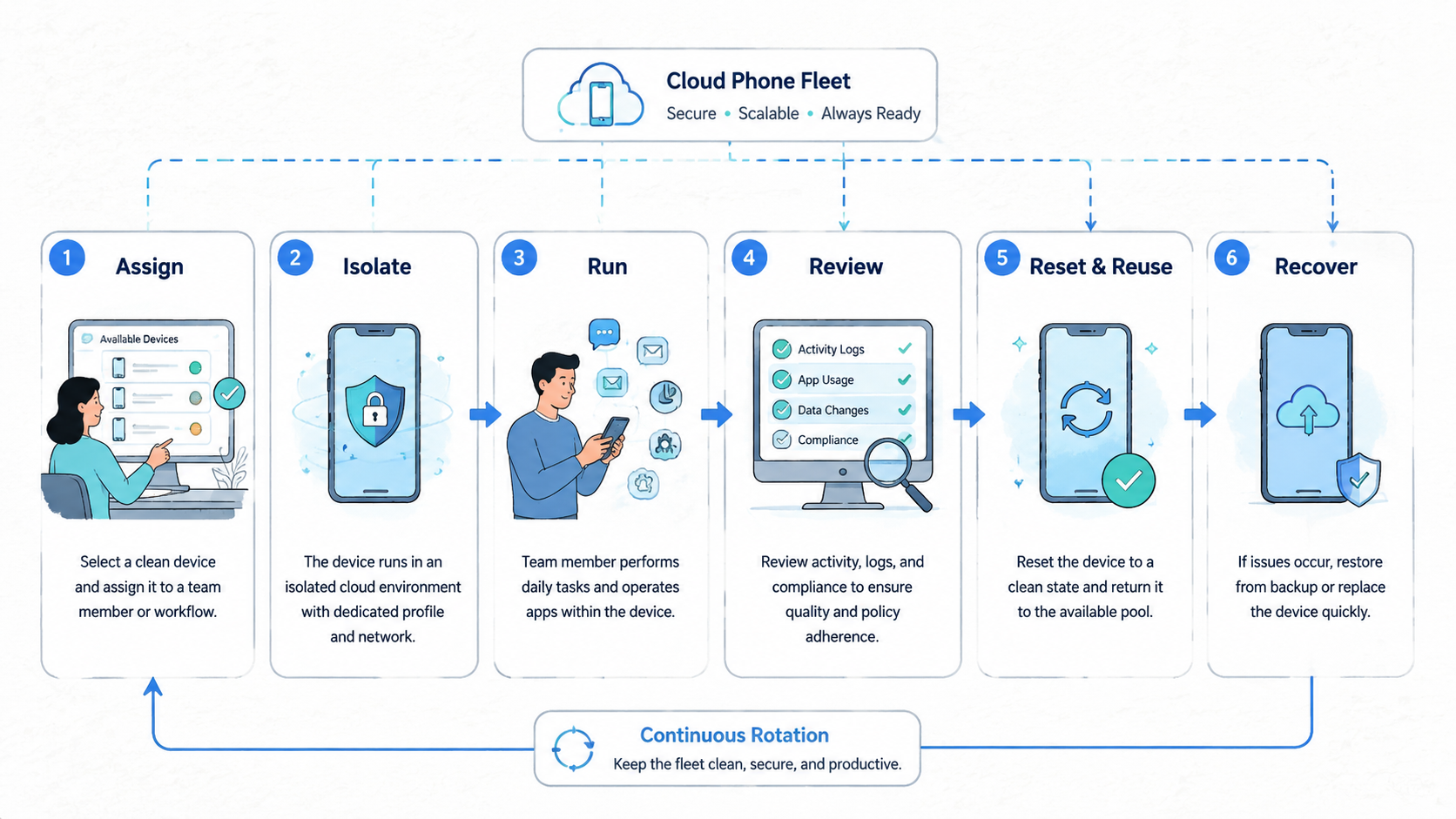
Device rotation is a control system for shared cloud phone fleets. It helps teams know which phones are ready, which phones need review, and which phones should stay out of the active pool.
The next step is direct. Choose one workflow, assign a 3-phone or 5-phone pool, write the state record, and run the handoff test. If the second operator can continue without private explanation, the model is ready for a larger pilot.



