Content Type: comparison
Key Takeaways
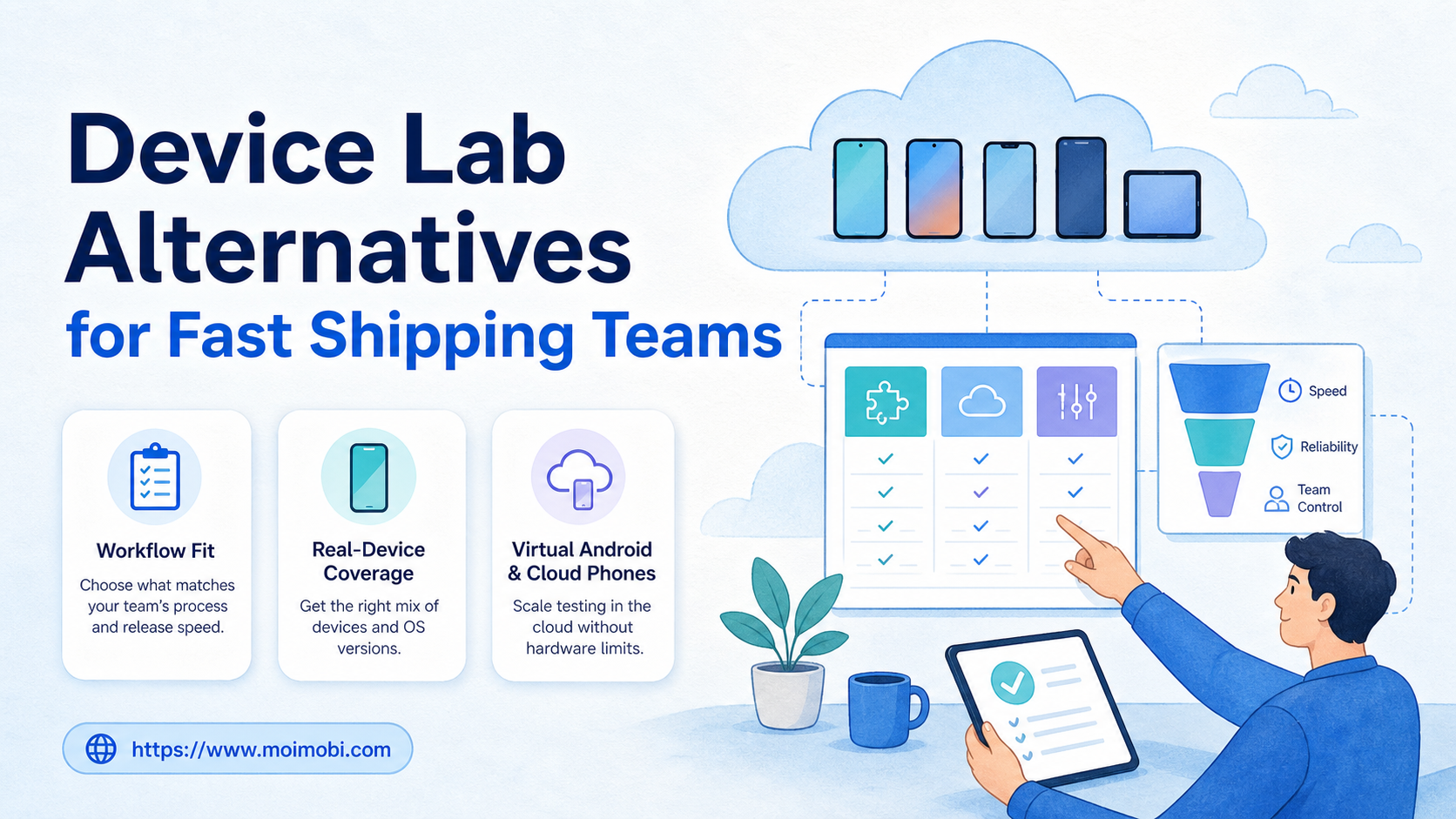
- A device lab alternative is not one single product category. It can be a real-device testing cloud, a virtual Android device layer, a managed cloud phone workspace, or a hybrid operating model.
- Fast shipping teams should choose by workflow fit first: QA regression, app debugging, account operations, content workflows, or long-running mobile execution.
- Real-device clouds fit structured app testing. Cloud phones fit persistent mobile operations. Local emulators fit cheap early checks.
- The best decision is usually a layered setup, not a full replacement of every device with one tool.
- Teams should measure queue time, handoff clarity, failure evidence, and environment reuse before scaling.
A device lab alternative is a way to test, operate, or automate mobile workflows without buying and maintaining every physical device yourself. The right choice depends on what your team is shipping. A QA team running release regression needs different infrastructure from an operations team managing many mobile-first accounts.
The practical answer is simple. Use real-device clouds when release quality depends on hardware coverage. Use emulators or virtual Android devices when engineers need quick checks. Use cloud phone environments when the workflow needs persistent Android sessions, app accounts, routing, and repeatable mobile execution.
Fast teams should not start with a feature checklist. Start with the job. Are you validating app builds, reproducing bugs, running social media tasks, managing customer replies, or operating mobile accounts every day? Once that workflow is clear, the device lab alternative becomes easier to evaluate.
A Practical Comparison Framework for Device Lab Alternative Decisions
A useful device lab alternative should reduce the work that slows shipping. That work is usually not only device ownership. It is also setup time, queue conflicts, account preparation, failed test evidence, and unclear ownership between QA, engineering, and operations.
Use four criteria before you compare vendors:
- Environment type: real devices, virtual devices, emulators, cloud phones, or a mixed fleet.
- Workflow duration: short testing sessions, scheduled regression, or persistent account work.
- Evidence needs: logs, screenshots, video, artifacts, task receipts, or account activity history.
- Team control: permissions, assignments, routing, approval, and recovery when something fails.
AWS describes Device Farm as a service for testing and interacting with Android, iOS, and web apps on real physical phones and tablets hosted by AWS. Its documentation also separates remote access from automated app testing, which is an important distinction for buyers comparing lab replacements. See the AWS Device Farm developer guide for that model.
That distinction matters because a real-device testing cloud is built around app quality workflows. A persistent Android execution layer is built around repeated mobile operations. Both can reduce physical device overhead, but they solve different jobs.
| Option | Best fit | Watch out for |
|---|---|---|
| Local emulator | Early developer checks and quick UI smoke tests | Limited account persistence and hardware realism |
| Real-device testing cloud | Release regression, bug reproduction, device coverage | May be session-oriented rather than operations-oriented |
| Virtual Android device | Parallel app checks and controlled build validation | May not match every real user device condition |
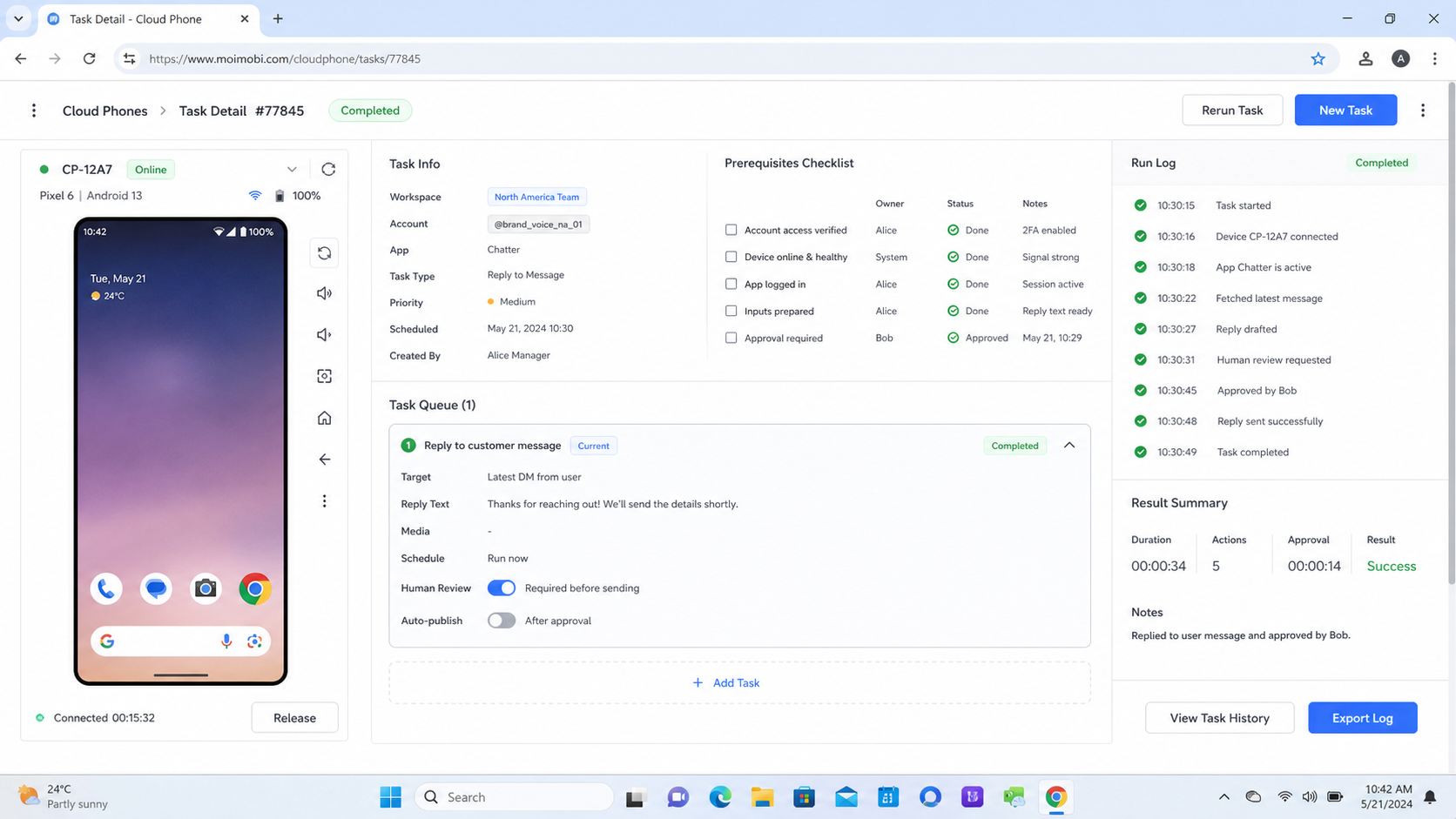
| Cloud phone environment | Long-running mobile workflows, account operations, team execution | Needs SOPs, routing rules, and ownership controls |
| Hybrid setup | Teams with both QA and operations workloads | Requires clear boundaries between testing and execution |
Use Case Fit Before Feature Fit in a Device Lab Alternative
Feature lists become misleading when teams mix testing, automation, and operations into one requirement. A device lab alternative for QA should help engineers test builds and inspect failures. A device lab alternative for operations should help teams run repeatable tasks inside stable mobile environments.
For example, a mobile app team may need real-device coverage before each release. Android's official emulator documentation explains that the Android Emulator lets developers test apps on Android virtual devices and is integrated with Android Studio. See Android Developers on how to run apps on the Android Emulator for the official virtual-device boundary.
An agency or growth team has a different problem. It may need multiple Android environments that keep account state, routing, app sessions, and task history separate. A standard QA device cloud may not be designed around that operating model. This is where mobile automation execution and account workspace design become more relevant than test framework support.
Before buying, write down the workflow in one sentence:
- “We need to test each app build across device types before release.”
- “We need operators to reproduce app issues on real phones.”
- “We need persistent Android environments for account-based tasks.”
- “We need a shared system for scheduled mobile execution.”
The sentence usually reveals the category. Test clouds, virtual devices, and cloud phones may overlap technically, but the operating contract is different.
Operational Trade-Offs in a Device Lab Alternative Workflow
Fast shipping teams lose time when device access becomes unclear. A device lab alternative should answer who owns the environment, who can start a session, who can stop it, and what evidence remains after the task ends.
Use this preflight checklist before a pilot:
- Accounts: Which app, platform, or test accounts will each environment use?
- Permissions: Who can start, pause, reset, or reassign a device?
- Builds: How are APKs, internal builds, or app versions uploaded?
- Network: Does the workflow need local endpoints, proxy routing, or region control?
- Evidence: What logs, screenshots, videos, task results, or receipts are required?
- Retention: How long should sessions, files, and account state remain available?
- Recovery: What happens when a device freezes, an app crashes, or a login expires?
Sauce Labs describes support for testing native and hybrid apps on emulators, simulators, and real devices in its cloud. Its documentation also highlights automated testing through common frameworks and a Real Device Access API for custom workflows. See the Sauce Labs mobile app testing documentation for those boundaries.
Those boundaries should shape your internal process. If your workflow is test automation, map it to build upload, run execution, artifact review, and defect filing. If your workflow is account operations, map it to environment assignment, task queue, human review, execution receipt, and handoff.
MoiMobi sits closer to the second model. It is not only a test runner. It helps teams treat Android environments, browser profiles, accounts, and workflow execution as controlled operating assets. For account-heavy workflows, account environment coordination is often the real system requirement.
Setup Cost, Ongoing Cost, and Management Overhead
The cheapest device lab alternative is not always the lowest monthly bill. The real cost includes setup, broken handoffs, stalled devices, duplicate environments, weak evidence, and time spent rebuilding state.
Local emulators can be inexpensive, but they push maintenance to developers. Real-device clouds reduce hardware ownership, but the team still needs test data, build upload rules, and failure triage. Persistent mobile environments can reduce repeated setup, but they need account assignment, routing policy, task ownership, and usage review.
Use a short pilot instead of a long vendor debate:
- Pick one workflow that repeats every week.
- Define the target environment type.
- Assign one owner for setup and one owner for review.
- Run the workflow for five business days.
- Track queue time, setup time, failed sessions, and evidence quality.
- Decide whether to expand, split, or stop the setup.
This pilot keeps the comparison honest. It also prevents a common mistake: buying a broad testing platform for operational work, or buying an operations environment for release testing only.
For teams that need both browser and Android execution, the better path may be a layered setup. Browser profiles can cover logged-in web dashboards. Managed Android environments can cover mobile-first app tasks. A device testing cloud can remain the final release validation layer.
Which Option Fits Different Teams Best
Different teams should choose different device lab alternatives. The best fit comes from the workflow, not from the category name.
Best for mobile QA teams
Choose a real-device cloud when your main job is mobile app testing across devices. The team needs build upload, test framework integration, parallel runs, logs, video, and artifacts. This option fits release gates and bug reproduction better than account operations.
Best for early engineering checks
Choose local emulators or virtual Android devices when developers need fast feedback before deeper testing. This works for early validation, UI checks, and repeatable scripted flows. It should not be the only layer for hardware-sensitive issues.
Best for mobile operations teams
Choose managed mobile environments when the workflow must keep app accounts, routing, device state, and operator handoff stable. This fits social media operations, customer engagement, marketplace tasks, and other mobile-first execution work.
Best for multi-account teams
Choose a system that combines mobile environments with account isolation, task assignment, and review. Device quantity alone is not enough. Teams also need ownership, evidence, and recovery. For browser-heavy account work, an Android fingerprint and browser profile workflow may be part of the same stack.
Best for mixed QA and operations teams
Use a hybrid model. Keep real-device testing for release confidence. Use cloud phone environments for recurring account execution. Use local virtual devices for developer speed. The goal is not to force every workflow into one environment.
Device Lab Alternative Verification Checklist
A pilot works when the team can prove the new setup reduced friction. Use this checklist before expanding beyond the first workflow.
- The team can start the same workflow without rebuilding device state.
- Each environment has a clear owner or assignment rule.
- Failed runs leave useful logs, screenshots, recordings, or task receipts.
- Operators can see whether a task is pending, running, failed, or complete.
- The setup supports the required apps, accounts, and network conditions.
- The workflow has a stop rule for repeated failures.
- The next reviewer can understand what happened without asking the first operator.
Do not scale if the pilot only shows that devices can launch. Device launch is the starting point. Shipping teams need repeatability, visibility, and clean recovery.
Frequently Asked Questions
What is a device lab alternative?
A device lab alternative is a managed or virtual way to test or operate mobile workflows without maintaining every physical device internally. It may include real-device clouds, emulators, virtual Android devices, or cloud phones.
Is a real-device cloud the same as a managed cloud phone environment?
No. A real-device cloud is usually built around app testing and debugging. A managed mobile environment is more useful when teams need persistent sessions, accounts, and repeatable operational workflows.
When should a team keep physical devices?
Keep physical devices when hardware-specific testing, local accessories, carrier behavior, or sensitive debugging requires direct control. Many teams still use a small physical set alongside cloud options.
Are virtual Android devices enough for mobile app testing?
They are useful for early checks and repeatable automated flows. They should be complemented with real-device testing when device-specific behavior matters.
What should operations teams measure during a pilot?
Measure setup time, task completion time, failed sessions, handoff clarity, evidence quality, and account environment reuse. These metrics show whether the alternative improves real work.
Can a device lab alternative support multi-account work?
It can, but only if the system supports separated environments, ownership, routing, and task records. Device count alone does not solve multi-account operations.
How does MoiMobi fit this comparison?
MoiMobi fits teams that need persistent Android and browser execution environments for account-based workflows. It is more relevant to mobile operations than to pure release regression testing.
Should QA and operations use the same platform?
Only when the platform supports both workflows clearly. Otherwise, a hybrid model is cleaner: testing cloud for QA, cloud phone environments for operations, and local devices for quick checks.
Conclusion
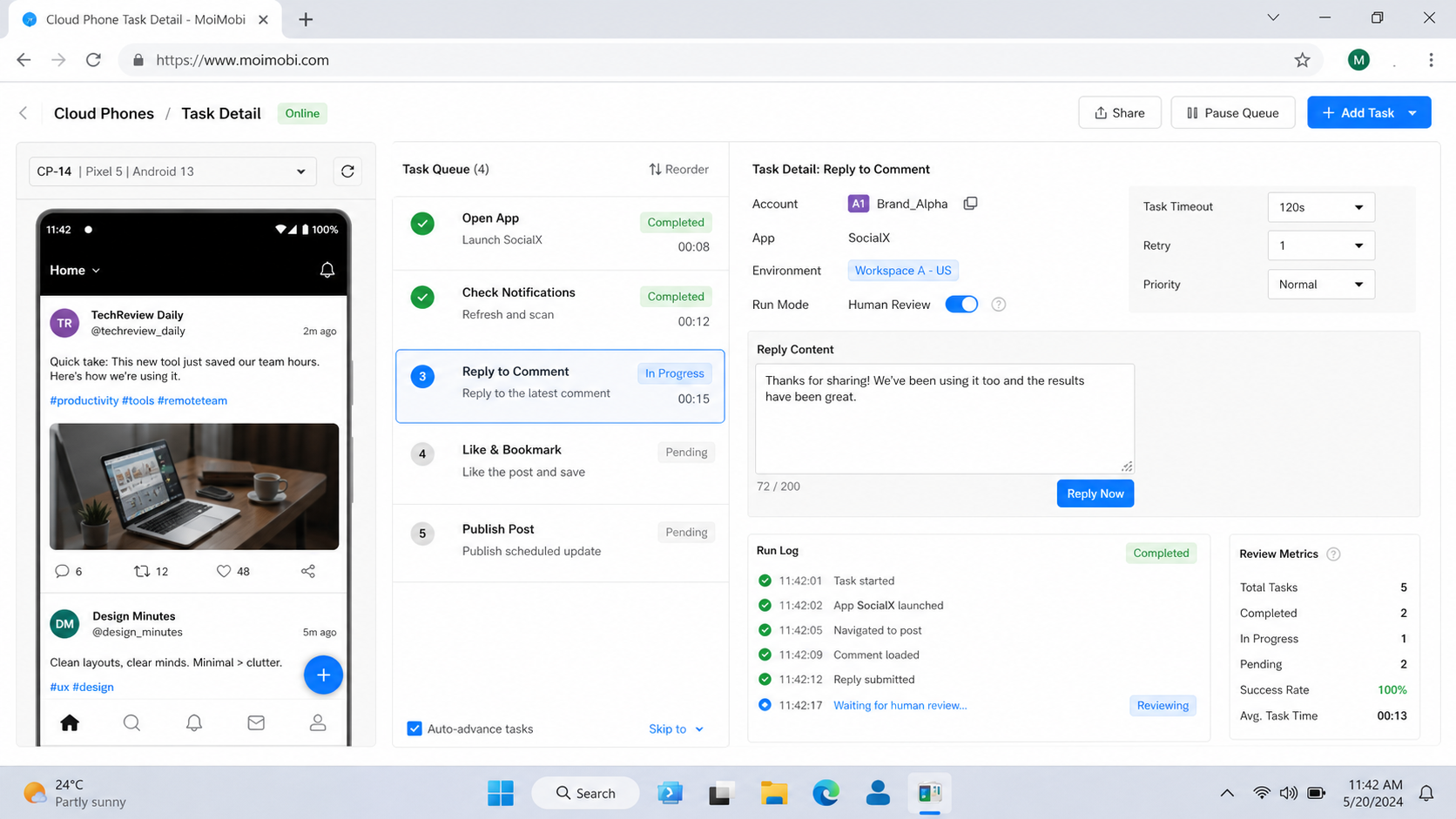
A device lab alternative should be chosen by workflow fit. Real-device testing clouds help QA teams validate builds and reproduce failures. Virtual devices help engineers move quickly. Persistent Android environments help operations teams run mobile tasks with clearer account and workflow control.
Start with one repeated workflow and test it for a week. If the setup reduces queue time, preserves useful evidence, and gives the next teammate a clear handoff, it is worth expanding. If it only launches devices, the team still needs a stronger execution model.