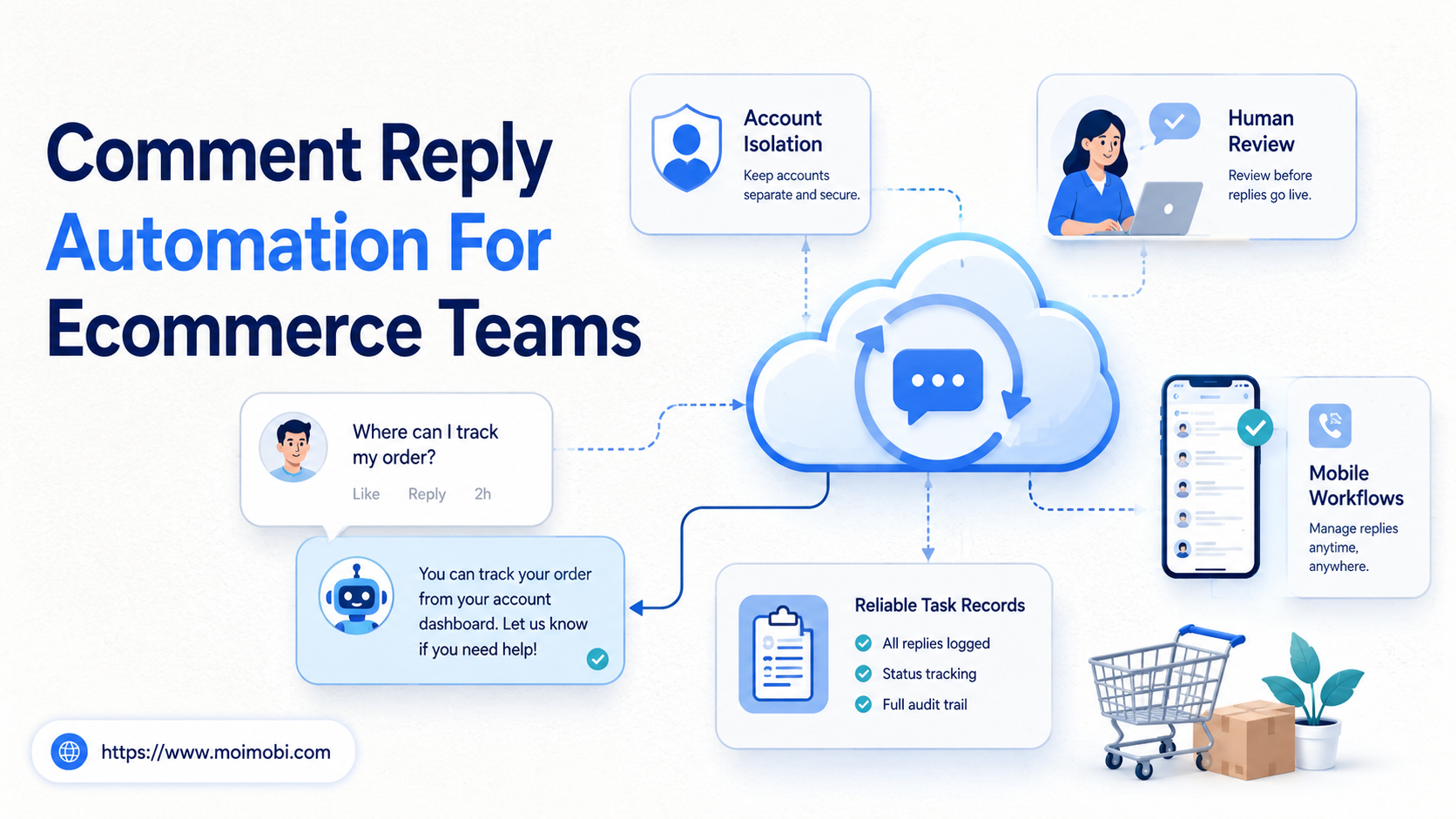
Comment reply automation for ecommerce teams helps operators find buyer questions, prepare safe replies, route uncertain cases to people, and record what happened. The goal is not to blast generic responses under every post.
Ecommerce teams need this because buyer questions often arrive in public comments before they reach a support inbox. A shopper may ask about sizing, shipping, stock, discount codes, compatibility, returns, or order status. The useful automation is the part that classifies the comment, suggests the right answer, checks the account context, and keeps a record for the team.
Key Takeaways
- Start with buyer-question categories, not with a mass-reply tool.
- Use automation for routing, drafting, tagging, and follow-up records.
- Keep sensitive replies under human review.
- Separate account environments when several store or social accounts are involved.
- Measure response quality, escalation rate, and recovery behavior, not only reply count.
The Core Idea Behind Comment Reply Automation for Ecommerce Teams
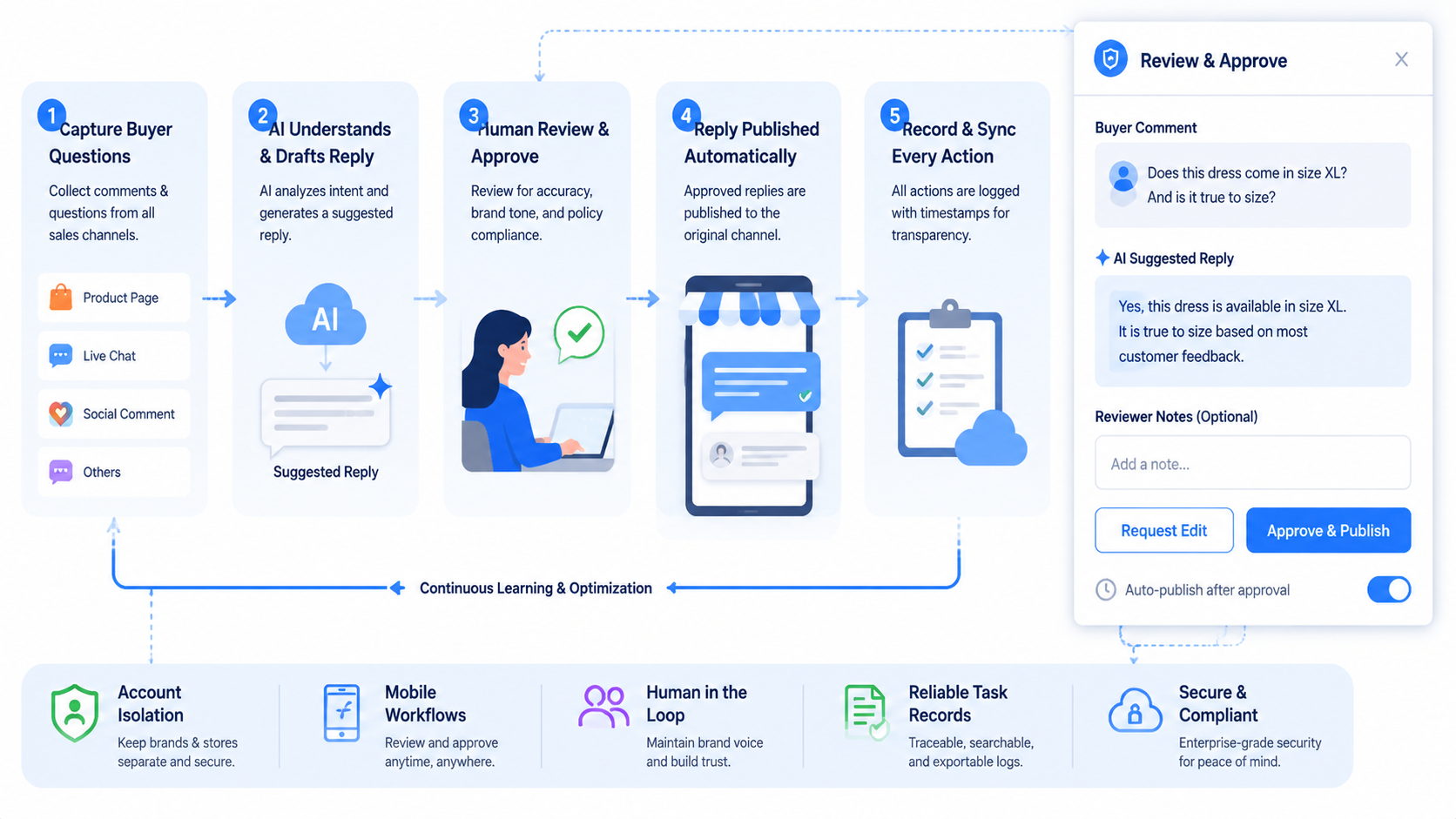
The core idea is simple: automate the repeatable preparation work, but keep business judgment visible. A reply workflow should identify the comment, classify the intent, choose a reply path, decide whether review is needed, and record the outcome.
This matters because platform support varies. Meta documents Instagram comment objects and reply edges for owned media and top-level comments. YouTube Data API documents comment resources and the comments.insert method for creating replies to existing comments. TikTok has official APIs for querying video comments through its Research API and comment status management through its Business API, but teams still need to verify which access path fits their account type and use case.
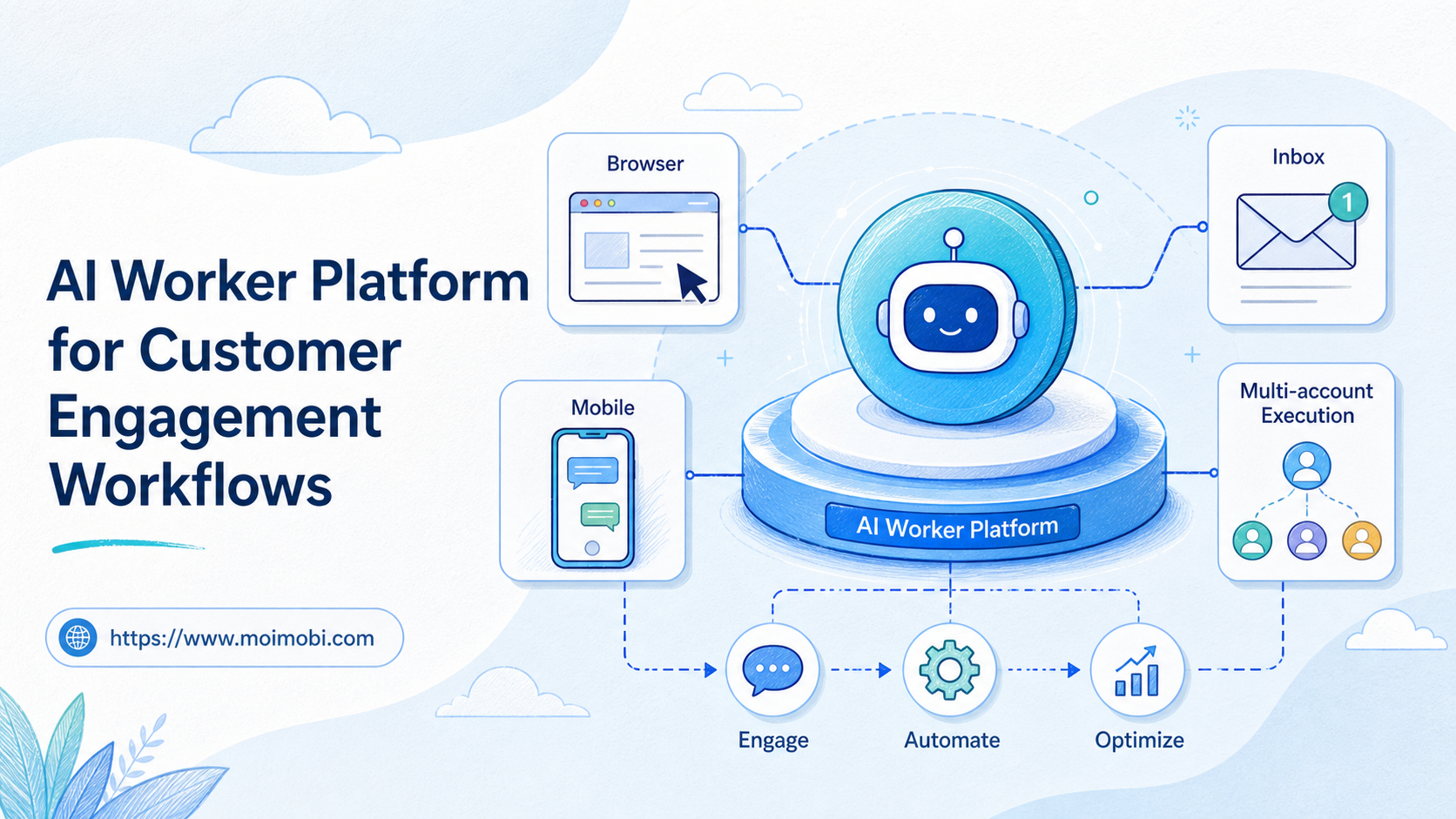
In practice, automation should be designed as an operating system around comments. APIs are only one part of the setup. Some comments can be handled through platform APIs. Others may require browser review, mobile app checks, store-dashboard lookup, or a human support decision.
MoiMobi fits this workflow as an AI browser and cloud phone platform because comment operations often cross browser dashboards, mobile app environments, and multi-account workspaces.
Why Teams Search for This Topic
Teams usually search for comment reply automation when comment volume starts to outgrow manual handling. The first pain is speed. A buyer asks a question under a product video, but the answer comes hours later. By then the intent may be gone.
The second pain is consistency. One operator gives a short answer. Another sends the buyer to support. A third replies with outdated product information. Without a workflow, the same question can receive different answers across accounts.
The third pain is visibility. Managers can see that comments exist, but they cannot easily see which comments are buyer questions, which were answered, which need support, and which should be turned into product-page improvements.
A good workflow separates comment work into four lanes:
| Comment type | Automation role | Human role | Record to keep |
|---|---|---|---|
| Product question | Classify topic and suggest answer | Confirm accuracy when needed | Product, account, answer used |
| Shipping or return question | Route to support policy path | Review if case-specific | Policy category and next step |
| Order-specific issue | Detect private-data risk | Move to support channel | Escalation reason |
| Spam or low-value comment | Tag or hide when allowed | Review edge cases | Action, account, reason |
| Sales opportunity | Draft helpful reply | Approve tone and offer | Buyer intent and follow-up |
This table also shows why a single “auto reply” switch is not enough. The workflow must know what kind of question it is handling.
Who Benefits Most and In What Situations
This workflow helps ecommerce teams that receive repeated buyer questions across several channels. The best fit is a team with clear products, repeat question patterns, and a support owner who can approve the rules.
Social commerce teams often benefit first. TikTok, Instagram, YouTube Shorts, Facebook, and marketplace content can all create public comment threads. Some buyer questions are simple. Others need product, inventory, or policy context.
It also helps agencies managing many ecommerce brands. Agency teams need to separate client accounts, assign reply owners, and avoid mixing account sessions. A multi-account management setup gives each brand or account group a clearer operating lane.
Results get weaker when the store has no approved answer library. If the team cannot agree on sizing guidance, shipping language, return rules, or escalation rules, automation will only make inconsistent replies faster.
Comments involving personal order data are another poor fit. Public comments should not expose private buyer details. In those cases, the automation should route the buyer to a support channel, not try to solve the case publicly.
How to Evaluate or Start Using Comment Reply Automation for Ecommerce Teams
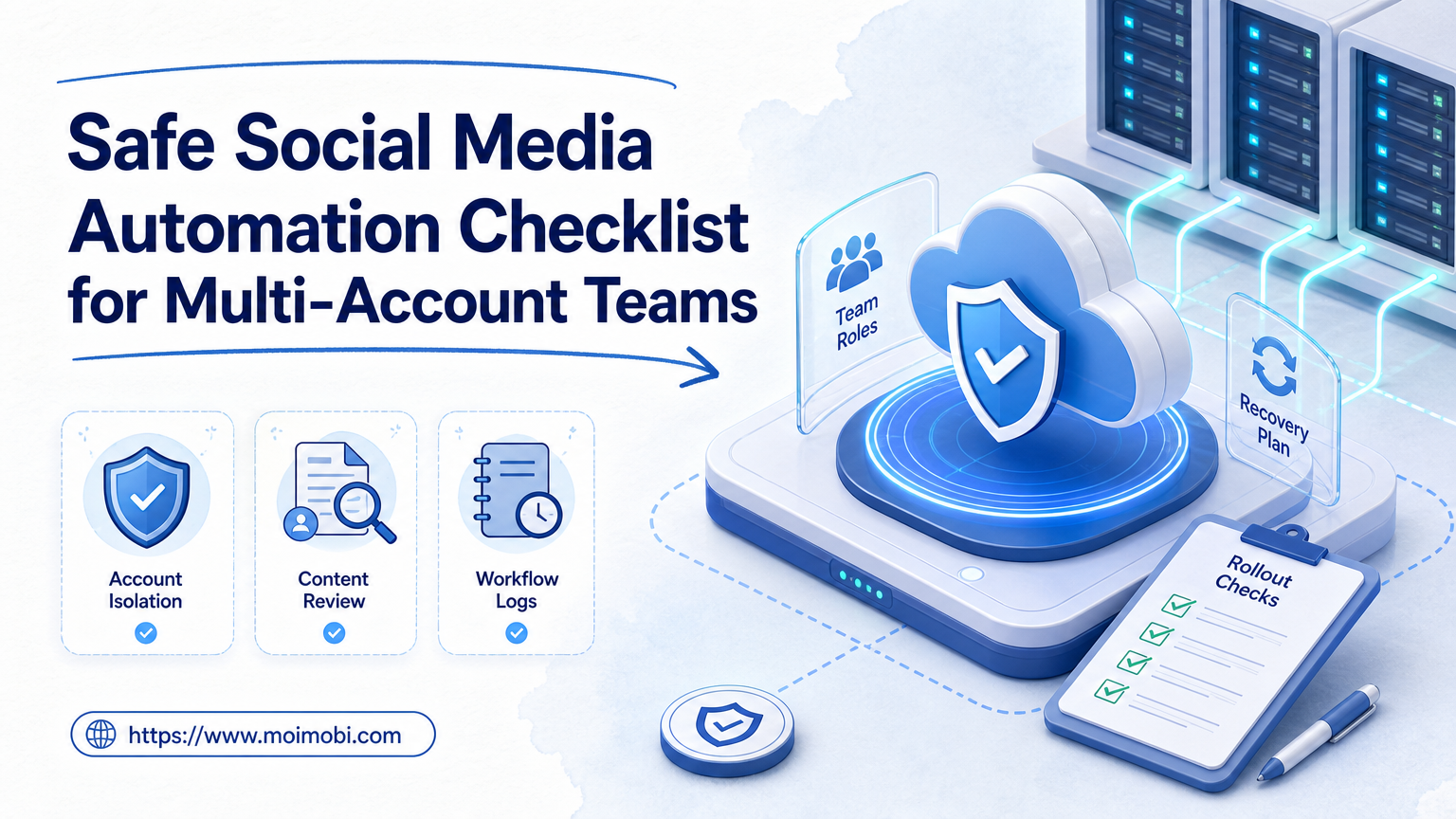
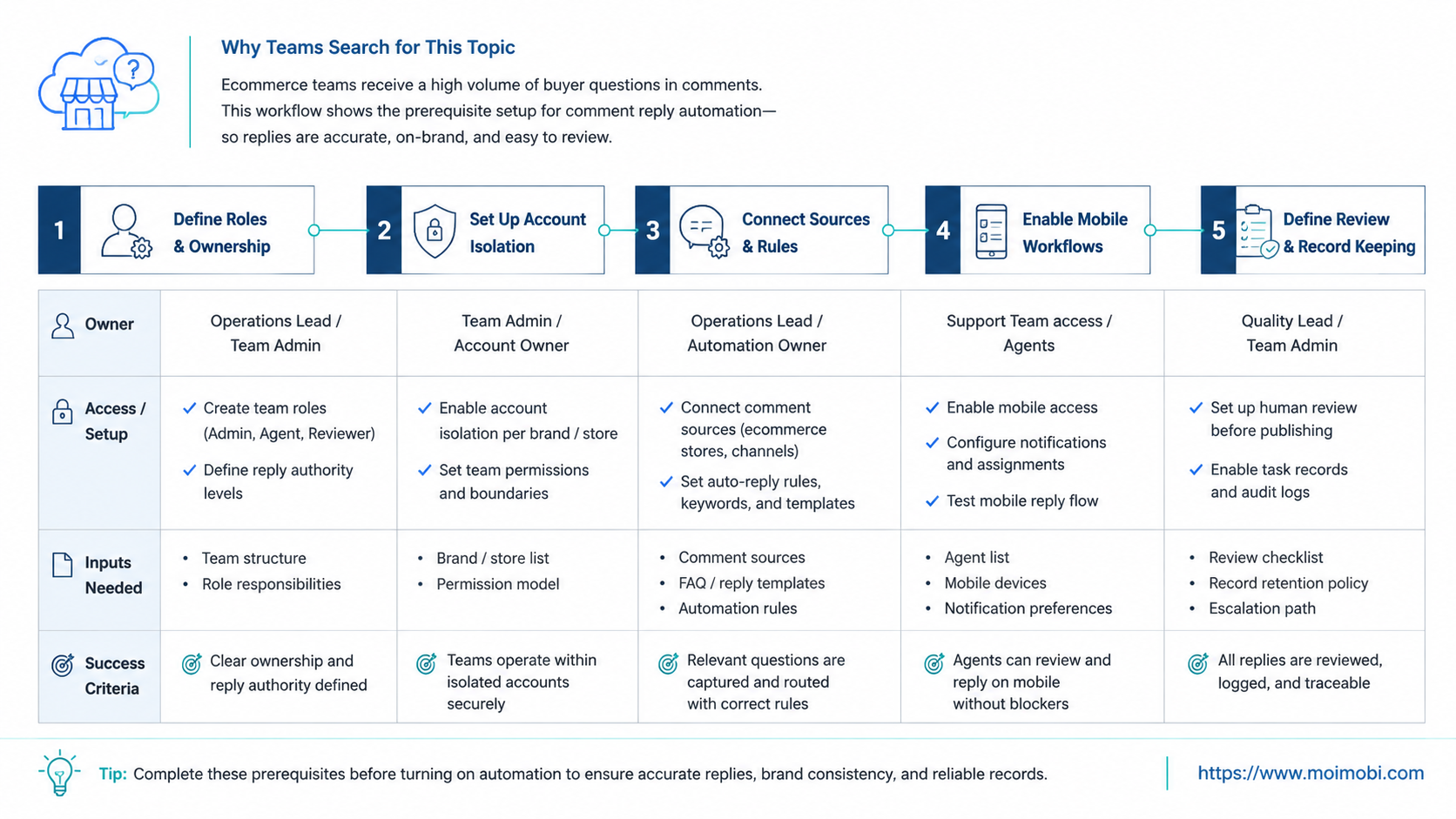
Start with a preflight checklist before connecting tools or writing workflows:
- Question categories: List the top buyer questions by product, shipping, returns, sizing, payment, discount, and order status.
- Approved answers: Prepare short reply patterns and decide which answers need review.
- Account ownership: Assign each social account to an owner and backup reviewer.
- Execution environment: Decide whether the account runs in browser profiles, cloud phones, or both.
- Escalation rules: Define when to move from public comment to support inbox.
- Records: Track comment source, account, intent, suggested reply, reviewer, action, and result.
After that, build the workflow in a clear order:
- Collect comments from the platform or account workspace.
- Classify intent into buyer question, support issue, spam, praise, complaint, or sales opportunity.
- Match answer path using approved product and policy language.
- Check risk level before any public reply.
- Route to review when the reply mentions price, stock, returns, complaints, or order-specific issues.
- Execute the reply through the approved channel or environment.
- Save the result with status, owner, timestamp, and next action.
For Instagram-heavy workflows, teams should study Meta’s Instagram comment and replies documentation before deciding which actions can use official API paths. For YouTube, the official comments documentation clarifies that comments can represent top-level comments or replies. For TikTok, teams should distinguish between comment querying and comment management capabilities rather than assuming one API covers every reply workflow.
Fit and Not-Fit Boundaries for Comment Reply Automation for Ecommerce Teams
Before expanding the workflow, define where automation is allowed to act and where it must stop. This boundary keeps the system useful without turning public comments into an uncontrolled support channel.
A strong fit is a repeated buyer question with a known answer. Examples include size charts, product compatibility, shipping regions, return-window reminders, restock questions, discount code clarification, or links to product pages. These questions can usually be classified, matched to an approved answer, and sent to a reviewer before the public reply is posted.
A weak fit is a comment that requires private data, account-specific judgment, or emotional recovery. Order numbers, refund disputes, damaged-item complaints, payment failures, and angry comments should move into a support queue. The public reply can acknowledge the issue and point to the right channel, but the workflow should not invent a case-specific answer.
Teams should also separate operational roles:
| Role | Owns | Should not own |
|---|---|---|
| Content operator | Finding and tagging buyer questions | Final policy decisions |
| Support reviewer | Approving sensitive replies | Account environment setup |
| Store manager | Product and policy answer library | Daily comment triage |
| Automation owner | Workflow rules, logs, and failure recovery | Unreviewed public posting |
This division is practical. It gives automation a narrow job, gives people the judgment work, and gives managers a way to audit what happened after a campaign or product launch.
Environment Design for Browser and Mobile Replies
Many ecommerce teams work across both browser and mobile surfaces. A manager may review comments in a browser dashboard, while an operator checks app-side account state or replies from a mobile environment.
That is why environment design matters. Browser-based workflows can use persistent profiles for dashboards, review queues, and account workspaces. Mobile workflows can use cloud phones when the task depends on app state, mobile notifications, or app-only screens.
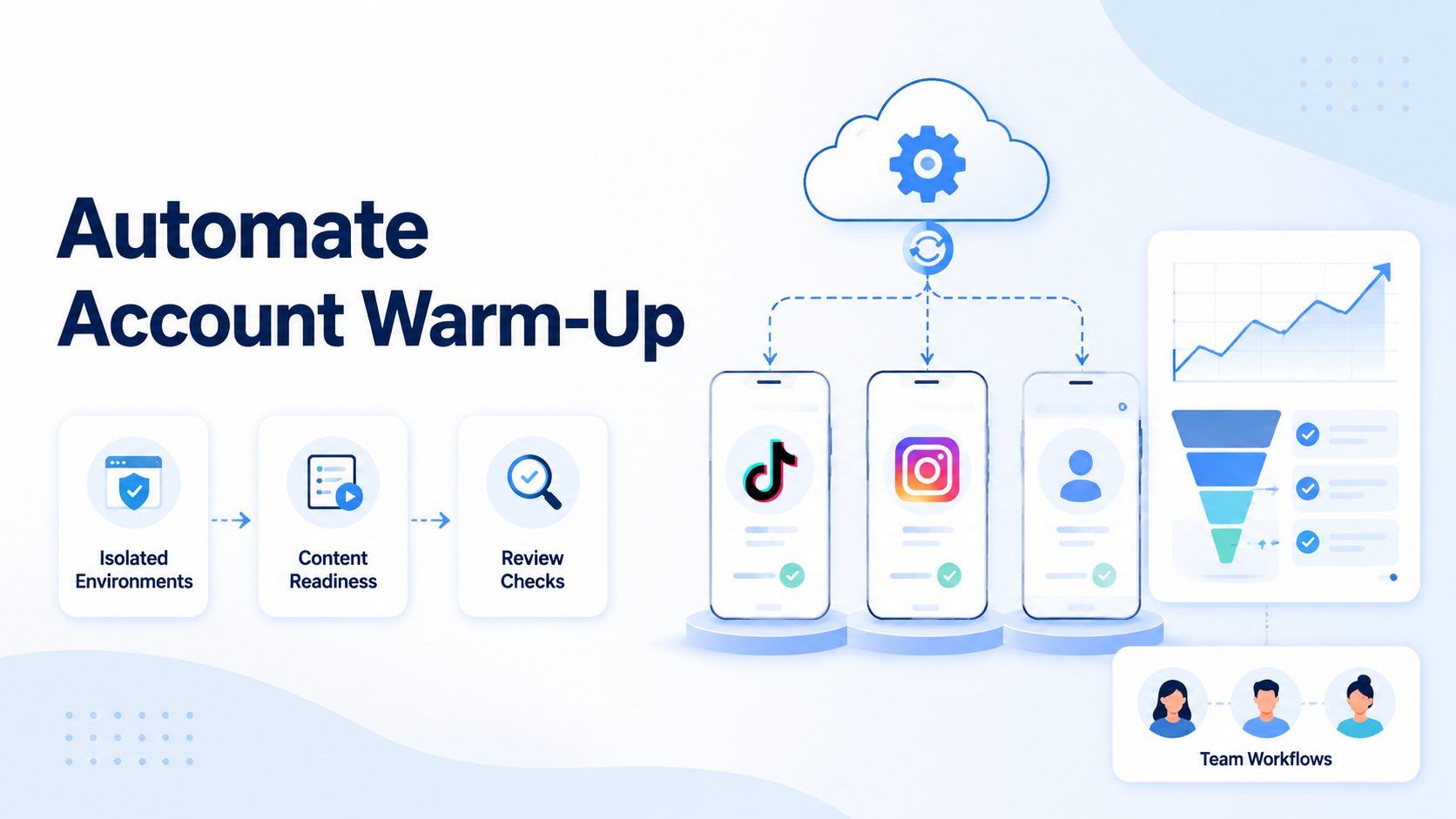
For teams using many accounts, device isolation should be planned before scaling. The goal is operational clarity. Each account should have a known environment, owner, proxy or route policy when needed, and task history.
Use mobile automation for repetitive app-side checks, but keep public replies controlled. A useful setup can prepare drafts and route them to a reviewer instead of sending every message automatically.
Mistakes That Reduce Results
One common mistake is replying to every comment with the same template. Buyers notice generic replies quickly. A better workflow classifies the question before selecting an answer.
Another mistake is ignoring platform boundaries. Official APIs have scopes, endpoints, permissions, and product limitations. A workflow should follow the access path that fits the platform and account type.
Teams also remove human review too early. Automation can draft and route faster than a person. The system should still pause when the comment involves complaints, order status, refunds, medical claims, regulated products, or sensitive customer information.
Account mixing creates a different risk. If a team uses several store accounts or client accounts, shared sessions create confusion. Operators need separated environments and visible ownership.
Finally, avoid measuring only reply volume. More replies are not useful if buyers receive weak answers. Better metrics include first useful response time, escalation accuracy, reviewer edit rate, missed buyer-question rate, and complaint recovery.
Pilot Rollout, Measurement, and Recovery Checks
Do not start with every account. Pick one brand, one product line, and one comment source. Run a small pilot for a fixed period and review the results before expanding.
Track these measurements:
| Metric | What it shows | What to check |
|---|---|---|
| Buyer-question detection rate | Whether the workflow finds useful comments | Missed comments and false positives |
| Draft acceptance rate | Whether AI suggestions are usable | Reviewer edits and rejected drafts |
| Escalation rate | Whether risky cases are routed correctly | Order-specific and complaint cases |
| Response time | Whether buyers get help faster | Time from comment to first useful action |
| Failure reason | Where the process breaks | Login state, account, API, app, or reviewer delay |
Recovery checks should be explicit. Pause the workflow when login state changes, reply permissions fail, an answer source is missing, the comment includes private order details, or the reviewer rejects the suggested reply.
Task records become valuable at this point. A failed reply should not disappear. Each failure needs a clear reason and next step so the team can fix the workflow.
Next Steps for Ecommerce Teams
Start by building an answer library. Keep it short. Each answer should handle one buyer intent and include a condition for when not to use it.
Then define account lanes. Separate brand accounts, regional accounts, creator accounts, and support accounts. If the team works inside mobile apps, decide which accounts need cloud phone environments and which can stay browser-based.
Finally, connect comment operations to broader social media marketing work. Comments are not only support tickets. They also show product confusion, content gaps, sales objections, and campaign opportunities.
The safest rollout is gradual. Automate collection and classification first. Add draft replies next. Move into controlled execution only after the team trusts the review and recovery loop.
Frequently Asked Questions
What is comment reply automation for ecommerce teams?
This approach helps ecommerce teams classify buyer comments, prepare replies, route risky cases, and record outcomes.
Can automation reply to every buyer question?
No. Simple product questions may be drafted quickly, but order-specific, complaint, refund, or private-data cases need review.
Is Instagram comment automation supported by official APIs?
Meta provides Instagram comment and replies documentation for supported account and media contexts. Teams should check permissions and account eligibility before building.
Can TikTok comments be managed through an API?
TikTok provides official comment-related APIs in specific products, including Research API comment queries and Business API comment status operations. Teams should verify the correct product path.
Can YouTube replies be automated?
YouTube Data API documents comment resources and a comments.insert method for replies to existing comments. Teams still need OAuth, quota, and policy-aware handling.
What should ecommerce teams automate first?
Start with comment collection, intent classification, answer suggestions, and routing. Keep public posting under review until the workflow is stable.
How does Moimobi help with this workflow?
Moimobi helps teams coordinate browser profiles, cloud phones, account isolation, task queues, and review records for multi-account comment operations.
What metric matters most?
Use a mix of response time, draft acceptance rate, escalation accuracy, missed buyer questions, and failure reasons. Reply count alone is too shallow.
Conclusion
Comment reply automation for ecommerce teams works best when it is designed as an operating workflow. The goal is not to answer everything automatically. The better goal is to find buyer questions faster, prepare better replies, protect sensitive cases, and keep clear records.
Start with one channel, one product line, and one review owner. If the pilot improves response quality and gives the team better visibility, expand the workflow across more accounts and platforms.
References