
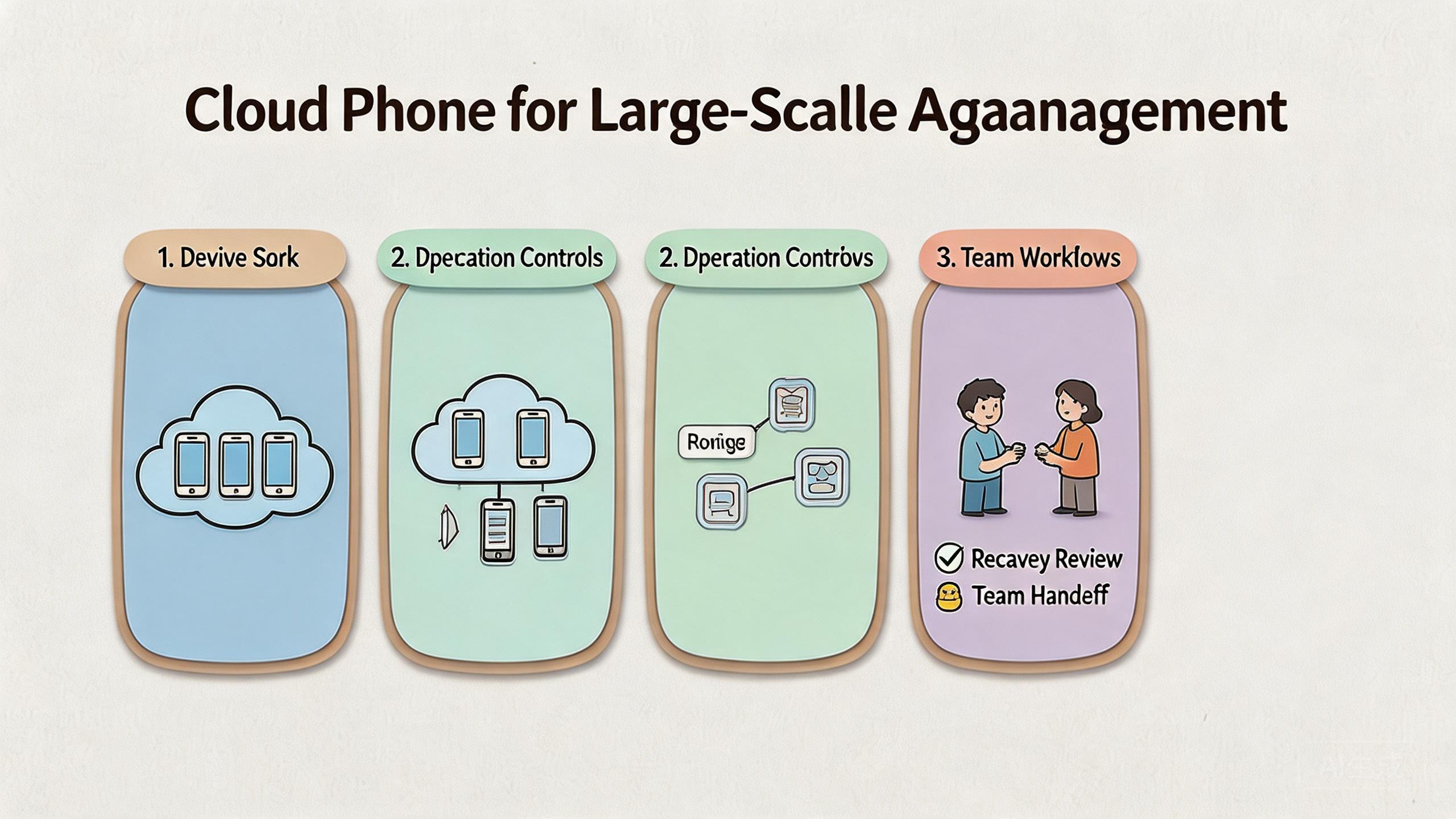
Cloud phones for large-scale account management are remote Android environments that help teams assign, operate, review, and recover account workflows without keeping every device on a local desk.
The value is not only remote access. The real value is the control layer around each account lane. A team needs clean device state, role-based access, stable routing, and a clear recovery process before account operations can scale with less confusion.
Large-scale account management usually becomes hard when work moves beyond one operator. Account state spreads across people, devices, regions, and review queues. Without structure, teams lose track of which device belongs to which account, which route was used, and which session needs reset before reuse.
For MoiMobi users, the practical question is simple. Can cloud phones make account work easier to assign, inspect, and repeat? The answer is usually yes when the team treats cloud phones as infrastructure. The model works best when paired with device isolation, controlled proxy network routing, and a documented handoff process.
Key Takeaways
- Large-scale account management needs account lanes, not only more Android screens.
- Cloud phones help when teams need shared mobile access, reviewable device state, and repeatable handoff.
- Device pools should be grouped by workflow, account type, market, or risk level.
- The setup needs pilot metrics before broad rollout.
- Cloud phones do not remove platform policy responsibility or workflow mistakes.
What Is Cloud Phones for Large-Scale Account Management?
Cloud phones are remote Android devices that run in cloud infrastructure and can be accessed through a browser, app, API, or control panel. For large-scale account management, they become a way to organize account lanes across shared operators.
An account lane is the working environment around one account or account group. It includes the device, installed apps, session state, assigned operator, access policy, route policy, and reset rule. The lane matters because account work often depends on continuity. A random device swap can make review harder.
The basic framework has four parts:
- Device state. The team needs to know which app version, login state, storage state, and session history belong to the lane.
- Access control. Operators, reviewers, and admins should not all change the same settings.
- Network policy. Routing should be stable enough to review and explain.
- Recovery logic. A failed lane should have a reset, quarantine, or review path.
This structure is close to broader mobile management practice. Google Android Enterprise guidance focuses on managed devices, policies, and administrative control rather than informal device reuse. A cloud phone setup is different from a managed corporate handset fleet, but the operational lesson is similar. Shared mobile work needs rules.
For account teams, a cloud phone is not a shortcut around platform rules. Google Play policy guidance still applies to app behavior, user safety, and developer responsibilities. The better use of cloud phones is to make legitimate work easier to run and audit.
Why large-scale account management matters for business teams
Large-scale account management matters because account work breaks down when ownership is unclear. A small team may remember which device belongs to which account. A larger team cannot rely on memory. It needs visible assignment, repeatable setup, and clear review.
The first pressure is handoff. One operator may start a task. Another operator may review it. A lead may need to inspect the result later. When the account lane is tied to a cloud phone, the team can preserve more context than a loose spreadsheet and a personal handset.
The second pressure is review quality. Leads need to know whether a problem came from account state, app behavior, route changes, device drift, or operator action. Cloud phones do not answer every question by themselves. They make it easier to keep the environment stable while the team investigates.
The third pressure is capacity. More accounts usually means more repeated work. Without a pool model, added capacity creates more noise. With a pool model, managers can see which device groups are available, which are under review, and which should not be reused yet.
Search systems and users reward helpful, people-first content, not content that hides thin operations behind scale language. Google Search Central’s helpful content guidance emphasizes usefulness, reliability, and original value for people. The same principle works internally. Account operations become more useful when the process is explainable and reviewable.
Key benefits and use cases
The common myth is that cloud phones are mainly about running more accounts at once. Parallel access can help, but it is only one benefit. The stronger benefit is operational structure.
Cloud phones can help account teams in several practical use cases:
- Multi-account operations. A team can assign account groups to separate mobile environments instead of mixing many accounts on one local device.
- Social workflow review. Operators can run mobile tasks while reviewers inspect account state, content status, or workflow results.
- QA and app validation. Testers can check account behavior across controlled Android sessions without waiting for physical devices.
- Support investigation. Support teams can reproduce account workflows in a cleaner environment when a mobile issue needs review.
- Regional execution. Teams can separate routing, language, and workflow assumptions by market when their process requires it.
The benefit depends on discipline. A cloud phone pool with weak rules can become just as messy as a local phone shelf. The system works better when each lane has a clear owner, a clear route policy, and a clear reset condition.
MoiMobi should be evaluated as execution infrastructure, not only as a screen rental tool. The cloud phone layer connects to multi-account management, mobile automation, and phone farm use cases where repeated mobile execution matters.
How to get started with large-scale account management on cloud phones
Begin with a narrow pilot. Do not move every account workflow at once. Pick one account group, one operator team, and one review loop. The goal is to learn whether cloud phones make the work easier to assign and recover.
Use these checkpoints before expansion:
- Workflow boundary. Define which account tasks belong in the pilot. Keep unrelated work out of the same pool.
- Pool rule. Decide whether devices are grouped by account type, region, team, or task.
- Access rule. Decide who can operate, who can review, and who can reset.
- Routing rule. Keep route behavior consistent enough to inspect later.
- Reset rule. Define when a device is reusable, quarantined, or pending cleanup.
- Review rule. Decide what data a lead checks before the lane returns to service.
Pilot setup checklist
- Choose one account workflow. Use a real recurring task, not a theoretical edge case.
- Create a small device pool. Keep the pool small enough to inspect daily.
- Assign named owners. Separate operator, reviewer, and admin permissions.
- Document route assumptions. Record the expected network path for the pool.
- Measure recovery time. Track how long it takes to isolate and reset a failed lane.
A useful pilot should feel boring in the right way. Operators know where to work. Reviewers know what changed. Admins know when to pause reuse. That kind of boring is valuable because it reduces hidden operational debt.
The pilot should also test failure. A process that only works when nothing breaks is not ready for scale. Create a simple recovery drill. Mark one lane as failed, remove it from active use, inspect the cause, reset it, and return it only after review.
Common mistakes to avoid
The first mistake is treating device count as strategy. More cloud phones can increase capacity, but capacity without ownership creates confusion. Define lanes, roles, and reset rules before adding volume.
The second mistake is mixing unrelated account work inside one pool. A shared pool may look efficient at first. Later it becomes hard to tell which account history belongs to which workflow. Separate pools reduce hidden contamination between tasks.
The third mistake is flat access. When every user can operate, review, reset, and reconfigure the same device, changes become hard to audit. Role boundaries are slower at the start but easier to trust later.
The fourth mistake is vague network control. Account workflows often depend on route consistency. A proxy network should be managed as part of the lane, not as a personal preference for each operator. The exact policy depends on the business case, but it must be recorded.
The fifth mistake is skipping recovery review. Teams often define how to start work but not how to stop a bad lane. That creates pressure to reuse questionable environments because nobody owns the pause decision.
Failure pattern review
| Pattern | Likely cause to inspect | Next action |
|---|---|---|
| Several lanes fail after one app update | App version or workflow change | Pause affected pool and compare last known working state |
| One account group keeps drifting | Ownership, route, or reset rule | Review lane assignment and reuse history |
| Reviewers cannot explain changes | Weak handoff process | Add required notes before lane return |
Who it fits and when it is a strong match
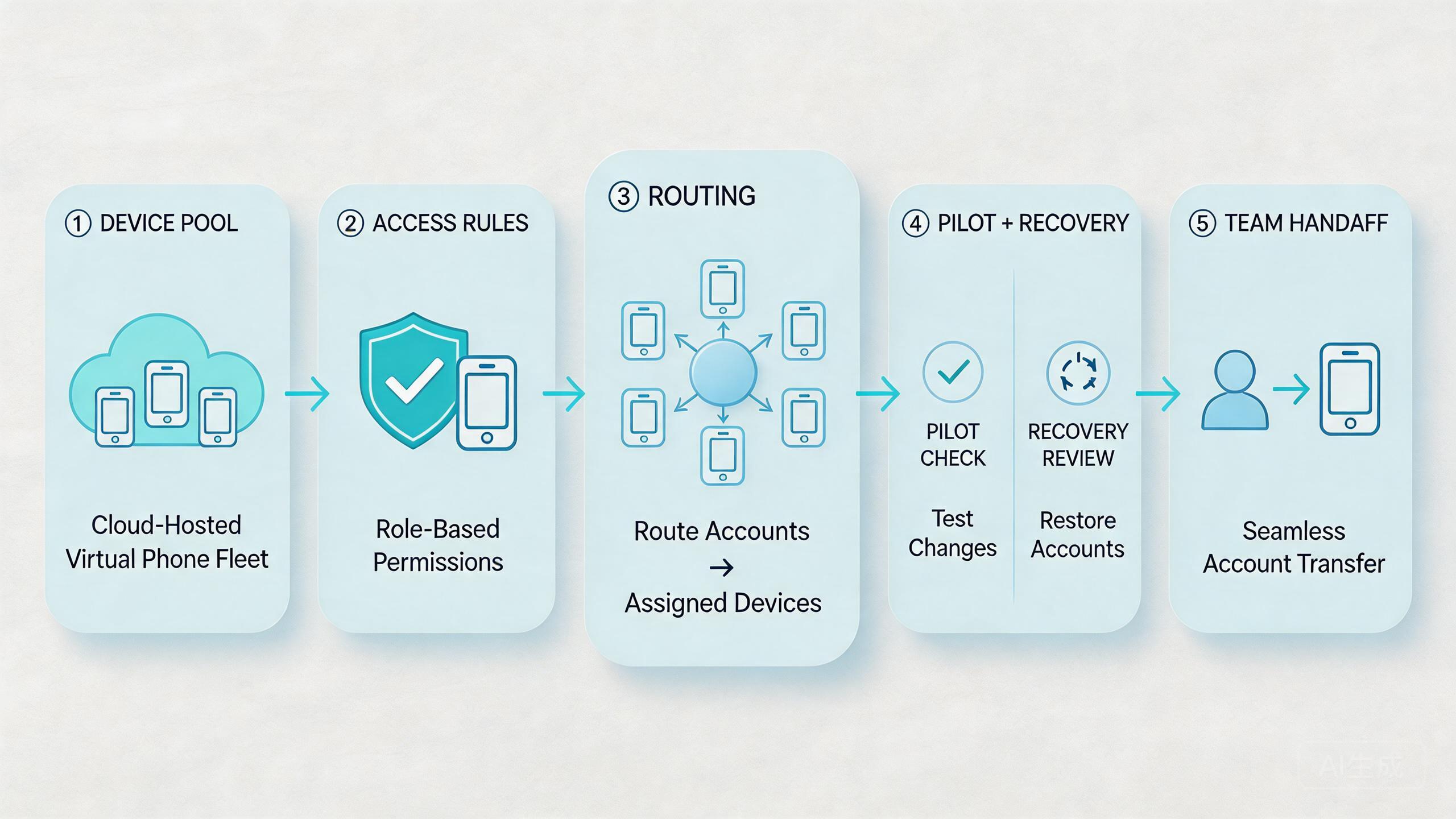
Cloud phones are a strong match when account work is repeated, shared, and mobile-first. The model fits teams that need multiple Android environments, structured handoff, and clean separation between account groups.
It often fits social media teams, QA groups, support teams, app operations teams, and agencies with recurring mobile workflows. These teams usually care about visibility as much as access. They need to know which account is active, which lane is clean, and which device needs review.
It may be a weaker match for one-off work. A solo operator with one account and one phone may not need infrastructure. Hardware-specific testing may also need local devices because sensor behavior, cables, batteries, or physical inspection can matter.
Fit summary
- Strong fit: shared account workflows, repeated mobile tasks, review queues, and controlled handoff between operators.
- Medium fit: mixed teams where some workflows need cloud phones while hardware checks stay on local devices.
- Weak fit: undefined account processes, one-off tasks, or work that depends on direct physical device handling.
The decision should follow the workflow, not the tool category. When account tasks need repeatable Android environments and shared review, cloud phones can provide structure. When the work is unclear, adding infrastructure may only hide the confusion.
Pilot rollout, measurement, and recovery checks
Scale should come after measurement. A team should not assume that a cloud phone pool is working because devices are online. The better question is whether the account workflow is easier to operate, review, and recover.
Track a small set of signals:
- Setup time. How long does it take to prepare a lane for work?
- Handoff time. How long does it take for another operator to continue?
- Recovery time. How long does it take to isolate and restore a failed lane?
- Reuse quality. How often does a lane marked reusable stay stable?
- Review clarity. Can a lead explain what changed without asking several people?
These metrics do not need a large dashboard at first. A simple review log is enough for the pilot. Record the account group, device pool, assigned operator, route policy, last change, issue, and resolution. The log helps the team see whether problems repeat.
Recovery checks should be practical. Mark a lane as under review when account state is unclear. Remove it from active work until the owner confirms the next step. Return it only after the reset rule or review rule is satisfied.
This approach also supports better content and reporting discipline. Google’s SEO Starter Guide recommends organizing content and site structure so users and search engines can understand what each page is about. Operations need similar clarity. Each account lane should have a clear purpose and status.
How large-scale account management connects to automation
Large-scale account management and automation are related, but they are not the same. Automation executes repeatable steps. Account management controls the environment where those steps happen.
Teams usually need both layers when mobile work grows. A script may open an app, collect status, or run a workflow. The cloud phone layer decides which Android environment is used, who can access it, and what happens after a run fails.
This distinction matters because automation can multiply bad assumptions. A poor reset rule affects one device when work is manual. The same weak rule can affect many lanes when automation repeats it. A stable cloud phone model gives automation a cleaner base.
MoiMobi’s mobile automation context should be evaluated with this boundary in mind. The right question is not only whether a task can be automated. The better question is whether the account lane stays reviewable after repeated automated runs.
Practical teams often start with semi-automation. Operators handle judgment-heavy steps. Automation handles repeatable checks. Cloud phones provide the controlled Android layer. This mix can reduce manual load while keeping review responsibility visible.
Operating model for large-scale account management
The operating model should be simple enough for a new teammate to follow. Complexity is not a sign of maturity. A mature account system usually has a few clear states, a few clear owners, and a short review loop.
Assign lane ownership early. Each account lane should have one current owner, even when several people can access it. Ownership does not mean one person does all work. It means one person is responsible for status, notes, and escalation.
Next, define lane states. A practical set may include available, active, under review, reset required, and retired. These labels are useful because they tell operators what to do next. They also prevent vague reuse decisions.
Then decide what counts as a change. Account login, app version, route policy, permission settings, automation script, and device reset history should be treated as meaningful changes. The team does not need to write a long report for each change. It does need enough notes to explain failures later.
Account lane operating states
| State | Meaning | Owner action |
|---|---|---|
| Available | The lane is clean enough for assigned work. | Assign it to the next approved task. |
| Active | An operator is using the lane now. | Record important changes before handoff. |
| Under review | The lane has unclear state or repeated issues. | Pause reuse until the reviewer confirms next steps. |
| Reset required | The lane cannot return to normal work yet. | Reset, verify, and document the return decision. |
This operating model keeps cloud phones tied to accountable work. It also helps managers see whether the bottleneck is device supply, account policy, operator training, route stability, or recovery process.
Governance and documentation habits
Documentation should be lightweight, but it cannot be optional. Account operations at scale need enough written context to survive shift changes, team growth, and incident review.
Use short records. A lane note can include the account group, device pool, current owner, route class, last important change, and current state. That is enough to prevent many handoff problems.
Review notes weekly during the pilot. Look for repeated reset causes, unclear ownership, and account groups that require more manual attention than expected. A cloud phone pool is useful only when it makes these patterns easier to see.
Governance also includes access cleanup. Remove users who no longer need a pool. Review admin rights regularly. Keep high-impact actions, such as reset and route change, limited to trusted roles. This does not make the process heavy. It keeps account work understandable.
The final habit is exception review. When a lane needs special handling, write why. Exceptions are normal in account work. Hidden exceptions become operational debt.
Frequently Asked Questions
What does large-scale account management mean in this context?
It means managing many account workflows with defined device lanes, access rules, route policies, and recovery checks. The focus is operational control, not only account volume.
Are cloud phones enough for account management by themselves?
No. Cloud phones provide the mobile environment. Teams still need workflow rules, platform policy awareness, account ownership, and review discipline.
How many cloud phones should a team start with?
Use the smallest pool that can run one real workflow. A small pilot is easier to inspect and improve than a large uncontrolled rollout.
How should teams group accounts?
Common grouping options include workflow, market, account type, operator team, or review status. The best grouping is the one that makes ownership and recovery clear.
Can cloud phones help with multi-account handoff?
Yes, when each account lane has a clear device, owner, route policy, and reset condition. Handoff becomes harder when those details are informal.
What should be measured first?
Measure setup time, handoff time, recovery time, reuse quality, and review clarity. These signals show whether the system is reducing operational confusion.
When should a team pause expansion?
Pause expansion when failures cannot be traced, account ownership is unclear, route changes are undocumented, or recovery depends on guesswork.
Do cloud phones remove platform policy risk?
No. Teams still need to follow platform rules and app policies. Cloud phones can improve control and review, but they do not replace policy responsibility.
What is the biggest warning sign during a pilot?
The biggest warning sign is unclear recovery. When nobody knows whether a lane is reusable, under review, or reset required, the system is not ready for broader scale.
Should every account get a dedicated cloud phone?
Not always. Some teams dedicate one lane to one account. Others group accounts by task or review level. The right choice depends on workload sensitivity, review needs, and operating cost.
Conclusion
Cloud phones can support large-scale account management when teams use them as execution infrastructure. The value comes from controlled account lanes, not from adding screens without rules. Device pools, access boundaries, route policies, and recovery checks are what make the model workable.
The next step is a small pilot. Choose one account workflow, assign a small cloud phone pool, define ownership, record route assumptions, and measure handoff plus recovery. Expand only after the pilot proves that account work is easier to assign, review, and restore.
For teams evaluating MoiMobi, the practical path is to connect cloud phone capacity with device isolation, proxy routing, and multi-account workflow rules. That combination gives large-scale account management a clearer operating base.



