
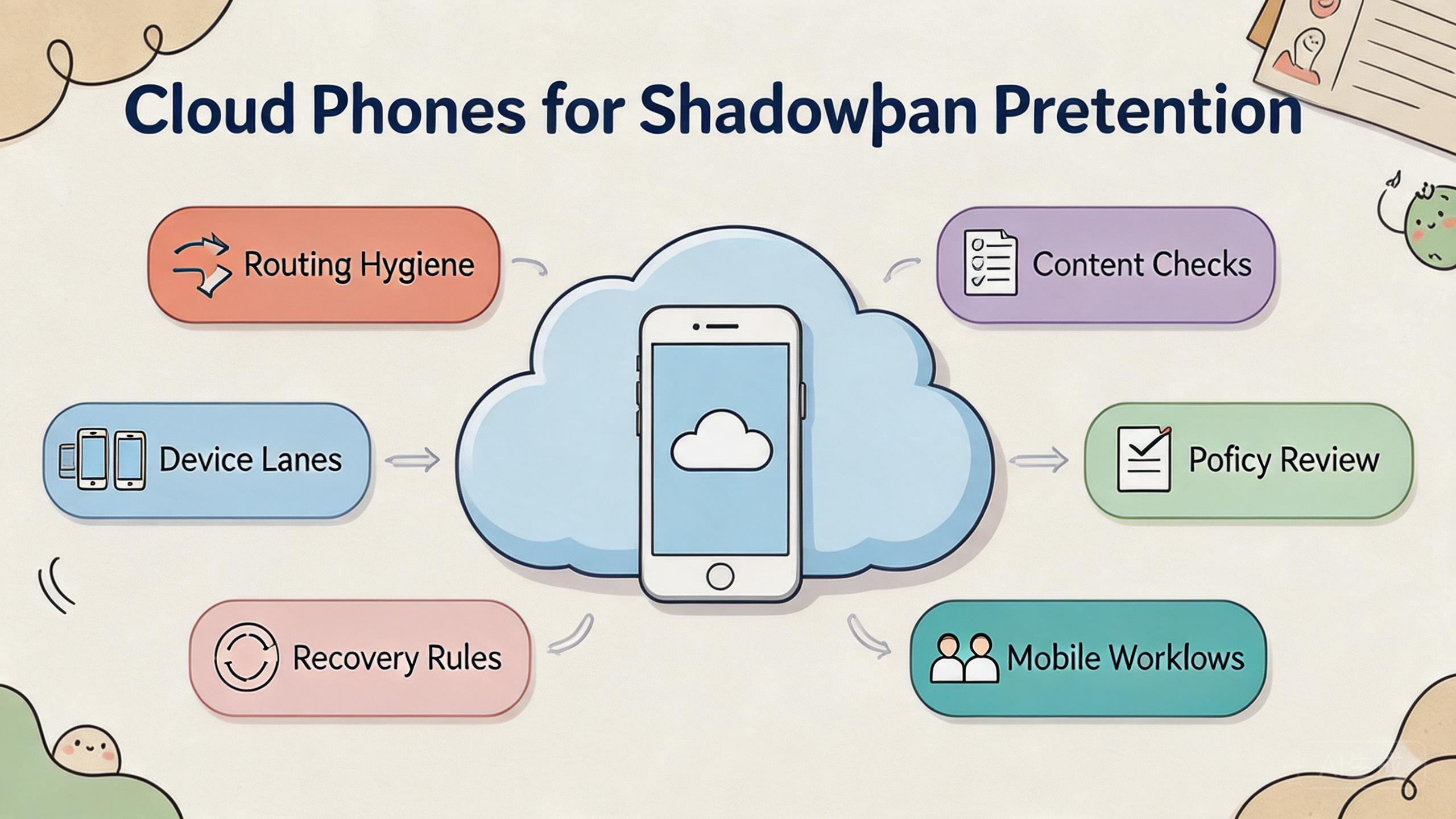
Shadowban prevention is the work of reducing avoidable visibility problems by keeping account behavior, content quality, device state, routing, and review processes under control. Cloud phones can support that work by giving teams cleaner mobile lanes, but they cannot control reach, ranking, or platform approval.
The honest answer is risk reduction, not certainty. A remote Android device pool can help teams separate accounts, track actions, review content, and recover from bad runs. For shadowban prevention, that control is useful only when platform rules and content quality are also respected.
Teams should treat cloud phones as execution infrastructure. The goal is not to “beat” a platform. The goal is to make mobile operations easier to audit, less chaotic, and more consistent with each platform's rules and user expectations.
Key Takeaways
- Cloud phones can support shadowban prevention by improving account separation and workflow review.
- They do not control reach, engagement, account safety, or ranking.
- Content quality, platform policy, account behavior, routing, and recovery rules all matter.
- A team should test one controlled workflow before expanding device lanes.
The Core Idea Behind Cloud Phones for Shadowban Prevention
The core idea is control. Visibility problems are hard to diagnose when several people use mixed devices, unclear accounts, unknown routes, and undocumented actions. Cloud phones reduce some of that confusion when each account workflow has a defined mobile lane.
A cloud phone gives a team remote Android access. That access is useful only when the team also defines ownership, account state, route policy, content review, and reset rules. Without those controls, a remote phone is just another unmanaged device.
For shadowban prevention, the better framing is “avoid avoidable risk.” Teams cannot control every ranking, moderation, or distribution decision a platform makes. They can control whether their own process creates obvious problems.
That means keeping workflows clean:
- Use separate device lanes for separate account groups.
- Review content quality before campaigns go live.
- Record major account actions and route changes.
- Avoid sudden workflow changes that nobody can explain.
- Pause and review when visibility drops unexpectedly.
Google Search Central's guidance on helpful content says systems aim to reward content made for people rather than content made mainly to manipulate search performance (Google Search Central). That same principle is useful for social and mobile operations. Workflow hygiene helps, but content and user value still matter.
The practical decision is whether a cloud phone setup makes the team's behavior more reviewable. If it does, the setup may reduce avoidable mistakes. If it only increases posting volume without review, it may create more risk.
Why Teams Search for This Topic
Teams search for this topic when visibility becomes unpredictable. Posts may receive less reach. Accounts may appear less visible. Campaign results may drop without an obvious technical error. The team then wants a way to separate device, account, content, and routing causes.
Cloud phones can help with that investigation. A controlled device lane lets the team ask better questions. Which account ran the task? Which device state existed? Which route was used? Which content changed? Which operator touched the workflow?
Those questions matter because visibility issues rarely have one simple cause. Possible factors may include content quality, user reports, platform rules, account behavior, device state, routing patterns, or normal algorithm changes. A clean workflow does not reveal every cause, but it reduces guessing.
Use a simple framework:
- Content layer: Is the content useful, clear, and appropriate for the audience?
- Account layer: Is the account behavior consistent with the platform's rules?
- Device layer: Is the device state clean and tied to one workflow?
- Routing layer: Is the route stable and documented?
- Review layer: Can a manager inspect what happened without private notes?
This framework keeps the team from blaming one factor too quickly. A device change might matter. A content problem might matter more. A platform policy issue may be the real cause. Good shadowban prevention work compares all of these layers before changing the setup.
Google Play's policy resources are a reminder that platform rules still apply regardless of tooling (Google Play Policy Center). Teams should review relevant platform policies instead of assuming infrastructure alone can solve visibility risk.
Shadowban Prevention Fit: Who Benefits Most
The strongest fit is a team that already runs repeated mobile workflows and needs better control. Social media teams, app marketing teams, account operations teams, and agencies may all need cleaner execution lanes.
The fit is strongest when several people touch the same work. One operator may prepare content. Another may publish or check it. A reviewer may inspect results. An admin may reset the device or adjust a route. Cloud phones help when that handoff needs to be visible.
Teams with multi-account management workflows often benefit from clear lane design. Each account group should have a purpose, owner, device lane, and review process. Mixed account state is one of the easiest ways to create confusion.
Marketing teams may also connect this to social media marketing. A cloud phone pool can support mobile-first checks, content preview, campaign QA, and remote review. Human judgment still matters for message quality and audience fit.
The fit is weaker when the team wants a tool to control reach. No infrastructure can do that. A platform may change distribution, moderate content, or limit accounts for reasons outside the team's device setup.
Repeated mobile workflows, shared operators, clean account lanes, content review, and documented recovery rules.
Mixed campaign work where cloud phones help execution, but policy and content review still drive decisions.
Unclear campaigns, low-quality content, rule-avoidance plans, or expectations of controlled reach.
The fit boundary is important. Cloud phones can make the work easier to inspect. They cannot make weak content valuable or unsafe behavior acceptable.
Account, Content, and Device Audit Workflow
A practical audit workflow starts before a visibility problem appears. Teams should not wait until reach drops to ask what changed. The best time to record device, content, and account decisions is during normal work.
Begin with the account layer. Each account group should have an owner, purpose, content type, and allowed action list. The team should know whether an account is used for customer support, content distribution, testing, or campaign review. A vague account purpose creates vague decisions.
Review the content layer next. Content should be checked for audience fit, repetition, misleading claims, and platform relevance. Helpful content principles matter here. A clean device setup does not compensate for messages users do not want.
Check the device layer after content is clear. The cloud phone lane should match the account group. App state, login state, cache, and previous workflow history should be known. Any lane used for unrelated work should be marked for review before reuse.
Routing should be checked last, not first. Teams sometimes blame routing immediately because it is visible in infrastructure tools. A route change can matter, but it is only one part of the picture. Record route class, timing, owner, and reason.
| Audit layer | What to record | Review question |
|---|---|---|
| Account | Owner, purpose, recent actions | Does the account behavior make sense? |
| Content | Batch, reviewer, approval state | Is the content useful and appropriate? |
| Device | Lane, app state, reset status | Is the mobile environment clean? |
| Route | Route class, change reason, owner | Can the team explain routing changes? |
| Recovery | Pause, reset, or continue | What should happen before reuse? |
This audit workflow helps teams separate facts from assumptions. Instead of saying “the device caused it,” the team can compare account changes, content changes, device state, and route records. That makes the next action more rational.
Team Roles for Shadowban Prevention
Role clarity is a simple way to reduce avoidable mistakes. A team handling visibility-sensitive workflows should not let every user do every action. Separate roles make later review easier.
The operator runs the task. The reviewer checks content, screenshots, or workflow results. The admin controls device reset, lane assignment, and routing changes. The owner decides whether the workflow should continue, pause, or expand.
These roles can be lightweight. A small team may have one person hold more than one role. The important part is that actions are named. When nobody owns a decision, the workflow becomes harder to trust.
Use this role model:
- Operator: runs approved mobile actions inside a defined lane.
- Reviewer: checks content quality, output, and visible results.
- Admin: manages device state, routing notes, and reset status.
- Owner: approves major workflow changes and expansion.
This role model also helps during incidents. If visibility drops, the team knows who pauses the lane, who checks content, who reviews device state, and who decides next steps. That is faster than a long chat with unclear authority.
Access control should match the role. Operators do not need to change every route. Reviewers do not need to reset every device. Admins should not approve content quality alone. Smaller permission sets reduce quiet damage.
How to Evaluate or Start Using Cloud Phones for Shadowban Prevention
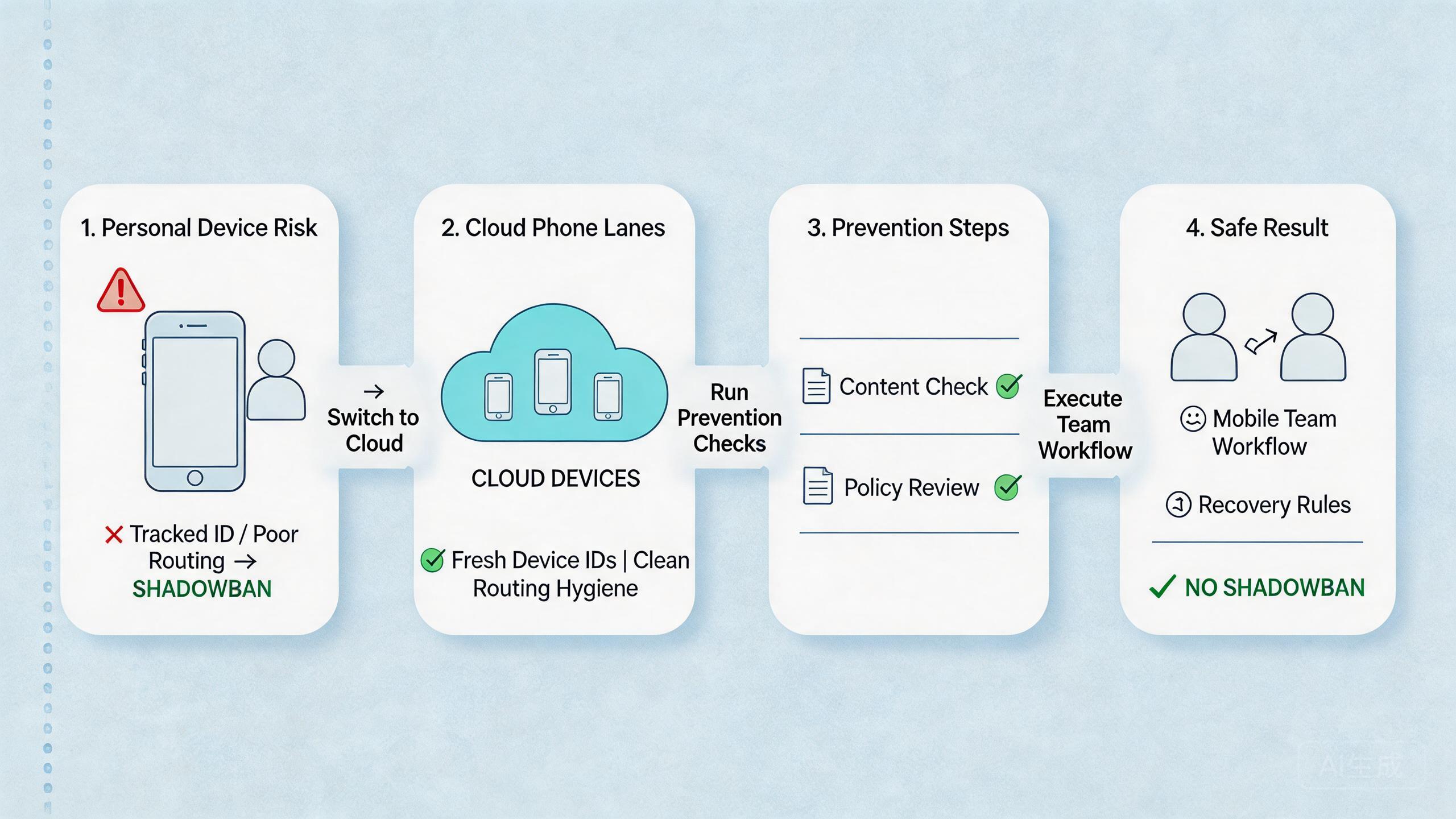
Start with one workflow. Do not move every account or campaign into a new device pool at once. A narrow pilot gives the team better evidence.
Use this setup path:
- Pick one account group. Choose a group that already has a clear business purpose.
- Define the workflow. List the actions the team performs, such as review, post, reply, test, or report.
- Assign a cloud phone lane. Keep that lane tied to one account group or campaign purpose.
- Set content review rules. Decide who approves content before it goes live.
- Record routing policy. Use a known route model and document changes.
- Define recovery states. Mark devices as ready, under review, reset needed, or quarantined.
- Review visibility changes. Compare results against content changes, account actions, and platform updates.
The highest-risk step is content and behavior review. A clean device lane does not help if the team publishes repetitive, misleading, or unwanted content. Infrastructure supports process quality. It does not replace it.
For teams using device isolation, the goal is cleaner separation. Device isolation can help keep app data, account state, and workflow history easier to manage. Pair it with policy review and sensible account behavior.
For teams using a proxy network, route notes matter. A route change should have a reason and owner. Random route switching makes later review harder.
Use a small run sheet during the pilot. Record account group, device lane, route policy, content batch, operator, reviewer, result, and recovery state. A simple record can prevent long arguments later.
Measurement and Recovery for Shadowban Prevention
Measurement should focus on signals the team can act on. Do not pretend it explains every platform decision. The goal is to see whether the team's own workflow became cleaner.
Track these signals during the pilot:
- content batches reviewed before action,
- account lanes with named owners,
- device lanes reused without unclear state,
- route changes with notes,
- unexpected visibility drops with review outcomes,
- recovery time after a problematic run.
The review should compare timing. Did visibility change after a content batch, account action, route change, device reuse, or platform update? The answer may still be uncertain, but the team will have a better starting point.
Recovery should be conservative. Pause the lane when the cause is unclear. Review recent actions. Check content and policy. Inspect device state and route notes. Return the lane to service only after the owner can explain the state.
Avoid emotional decisions during visibility drops. A sudden change may push teams to switch devices, routes, content, and posting behavior all at once. That makes diagnosis harder. Change one controlled variable when possible and record the result.
The strongest recovery process is boring. It has a checklist. It has a lane owner. It has a reset rule. It also has a clear point where the team decides to stop rather than keep repeating a bad workflow.
Decision Checklist for Shadowban Prevention
A decision checklist keeps shadowban prevention practical. The team should not approve a new lane only because the device pool is available. Approval should depend on clear account purpose, content standard, route policy, and recovery plan.
Use five checks before expansion:
- Purpose: the account group has a clear audience and business role.
- Content: the content batch has been reviewed for usefulness and accuracy.
- Device lane: the cloud phone lane is tied to one workflow.
- Routing: the route policy is known and documented.
- Recovery: the owner knows when to pause, reset, or quarantine.
This checklist helps managers decide whether the setup supports shadowban prevention or only adds more activity. More activity is not the goal. Cleaner, more accountable mobile execution is the goal.
The checklist should also be reviewed after a visibility incident. An unanswered check becomes the next fix. A missing record is a process issue, not just a reporting issue. That habit keeps shadowban prevention grounded in evidence instead of guesses.
Mistakes That Reduce Results
The first mistake is treating shadowban prevention as a device-only problem. Device hygiene matters, but visibility can also depend on content, user behavior, platform rules, account history, and normal distribution changes.
The second mistake is using the same device lane for unrelated accounts. Mixed state makes it harder to diagnose problems. Separate lanes reduce confusion and make recovery easier.
The third mistake is weak content review. Teams sometimes focus on posting mechanics and ignore message quality. Helpful content principles are still relevant. Low-value output can hurt performance even when the device setup is clean.
The fourth mistake is making route changes without notes. A route change may be legitimate, but it should be recorded. Later, the team needs to know what changed and why.
The fifth mistake is over-automation. Mobile automation can help repeat known tasks, but broad automation should wait until the workflow is stable. Automated repetition can also repeat mistakes.
| Mistake | Why it hurts review | Better practice |
|---|---|---|
| Mixed accounts | State becomes unclear | Use named lanes |
| No route notes | Traffic changes are hard to explain | Record route policy |
| No content review | Quality problems get blamed on devices | Review before publishing |
| Flat access | Actions are hard to trace | Separate operator and admin roles |
The last mistake is ignoring recovery. When reach drops or a workflow fails, the team should pause the lane, review recent changes, and decide whether reset is needed. Quietly reusing the same lane can carry the problem forward.
Pilot Metrics and Review Loop
A pilot should measure whether the setup reduces confusion. It cannot prove that shadowban risk is gone. That claim would be too broad.
Track practical signals:
- Content review completion: was each content batch reviewed before action?
- Lane clarity: can the team name the account group and device lane?
- Route stability: were route changes documented?
- Action traceability: can the team see who did what and when?
- Recovery speed: can a problematic lane be paused and reviewed quickly?
These signals are operational. They show whether the team controls its own process. They do not explain every platform outcome.
Review the pilot after a fixed period or a fixed number of runs. Look for patterns. Did visibility change after content changes? Did problems cluster around one lane? Did operators skip review? Did route changes happen without approval?
Use the review to decide the next step. Expand when the process is clear and the team can explain outcomes. Pause when failures are unclear. Fix content, policy, or workflow gaps before adding more accounts.
Google's SEO Starter Guide encourages clear organization and helpful pages for users (SEO Starter Guide). The same discipline helps internal operations. A workflow that is easy to understand is easier to improve.
Frequently Asked Questions
Can cloud phones remove shadowban risk?
No. Cloud phones can improve workflow control, but they cannot control reach, account safety, ranking, or platform treatment.
What is the main benefit?
The main benefit is cleaner execution. Teams can separate accounts, record device state, review content, and recover failed lanes more easily.
What should teams check first?
Check content quality, platform rules, account behavior, device state, route policy, and recent workflow changes.
Do proxies solve shadowban issues?
Not by themselves. Routing may be one factor, but content, behavior, and policy compliance can matter more.
Should automation be used?
Use automation only for stable, reviewable tasks. Broad automation can repeat mistakes faster if the workflow is unclear.
When should a lane be paused?
Pause when visibility drops unexpectedly, route changes are unclear, content review was skipped, or account state cannot be explained.
Is device isolation useful?
Device isolation can help keep app data and account state separated. Use it as part of a broader review process.
What is a practical first pilot?
Start with one account group, one device lane, one content review rule, and one recovery process.
Conclusion
Cloud phones for shadowban prevention should be understood as risk-control infrastructure, not a way to control reach. They help teams separate mobile workflows, record changes, review content, and recover from unclear account states.
The best approach is narrow and practical. Choose one account group, assign one device lane, document route policy, review content, and track results. Expand only when the team can explain what happened without guessing.
Before using more cloud phones, ask one question: will this setup make the workflow more reviewable? A yes means cloud phones may help reduce avoidable operational risk and support shadowban prevention work. A no means the team should fix content, policy, ownership, and recovery rules before adding more devices. That discipline matters more than adding another lane quickly.



