
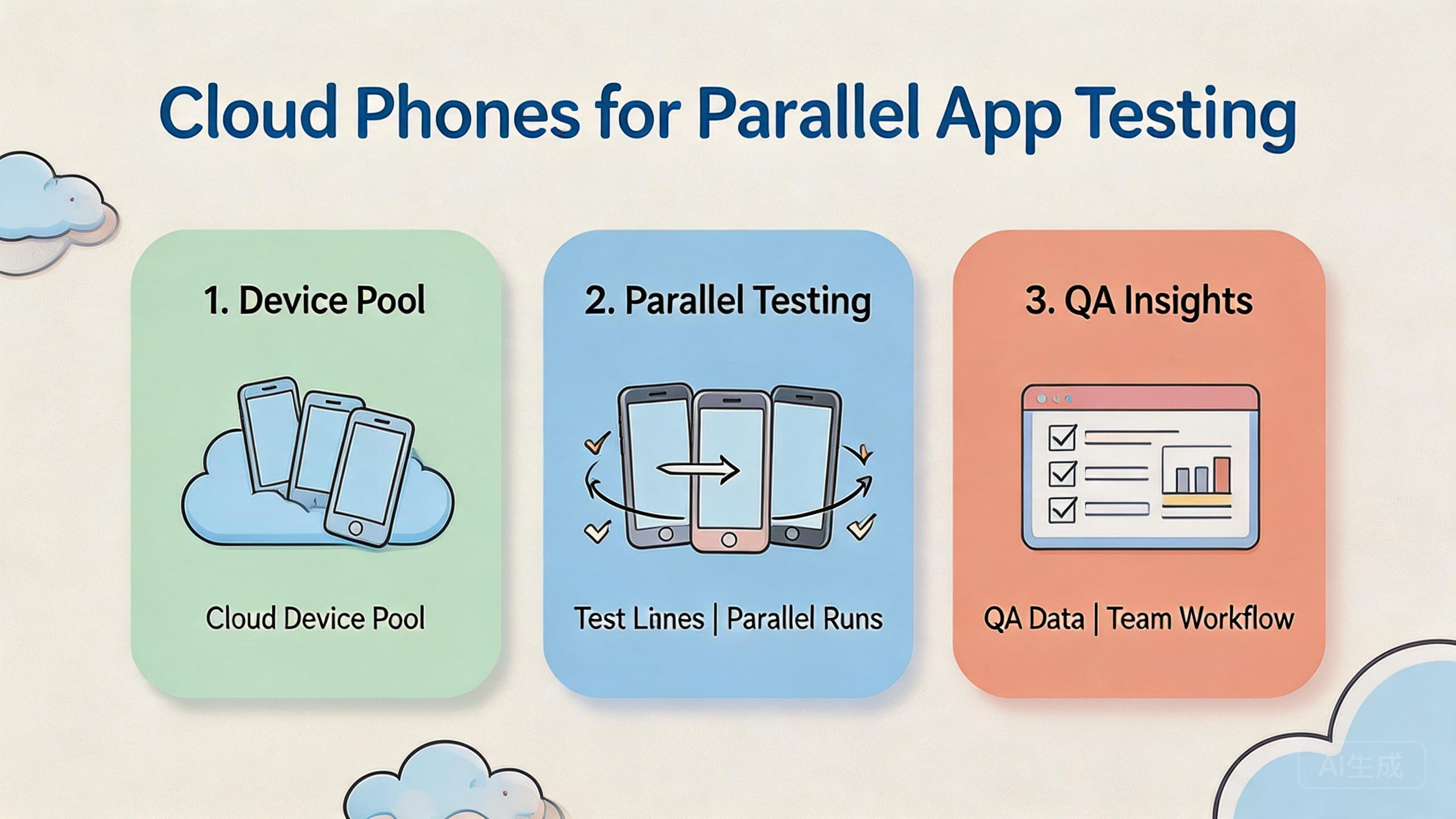
The phrase parallel app testing means running the same or related app checks across multiple device environments at the same time. Cloud phones support this model by giving QA, product, and operations teams remote Android devices that can be assigned, reviewed, reset, and reused without keeping every phone on a local desk.
The decision is not only about speed. A faster test run is useful only when the result is still traceable. Teams need to know which build ran, which device lane was used, what account state existed, which route applied, and what changed after failure.
Cloud phones work best when parallel testing is treated as infrastructure. The device pool should have lanes, roles, test cases, review checkpoints, and recovery rules. Without those controls, parallel testing can produce more screenshots but less confidence.
Key Takeaways
- Parallel app testing with cloud phones helps teams run more Android checks at the same time.
- The real value is repeatable test lanes, not just more remote screens.
- Device state, build version, account data, routing, and recovery must be recorded.
- A pilot should prove faster feedback without losing review quality.
What Is Cloud Phones for Parallel App Testing?
The common misunderstanding is that cloud phones are only a substitute for physical devices. That view misses the team workflow. A cloud phone is useful for parallel app testing when it becomes part of a controlled testing system.
A controlled testing system has device pools, test lanes, app builds, user roles, and results. One lane may run login checks. Another may run payment-flow checks. A third may run content display checks. The goal is to keep each test clear enough that another person can reproduce or review it.
Local devices still matter in some cases. Hardware-specific debugging, sensor checks, cable testing, and physical interaction may still need local phones. Cloud phones fit better when the team needs shared Android access, repeat test coverage, and faster handoff.
The model is simple:
- Choose a test case or app workflow.
- Assign the workflow to a device lane.
- Run the test across selected remote Android devices.
- Capture build, device, account, route, and result.
- Review the failures before expanding coverage.
This is parallel app testing as an operating process. It is not random clicking across many screens. It is structured mobile execution that lets a team compare results faster.
Google Search Central's helpful content guidance focuses on usefulness and clarity for users (Google Search Central). The same idea applies to QA output. Test results should be useful to the team. They should explain what failed, where it failed, and what should happen next.
Why Cloud Phones for Parallel App Testing Matters
Mobile QA often slows down when device access is limited. One tester may have the only phone with the right app state. Another may wait for screenshots. A product manager may need to review a bug but cannot see the device state directly.
Organized parallel runs reduce that bottleneck. Several device lanes can run different checks at the same time. Reviewers can inspect results without waiting for one physical phone. Developers can receive cleaner failure notes.
The practical decision is whether the speed gain still produces trustworthy output. Running ten checks at once is not helpful if nobody can explain which build, account, or route caused the failure. More activity must come with more traceability.
Consider a team preparing a release. The QA lead wants to verify login, onboarding, notifications, and profile editing. Running those checks one by one on local phones may slow the release. Running them in parallel across cloud phones can shorten feedback time, but only if each lane has a clear test case and result format.
That is why device pools need rules. A test lane should state the build version, test account, route policy, reset state, and owner. A failed lane should be marked for review rather than reused quietly.
| Testing layer | What it answers | Why it matters |
|---|---|---|
| Build record | Which app version ran? | Prevents false debugging |
| Device lane | Which remote phone ran the case? | Improves review and reuse |
| Account state | Which user or test state existed? | Explains result differences |
| Recovery rule | What happens after failure? | Protects the next run |
Good testing infrastructure also supports remote teams. A tester in one location can run the case. A reviewer elsewhere can inspect the state. A developer can read the result without joining a long call.
This matters most when release pressure rises. Teams often add more testers near launch, but they do not always add more structure. Cloud phones can help, but only when the test plan already tells people what to run, what to record, and how to recover.
The result should be a shorter feedback loop. A product owner can see which app flow passed. A developer can see which build failed. A QA lead can decide whether a failure needs a rerun, a bug ticket, or a device reset.
Key Benefits and Use Cases
The strongest benefit is faster feedback. Parallel testing can reduce waiting time when multiple test cases are independent. This helps QA teams, product teams, agencies, and operations teams that run repeated mobile checks.
The second benefit is better handoff. Cloud phones can give several people access to the same controlled device lane. A tester can run the case, a lead can review it, and an admin can reset the device after the decision.
The third benefit is reusable coverage. Once a lane is defined, the team can run the same check again. The output becomes easier to compare because the case, device state, and review format are known.
Common use cases include:
- Release smoke tests: quick checks across core app flows before launch.
- Regression testing: repeated checks after code changes.
- Account-state testing: checks that need different user roles or account histories.
- Localization review: mobile screens checked across region or language contexts.
- Campaign and deep-link QA: mobile links tested before marketing spend increases.
- Support reproduction: customer issues recreated in a controlled Android lane.
These use cases connect naturally to broader mobile automation once the manual process is stable. Automation should not come first. The test case should be clear before scripts are added.
The infrastructure layer also matters for device isolation. Tests become easier to trust when app data, account state, and workflow history are kept separate. A mixed device state can make a bug look random even when it has a clear cause.
For teams managing many roles or accounts, multi-account management can be part of the test design. Each role should have a lane, a purpose, and a reset rule. That structure helps prevent one account state from polluting another test.
Device Matrix Planning for Parallel App Testing
A device matrix explains which app flows should run on which remote phones. It does not need to cover every possible device on day one. It should cover the device lanes that matter to the release decision.
Begin with the app's most important paths. Login, onboarding, account settings, payment, search, messages, upload, and notifications may not all need the same coverage. A critical flow deserves more attention than a rarely used settings screen.
Then decide which device factors matter. Screen size, Android version, app state, account role, language, and route policy may change the result. Pick the factors that affect the product. Do not add rows to the matrix just to look complete.
| Matrix item | Decision question | Example record |
|---|---|---|
| App flow | What user path is being tested? | Login, onboarding, payment |
| Device lane | Which remote phone group runs it? | Lane A, Lane B, Lane C |
| Account state | Which user role or data state applies? | New user, active user, admin |
| Build | Which app version is under review? | Release candidate, hotfix build |
| Result | What should be captured? | Pass, fail, screenshot, note |
The matrix should stay readable. A large matrix with unclear priorities can slow the team down. A smaller matrix with clear release gates often creates better feedback.
Review the matrix after each release cycle. Remove test rows that never affect decisions. Add rows when a bug shows that coverage was too thin. This keeps the system practical instead of ceremonial.
How to Get Started with Cloud Phones for Parallel App Testing
Begin with checkpoints, not device count. Device count is only useful after the test process is clear. A small cloud phone pool can teach more than a large pool with unclear cases.
Use this setup path:
- Define the test family. Choose the app flows that need repeat checks, such as login, payment, onboarding, profile, or notification paths.
- Create test lanes. Assign each flow to one or more remote Android devices. Keep the lane name plain.
- Lock the build record. Every run should record the app version, build number, or release label.
- Set account state. Decide which account, role, or data state belongs to each lane.
- Record route policy. If routing matters, record it. Do not let operators change routes without a note.
- Capture results. Use screenshots, short notes, pass/fail status, and failure reasons.
- Reset or quarantine. Decide whether the device is ready, under review, reset needed, or blocked.
The highest-risk checkpoint is state control. A test can fail because of the build, account data, network route, device state, or tester action. If those parts are not recorded, the team may debug the wrong thing.
The same case can run twice with clear build, account, device, and result records.
The case runs, but testers still rely on private notes or manual explanation.
The team cannot explain failures or reuse devices without guessing.
Run one pilot before expanding. Pick three to five test cases that already matter to the team. Run them across a small set of cloud phones. Review whether feedback is faster and easier to trust.
The pilot should produce a simple run record. Include lane name, app build, device ID, account state, route policy, tester, pass/fail result, screenshot link, and recovery state. A shared sheet can work at first.
Test Data, Accounts, and State Control
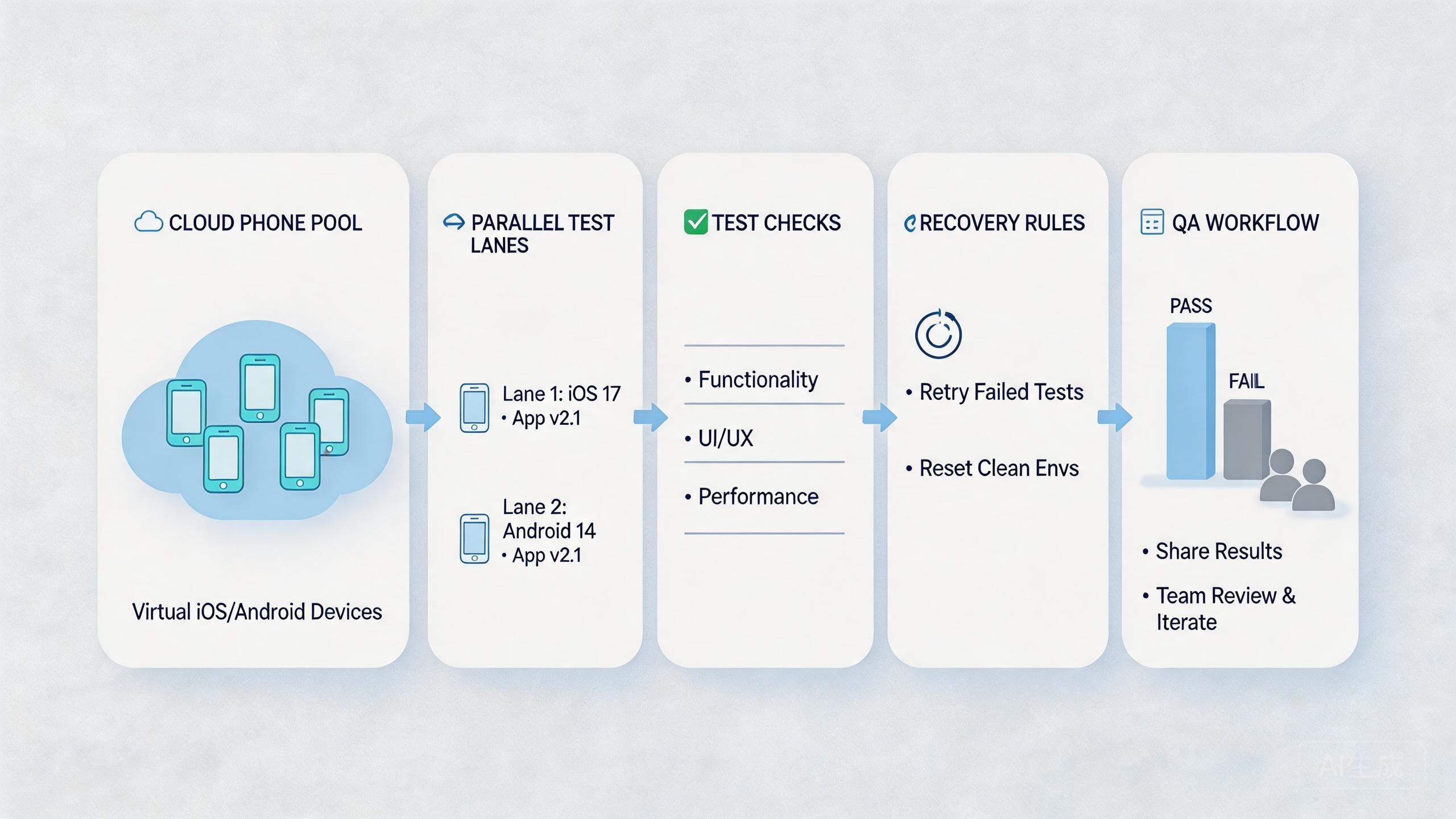
Test data can make or break parallel app testing. A bug may appear only because an account has old settings, incomplete setup, or leftover app data. Without state control, the team may blame the app when the lane is the real problem.
Define a few account states before the run. Examples include new user, returning user, paid user, restricted user, and admin user. The names should match the product's real logic. Avoid vague labels such as test account one or test account two.
Each account state needs a reset rule. Some states can be reused. Others should be rebuilt after each run. The rule depends on what the app stores and what the test changes.
Device state needs the same discipline. A lane should record whether the app was freshly installed, updated over an older build, logged in, logged out, or reset. These details change test meaning.
The team should avoid private test data. When only one tester understands an account, handoff fails. Shared test accounts and clear notes make the workflow more resilient.
Use Android antidetect or related environment controls only where the testing workflow needs environment separation. Do not add complexity without a testing reason. More layers can make debugging harder if the team cannot explain them.
Release Decision Gate
Parallel testing should feed a release decision. Otherwise it becomes activity without a clear outcome. The decision gate tells the team when to ship, rerun, pause, or escalate.
Use four release signals:
- Core flows passed: the most important user paths produced clean results.
- Failures are understood: open failures have owner, cause, and next action.
- Device state is clean: failed lanes are reset, reviewed, or quarantined.
- Reviewers agree on risk: product, QA, and engineering know what remains.
A decision gate does not remove judgment. It gives judgment a shared structure. That is important when several people are reviewing parallel results at the same time.
For example, a payment flow failure may block release. A minor layout issue on a low-priority screen may not. The team should decide that based on product risk, not on who saw the failure first.
The release gate also protects the next test cycle. Devices that failed should not roll into the next run without status. Mark them clearly. A clean next run starts with clean lane state.
Common Mistakes to Avoid
The first mistake is confusing parallel with uncontrolled. Running many checks at once is not a QA strategy by itself. Parallel testing needs structure or it creates noisy output.
The second mistake is weak build tracking. A failure is hard to debug when the team cannot confirm which app version ran. Every lane should record build information before the test starts.
The third mistake is reused state. A cloud phone that carries old app data, stale login state, or previous test history can distort results. Reset rules should be part of the test plan, not a cleanup task after the fact.
The fourth mistake is broad access. If every user can run, reset, reroute, and approve a lane, the team loses accountability. Separate tester, reviewer, and admin roles keep the workflow clearer.
The fifth mistake is skipping physical validation. Cloud phones can support many remote Android checks, but they do not replace every hardware test. Teams should keep local devices for cases that require hands-on inspection.
Google's SEO Starter Guide emphasizes clarity and structure for users (SEO Starter Guide). QA processes need the same discipline. A test result that nobody can interpret is not useful, even if it was produced quickly.
Pilot Metrics and Review Loop
A parallel app testing pilot should measure more than device count. The goal is faster, clearer feedback. Use metrics that show both speed and trust.
Track these signals:
- Cycle time: how long the test family takes from start to review.
- Failure clarity: whether the failure note explains build, lane, account state, and recovery need.
- Rerun rate: how often a case must be repeated because the first result was unclear.
- Handoff time: how long a reviewer needs to understand the result.
- Device recovery time: how long it takes to return a lane to ready state.
The review loop should be short. After each pilot batch, ask what failed, why it failed, and whether the result was useful. The team should also ask whether parallel execution hid any issues.
Good pilots create boring operations. Testers know which lane to use. Reviewers know where to look. Developers can see the result. Admins know which devices need reset.
Expansion should wait until the pilot is repeatable. A single fast run is not enough. The same test family should produce clear results across several runs and at least one handoff.
Review notes should be short enough to complete under pressure. Long forms tend to fail during release week. A useful note names the build, lane, account state, result, and next action.
That note becomes the handoff. A developer can open the bug. A tester can rerun the lane. A QA lead can see whether the issue blocks release. No one should need to reconstruct the run from chat history.
Fit Boundaries for Parallel App Testing
Cloud phones are a strong fit when the team needs shared Android access, repeat app checks, remote review, or parallel test lanes. They are useful when the test can be defined clearly and the result can be captured.
The fit is weaker when the test depends on physical hardware behavior. Camera quality, sensors, cables, carrier-specific behavior, thermal issues, and hands-on gestures may still require local devices. A hybrid model may be better in those cases.
Use cloud phones when the team needs throughput and visibility. Use local devices when physical inspection or exact hardware behavior is central. Use both when release confidence needs remote coverage plus physical validation.
The boundary also depends on team maturity. A team with no test cases, no run records, and no reset rules should not start by scaling devices. It should start by defining the first test lane.
This approach is most useful when it shortens feedback without reducing trust. If output becomes harder to explain, the team should pause and fix the process.
Frequently Asked Questions
What is parallel app testing?
It is running app checks across multiple device environments at the same time. The goal is faster feedback with clear results.
Why use cloud phones for app testing?
Cloud phones give teams shared remote Android access. They can help testers, reviewers, and developers work from controlled device lanes.
Do cloud phones replace physical devices?
No. They can cover many remote Android workflows, but hardware-specific checks may still need local phones.
What should a first pilot include?
Use three to five important test cases, clear device lanes, build records, account state, and recovery rules.
Can automation run these tests?
Automation can help after the manual test lane is clear. Begin with repeat checks that are easy to review.
What is the biggest risk?
The biggest risk is unclear state. A failure is hard to debug when build, account, route, or device history is unknown.
How many cloud phones should a QA team start with?
Use enough devices to prove one test family. Add more only when results stay clear after repeat runs.
What should teams measure?
Measure cycle time, failure clarity, rerun rate, handoff time, and recovery time. These show whether parallel testing is improving the workflow.
Conclusion
Cloud phones for parallel app testing can help teams move faster, but speed is not the only goal. The real goal is faster feedback that remains clear, reviewable, and repeatable.
The right setup starts with test families, device lanes, build records, account state, route notes, and recovery rules. A small pilot should prove that the team can run several checks at once without losing trust in the result.
Before expanding, ask one practical question: can another tester or reviewer understand the run without private explanation? If the answer is yes, the cloud phone pool may be ready for more test coverage. If the answer is no, fix the lane design before adding more devices.



