
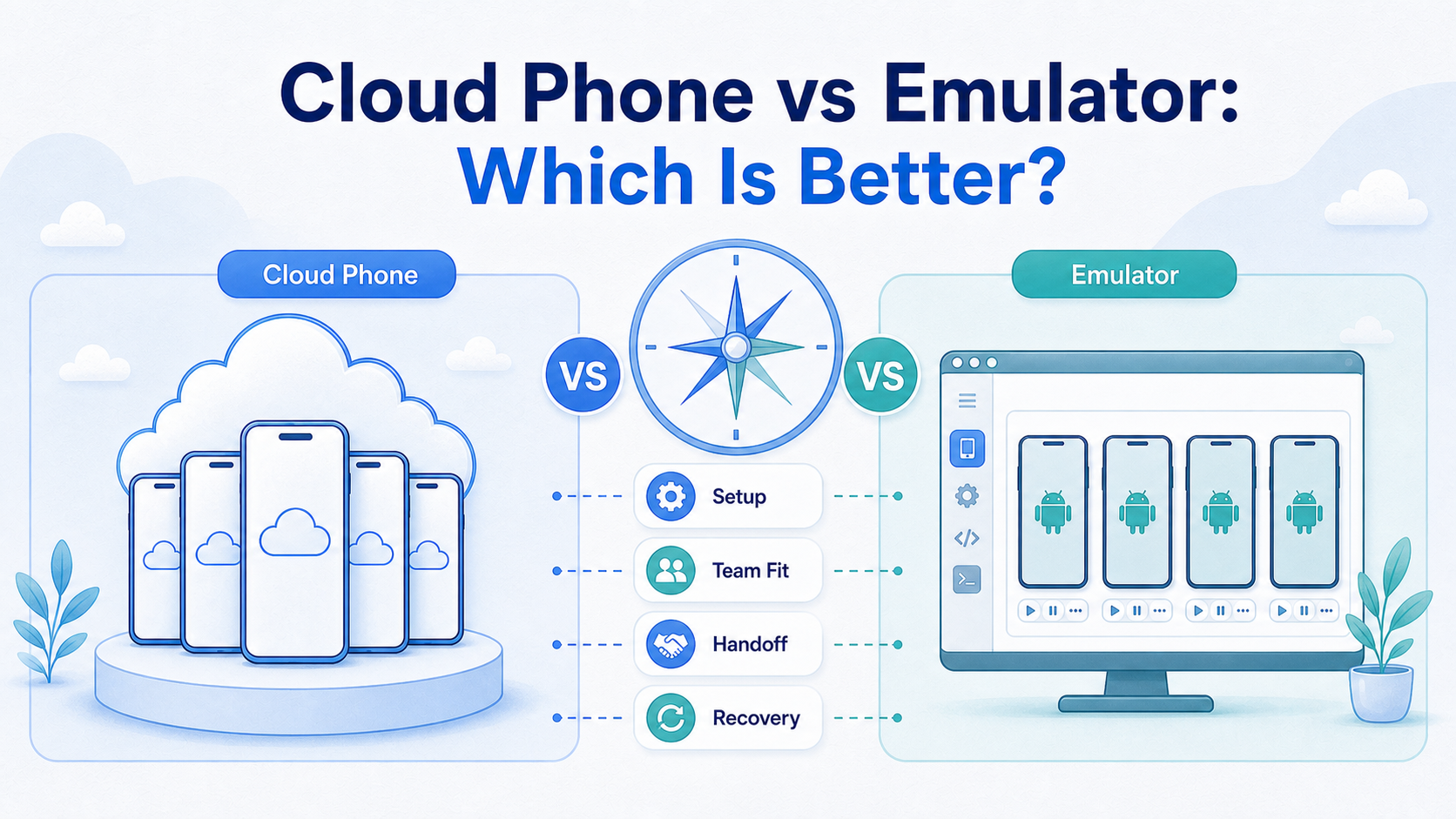
Key Takeaways
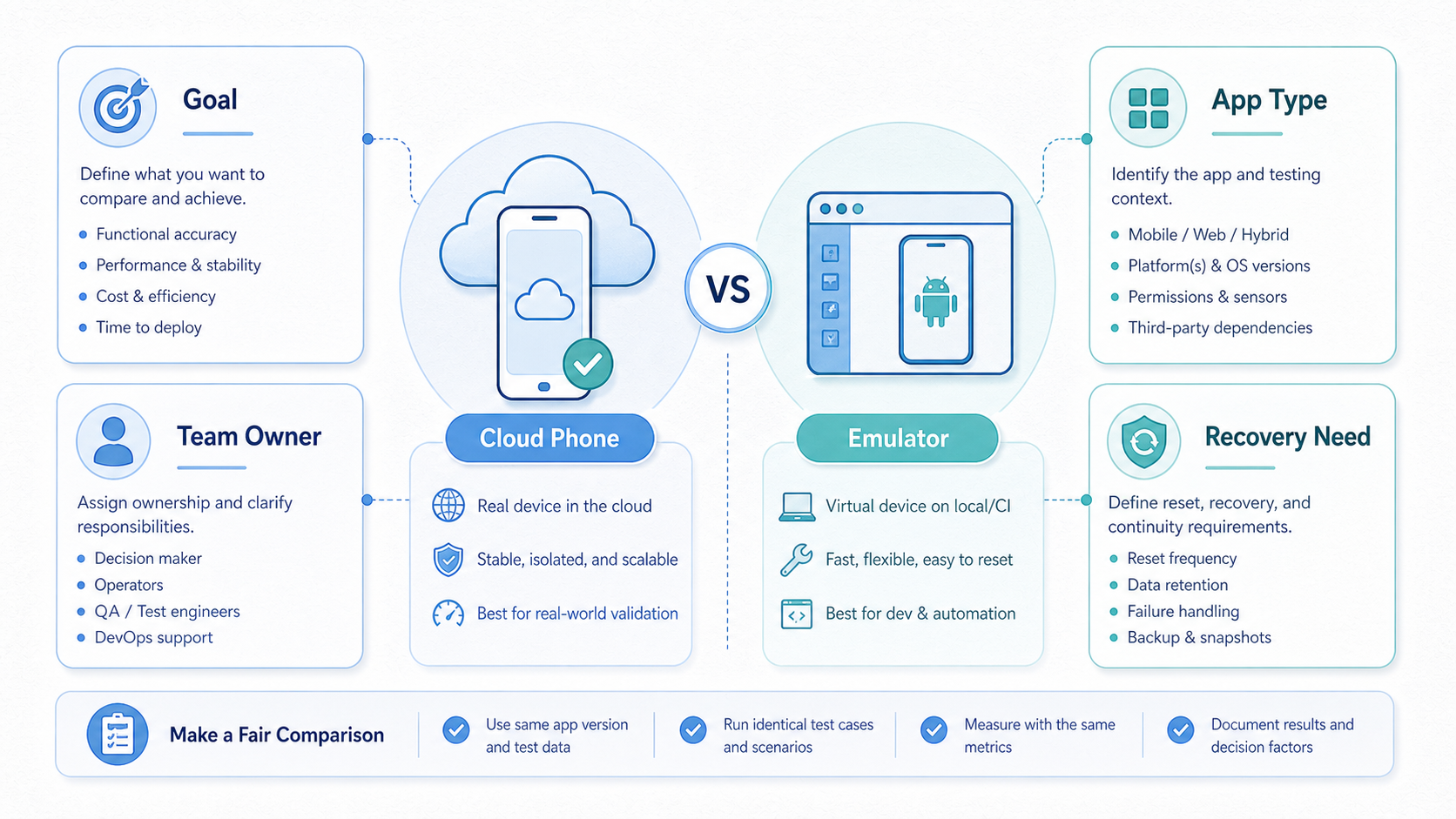
- Cloud phone vs emulator is a workflow decision, not only a technical preference.
- Emulators are often useful for development, QA, and controlled app testing.
- Cloud phones usually fit business teams that need remote mobile lanes, handoff, and operational control.
- The better option depends on app requirements, account context, recovery needs, and team ownership.
- A short pilot should compare handoff time, blocked tasks, setup effort, and recovery quality.
Introduction.
Cloud phone vs emulator is a comparison between a remote mobile device environment and a software-based Android environment that runs on a computer or cloud host. The short verdict is practical: use an emulator for development-style testing and controlled app checks; use a cloud phone when the workflow needs shared mobile access, account separation, team handoff, and recoverable operations.
That answer is direct, but it still needs context. A developer testing an app build has different needs from an operations team running daily mobile workflows. An agency checking multiple client accounts has different needs from a solo user learning Android behavior. The right tool depends on the job, not on which option sounds more advanced.
Android Developers documents the Android Emulator as a tool for testing Android apps across device configurations. That is a useful and trusted frame. A cloud phone is evaluated more often as execution infrastructure. MoiMobi's cloud phone product fits that operational category.
Google's guidance on creating helpful content is about search quality, not device infrastructure. The principle still helps the decision. Tools should support useful work, clear accountability, and real user value. A setup that only increases output volume without better review can create more operational noise.
The comparison should stay practical. Ask who owns the lane, which app state matters, how the route is documented, and what happens when the setup breaks. These questions reveal whether the team needs a testing environment, a managed mobile lane, or both.
A Practical Comparison Framework for cloud phone vs emulator
Start with the decision axis, not the tool label. A cloud emulator may look flexible. A cloud phone may look more business-ready. Neither label proves fit until the team maps the workflow.
| Decision axis | Cloud phone | Emulator |
|---|---|---|
| Main fit | Shared mobile operations and remote execution lanes. | Development, QA, learning, and controlled app checks. |
| Team handoff | Usually easier when lanes, notes, and owners are managed. | Possible, but often depends on local setup discipline. |
| App behavior | Often evaluated when teams need mobile-like operating context. | Useful for simulated device states and test configurations. |
| Scale control | Needs lane ownership, routing notes, and review cadence. | Needs image, host, build, and configuration management. |
| Risk posture | Depends on workflow quality and platform-rule awareness. | Depends on app compatibility, test scope, and policy boundaries. |
Setup axis. Emulators can be fast to start for technical users. A developer can create a virtual device and test app behavior without managing a physical handset. The setup becomes more complex when several operators need the same environment, state, or workflow record.
Operations axis. Cloud phones are usually evaluated when a team needs stable access lanes. The lane can have an owner, backup, account group, route note, and recovery path. This makes the environment part of the operating system, not only a local tool.
Control axis. Test teams get strong control over simulated conditions from emulators. That can be valuable for app developers and QA teams. Cloud phones provide a different kind of control: who accesses a mobile lane, what it is used for, and how the team reviews it.
Recovery axis. A broken emulator may be fixed by rebuilding the virtual device or resetting configuration. A broken business lane may need account notes, route notes, screenshots, and a decision about whether to restore or retire it. The second problem is operational, not only technical.
For mobile execution teams, the comparison often ends with a hybrid answer. Developers may keep emulators for QA. Operators may use cloud phones for daily account workflows. The shared rule is simple: put each task in the environment that makes it easiest to control and review.
Use Case Fit Before Feature Fit and cloud phone vs emulator
The common mistake is comparing feature lists before defining the use case. A feature list can make both options look similar. The working environment is different once people start handing tasks across a team.
Mobile-access lanes point toward cloud phones when the workflow depends on shared operating context. Examples include campaign checks, social account support, marketplace app tasks, or account-state review. Operators need to know which lane belongs to which client, which route is used, and who is responsible for recovery.
Development and QA work often points toward an emulator. The team may need to verify app screens, reproduce issues, or simulate device conditions. Android's own emulator guidance is centered on running and testing Android apps. That official positioning matters because it describes the tool's strongest natural use.
Feature fit still matters, but it should come second. A cloud phone may offer useful access and management controls. An emulator may offer configuration speed and developer integration. The right question is which option lowers the real cost of doing the job.
Consider a marketing operations team. The team may care less about simulated device models and more about daily handoff. One operator works on a campaign. Another reviews state. A manager checks whether the lane should continue. A multi-account management workflow needs records and separation.
Consider a QA team. The group may need repeatable app tests across device profiles. A software Android test environment can be a practical choice because the task is controlled testing. Final checks may still need physical or cloud phones, but the emulator can cover a large part of the development loop.
Use case fit also affects risk. Neither option should be treated as a way to bypass platform rules. Google publishes broad policy resources through the Google Play Policy Center. Teams should read platform rules as operating constraints, not as afterthoughts.
Operational Trade-Offs in cloud phone vs emulator
Operations turn a tool comparison into a management decision. A solo user can tolerate more manual setup. A team needs naming rules, access control, records, and a way to recover work after problems.
Managed cloud-phone lanes can support that structure. A lane should have one purpose, one owner, one backup, and one current status. The setup becomes more useful when paired with device isolation, routing notes, and a review cadence.
Emulators can also be organized, but the work is often more technical. Teams may need shared images, host machines, snapshots, build versions, and debugging conventions. That model can be excellent for engineering. It can feel heavy for nontechnical operators who only need a controlled mobile task lane.
Handoff is the strongest operational difference. A cloud phone lane can be assigned like a work queue item. The operator logs in, runs the defined task, records the result, and leaves the lane ready for review. An emulator handoff may require more knowledge of the local environment unless the team has a mature setup.
Review is another difference. Managers need to know which lanes are active, which are blocked, and which should be retired. Cloud-phone operations can make that review more natural because the unit is already a lane. Emulator review may focus more on builds, bugs, and configuration states.
The trade-off is not one-sided. Emulators can be faster for controlled testing. They may be easier to reset. They can also be cheaper for development workflows that do not need business-lane records. Cloud phones can be better for distributed operations, but they still need process discipline.
The practical workflow test is simple. Ask a new operator to continue the work without a live explanation. If the operator needs only the lane record, the system is working. If they need a long call, the environment is still too dependent on individual memory.
Use plain signals before the team debates edge cases. Choose the tool that makes the next work step clear. A new person should see what changed. A manager should be able to pause bad work fast. Notes should stay close to the lane.
Simple rules help because many teams overthink the first choice. A test team can start with an emulator and add cloud phones later. An operations team can start with cloud phones and keep emulators for lab checks. The goal is clean work, not tool loyalty.
Keep the first run small. Use one app, one task, one owner, and one backup. Write the next step in plain words. Ask a second person to read the note and run the next step. If that person gets stuck, the setup is not ready to grow.
The same test works for both tools. The emulator must be easy to open, reset, and explain. The cloud phone must be easy to find, use, and hand off. A tool that needs constant live help will slow the team.
Simple notes beat long plans. Write the lane name, task, owner, last state, and next action. Add a short stop rule. If the work is blocked, pause it and review the cause before more people touch it.
Keep the note short enough that people will use it. Write the app. Add the account group. State the next step. List the person who can make the call when work is blocked. Short notes are easier to keep fresh.
Ask the team one plain question each week. Which lanes helped us work faster, and which lanes made work harder? Keep the lanes that help. Fix or close the lanes that slow people down. This habit keeps the tool choice tied to work, not taste.
The tool also has to fit the day-to-day team mood. A busy team will skip a hard process. A clear lane, a short note, and a known owner are easier to keep alive. Good systems feel calm because the next step is clear.
Plain work beats clever setup. Can the team open it fast? Can they see what to do next? Can they stop when the work looks wrong? Can they close old lanes without a meeting? These basic checks matter more than a long feature list.
Use the same plain checks after launch. Keep what works. Fix what slows people down. Close what no one uses. A small habit like this keeps the tool useful over time.
Setup Cost, Ongoing Cost, and Management Overhead
Cost comparison should include more than subscription or hardware lines. It should include setup time, training, blocked work, failed handoffs, recovery time, and management review. These hidden costs often decide the cloud phone vs emulator question.
Emulators may have lower direct cost for technical testing. Many teams already have computers, development environments, and QA routines. The main cost becomes setup skill, host capacity, and configuration maintenance. That can be acceptable when the users are developers or QA engineers.
Managed cloud phones may have a clearer recurring cost. Buyers pay for mobile capacity or infrastructure. The return depends on whether that capacity reduces handling time, improves remote access, and makes work easier to assign. A cloud phone that nobody documents can still become expensive.
Management overhead is different for each option. Emulator overhead often includes images, snapshots, build versions, host performance, and toolchain changes. Cloud phone overhead often includes lane ownership, account grouping, routing, permissions, and recovery notes. Both need governance.
Here is a practical example. A three-person operations team shares ten mobile workflows. With local emulators, the team may lose time asking which host has the right state. With cloud phones, the team may lose time if lanes are unnamed or mixed across clients. The best option is the one that removes the larger bottleneck.
Avoid judging cost from a demo. A demo shows access. A pilot shows daily friction. Run both options against the same workflow for a limited period. Track completed tasks, blocked tasks, setup time, handoff time, and recovery quality.
MoiMobi's phone farm and mobile automation pages are relevant when capacity and repeatable execution become part of the cost model. Automation should follow a stable manual process, not replace missing workflow design.
Which Option Fits Different Teams Best
Fit depends on the team profile. A comparison is useful only when it maps tools to real jobs.
Choose cloud phones when
- Mobile work is shared across several operators.
- Each lane needs an owner, backup, and recovery path.
- The team is distributed and needs remote access.
- Multi-account work needs separation and routing notes.
- Managers need a simple view of active mobile lanes.
Choose emulators when
- The task is app testing, QA, or development support.
- Users can manage technical setup and configurations.
- Simulated device conditions matter more than team handoff.
- The workflow can be reset without business-state loss.
- Toolchain integration is more important than lane ownership.
Agencies often lean toward cloud phones when they manage client operations. The reason is not that cloud phones are automatically safer or better. The reason is that client work needs accountable lanes. A proxy network may also matter when routing is part of the operating model.
Engineering teams often keep emulators in the loop. They can test builds, reproduce bugs, and inspect app behavior. A cloud phone may still be useful for later operational checks. The two tools can serve different phases of the same mobile program.
Social media teams should be careful with claims. A cloud phone for TikTok automation or cloud phones for WhatsApp marketing should be evaluated against actual platform rules, campaign quality, and account governance. The tool does not remove those obligations.
Small teams should start with the lowest-friction model that still gives enough control. A single operator may not need a full cloud-phone fleet. A growing team may need it once handoff and recovery become regular problems. The trigger is workflow complexity, not company size alone.
Large teams should avoid unmanaged expansion. More cloud phones or more emulator instances can both create noise. Create a lane register, define review cadence, and retire unused environments. Capacity should follow a controlled process.
The most defensible decision is a pilot. Run one real workflow in the candidate environment. Measure setup time, handoff time, blocked work, and recovery time. Then choose the option that gives the team cleaner execution with fewer unresolved questions.
Pilot scorecard for the final comparison
Use one workflow that already causes real friction. Do not test a perfect demo task. A useful pilot should expose routine problems such as unclear state, missing ownership, slow recovery, or repeated operator questions.
| Scorecard item | Question to answer | Decision signal |
|---|---|---|
| Setup speed | How long does a usable lane take to prepare? | Choose the option that reaches working state with less support. |
| Handoff quality | Can another operator continue without a live explanation? | Favor the option with clearer records and fewer interruptions. |
| Recovery path | What happens when the state breaks or the app changes? | Favor the option with a documented restore or retire path. |
| Review visibility | Can a manager see active, blocked, and stale environments? | Favor the setup that makes operational review simpler. |
Score each item after real work, not during setup. A tool that feels quick on day one may create more review burden later. A tool that takes longer to configure may still win if it gives the team cleaner handoffs and fewer blocked tasks.
The pilot should also include a stop rule. If neither option improves the current workflow, the problem may be process design. Define ownership, state notes, and recovery rules before adding more environments.
Risk boundaries for cloud phone vs emulator decisions
Risk should be separated into technical risk, workflow risk, and platform risk. Technical risk includes compatibility, host performance, device configuration, and app behavior. Workflow risk includes unclear ownership, mixed account context, missing notes, and weak recovery.
Platform risk is different. Responsible operators should not treat either option as a way to ignore app rules, privacy obligations, or quality standards. Google's SEO starter guide is not a mobile operations manual, but its emphasis on helpful, user-first work is still a useful business constraint.
Cloud-phone operations need risk controls around lane separation, access, routing, and review. Emulator programs need controls around configuration, test validity, and environment drift. A test that does not match real usage can mislead the team. A cloud lane without notes can also mislead the team.
Good operators write down the boundary before scaling. Which apps are allowed? Which account groups belong in which lane? Which route is approved? Which changes require review? Which environments should be retired? These questions are boring in a useful way because they prevent expensive confusion later.
The safest comparison is not the one with the loudest promise. It is the one that exposes trade-offs early. A team that understands those trade-offs can choose cloud phones, emulators, or both without turning the tool into a hidden source of risk. That shared understanding also makes future budget reviews easier because each environment has a documented job, owner, and reason to continue.
Frequently Asked Questions
Is a cloud phone better than an emulator?
A cloud phone is better for shared mobile operations when the team needs remote access, lane ownership, and handoff. An emulator is better for many development and QA tasks. The best choice depends on the workflow.
Is an emulator the same as a cloud phone?
No. A software emulator is an Android environment that runs outside a physical phone. A cloud phone is usually evaluated as a remote mobile execution lane. The difference matters when teams need account context, review, and recovery.
Which option is better for app testing?
For app testing, Android's official emulator is often a strong first option because it is designed for running and testing apps. Final checks may still require other environments, depending on the app and use case.
Which option is better for multi-account work?
Managed cloud-phone lanes often fit multi-account operations better when separation, routing notes, and ownership are required. The team still needs policy review and operating discipline.
Can a team use both?
Yes. Developers may use emulators for QA, while operations teams use cloud phones for live mobile workflows. A hybrid model is common when testing and execution have different requirements.
Which option costs less?
Direct emulator costs may be lower for technical teams. Cloud phones may reduce coordination and physical handling costs for distributed operations. Compare total workflow cost, not only tool price.
Does a cloud phone remove platform risk?
No. A cloud phone does not remove platform rules, app policies, or quality obligations. Teams should use official policy sources and avoid unsupported safety claims.
What should a pilot measure?
Measure setup time, handoff time, recovery time, blocked tasks, and operator interruptions. These signals show whether the option improves the actual workflow.
Conclusion
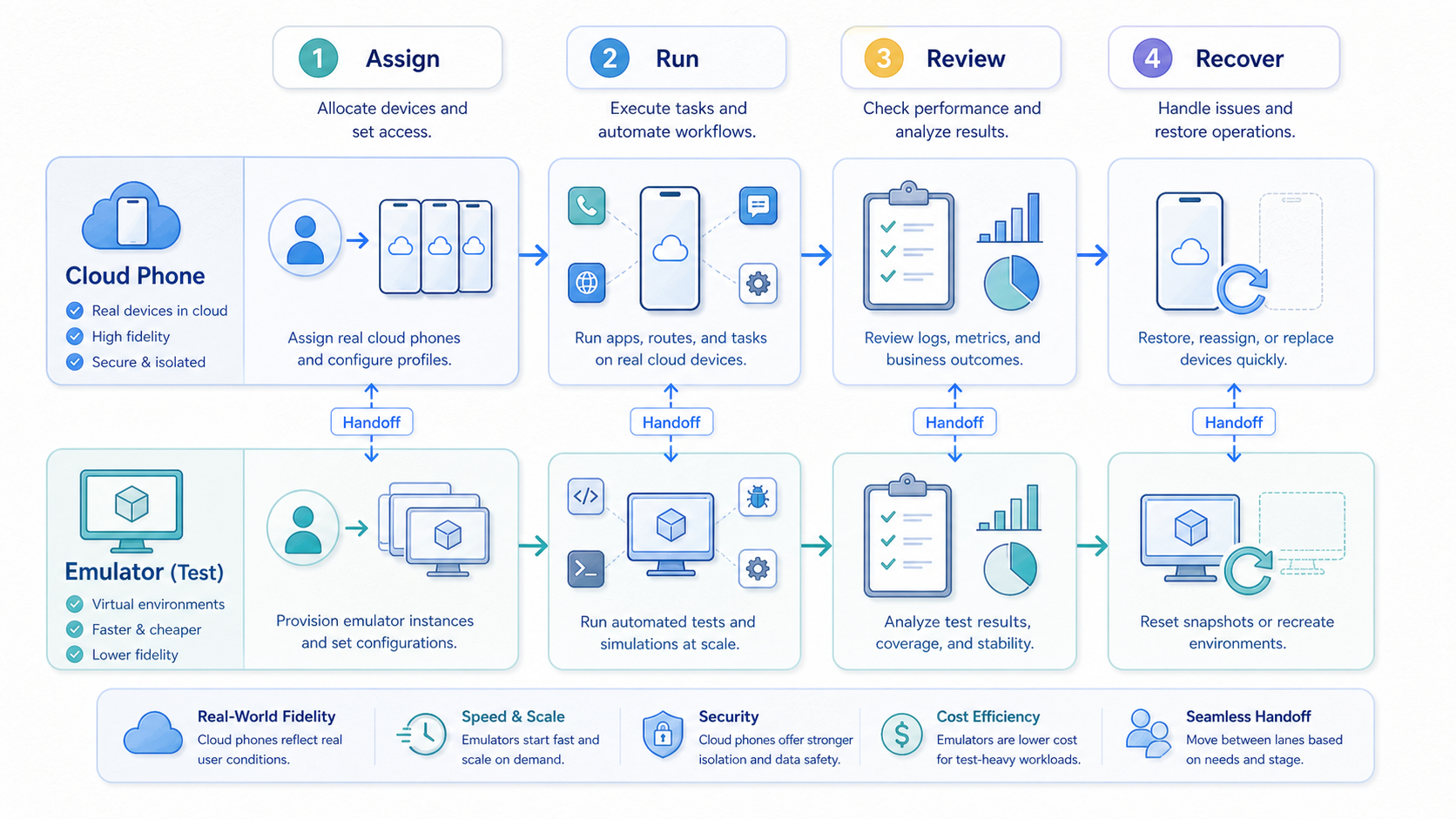
This comparison does not have a universal winner. Emulators are strong for app testing, development support, and controlled technical work. Cloud phones are stronger when mobile work becomes a shared operating lane that needs ownership, access control, handoff, and recovery.
The strongest decision starts with the workflow. Define the app, account context, owner, backup, route needs, review cadence, and recovery action. Then test the candidate option against that workflow. A clean pilot will show whether the team needs emulator flexibility, cloud-phone operations, or a hybrid model.
Use a simple action gate before committing. Can another operator continue the work from notes? Can a manager see which lanes are active? Can the team recover a broken state without rebuilding context from memory? If those answers matter, cloud phones deserve serious evaluation. If controlled app testing is the main job, an emulator may be the better first tool.
When both answers look valid, keep the decision small. Test one workflow, name one owner, and review the result after real use. The right tool should reduce questions, not create a new management layer.



