
Key Takeaways
- A browser automation platform becomes useful when it gives AI agents and teams stable sessions, clear review rules, and recovery paths
- Teams should judge browser automation by execution quality, not by demo speed alone
- Strong browser workflows need account boundaries, ownership, and a measured rollout plan
- The best first pilot is narrow enough to inspect run by run
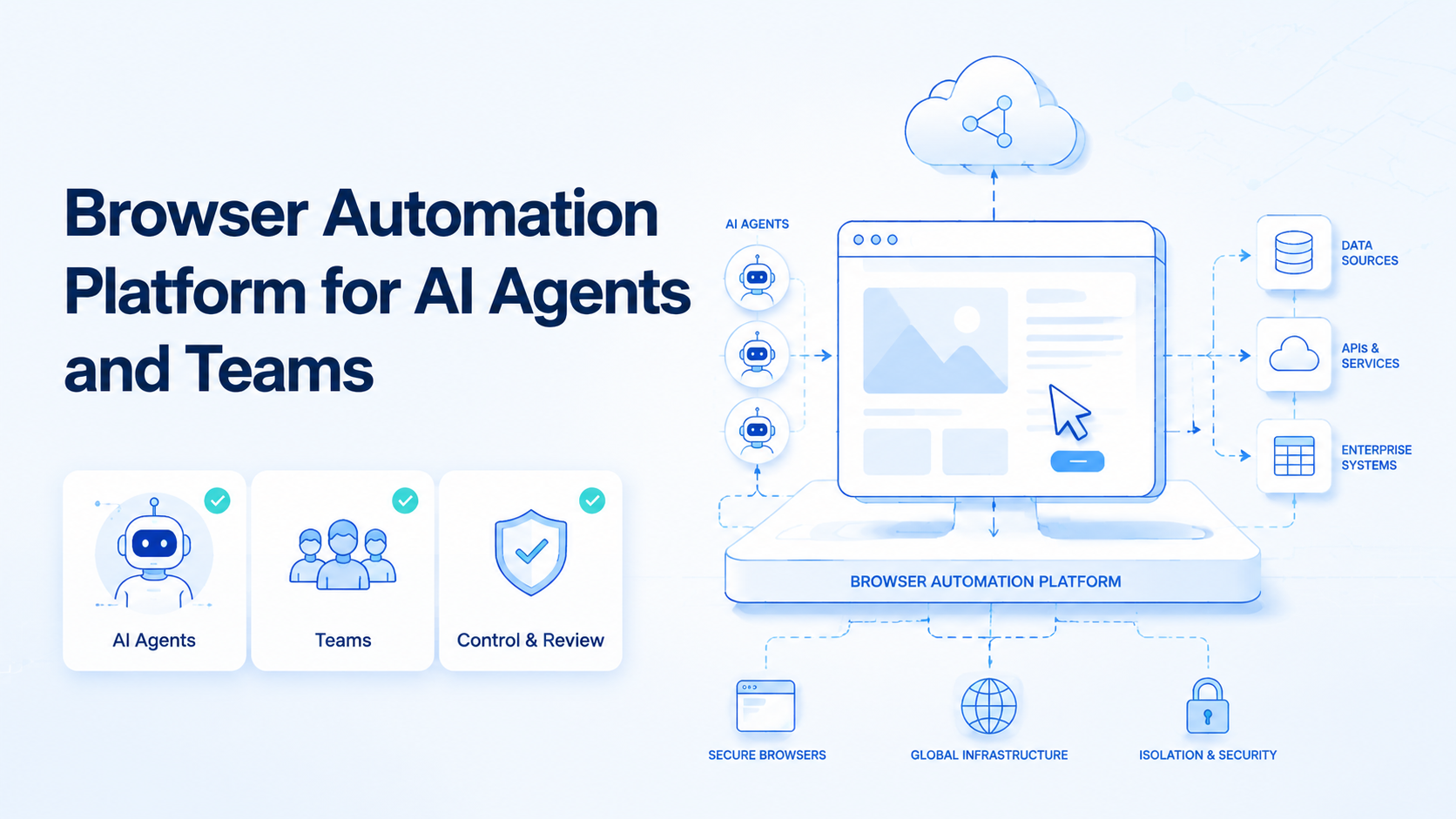
Browser Automation Platform for AI Agents and Teams is a system that lets teams run browser-based tasks inside controlled sessions with clear ownership and review. The useful version is not just a tool that can click through pages. It is a runtime layer for repeatable browser work.
That matters because many AI workflows still depend on web tools. Teams work inside dashboards, admin panels, CRM pages, ad managers, forms, and logged-in research tools. A smart agent can suggest the next step, but the platform still has to execute that step cleanly.
This is why an AI browser is better understood as execution infrastructure. The real question is whether the team can trust browser workflows at scale without creating session conflicts or review chaos.
The Core Idea Behind Browser Automation Platform for AI Agents and Teams and AI Browser Workflows
The core idea is browser control with rules. A good platform combines:
- browser sessions
- task logic
- account boundaries
- human takeover rules
The W3C WebDriver standard defines browser automation through explicit sessions and commands. That shows browser state is not a side detail. It is part of the contract. Playwright browser contexts make the same point by recommending separate contexts for separate logged-in states.
For AI agents and teams, that means the platform must do more than expose a browser. It must support repeatable ownership. One agent or one operator should know which account, which session, and which workflow state they are touching.
That is also why device isolation and multi-account management matter even in browser-heavy workflows. Browser automation gets brittle when teams share sessions carelessly.
Why Teams Search for This Topic and AI Browser Execution
Most teams search for this topic after manual browser work becomes a bottleneck. The workflow may start small, but over time it turns into a stack of repeated tasks:
- data entry
- dashboard checks
- admin updates
- account monitoring
- form-based operations
At that point, the problem is not only labor. It is coordination. One agent or operator may run the task, but another person must review it. A failed run may leave the browser halfway through a logged-in flow. Without a stable platform, cleanup becomes expensive.
For many teams, browser automation is now tied to team operations rather than one-off scripting. Teams want browser work to behave more like an owned lane with control and recovery.
Who Benefits Most and In What Situations
This topic is a strong fit for teams with repeatable browser-native work.
Typical strong-fit cases include:
- operations teams working inside web dashboards every day
- agencies running browser-based client workflows
- support teams handling web-based admin steps
- growth teams running repeatable research, form, or monitoring lanes
The fit weakens when the workflow is mostly app-native or changes too much from run to run. In that case, the team may need a hybrid model that combines browser and mobile execution.
Use this fit boundary:
The task repeats in web apps, needs logged-in state, and can be reviewed.
Some steps are browser-native, but others depend on mobile-only behavior.
The workflow changes constantly or depends on custom human judgment each run.
If the team is exploring agent-heavy browser work, one relevant supporting hub is agent execution workflow, because skills and task boundaries usually matter as much as the browser layer itself.
How to Evaluate or Start Using Browser Automation Platform for AI Agents and Teams
Do not start by asking one agent to automate every browser task in the company. That usually hides design gaps until the workflow breaks.
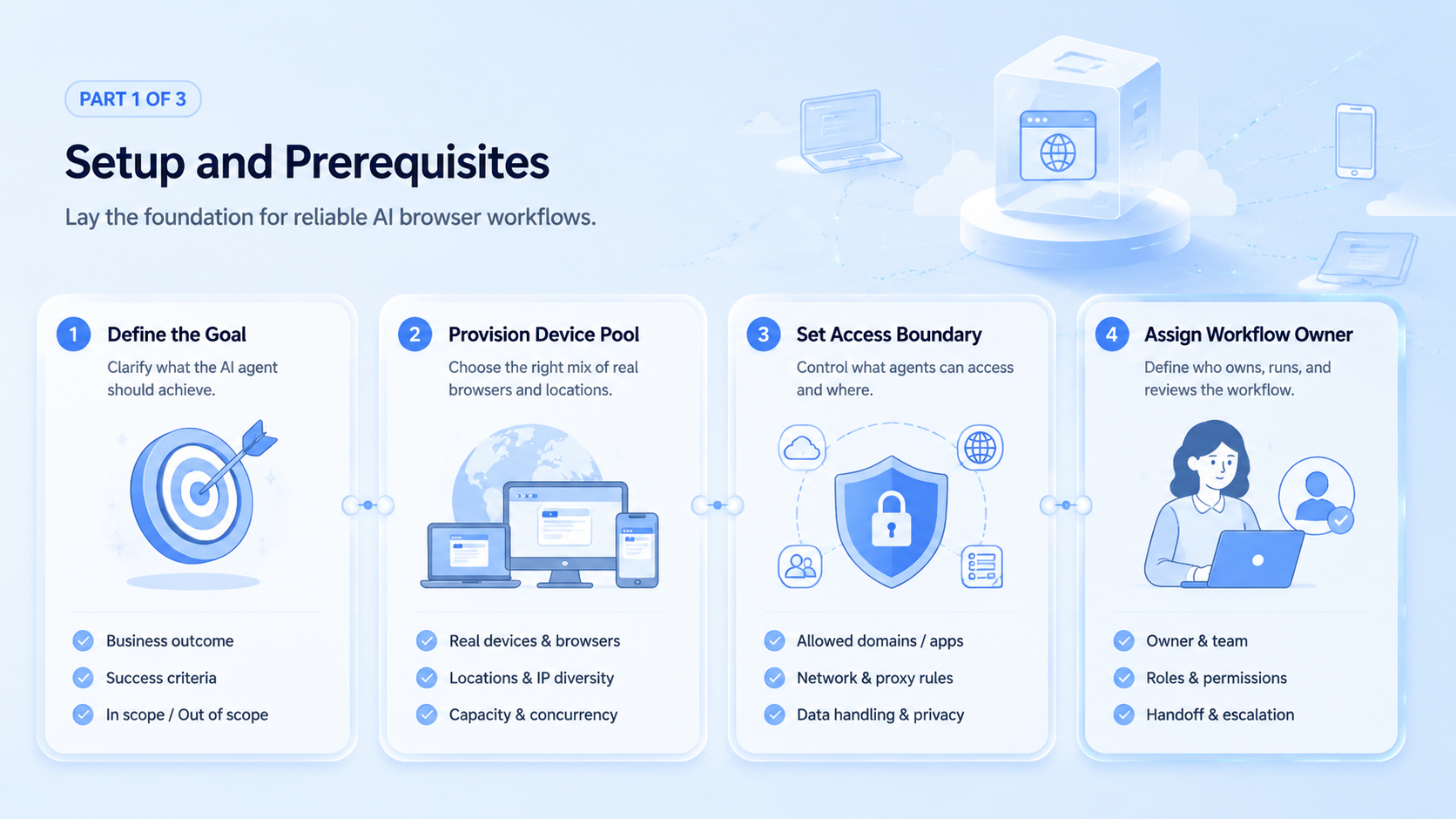
- Choose one browser lane. Start with a narrow workflow such as dashboard checks or form submission.
- Map session ownership. Decide who owns the session, rerun, and review path.
- Separate accounts. Keep unrelated account states apart from the start.
- Define the stop rule. Every failed step needs a clear takeover owner.
- Review a small batch. Inspect ten to twenty runs before scaling.
- Measure cleanup cost. Track manual correction effort, not only completion speed.
For many teams, browser execution is only one layer. If the broader workflow later needs app-native steps, mobile automation and a cloud phone layer may become the next logical addition.
Common Mistakes That Reduce Results
The first mistake is treating browser automation as a script library instead of an operating model. A demo can look smooth while the real workflow still lacks review and recovery.
The second mistake is mixing unrelated accounts inside the same browser state. That often creates silent errors, wrong actions, or confusing audit trails.
The third mistake is scaling too early. If a team cannot inspect a small pilot clearly, it is not ready to add more lanes, more accounts, or more agents.
Avoid these patterns:
- one browser lane touching too many unrelated accounts
- no review owner for failed runs
- no distinction between agent output and approved action
- scaling based on speed without measuring correction cost
If the workflow involves browser profiles or profile isolation decisions, the topical hub on browser profile and cloud phone workflow is also relevant.
Android Enterprise is also useful when browser work overlaps with managed device operations. When teams test broader execution setups, AWS Device Farm and BrowserStack App Automate show how repeatable and observable automation environments are usually framed.
Pilot Rollout, Measurement, and Recovery Review
The best pilot is small, boring, and observable. Choose one task family and keep it inside a narrow boundary.
Track a short signal set:
| Signal | Why it matters |
|---|---|
| Completion rate | Shows whether the workflow finishes consistently |
| Correction rate | Shows how much manual cleanup is still needed |
| Session conflict count | Shows whether account boundaries are weak |
| Escalation time | Shows whether human takeover works in practice |
Recovery should be simple. The team should know which session was used, which step failed, and who owns the next action. If a failed run requires several people to reconstruct what happened, the lane is still too broad.
Browser Automation Platform for AI Agents and Teams in a Broader Stack
A browser platform is often one part of a larger execution stack. Some teams stay browser-only for a long time. Others later extend into Android or device-based workflows.
That broader stack may include:
- browser sessions for web dashboards
- isolated environments for account-sensitive work
- mobile execution for app-native steps
- workflow logs for review and recovery
This is where a MoiMobi resources path helps. Teams usually need the platform layer and the workflow design layer together.
Frequently Asked Questions
What is a browser automation platform in simple terms?
A browser automation platform is a controlled runtime for browser-based workflows, not just a browser that can be scripted.
Is this mainly for developers?
No. Developers may set up the system, but many business teams use the resulting workflow daily.
Why does session control matter so much?
Because many browser tasks depend on logged-in state, account boundaries, and repeatable workflow context.
What should a team automate first?
Start with one repeated browser-native task that is easy to inspect and review.
When is browser automation not enough?
Browser automation is not enough when the workflow depends on mobile-only app behavior or Android-specific states.
What metric matters more than speed?
Correction cost usually matters more because it shows whether the workflow is actually trustworthy.
How do teams know they are ready to scale?
They are usually ready when the first lane has stable completion, low cleanup cost, and a clear recovery owner.
Conclusion
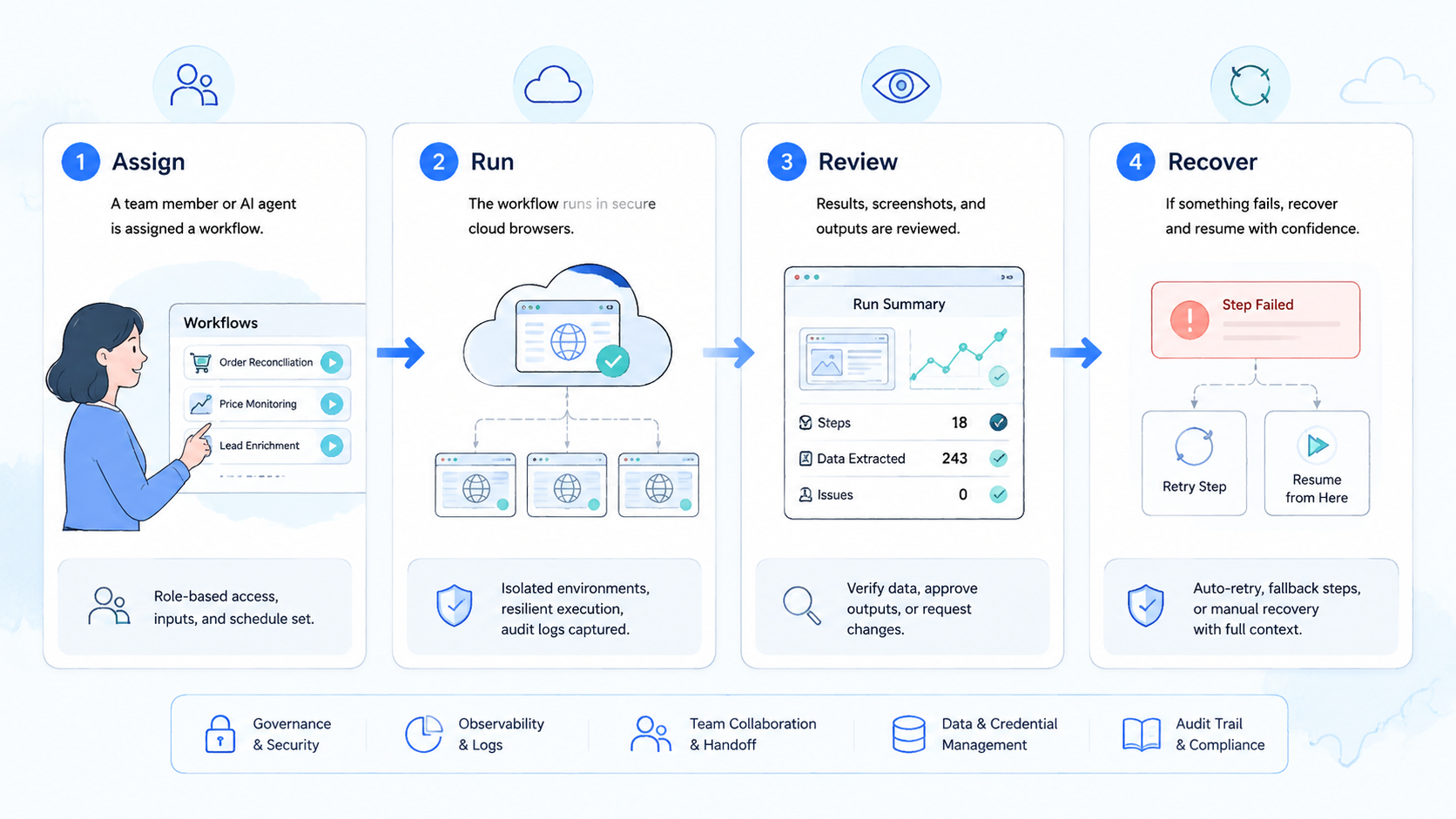
Browser Automation Platform for AI Agents and Teams is best treated as execution infrastructure for browser-native work. The value comes from stable sessions, clear ownership, and controlled recovery, not from flashy demos.
The next practical move is to choose one browser workflow, keep the account boundary tight, and review ten to twenty runs before expanding the lane.



