
Key Takeaways
- An execution platform connects prompts to controlled browser and phone runtimes.
- The useful version of an AI browser is not just a chat layer. It needs sessions, isolation, and recovery rules.
- Browser work and phone work should be split by task shape, not by team habit.
- A small pilot should measure correction cost and takeover frequency before expansion.
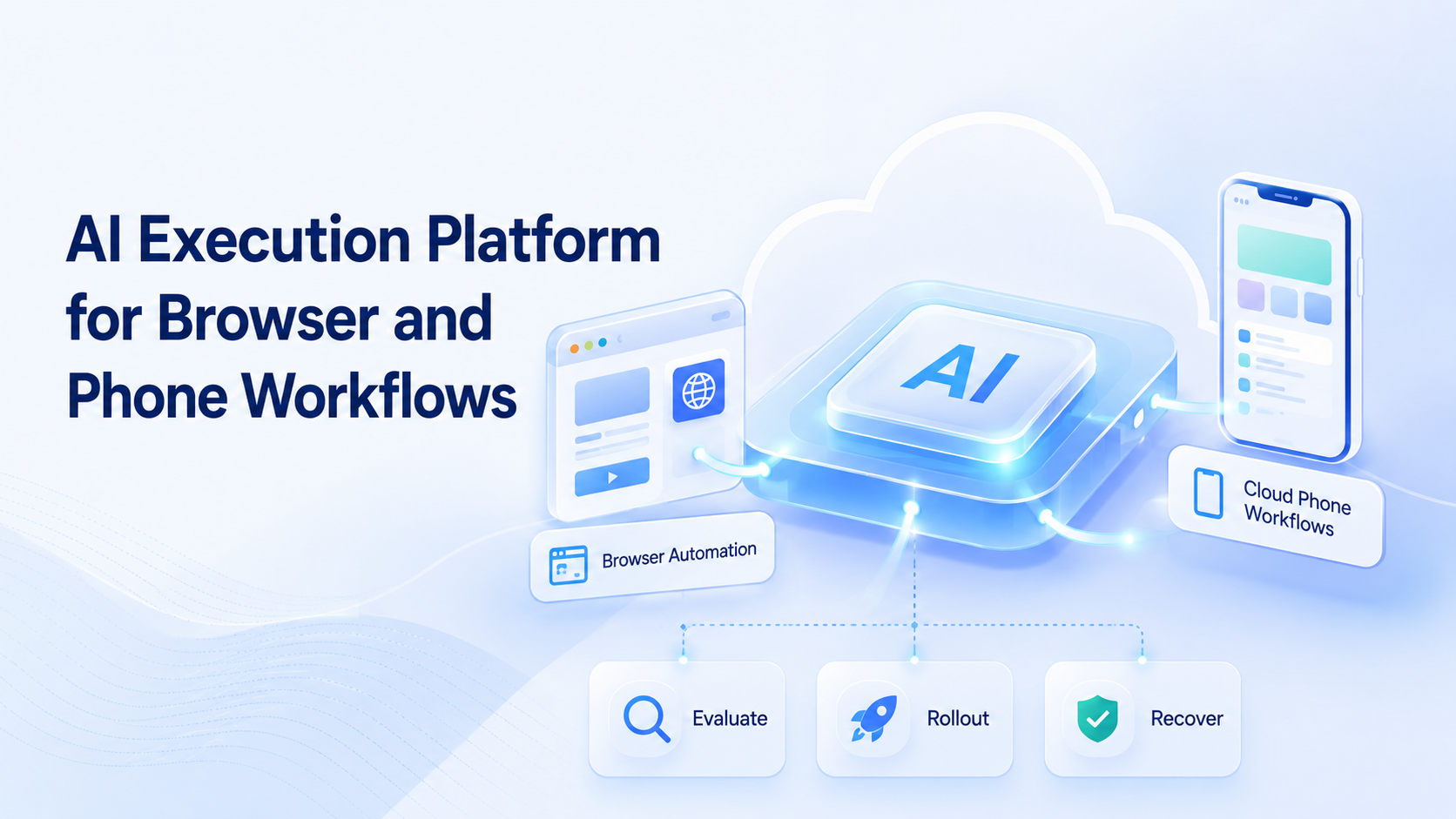
AI Execution Platform for Browser and Phone Workflows is a system that lets teams run work across browser sessions and phone environments with explicit control over runtime, ownership, and handoff. The core idea is simple: planning is not enough if the team still lacks a place where the task can execute.
Most teams arrive here after trying disconnected tools. One workflow starts in a web app, another depends on a mobile app, and the handoff between them becomes manual. The problem is rarely raw automation access alone. The problem is missing execution structure.
That is why this topic matters. Browser automation standards define work in terms of sessions and commands, not general intent.1 Playwright also treats isolated browser contexts as first-class units of execution.2
On the mobile side, Android Enterprise frames managed Android environments as controlled workspaces rather than generic phones.3 Together, those sources support one operational conclusion: reliable execution needs bounded environments.
The Core Idea Behind AI Execution Platform for Browser and Phone Workflows
The common mistake is to treat an AI browser as the platform itself. It is only one layer.
The execution platform sits underneath the interface. It decides where the task runs, which session it uses, how state persists, and when a human takes over. A browser lane may handle dashboards, forms, or logged-in web tools. A phone lane may handle mobile-only flows, device permissions, or app-native screens.
That distinction matters because browser and phone runtimes fail in different ways. WebDriver focuses on commandable browser sessions.1 Android workspaces focus on device management and policy boundaries.3 If a team mixes those concerns into one vague worker, recovery becomes slow.
In practice, the right model is a stack:
- prompt or task plan
- runtime choice
- session or device isolation
- takeover and retry rules
- result logging
Without that stack, execution drifts back to manual cleanup.
Why Teams Search for AI Execution Platform for Browser and Phone Workflows
Teams usually search this topic when task volume is not the only problem anymore. The harder issue is coordination across environments.
One lane may need a browser dashboard. Another may need a mobile app. A third may need the result copied into an internal sheet or queue. At that point, a basic automation script often solves only one segment. It does not solve ownership, state handling, or operational review.
This is where an AI browser model becomes useful only if it connects to real execution layers such as cloud phone capacity or mobile automation. Without that separation, the team may automate the click path but still fail the operating model.
The search intent is usually tied to one decision: should the team keep stacking point tools, or move to a platform that treats browser and phone work as one controlled system?
Who Benefits Most and In What Situations
This model fits teams with repeated tasks that cross runtime boundaries.
Teams that move between web apps, mobile apps, and account-based workflows every day.
Teams with repeated browser work today and likely mobile expansion next quarter.
Teams doing mostly one-off research or strategy work with little repeated execution.
Clear examples include:
- social media teams handling browser dashboards and app-native publishing
- support or engagement teams replying across web and mobile inboxes
- operations teams managing multi-account management flows with separate account environments
It is a weaker fit when the work has no stable path. If every run needs fresh human judgment, an execution platform may add more setup than value.
How to Evaluate or Start Using AI Execution Platform for Browser and Phone Workflows
Do not start by buying more runtimes. Start by checking workflow boundaries.
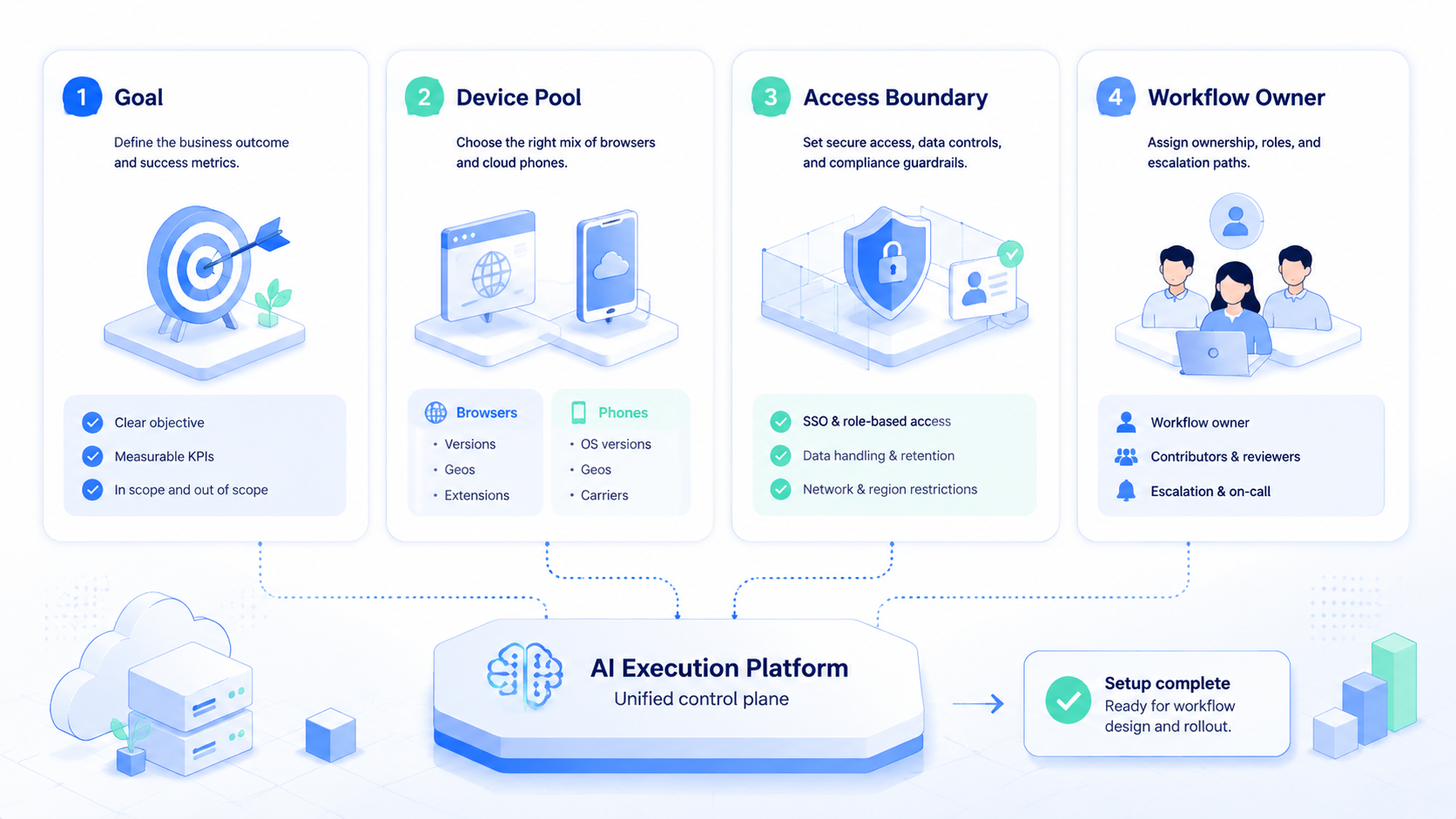
- Checkpoint 1: Define the split. Mark which steps are browser-native and which are app-native.
- Checkpoint 2: Define state ownership. Decide what session, device, or account the workflow may reuse.
- Checkpoint 3: Define the stop rule. Set a clear point where the task pauses for human review.
- Checkpoint 4: Define the run log. Record outcome, retry reason, and takeover reason for every test batch.
- Checkpoint 5: Define the next page. For mobile-heavy workflows, review [phone farm](https://www.moimobi.com/en/products/phone-farm) or mobile device capacity before scaling.
AWS Device Farm and BrowserStack both describe execution around repeatable, controlled test environments rather than uncontrolled ad hoc devices.4 5 That principle also holds for operational workflows.
Teams that cannot reproduce a run in the same environment usually struggle to debug it.
Mistakes That Reduce Results
The first mistake is forcing one runtime to do all the work. Browser automation is not a substitute for every mobile action, and phone automation is not a smart answer for every dashboard flow.
Another mistake is using concurrency before control. Teams sometimes add more cloud phones or more browser sessions before deciding who owns the lane and what the retry rule is. That usually increases correction load, not throughput.
Isolation is another weak point. Playwright browser contexts separate session state for a reason.2 A platform that ignores session boundaries will create review noise. The same logic applies to device isolation on the mobile side.
Avoid these patterns:
- one worker spanning unrelated browser and phone lanes
- no session or device naming standard
- no takeover rule for failed runs
- measuring speed before measuring correction cost
Pilot Rollout, Measurement, and Recovery Checks
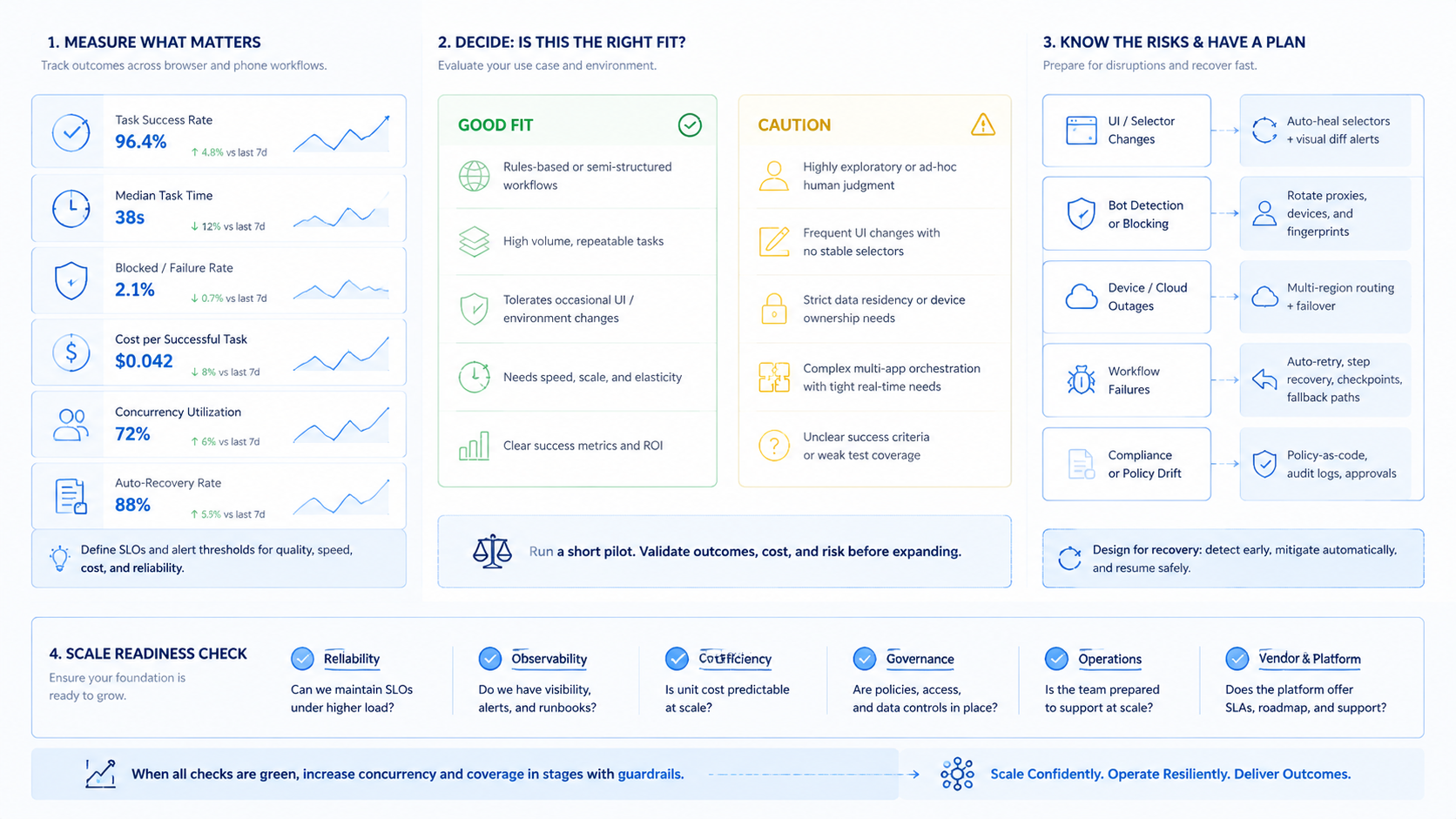
The wrong pilot is a broad launch. The right pilot is one narrow workflow with one owner and one clear runtime split.
A useful first pilot often looks like this:
| Check | What to review | Pass sign |
|---|---|---|
| Runtime choice | Was each step placed in the right browser or phone lane? | Few manual reroutes |
| Isolation | Did any account or session conflict appear? | No repeated collisions |
| Takeover | When a run failed, was handoff obvious? | Short recovery time |
| Logging | Can the team explain why the run passed or failed? | Clear reason codes |
Recovery should be tested before scale.
When a browser session expires, the team should know how to reopen the right state.
When a phone lane stalls, the team should know whether to pause, replace, or retry that environment. These are not edge questions. They decide whether the platform can support daily operations.
One practical next step is to compare the pilot workflow against existing resource pages such as cloud phone vs emulator. That helps the team validate whether the runtime choice matches the task instead of following old tooling habits.
Frequently Asked Questions
Is an AI execution platform the same as an AI browser?
No. An AI browser is usually the browser-facing layer. The execution platform also handles runtime choice, isolation, logging, and recovery.
When should a team add phone execution?
Add it when the workflow depends on app-native screens, mobile permissions, or device-specific state.
Does every workflow need a cloud phone?
No. Some workflows are mostly browser-based. The runtime should follow the actual task path.
What should a first pilot measure?
Track completion quality, correction cost, takeover frequency, and repeated failure reasons.
Is multi-account work the main use case?
It is a common one, but not the only one. Any repeated browser-plus-phone workflow can fit.
What usually breaks first?
Ownership and recovery rules break before raw execution capacity in many teams.
How many runtimes should a team start with?
Start with the minimum needed for one narrow workflow. Add capacity only after the review loop is clean.
Conclusion
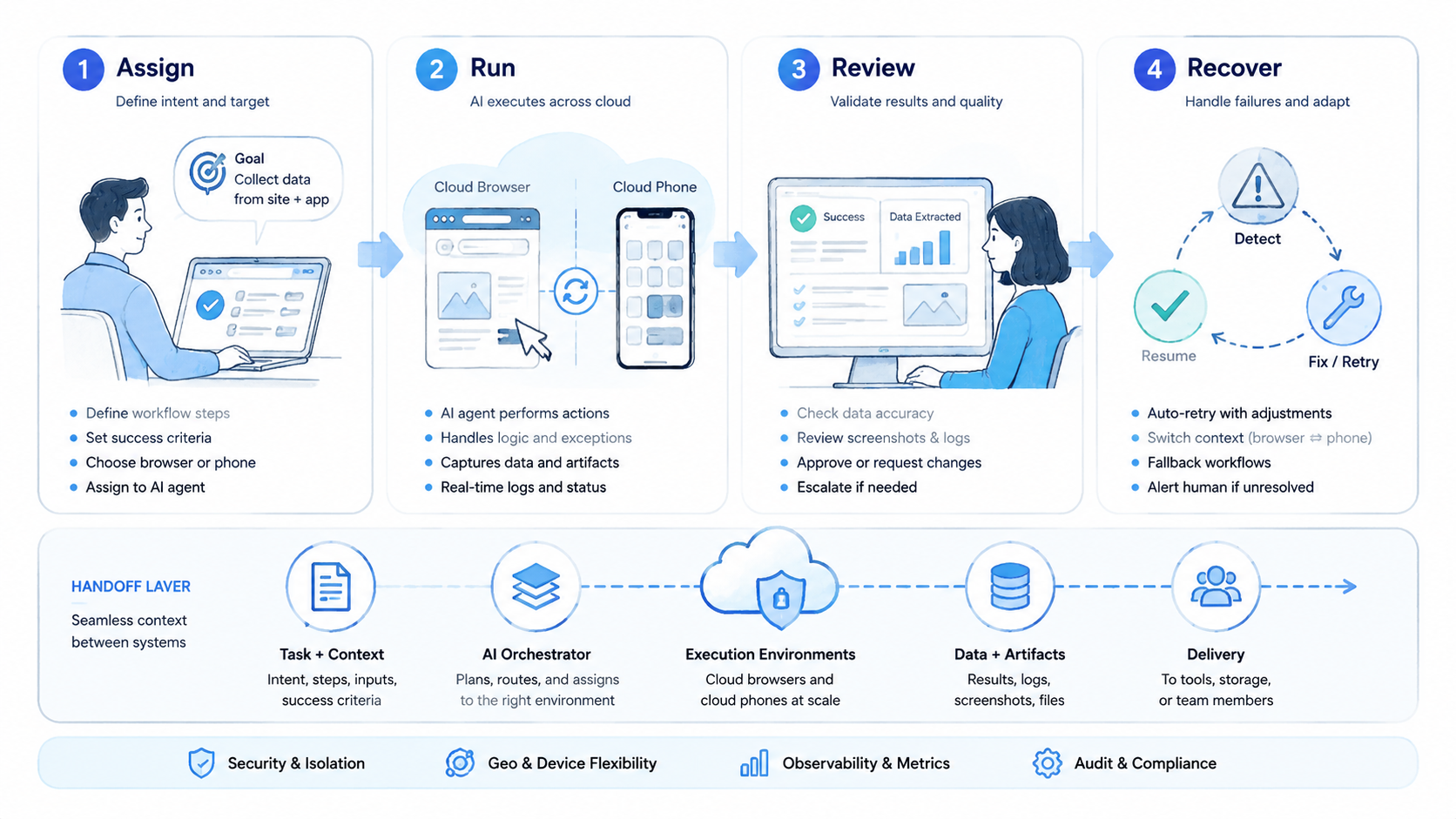
An execution platform for browser and phone workflows is valuable when it turns mixed runtime work into a controlled system. The key test is not whether the platform can click or open an app. The key test is whether the team can assign, review, recover, and repeat the work cleanly.
Before scaling, check three things in order: runtime split, isolation rule, and recovery speed. If those three hold up in a pilot, the platform has a solid base for broader rollout.



