Key Takeaways
- X lead research automation is a workflow for finding and qualifying relevant public conversations, not a system for mass messaging people.
- Use authorized X API access, a defined research question, and human review before creating a follow-up task.
- A useful pilot measures relevance, review quality, and handoff outcomes, not the number of profiles collected.
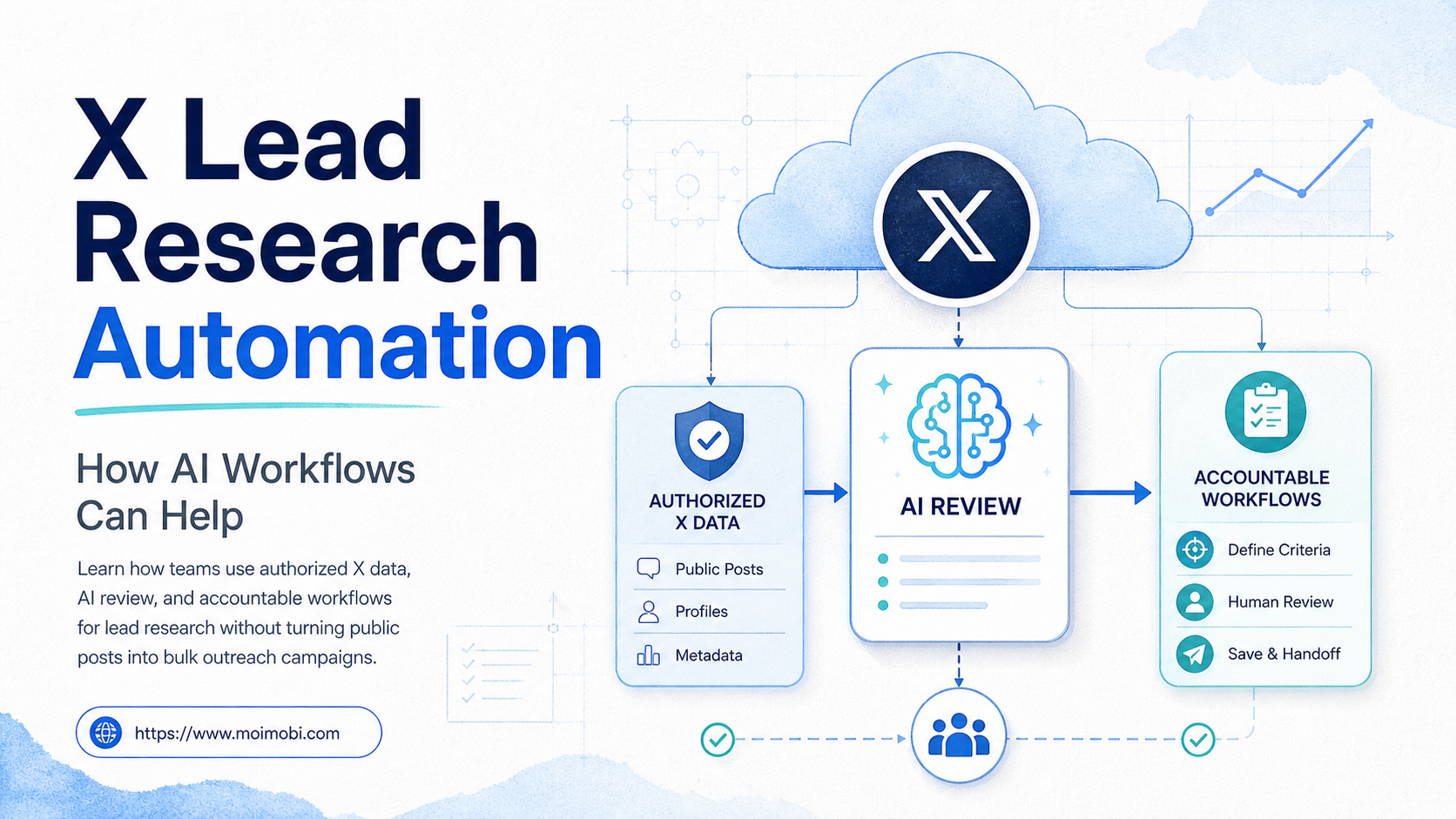
X lead research automation is a process that uses authorized data access and AI-assisted review to organize relevant public X conversations into a small, accountable research queue. It should help a team understand an expressed problem or request. It should not turn public posts into a list for bulk contact.
The safest starting point is narrow. Define one market question, one product category, or one help topic. Then collect only the public material that is necessary to answer it. An AI workflow can group recurring themes, flag an explicit request for information, and prepare a short summary for a human reviewer.
X distinguishes permitted developer activity from prohibited automation in its rules and developer policy. Its automation guidance restricts spammy or bulk behavior, while its developer policy sets expectations for compliant API use and data handling. X automation rules and the X Developer Policy should be read before a team connects any workflow.
What Is X Lead Research Automation?
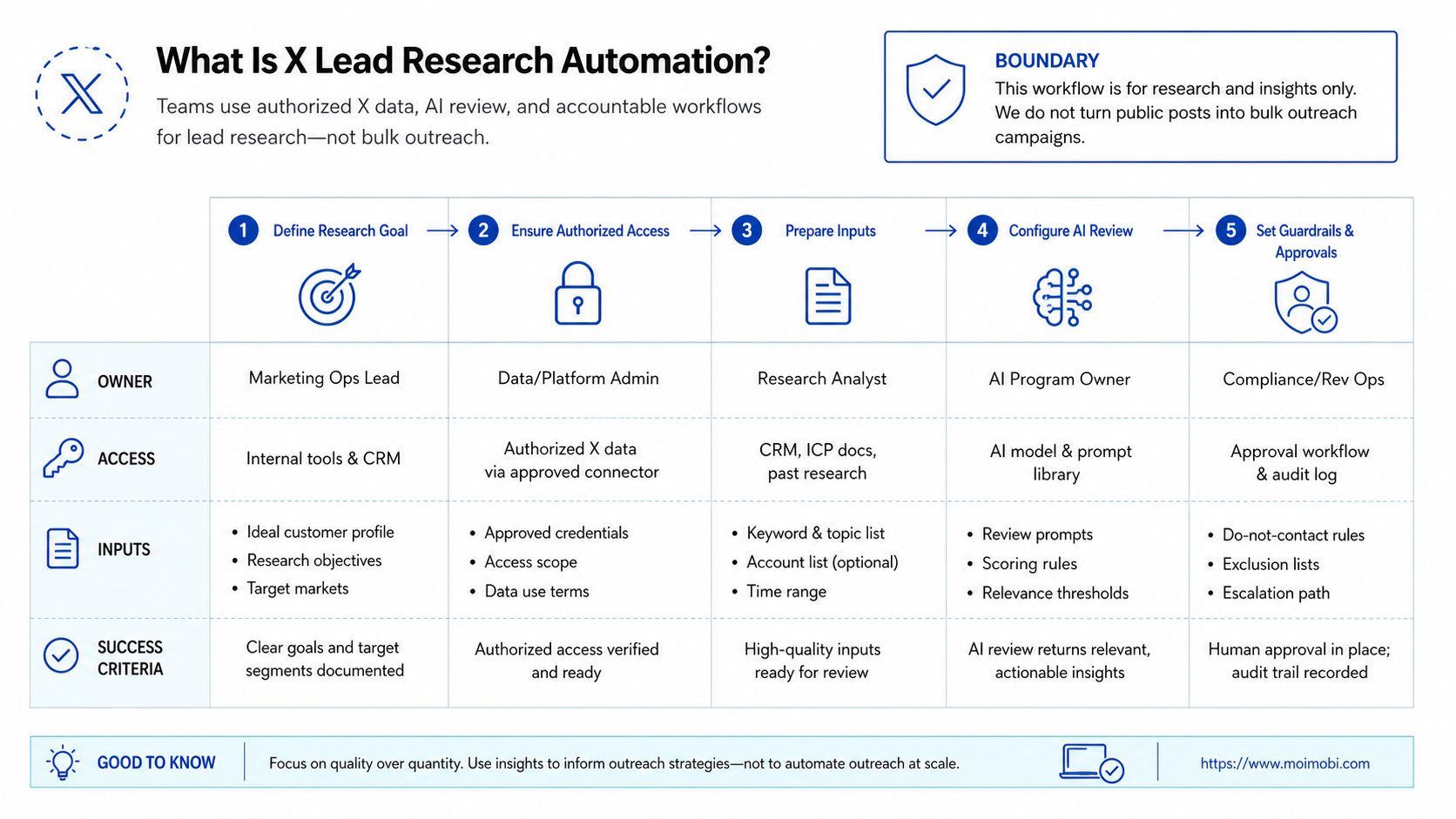
Lead research is not the same as lead acquisition. Research asks whether a public conversation shows a relevant, current need. Acquisition adds a next step, such as a reply, a referral, a support response, or no action at all. Keeping those stages separate makes the work easier to review.
An appropriate workflow has four parts:
- Collect authorized public signals. Use approved API access or material a person has already identified for review.
- Classify the signal. Tag the topic, stated need, date, public context, and confidence level.
- Require a human decision. A reviewer decides whether the item is relevant, needs research, or should be discarded.
- Create a limited next action. If there is a valid reason to follow up, assign a person and record the basis for the action.
The boundaries matter. X's developer guidelines say that automated actions must follow platform rules, and its developer policy sets restrictions around storing, sharing, and using X content. X developer guidelines are useful for designing a workflow that treats the platform as a governed data source rather than an unrestricted contact database.
| Workflow stage | Allowed operating purpose | Required control |
|---|---|---|
| Topic research | Understand public questions, themes, and stated needs | Defined query and source scope |
| AI triage | Summarize and label relevance for review | Human checks source context and accuracy |
| Lead qualification | Decide whether a team has a legitimate reason to help | Reason, owner, and next action recorded |
| Follow-up | Respond only through permitted, relevant engagement | Consent, platform rules, and stop conditions |
Why X Lead Research Automation Matters for Operations Teams
Public conversations move quickly. A research queue helps a small team avoid reading the same broad search results every day. It also reduces the risk of acting on a single sentence without its thread, date, or audience context.
AI is most useful as a sorting layer. It can group posts by repeated language, note whether the author asked a question, and identify references to a product problem. It should not make a final judgment about a person, their intent, or whether they want contact. Those decisions need a person who can read the full context.
For a support or product team, the output may be a weekly issue map: recurring integration questions, onboarding friction, or pricing concerns. For a sales-adjacent team, the output may be a short review queue with a clear reason for relevance. In both cases, the useful asset is the evidence and the decision trail, not a large export of names.
X's API materials also make clear that access and use are tied to developer products, permissions, and policy obligations. That is why a reliable workflow begins with authorized access and limited collection rather than browser scripting or uncontrolled copying of user content. X's developer terms provide the governing reference for the current integration requirements.
How to Start X Lead Research Automation with AI Workflows
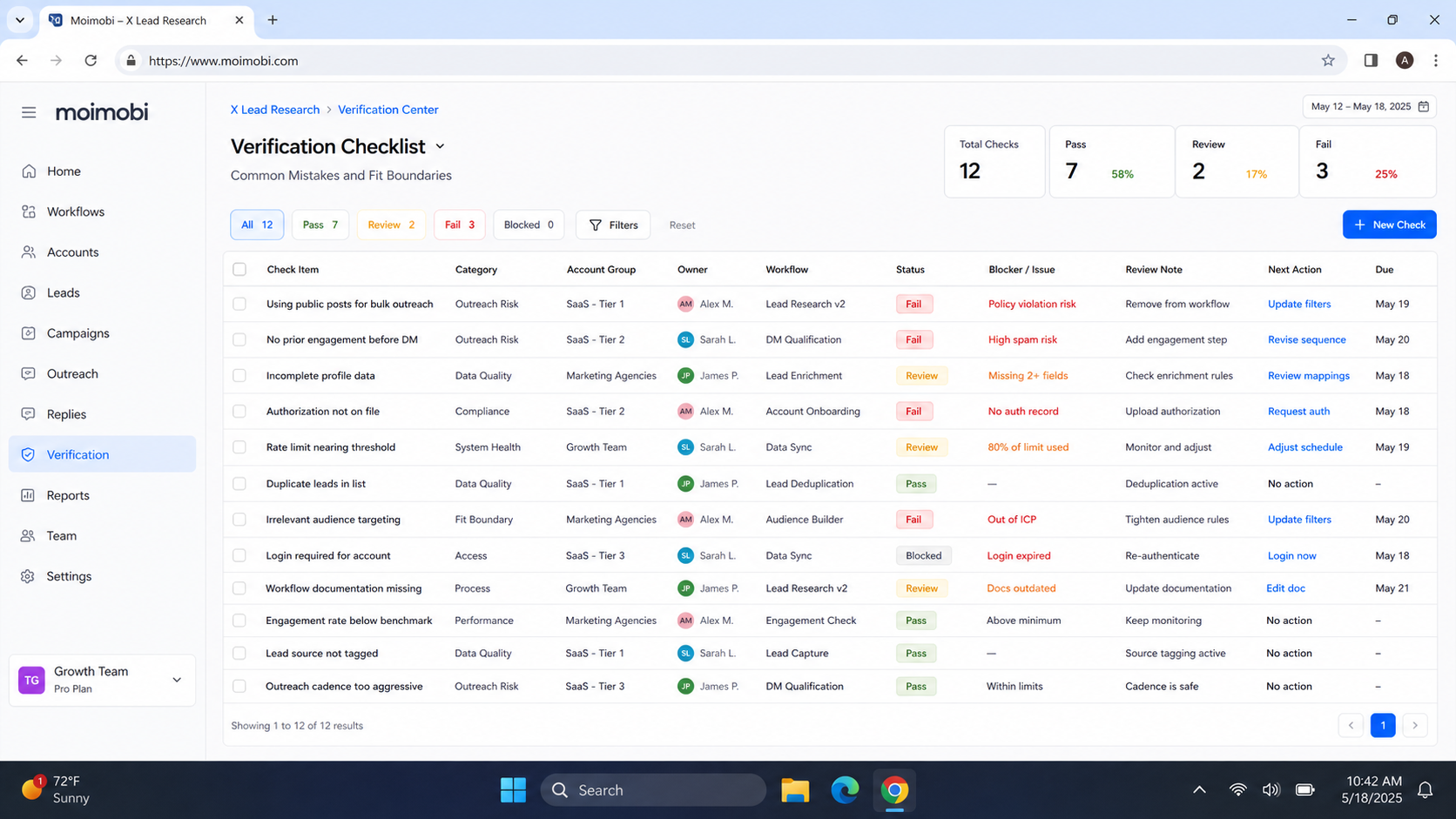
Begin with a preflight checklist. This step keeps research work separate from outreach and makes it easier to stop when the team lacks a valid operating basis.
- Write one research question. Example: which public questions do operations teams raise about browser workflow handoffs?
- Confirm the data route. Use authorized API access or a manually supplied public URL. Do not add unapproved browser collection.
- Set the minimum fields. Keep the source URL, date, topic, short excerpt, reviewer note, and retention rule.
- Run AI triage. Ask for a topic summary, evidence quote, relevance reason, and uncertainty flag.
- Review before action. A human accepts, rejects, or requests more context. Only accepted items can create a task.
- Record the outcome. Store whether the item informed product research, support documentation, a permitted response, or no action.
Use an account workspace only when the team has an approved task to complete. For example, a multi-account management process can keep account ownership, task assignment, and history separate. It should not be used to multiply repetitive replies. The workflow needs a reviewer, a legitimate reason, and a stop rule.
When a task does require web execution, AI browser automation can connect a defined task to an assigned browser environment. The system should log the action and escalate uncertain cases. It should not simulate broad, unreviewed engagement.
Environment Boundaries for X Lead Research Automation
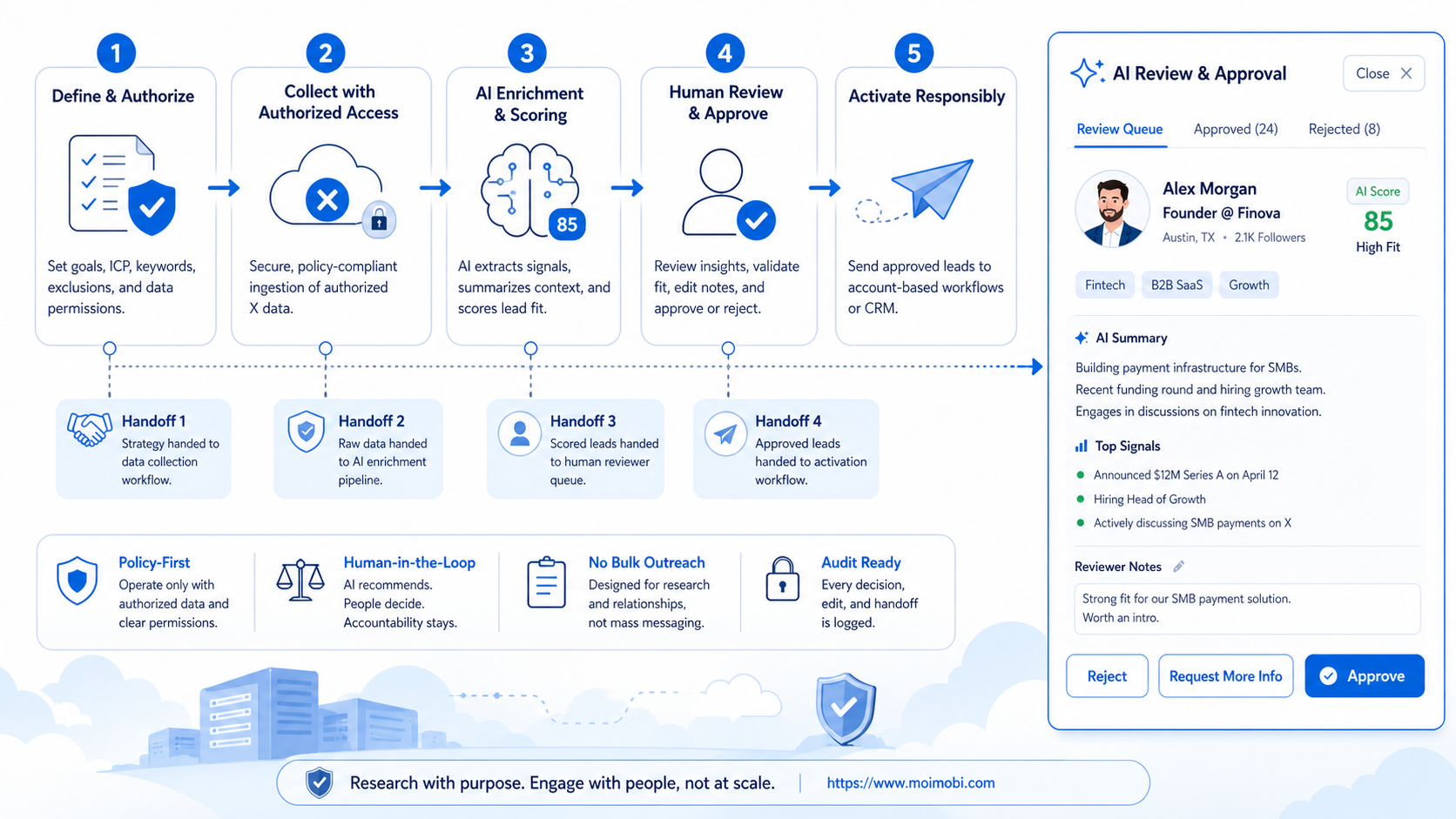
Research data and account execution should not share an undefined workspace. The research queue contains public evidence, a reviewer note, and a decision. An account workspace is only needed later, when an approved team member has a specific, permitted task to complete. Keeping those records separate reduces accidental action from an unreviewed item.
Browser tasks should use the smallest environment that fits the job. A researcher may only need a documented source URL and a human review page. A support operator may need an assigned browser session to verify a public conversation or publish a help response. In that case, device isolation helps make the task owner and workspace boundary visible.
Mobile execution is a separate choice. A cloud phone may be appropriate where an authorized, mobile-first support or content task must be completed in an assigned application environment. It is not a lead collection tool and it should not be used to scale repetitive outreach. The value is a clearer device boundary when a valid task has already passed review.
Use a short handoff note whenever research becomes an action. Include the source URL, the public context, the reason the team believes a response is relevant, the account owner, and the stop condition. A second operator should be able to decide whether to continue without guessing about the prior worker's intent.
This boundary also improves measurement. Research quality can be scored by evidence and reviewer agreement. Execution quality can be scored by task completion and recovery records. Combining the two into a single bulk-activity metric hides the very controls that keep the process useful.
Common Mistakes and Fit Boundaries
The first mistake is optimizing for records collected. A long list of public profiles is not evidence of a useful research program. It can also create needless handling of personal information. Measure whether the research informed a clear decision instead.
The second mistake is treating an AI classification as permission to contact someone. A model can label a post as relevant. It cannot establish consent, relationship context, or whether a message is appropriate. Keep public research, qualification, and response approval as separate states.
The third mistake is using browser automation where an authorized API or manual review is required. That creates policy and reliability risk. X rules and developer policies are the source of truth for automation, data use, and permitted integrations. When a route is unclear, stop and obtain a policy decision before continuing.
Strong fit
Product, support, and market teams that need a small evidence-backed queue of public questions and themes for human review.
Limited fit
Sales teams with an approved, consent-aware follow-up process and a clear reason for each individual action.
Not a fit
Bulk prospect list building, unsolicited mass outreach, browser scraping, or workflows designed to repeat the same message across accounts.
Pilot Rollout, Measurement, and Recovery Checks
Run a two-week pilot with one research topic and one reviewer. Set a small daily limit so the team can inspect the source context. The purpose is to test judgment and handoff quality, not to increase volume.
Track four measures: reviewer acceptance rate, number of items with enough source context, time to reach a documented decision, and number of follow-up tasks rejected for missing a valid reason. These measures reveal whether the workflow is producing useful evidence or merely producing noise.
Use a recovery rule for uncertain cases. If a source URL no longer resolves, the excerpt lacks context, or the team cannot explain why a next action is relevant, mark the item as rejected. Do not attempt to reconstruct private details or search for alternative ways to reach the person.
The final pilot review should ask one question: did the process help the team understand a real market or support issue better than manual browsing alone? If not, narrow the question, reduce the fields, or stop the workflow rather than adding more automation.
Add a weekly review before expanding the pilot. Read a small sample of accepted and rejected items side by side. Check whether the AI summary preserved the source meaning, whether reviewers used the same relevance rule, and whether any proposed next action exceeded the original research purpose. Differences in these decisions are useful feedback. They show where the prompt, the fields, or the team policy needs more precision.
Keep the source links available to reviewers, but avoid building a permanent profile archive. Once an item no longer supports an active product, support, or approved relationship decision, apply the retention rule and remove it. The operating goal is a short-lived research queue with accountable conclusions, not an ever-growing database of people.
Document the stop rules in the same place as the research question. Stop when the query starts returning unrelated conversation, when reviewers cannot explain relevance, when the API route no longer meets policy requirements, or when the output is used only to increase contact volume. A short stop list keeps the pilot grounded in research rather than growth pressure.
Review the stop list after each pilot week. A rule that is never applied may be vague, while a rule that rejects most items may mean the research question is too broad. Refine it carefully before the next review batch begins.
Frequently Asked Questions
Is X lead research automation the same as automated outreach?
No. Research organizes relevant public information for review. Outreach is a separate action that needs a legitimate purpose, platform compliance, and human judgment.
Can AI decide who is a qualified lead?
AI can suggest relevance based on explicit public text. A person should make the final decision because context, consent, and relationship status cannot be inferred safely from a label.
Should teams scrape X through a browser?
Do not treat browser scraping as a default collection method. Use authorized routes and follow current X rules and developer policy.
What fields should a research item contain?
Keep only what is needed: source URL, date, topic, short excerpt, relevance reason, reviewer, outcome, and retention rule.
Can multiple team members review the same queue?
Yes, if the queue assigns ownership and prevents duplicate follow-up. Each decision should show who accepted, rejected, or escalated the item.
How long should research data be kept?
Set a written retention rule based on the team purpose and applicable platform requirements. Delete material that no longer supports an active research or support decision.
What makes a pilot successful?
Success means reviewers can explain why an item was relevant, what decision it informed, and why any next action was appropriate. More records alone do not prove value.
Conclusion
X lead research automation can help teams organize public signals when it is built as a narrow, authorized research process. Use AI to summarize and prioritize. Keep a person responsible for qualification, response decisions, and policy boundaries.
Start with one question, a small review queue, and an explicit rejection rule. That approach produces a cleaner evidence trail than broad collection or mass engagement, and it gives the team a repeatable way to learn from public conversations.
References