

Key Takeaways
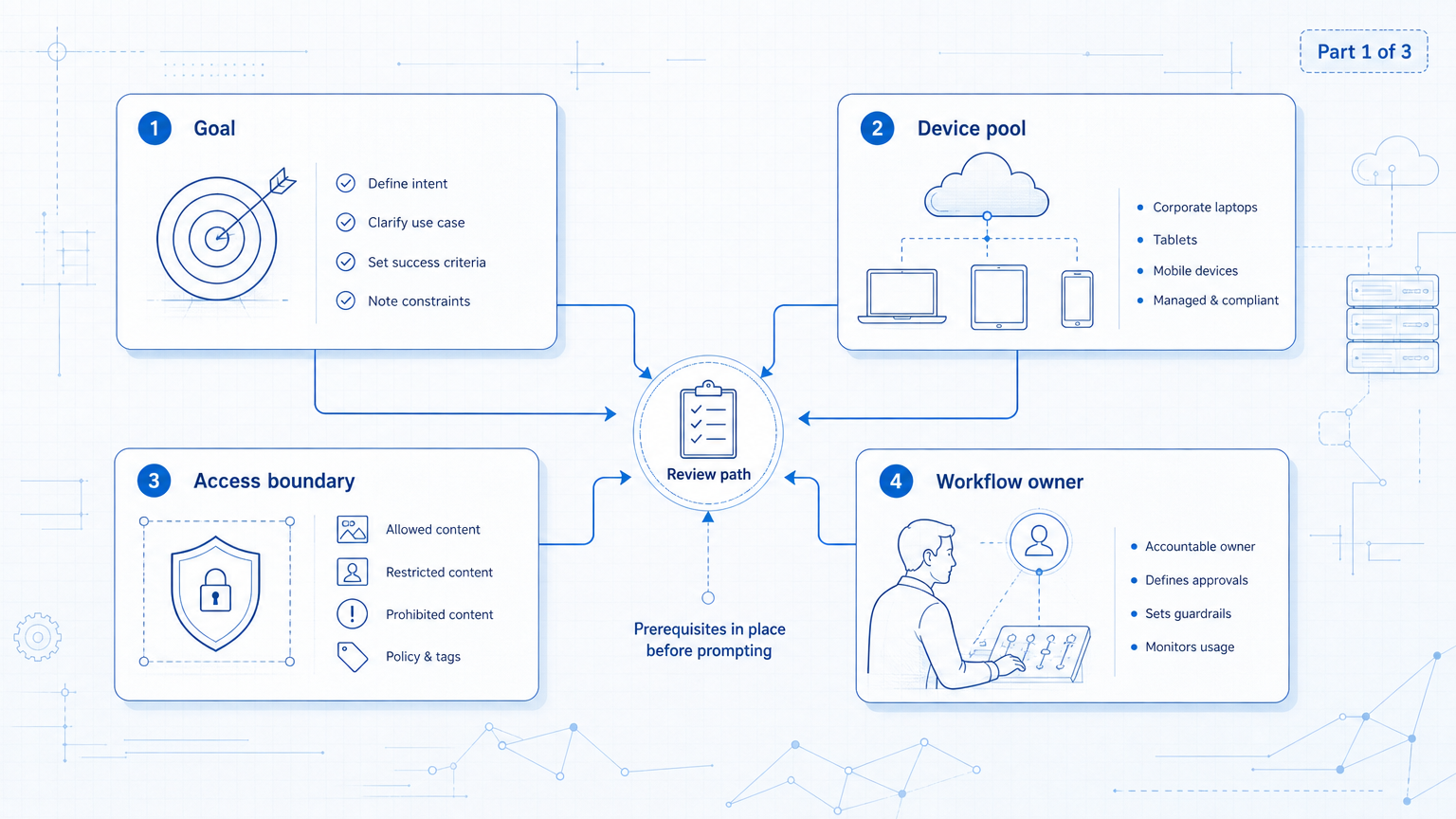
- AI image prompts are often rejected because the wording suggests sexualized, underage, explicit, or unsafe visual intent.
- Content teams should rewrite prompts around brand-safe visual goals: age clarity, public settings, clothing fit, posture, lighting, and composition.
- The scalable solution is a prompt review workflow, not a single clever prompt.
AI image prompts get rejected when the model or platform interprets the request as unsafe, sexualized, unclear, or unsuitable for generation. For content teams, this is not only a prompting issue. The deeper problem is workflow control.
Many failed prompts start with a normal goal: create an attractive portrait, a fashion visual, or a social media image. The problem appears when the prompt uses words that imply adult intent, unclear age, private settings, body-part emphasis, or suggestive camera angles.
A better approach is not to bypass filters. A safer approach is to describe the business-ready image you actually need: an adult subject, a public or studio context, suitable clothing, natural posture, soft lighting, and professional composition.
What Makes AI Image Prompts Risky?
The risky part is usually not one word. Risk comes from the combination of subject, age, pose, clothing, setting, and camera direction.
For example, a prompt that says “young girl” and then adds mature styling creates a safety problem. A prompt that focuses on body parts, revealing clothing, low camera angles, or private room settings may create another problem.
Content teams should treat this as intent design. The prompt should make the visual purpose obvious. If the goal is a brand portrait, the wording should sound like a brand portrait brief.
OpenAI's image generation guidance is useful background because it frames image creation as a controlled instruction process. Teams should write prompts with the same discipline they use for ad copy or creative briefs.
Google Search Central's helpful content guidance is written for search content, but the operational principle is relevant here: content should serve people clearly. A generated image brief should also be clear enough for a teammate to review.
A Safer Language Model for Content Teams
The safest rewrite is not a synonym swap. It changes the visual direction.
Instead of describing attraction through explicit or suggestive language, describe the commercial outcome. Use words like professional portrait, adult subject, balanced proportions, elegant clothing, natural posture, studio lighting, product focus, and editorial composition.
| Risky direction | Safer rewrite | Why it works |
|---|---|---|
| suggestive pose | natural standing posture | Moves the intent toward portrait photography |
| body-part focus | balanced silhouette and proportion | Describes the whole image, not one body area |
| private bedroom scene | bright studio or public lifestyle setting | Reduces adult-context ambiguity |
| revealing clothing | well-fitted clothing with elegant tailoring | Focuses on fashion and product detail |
The goal is clarity. A reviewer, teammate, or AI worker should understand that the prompt is for a public brand asset.
Why AI Image Prompts Fail in Team Workflows
Age ambiguity is the first issue. If a prompt involves a person, the subject should be clearly adult. Avoid wording that implies youth when the image is styled for mature fashion, beauty, or lifestyle content.
Body-part emphasis is the second issue. Prompts that isolate body areas can look like they are asking for sexualized output. Rewrite toward full-body balance, posture, and garment fit.
Suggestive posing is the third issue. Low camera angles, provocative posture, or language focused on seduction can trigger rejection. Use neutral direction such as walking, seated portrait, relaxed shoulders, or natural movement.
Private settings are the fourth issue. Bathrooms, dim bedrooms, wet clothing, or intimate lighting can shift the prompt into unsafe territory. Choose studio, office, street, product set, retail display, or bright indoor environments.
Clothing language is the fifth issue. If the prompt focuses on exposure, transparency, or extreme tightness, it becomes hard to review. Fashion teams can still describe fit, fabric, cut, color, texture, and styling.
AI Image Prompts Rewrite Formula for Brand-Safe Images
A useful prompt starts with the business purpose. What will the image do? Is it a product visual, campaign creative, social post, ad concept, or profile asset?
Use this structure:
- Subject: define the person, product, or scene clearly
- Age clarity: confirm adult subjects when people are involved
- Context: choose a public, studio, retail, or brand-safe setting
- Clothing: describe fit, fabric, style, and quality
- Posture: use natural posture or movement
- Visual craft: describe lighting, camera, and composition
- Intent: state that the image focuses on style, confidence, product detail, and visual quality
Example structure:
“Adult woman in a professional editorial portrait, elegant tailored outfit, balanced silhouette, natural standing posture, bright studio lighting, clean background, commercial photography style, focus on confidence, garment quality, composition, and soft light.”
This prompt is still visually expressive. It simply avoids ambiguous adult framing.
How This Becomes a Content Workflow
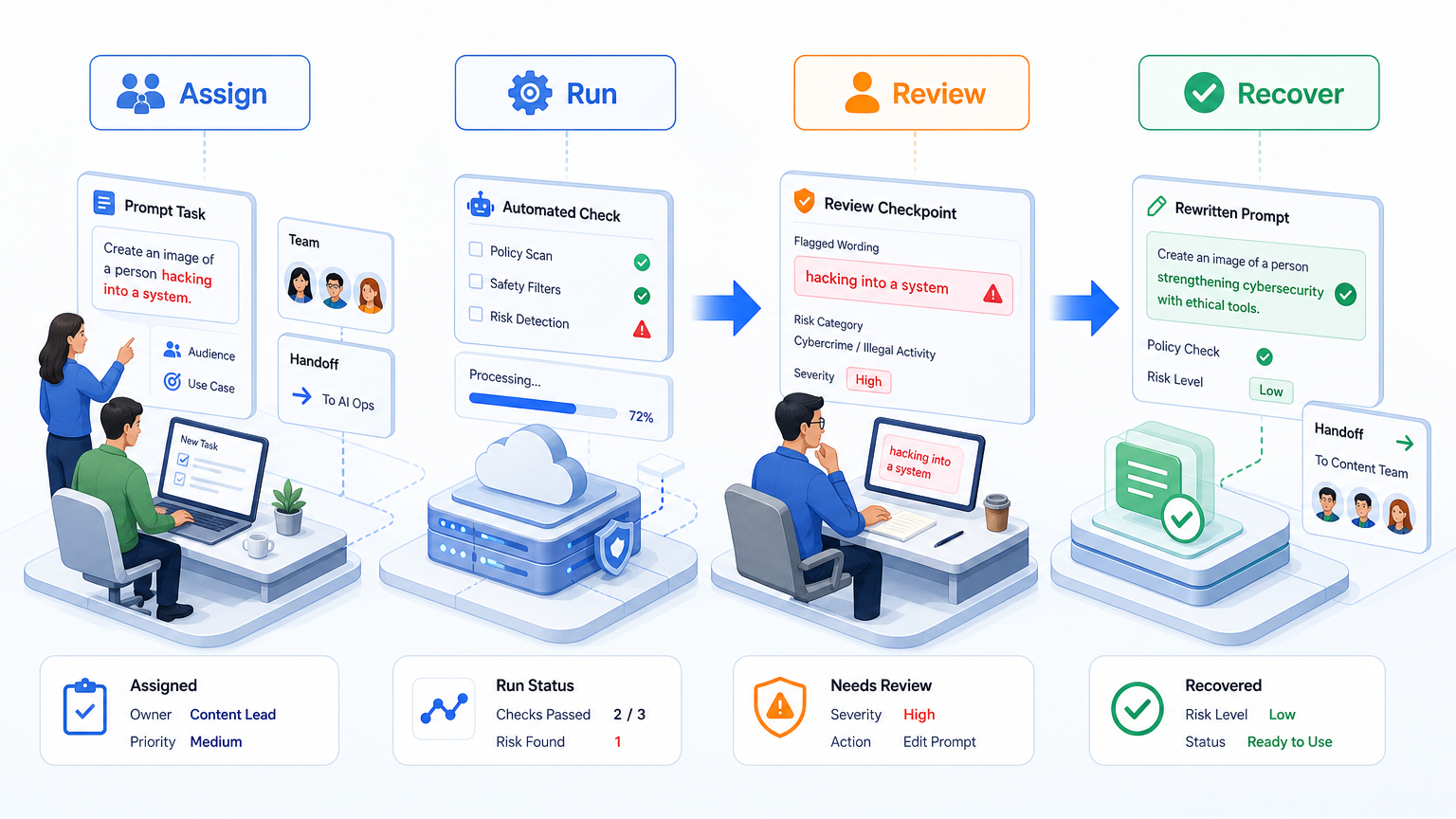
A single writer can revise prompts manually. A team needs a workflow.
The first layer is a prompt library. Store approved prompt structures by use case: product image, social portrait, creator avatar, lifestyle scene, campaign poster, and customer education visual.
The second layer is a risk vocabulary. Keep a list of words that should be removed, words that need review, and safer replacements. This reduces guesswork for new operators.
The third layer is execution tracking. Record which prompts passed, which prompts failed, which platform rejected the asset, and which rewrite fixed the issue.
This is where an execution platform such as Moimobi fits the operational model. Teams do not only generate assets. They publish, reply, monitor, review, and repeat work across accounts.
| Workflow layer | What the team records | Why it matters |
|---|---|---|
| Prompt library | Approved structures by use case | Reduces one-off guessing |
| Risk vocabulary | Remove, review, and rewrite terms | Creates shared review language |
| Execution log | Passed, failed, revised, and published assets | Connects creative work to operations |
| Review owner | Human approver for sensitive assets | Keeps automation accountable |
Where AI Workers Should Pause on AI Image Prompts
AI workers can help generate prompt drafts, classify risky wording, and suggest safer rewrites. They should not silently approve every visual brief.
Use clear stop rules:
- unclear age
- private or intimate setting
- body-part emphasis
- suggestive camera direction
- clothing described mainly by exposure
- prompt intended for a sensitive campaign
- repeated rejections from the same workflow
When one of these rules appears, the workflow should move to human review. That keeps automation useful without turning it into unreviewed creative output.
For teams using mobile automation or social media marketing workflows, this matters because the asset may move quickly from generation to publishing. Review has to happen before distribution.
Meta's brand safety and suitability resources are a useful reminder that teams should consider where content appears, not only whether it can be produced. Brand-safe creative needs context.
Fit: Who Needs This Workflow?
This workflow is a strong fit for teams that create many social media visuals, ad concepts, product images, creator assets, or customer-facing campaign graphics.
Agencies also benefit from this model. A client may care less about prompt wording and more about whether the final asset is safe to publish. A prompt review workflow makes that standard repeatable.
The fit is weaker for one-off personal experiments. If the user is not publishing at scale and does not need team review, a formal workflow may be unnecessary.
For multi-account management, the workflow becomes more valuable. A rejected or risky asset can affect more than one account if teams reuse it without review.
Pilot Plan for a Safer Prompt System
Start with 20 prompt examples from recent work. Mark each as accepted, rejected, revised, or unclear.
Then build a small review table:
- prompt purpose
- subject
- age clarity
- setting
- clothing language
- pose language
- rejection reason
- safer rewrite
- final result
Run the pilot for one week. Measure prompt rejection rate, review time, rewrite success, and how often a human reviewer had to step in.
Do not optimize only for pass rate. A prompt can pass and still be off-brand. Track whether the image matches the campaign, account, and platform.
Device isolation and account workspaces can support this process when different brands, clients, or account lanes need separate creative standards.
Frequently Asked Questions
Why do AI image prompts get rejected?
They may contain unsafe wording, unclear age, suggestive pose direction, private settings, or body-part emphasis.
Should teams try to bypass image safety filters?
No. Teams should rewrite the creative brief so the intended image is brand-safe and reviewable.
What is a safer prompt style?
Use adult subject clarity, public or studio settings, natural posture, suitable clothing, soft lighting, and professional composition.
Can AI workers rewrite prompts?
Yes, but they should pause for unclear age, sensitive content, repeated rejection, or customer-facing campaign assets.
How should a team track prompt failures?
Track prompt purpose, rejection reason, rewrite, reviewer, final result, and whether the asset was published.
Is this only for fashion images?
No. It also applies to product visuals, creator portraits, campaign graphics, and social media assets.
How does this connect to social media operations?
Safer prompt workflows reduce creative delays before assets move into publishing, monitoring, and multi-account execution.
Conclusion
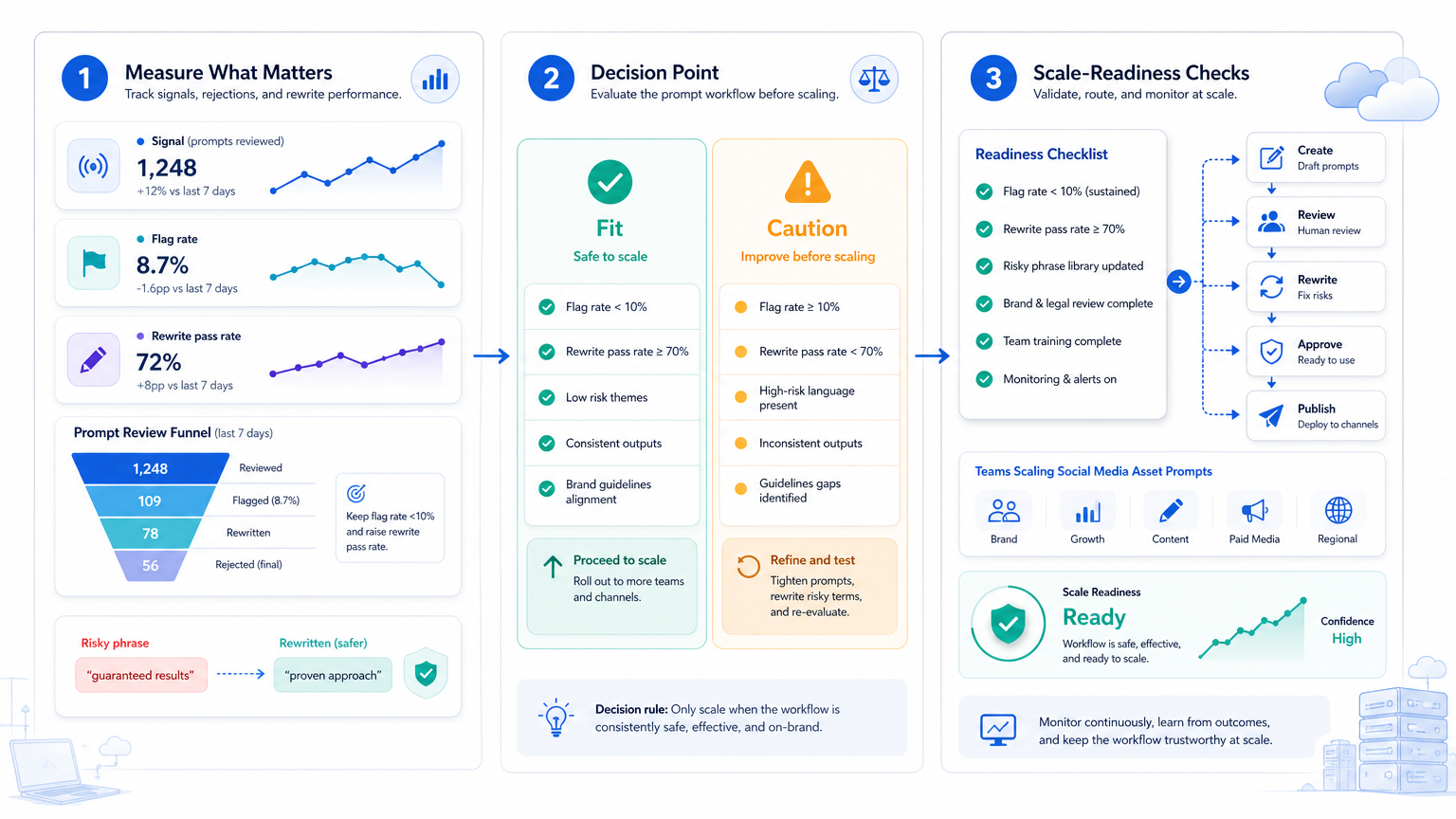
AI image prompts work better when they are written like creative briefs, not like risky shortcuts. Clear age, setting, clothing, posture, lighting, and composition reduce ambiguity.
For teams, the next step is simple: build a prompt library, add a risk checklist, record failed prompts, and require human review when the prompt crosses a stop rule. Once that process is stable, image generation can fit cleanly into broader content publishing and account operations.



