
Key Takeaways
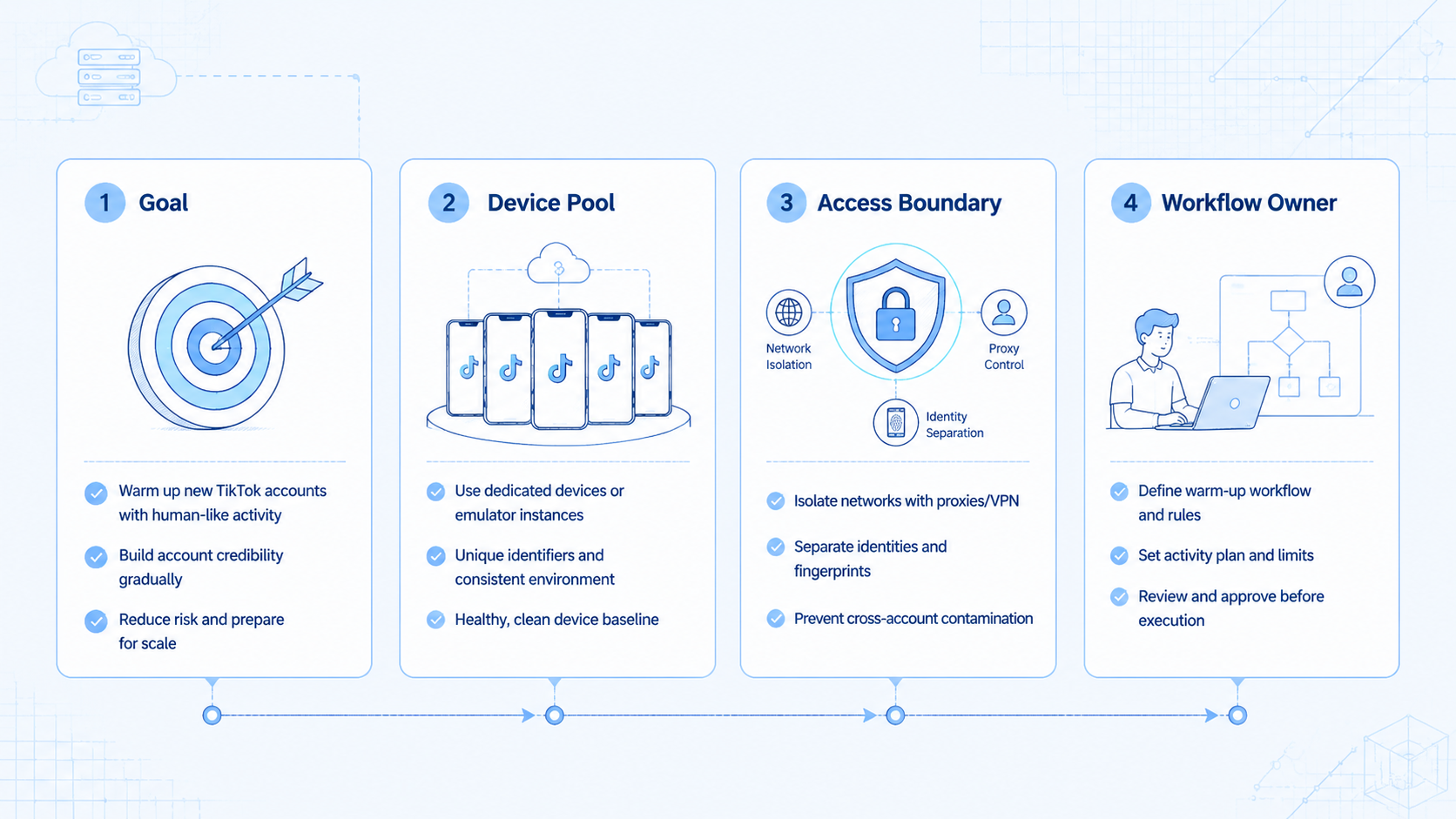
- TikTok warm-up automation is a staged onboarding workflow, not a shortcut for risky account activity.
- Teams use it to structure early account actions, review cadence, and environment control.
- Safer operations depend on lane isolation, task limits, and visible human review.
- A pilot should measure stability and recovery quality before it measures scale.
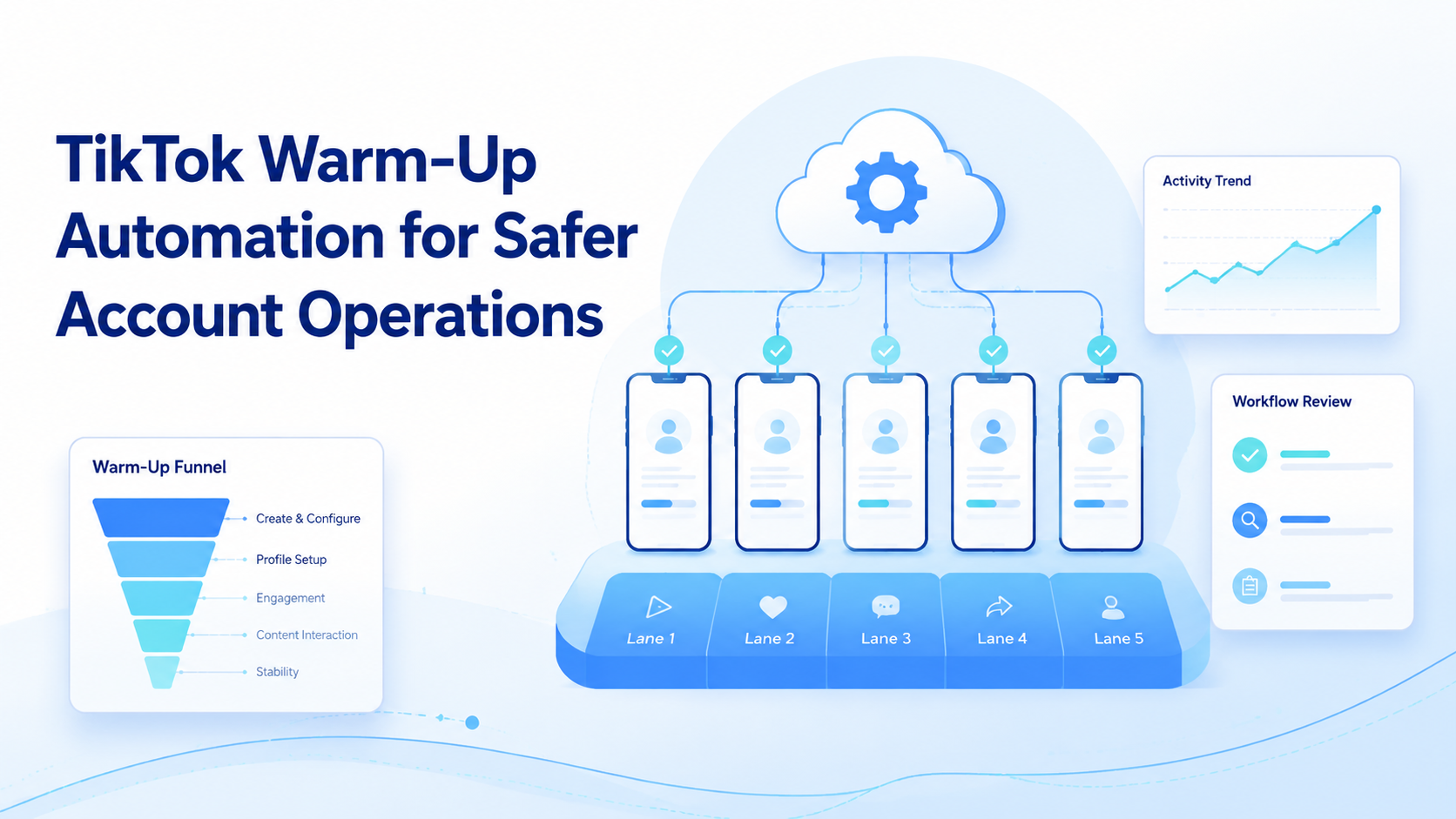
TikTok warm-up automation is a controlled way to stage early account activity through repeatable workflows, isolated environments, and review rules. The useful version is not a spam bot. It is an operations model for deciding what a new or newly reassigned TikTok account should do first, who owns each step, and when a workflow must pause for review.
That matters because early-account operations are often messy. Teams may have several new accounts, several operators, and no clear rule for how browsing, posting, or monitoring should ramp up. Without a workflow, activity becomes inconsistent and hard to explain later.
TikTok documents its business-facing surfaces, posting flows, and account workflows across creator and business products.1 2 For execution design, Playwright browser contexts, W3C WebDriver, and Android Enterprise all reinforce the same lesson: controlled sessions and managed environments are easier to review than shared state.3 4 5
What Is TikTok Warm-Up Automation for Safer Account Operations?
The common myth is that warm-up automation means "make the account look active." The workable model is stricter. It means building a staged operating path for early account activity so the team can control pace, ownership, and environment quality.
That usually includes:
| Layer | What it covers | Why it matters |
|---|---|---|
| Account lane | One account or account group per environment | Reduces mixed state |
| Activity scope | What actions are allowed at this stage | Prevents unplanned jumps in behavior |
| Review rule | When a human checks the next action | Keeps escalation visible |
| Execution layer | Browser or mobile environment used for the task | Makes recovery possible |
| Recovery rule | What happens after a pause or block | Stops hidden operator improvisation |
In that sense, TikTok warm-up automation is closer to a controlled onboarding workflow than to a one-click tool. That is why multi-account management and device isolation are relevant next pages.
Why TikTok Warm-Up Automation for Safer Account Operations Matters
Early account work is where inconsistency grows fast. One operator may browse, another may publish, and a third may handle follow-up. If the team has no lane model, it becomes difficult to explain what happened on which account and why.
The problem is not only operational load. It is also decision quality. Teams need to know when an account should continue, when it should pause, and when a human should inspect the lane before more activity is added.
That is why TikTok warm-up automation matters as an operating model. It converts vague ideas like "go slowly" into concrete workflow choices: which lane runs the task, what tasks are allowed, and how the next action is approved.
Key Benefits and Use Cases
The strongest benefit is workflow clarity.
- New-account onboarding: assign one lane, one owner, and one approved task set.
- Reassigned accounts: move a used account to a new team with a visible review phase.
- Cross-border operations: stage market-specific account workflows with documented routing.
- Agency delivery: separate client account onboarding from normal publishing lanes.
The best use cases usually involve repeated early-stage work, not heavy production publishing. Once the account is stable and the workflow is well understood, teams can connect the lane to broader TikTok operations or cloud phone systems.
How to Get Started with TikTok Warm-Up Automation for Safer Account Operations
Do not start by automating every early action.
- Pick one account cluster and assign one isolated environment lane to it.
- Define which actions belong in the warm-up stage and which do not.
- Set a review checkpoint before the workflow adds heavier activity.
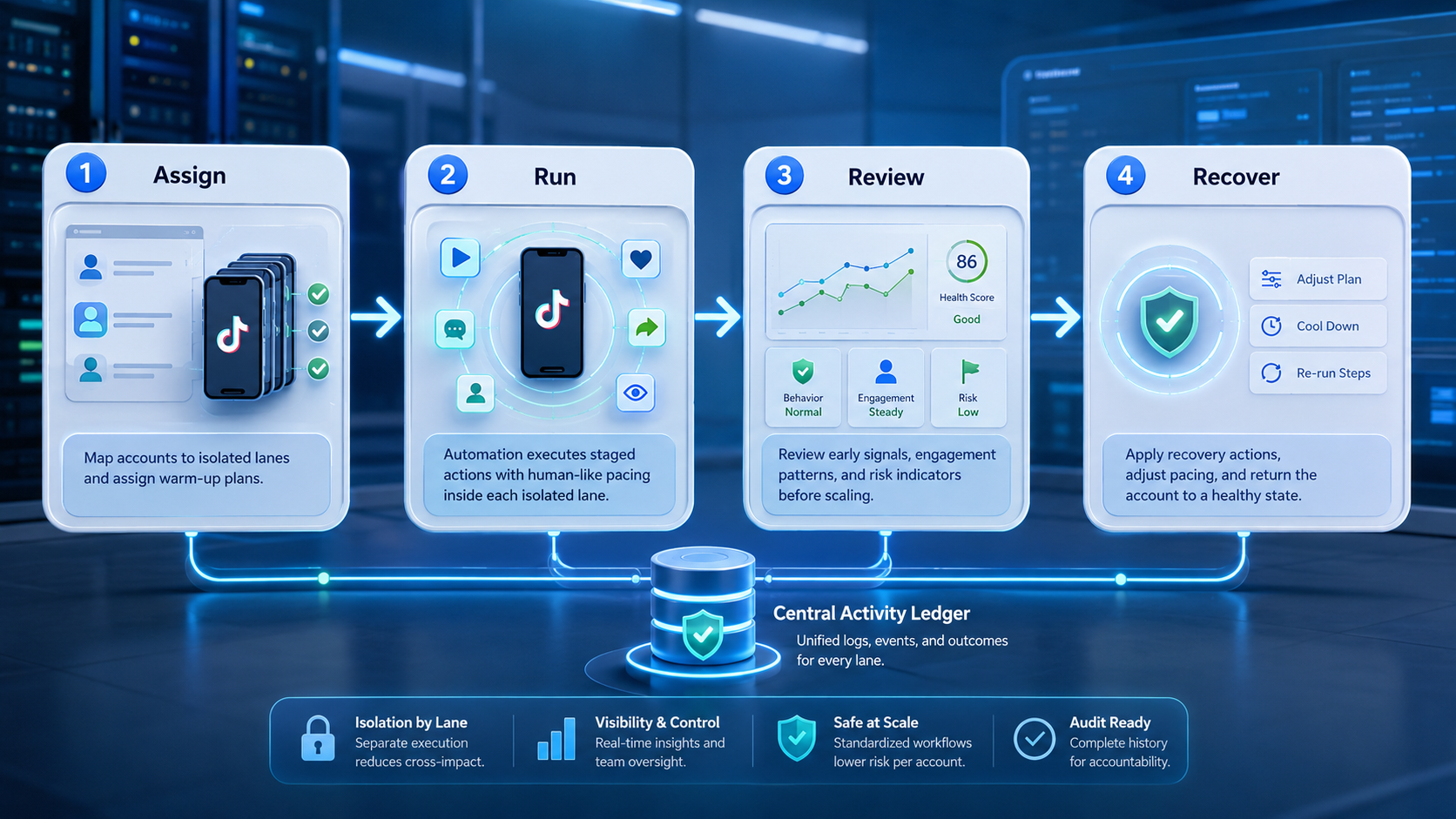
- Log every pause, exception, and manual override in the same run record.
- Only expand to the next account cluster after the first lane stays readable.
This is where mobile automation and cloud phone for TikTok become practical. Some teams stage lighter review work in browser surfaces, then move app-facing actions into a mobile lane with clearer ownership.
Common Mistakes to Avoid
The first mistake is turning warm-up into a vague label for any early account activity. A label is not a workflow.
The second mistake is reusing the same environment lane across unrelated accounts. That saves setup time and usually creates larger debugging costs later.
The third mistake is scaling before the recovery path is proven. If a lane pauses and nobody knows who owns the next step, the automation is already weak.
What not to do
- Do not use one shared lane for several new account groups.
- Do not let different operators add actions with no visible activity scope.
- Do not treat a blocked lane as a reason to add more automation blindly.
- Do not count the number of actions if the team cannot explain why each action happened.
Who It Fits and When It Is a Strong Match
TikTok warm-up automation fits teams that need structure around early account operations.
Strong match
- Teams onboarding many TikTok accounts over time.
- Agencies that separate client onboarding from steady-state operations.
- Groups that need browser-to-mobile handoff during account setup.
- Operators who already use logs, approvals, and recovery notes.
Weak match
- One-off personal accounts with no shared team workflow.
- Teams that still rely on one shared device for all account setup.
- Projects with no clear owner for blocked or suspicious runs.
- Workflows that need full production publishing, not staged onboarding.
The fit test is narrow: does the team need to make early account actions more explainable? If yes, a warm-up workflow can help. If the team only needs full-scale publishing, another page is a better fit.
Pilot Rollout, Measurement, and Recovery Checks
The pilot should prove that the early account lane becomes easier to inspect.
| Check | Pass condition | Failure sign |
|---|---|---|
| Lane mapping | One account lane maps to one account cluster | Operators guess which account is active |
| Action scope | Warm-up tasks are documented and limited | Unplanned actions appear in the same stage |
| Review quality | A human can explain the next action | The lane only reports done or failed |
| Recovery speed | Blocked runs go to a named owner | Exceptions sit in chat with no decision |
| Scale readiness | The same model works for the next account group | Every new lane needs ad hoc rescue |
Android Enterprise and managed device models are useful here because they show how teams control device assignment and ownership rather than trusting informal habits.5 If the pilot fails, reduce scope first. Do not add volume until the lane becomes easier to describe.
One extra check helps. Ask whether a second operator can reopen the lane and explain the full stage history without private context from the first operator. If the answer is no, the workflow still needs work before expansion.
TikTok Warm-Up Automation Pass or Fail Rules
- Pass: one lane has one owner and one documented task scope.
- Pass: the team can explain why the last action happened.
- Fail: several operators add actions with no shared review rule.
- Fail: blocked runs lead to more improvisation instead of a pause.
Fields worth tracking
| Field | Why it matters |
|---|---|
| Account lane | Shows which environment was used |
| Allowed action set | Keeps stage scope clear |
| Review owner | Shows who approves the next step |
| Pause reason | Makes recovery visible |
| Next action | Prevents guesswork |
Teams can also track lane age and last successful review. Those two fields help the team see whether an account is still in an early-stage workflow or whether it should move to a normal operating lane.
That extra visibility is useful when several operators rotate through the same account program over time.
It also makes later audits simpler.
That matters once the team scales to more accounts.
It also makes weekly lane review easier for team leads.
A simple weekly check can strengthen this stage even more. Team leads can review five items in one pass: whether the account stayed in the approved lane, whether the allowed action set changed, whether any pause reason repeated, whether ownership changed, and whether the next action is still clear. That review turns warm-up from a vague habit into a repeatable operating rule. It also makes it easier to pause one account without slowing the rest of the queue.
Frequently Asked Questions
Is TikTok warm-up automation the same as a bot?
No. A safer workflow is about staged operations, not blind activity.
What should a team automate first?
Start with lane assignment, action scope, and review checkpoints.
Does every team need a mobile lane?
No. Some stages begin in the browser, but app-facing work often needs mobile execution later.
When should the team stop expanding?
Pause when the lane history becomes hard to explain or blocked runs lose ownership.
Is this only for new accounts?
No. It also helps when accounts move between teams or markets.
What is the first warning sign?
The first warning sign is a shared lane with unclear task boundaries.
What should the team review next?
Review whether the account lane, owner, and recovery path are still explicit after the pilot.
Conclusion
TikTok warm-up automation for safer account operations works when early account activity is treated as a staged workflow with lane isolation, limited scope, and review rules. The goal is not to force more activity. The goal is to make early operations easier to inspect and safer to hand off.
Before scaling, check three things: one lane maps to one account cluster, the next action is documented, and blocked runs still reach a named owner. If those checks hold, the workflow is moving in the right direction.
Sources
- TikTok for Business
- TikTok post help
- Playwright browser contexts
- W3C WebDriver
- Android Enterprise overview
-
TikTok for Business describes business-facing surfaces and workflows relevant to account operations. ↩
-
TikTok support documents how posting works in the product, which grounds workflow design in real platform surfaces. ↩
-
Playwright defines isolated browser contexts, a useful model for session separation. ↩
-
W3C WebDriver treats browser automation as explicit session control. ↩
-
Android Enterprise documents managed Android control models relevant to team-owned mobile lanes. ↩↩



