
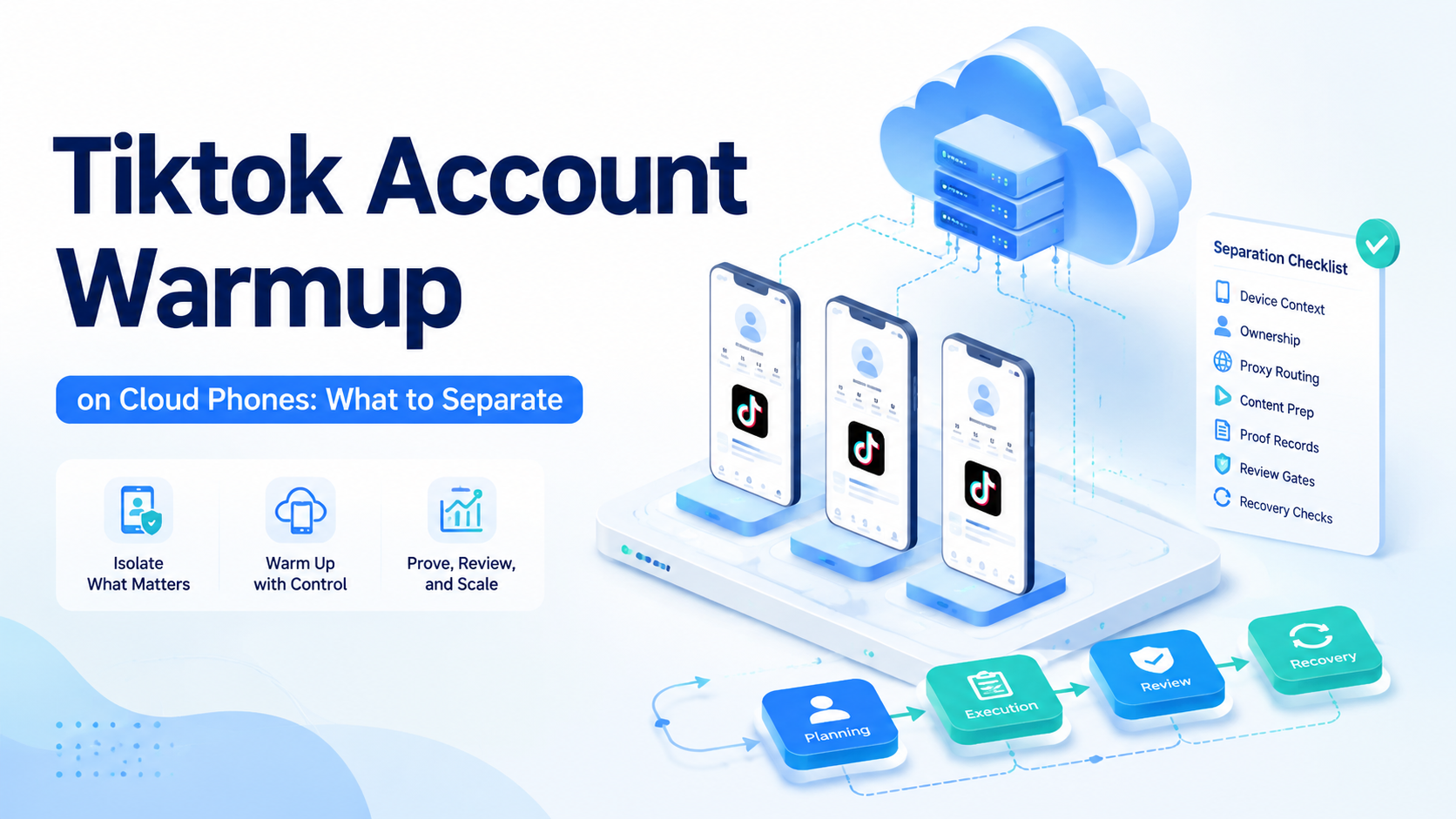
TikTok account warmup on cloud phones means separating account context, device environment, content preparation, action scope, proof, and review before a team scales activity. The point is not to promise account safety. The point is to make every warmup run inspectable, limited, and easier to recover when something changes.
- Audit now.
Start with one plain test. A cloud phone workflow should show who owns the TikTok account, which device environment is in scope, what content input was used, which action is allowed, why the run stopped, and what proof was saved. When those fields are hidden, the team cannot tell whether a problem came from content, routing, device state, or operator handoff.
- Pause early.
TikTok operations teams also need sources they can trust.
Official guides give useful baselines for operating quality. Use Google Search Central helpful content, Playwright browser automation documentation, Android developer documentation, and Google Play policy guidance as reference points for content quality, browser control, Android context, and policy review.
MoiMobi product paths such as mobile automation, cloud phone, multi-account management, and device isolation show the execution layers that often sit behind real work.
- Check proof.
Key Takeaways
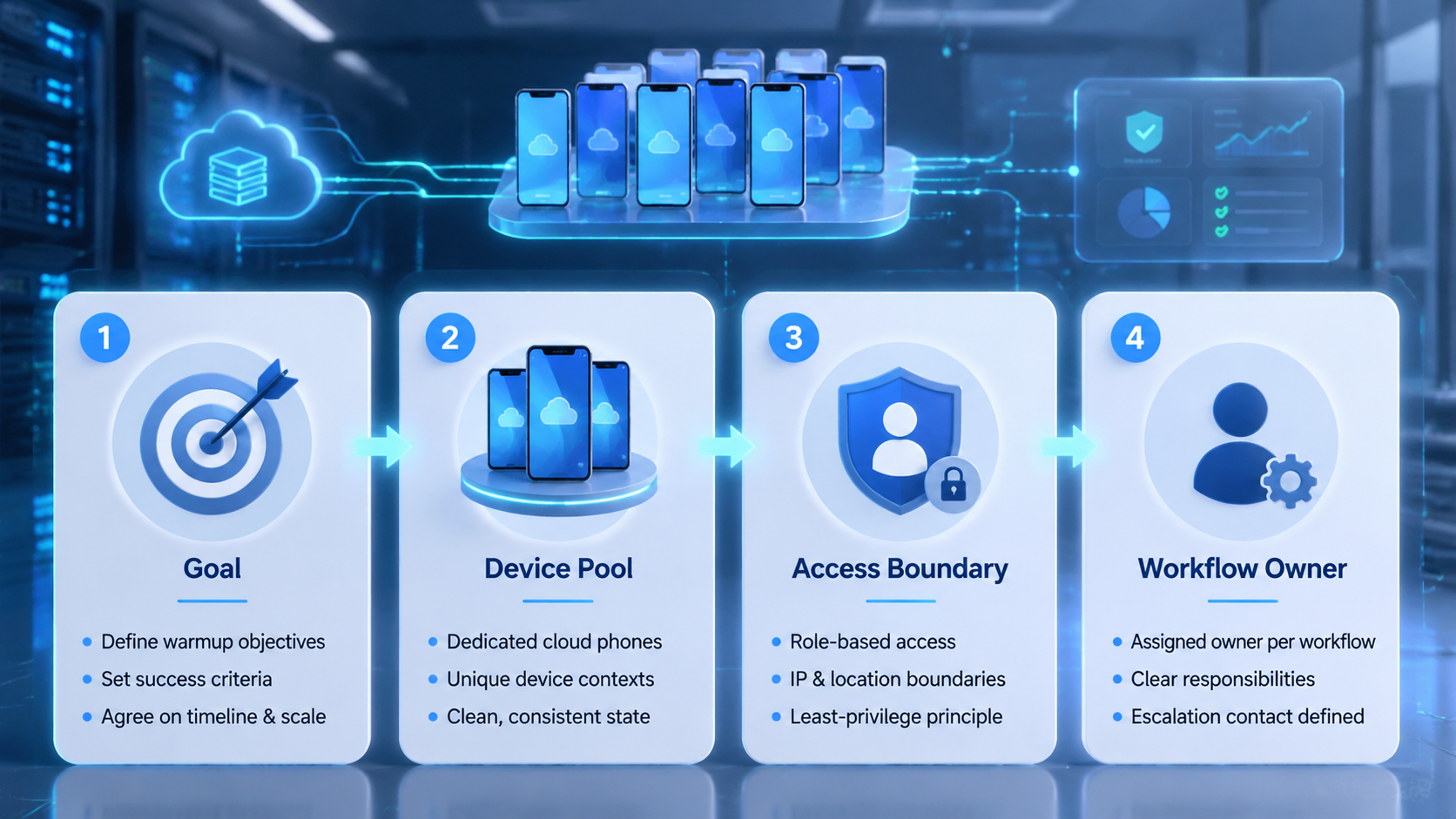
- An TikTok account warmup workflow should be judged by task control, not demo polish
- TikTok operations teams need browser, mobile, review, and recovery records in one chain
- Account labels, files, stop rules, and reviewer roles must exist before runtime
- A good pilot measures failure clarity as much as completion rate
- The safest rollout expands by workflow pattern, not by broad autonomy claims
TikTok Account Warmup Control Model
A useful control model starts before execution. The system should classify the request, choose the route, prepare the inputs, assign the account, and set the review rule. Browser and mobile carriers should not decide the whole plan after the run has already started.
- Name the owner.
The practical split is simple. AI reads the goal, and skills perform approved actions. Workflow holds the repeatable process.
- Keep scope small.
The browser or phone is the work surface. That split keeps the TikTok account warmup workflow from becoming a freeform agent that touches accounts without a clear record.
- Review the log.
| Control layer | What the team checks | Pass signal |
|---|---|---|
| Request route | Chat, skill, browser, mobile, or mixed path | The chosen path is named before action |
| Input packet | File, link, account label, brief, or product ID | The run can start without hunting for material |
| Execution carrier | Browser profile, phone, or approved tool | The environment matches the task scope |
| Stop rule | Login, missing file, payment, policy screen, or unclear state | The run pauses instead of guessing |
| Review gate | Owner, proof type, and accept rule | A person can accept or reject the result |
Use this model when you compare workflow options. A platform that cannot show the route will be hard to manage later. A platform that stops with a clear reason is easier to improve than one that returns a vague success message.
- Save the state.
TikTok Account Warmup Scorecard
The scorecard should test daily work, not a warmup demo. Choose one content readiness check, one account state check, one posting preparation task, or one cloud phone proof task. Then ask each TikTok account warmup workflow to run the same input bundle.
- Mark the reason.
Give points for clear records. Remove points when the tool hides the account, changes the path, skips review, or stores proof away from the task. A good scorecard makes the workflow choice visible to operators, not only to executives.
- Watch the handoff.
| Score area | Minimum evidence | Why it matters |
|---|---|---|
| Planning | Task route and workflow ID | Stops every job from becoming browser work |
| Account scope | Owner, profile, device, or account group | Keeps team context clear |
| Material prep | Ready file path, URL, or brief | Cuts avoidable runtime failure |
| Browser run | Allowed page and action limit | Protects real accounts from loose action |
| Mobile handoff | Phone ID and app proof when needed | Connects web work to app state |
| Review | Named reviewer and decision note | Prevents silent public changes |
| Recovery | Failure class and next owner | Turns errors into process fixes |
Do not award points for claims such as autonomous or agentic by themselves. Those words do not show whether the team can inspect the run. Score the fields that make work repeatable.
- Confirm inputs.
Where TikTok Operations Teams Get Value from an TikTok Account Warmup Workflow
The strongest fit appears in tasks that repeat, touch known accounts, and need proof. TikTok operations teams often use an TikTok account warmup workflow for landing page checks, campaign setup review, lead list cleanup, content upload prep, partner research, or social workflow QA. The work is narrow, but the context changes enough to need AI help.
- Test one failure.
A second fit is browser-to-mobile work. A dashboard may show that a change is done, while the mobile app shows the customer-facing result. Linking those two surfaces in one record helps managers see whether the task truly finished.
-
Close the loop.
-
Good first task: check 20 landing page links and save failed URLs
- Good first task: confirm 10 campaign fields against a brief
- Good first task: stage product content and pause before public publish
- Good first task: verify an app state after a web dashboard change
- Weak first task: manage all growth work with no stop rules
- Weak first task: make account decisions without a named reviewer
- Weak first task: handle appeals, payments, or legal judgment
This is why platform fit depends on work shape. AI employee software may sound broad, but the first rollout should stay narrow. The team learns faster when the task has a known start, visible end, and small set of failure reasons.
- Audit now.
Browser, Mobile, and Account Boundaries
Browser execution is where the TikTok account warmup workflow leaves the chat layer and touches a real workspace. That step needs stronger controls. The system should know which page is allowed, which account is active, which file can be used, and which action requires a pause.
- Pause early.
Mobile work adds another boundary. A cloud phone product layer can carry app checks, phone-side proof, and mobile tasks. The value rises when the cloud phone record stays linked to the same workflow record as the browser step.
-
Check proof.
-
Route label: browser only, mobile only, or browser plus mobile
- Account label: client, region, brand, or account group
- Environment label: browser profile, device, or phone pool
- Input label: file path, source URL, brief ID, or media ID
- Proof label: screenshot, extracted field, status, or reviewer note
- Stop label: login, missing input, unclear page, app mismatch, or review needed
Boundary design is not extra paperwork. It is the part that lets a team expand from 1 pilot workflow to 5 related workflows without mixing accounts or losing proof.
- Name the owner.
TikTok Account Warmup Workflow Pilot Plan
Run a small pilot before expanding. Use 10 runs, 2 account groups, 1 reviewer, and 5 required fields. The required fields should be task name, account owner, input source, expected result, and stop rule.
- Keep scope small.
The pilot should include a planned failure. Remove one file, change one page label, or give one task an unclear final state. This shows whether the TikTok account warmup workflow can explain friction instead of hiding it.
-
Review the log.
-
Choose one repeated growth workflow
- Write the allowed pages, tools, files, and accounts
- Add stop rules for login, payment, missing input, and public changes
- Run the same task packet several times
- Record done work, paused work, reviewer changes, and failure class
- Fix the workflow before adding more accounts
- Expand only when proof is easy to inspect
A workflow option may resist this kind of test because it is less polished than a demo. That is the point. Growth work fails in small, boring ways. The platform should make those failures easy to see.
- Save the state.
Buying Questions for an TikTok Account Warmup Workflow
Ask buying questions that force the platform to show its operating model. The best questions are not about model names. They are about routing, evidence, limits, and handoff.
-
Mark the reason.
-
How does the system decide between chat, skill, browser, and mobile work
- Can a manager see the account and environment before the run starts
- What happens when a file is missing or the page wording changes
- Which actions can require human review by default
- Can browser proof and mobile proof live in one task record
- How are retries linked to the first failed run
- Can the team export a failure list by reason and owner
- Does the TikTok account warmup workflow support fixed workflows, not only ad hoc prompts
Strong answers include screens, logs, and sample task records. Weak answers depend on broad claims about intelligence. Operators need proof that the system can behave well after the first happy path.
- Watch the handoff.
Scale Rules After the First Pilot
Scale by pattern. If the first workflow checks campaign links, the next workflow might check another campaign type. If the first workflow performs mobile proof, the next one can use a similar phone-side step. Do not jump from one small QA workflow to full account operations.
- Confirm inputs.
The team should keep a weekly failure review. Group errors by missing input, route error, browser state, mobile state, reviewer rejection, and system fault. This turns the TikTok account warmup workflow into a process asset instead of a black box.
- Test one failure.
| Scale gate | Green light | Hold back |
|---|---|---|
| Completion | Most runs finish with clear proof | Success is unclear or hard to inspect |
| Failure | Errors have short named reasons | Operators cannot explain pauses |
| Review | Reviewer changes are rare and specific | Review creates large rewrites |
| Accounts | Boundaries stay visible | Sessions or devices get mixed |
| Mobile | Phone checks link to the same record | Screenshots sit in separate folders |
Teams that follow these gates avoid the common mistake of buying a broad TikTok account warmup workflow and then discovering that no one owns the workflow. Clear gates make the next rollout boring. That is a good sign.
- Close the loop.
TikTok Account Warmup Workflow Decision Matrix
Use the matrix below after the first pilot. It gives operators a shared way to compare TikTok account warmup workflow options without turning the choice into a feature wish list.
- Audit now.
| Decision field | Acceptable answer | Why teams use it |
|---|---|---|
| TikTok account warmup workflow route | The request path is named before work starts | Operators can see why the run used browser or mobile execution |
| Input packet | Files links and account labels are attached | The run does not wait for last minute material search |
| TikTok account warmup workflow owner | One person owns the task record | Review does not fall into a shared inbox |
| Skill scope | Approved actions are listed in the workflow | The system avoids loose tool use |
| Browser limit | Allowed pages and stop screens are written | The browser step stays inside a known boundary |
| Mobile step | Phone proof is linked when app state matters | The team can inspect web and app outcomes together |
| TikTok account warmup workflow proof | Screenshot field value URL or note is saved | Managers can audit the result later |
| Retry rule | The next action names an owner and cause | Failures become process fixes |
| Reviewer gate | Public changes wait for approval | The team keeps human control where it matters |
| Expansion gate | The same pattern works across related tasks | Scale follows evidence instead of hope |
A team can also use this matrix during workflow option calls. Ask the workflow option to fill the fields with a live task record. When the answer is a slide rather than a record, the TikTok account warmup workflow still needs a deeper pilot.
- Pause early.
Field Checklist for Daily Runs
The daily checklist should stay short enough for operators to use. Long forms get skipped, while clear fields help the team spot bad inputs before runtime.
-
Check proof.
-
Task name and workflow ID
- Account group and environment label
- Source file link or brief ID
- Expected browser or app state
- Stop screen list
- Proof type and reviewer name
- Retry owner and failure class
- Next workflow only after review
These fields also make reporting cleaner. The operations lead can group results by workflow, account group, device, failure class, and reviewer. That view is more useful than a single done count.
- Name the owner.
Operator Review Prompts
Use these prompts at the end of each pilot week. They keep the review focused on visible work rather than model excitement.
-
Keep scope small.
-
Check the owner now
- The task record should show why the TikTok account warmup workflow used a browser phone or skill route before any action starts
- Save proof early
- A reviewer should be able to reject the result without asking an operator to replay the whole run
- Name the stop screen
- The workflow owner should see whether missing files changed pages or account context caused the pause
- Keep scope narrow
- The next TikTok account warmup workflow rollout should copy a stable pattern instead of adding a new broad mission
- Review retry links
- The second attempt should point back to the first failure so the team can study root cause later
- Audit account labels
- A clean account map helps TikTok operations teams avoid mixing clients regions brands or campaign groups during execution
- Measure quiet work
- Done counts matter less than proof quality pause reasons reviewer edits and clear recovery ownership
- Close the loop.
- The TikTok account warmup workflow should make every completed task useful for the next planning review
Frequently Asked Questions
What is an TikTok account warmup workflow?
It is a system that plans, executes, reviews, and records AI-assisted work. It can use skills, browsers, phones, files, and human review inside one controlled flow.
- Review the log.
How should TikTok operations teams compare platforms?
Compare task routing, account scope, input prep, browser limits, mobile handoff, proof, review, and recovery. Those fields show how the tool will work after the demo.
- Save the state.
Does every AI worker need browser access?
No. Some tasks should stay in chat. Some should use approved skills. Browser access is useful when the result lives inside a web account.
- Mark the reason.
When does mobile execution matter?
Mobile execution matters when the final state appears in an Android app or phone-side screen. It should connect to the same task record as the browser step.
- Watch the handoff.
What should a pilot measure?
Measure completion rate, pause rate, missing input rate, reviewer changes, failure class, and recovery time. Failure clarity is often the best signal.
- Confirm inputs.
What is the biggest red flag?
The biggest red flag is vague success. If the platform cannot show what happened, where it ran, and why it stopped, it is not ready for scale.
- Test one failure.
How many workflows should a team start with?
Start with one workflow. Add similar workflows only after the first one has clear proof, stable account boundaries, and repeatable recovery notes.
- Close the loop.
Conclusion
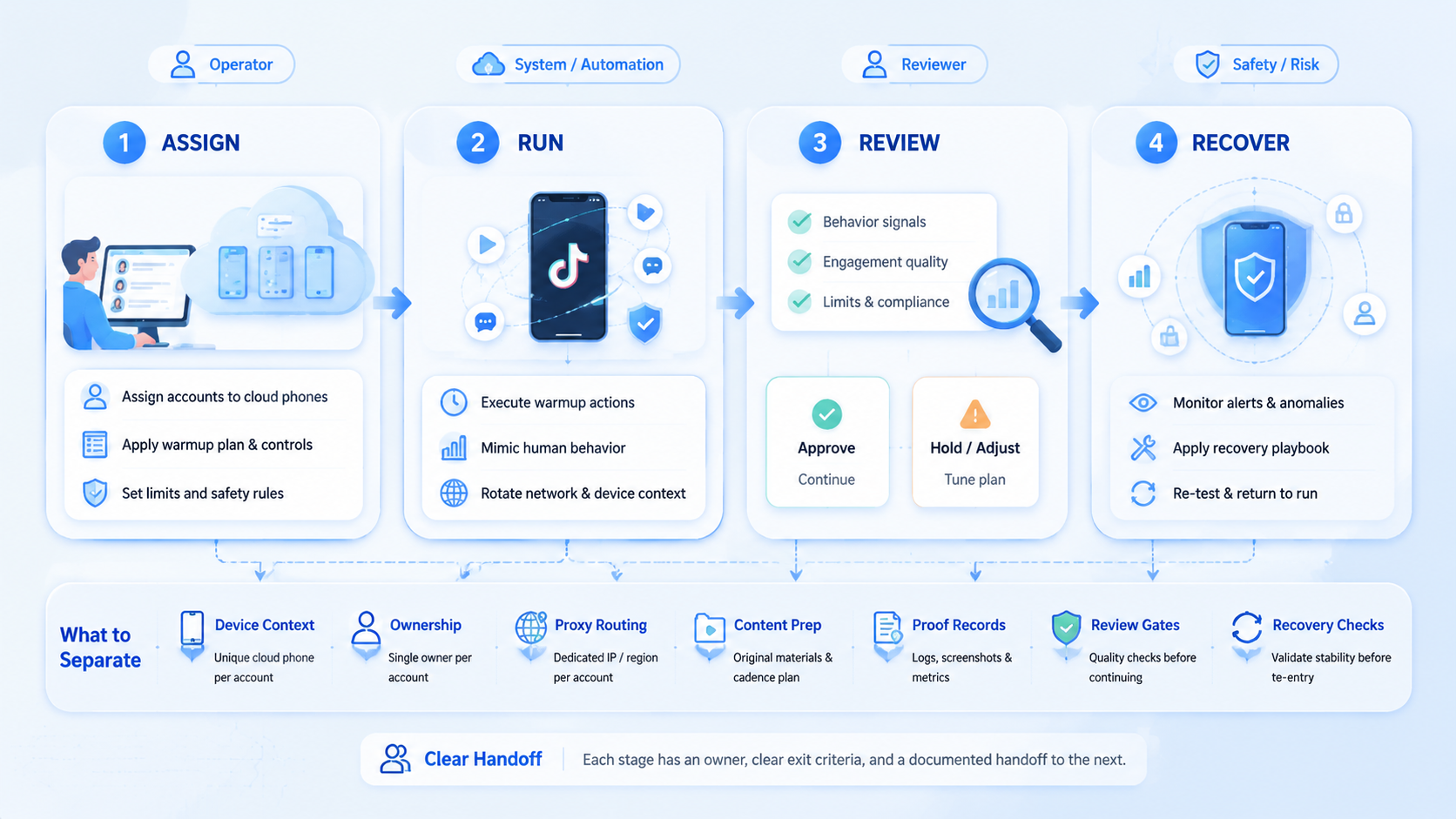
Top TikTok account warmup workflows for TikTok operations teams behave like operating systems for work. They plan the route, limit the action, assign the environment, keep proof near the task, and make review visible.
- Audit now.
Choose the TikTok account warmup workflow that makes boring details clear. When a team can inspect inputs, accounts, browser steps, mobile checks, reviewer notes, and failure reasons, it can scale with less confusion. If those details are hidden, more autonomy will only create a larger mess.
- Pause early



