
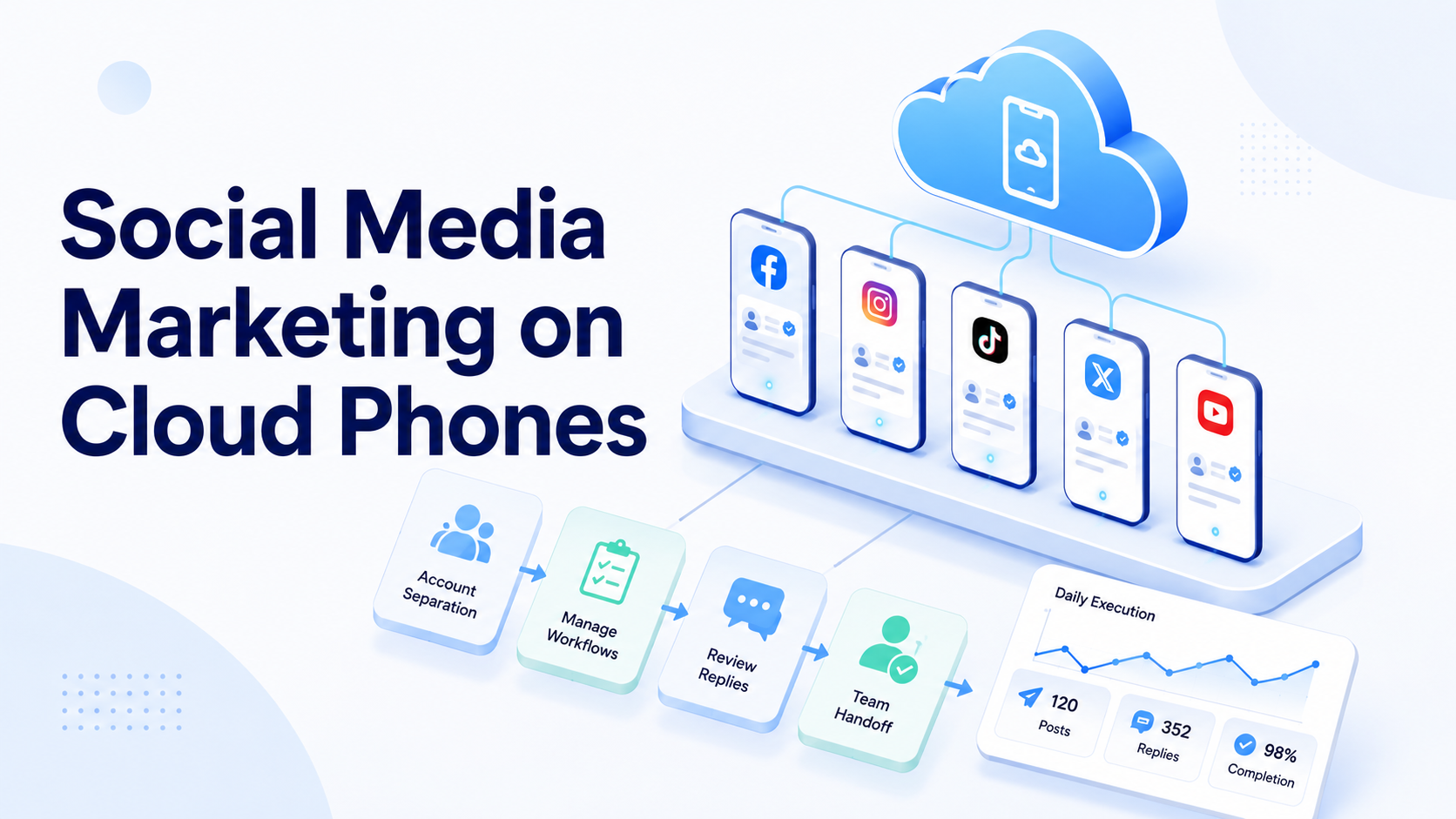
Key Takeaways
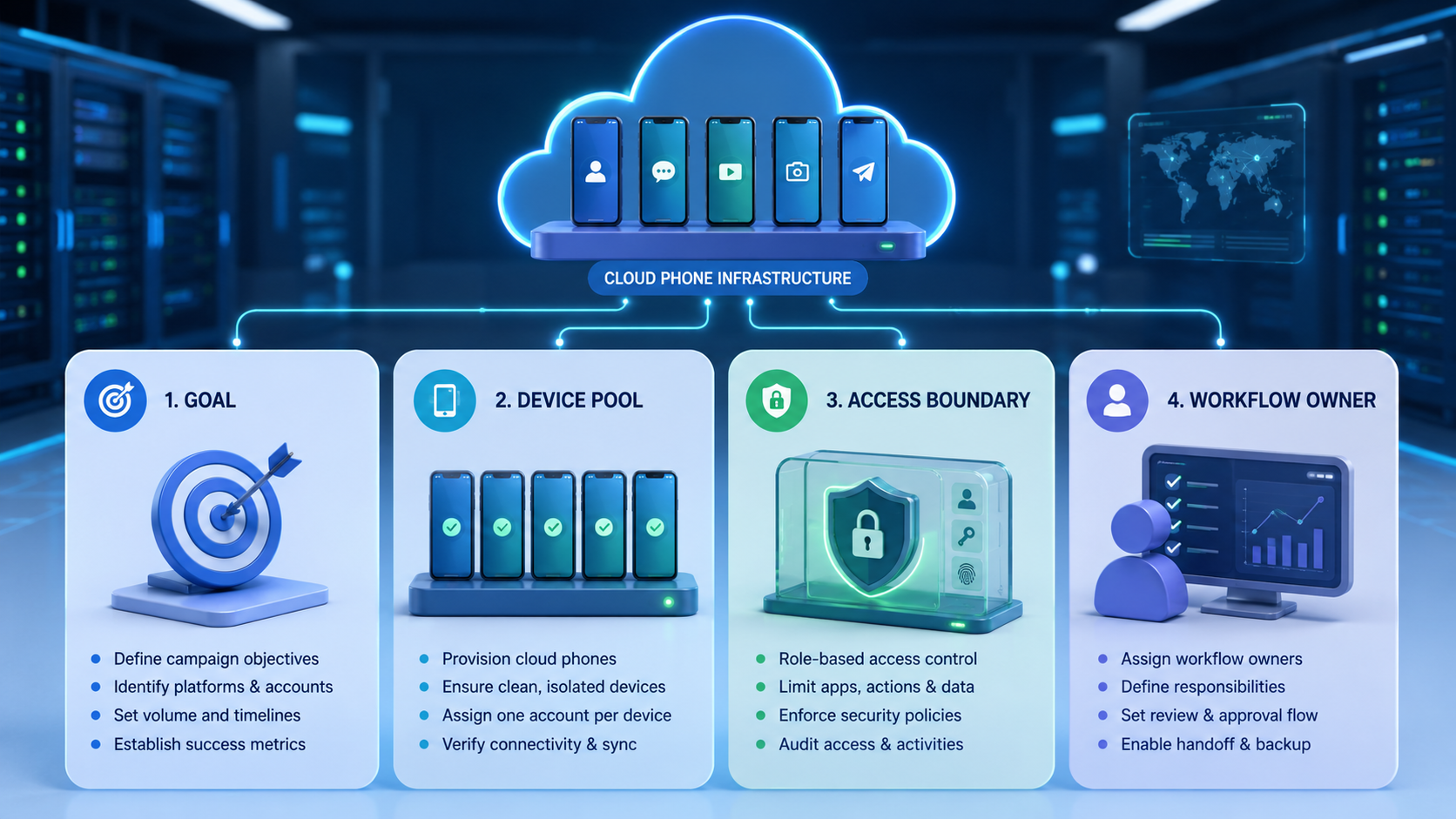
- Social media marketing on cloud phones means running mobile-first account work in controlled phone lanes.
- The best use cases are publishing support, comment review, inbox checks, research, and team handoff.
- Cloud phones help teams separate accounts, owners, app state, and review notes.
- Start with one platform workflow before building a larger social media matrix on cloud phones.
Social media marketing is the process of planning, publishing, engaging, and learning across social channels to support a business goal.
Cloud phones change the execution side of that work. They give teams remote mobile environments for app-based tasks such as TikTok posting checks, Instagram comment review, WhatsApp follow-up, Telegram community monitoring, and mobile content research.
Moimobi treats this as execution infrastructure, not a shortcut. A cloud phone can act as one mobile lane for one account or workflow, while multi-account management helps the team keep owners, tasks, and review logs clear.
The Core Idea Behind Social Media Marketing on Cloud Phones
The common misunderstanding is that cloud phones are only remote devices. For a social team, the stronger model is account-based execution.
Each phone lane should answer four questions:
| Question | Operational Answer |
|---|---|
| Which account runs here? | One account, campaign, client, or app lane |
| Who owns review? | A named operator or team lead |
| What tasks are allowed? | Posting checks, replies, research, monitoring, or follow-up |
| When does work pause? | Login prompts, unclear customer intent, off-brand content, or app errors |
This matters because social media marketing is not one task. It includes content planning, publishing, inbox work, engagement, reporting, and feedback loops. A shared personal phone may work for one creator. It rarely gives a team enough visibility when several accounts and people are involved.
Moimobi connects phone lanes with mobile automation for repeatable app steps. Routine work becomes easier to assign, review, repeat, and inspect when every mobile lane has an owner and a task scope.
Why Teams Search for This Topic
Teams search for cloud phones when social work becomes too app-heavy for desktop tools alone. Scheduling tools can help with calendars and posts, but some workflows still happen inside mobile apps.
A growth team may need to check comments, save competitor examples, reply to messages, review short-form content, and update a campaign sheet. A seller may need app-based customer follow-up. An agency may need each client account separated by lane and owner.
Google's guidance on helpful content reminds publishers to create useful, people-first content rather than output made only for search traffic. Social teams face the same test. AI-assisted captions or replies still need review, context, and value before they go live. See Google's Search Central guide on creating helpful content.
Social Media Marketing Workflow Run Sheet
A run sheet turns a phone lane into a managed work unit. Without it, the team only knows that a device exists. With it, the team can see what the lane is for, who touched it, which task ran, and what changed during the last shift.
Use one run sheet per active account lane:
| Field | Example | Why It Matters |
|---|---|---|
| Platform | TikTok, Instagram, WhatsApp, Telegram | Keeps the lane tied to one app context |
| Account purpose | Product education, support, creator outreach | Prevents random task mixing |
| Allowed work | Draft review, comment scan, inbox triage | Sets the task boundary |
| Owner | Social ops, support lead, sales ops | Shows who reviews issues |
| Review rule | Approval before public replies | Protects customer-facing work |
| Daily note | Done tasks, skipped items, prompt changes | Creates a handoff record |
| Stop rule | Pause on unclear intent or app prompts | Gives operators a clear action |
This sheet also helps when AI workers assist the team. The AI can sort comments, draft reply options, or summarize competitor posts. The lane owner still decides what is published and what needs review.
For Moimobi users, the run sheet can sit next to social media marketing workflows, cloud phone IDs, and account notes. The result is not only faster work. The team also knows which mobile lane produced which result.
Cloud phones do not replace a marketing strategy. They support the operating layer that carries the strategy into mobile apps.
Who Benefits Most and In What Situations
This setup fits teams that already run repeated mobile social tasks. Agencies, cross-border sellers, creators with support teams, and community teams usually feel the pain first.
The fit is strongest when the team has:
- More than one active social account
- App workflows that cannot be handled fully from desktop
- Multiple people touching the same campaign
- Comments, DMs, or customer replies that need review
- A need to separate client, brand, or market lanes
- Daily reporting or handoff between operators
It is a weaker fit when one person manages one account with low daily volume. In that case, a normal phone and a content calendar may be enough.
An enterprise cloud phone solution should be judged by control, not by device count alone. More phones only help when the team can explain which account, owner, and task belongs to each lane.
How to Evaluate Social Media Marketing on Cloud Phones
Start with one workflow. Do not begin with every platform and every account at once.
| Step | Action | Pass Signal |
|---|---|---|
| Pick a platform | Choose TikTok, Instagram, WhatsApp, Telegram, Facebook, or another app | One platform is in scope |
| Pick a task | Start with comment review, inbox triage, or content research | The task has a clear end |
| Assign a lane | Map one account to one cloud phone | The phone ID is documented |
| Assign an owner | Name the person who reviews issues | The owner can approve or pause |
| Track output | Log done work, edits, skipped items, and failed steps | The team can review the week |
This structure gives the team a small proof point. For example, an Instagram team can use one phone lane only for comment triage. The operator reviews new comments, drafts replies, marks uncertain cases, and records what needed human approval.
The next step can add publishing checks or competitor research. Scaling before the first task is clean usually creates confusion.
Social Media Matrix on Cloud Phones
A social media matrix on cloud phones means mapping accounts, platforms, and workflows into lanes. The matrix should be simple enough for a team lead to audit.
| Lane | Platform | Account Purpose | Allowed Work | Owner |
|---|---|---|---|---|
| CP-01 | TikTok | Product education | Draft review, comment scan | Social ops |
| CP-02 | Customer engagement | DM triage, reply queue | Support lead | |
| CP-03 | Lead follow-up | Message review, note update | Sales ops | |
| CP-04 | Telegram | Community | Group monitoring, issue flagging | Community lead |
The matrix prevents the team from treating every phone as a loose device. Each lane has a job. That job can later connect to AI workers, SOPs, or mobile automation rules.
Google's SEO Starter Guide is about search, but its clarity principle is relevant here: organized information is easier for people and systems to understand. A lane matrix serves that purpose for social operations.
Mistakes That Reduce Social Media Marketing Results
The first mistake is using cloud phones without a content or engagement plan. The phone lane can support execution, but it cannot decide the brand voice, offer, audience, or reply policy.
The second mistake is mixing accounts inside one lane without notes. This makes it harder to trace app state, drafts, owner actions, and recovery steps.
The third mistake is raising automation volume before review quality is measured. Teams should know whether replies need heavy edits, whether posts match the campaign, and whether operators can recover from app prompts.
Avoid these patterns:
- One phone lane for unrelated brands
- No owner for customer-facing replies
- AI replies posted without human review
- No notes for failed tasks or skipped messages
- Platform rules ignored during campaign setup
- Reporting based only on output count
Good social media marketing needs both speed and judgment. Cloud phones support speed only when judgment remains part of the workflow.
Pilot Rollout, Measurement, and Recovery Checks
A pilot should measure whether the phone lane improves control. It should not only count posts, replies, or opened accounts.
Use a weekly review:
| Metric | What to Check | Why It Matters |
|---|---|---|
| Lane accuracy | Correct account used the correct phone | Prevents account mix-ups |
| Task completion | Assigned work finished with notes | Shows whether the workflow runs |
| Edit rate | Human edits needed after AI or operator drafts | Shows content quality |
| Issue count | App prompts, unclear messages, failed steps | Shows where the process breaks |
| Recovery time | Time from issue to next clear action | Shows handoff quality |
Recovery is part of the system. If a phone lane hits a login prompt, unusual app state, or unclear customer message, the operator should know when to stop and who reviews the case.
Moimobi supports this broader operating model with cloud phones, account separation, and mobile workflow execution. The benefit is not a single device. It is repeatable mobile work with a review path.
Frequently Asked Questions
What does social media marketing on cloud phones mean?
It means running app-based social tasks inside remote mobile phone lanes that are assigned to accounts, owners, and workflows.
Is this only for posting content?
No. It can support comment review, DM triage, customer follow-up, research, monitoring, reporting, and the weekly handoff notes that keep teams aligned.
Do cloud phones replace social media management tools?
No. Scheduling and analytics tools can still be useful for calendars, approvals, and reporting. Cloud phones cover mobile app execution that those tools may not handle.
Can AI workers use cloud phones for social media tasks?
Yes, when the task has clear inputs, allowed actions, owner notes, and human review rules. AI should not be treated as a blank check for public replies.
What should teams automate first?
Start with low-ambiguity work such as comment collection, inbox triage, competitor research, or draft preparation.
How should a team avoid messy account handling?
Use one lane per account or workflow, keep owner notes, and pause when app prompts or unclear messages appear.
When is this not a good fit?
It is not a strong fit when the team has one account, low volume, and no repeated mobile app work.
Conclusion
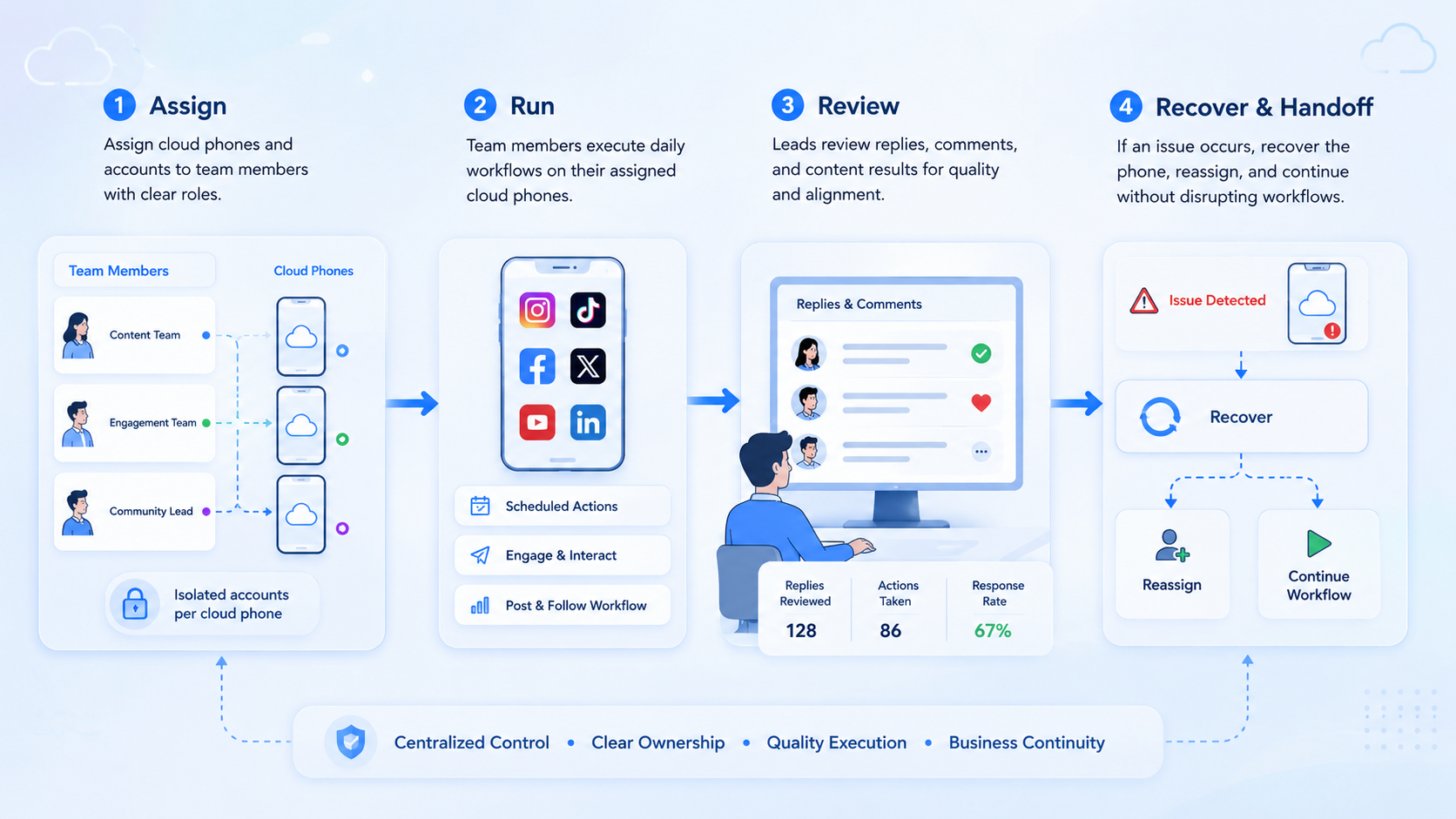
Social media marketing on cloud phones works best when the team treats each phone as a workflow lane. The lane needs an account, owner, task scope, review rule, and recovery path.
Start with one platform and one task. Run it for a week, measure quality, and review the issue log. If the team can explain what happened in each lane, it is ready to add the next account or workflow.



