
Key Takeaways
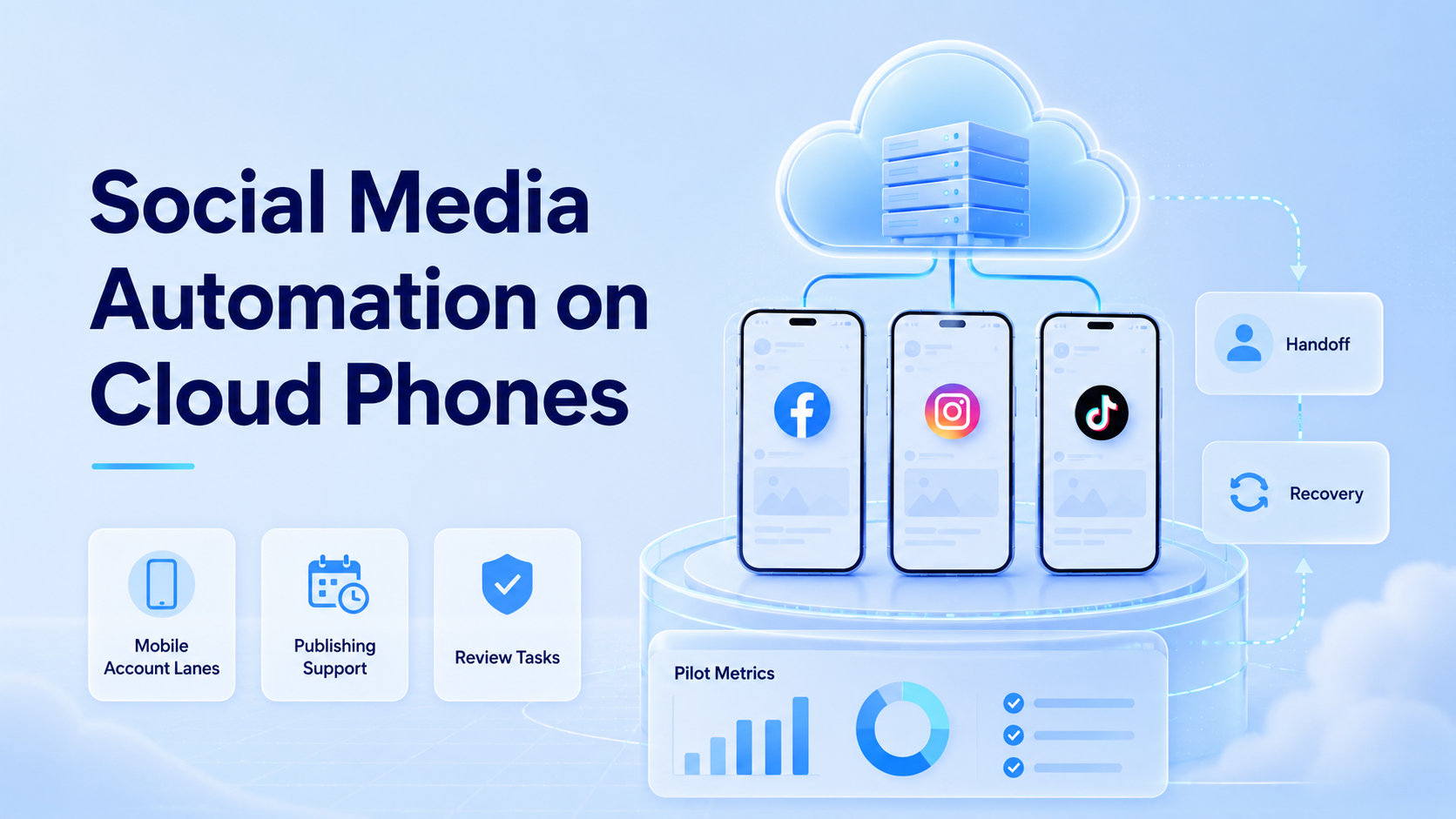
- Social media automation on cloud phones gives teams remote Android workspaces for mobile-first account work.
- The useful model is account-based execution, not unchecked posting volume.
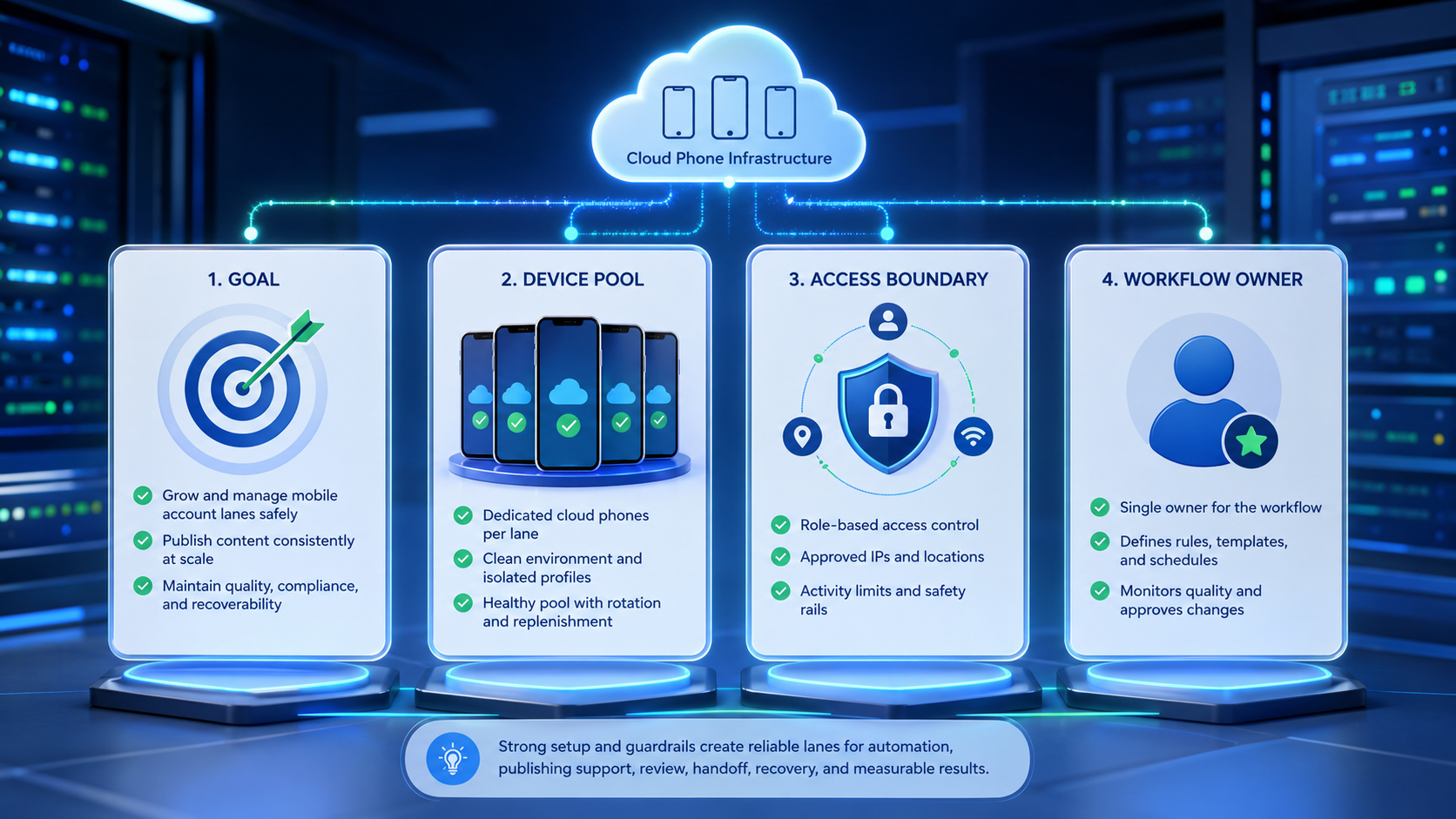
- A good pilot defines account lanes, review rules, stop points, and recovery notes before scale.
Social media automation on cloud phones is the use of remote Android devices to run repeatable social media tasks with clearer account ownership and review. It helps teams work inside mobile app environments without passing physical phones around.
Begin narrow.
The practical use case is not "automate everything." A team may prepare captions, check inboxes, review comments, collect performance notes, or move a conversation to a human owner. Those actions need context, permissions, and records.
A cloud phone becomes valuable when each account has a lane. The lane includes a device, operator, workflow, content source, and stop rule. Without that structure, more devices only create more places to lose track of work.
The Core Idea Behind Social Media Automation on Cloud Phones
The common myth is that mobile automation is only about speed. Speed matters less than control when real accounts, customers, and brand channels are involved.
The better model is controlled mobile execution inside a known mobile workspace. A cloud phone runs the app and preserves the account state. The workflow tells the operator or AI worker what task is allowed, where to stop, and who must approve the next move. The review log records what happened and what needs follow-up.
That record should be detailed enough for a second operator to continue the task without asking the first operator what happened.
That combination gives the team a practical operating trail across device, account, task, reviewer, and next action.
Keep the lane visible.
For example, one device can handle TikTok content drafts, another can handle Instagram comment triage, and a third can hold WhatsApp follow-up tasks. Each device has a name, a role, and an owner.
Google Search Central's guide on creating helpful content is not a social automation manual. Still, its user-first principle is useful: automation should improve the work experience for real people, not create low-quality activity.
Why Teams Search for This Topic
Teams search for social media automation when the manual workload becomes uneven. Content gets prepared in one place, customer replies happen in another, and account managers have to ask who last touched a channel.
That is a workflow problem.
Cloud phones help because the mobile app state stays in one remote workspace. A manager can open the assigned device, inspect the last task, and decide whether to continue, pause, or hand off.
The need is strongest when social work is split across platforms. TikTok, Instagram, Facebook, WhatsApp, Telegram, and YouTube each have different mobile habits, review patterns, and customer expectations. A team needs a way to keep account lanes separate while still giving staff remote access.
Different apps create different review moments, so one shared generic workflow will usually hide important handoff details.
This is why the device name, platform role, and task type should be visible before the operator begins each run.
MoiMobi's mobile automation layer fits this kind of operating model. It gives teams a place to run mobile workflows, not only a place to store devices.
Who Benefits Most and In What Situations
The best fit is a team with repeated mobile tasks and clear account responsibility. Agencies, cross-border sellers, creator teams, support teams, and growth operators often match this pattern.
Small teams benefit when they need shared access without shipping phones between people. Larger teams benefit when account roles, customer segments, and review paths must stay separate.
Use a simple fit test:
- Good fit: one account has repeated tasks every week
- Good fit: more than one person needs controlled access
- Good fit: managers need proof of handoff and task state
- Poor fit: the team has no repeatable workflow yet
- Poor fit: the goal is only bulk posting without review
- Poor fit: account ownership is unclear
A realistic agency setup might use ig-client-a-review-01, tt-client-a-publish-01, and wa-client-a-support-01. Those labels show platform, client, role, and lane number.
Names matter.
How to Start Using Social Media Automation on Cloud Phones
Begin with one platform, one account, and one workflow. Do not begin with a fleet.
Use this rollout path:
- Choose the account lane: name the platform, account owner, region, and workstream
- Assign the cloud phone: keep one device tied to one account lane during the pilot
- Define allowed work: list draft, review, reply preparation, data collection, or monitoring tasks
- Set stop rules: pause on complaints, payment requests, policy questions, account switches, or sensitive replies
- Create a review note: record who checked the task and what should happen next
- Repeat for five runs: check where the workflow breaks before adding more accounts
One account first.
The Google SEO Starter Guide emphasizes making pages useful and clear for users. That same discipline works for social operations. Each automated step should have a clear user, purpose, and review point.
Clarity wins.
Execution Model: Account Lane, Task, Review
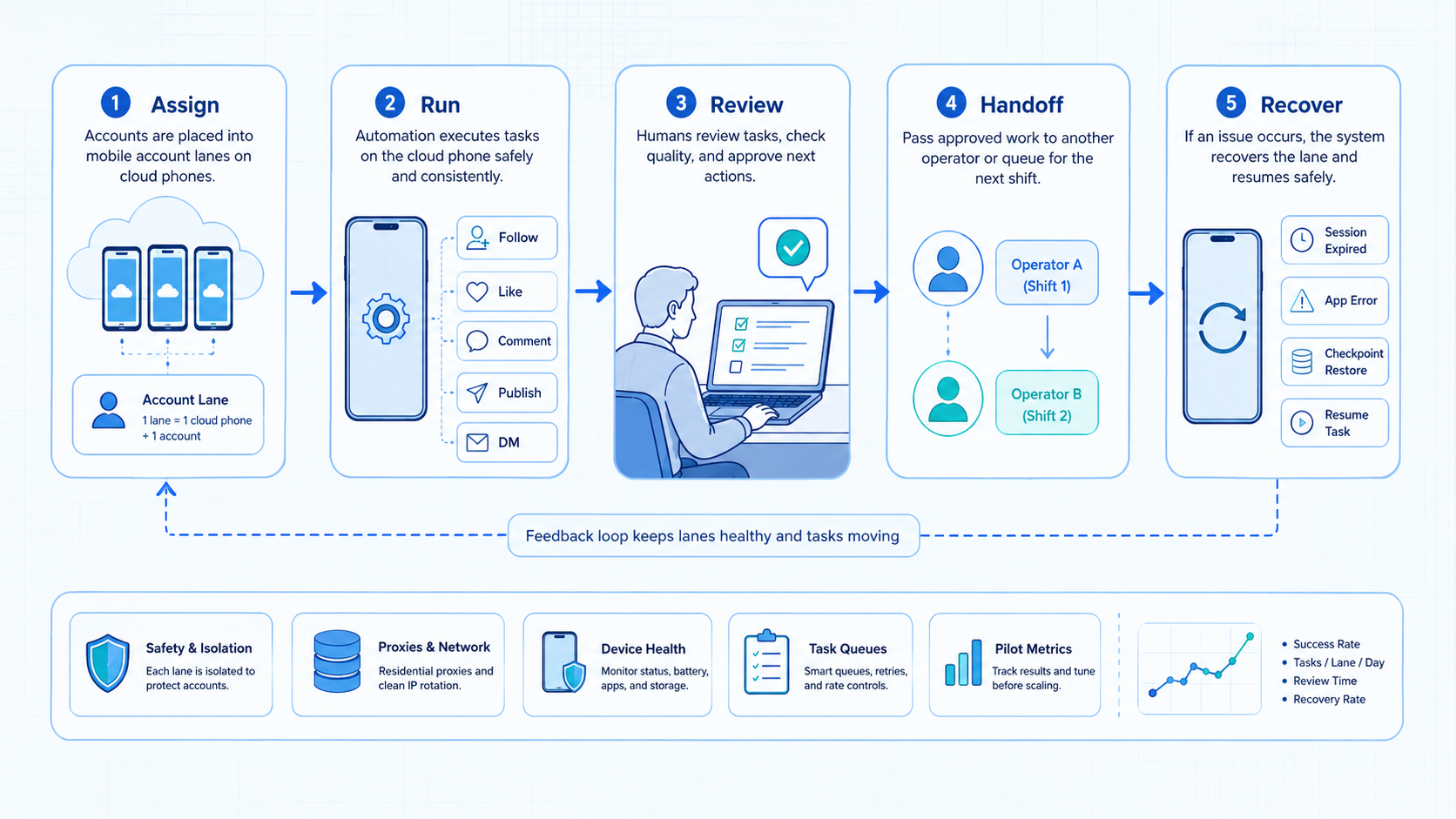
A practical cloud phone workflow has three parts. The account lane defines where work happens. The task defines what should happen. The review step decides whether the result is ready.
| Layer | What It Controls | Failure Signal |
|---|---|---|
| Account lane | Device, app session, owner, and platform role | Wrong account or mixed customer history |
| Task | Drafting, checking, collecting, replying, or monitoring | Vague instruction or no finish state |
| Review | Approval, handoff, escalation, and recovery notes | Manager cannot tell what happened |
This model keeps the work inspectable. It also helps AI workers and human staff share a lane without pretending every task can be fully autonomous.
Team Roles for Social Media Automation
Role design matters because cloud phones are shared workspaces. A messy role map makes every device harder to trust.
Use three roles at first.
The operator prepares the task. This person opens the assigned cloud phone, checks the account lane, follows the workflow, and writes the task note.
The reviewer checks sensitive work. This person approves public posting, unusual replies, account changes, and any message that could affect trust.
The manager reads the weekly pattern. This person does not need to inspect every screen. They need to know which lane is clean, which lane repeats the same failure, and which workflow should stop.
Clear roles reduce argument later. If a post goes live from the wrong account, the team should know whether the error came from account setup, task steps, review, or handoff.
Platform Examples Without Over-Automating
Different social platforms create different mobile tasks. The workflow should match the app habit instead of forcing every account into the same template.
For TikTok, a lane might prepare drafts, collect comment themes, and save creator research notes for the next content meeting. Public posting should still require review.
For Instagram, a lane might handle comment triage, story asset checks, and DM classification. Complaints, refunds, or private data should stop the workflow immediately, because speed is less valuable than a clean escalation path.
For WhatsApp or Telegram, a lane might prepare follow-up notes, mark customer intent, and route conversations to the right owner. It should not treat every reply as a marketing message.
Customer-message lanes need stricter review because a wrong reply can create support work, brand damage, or follow-up confusion.
That distinction protects the customer experience and gives operators a better reason to pause.
Small rules help.
Social Media Automation Mistakes That Reduce Results
The first mistake is starting with too many accounts. A team should prove one lane before copying it. Otherwise, every account inherits the same unclear rules.
The better path is slower at first: fix one lane, document the failure points, then copy only the parts that worked.
Copying a weak lane is faster at first, but it creates more review work after every mistake.
The second mistake is treating social media automation as a replacement for judgment. It can prepare work, repeat steps, and surface tasks. It should pause when a customer-facing action needs context.
Pause early.
The third mistake is mixing unrelated accounts on one device. That may feel efficient, but it makes review harder. Files, drafts, app state, and messages can become hard to trace.
The fourth mistake is missing recovery notes. A failed task should leave the device ID, account lane, last screen, owner, failure reason, and next action. This turns a failed run into a repairable run.
Example Workflow: Publishing, Replies, and Monitoring
A practical setup can start with three mobile lanes. One lane prepares content. One lane checks customer replies.
Each lane should have its own device label, operator role, content source, and review trigger.
A third lane collects monitoring notes. The point is not to replace the team. The point is to keep each task in the right place.
Lane one might hold Instagram and TikTok draft work. The operator checks the approved content source, opens the right account, prepares the caption, and saves the task for review. Nothing goes live until the reviewer signs off.
Check twice.
Lane two might handle comment and inbox triage for channels where volume changes during campaigns. The operator can mark questions as product, shipping, support, or complaint. Product questions can receive prepared drafts, but complaints move to a manager.
That handoff should include the comment, account name, draft reply, complaint type, and the person expected to decide.
Lane three can track competitor and campaign signals. The task may collect five post URLs, three common hooks, and one summary note. This is useful for planning, but it should not turn into scraping private data or copying competitors.
| Lane | Allowed Work | Stop Rule |
|---|---|---|
| Publishing prep | Open account, prepare caption, attach approved asset | Pause before public posting |
| Reply triage | Classify comments, draft safe replies, tag complaints | Pause on refunds, anger, or sensitive data |
| Monitoring | Collect public URLs, hooks, and campaign notes | Pause if the source or data type is unclear |
This model gives the team a clear audit path. A manager can ask which account was opened, which asset was used, what was drafted, and why the task stopped.
Social Media Automation Pilot and Recovery Checks
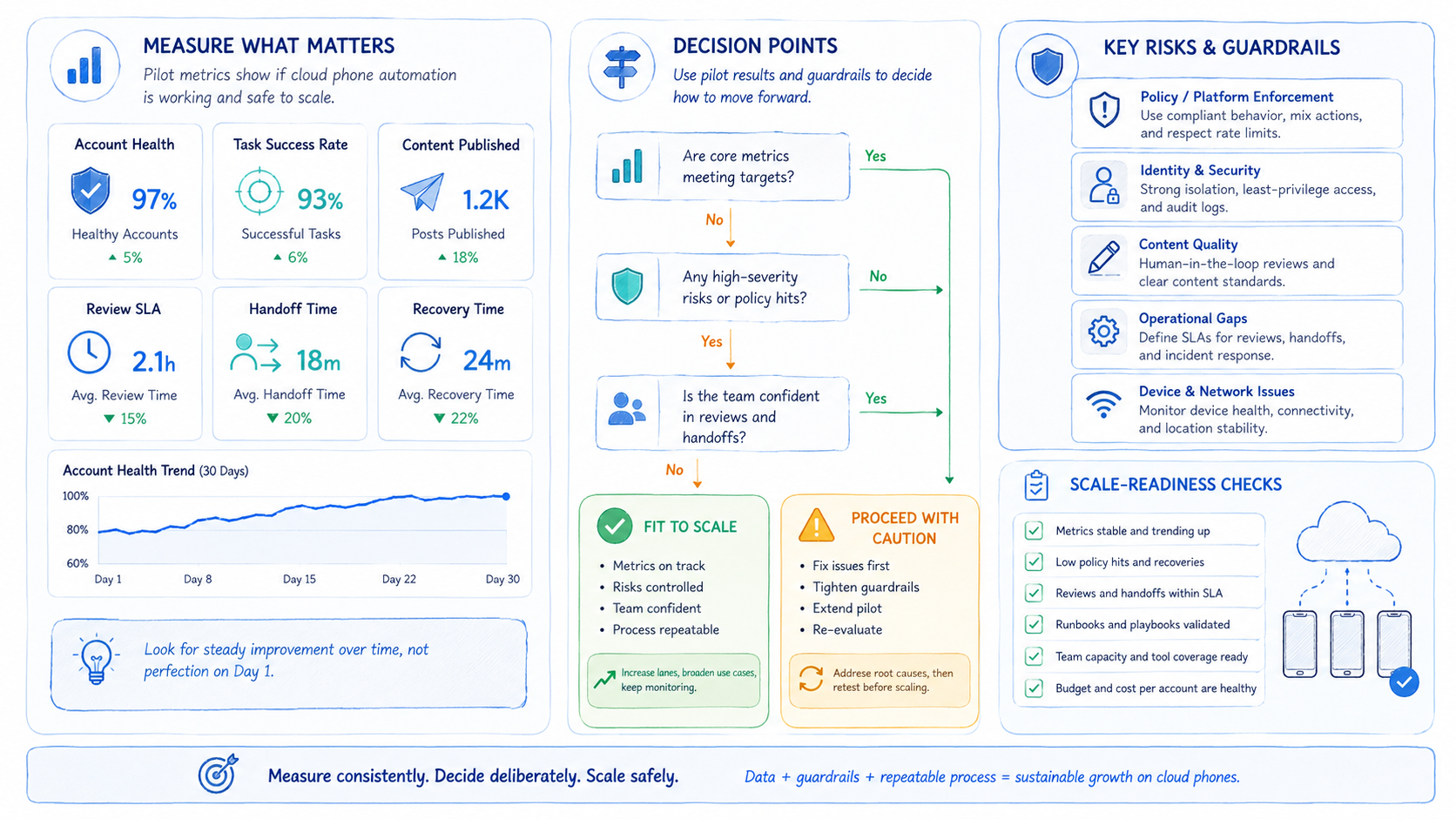
A useful pilot lasts one week. The goal is not maximum action count. The goal is clean handoff.
Track these fields:
- account lane
- cloud phone ID
- operator or AI worker
- workflow name
- task outcome
- review status
- takeover event
- repeated failure reason
- next owner
Add one more field for account confidence. Use clear, uncertain, or wrong lane. This tells the team whether failures come from the task itself or from account setup.
Keep it blunt.
Use a simple decision rule that every operator can apply without debating edge cases. Green tasks can continue. Yellow tasks need review. Red tasks stop until the owner fixes context and confirms the lane is safe to resume.
The scorecard should be simple enough for a new operator to use on the first day without extra training.
Green means the account, task, and next step are clear. Yellow means the draft is useful, but approval is needed before anything public or customer-facing happens. Red means the workflow touched sensitive customer, account, money, or identity context.
If red tasks repeat, stop expansion. The team should fix ownership, source data, or stop rules before it adds another device.
The device isolation layer matters when the pilot expands. Each new lane should copy the ownership rules from the working lane.
Scale clean lanes.
Frequently Asked Questions
What is social media automation on cloud phones?
It is mobile task automation that runs inside remote Android devices assigned to social media account workflows, usually with one device lane tied to a platform, account, owner, and review process.
Is this only for posting content?
No. It can support drafting, review, inbox checks, comment triage, research, and campaign monitoring across the mobile apps where the team already works.
Posting is only one workflow; review and handoff usually create the bigger daily workload.
Can AI workers use cloud phones?
Yes, when tasks have clear permissions, stop rules, and human review for sensitive actions that affect customers, account settings, or public brand activity.
The AI worker should prepare or inspect work, while the team keeps approval over public and account-level changes.
Should every account get its own cloud phone?
Not always. Start with one account per lane when ownership and review are important, then decide whether related low-risk tasks can share a workspace later.
What should teams automate first in a social media automation pilot?
Begin with low-risk preparation tasks that are easy to inspect after each run. Examples include caption drafts, content checks, monitoring notes, and review queues.
What should not be automated first?
Do not start with account settings, payment actions, public replies under conflict, or unclear customer consent.
How does this differ from a scheduler?
A scheduler publishes planned posts. A cloud phone workspace supports broader mobile execution, app-based review, customer-message preparation, and recovery notes.
Where does MoiMobi fit?
MoiMobi provides cloud phone and mobile execution infrastructure for teams managing account-based workflows across social, messaging, and mobile commerce apps.
It is most relevant when the team needs remote mobile access, separated work lanes, and a review path for repeated tasks.
Conclusion
Social media automation on cloud phones works best when it is treated as an operating system for account lanes. The device is the workspace. The workflow is the rulebook. The review log is the safety net.
Those three parts should stay together whenever the team adds another account, platform, or operator.
Start with one platform and one account. Define the allowed tasks, stop rules, and review owner. Once the lane is clear, copy that model to more accounts instead of scaling a messy process.



