
Key Takeaways
- Agencies need a social media AI automation platform that connects task logic with real execution environments
- Publishing, inbox work, and monitoring often need different runtime and review rules
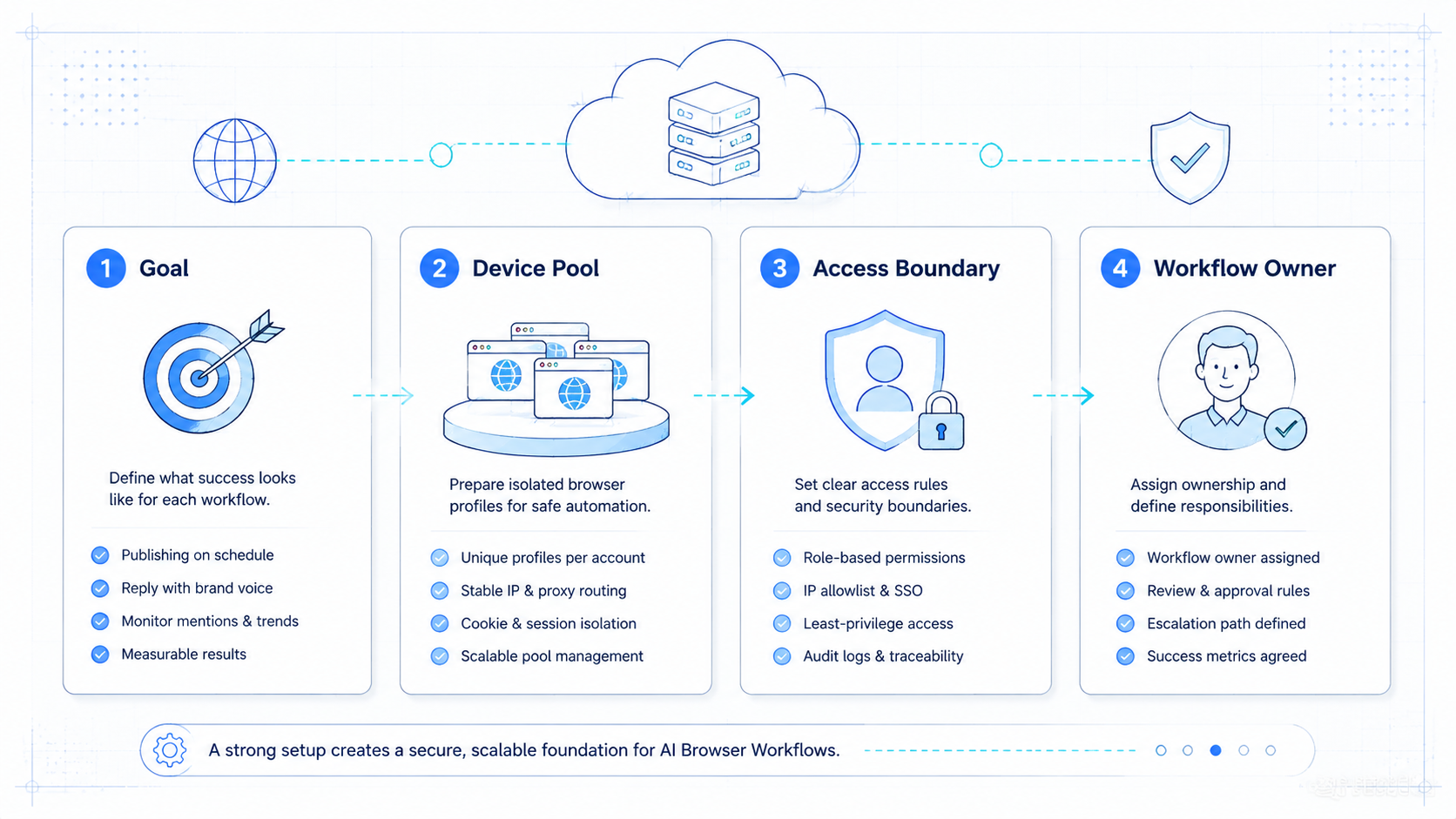
- Multi-account agency workflows become safer when ownership and isolation are explicit
- The best pilot starts with one client lane, one KPI set, and one recovery rule
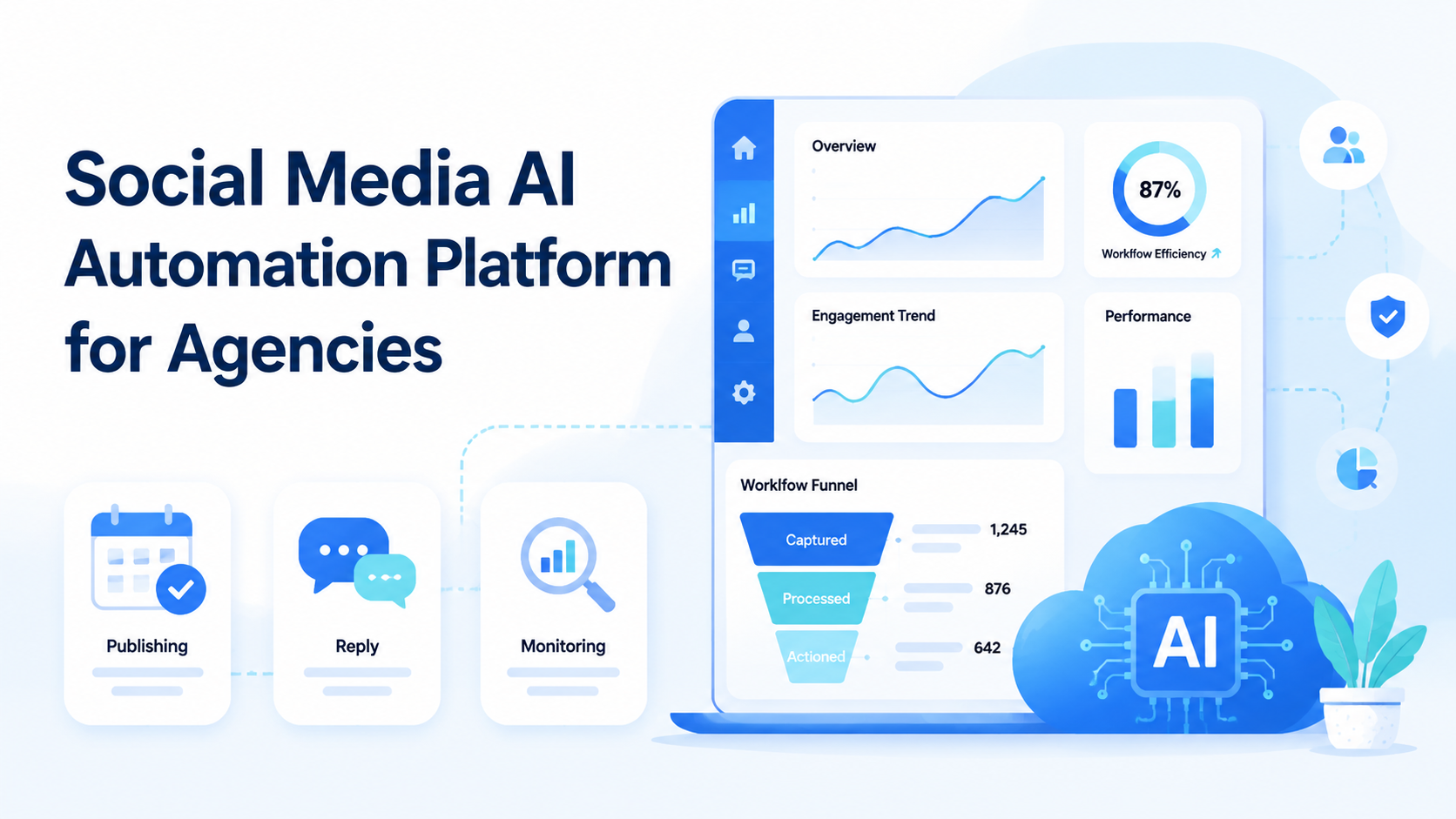
Social Media AI Automation Platform for Agencies is a workflow system that helps agencies run repeatable social media tasks across browser and mobile environments. It is more than content generation. It also needs execution, account separation, and review control.
Agencies usually feel this need when simple scheduling tools stop covering real client work. Content may be planned in one place, posted in another, reviewed by a third person, and followed up through app-native inboxes or comment flows.
That is where an AI browser and execution platform start to matter. The useful platform is the one that lets an agency run repeated work without losing client boundaries or creating review chaos.
What Is Social Media AI Automation Platform for Agencies? for AI Browser Workflows
This category is an operating system for agency execution. It combines:
- AI-assisted task logic
- browser and mobile runtimes
- client account separation
- human review and recovery rules
The browser layer matters because many social workflows still depend on web dashboards and logged-in tools. The W3C WebDriver standard defines browser automation through explicit sessions and commands, which is why session control matters for any client-facing lane. Playwright browser contexts support the same principle through isolated contexts.
But agencies do not only work in dashboards. They also deal with app-native inboxes, mobile notifications, and mobile-only steps. Android Enterprise treats Android devices as managed business workspaces, which matches the way agencies should think about client execution boundaries.
In practice, the platform should connect social media marketing, device isolation, and mobile automation into one reviewable workflow.
Why Social Media AI Automation Platform for Agencies Matters and AI Browser Operations
The common misunderstanding is that agencies only need better scheduling. In reality, agency work often includes publishing, reply handling, monitoring, and client-specific review steps.
That creates three operational pressures:
- many client accounts
- many handoffs
- many points where context can be lost
An AI browser layer helps because it can keep web-native tasks inside controlled sessions. A mobile layer helps because some reply or moderation tasks depend on app behavior. The platform matters when the agency wants a repeatable model for both.
This is also where multi-account management becomes a commercial need rather than a nice feature. Agencies are selling consistency and responsiveness. Weak boundaries directly damage delivery quality.
Key Benefits and Use Cases
The strongest benefit is cleaner workflow structure. Agencies can route a client lane into the right runtime and hold one team member accountable for review.
Strong use cases include:
- content publishing with pre-publish review
- comment and inbox triage
- routine monitoring for campaign signals
- client-specific account operations across several platforms
Another benefit is easier recovery. If a lane fails, the owner knows which client account, which runtime, and which review step was involved. That reduces the time spent reconstructing the workflow.
One high-value cluster for agencies is content and platform workflow support tied to MoiMobi resources. Agencies usually need both process guidance and execution infrastructure.
How to Get Started with Social Media AI Automation Platform for Agencies
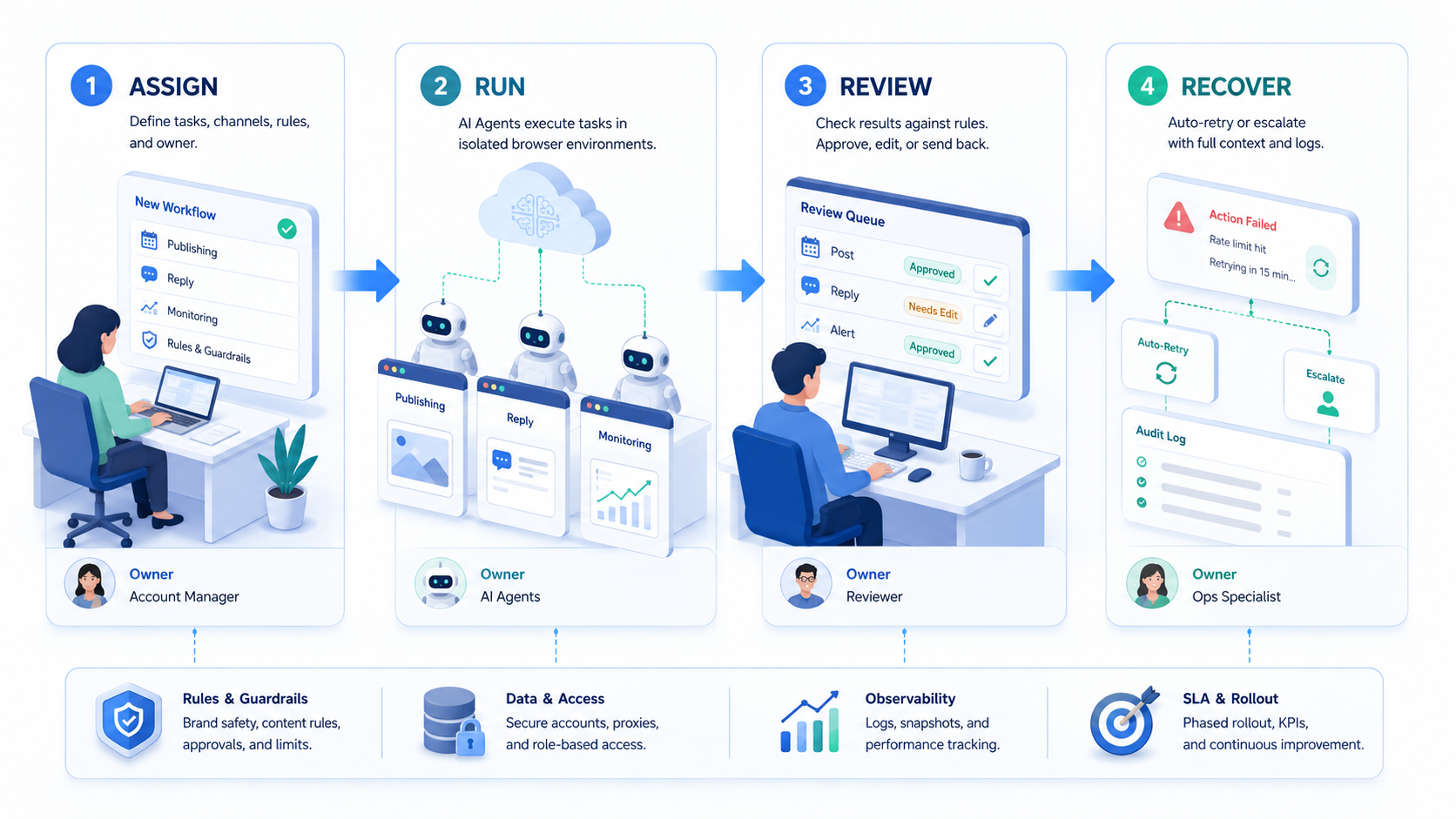
Do not start with all clients at once. Agency automation breaks first at ownership and review, not at raw execution speed.
- Pick one client lane. Choose one client with repeated publishing or monitoring work.
- Define the workflow boundaries. Separate publishing, inbox, and monitoring if they need different rules.
- Map runtime by task. Keep dashboard tasks in browser sessions and app-native tasks in mobile environments.
- Set approval points. Decide when a human must approve content, replies, or escalation.
- Track one KPI set. Use metrics such as correction count, response lag, or missed handoff rate.
- Review before expansion. Move to more clients only after the first lane is stable.
If content teams need mobile execution, a cloud phone layer should be part of the pilot plan from the start instead of being added after browser-only workflows fail.
Common Mistakes to Avoid
The first mistake is mixing every client into one queue. That weakens review quality and makes accountability fuzzy.
The second mistake is asking one agent or one operator to own strategy, publishing, monitoring, and inbox work for every client. That may look efficient, but it usually creates hidden cleanup work.
The third mistake is confusing platform access with platform execution. A scheduling tool may solve planned posting, but it does not automatically solve app-native review, live inbox handling, or account-specific isolation.
Avoid these patterns:
- shared sessions across unrelated client accounts
- no distinction between browser and mobile tasks
- no recovery owner when a workflow fails
- no measurable pilot criteria before scaling
Agencies that rely on comparison research may also benefit from the existing hub on cloud phone farm infrastructure when they are deciding how much device capacity they really need.
Fit Boundaries for Agencies
This model is not right for every agency setup.
Agencies with repeated publishing, monitoring, or inbox workflows across several client accounts.
Agencies with partial SOPs that still need stronger runtime or review design.
Boutique work where every client task is custom and changes daily.
The stronger the SOP, the stronger the automation fit. If the team cannot explain the client workflow clearly, the platform will not fix that by itself.
Pilot Rollout, Measurement, and Recovery
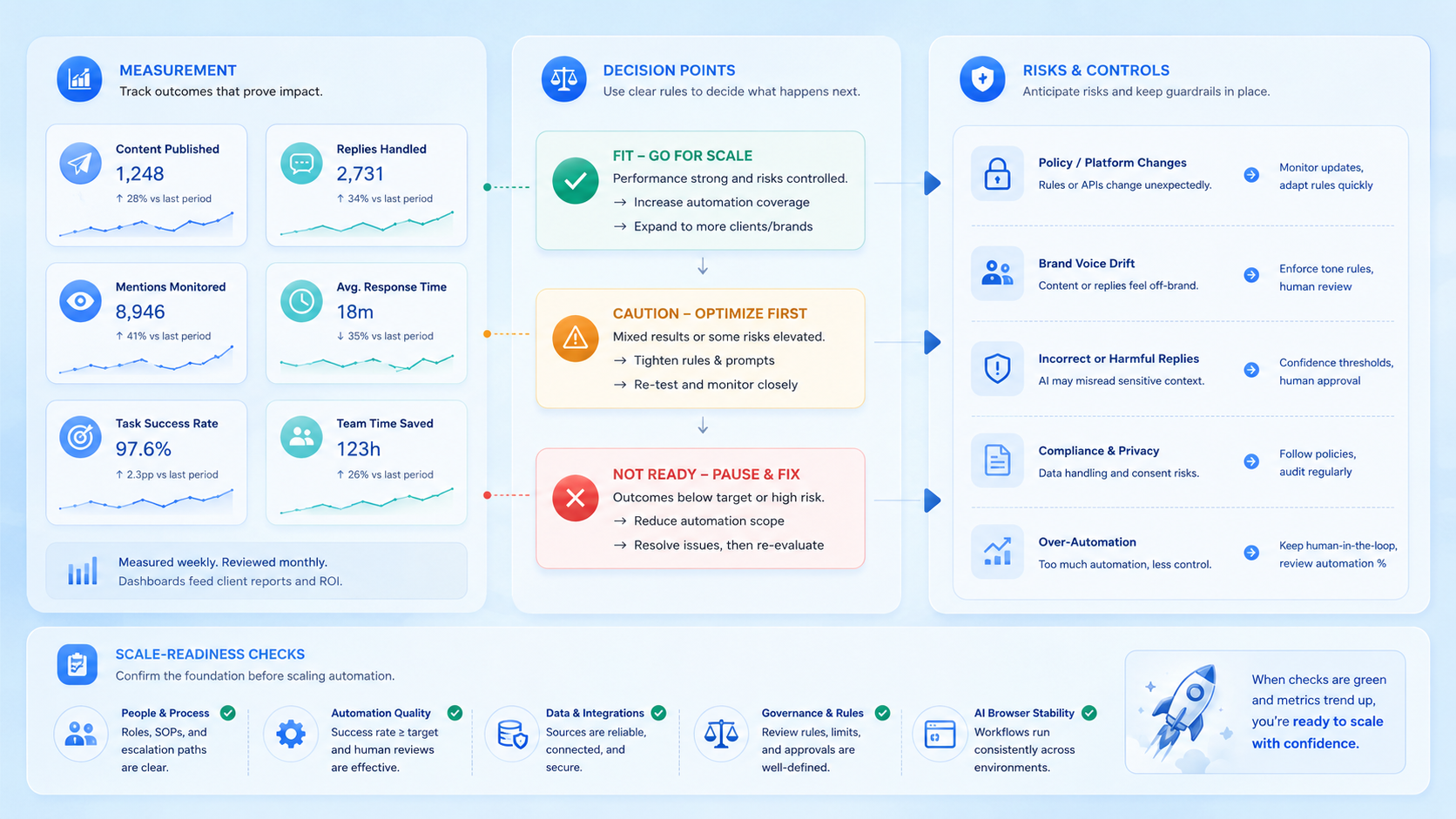
Start with one client workflow and measure only a few signals.
| Signal | What it shows |
|---|---|
| Correction count | How often humans must edit or repair output |
| Response lag | Whether the workflow keeps pace with client expectations |
| Session conflicts | Whether account boundaries are holding up |
| Missed handoffs | Whether ownership and review are clear enough |
AWS Device Farm and BrowserStack App Automate both frame automated device work around controlled runs, observability, and repeatability. That same mindset works well for agency pilots. Recovery also needs a named owner. If the workflow fails, the next person should know exactly where to step in.
Frequently Asked Questions
Is this the same as a social media scheduler?
No. A scheduler handles part of the workflow. A full automation platform also covers execution environments, review rules, and recovery paths.
Do agencies need both browser and mobile execution?
Many do. Browser work often covers dashboards, while app-native tasks may require mobile execution.
What should an agency automate first?
Start with one repeated client lane such as monitored publishing, inbox triage, or routine platform checks.
Is this only useful for large agencies?
No. Smaller agencies often feel the cost of mixed sessions and unclear handoffs sooner.
How many clients should be in the first pilot?
Usually one. A narrow pilot makes review and correction much easier.
What makes a workflow hard to scale?
Mixed ownership, weak account separation, and no clear stop rule are the most common blockers.
How should agencies measure success?
Track correction count, handoff quality, response lag, and workflow completion before looking at pure speed.
Conclusion
Social Media AI Automation Platform for Agencies is most useful when it gives agencies a clear operating model for client workflows. The platform should connect AI assistance with runtime choice, account isolation, and a clean review path.
The next practical step is to choose one client lane, define the browser and mobile split, and measure ten to twenty runs before expanding to more accounts.



