
Key Takeaways
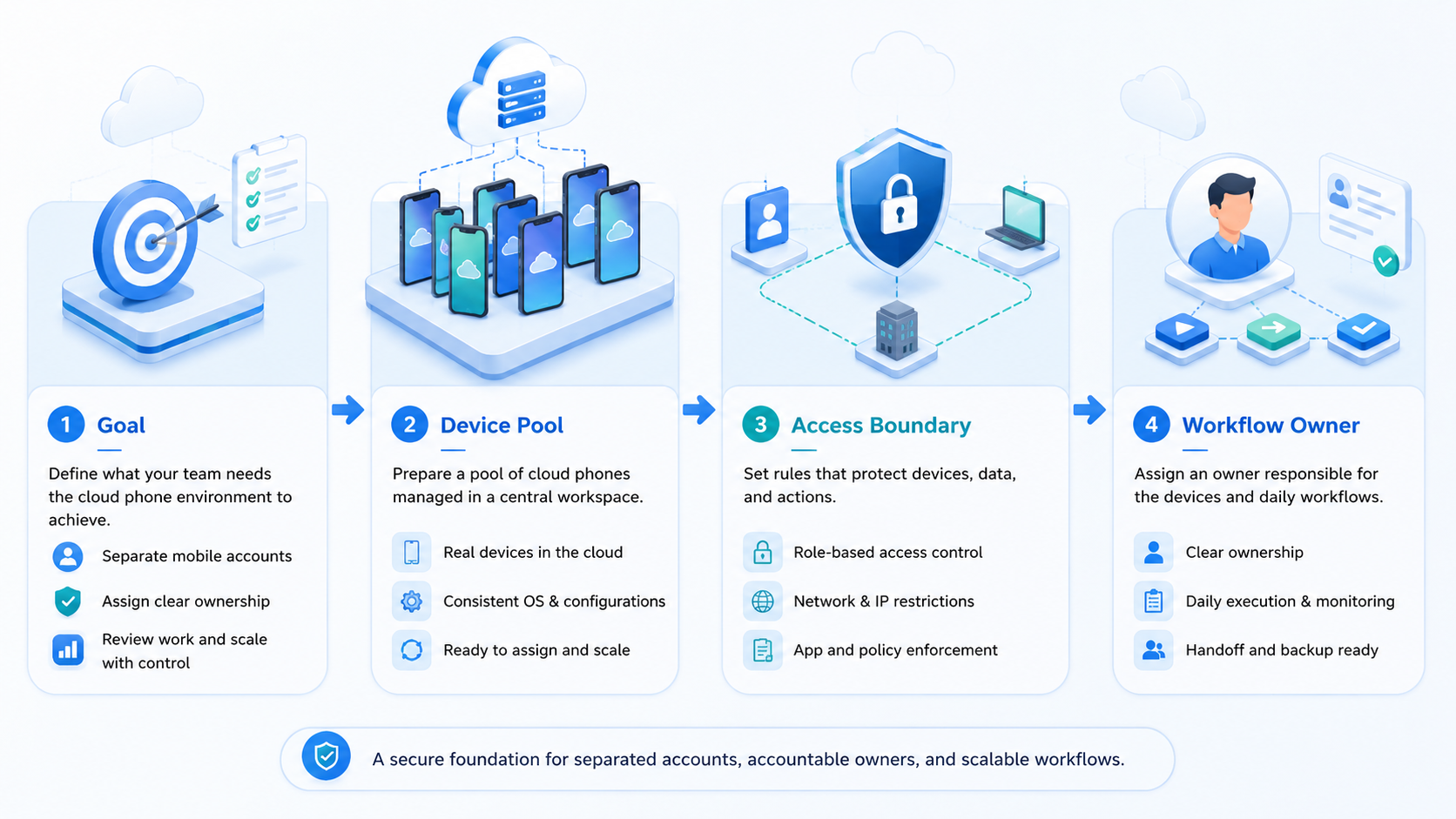
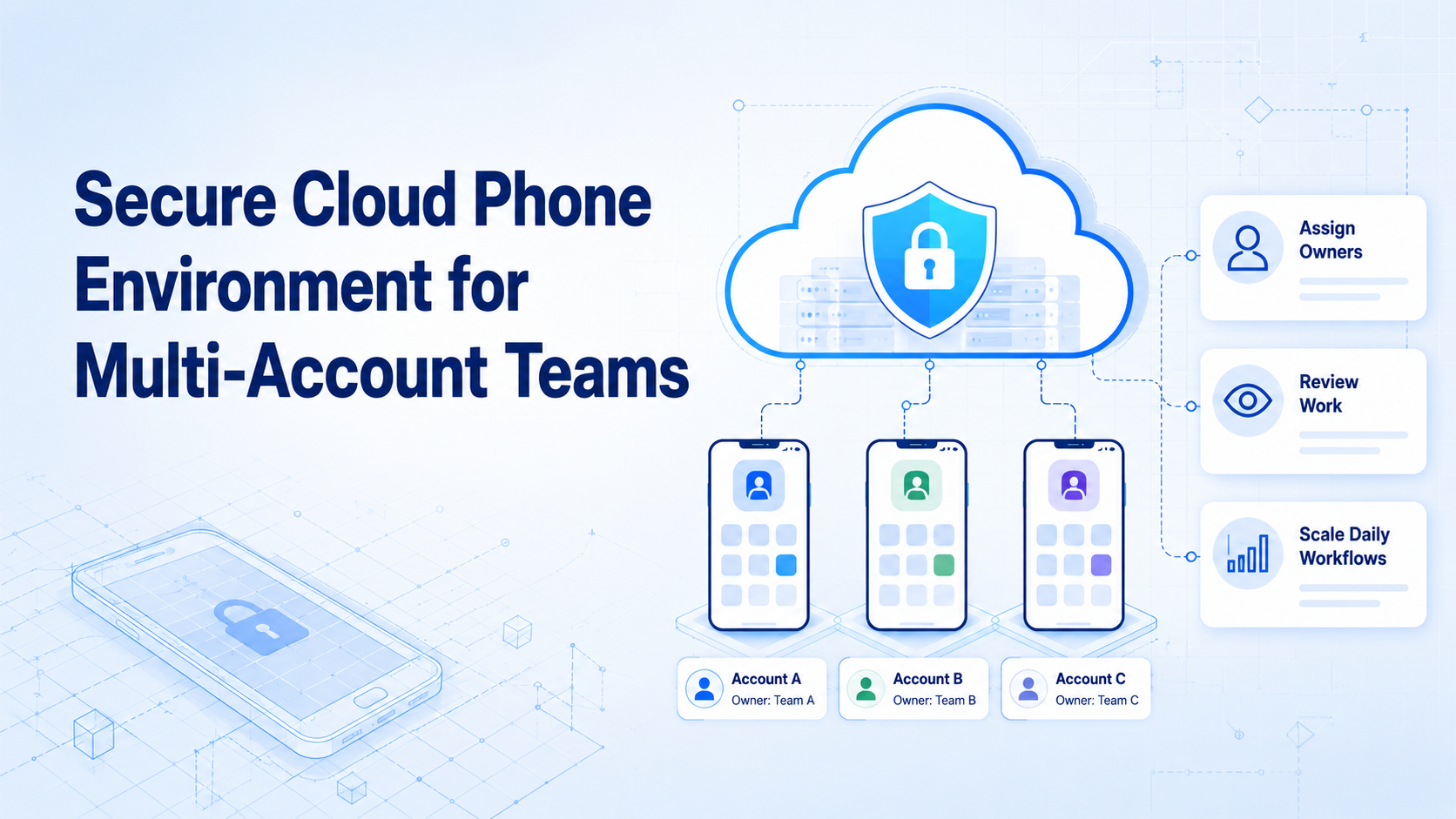
- A secure cloud phone is a controlled mobile workspace for one account, one owner, or one workflow lane.
- The goal is cleaner team operations, not aggressive automation or evasive claims.
- Multi-account teams need device isolation, routing notes, review rules, and recovery checks.
- A pilot should prove lane accuracy, task quality, and owner handoff before the team expands.
A secure cloud phone is a cloud-hosted mobile environment used to run account work in a controlled, separated, and reviewable lane.
For multi-account teams, the main problem is not only phone access. The hard part is keeping each account's app state, owner, task history, and review path clear. When those items blend together, daily work becomes hard to audit.
Moimobi positions cloud phones as part of a broader execution stack. A cloud phone can give a team a mobile lane, while device isolation and multi-account management help the team keep that lane tied to a real workflow.
The Core Idea Behind a Secure Cloud Phone
The setup should be judged by how well it supports team control. The important question is not whether the device is remote. The question is whether the team can see who used it, which account it served, what task ran, and what happened when something needed review.
Think of the phone as an account lane. One lane may support a TikTok profile, a WhatsApp inbox, a Telegram group, or a marketplace app. The lane needs a purpose, an owner, and a stop rule.
| Layer | What the Team Should Define |
|---|---|
| Account lane | Which account or app workflow runs here |
| Owner | Who reviews prompts, errors, and customer-facing actions |
| Device state | Which app installs, logins, and session notes belong to the lane |
| Routing | Which network route or proxy note is attached to the lane |
| Recovery | What to do when login prompts, app changes, or unclear replies appear |
This frame keeps the discussion away from risky "device spoofing" language. Strong teams describe the goal as workspace separation, task control, and reviewable execution.
Why Teams Search for a Secure Cloud Phone Environment
Teams search for this topic when manual account work starts to break down. A founder may begin with one phone and a few accounts. Later, the same team may need several operators, daily customer replies, content checks, app handoff notes, and cleaner logs for every account lane.
Shared devices cause a simple problem: no one knows which state belongs to which account. Saved drafts, login checks, reply notes, and app settings can become mixed. That makes handoff slower and raises the chance of human mistakes.
Google Play's policy center shows that platform operators publish detailed rules for apps and account behavior. A team running mobile workflows should review platform rules before it builds repeatable work. See the Google Play Policy Center.
The setup cannot replace policy review. It can give the team a better operating map. Each account has a place to run, a person to review it, and a trail for what happened.
Who Benefits Most and When It Fits
The best fit is a team that already has repeated mobile app work. That may include social media replies, content publishing, app-based customer support, lead follow-up, store checks, or community monitoring.
This is not only a device question. It is a team design question. A small agency may need one mobile lane per client account. A cross-border seller may need separate lanes for store apps, social channels, and customer chats.
- Several accounts across the same app
- Shared team access with named owners
- Daily app work that must be reviewed
- Need for cleaner session and task logs
- One person using one account
- No repeated mobile workflow yet
- No owner for review or recovery
- Goals based only on volume, not task quality
Moimobi also connects cloud phones with mobile automation for teams that need repeatable steps across app workflows.
How to Evaluate or Start Using a Secure Cloud Phone
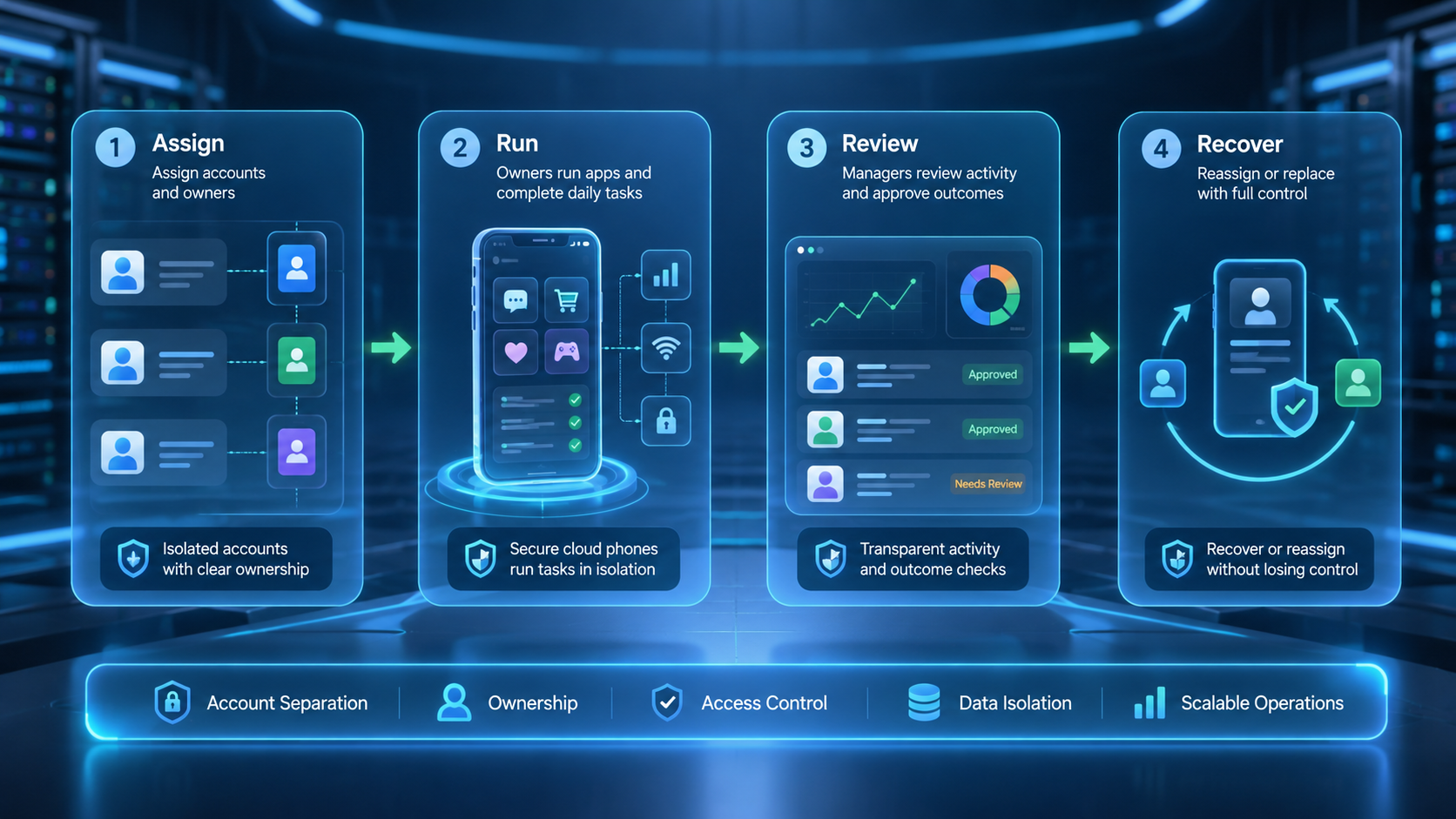
Start with a checklist, not a large rollout. A small pilot shows whether the team has enough process to handle more lanes.
| Checkpoint | Pass Signal | Pause Signal |
|---|---|---|
| Account map | Every account has one lane and one owner | Accounts share devices without notes |
| App setup | Required apps and logins are documented | Operators install or change apps ad hoc |
| Review rule | Customer-facing actions have approval rules | Replies or posts go out without review |
| Issue log | Prompts, failed steps, and edits are tracked | Errors are fixed in chat and forgotten |
| Recovery path | A human can inspect and restart work | No one knows who owns the next step |
The first pilot can be narrow. For example, assign one cloud phone lane to one Instagram account and use it only for comment review. Track lane accuracy, reply quality, skipped items, and manual edits for one week.
Google Search Central's guidance on helpful content is written for publishing, but the principle applies to operational output: content should be useful and reliable for people. Teams using AI-assisted replies or posts should review output before it reaches users. See Google's guide to creating helpful content.
Team Run Sheet for Daily App Work
A run sheet keeps the phone lane from becoming a mystery device. It also gives new team members a clear way to take over work without guessing.
Use one sheet per account lane:
| Field | Example Entry | Review Use |
|---|---|---|
| Cloud phone ID | CP-014 | Confirms the right lane |
| Account purpose | TikTok product education | Keeps actions on scope |
| App set | TikTok, CapCut, notes app | Flags unplanned app changes |
| Owner | Ana, social ops | Shows who reviews issues |
| Allowed actions | Draft, reply after approval, collect ideas | Stops scope creep |
| Pause rule | Stop on login checks or unclear customer intent | Creates a human handoff |
| Last review | Friday, 16:00 | Shows whether notes are current |
The run sheet should be short enough to use every day. A long policy document is rarely opened during a task. A lane sheet with seven fields can sit next to the workflow and make reviews faster.
This also helps when AI workers assist with routine work. The AI worker can draft, sort, or collect information, but the team still needs a lane owner and a review record. Google's SEO Starter Guide is about search visibility, yet its broader lesson is useful here: clear structure helps people and systems understand what they are working with.
Mistakes That Reduce Results
The first mistake is treating a cloud phone as a simple rental device. Teams need account design around the device. Without that design, the same confusion moves from physical phones to remote phones and appears again in shared notes, app changes, and unclear owner handoff.
The second mistake is using security language as a promise. This type of setup can improve separation and review. It cannot remove platform rules, user trust concerns, or the need for good content.
The third mistake is hiding exceptions. Login prompts, app errors, unclear customer messages, and failed steps should be logged. If a team skips the issue log, it cannot learn which workflow is ready to scale.
Avoid these patterns:
- One lane serving unrelated accounts
- No named owner for customer-facing actions
- App changes made without notes
- Review rules kept only in chat
- Automation volume raised before quality checks pass
- "Device fingerprint mismatch fix" framed as evasion instead of diagnostics
Device fingerprint language needs care. A safer operational frame is to check for setup mismatches, app state drift, routing notes, and account-lane errors. Avoid claims that imply bypassing platform rules.
Pilot Rollout, Measurement, and Recovery
The rollout should be measured like a team process. Count whether the workflow finishes, whether people trust the output, and whether issues are easy to inspect.
Use a weekly scorecard:
| Metric | What to Count | Why It Matters |
|---|---|---|
| Lane accuracy | Correct account used the correct phone lane | Prevents mixed ownership |
| Task completion | Assigned steps finished with notes | Shows whether the workflow works |
| Human edit rate | Replies, posts, or notes changed after review | Shows quality before scale |
| Issue count | Prompts, errors, failed steps, unclear inputs | Shows where the process breaks |
| Recovery time | Time from issue to clear next action | Shows whether handoff is clean |
The team should also define a stop rule. Stop when the app asks for unexpected review, when customer intent is unclear, when content quality drops, or when the lane owner cannot explain the last action.
This is where Moimobi's broader workflow matters. A cloud phone gives the mobile space. The team still needs SOPs, review rules, and clear owner handoff.
Frequently Asked Questions
What is a secure cloud phone?
It is a remote mobile environment used to run app work in a controlled lane with clear account ownership and review rules.
Is a secure cloud phone the same as an emulator?
No. A cloud phone is a remote mobile workspace for app work, account handoff, review notes, and team access. An emulator is usually a local or virtual test environment. Teams should compare fit by workflow needs, not by name alone.
Does this replace risk review?
No. It improves separation and control, but platform rules, content quality, customer trust, owner review, and clear stop rules still matter.
How many accounts should use one cloud phone?
For team control, one account per lane is usually easier to review. Some teams may group low-risk work, but they should document the reason.
Can AI workers use cloud phone lanes?
Yes. An AI worker can use a cloud phone lane when the task has clear steps, input limits, and a human review path.
What should be checked before scaling?
Check lane accuracy, task completion, human edit rate, issue count, recovery time, and whether each owner can explain the last action.
Should teams use device spoofing language?
No. Use safer terms such as device isolation, account lanes, setup checks, workflow review, routing notes, and human approval rules.
Conclusion
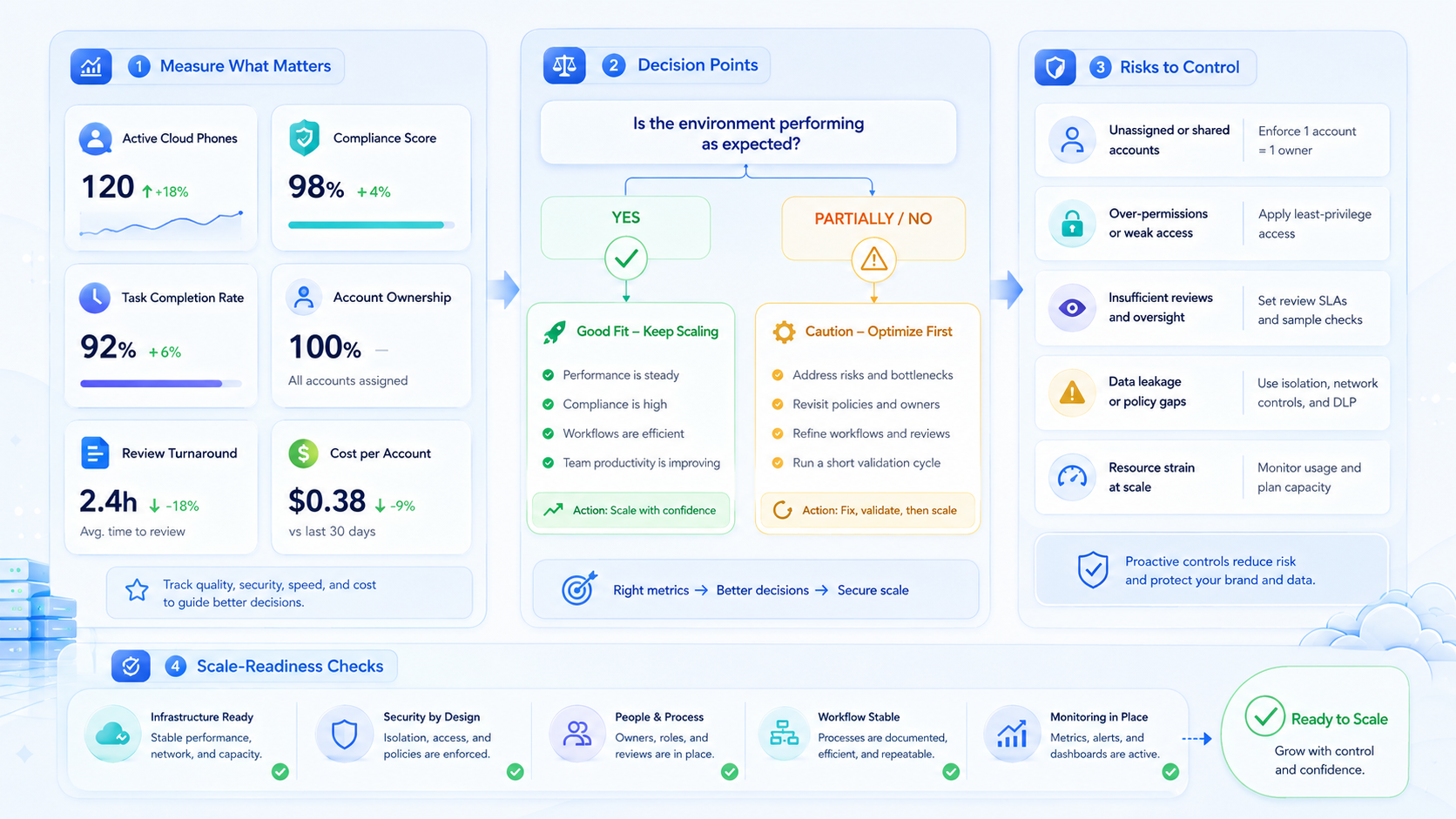
This environment is useful when a team needs more than remote device access. It is a way to give each mobile account a lane, owner, review path, and recovery record.
Start with one account type and one mobile workflow. Map the lane, assign the owner, write the stop rule, and track the first week of work. If the team can explain every action, review every exception, and recover from failed steps, the setup is ready for a careful next lane.
The practical next step is an account-lane sheet. List each account, cloud phone ID, owner, app scope, review rule, and issue log location before adding more work.



