
Key Takeaways
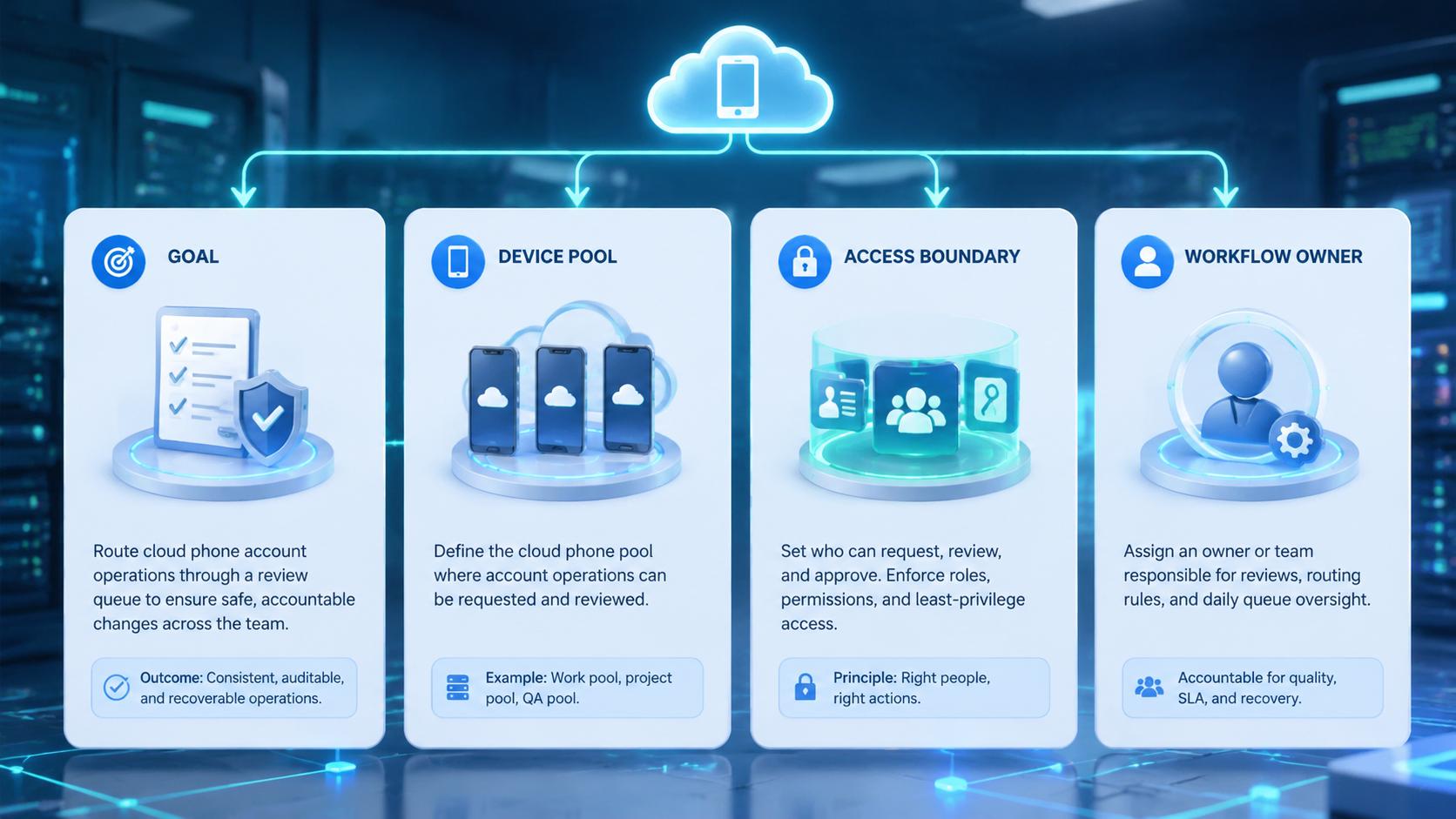
- A review queue turns account work into visible tasks with owners and status
- Cloud phones need queue fields for device, app state, account, result, and recovery owner
- The queue should catch unclear tasks before operators continue
- Start with one account group before routing every mobile task through review
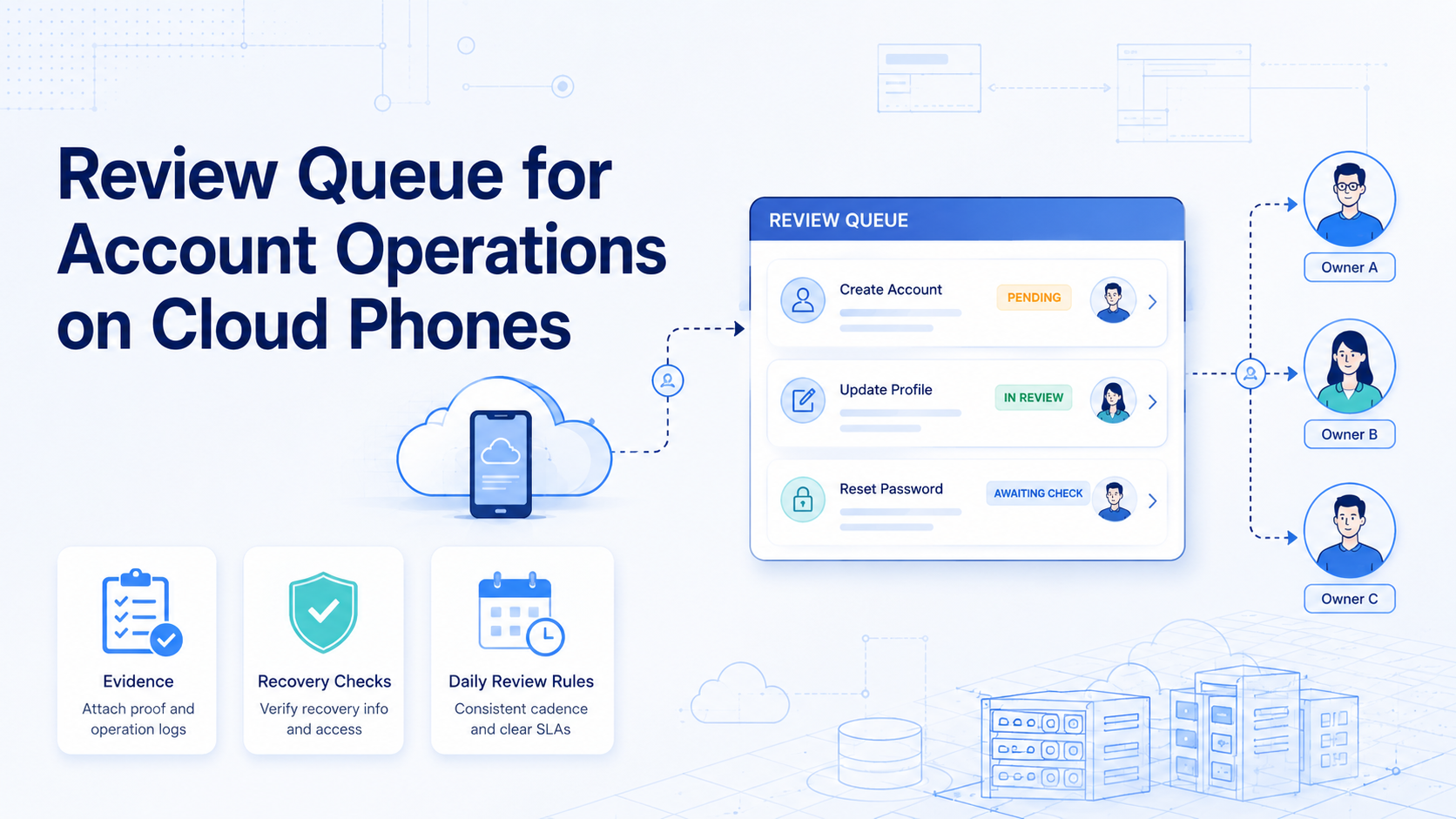
A review queue is a shared task list that routes account work to the right reviewer before the next action. On cloud phones, it helps teams handle mobile app prompts, replies, publishing checks, and recovery steps without relying on chat memory.
The queue is not a delay layer by default. It is a control point for work that needs a second look, a named owner, or evidence before moving forward.
What a Review Queue for Account Operations Does
A queue creates a visible waiting area for account tasks. Instead of every operator deciding alone, the team defines which events should pause.
Typical review events include:
| Review event | Why it pauses |
|---|---|
| Unclear app prompt | The operator needs a manager decision |
| Sensitive reply | The message may affect account trust or customer outcome |
| Failed publishing step | The next action may require recovery |
| Device ownership change | Context must move before access changes |
| Repeated task failure | The workflow needs inspection |
NIST SP 800-53 includes controls for audit events, access control, and accountability in organizational systems (NIST). Account operations are different from formal security systems, but the lesson is useful: important actions need ownership and traceability.
Why Cloud Phone Teams Need Review Queues
Cloud phones make mobile work available to distributed teams. AWS Device Farm describes remote access as a way to interact with hosted devices from a browser session (AWS Device Farm). For operations teams, the same remote-device pattern creates a coordination problem.
The handoff is rarely clean. One operator may see a prompt while another owns the customer reply, and a manager may still need to approve the recovery path before anyone continues. Without a queue, those decisions often drift into private messages.
Moimobi's cloud phone layer should therefore connect mobile workspaces to owners, task status, and review outcomes.
Fields Every Queue Item Should Include
Keep the queue structured. Long notes are hard to compare.
Use these fields:
- Account ID
- Cloud phone or device workspace ID
- App or platform
- Task type
- Current status
- Last action
- Evidence link or screenshot note
- Reviewer
- Recovery owner
- Due time or review window
Microsoft Entra audit logs show how identity systems retain records of activity and changes (Microsoft Learn). A mobile operations queue does not need the same technical schema, but it should preserve enough detail for a manager to understand what changed.
Fit and Not-Fit Boundaries
This workflow fits teams that run shared account operations. It is strongest when multiple operators use the same account pool, device pool, or campaign queue.
Strong fit:
- Social media reply review
- Mobile publishing checks
- Account recovery routing
- Shift-based customer support
- Multi-account campaign operations
Not fit:
- One operator owns all mobile work
- The task is low risk and easy to reverse
- The team already has a reliable review system
- The workflow is entirely browser-based
For account pools that span web and mobile surfaces, connect the queue to multi-account management and device isolation.
How to Start a Review Queue for Account Operations
Start with a narrow queue. Do not route every task through review on day one.
Use this rollout:
| Step | Check |
|---|---|
| 1 | Choose one account group |
| 2 | Define three events that must pause |
| 3 | Assign reviewers by role |
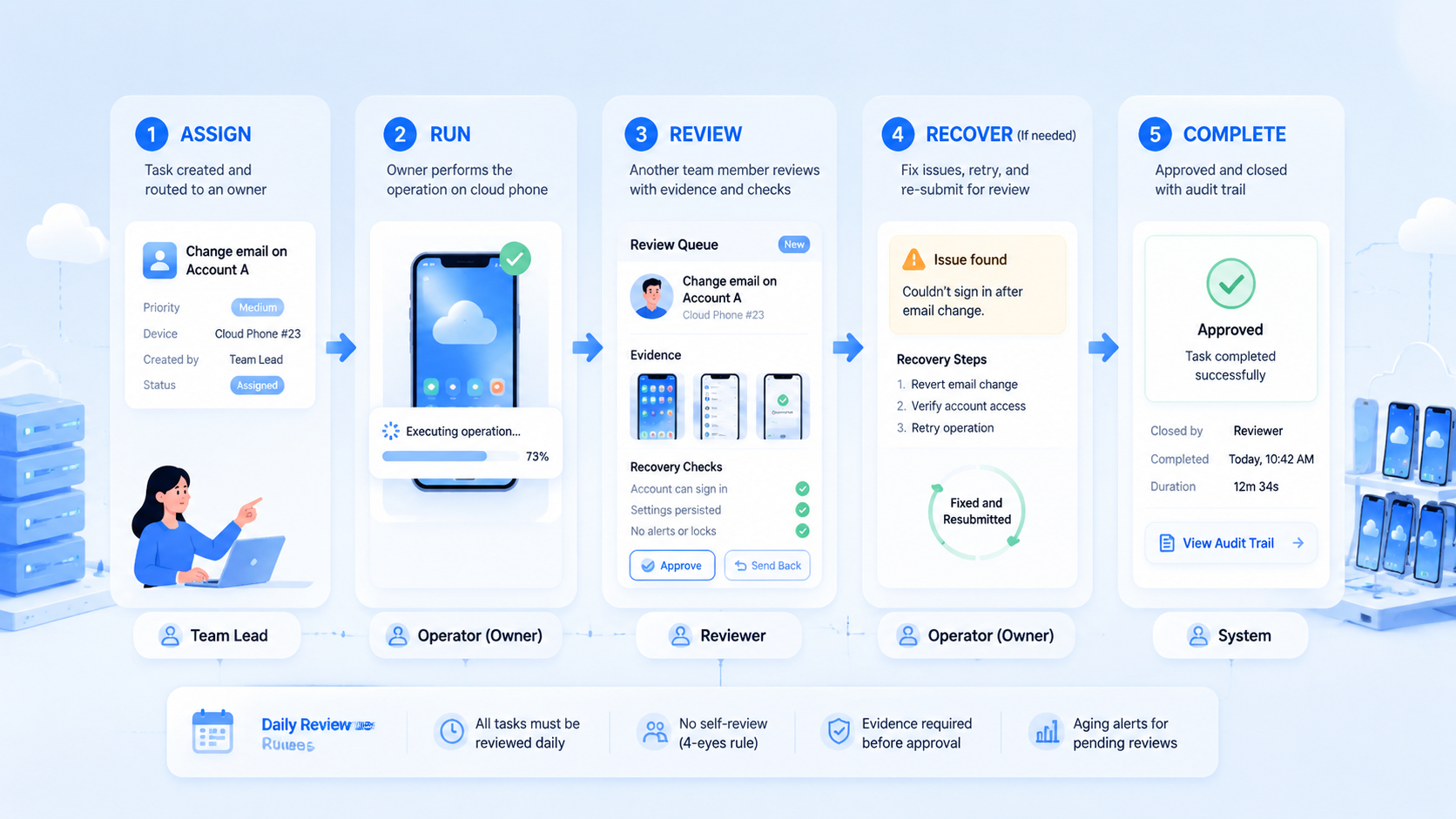
| 4 | Create status labels: new, reviewing, approved, blocked, recovered |
| 5 | Record evidence only when needed |
| 6 | Review failed tasks at the end of each day |
| 7 | Expand the queue after one week |
Android Enterprise documentation frames Android as a managed device platform for organizations (Android Enterprise). The product category is different, but the operating principle applies: shared mobile environments need policy, ownership, and review.
Common Mistakes
The first mistake is turning the queue into a dumping ground. If every task enters review, urgent items disappear inside routine work.
Blocked items need a recovery owner. Otherwise the queue becomes a hidden backlog, not a control system.
Evidence matters. The reviewer should see the account, device, last action, and reason for pause before giving approval.
Teams also automate too early. Mobile automation should follow clear routing rules after the review process is stable, not replace human judgment for unclear cases.
Pilot Metrics
Measure the queue for seven days.
Track:
- Items sent to review
- Items approved without changes
- Items blocked
- Items reopened
- Average time in review
- Recovery tasks without owners
- Operators asking for context in chat
Pass condition: reviewers can decide from the queue record. Fail condition: every review still requires a side conversation.
Review cadence should stay simple. A lead checks blocked items first, unclear items second, and recovered items last. That order keeps urgent decisions visible without turning the queue into a status archive.
Use one daily cutoff. Items still blocked after the cutoff need a named recovery owner or a clear reason to wait. This gives managers a clean signal before the next shift starts.
Keep the daily habit plain. Open the queue, sort by blocked work, and ask three things: who owns it, what happened, and what should happen next. If the answer is clear, move the task.
If the answer is not clear, keep it in review and name the person who must decide. This simple loop helps the team act without long chat threads.
Frequently Asked Questions
- What is a review queue? A task list for account work that needs a second look before the next action.
- What should enter the queue? Unclear prompts, sensitive replies, failed tasks, ownership changes, and recovery decisions belong there.
- Does every mobile task need review? No. Keep routine work outside the queue unless it fails, changes risk level, or creates uncertainty.
- Who should review? Match the reviewer to the task: support lead for replies, campaign owner for publishing, account owner for access, and recovery owner for failed steps.
- Can this work with browser profiles too? Yes. Use the same account ID, then keep browser profile IDs and mobile workspace IDs separate.
- When should automation help? Add automation after the team has stable status labels, reviewer rules, and evidence standards.
- What is the main success signal? Reviewers can make a decision from the queue record instead of searching chat history.
Final Check
For cloud phone teams, a review queue is a control layer with practical limits. It keeps unclear tasks, sensitive steps, and recovery work visible without forcing every action into approval.
Test it on one account group first. Expand only when reviewers can decide from the queue record alone; if they still need side conversations, improve the fields before adding more accounts.



